
Tooba Siddiqui
July 31, 2026 • Updated July 31, 2026
17 mins Read
Post something. Check the analytics. Realize the format was wrong for Reels. Re-export. The thumbnail is off. Fix it. Now do that for five platforms. And a video. And a carousel. And a Story. And it's Tuesday.
Social media content creation used to be one job. Now it's eight. Someone has to write the brief, generate the visual, adapt it for TikTok and Instagram and LinkedIn, make a video version, create a Story crop, test an ad variant, and somehow keep a consistent brand voice across all of it — ideally before the trend dies.
The best AI tools for social media content creation are making these workflows faster and smarter. The same tools are restructuring what one person or one small team can actually produce. Image generation, video, AI UGC, advertisements, sizzle reels, AI product photography — things that used to require agencies and production budgets are being built in tools that cost less than a monthly streaming subscription.
I went through every major tool in this category. Here's what's actually worth adding to your AI social media marketing stack in 2026.
What to Look for in the Best AI Tools for Social Media Content Creation
Before picking a tool, it helps to know what this category actually covers — because "AI for social media" means wildly different things depending on what you need.
Multi-modal creative range
The best tools don't make you leave to generate a different format. A campaign needs images, video, a Story crop, and possibly a UGC-style clip. Tools that cover all of this in one interface cut the friction of moving files between five apps and three subscriptions.
Format and aspect ratio flexibility
Every platform has different requirements — 9:16 for Reels and TikTok, 1:1 for feed posts, 16:9 for YouTube, 4:5 for Instagram carousels. A tool that requires manual rework for each format adds hours to every campaign.
Brand and style consistency
Generating one good image is easy. Generating fifty that all look like the same brand is a different problem. Look for brand kit integration, style locking, and batch generation that maintains visual identity across a full campaign output.
Workflow and automation
For agencies and teams producing at volume, the ability to build reusable workflows — swap a product, regenerate the entire asset set — is what separates a creative tool from a production tool. This is where best AI tools for social media content creation start earning their keep at scale.
AI UGC and video capability
Static images aren't enough for most platforms anymore. Tools that combine image generation with video, AI influencer creation, and UGC-style content give teams creative options that weren't available without a production crew two years ago.
Collaboration and access control
Freelancers need different things from enterprise teams. If multiple people are touching the same campaign, look for shared workspaces, commenting, version control, and role-based access.
Content repurposing
One hero image or video should be able to become a carousel, Story, short-form clip, thumbnail, and ad variant without starting over. Look for built-in format conversion and style-consistent batch generation that handles derivative formats from a single source asset.
Workflow automation and MCP
The best tools let you connect AI creative production to your existing stack via MCP — so a new product SKU triggers a full campaign asset build automatically, correctly sized per platform, without anyone touching a UI. For agencies and enterprise teams, this is the capability that changes the economics of content at scale.
1. ImagineArt — the full creative stack for social media teams
ImagineArt is the most complete answer to the question of what the best AI tools for social media content creation actually look like in practice. It covers AI image generation, image editing, video generation, video editing, motion design, AI UGC, advertising creative, and product photography — not as separate subscriptions but as one platform.
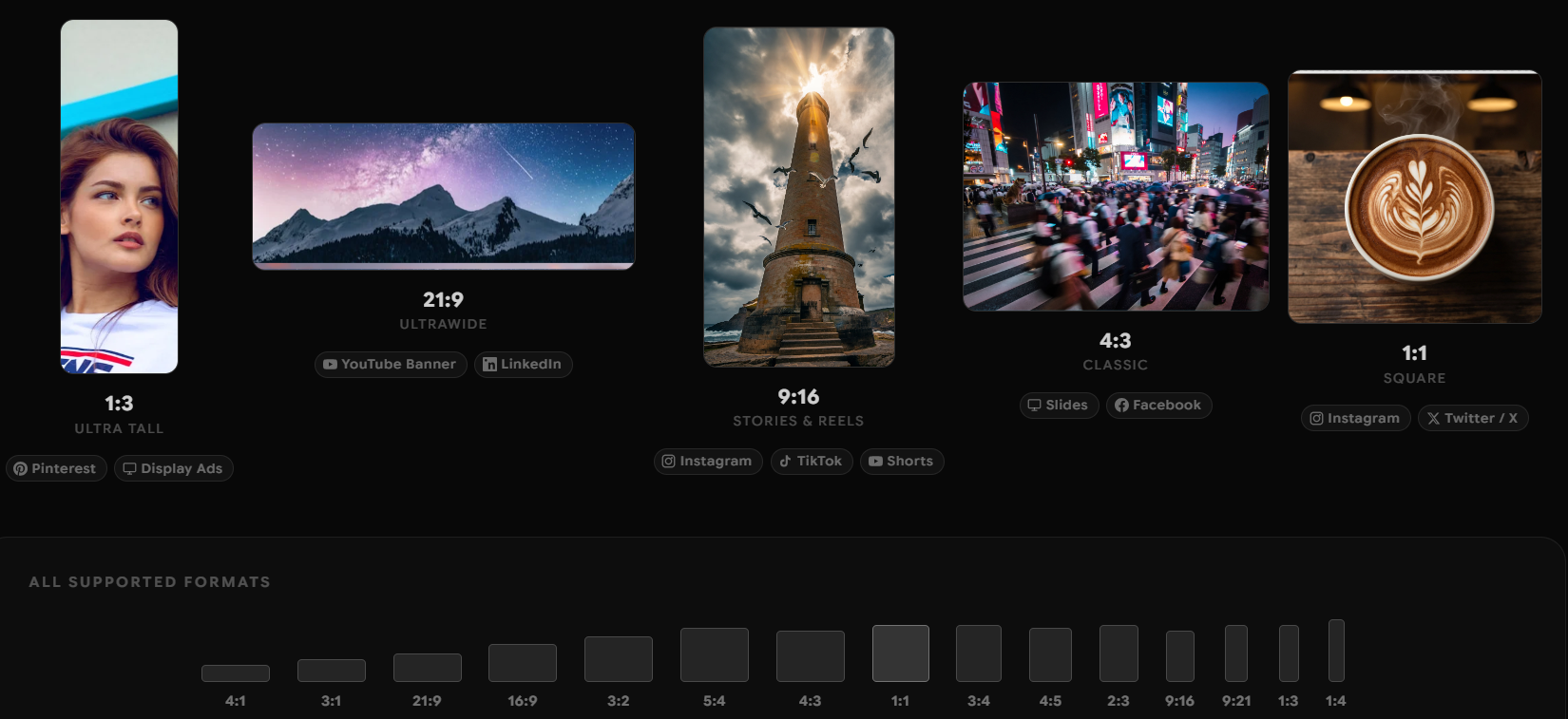 ImagineArt 2.0
For solo creators, that means going from product photo to Reel to ad creative without switching apps. For agencies, it means building reusable campaign workflows where swapping a client's product or SKU regenerates the full asset set in minutes rather than hours. For enterprise teams, it means collaboration workspaces with shared brand kits, commenting, version control, and role-based access — the infrastructure that makes consistent content production possible at scale.
The AI image generator gives you access to 47+ models including ImagineArt 2.0 for ultra-realistic output, Google's Nano Banana Pro for precision editing, and ChatGPT Image 2.0 for concepting — all in one subscription. On the video side, you get generation, editing, voiceover, background music, and the ability to turn a single product image into an animated clip.
For social media specifically, the aspect ratio controls, 8-image batch generation, and platform-specific export presets mean campaigns actually fit where they're going without manual rework. The motion design tools let you take static campaign images and animate them for Reels and TikToks without a separate animation tool. And the MCP server means the whole pipeline can be automated — trigger asset generation from an external tool, export directly to your publishing stack.
For freelancers to enterprise teams building serious content operations, ImagineArt is what replacing fifteen tools with one actually looks like.
Pricing
- Free: 50 tokens every 12 hours
- Basic: $13/month — full creative suite including video, editing, Ad Studio, Fashion Studio, Film Studio, Workflows
- Standard: $30/month
- Pro: $60/month
- Scale: $120/month
- Team and enterprise plans available
2. Ad Studio — purpose-built for social media advertising
Ad Studio is ImagineArt's dedicated environment for building advertising creative, and it operates differently from the general image generation tools because it's structured around the specific requirements of campaign production rather than open-ended creative exploration.
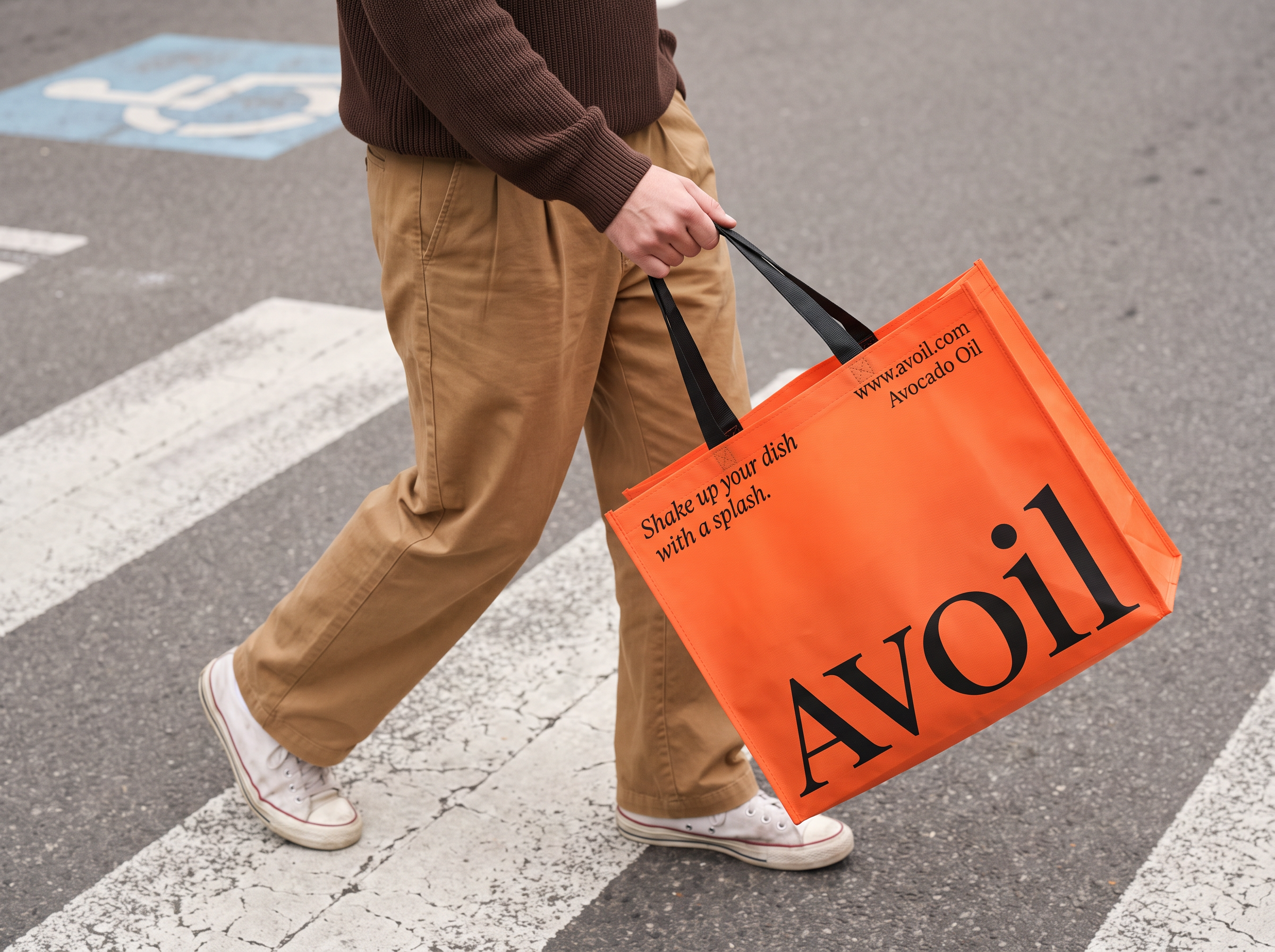 Ad Studio
The workflow starts with your product image. Ad Studio takes it and generates advertising creative across multiple formats — static ads, video ads, banner sets — maintaining brand consistency across every output. You're not re-prompting from scratch for each format; you're building from one asset outward. This is the approach that makes social media advertising at volume actually manageable without a design team for every campaign.
For social media specifically, Ad Studio handles the format requirements that make ad production tedious: 9:16 for TikTok and Reels, 1:1 for feed, 16:9 for YouTube pre-rolls, Story crops — all generated from the same core creative direction. The brand kit integration means your colors, fonts, and visual language are applied consistently across the full output set rather than being something you manually check and adjust.
The video ad capability is where Ad Studio becomes genuinely powerful for social media. Static product photography becomes motion content — animated backgrounds, product reveals, short-form video ads — without a video production workflow. For DTC brands and ecommerce teams that need regular ad refreshes to avoid creative fatigue, this changes the economics of how often you can realistically update your creative.
Recommended Read: Best AI Ad Creative Generators
For agencies running paid social for multiple clients, the ability to generate full campaign asset sets from a single brief and export them in the right formats per platform is a meaningful production time reduction on every campaign.
Pricing
- Included in ImagineArt Basic ($13/month) and above
- No separate subscription required
3. ImagineArt Workflows — reusable campaign production at scale
Workflows is the ImagineArt feature that most resembles production infrastructure rather than a creative tool. The core capability: build a campaign workflow once — define the creative direction, the brand parameters, the output formats — and then reuse it indefinitely by swapping the input variable. Change the product, change the SKU, change the seasonal theme, and the workflow generates 100+ correctly formatted campaign assets in minutes.
 Onbrand content creation with Workflows
For social media teams, this solves a specific and painful problem: the amount of work that needs to happen for each new product or campaign is roughly the same regardless of how many times you've done something similar before. Workflows make the repeatable parts of that process actually repeatable. A clothing brand adding twenty new SKUs to a collection generates the full social asset set for all twenty — feed images, Story crops, video clips, ad variants — as a batch rather than twenty separate production runs.
The collaboration layer inside Workflows is designed for teams rather than individuals. Shared workspaces, campaign boards, commenting, and asset organization mean a creative director can set up the template, a designer can adjust the brand parameters, and a coordinator can trigger the production run — without everyone needing to be in the same tool at the same time doing the same manual steps.
For agencies, Workflows is the feature that makes client retainer work scalable. The production setup happens once per client. Every subsequent campaign run builds on it.
Combined with MCP, Workflows can be triggered externally — meaning new product launches can automatically kick off a full social asset production run without a human manually initiating it in the platform.
Pricing
- Included in ImagineArt paid tiers (Basic $13/month and above)
4. AI Influencer App — AI UGC at scale
AI UGC — user-generated-content-style video created with AI rather than real creators — is one of the fastest-growing formats in social media advertising, and ImagineArt's AI Influencer app is built specifically for producing it at volume.
The output format matches what performance marketers actually need: creator-style testimonial videos, unboxing clips, product-in-use demonstrations, and review-format content — all generated with AI avatars and voiceovers rather than hired talent. For brands that run paid social at scale, AI UGC solves the creative fatigue problem that kills ad performance: you can generate dozens of variations of the same format with different faces, scripts, and tones without a casting call or production day.
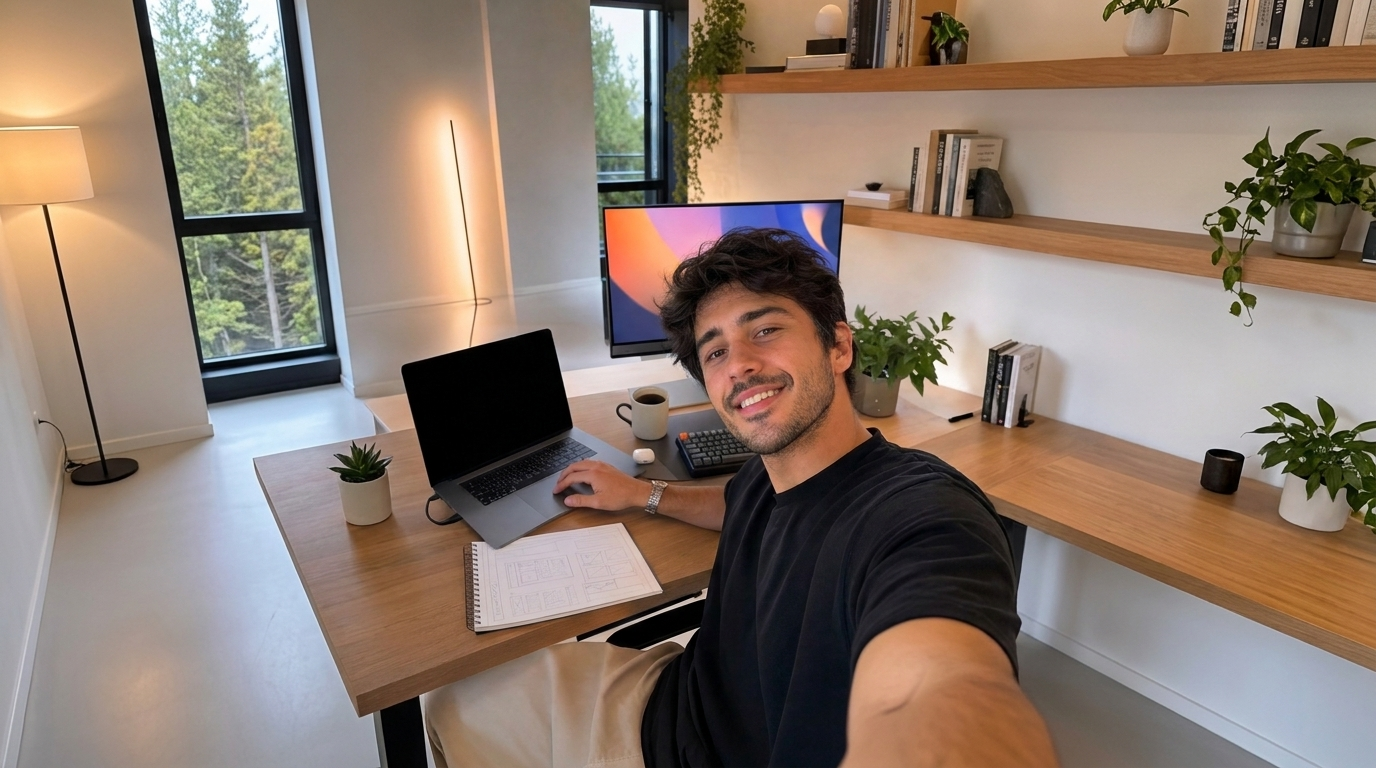 AI UGC
Beyond straight UGC, the AI Influencer app generates AI avatars for brand-owned content — a consistent AI persona that represents the brand across social posts, training videos, and explainer content. For brands in markets where putting real people on camera is expensive, logistically difficult, or brand-sensitive, this is a meaningful capability.
For social media training and tutorial content specifically — onboarding flows, product tutorials, how-to series — the combination of AI avatar, voiceover, and script generation means what used to require a camera, a presenter, a studio, and a video editor can now be produced in a single workflow.
The scaling dimension is where it differs from other AI video tools: it's built for batch AI UGC production, not one-off generation. A single creative brief can produce a full set of variation assets — different hooks, different faces, different CTAs — ready for split testing in a paid social campaign.
Pricing
- Included in ImagineArt paid tiers (Basic $13/month and above)
5. Ideogram 4.0 — the text rendering benchmark
Ideogram 4.0 earns its place on any list of the best AI tools for social media content creation for one specific reason: if your social content requires text to be readable, correctly rendered, and typographically intentional inside the image, Ideogram is still the most reliable tool for that job.
For social media use cases, this matters more than it sounds. Quote graphics, announcement posts, event promotional images, product launches with pricing overlays, branded typographic content for Pinterest and LinkedIn — anything where words are the visual requires text rendering at a level that most generators still get wrong. Ideogram 4.0 gets it right with consistency that other tools don't yet match.
The 4.0 update added editing alongside generation, which makes it more practical as a daily social media tool rather than a single-purpose text renderer. You can generate, then refine — adjust the background, modify the composition, swap elements — without starting over from scratch each time.
Character consistency is strong, which matters for brands building serialized social content with recurring visual characters or mascots. Prompt accuracy is high — Ideogram does what you ask without requiring the kind of careful prompt engineering that some models demand.
The gap is breadth. Ideogram doesn't produce video, doesn't have workflow automation for batch production, and doesn't have the full campaign infrastructure that ImagineArt or Ad Studio offer. For teams that need typographic image content specifically, it's excellent. For teams that need a full social media production stack, it's one tool in a larger set.
Pricing
- Free tier with limited daily generations
- Paid plans start at $20/month
- Enterprise: custom pricing
6. GPT Image 2.0 — fast, versatile, and surprisingly brand-aware
GPT Image 2.0 has become a genuinely useful tool for social media content creation in a way that earlier versions of OpenAI's image generation weren't. The prompt accuracy is high, the visual quality is strong, and the range of output types — product mockups, lifestyle imagery, illustrated content, typographic graphics — makes it flexible enough to cover a lot of different social content needs without significant prompt engineering overhead.
For social media specifically, the model's strength is speed and range. Need to concept five different visual directions for an Instagram campaign before your morning meeting? GPT Image 2.0 is fast, responsive, and returns usable options from fairly loose briefs. The concepting workflow — idea to visual reference in minutes — is where it adds the most immediate value for social media teams.
Text rendering has improved significantly and handles the most common social media use cases — short headlines, product labels, CTA overlays — cleanly. Dense typographic content is still better served by Ideogram, but for the majority of social image formats, GPT Image 2.0 is good enough and sometimes faster.
The current limitation for social media production teams is infrastructure. There's no batch generation for campaign sets, no brand kit integration to lock style consistency, no workflow layer, and no video generation. For concepting, mood references, and one-off image generation, it's excellent. For production-volume social media content, it needs to live alongside a tool with more pipeline capability.
Pricing
- Free: limited generations via ChatGPT free plan
- ChatGPT Plus: $20/month — full access with higher rate limits
- API pricing: per-image, varies by resolution
7. Google Nano Banana Pro — the finishing layer for social content
Nano Banana Pro earns its spot on this list not as a primary social media content generator but as the tool that makes what you generated elsewhere actually publishable. For social media teams that produce at volume, the gap between "good output" and "ready to post" is often where time disappears — and Nano Banana Pro addresses that gap specifically.
For social media content, the practical use cases are: cleaning up AI-generated product images before they go into a post, correcting text rendering issues on branded graphics, adjusting lighting and color balance across a set of images so they look consistent in a feed grid, and fixing edge cases that generation tools produce occasionally — product labels that are 90% right but need a character corrected, backgrounds that need a specific element removed.
The model's precision editing goes beyond standard brightness and contrast adjustments. It understands the relationship between light source and surface, which matters when you're editing product photography for social media and need the lighting to look physically coherent rather than artificially boosted.
For fashion and apparel content — one of the highest-volume social media content categories — Nano Banana Pro's handling of model photos and virtual try-on images is strong. Skin texture, fabric rendering, background cleanup behind complex clothing shapes — it handles the details that make the difference between a polished social post and one that reads as AI-generated.
For teams already in ImagineArt's ecosystem, it's included in the subscription. For teams using a different primary generator, it functions as a post-processing step that significantly reduces the amount of manual retouching before content goes live.
Pricing
- Bundled in ImagineArt Basic ($13/month) and above
- Standalone access via ImagineArt platform
8. Adobe Firefly — the enterprise-safe choice
Adobe Firefly's primary differentiator in the best AI tools for social media content creation category is commercial licensing. The model is trained exclusively on licensed and public domain content, which means for brands with legal review requirements around AI-generated creative, Firefly is the safest option on this list from a content rights standpoint.
For social media teams embedded in larger organizations — particularly in regulated industries, agencies with enterprise clients, or brands that have had legal flag AI usage — this matters more than the output quality comparison. Firefly's quality is strong; the licensing clarity is unique.
Firefly's integration with Photoshop and Adobe Express makes it most practical for teams already in the Adobe ecosystem. Generative Fill for extending backgrounds, replacing elements, or building composite scenes for social posts is genuinely useful. The Adobe Stock integration means you can combine AI generation with licensed photography in a workflow that's already familiar to most professional designers.
For social media specifically, the Express integration provides templates, quick resizing for different platforms, and AI-enhanced visual editing without requiring Photoshop expertise. Teams that need to produce a lot of derivative content from hero creative — cropping, resizing, background adjustments for different placements — can handle it inside Adobe's environment.
But you need to check Adobe Firefly alternatives because the limitation is cost relative to capability for smaller teams. Firefly is most cost-effective for teams already paying for Creative Cloud. For freelancers or small agencies who aren't Adobe-embedded, the price-to-output comparison with ImagineArt or Canva is harder to justify.
Pricing
- Adobe Express with Firefly: from $9.99/month
- Enterprise pricing: custom
9. Canva — the most accessible social media creation tool
Canva is where most people start with AI-assisted social media content creation, and in 2026 it has meaningfully grown beyond its template-and-drag-drop origins. Magic Design generates on-brand social layouts from a product photo. Background removal is one click. The AI image generator handles quick visual needs without requiring a separate tool. The brand kit locks colors, fonts, and logos across every piece of content a team produces.
For social media specifically, Canva's template library is unmatched in breadth. Every major social format — Reels covers, carousel frames, Story templates, LinkedIn banners, YouTube thumbnails — has a starting point that's already correctly sized. For teams that don't need to build from a blank canvas every time, this significantly reduces production time per asset.
The collaboration features are well-suited to small and mid-size teams: shared brand workspaces, commenting, version history, and role-based access that lets designers own templates while coordinators produce derivative content from them. For agencies managing social media for multiple clients, Canva's multi-brand workspace capability keeps assets organized and separate.
The honest ceiling is creative depth. Canva is excellent at producing good-looking content quickly; though you need stronger Canva alternatives for producing visually exceptional content at a professional campaign level. The AI image generation is functional, not outstanding. The video tools are basic compared to dedicated video generation platforms. For teams whose social content needs to stand out rather than just look clean, Canva works best as a finishing and distribution tool rather than a primary creative engine.
Pricing
- Free tier: full access to templates and basic tools
- Pro: $15/month per person — brand kits, AI features, background remover, premium templates
- Teams: $10/month per person (billed annually)
- Enterprise: custom
10. Grok — AI image and video for X-native content
Grok is xAI's AI model, and its image and video generation capabilities have become a legitimate option for creators whose primary social platform is X (formerly Twitter) — because Grok is built directly into the X environment in a way no other AI tool on this list is.
For X-native content creators and brands, the workflow convenience is real: generate an image inside the platform you're posting to, without exporting, without format conversion, without a separate app. Grok's image generation is available directly in the X compose interface, which reduces the friction between "idea" and "posted" to a degree that matters for content that's time-sensitive and trend-dependent.
Grok Imagine's image generation quality is solid for social media use cases — product imagery, illustrated content, branded visuals — and the model follows prompts with reasonable accuracy for the format lengths that work on X. Video generation is newer and still developing, but for short-form social clips and animated content for the platform, it covers the most common needs.
The limitation is platform specificity. Grok is optimized for X and works best for content being posted there. For teams managing presence across TikTok, Instagram, LinkedIn, and YouTube as well, Grok functions as one platform-specific tool in a larger stack rather than a central content production hub. It doesn't have the campaign workflow infrastructure, brand kit integration, or cross-platform format support that tools like ImagineArt offer.
Pricing
- Available on ImagineArt in the free and basic tiers starting $13/month
11. Qwen — free AI image generation for occasional creators
Qwen rounds out this list of best AI tools for social media content creation as the most accessible entry point: free image generation and editing that produces genuinely usable social content without a subscription.
For occasional creators, part-time social media managers, and individuals testing whether AI-generated content works for their brand before committing to a paid tool — Qwen is the right starting point. The image generation quality is above what you'd expect from a free tool, the prompt accuracy is solid for standard social content types, and the editing capability means you can refine outputs rather than just regenerating from scratch until something works.
For social media content specifically, Qwen handles the most common formats well: lifestyle images, product-on-background shots, branded graphics with short text, illustrated content for niches where a polished aesthetic isn't the primary requirement. Quick turnaround on visual content for social posts — the kind of content that gets made, posted, and replaced within a week — is exactly the use case it's built for.
The gaps are clear: no video generation, no batch production, no brand kit, no workflow automation, and the image quality ceiling is lower than every paid tool on this list. For brands that need consistent, high-quality visual content at volume, Qwen doesn't have the infrastructure. But for creators who generate content once or twice a week and don't need a production pipeline behind it, spending nothing on AI image generation while getting results this good is a legitimate choice.
Pricing
- Free — image generation and editing via Qwen web interface at no cost
- API access via Alibaba Cloud for developers
Create social content that actually keeps up with the calendar.
The platforms don't slow down. Your content output shouldn't either.
Start with one product image and turn it into a Reel, a carousel, an ad set, and a UGC clip — all from the same asset, all without leaving one platform. Build workflows that generate campaign assets while you sleep. Ship content that looks like a full production team made it.
Tooba Siddiqui
Tooba Siddiqui is a content marketer with a strong focus on AI trends and product innovation. She explores generative AI with a keen eye. At ImagineArt, she develops marketing content that translates cutting-edge innovation into engaging, search-driven narratives for the right audience.