
Arooj Ishtiaq
August 5, 2026 • Updated August 5, 2026
11 mins Read
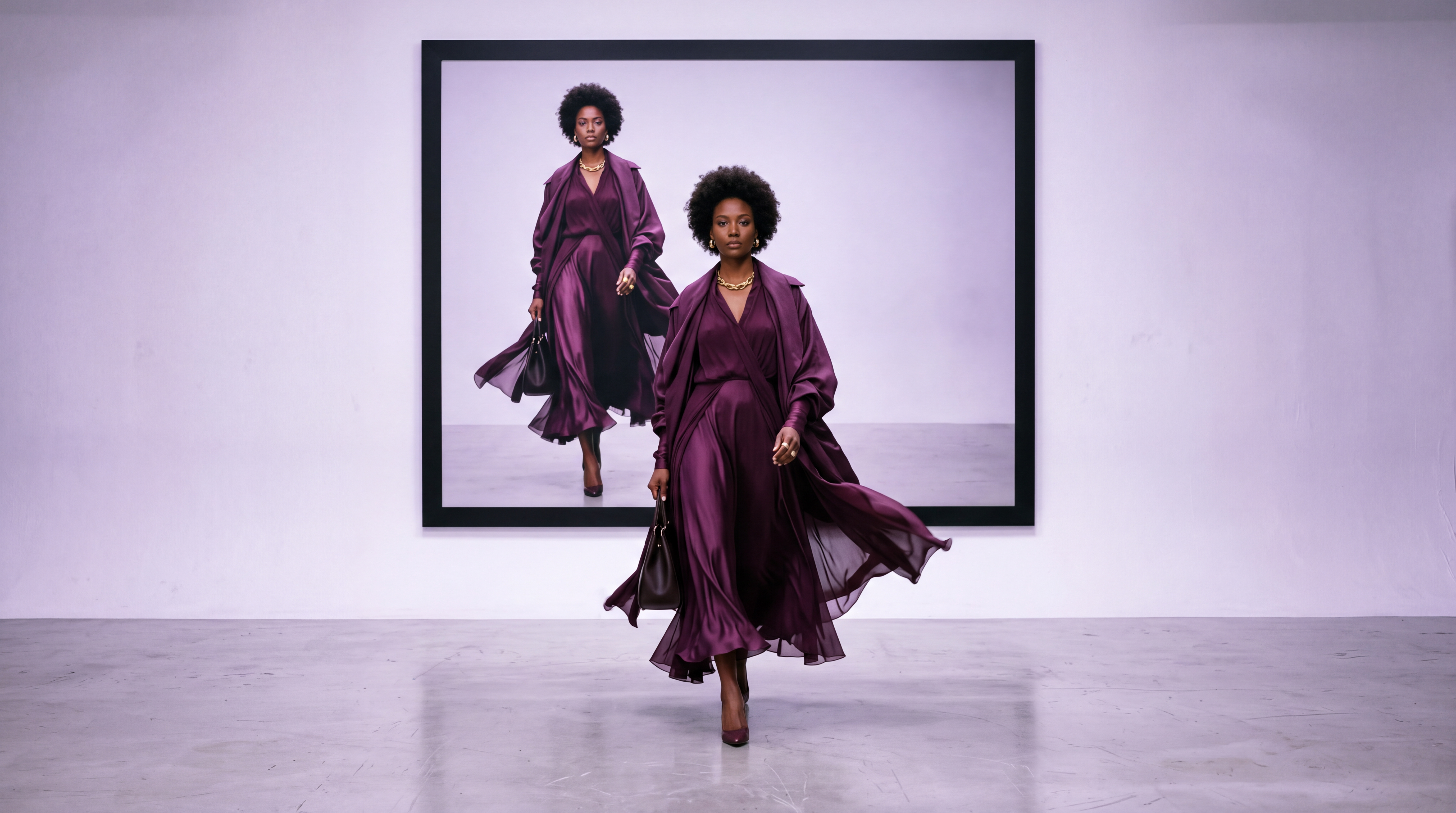
A finished-fashion photo shows what a garment looks like. Video answers a different, often more persuasive question: how does it actually move? AI fashion video closes that gap directly from an existing shoot, animating a still image or an already-generated model into motion, without a second production behind it. This guide covers how that shift from static to motion content actually works, and where it fits into a broader fashion content workflow.
Why Motion Content Matters Differently Than Stills
A static photo can show color, cut, and general silhouette clearly, but it can't answer the questions that matter most for fabric-driven garments: how does this dress move when someone walks in it, how does this jacket's fabric fall and catch light, does this fit look natural in motion or only in a held pose.
Video answers these directly, and the numbers back it up. Shopify merchants using video on landing pages have reported 64 to 85% higher purchase intent in the company's own commerce research, which is why fashion brands increasingly treat motion content as a requirement rather than a nice-to-have, particularly on platforms like TikTok, Instagram Reels, and YouTube Shorts, where video consistently outperforms static imagery in algorithmic reach and engagement.
This creates a real production gap for smaller brands. A photoshoot is one production; a separate video shoot, with its own booking, crew, and equipment considerations, has traditionally been a second, additional cost layered on top rather than a natural extension of the same shoot day.
How AI Fashion Video Works
AI fashion video animates an existing image, a generated model shot, a flat lay, or an on-model photo into motion:
- Walking
- Turning
- Posing,
- Garment's fabric moving naturally with simulated body movement
Rather than requiring a physical video shoot, the same reference used to generate a still image becomes the input for a video generation pass, extending that static result into several seconds of motion.
The technical difficulty here is genuinely greater than that of still image generation. Video requires continuity across time, of the model's identity, of natural motion, of consistent lighting and perspective, frame to frame, rather than getting one moment right in isolation. This is why AI-generated video still shows more visible limitations than AI-generated stills: identity can subtly drift across frames, hands and fine details remain a common weak point, and complex or rapid motion introduces more visible artifacts than slow, deliberate movement.
Pre-Processing Your Source Photos for Motion
Starting with a clean input image prevents the most common AI motion errors, like warped logos, stretched patterns, and distorted backgrounds. How you prepare your photoshoot stills directly determines how clean your video output will be:
- Converting Flat-Lays and Ghost Mannequins: Video models require a human form to map realistic body physics. If your original shoot only includes flat-lays or hanger shots, pass the image through a virtual try-on (VTO) or on-model generator first to establish a structured base shot before animating.
- Isolating the Background: Complex or cluttered studio backgrounds tend to melt or warp when the AI calculates camera movement. Using a clean studio backdrop—or isolating the model onto a neutral layer—keeps the focus on the garment and prevents background artifacts.
- Pre-Cropping Before Generation: Set your target aspect ratio (9:16 for vertical social, 16:9 for web banners) during the image prep phase rather than letting the video engine auto-crop your photo, which can cut off essential garment details like hem lines or footwear.
Templates vs. Advanced Controls for Fashion Video
Most capable AI fashion video tools offer two distinct approaches to generating motion from a still, and choosing the right one matters for getting a usable result quickly.
- Template-based generation applies a predefined motion pattern- a walk cycle, a turn, a specific pose sequence- to your model and garment. This is the faster, more predictable option: you're selecting from motion the tool has already validated works well, rather than describing something new from scratch.
- Advanced, prompt-driven controls let you describe the specific motion, camera behavior, and timing you want in more detail, offering more creative range at the cost of more trial and adjustment. This approach suits brands with a specific creative vision for how a particular garment should move, rather than a standard walk-and-turn presentation.
AI Fashion Studio offers both: template-based Animate options for quick, reliable motion, and Advanced Controls for adjusting aspect ratio and clip length specifically, giving direct control over how the final video is framed and timed for wherever it's actually being published.
Mastering Advanced Motion Controls and Motion Brushes
When moving beyond basic presets to prompt-driven controls, the key is describing how the camera and environment behave rather than re-describing the outfit itself—the AI already reads the visual details from your source photo.
- Managing Motion Intensity: Most advanced platforms include a motion scale parameter (typically rated 1 to 10). Keep motion settings low—between 2 and 4—for fashion content. Higher intensity values increase dynamic movement but often distort brand logos, fine fabric weaves, and facial symmetry.
- Using Regional Motion Brushes: Rather than applying movement to the entire frame, use brush masking tools to highlight specific areas you want to animate. Painting over only the hem of a dress or the ends of a scarf tells the AI to create natural sway in those target zones while keeping the model's face, torso, and background completely stable.
- Structuring Camera and Physics Prompts: Focus your text prompts on realistic physics and clear camera trajectories:
- For a lookbook turn:
"Static camera, model performs a slow 180-degree turn to show back detail, soft studio rim lighting." - For fabric motion:
"Slow cinematic push-in toward the jacket, gentle breeze rustles the coat tail, subtle lighting shift."
- For a lookbook turn:
What AI Fashion Video Currently Handles Well
Based on current-generation tools, AI fashion video performs most reliably under a specific set of conditions:
- Single-garment clips rather than complex multi-piece outfit changes within one clip.
- Simple fabrics over intricate patterns, since fine stripes, plaids, or heavily embellished materials introduce more visible rendering artifacts during motion than solid or simply patterned fabric.
- Slow, deliberate motion over rapid or complex movement, which is where identity drift and artifacts become more visible.
- Shorter clip lengths, generally under 8 to 10 seconds, since maintaining consistency across a longer duration remains harder for current-generation models than shorter clips.
These aren't permanent limitations. They reflect where the technology sits today, and they improve meaningfully with each model generation. Planning content around these current strengths, rather than immediately reaching for the most complex motion and longest clip possible, produces the most consistently usable results right now.
The AI Fashion Video Tool Landscape
While integrated suites offer streamlined end-to-end workflows, specialized tools across the broader AI video ecosystem serve distinct creative needs depending on your target output:
- Cinematic Video Generators (Runway Gen-3, Kling AI, Luma Dream Machine): Best for custom camera trajectories, dynamic body movements (like full turns or walking shots), and complex fabric physics.
- Dedicated Fashion & E-commerce Suites (WearView, Botika, AI Fashion Studio): Best for quick product-to-model conversions, standardized lookbook animations, and maintaining strict garment fidelity.
- Post-Processing & Upscaling Engines (Topaz Video AI): Essential for converting native 720p or 1080p AI renders into crisp 4K resolution while reducing motion blur and stabilizing fine fabric textures.
Matching Your Video Format to Where It's Actually Publishing
Different platforms reward different framing and length, and planning your AI fashion video output around its actual destination avoids producing a clip that needs re-editing before it can be published anywhere.
| Destination | Recommended Framing | Recommended Clip Length |
|---|---|---|
| TikTok, Instagram Reels & YouTube Shorts | Vertical 9:16 for full-screen mobile viewing and maximum engagement. | Keep videos under 8–10 seconds to match short-form viewing behavior. |
| Ecommerce Product Pages | Square (1:1) or the marketplace's native product image ratio to keep the garment centered. | Short clips focused on the product, typically 5–8 seconds. |
| Widescreen Campaigns & Website Banners | Landscape 16:9 framing for websites, presentations, YouTube, and digital advertising. | Use 8–15 seconds with slower, more deliberate camera movement and storytelling. |
Deciding the destination before generating saves a regeneration cycle later, since aspect ratio and clip length are typically set as part of the generation itself rather than something you can cleanly crop or extend afterward without quality loss.
From Photoshoot to Motion: The Practical Workflow
The value of AI fashion video is that it doesn't require treating video as a separate production. A shoot built in AI Fashion Studio already has a consistent model, a specific garment, and a chosen background before video ever enters the picture. Animating that same setup into motion is the final step of the same six-step process rather than a new project. This is the practical difference between AI fashion video and a traditional video shoot: the model, styling, and background decisions are already made, so motion becomes an extension of the shoot rather than a second shoot.
For a broader look at what AI-generated model video is actually capable of and where its current limitations sit specifically, see AI model video: what's possible and what to expect.
Post-Production: Refining, Editing, and Sound Design
Raw AI video clips are silent, high-frame-rate generations that require a brief post-production pass before they are ready for publishing or ad campaigns.
- Trimming Boundary Artifacts: AI video generations frequently experience minor distortion or sudden morphing in the very first and last 0.5 seconds of a clip. Trimming these entry and exit frames in an editor like CapCut, Premiere Pro, or DaVinci Resolve ensures seamless looping.
- Adding Sound Design: AI video outputs have no audio track. Adding subtle foley sound effects—such as the soft rustle of fabric, shoe steps on studio flooring, ambient room noise, or camera shutter clicks—substantially increases visual realism and holds viewer attention on video-first feeds.
- Color Grading and Upscaling: AI video engines can occasionally shift color tones or introduce slight softness across generated frames. Applying a unified color profile (LUT) across your clips keeps skin tones and fabric colors consistent, while running clips through an AI video upscaler elevates standard-definition generations to crisp 4K commercial resolution.
Commercial Usage, Model Likeness, and IP Considerations
Animating static photos into commercial video assets introduces specific legal and platform compliance factors that brands must navigate before launching ad campaigns:
- Model Likeness Releases: If you are animating photos of real human models from a physical shoot, ensure your original talent contracts cover digital manipulation and video synthesis rights. Animating a real person's likeness without explicit AI motion consent can trigger rights-of-publicity claims.
- Platform Transparency Guidelines: Major ad networks and social platforms (including Meta, TikTok, and YouTube) increasingly require clear disclosure or metadata tags for synthetically generated or altered photorealistic media used in paid advertising.
- Commercial Rights Tiering: Ensure your underlying AI video software subscriptions grant full commercial licensing for generated output, as free or lower-tier accounts frequently restrict output to non-commercial use.
Related Fashion Photography Resources
AI fashion video builds directly on the still-image workflow covered elsewhere in this series. For the underlying photoshoot process that produces the model and garment setup video animates, see what an AI photoshoot actually is and what an AI clothing generator does.
For a direct comparison of platforms offering this capability, the best AI fashion model generators of 2026 compares nine tools including their video support, and what an AI fashion model actually is covers the broader technology this builds on.
Conclusion
AI fashion video answers the question a static photo genuinely can't: how a garment actually moves. It works best today on simpler fabrics, single garments, and shorter, slower motion, limitations that reflect where the technology currently sits rather than a permanent ceiling.
AI Fashion Studio treats motion as the final step of an existing photoshoot rather than a separate production, animating the same model and garment setup with either quick templates or more detailed advanced controls.
Frequently Asked Questions
What's the difference between AI fashion video and a regular AI video generator?
A general AI video generator works from any text prompt or image. AI fashion video specifically refers to tools and workflows built around fashion inputs, garment images, model photos, catalog assets, and optimized for realistic clothing movement and fit rather than generic motion.
How long can AI fashion video clips currently be?
Current-generation tools most reliably handle clips under roughly 8 to 10 seconds. Longer clips are possible on some platforms but tend to show more visible consistency issues as duration increases.
Is fashion video actually worth the production effort?
The data suggests yes. Shopify's own commerce research found merchants using video saw 64 to 85% higher purchase intent, and AI-based production has removed most of the cost and scheduling that used to make video a separate, harder decision than stills.
Do I need a separate shoot to produce fashion video?
No, not with a tool built around this specifically. AI Fashion Studio animates the same model, garment, and background setup used for the photoshoot directly into video, rather than requiring a separate video production.
What garment types work best for AI fashion video right now?
Simpler fabrics and single-garment clips currently produce the most reliable results. Intricate patterns, heavily structured pieces like tailored blazers, and complex multi-person scenes remain more prone to visible artifacts with current-generation tools.
Arooj Ishtiaq
Arooj is a SaaS content writer specializing in AI models and applied technology. At ImagineArt, she creates sharp, product-focused content that helps creators and businesses understand, adopt, and get real value from AI tools.