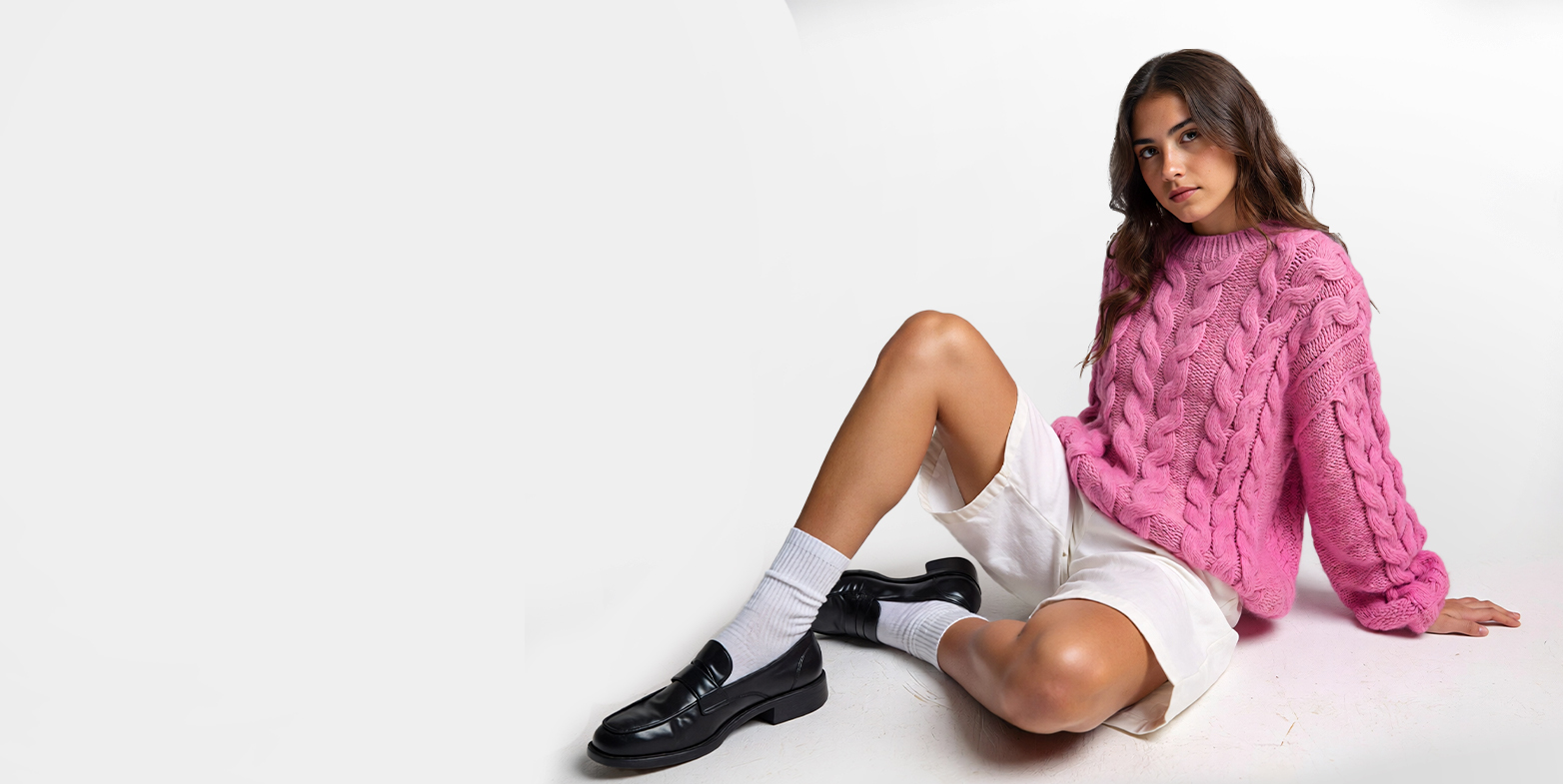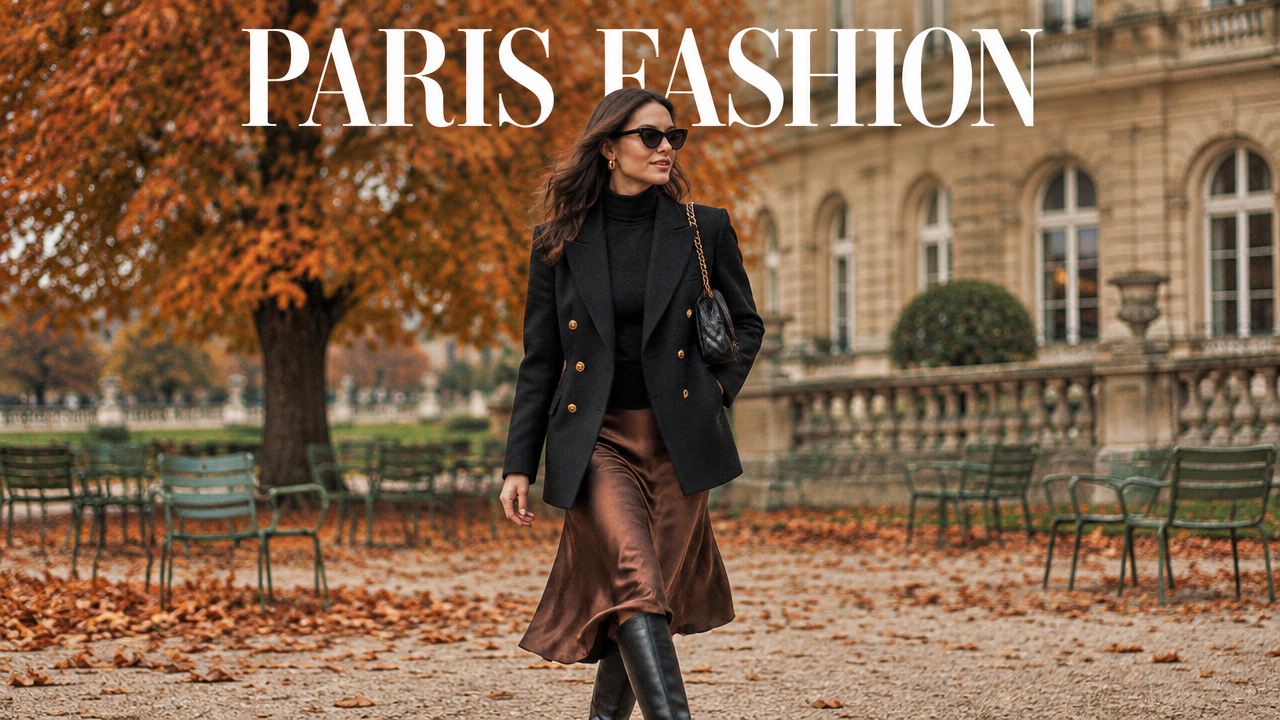
You decided a product grid would do the job this season, purely budgetary, no different from choosing store-brand paper towels. That's rather touching.
Because that grid you dismissed so easily used to be something else. A creative director spent a week deciding the mood an entire collection needed to carry and cast a model whose face alone could hold that mood on camera. Getting one cuff to fall exactly right took a stylist half an hour so that the whole thing looks like it happened by accident, on an ordinary Tuesday, for no reason at all. You weighed all of that against your budget and decided it wasn't worth it? Groundbreaking.
So the lookbook got cut, and what's left is a grid: efficient and utterly without any point of view.
This guide is for brands that still want a fashion lookbook, the pages that make an editor stop scrolling, minus the budget of a house that keeps stylists on retainer. That's all.
What Is a Fashion Lookbook?
A fashion lookbook is a curated set of styled photographs that show how a collection's pieces work as complete looks: styled, posed, and shot with a consistent mood instead of isolated product images.
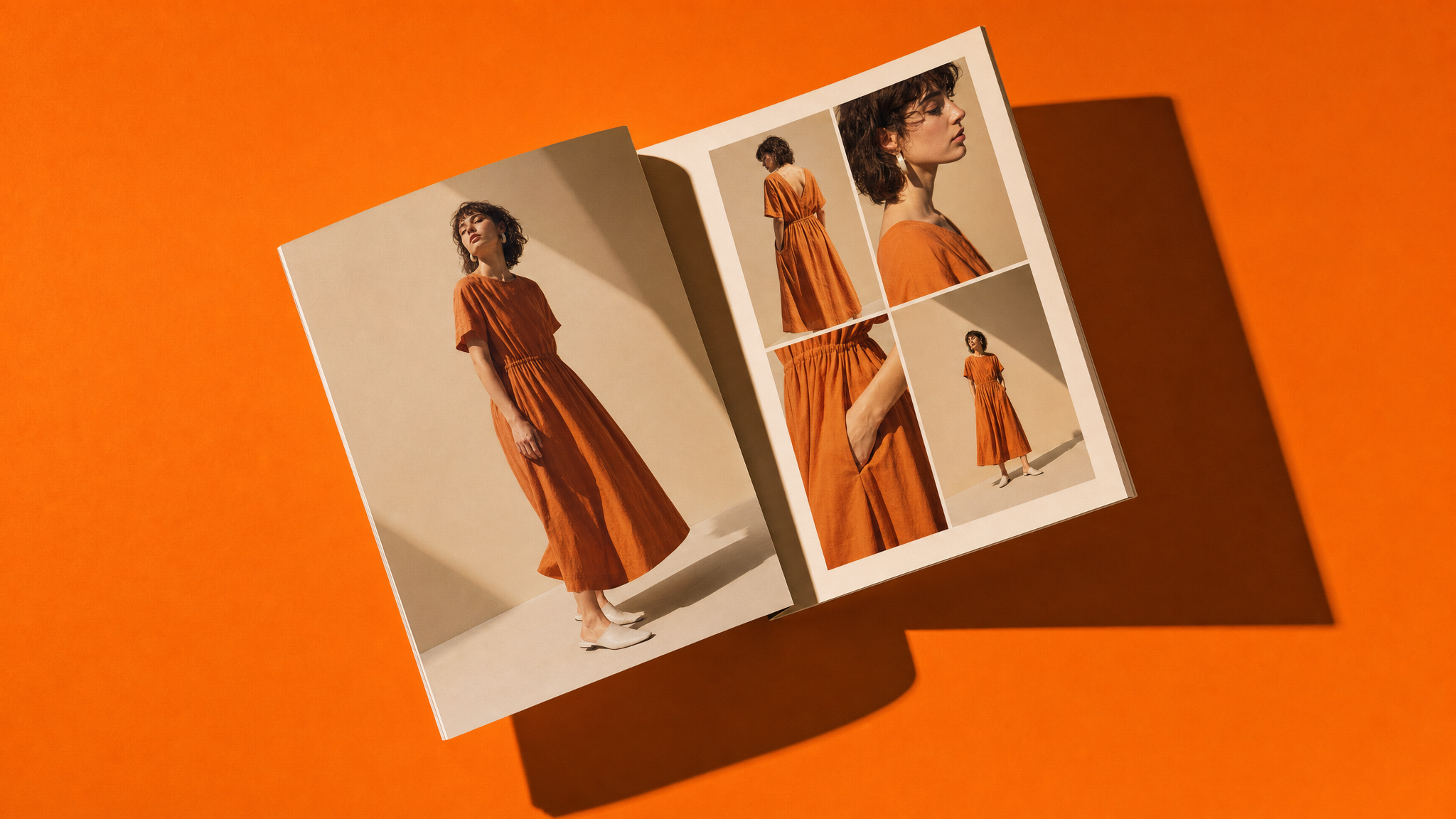 Fashion lookbook, arranged as an overhead flat-lay, on a single-colour seamless backdrop, lit hard from one side
Three things belong in a working fashion lookbook:
- Full looks, styled head to toe, including footwear and accessories
- One visual treatment across every frame, so the set reads as a single shoot
- An order that builds, with a statement image early and detail crops as punctuation
Lookbook vs. Catalog: What's the Difference?
A catalog exists to sell a specific product, with consistent lighting, a neutral background, and a clear view of fit and color. A lookbook exists to sell a feeling, a season, a direction, using styling, setting, and mood.
| Catalog | Lookbook | |
|---|---|---|
| Purpose | Product reference for purchase | Brand storytelling and collection preview |
| Style | Consistent, neutral, comprehensive | Art-directed, selective, styled, lifestyle or editorial setting |
| Coverage | Every SKU and colorway | A curated set of key looks |
| Setting | Studio, flat lighting | Editorial scenes and moods |
| Audience | Shoppers and wholesale accounts ready to choose | Buyers, press, existing customers |
| Format | Full range, gridded by category | 10 to 30 images, sequenced as spread |
| Distribution | Standing asset, updated as stock and prices change | Seasonal drop, email, shoppable page, showroom |
How to Create a Fashion Lookbook Layout
A fashion lookbook layout follows a rhythm: an mood-setting opening, a body that shows the range of the collection, and a brand-reinforcing closing.
- Cover page: one strong hero image and the collection name or season, nothing else competing for attention
- Opening spread: two or three of the strongest looks, setting the tone for everything that follows
- Core grid: the bulk of the collection, paced so similar silhouettes or colorways don't run back to back
- Detail pages: close-up shots of fabric, stitching, or hardware for pieces where craftsmanship is part of the sell
- Closing spread: a final strong image plus brand or contact information, wholesale inquiry details if the lookbook is B2B-facing
How to Create a AI Fashion Lookbook with ImagineArt Fashion Studio
Since a fashion lookbook calls for styled, art-directed imagery rather than flat commerce shots, ImagineArt AI Fashion Studio's Editorial project type is the right starting point for your Ai fashion lookbook.
Step 1: Start a new project and select Editorial
Choose Editorial over Catalog for art-directed imagery with cinematic mood, lighting, and styling control, rather than the consistent, commerce-ready shots Catalog is built for.
Step 2: Select Image mode
Fashion Studio offers three modes: image, video, and edit. Pick ‘Image’ mode for fashion lookbook stills. If your collection also needs a campaign teaser or social media clip, try ImagineArt AI video generator.
Step 3: Pick your lookbook model
Choose a male, female, or non-binary model from the library, or upload your own fashion model images if your collection needs a specific face or body type. You can create your own AI fashion model, using ImagineArt AI image generator.
Step 4: Select the outfit
Pick from t-shirts, shirts, knitwear, outerwear, and one-piece categories, bottom wear, or upload your own outfit using front and back images plus fabric details for a garment that isn't in the library.
Step 5: Select footwear and accessories
Choose from the library, or upload your own footwear and accessories shot on a white background.
Step 6: Select the scene and shot
Pick a scene and shot from the library or describe the full shot yourself. Specify the pose and scene setting, in case the shot you want isn't already available. Keep the description to one line covering pose, setting, camera angle, and mood. For example:
- "model walking toward camera on a rain-slicked city street at dusk, three-quarter angle, moody backlighting."
- "model seated on a concrete step, relaxed pose, soft overhead daylight, minimal background."
Step 7: Set variations and aspect ratio, then generate
Choose how many variations to produce and the aspect ratio needed for the lookbook format, then generate the look.
Repeat steps 3 through 7 to create AI fashion lookbook across the full collection, keeping the same model selected throughout, before moving into the layout structure covered above.
Why Fashion Brands Still Need Lookbooks in 2026
A traditional lookbook shoot, model, stylist, photographer, studio or location, retouching, typically runs $5,000 to $20,000 or more per season before a single image is approved. AI-assisted production has pulled that down to under $100 for an equivalent set of styled images, which is exactly why the math has changed for smaller brands.
That cost can make all the difference because the imagery itself has a measurable effect on sales. On-model imagery specifically, the core of a typical fashion lookbook, is directly linked to higher purchase confidence and stronger add-to-cart rates than a flat product shot.
There's a return-rate angle too. Most returns happen because the item looked different than the customer expected, and better imagery has been shown to reduce return rates. A lookbook that shows fit, drape, and scale in context can cater to most of those expectations before the item ever ships.
Scale is its own problem, separate from returns. 42% of shoppers try to gauge a product's size directly from the images on the page, and UX research from Baymard Institute names on-model photography as one of the most reliable ways to communicate that scale, more effective than a spec sheet of measurements. Yet 28% of the top e-commerce sites tested provide no scale-context imagery at all, even on their best-selling products. A lookbook, by definition, solves this: every look is shown on a body, not floating in isolation.
A lookbook still does three things a product grid can't:
- Show the collection as a cohesive story, not a list of SKUs
- Demonstrate fit, drape, and styling context that a flat product shot can't convey
- Give press, buyers, and wholesale partners a fast way to understand the collection's range and direction
Digital vs. Online Fashion Lookbooks: Which Format to Use
A digital lookbook and an online lookbook aren't quite the same thing, even though the terms get used interchangeably.
A digital lookbook is typically a downloadable file, most often a PDF, built for buyers, press, or wholesale partners to save, forward, and reference offline. It needs to look right, both printed and on screen, so file size and image resolution matter the most. Print editions are produced seasonally for wholesale buyers or in-store display.
An online lookbook lives on the web: a dedicated page, a scrolling gallery, or an embedded viewer on the brand's own site. It can include click-through links to shop each look or a short video animation of a piece in motion. It updates the moment the brand needs to change something, simplifying the creative workflow without reissuing a new file to everyone who already has the old one.
Most brands end up using both: a PDF for wholesale and press outreach, and a web version for consumer-facing marketing and social sharing.
Online fashion lookbook layout rules for phone/laptop:
- Keep the grid to one to three images per page with generous white space, and the layout survives both a laptop and a phone.
- One look per screen, so nothing gets cropped by a scroll on phone
- Type kept off the garment, in a fixed position on every page
- Vertical crops for the social cut, taken from the same generation
- A permanent URL per look if the page is shoppable
Fashion Lookbook Templates: What to Include
A usable fashion lookbook template covers a consistent set of elements, regardless of the collection, depending on who the lookbook is built for.
Core elements every lookbook template needs:
- Cover page: season, collection name, and one hero image, nothing else competing for attention on this page
- Section dividers: needed if the lookbook spans multiple sub-collections or categories, so buyers and press can navigate without scrolling through the full set
- Consistent model and styling: the same model, or a small, consistent cast, across all core looks, so the collection reads as one shoot rather than a mismatched set
- Product detail callouts: fabric, fit notes, available sizes or colorways, placed alongside key looks rather than buried in a separate spec sheet
- Brand story or mood copy: one to two sentences setting the season's concept, not a full brand manifesto
- Contact or shop information: on the closing page, wholesale inquiry details for a B2B lookbook, or a shop link for a consumer-facing one
Template variations by purpose:
- Wholesale or press lookbook: needs style numbers next to each look, delivery dates, and a contact page for buyers, since this audience needs to act on the information, not just look at it
- Consumer or marketing lookbook: skips style numbers in favor of direct shop links per look, and usually runs shorter, 10 to 15 looks rather than a full collection
- Social-first lookbook: built around single-look pages sized for direct export to Instagram or Pinterest, rather than a multi-page spread format
Fashion lookbook templates save the most time on the pages that don't change season to season: cover layout, detail page structure, closing page. The only real work is with the new seasonal or trend collection's looks.
Fashion Lookbook Examples by Category
Here’s how fashion lookbooks are categorized:
Men's Fashion Lookbook Examples
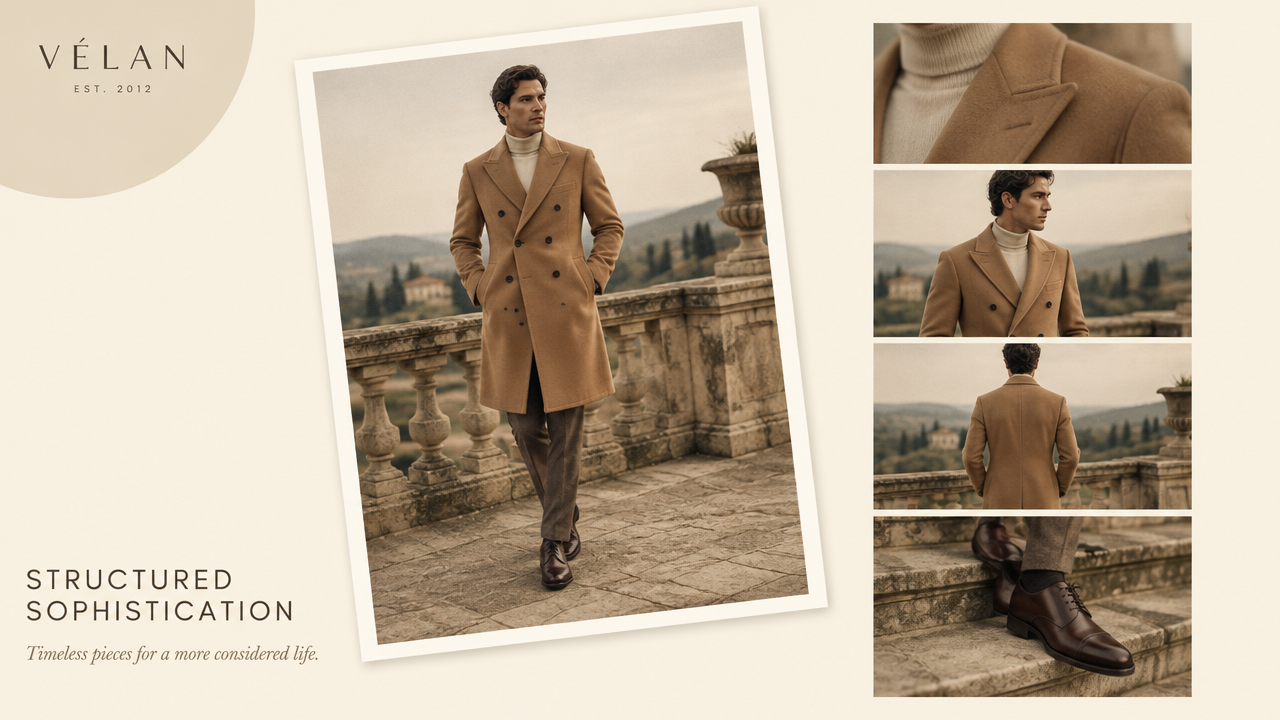 Men's Fashion lookbook example
Men's lookbooks tend to lean on structured poses and environment-led storytelling: urban backdrops for streetwear, tailored studio shots for formalwear, outdoor or workwear settings for utility-driven collections. Styling notes usually focus on layering and fit, how a jacket sits open versus closed, how a cuff is rolled, how proportions read across a full-length shot rather than a close crop. Brunello Cucinelli and Ralph Lauren both build entire seasons around this kind of environment-led menswear storytelling, tailoring set against architecture, workwear set against open landscape.
Women's Fashion Lookbook Examples
Women's lookbooks generally show a wider range of pose and mood across a single collection, from close editorial crops to full-body movement shots. Fabric behavior, how a piece drapes, moves, or catches light, tends to get more dedicated detail shots than in men's lookbooks, since drape and movement are often central to how a piece is meant to be understood. Zimmermann and Reformation are known for exactly this range within one collection, moving between intimate close crops and full-body movement in the same set of pages.
Modern Minimalism
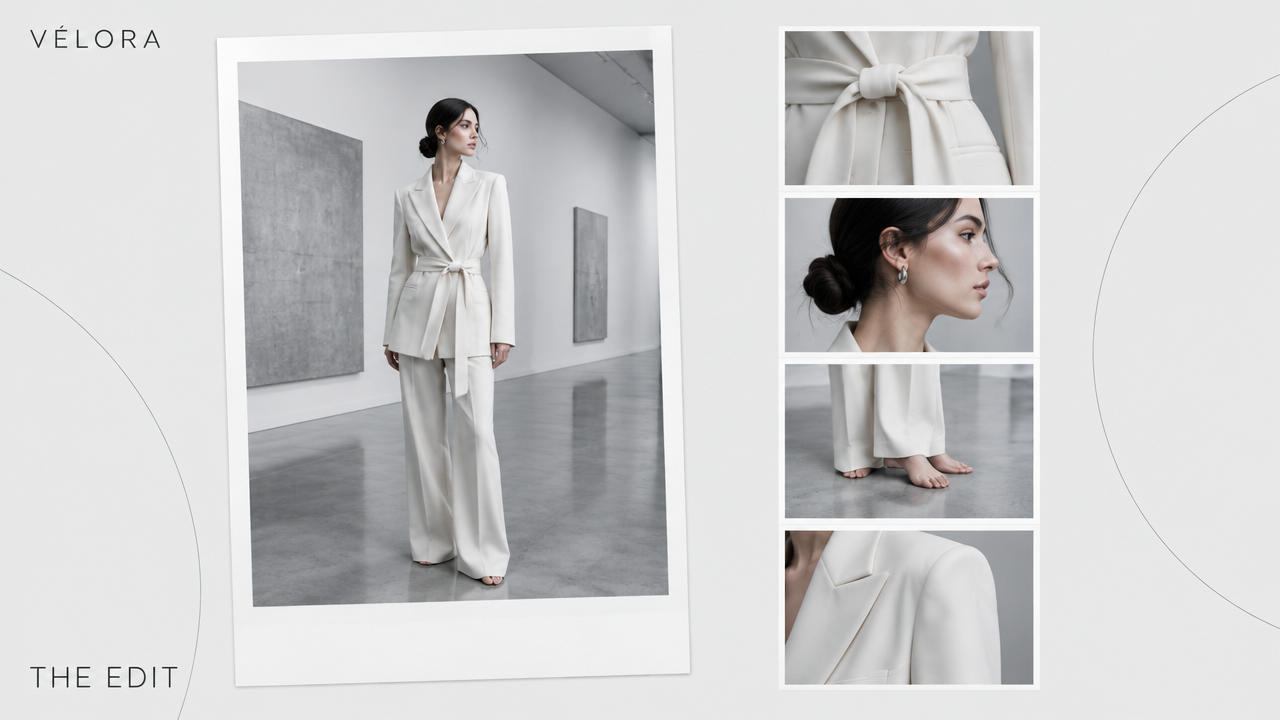 Minimalistic fashion lookbook example
Clean lines, neutral palettes (white, beige, black, grey), and negative space define this category. Poses stay simple and controlled, and settings lean toward uncluttered studio backdrops or clean architectural lines, letting silhouette and fabric quality carry the shot instead of a busy scene. COS and The Row are the reference points here, lookbooks built almost entirely on restraint, where negative space does as much work as the garment.
Streetwear Edge
Urban backdrops, dynamic and candid poses, and layered pieces define streetwear lookbooks. Lighting tends toward natural or golden-hour, and shots favor movement, mid-stride or leaning against a wall, over static studio poses, matching the category's energy. Supreme and Fear of God have built their visual identity around exactly this energy, shooting lookbooks that read more like a street-cast campaign than a traditional studio shoot.
Classic Elegance
Tailored silhouettes and muted or jewel-tone palettes define this category, shot with formal, composed poses in refined studio or architectural interior settings. Soft directional lighting emphasizes structure and drape rather than movement. Ralph Lauren's core collection lookbooks and Max Mara's seasonal campaigns are the clearest examples, tailoring photographed like it already belongs in an archive.
Bohemian Chic
Earthy tones and flowing fabrics define bohemian lookbooks, typically shot outdoors, fields, beaches, or golden-hour natural light, with relaxed, candid poses and layered, textured accessories. Free People has built its entire brand around this look, and Ulla Johnson follows the same outdoor, natural-light approach season after season.
Sporty Activewear
Bright, energetic palettes and dynamic action poses, mid-stride, stretching, in motion, define activewear lookbooks. Settings lean toward gyms or outdoor athletic environments, with lighting that emphasizes fabric technical detail and movement rather than a static pose. Nike set the benchmark here, mid-motion shots that sell the performance of the fabric as much as the fabric itself.
Build Your AI Fashion Lookbook with ImagineArt
Every decision covered here, styling, model, scene, format, comes down to one constraint: the cost and time it takes to produce it. AI-assisted fashion imagery isn't an experiment at this point, it's becoming the default. The AI fashion workflow removes the reshoot cost from testing a new styling direction, swapping a model, or trying a different scene, so a brand can produce a full season's lookbook, and keep iterating on it, without booking a new shoot every time something needs to change.
Ready to put this into practice?
![14 Use Cases of Generative AI for Fashion Industry [+Workflows]](https://blogs-cdn.imagine.art/Fashion_marketing_trends_8650a9f480.jpg)