![14 Use Cases of Generative AI for Fashion Industry [+Workflows]](https://blogs-cdn.imagine.art/Fashion_marketing_trends_8650a9f480.jpg)
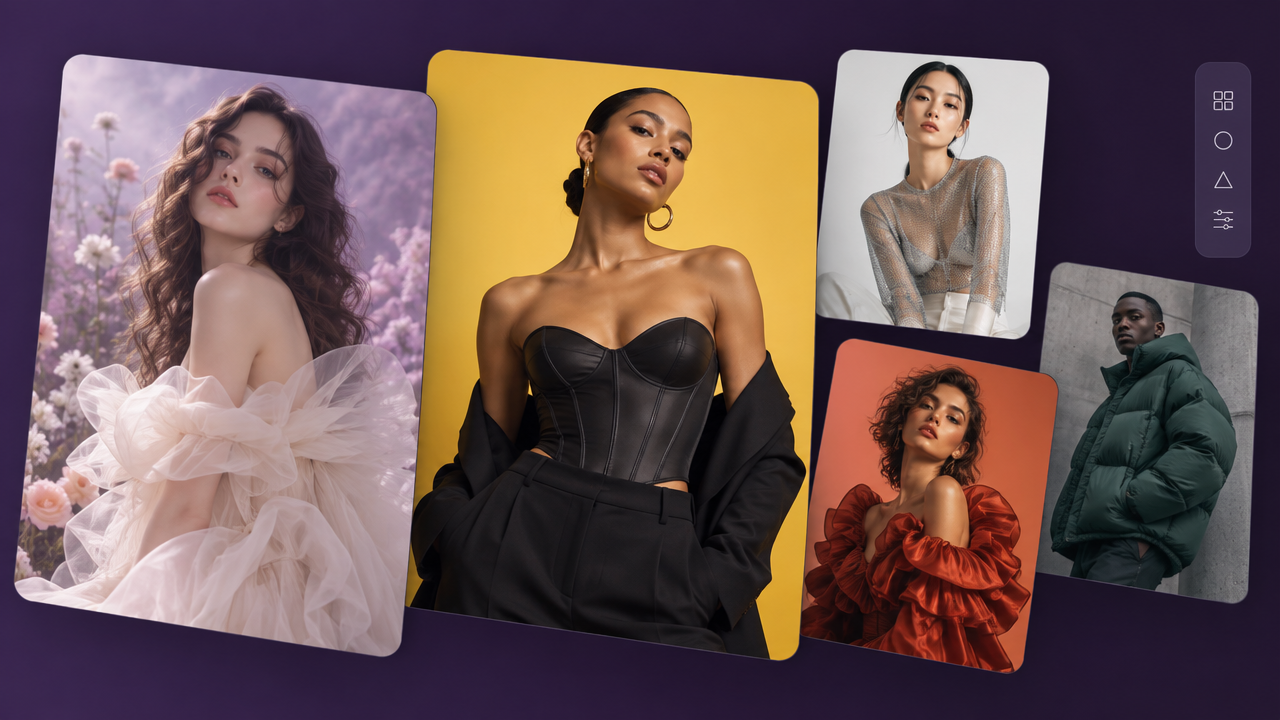
Generative AI for fashion is the starting point for at least 58% design projects and marketing campaigns. While it started with simple image to video workflows for product listings, ImagineArt has leveled the field for small businesses to enterprises. Content at scale, ideation, iteration, go-to-market, bulk design, creative production -- 10X to 100X, are now mere imagination bottlenecks, not on the design end.
Here are top 14 use cases of generative AI for fashion industry and workflows for enterprise teams.
1. Sketch to Render
Turning a rough sketch into a photorealistic garment render used to require either a technical illustrator or a lengthy 3D modeling workflow. Neither is fast, and neither is cheap at iteration speed. Generative AI for fashion changes the economics entirely.
With ImagineArt, designers upload a hand-drawn or digitally sketched garment flat and use the Edit Image node to transform it into a fully rendered product image — fabric texture, drape, color, shading all generated from the sketch. The result reads like a product photo and becomes a campaign - with simple, repeatable workflow. Stakeholders can evaluate fit and finish without waiting for a physical sample.
The AI fashion design workflows support rapid iteration: adjust the sketch, re-run the node, get a new render in minutes. Designers can explore ten colorways, three fabric textures, and two silhouette variations before a single yard of material is cut. For early-stage design review and buyer presentations, sketch-to-render is one of the highest-leverage applications of generative AI in the fashion pipeline.
ImagineArt Workflow: Upload Sketch → Edit Image (render) → Upscale Image → AI Resize (formats)
2. AI Fashion Ads
Fashion advertising has always required enormous creative investment: talent, location, photographer, post-production, media adaptation. For brands running campaigns across multiple fashion marketing trends and channels, the cost of creating properly adapted ad creative is often as significant as the media spend itself.
Generative AI compresses the production layer without compressing the creative ambition. On ImagineArt, a single product image can become a full campaign: Generate Image places the product in diverse contexts — studio, street, editorial — while Edit Image maintains style consistency across every variant. AI Resize automatically adapts the composition for every format: Meta feed, Stories, display, OOH
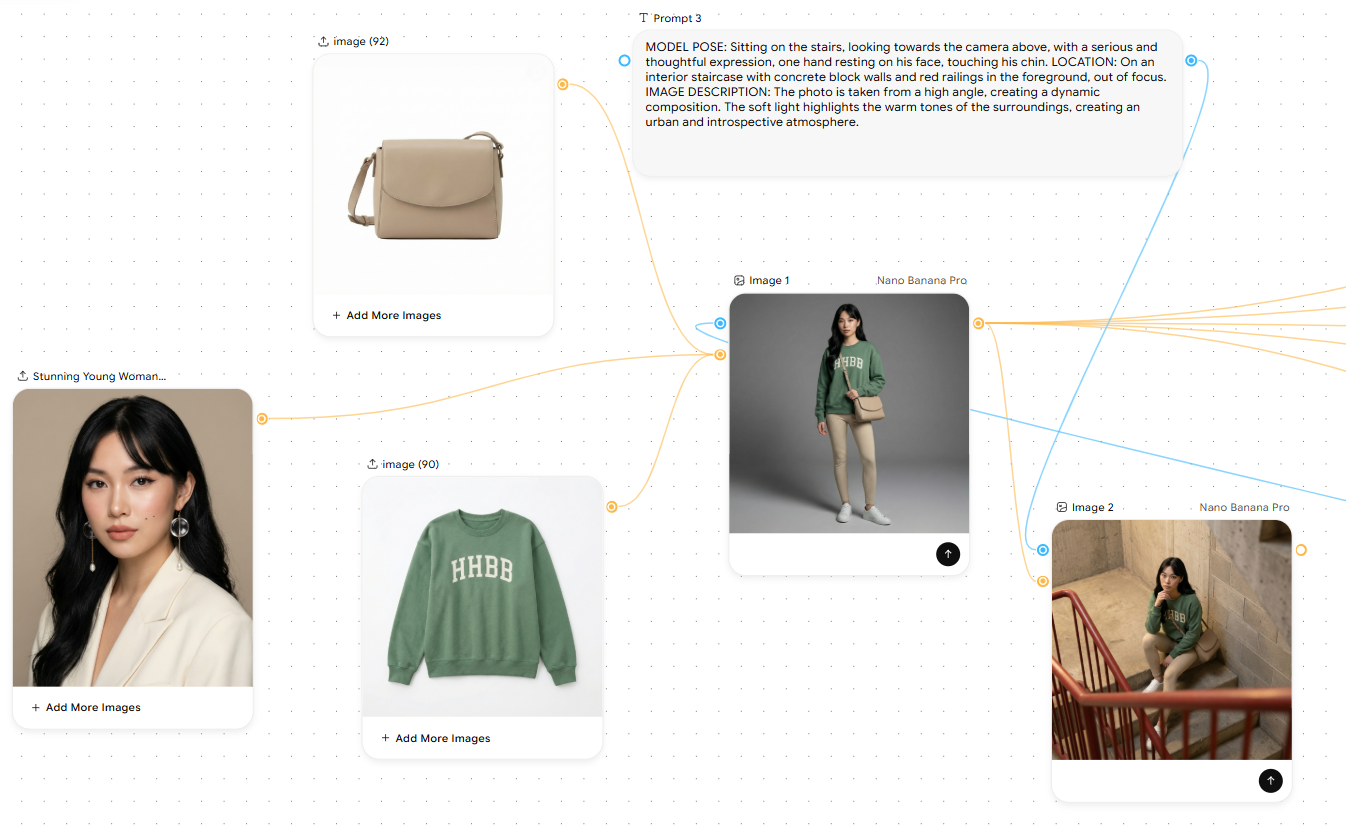 Generative AI for Fashion Industry Use Cases
The result is campaign-ready creative at a fraction of traditional production cost. For seasonal campaigns where speed-to-market directly affects revenue, AI-generated ad creative lets brands move from brief to live campaign in days rather than weeks. Regional market adaptation — different settings, different casting — becomes a workflow operation, not a separate shoot.
ImagineArt Workflow: Prompt (campaign brief) → Generate Image → Edit Image (style ref) → Relight → AI Resize
3. AI Lookbooks
A lookbook is the primary sales and editorial document for most fashion brands — it communicates the season's narrative, the styling vision, and the collection hierarchy to buyers, press, and consumers simultaneously. Producing one traditionally means booking a photographer, a stylist, a location, models, and a full production crew for one to three days. Then editing, retouching, and layout.
AI fashion lookbook production on ImagineArt starts from product images and a creative brief. The Generate Image node renders the garments on diverse models in curated environments — the same piece styled in five different lifestyle contexts, all visually coherent. Edit Image with a shared style reference keeps the aesthetic consistent across every shot, so the lookbook reads as a single creative vision, not a collection of unrelated images.
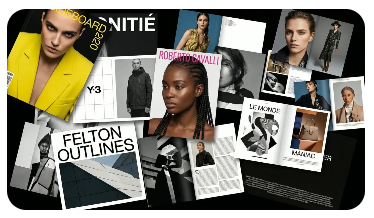 AI Lookbooks
For brands that run multiple collections per year, or that need regional adaptations of the same lookbook, AI generation means each edition is affordable to produce. The creative team focuses on art direction and curation; the production bottleneck disappears.
ImagineArt Workflow: Prompt (season brief) → Generate Image → Edit Image (style ref) → Relight → Image Iterator
https://www.imagine.art/flow/t/6108b37b-9744-4495-a1fc-fbc71cbc3aa9
4. AI Fashion Photography
Fashion photography is one of the most resource-intensive creative categories: studio rental, lighting equipment, photographer's day rate, model fees, styling, hair and makeup, post-production. For e-commerce brands producing imagery for hundreds of SKUs per season, the math rarely works at the quality level they want.
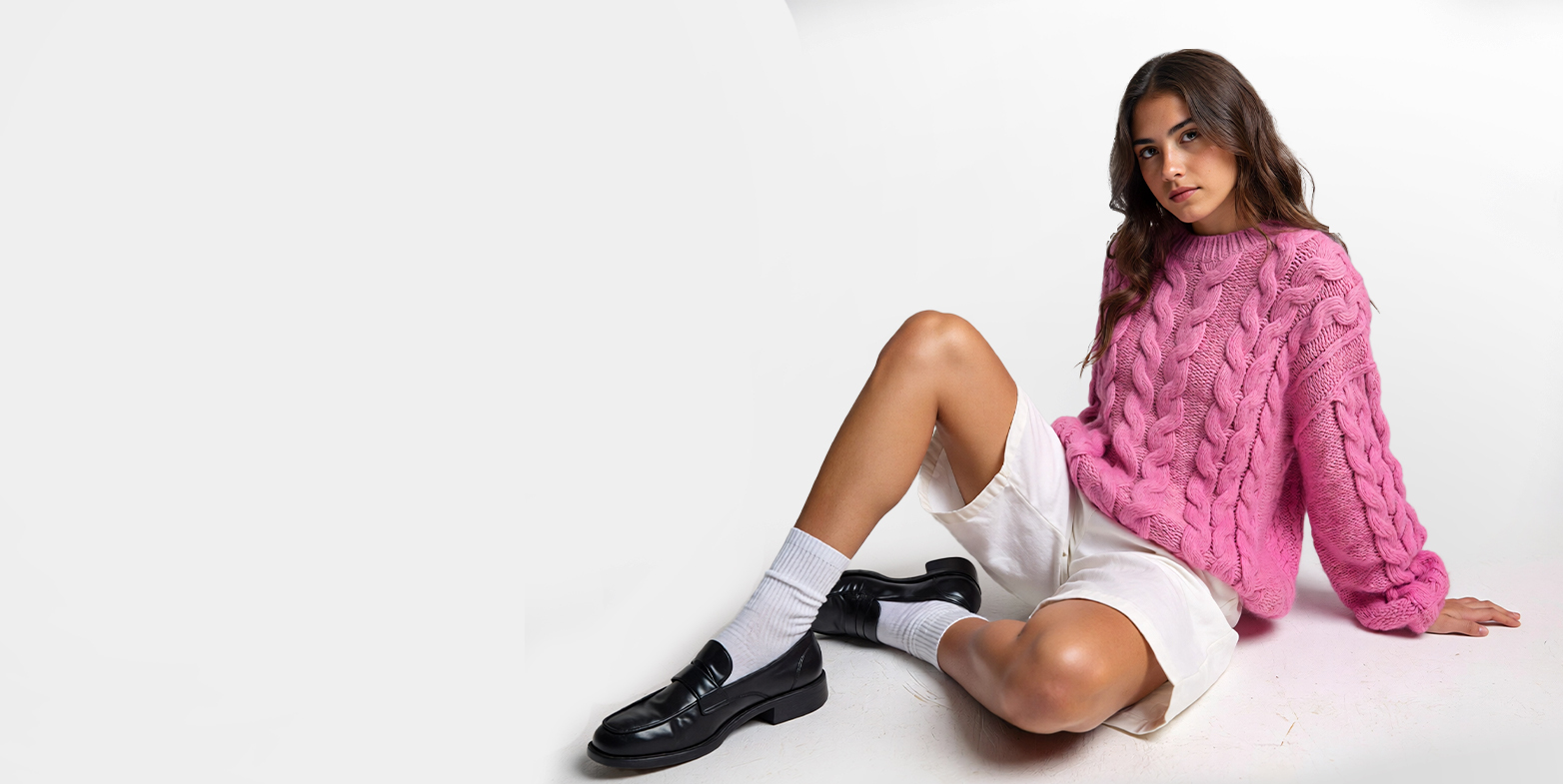
AI fashion photography on ImagineArt generates studio-quality product images without the studio. The Generate Image node produces clean, on-model or off-model product shots from a product reference image. The Relight node positions and colors light sources to match the brand's photographic signature — directional key light, fill ratio, background treatment — and saves those settings as a reusable preset. Every product, every season, same lighting.
For high-volume e-commerce, the Image Iterator node processes an entire product catalog through the same workflow, applying consistent photography standards at scale. What would take a week of studio time runs overnight. The creative team reviews and approves outputs rather than operating equipment.
ImagineArt Workflow: Product Image → Generate Image → Relight (preset) → Upscale Image → AI Resize
5. AI Jewelry Design
Jewelry design requires extreme material precision and high creative iteration: two demands that traditionally pull in opposite directions. A single piece moves through concept sketching, technical drafting, wax modeling, casting, and stone setting before anyone can evaluate whether the original creative vision is working.
By the time a physical sample exists, the cost of pivoting goes high.
Generative AI collapses the gap between concept and evaluation. On ImagineArt, designers describe a jewelry piece in precise terms:
- metal type
- stone setting style
- filigree detail
- weight aesthetic
Then, they render realistic results that read like studio product photography and can be utilized as concept art too. The Edit Image node applies material variations to an existing design: yellow gold to white gold, pavé setting to bezel, emerald to sapphire. Each variation is generated in minutes, not weeks.
The Relight node is particularly valuable for jewelry, where light interaction defines the perceived quality of the piece. Designers can simulate the directional studio lighting used in high-end jewelry photography, controlled specular highlights on metal, light transmission through faceted stones, and save those settings as a reusable preset. Every piece in the collection photographs consistently, regardless of whether it has been physically produced yet.
For collections with high SKU counts, say, seasonal lines, bridal ranges, fashion jewelry at volume — the Image Iterator processes the entire design matrix through the same workflow, generating every colorway and material variation automatically. What would require months of sample production for a traditional design review runs as an overnight batch.
ImagineArt Workflow: Prompt (design brief) → Generate Image (piece) → Edit Image (material variants) → Relight (jewelry preset)
6. Fashion Editorials
Fashion editorials — the high-concept, narrative-driven image stories that appear in magazines, brand campaigns, and digital publications — have historically been the exclusive territory of large budgets. They require a creative director with a strong vision, a team capable of executing it, and a location or set that doesn't look like any other brand's content.
Generative AI democratizes the editorial format. On ImagineArt, a creative director can build an editorial vision through the Prompt node — defining narrative, setting, mood, palette — and generate a complete editorial story through Generate Image and Edit Image with strong reference inputs. The Multiple Camera Angles node explores different perspectives on the same scene. Relight sculpts the lighting mood shot by shot.
The result isn't a substitute for the best editorial photography — it's a new format that gives brands without seven-figure production budgets access to editorial-quality storytelling. For digital-first brands and DTC labels, AI editorials are the tool that makes their content punch above their weight class.
ImagineArt Workflow: Prompt (editorial concept) → Generate Image → Multiple Camera Angles → Relight → Upscale Image
7. AI Fashion Runway
Runway shows are the pinnacle of fashion communication — but they're also the most resource-intensive format in the industry. Venue, production, casting, choreography, lighting, press access. For most brands, a traditional runway show is out of reach. Even for established houses, producing runway content for digital distribution at the speed the current media cycle demands is operationally difficult.
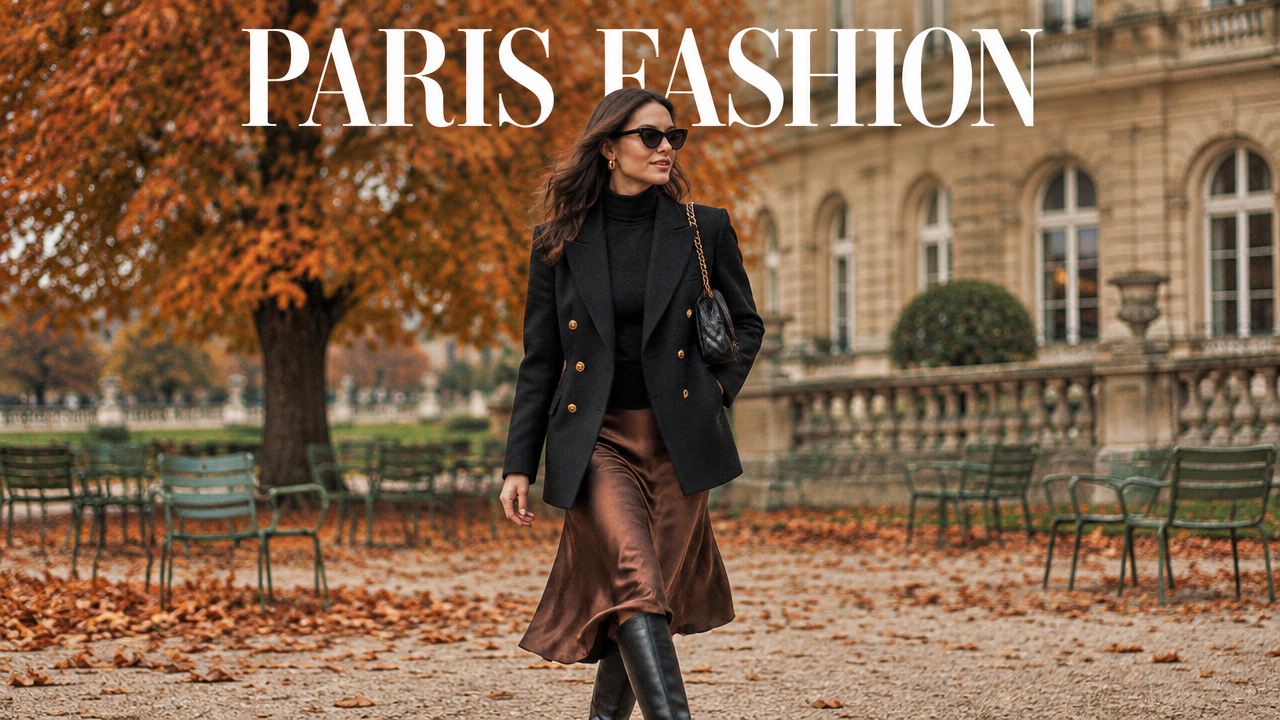
AI runway visualization changes the conversation. On ImagineArt, designers can generate runway-context imagery for any collection: models walking a defined set, specific lighting and atmosphere, editorial framing that reads unmistakably as runway rather than e-commerce. Generate Video animates still runway frames into motion content — models walking, garments moving — suitable for social channels, digital press kits, and buyer presentations.
For emerging designers, AI runway content is the tool that makes collection launches viable without the traditional cost barrier. For established brands, it extends the runway narrative into digital formats and regional markets that a single physical show can never reach at adequate quality.
ImagineArt Workflow: Prompt (runway concept) → Generate Image (runway) → Edit Image (garments) → Generate Video → Combine Videos
8. AI Fashion Models and Personas
Casting models for ongoing brand content is a continuous logistics challenge: scheduling, contracts, consistency across shoots, geographic availability, usage rights, talent costs. For brands that produce content at high frequency — multiple social posts per week, rotating campaign creative — maintaining consistent model representation is expensive and complicated.
ImagineArt's AI Influencer app and the Generate Image node allow brands to create AI fashion personas — consistent digital models with defined physical characteristics, style, and expression range — that appear consistently across all content. The same persona can hold the product, walk the runway, appear in a lifestyle context, and model a flat lay, all generated from the same character definition.
Usage rights are perpetual. Scheduling is instant. Diversity of representation is configured into the character library, not negotiated in a casting call. For brands committed to representation across body types, age ranges, and backgrounds, AI personas make that commitment operationally achievable at every content volume level.
ImagineArt Workflow: AI Influencer (persona) → Generate Image → Edit Image (garment) → Relight → Generate Video (animate)
9. AI Fashion Trend Forecasting
Trend forecasting in fashion has traditionally been the domain of specialized agencies — WGSN, Trendalytics, Peclers — whose research teams synthesize runway data, street style, social signals, and consumer sentiment into seasonal direction reports. The reports are valuable but expensive, and the turnaround time means brands are always working months ahead of what they can validate in real time.
AI augments this workflow at the analysis and visualization layer. The AI Copilot node on ImagineArt processes large volumes of trend signal inputs — curated runway references, street photography, social content, search trend data — and synthesizes directional insights: emerging silhouettes, color stories, texture combinations, cultural references gaining traction.
More usefully, the identified trends can be visualized immediately. Rather than reading a report about an emerging color palette, creative teams generate actual garment concepts in that palette using Generate Image, testing whether the trend translates into something that fits their brand language. Trend research becomes actionable in hours, not months.
ImagineArt Workflow: AI Copilot (trend analysis) → Prompt (concept brief) → Generate Image (concepts) → Edit Image (variations)
10. AI Apparel Design
The apparel design process — from initial concept to approved design ready for technical specification — typically cycles through multiple rounds of sketching, rendering, sampling, and revision. Each physical sample costs hundreds of dollars and weeks of lead time. Brands with compressed design calendars and global supply chains rarely have the luxury of exploring the full design space before committing to production.
11. AI Mannequin to Model
Ghost mannequin photography — the invisible mannequin technique used in e-commerce — produces clean, consistent product shots. But it tells shoppers nothing about how a garment fits on a person, moves with the body, or drapes in real life. Converting ghost mannequin images to on-model images traditionally requires reshooting with human models, which multiplies cost and time.
With ImagineArt, brands can take existing ghost mannequin or flat-lay product images and place them on AI-generated models using the Edit Image node. The garment retains its accurate fit and texture; the model provides the human context that drives purchase confidence. Brands can generate the same garment on diverse models — different body types, skin tones, heights — from a single product image, creating inclusive sizing representations without the cost of multiple model bookings.
For large catalogs where only a fraction of products receive on-model photography in traditional production, this workflow eliminates the trade-off entirely. Every product can have on-model imagery. The conversion rate case for this is well-established: on-model images consistently outperform flat lays in e-commerce.
ImagineArt Workflow: Ghost Mannequin Image → Edit Image (on-model) → Relight → AI Resize (e-comm formats)
Generative AI moves design exploration into the digital domain entirely. On ImagineArt, designers use Generate Image to visualize garment concepts from written descriptions — silhouette, construction details, fabric behavior, colorway. The Edit Image node applies pattern variations, print placements, or texture changes to an existing design concept. Multiple variations are generated simultaneously and compared before a single technical pack is produced.
The result is a fundamentally different design calendar: more concepts explored, better-informed decisions made earlier, fewer surprise failures in sampling. For sustainable fashion brands where unnecessary sampling is both a financial and environmental cost, AI apparel design directly reduces waste in the development process.
ImagineArt Workflow: Prompt (design brief) → Generate Image (concept) → Edit Image (variations) → Upscale Image → Image Iterator (catalog)
12. AI Fashion UGC
User-generated content has become one of the highest-performing creative formats in fashion marketing — authentic, platform-native, and trusted by consumers in a way that polished brand content often isn't. The problem is that genuine UGC is unpredictable: volume, quality, and brand alignment are all outside the brand's control. Waiting for organic UGC to arrive is not a content strategy. Paying creators for every piece of UGC-style content at the volume modern social channels demand is not economically sustainable.
AI-generated UGC on ImagineArt gives fashion brands the aesthetic of authentic creator content with the consistency and volume of a production workflow. The AI Influencer app generates diverse digital personas that read as real people rather than brand assets — varied backgrounds, styling preferences, body types, and content styles. These personas model the brand's products in context: trying on a jacket on a city street, unboxing a new sneaker drop, layering a transitional outfit in natural light.
The Generate Image node places personas in environments that match the platform context: lo-fi bedroom lighting for TikTok, golden-hour outdoor settings for Instagram Reels, clean apartment interiors for Pinterest. Edit Image maintains garment accuracy across every shot — the product details remain true to specification regardless of environment. The result is a library of UGC-style assets that can be deployed across channels without the coordination overhead of a creator programme.
For product launches, brands can generate UGC-style content at the moment of launch rather than waiting weeks for organic creator content to build. For always-on social, a rotating library of AI UGC personas keeps content feeling fresh without continuous shoot production.
ImagineArt Workflow: AI Influencer (persona) → Generate Image (UGC context) → Edit Image (garment accuracy) → Relight → AI Resize (platform formats)
13. AI Virtual Try-Ons
Returns are the most significant margin drag in fashion e-commerce, and fit uncertainty is the leading cause. Shoppers who cannot confidently visualise how a garment will look on a body like theirs add to cart with lower conviction and return at higher rates. On-model photography addresses this partially, but a fixed roster of sample-size models on a clean studio background does not answer the question a shopper is actually asking: how will this look on me?
Virtual try-on on ImagineArt generates on-model product imagery across a defined range of body types, skin tones, heights, and styling contexts — from a single product reference image. The Edit Image node places the garment on diverse AI-generated models with accurate drape, fit, and fabric behavior. The same dress appears on a petite frame, a tall frame, and a plus-size frame in the same environmental setting, with consistent lighting and styling. Shoppers browsing the product page see themselves represented without the brand needing to book and shoot multiple model types per SKU.
The workflow scales across the full catalogue. A brand with 800 active SKUs can generate try-on imagery across five body-type representations for every product — 4,000 images — as a batch workflow rather than a production event. Image Iterator processes the catalogue automatically; Relight applies the brand's consistent photography standard across every output.
For brands targeting size-inclusive positioning, AI virtual try-on makes that positioning operationally credible rather than aspirational. The representation exists at the product level, not just in brand communications. Conversion rate data consistently shows that shoppers who see a product modelled on a body type similar to their own convert at significantly higher rates and return at lower rates.
ImagineArt Workflow: Product Image → Edit Image (virtual try-on) → Relight (e-comm preset) → Image Iterator (body type variations) → AI Resize
https://www.imagine.art/flow/t/108f9942-747e-4851-b890-765853044e5b
14. AI Style Transfer
Brand visual identity in fashion is built through consistency — the specific way a brand uses light, texture, colour grading, compositional framing, and styling that makes their imagery immediately recognisable across channels and seasons. Maintaining that consistency across a high-volume content operation is one of the most difficult creative production challenges a fashion brand faces. Different photographers, different markets, different agencies, different briefs all introduce drift. The brand starts to look like several different brands.
Style transfer on ImagineArt solves the consistency problem at the workflow level rather than the briefing level. The Edit Image node accepts a visual style reference — a hero campaign image, a defined aesthetic mood, a specific photographic treatment — and applies that style to new product images, lifestyle shots, or campaign assets. The output matches the tonal grading, lighting character, compositional approach, and texture treatment of the reference, regardless of what the input image looks like.
For brands managing multi-market content, style transfer means regional teams can generate locally relevant imagery — different settings, different casting, different cultural context — that still reads as unmistakably on-brand. The London market team generates content in a London environment; the Dubai market team generates content in a Gulf setting. Both outputs carry the same visual signature. The brand is consistent globally without every asset being produced centrally.
The workflow is equally valuable for seasonal transitions: taking an existing product image library and applying a new season's colour grading and photographic treatment across the catalogue, without a full reshoot. Winter product images can be refreshed for a spring campaign aesthetic as a batch operation. Archive imagery can be brought in line with the current brand standard.
ImagineArt Workflow: Reference Image (style) → Edit Image (style transfer) → Generate Image (new assets) → Relight → Image Iterator (catalogue application)
Scale Fashion Design and Marketing with ImagineArt Workflows
Every use case above runs on ImagineArt's visual workflow canvas — a node-based system connecting 50+ AI models for image, video, and audio generation. Fashion teams use it to compress production timelines, reduce costs across the design-to-campaign pipeline, and generate content at the volume that modern multi-channel distribution demands.
If you're a solo designer using sketch-to-render for the first time or an enterprise brand scaling lookbook production across 12 markets, the workflow infrastructure is the same. Build once, run at any scale, maintain brand consistency throughout.
Ready to put this into practice?