
Tooba Siddiqui
April 24, 2026 • Updated April 24, 2026
23 mins Read
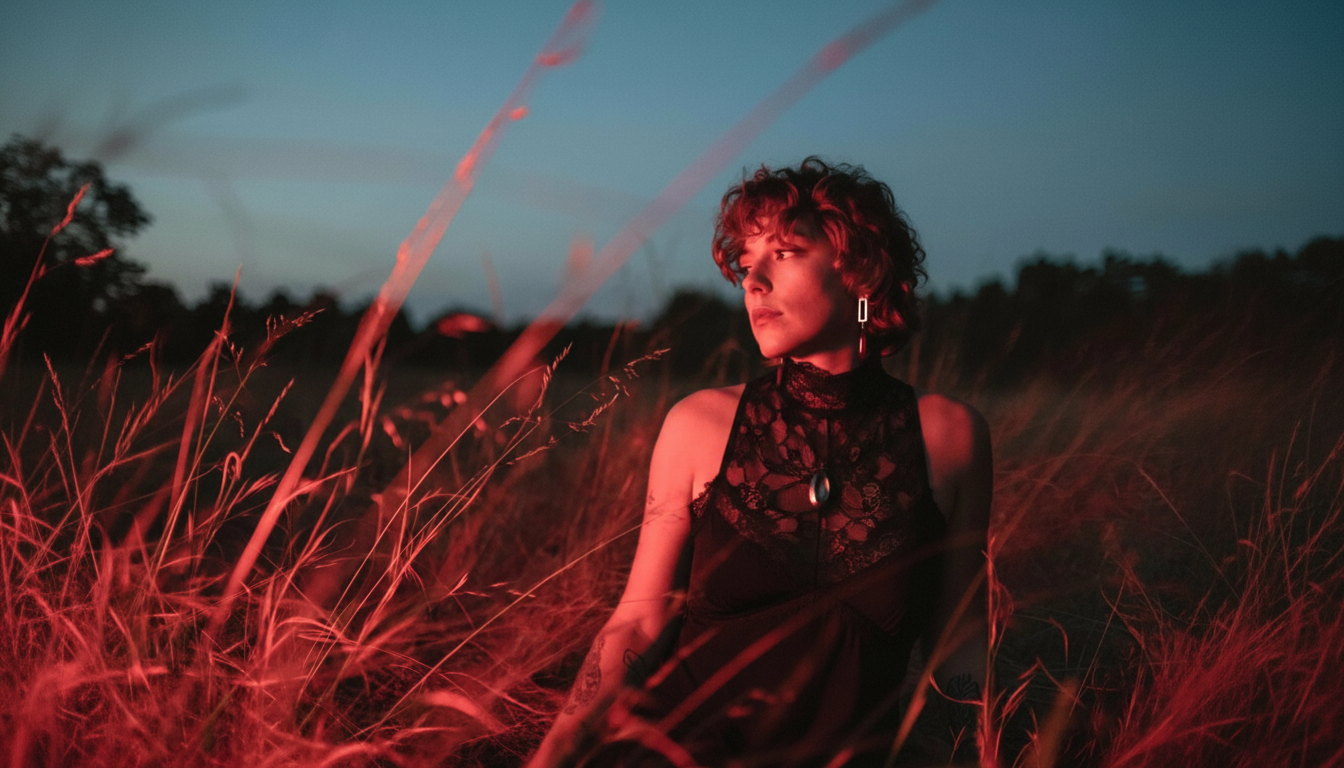
In 2026, the top AI image models don't compete on whether they can generate a good image — they all can. They compete on everything that comes after: the format, the fidelity, the workflow fit, the output you can actually use. Five models are having that conversation right now. This is how they stack up.
ImagineArt 2.0 was built around a single premise: photorealistic output at any aspect ratio, without compromise. FLUX.2 took the parameter count to 32 billion and focused every one of them on a single goal — generating images that are indistinguishable from real photography, at commercial speed. Imagen 4 brought Google's infrastructure discipline to the problem, giving teams predictable quality tiers and SynthID watermarking baked in. Nano Banana Pro pushed character consistency to a level the field hadn't seen, holding 95% identity across angles and shots. GPT Image 2 came out of OpenAI with a 99% typography accuracy rate, 4K output, and the ability to generate eight distinct images from a single prompt.
These aren't five versions of the same thing. They're five different opinions about what photorealistic image generation should prioritize. This breakdown tests each one against the features that matter in real production work, identifies where each genuinely leads, and tells you which one to use when.
Quick Verdict
- ImagineArt 2.0 — Best for photorealistic output and cinematic work. If realism at any canvas size is the goal, this is the model built for it.
- FLUX.2 — Best for commercial product photography and high-speed photorealistic generation. 32 billion parameters, all pointed at making images look real.
- Imagen 4 — Best for API-driven production workflows where consistency, watermarking, and cost control matter more than creative edge.
- Nano Banana Pro — Best for character-driven work: storyboards, comics, branded character assets, anything requiring identity across multiple shots.
- GPT Image 2 — Best for text-heavy photorealistic work and high-volume creative iteration. Near-perfect typography and eight images from one prompt changes the direction-finding workflow.
Key Features That Actually Matter
Text Rendering
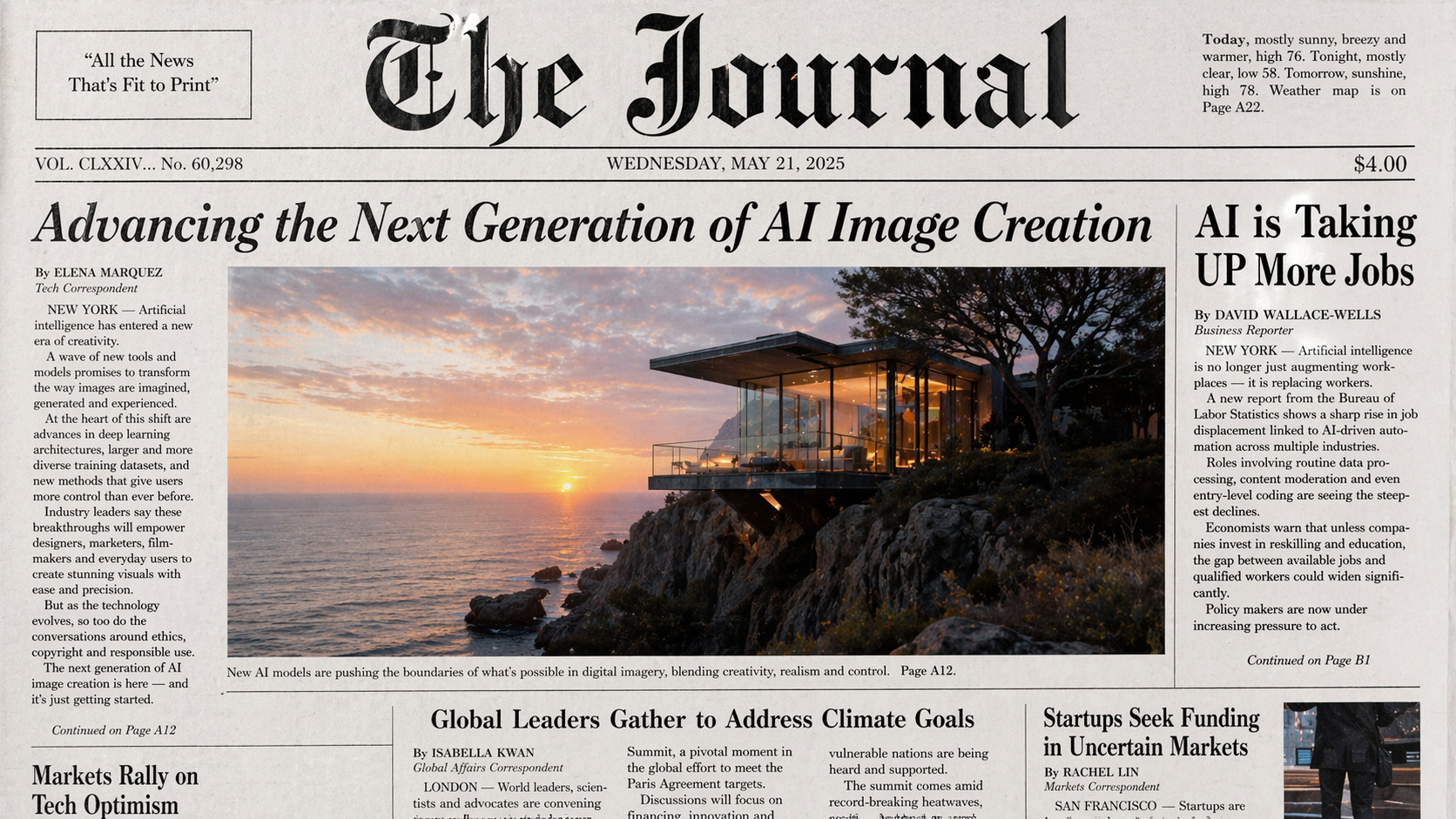 Generated by GPT image 2 on ImagineArt AI image generator
In 2024, text rendering inside a generated image was a flex. In 2026, it's a baseline requirement — and the gap between models is now about precision, not capability.
All five models render legible text. The difference shows up in edge cases: small font sizes, mixed scripts, tight layouts, multi-column infographics. That's where the field separates.
- GPT Image 2 leads the group with a 99% typography accuracy rate — the most specific and verifiable text-rendering claim in this field. Near-perfect letter integrity, correct spacing, and consistent weight across styles.
- ImagineArt 2.0 handles text across languages, font styles, and complex layouts in a single generation.
- Imagen 4 specifically calls out crisp typography at small font sizes as a key advance over Imagen 3 — it's been a deliberate focus area.
- FLUX.2 supports complex typography reliably enough for commercial production work.
- Nano Banana Pro produces clean text but is primarily optimized for scene-level fidelity, not typographic precision.
For text-heavy creative work, GPT Image 2 is the clearest choice. For multilingual or stylistically varied text within a photorealistic scene, ImagineArt 2.0 holds its own.
Output Resolution and Quality
Resolution is the spec everyone quotes and the spec that matters least in isolation. What matters is resolution combined with detail retention — whether a high-resolution output actually contains that level of information, or just upscaled noise.
- GPT Image 2 supports 4K resolution — the highest in this group — with a quality-first approach that prioritizes photorealism and output fidelity at that scale.
- FLUX.2 reaches up to 4 megapixels (approximately 2000×2000 at full quality) with real-world lighting and physics baked into the generation process.
- Imagen 4, Nano Banana Pro, and ImagineArt 2.0 all operate at native 2K (2048×2048).
For most digital workflows — social, web, editorial — 2K is more than sufficient. GPT Image 2's 4K becomes relevant for large-format print and hero assets. FLUX.2's 4MP sweet spot is commercial product photography where texture detail at full crop is non-negotiable.
Photorealism
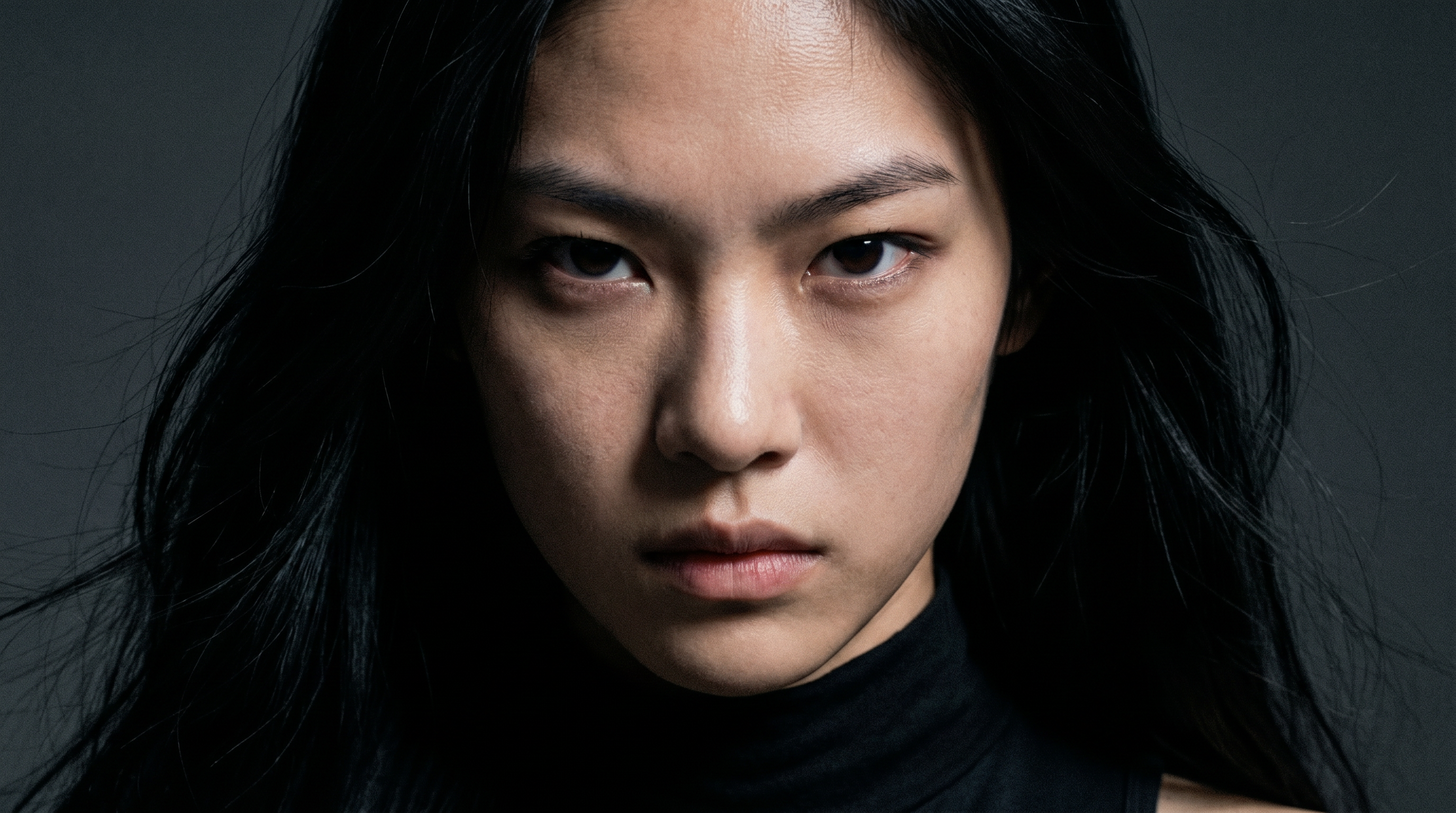 Generated by ImagineArt 2.0
This is the defining category for this comparison. Every model here was chosen because it competes on realism — but photorealism isn't a single capability. It's a stack of sub-capabilities: material rendering, lighting physics, spatial coherence, skin and organic surface detail. A model can be strong on one and fail on another.
- ImagineArt 2.0 is the most realistic AI image generator in this group. It renders skin pores, fabric weave, water refraction, and subsurface scattering — the kinds of micro-detail that separate a photograph from a generated image. The outputs aren't trying to look like* photography; they're built to be indistinguishable from it.
- FLUX.2 approaches realism from a parameter scale and physics simulation angle. At 32 billion parameters focused entirely on image quality, it achieves exceptional skin textures and eliminates the visual artifacts — flat lighting, inconsistent shadows, material that looks "generated" — that lower-parameter models can't fully suppress. It's purpose-built for commercial product photography where the standard is not "good for AI" but "good enough to publish."
- Nano Banana Pro achieves realism through physics-accurate lighting — modeling how light actually behaves rather than interpolating from training data. The results are convincing but the emphasis is on scene coherence rather than surface micro-detail.
- GPT Image 2 takes a quality-first approach to photorealism, with significant gains over its predecessor in material rendering, scene coherence, and overall output fidelity. The self-checking capability — it verifies its own outputs before delivering — reduces the rate of physically implausible results.
- Imagen 4 expanded from Imagen 3's pure photorealism focus to support both realistic and artistic styles — a deliberate trade-off that gives it more range but slightly less specialization at the hard-realism end.
The metrics above — material rendering, lighting physics, spatial coherence — cover the physical layer of photorealism. They do not cover the biological layer. For images with human subjects, anatomy accuracy (hands, eyes, teeth, facial micro-asymmetry) is equally determinative. See the Human Anatomy Accuracy section below for how these models compare on the test that professional evaluators run first.
Also read: Best AI image generators for Photorealistic Visuals
Human Anatomy Accuracy
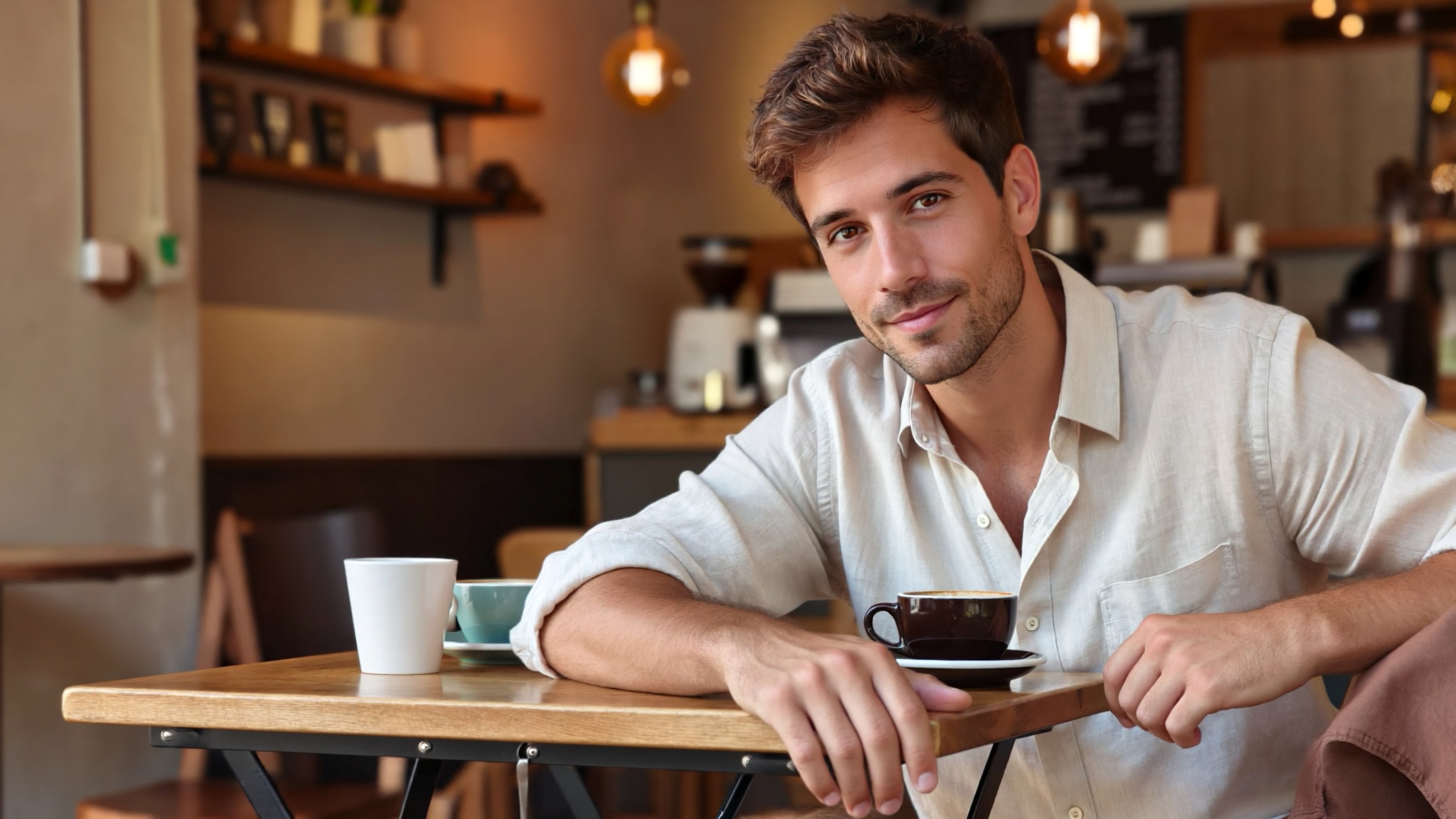 Generated by ImagineArt 2.0
Material rendering and lighting physics are the metrics most AI image tools use to claim photorealism. They are not the most important ones. The first thing a human eye looks for — consciously or not — is whether the people in the image look real. That test comes down to anatomy: hands, fingers, eyes, teeth, and the micro-details of biological surfaces that no amount of subsurface scattering can compensate for if the hand has six fingers.
This is the dimension that has historically exposed AI-generated images the fastest. It is also the one most comparison articles skip.
- ImagineArt 2.0 handles the specific anatomy failure modes that lower-parameter models can't suppress: knuckle topology, fingernail curvature, hairline-to-skin transitions, and the micro-asymmetries in a real face that make it read as human rather than generated. The realism-first architecture that prioritizes micro-detail in fabric and skin extends to biological structure. For images where a human subject is the subject, ImagineArt 2.0 is the strongest model in this group.
- FLUX.2 eliminates the plastic-skin artifact that makes AI-generated hands look wrong — that over-smoothed, pore-free surface quality that appears in lower-parameter models. At 32 billion parameters, the model has enough capacity to render skin at a granular level. Strong on hand and skin anatomy; slightly less specialized than ImagineArt 2.0 on facial micro-detail.
- GPT Image 2 uses its self-checking capability to reduce anatomically implausible outputs — wrong finger counts, floating hands, eyes with missing catchlights — by verifying outputs before delivery. This is a process-level fix rather than an architecture-level one, which means it catches errors rather than preventing them. Strong in practice; mechanically different.
- Nano Banana Pro achieves high anatomy consistency as a byproduct of its character identity architecture. A model that maintains 95% identity across angles necessarily handles facial structure, ear placement, and proportions with precision. Strong for repeatable anatomy across shots; the physics-accurate lighting extends to how light behaves on skin surfaces specifically.
- Imagen 4 renders human subjects cleanly and consistently at scale. Not anatomy-specialized, but Google's training volume means common failure modes appear less frequently. Reliable; not leading.
For any output where a human being is the primary subject, anatomy accuracy is the correct realism benchmark — not material physics. ImagineArt 2.0 leads this category.
Natural Noise and Grain
Real photographs have noise. Digital sensors introduce luminance and color noise in shadows, high-ISO grain in low-light conditions, and a consistent texture across the image that the human visual system reads as physical. AI-generated images that are too clean — no noise, uniform sharpness from edge to edge, no film character — register as generated even when the content is otherwise convincing.
This is a subtle failure mode that rarely appears in model benchmarks and consistently appears in professional reviews.
- ImagineArt 2.0 and FLUX.2 both produce outputs with natural noise distribution — the kind of non-uniform texture that makes an image read as captured rather than generated. For cinematic and editorial work where the photograph aesthetic matters as much as content accuracy, this is a meaningful differentiator over models that output uniformly sharp images.
- GPT Image 2 takes a quality-first approach that prioritizes visual clarity, which in practice means cleaner outputs. For advertising creative and mockup work, this is a strength. For outputs that need to read as candid photography, the absence of natural grain is a tell.
- Imagen 4 and Nano Banana Pro produce clean outputs that are visually sharp. For production use cases where post-processing is standard, grain can be added. For use cases where it needs to look naturally photographed without post-processing, both models require additional work.
Prompt Fidelity and Reasoning
There's a difference between a model that follows a prompt and a model that understands it. Following a prompt means reproducing keywords. Understanding it means interpreting spatial relationships, causal logic, and the implicit intent behind the description.
- GPT Image 2 brings enhanced thinking capabilities to generation — it can reason about a prompt before rendering, check its own outputs against the prompt description, and self-correct on physically implausible results. For complex, multi-element scenes with specific spatial relationships, this reasoning layer reduces the gap between what you describe and what you get.
- Nano Banana Pro processes text and image inputs through a unified architecture, which means it can take a reference image, a natural language description, and produce an output that maintains style, lighting, and composition from the reference. That's a different kind of reasoning — not linguistic, but relational.
- FLUX.2 and ImagineArt 2.0 are strong prompt followers with high fidelity on spatial and material descriptions — FLUX.2 particularly so on product-level precision (correct label placement, accurate material reflection, stable geometry).
- Imagen 4 performs well on structured prompts and benefits from Google's large-scale training, but the reasoning sophistication sits below GPT Image 2 and Nano Banana Pro at the high end.
Speed
| Model | Generation Time | Notes |
|---|---|---|
| FLUX.2 Max | Sub-second to <10s | Fastest photorealistic output in the group |
| Nano Banana Pro | Under 10 seconds | Fastest consistent output |
| Imagen 4 Fast | ~10–15 seconds | Lowest cost tier |
| GPT Image 2 | ~2× faster than GPT Image 1 | Exact time not published |
| ImagineArt 2.0 | Under 10 seconds | Platform and API dependent |
| Imagen 4 Ultra | Slower | Highest quality tier |
For high-volume photorealistic workflows, FLUX.2 and Nano Banana Pro are the practical choices. For quality-first work where generation time isn't the bottleneck, speed rankings matter less.
What Makes Each Model Genuinely Unique
ImagineArt 2.0 — Built for Realism
 Generated by ImagineArt 2.0
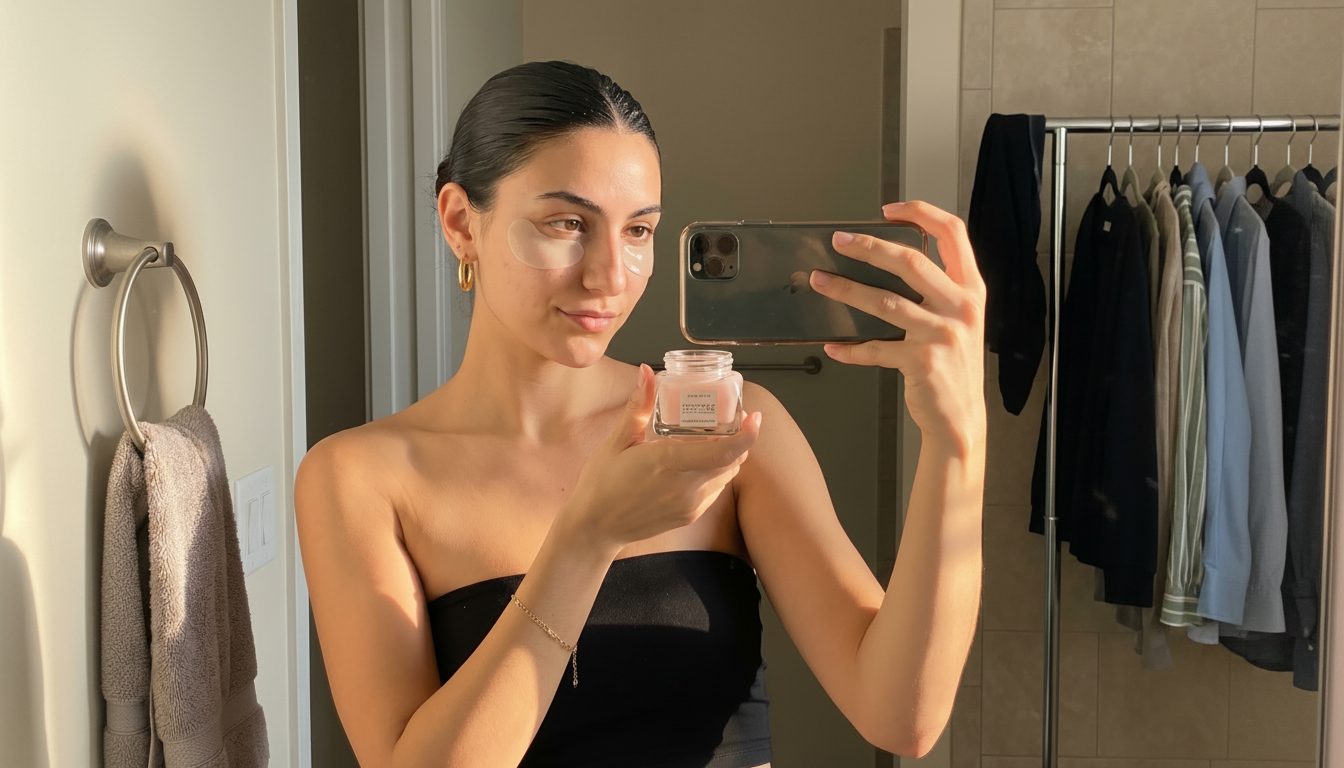
ImagineArt 2.0 ranks #9 on Aritifical Analysis on text-to-image leaderboard. It is the only model in this group that treats photorealism as the primary design constraint rather than one capability among many. Every architectural decision traces back to that premise.
The AI image generator renders at the level of physical material behavior — not what objects look like in photographs, but how light actually interacts with them. Subsurface scattering through skin. Refraction in water and glass. The micro-texture of woven fabric under directional light. These are the details that the human eye recognizes as "real" without being able to articulate why, and they're exactly what separates ImagineArt 2.0 outputs from the field.
The multi-ratio canvas support compounds this. ImagineArt 2.0 natively generates at any aspect ratio — square, cinematic widescreen, vertical Stories format — without cropping or quality loss. The composition is built for the ratio, not adapted to it. This matters because photorealism breaks down at the edges when a model crops rather than composes. ImagineArt 2.0 doesn't have that failure mode.
For creators working in brand photography, product imagery, cinematic pre-visualization, or any context where the output needs to pass as real, ImagineArt 2.0 is operating at a different level of intentionality.
Recommended read: ImagineArt 2.0 features.
FLUX.2 — 32 Billion Parameters, One Goal
FLUX.2 by Black Forest Labs is built on a simple bet: put 32 billion parameters — the scale of a frontier language model — entirely in service of generating images that look real. Not images that are creatively interesting. Not images that can do many things. Images that eliminate the "AI look."
The results show in the specific failure modes FLUX.2 doesn't have. Skin textures that render at pore level without plastic sheen. Lighting that casts shadows in physically correct directions and doesn't flatten at scene edges. Materials — metal, glass, fabric, liquid — that behave the way they actually behave rather than the way they appear in training data aggregates.
FLUX.2 Max generates photorealistic commercial images at up to 4 megapixels in under 10 seconds via API, with some configurations achieving sub-second generation times. For product photography workflows where volume and fidelity both matter, this combination is unusually strong — high quality doesn't usually come at that speed.
The open-weight availability is also a structural differentiator. Teams that need to run generation on their own infrastructure — for compliance, latency, or cost reasons — can deploy FLUX.2 without depending on a third-party API. That's not possible with any other model in this group.
Recommended read: Flux.2 Overview
Imagen 4 — Production Infrastructure and SynthID
Imagen 4 is the model built for teams and production pipelines, not individual creative sessions. The features that distinguish it aren't about creative ceiling — they're about operational reliability.
The tiered model structure (Fast, Standard, Ultra) is genuinely useful in production contexts. Fast at $0.02/image handles volume tasks: concept thumbnails, variation testing, bulk content. Standard at $0.04/image covers the majority of production work. Ultra at $0.06/image is reserved for hero assets where quality is the only variable. Teams can allocate the right tier to the right task and control costs at scale.
SynthID watermarking is embedded in every Imagen 4 output — an imperceptible cryptographic signature that survives compression, cropping, and most post-processing. For organizations with compliance requirements around AI-generated content disclosure, this is infrastructure that other models don't provide. Nano Banana Pro also uses SynthID (both are Google DeepMind models), but Imagen 4's explicit tiering and API-first design make it the more natural fit for enterprise workflows.
Availability through the Gemini API and Google AI Studio means Imagen 4 plugs into existing Google Cloud infrastructure without custom integration work.
Recommended read: Imagen 4 Overview
Nano Banana Pro — Character Consistency and Multimodal Input
 Generated by Nano Banana Pro on ImagineArt AI image generator
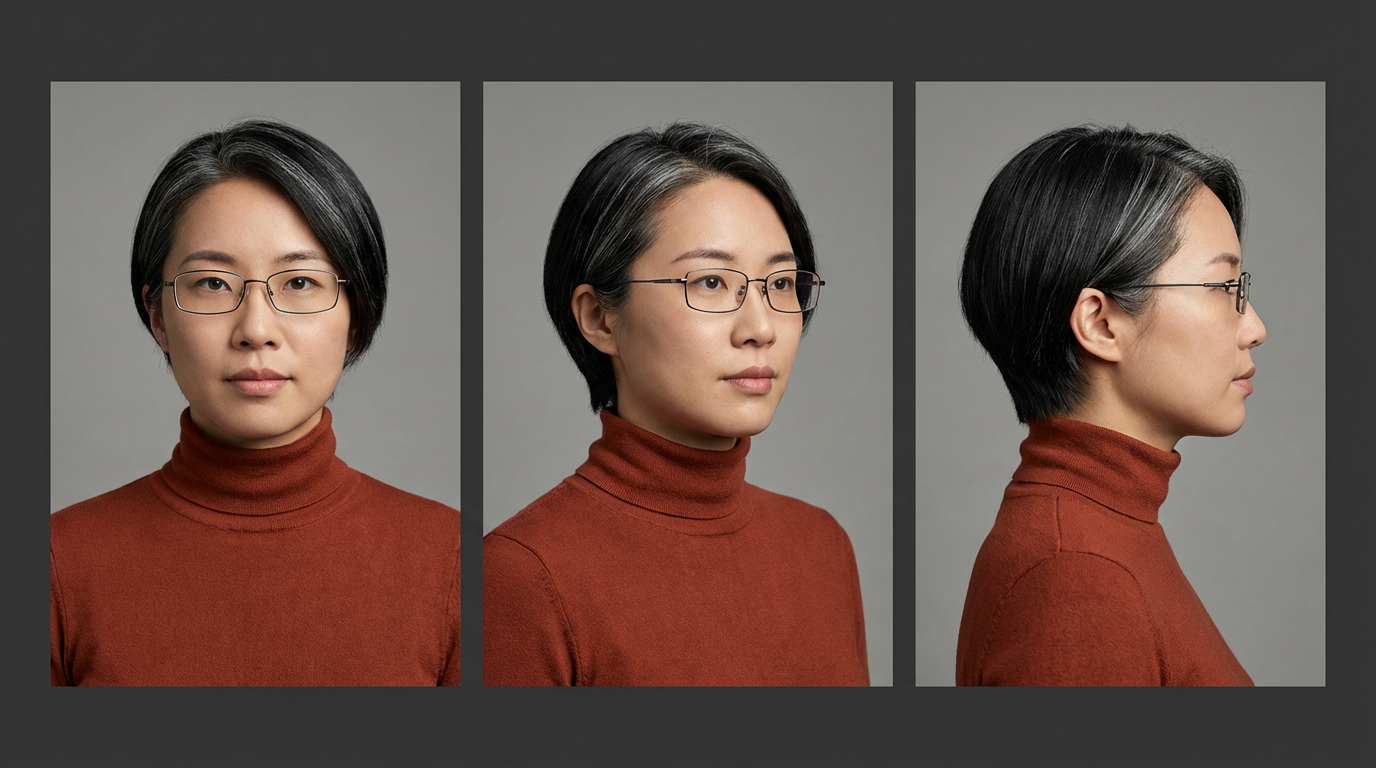
The hardest problem in AI image generation for narrative work like comics, storyboards, branded characters, long-form visual content has always been consistency. Generate the same character twice and you get two different people. Nano Banana Pro is the first model in this group to solve that problem at a meaningful fidelity level.
The Pro tier maintains 95% character identity across different angles, lighting conditions, and shot distances. Front view, three-quarter, profile, back, the same person, consistently rendered. For anyone producing character sheets, sequential art, or multi-shot brand mascot assets, this eliminates the manual correction loop that has made narrative visual content so expensive to produce with AI tools.
The multimodal architecture amplifies this. Rather than treating text and image as separate inputs with a translation layer between them, Nano Banana Pro processes both through a unified system. Upload a reference image, describe what you need in natural language, and the output inherits the visual properties of the reference rather than treating them as suggestions. The consistency comes from architecture, not post-processing.
Generation speed under 10 seconds means this works in an interactive workflow, not just as a batch process.
Recommended read: Nano Banana Pro Overview
GPT Image 2 — Typography Precision and Multi-Image Generation
 Generated by GPT image 2 on ImagineArt AI image generator
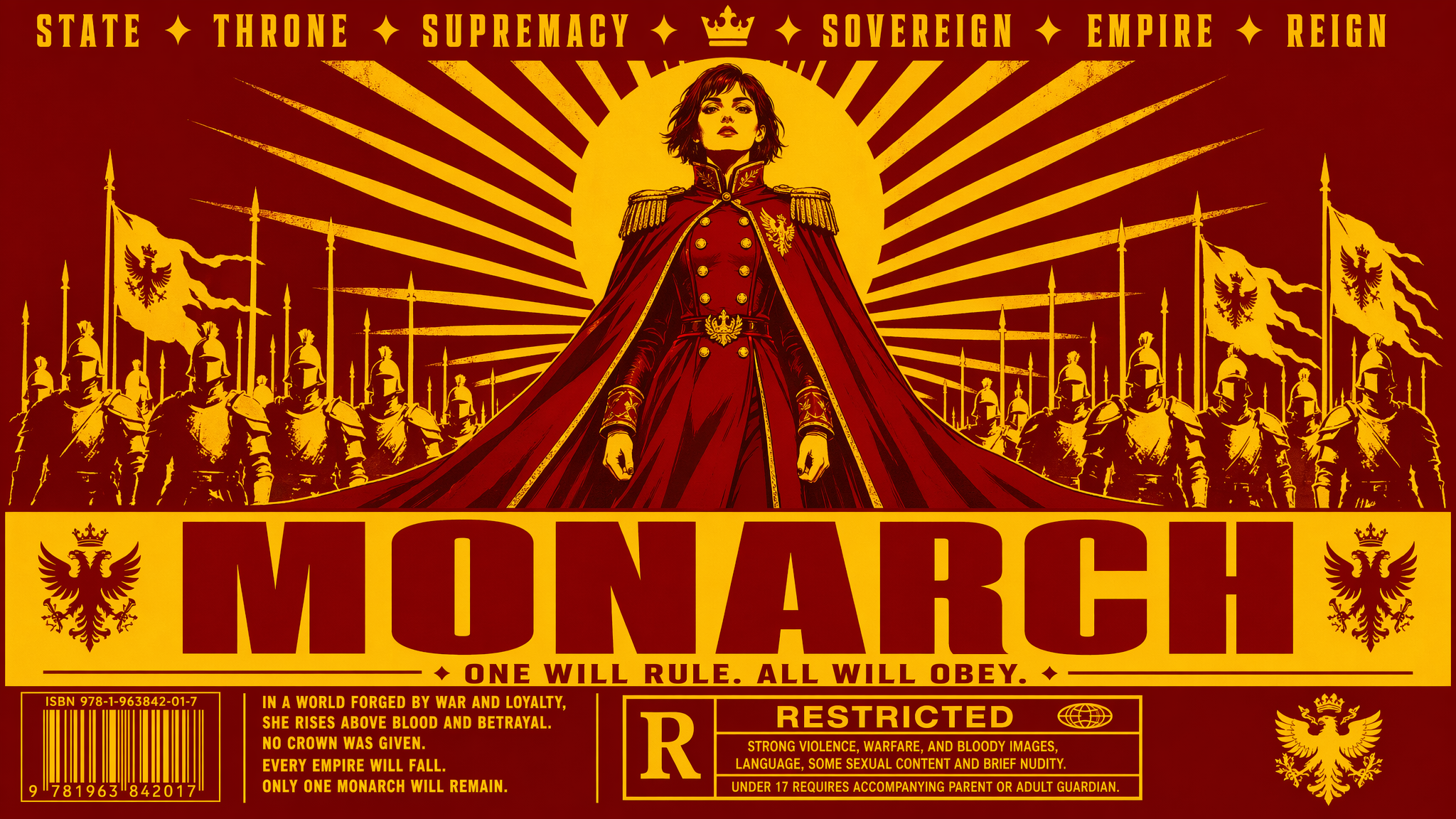
GPT Image 2 leads the group on two specific capabilities that change how photorealistic image work gets done in practice: typography accuracy and batch direction-finding.
The 99% typography accuracy rate is the most precise benchmark any model in this group publishes on text rendering. At that level of accuracy, text inside generated images moves from "good enough to leave in" to "correct enough to ship." For photorealistic mockups, advertising creative, packaging visualization, or any output where text is part of the design rather than an afterthought, GPT Image 2 is the only model where you don't plan for a text-correction round.
The eight-image-from-one-prompt capability changes the economics of creative direction. Instead of refining a single output iteratively, you generate eight distinct interpretations simultaneously, evaluate across the set, and commit to a direction. That's closer to how professional creative briefs actually work — diverge first, then converge — and it cuts the number of generation rounds needed to reach a usable output.
At 4K resolution with a quality-first photorealism approach and self-checking output verification, GPT Image 2 also competes directly on raw image quality. The LM Arena leaderboard score of 1512 reflects how it performs against the field in head-to-head evaluations.
Recommended read: GPT-Image 2 Overview
Side-by-Side Comparison
| Feature | ImagineArt 2.0 | FLUX.2 | Imagen 4 | Nano Banana Pro | GPT Image 2 |
|---|---|---|---|---|---|
| Max Resolution | 2K, any aspect ratio | 4MP | 2K (2048×2048) | 2K native | 4K |
| Photorealism | Highest — subsurface scattering, micro-texture | Highest — physics simulation, skin detail | Strong — realistic and artistic range | Strong — physics-accurate lighting | Strong — quality-first, self-verified |
| Human Anatomy Accuracy | Excellent — knuckle topology, facial micro-detail, hairline transitions | Strong — eliminates plastic-skin artifact; leads on hands and skin | Reliable — not anatomy-specialized | Strong — 95% identity architecture enforces structural precision | Good — self-checking catches wrong finger counts and floating hands |
| Natural Noise & Grain | Natural organic grain — reads as captured, not generated | Natural noise distribution — strong for editorial and cinematic | Clean, uniform — add grain in post | Clean, stylized — requires post-processing for photographic feel | Clean and polished — strength for advertising, not candid photography |
| Text Rendering | Excellent — multilingual, any font style | Good — production-reliable | Excellent — sharp at small sizes | Good — scene-level focus | Best in class — 99% accuracy rate |
| Character Consistency | No | No | No | Yes — 95% identity across angles | No |
| Generation Speed | Not published | Sub-second to under 10s | Under 15s (Fast tier) | Under 10s | ~2× faster than GPT Image 1 |
| Pricing | From $9/month | Per-image API (Pro → Max tiers); self-hostable | $0.02–$0.06/image (Fast → Ultra) | ~$19.99/month (Google One AI Premium) | ChatGPT Plus $20/month; API from May 2026 |
| Best For | Photorealism, cinematic work | Commercial product photography | Mixed creative and production pipelines | Character work, narrative, storyboards | Text-heavy creative, direction-finding |
Real-World Design Applications
Cinematic Pre-Visualization
Film and commercial directors use AI generation for pre-vis: establishing shot language, testing lighting setups, communicating visual intent to a production team before a single frame is shot. The output needs to feel like a real frame from a real camera — not a generated image that someone has to mentally translate.
- Best model: ImagineArt 2.0 or Nano Banana Pro. ImagineArt 2.0 leads on raw photorealism and cinematic lighting accuracy. Nano Banana Pro leads when characters need to be consistent across multiple pre-vis frames. For single-frame hero shots: ImagineArt 2.0. For multi-shot sequences with recurring characters: Nano Banana Pro.
Social Media Content (Multi-Format)
Platform requirements vary: square for Instagram feed, vertical 9:16 for Reels and Stories, 16:9 for YouTube thumbnails, 2:1 for Twitter/X. Most models require you to regenerate or crop for each format — which means quality loss, recomposition, and wasted time.
- Best model: ImagineArt 2.0. Native multi-ratio canvas means you generate once per format, with composition built for each ratio. Combined with photorealistic output, it's the strongest tool for social content that needs to look like premium photography.
Commercial Product Photography
An e-commerce team needs product shots at volume — multiple SKUs, multiple colorways, multiple lighting setups, all at print-ready fidelity. The outputs need to look like they came from a real studio shoot, not a generated image with studio keywords in the prompt.
- Best model: FLUX.2. At 4MP with real-world lighting and physics simulation, FLUX.2 is purpose-built for this use case. Sub-second generation on FLUX.2 Max means you can run an entire product catalog in the time a single traditional studio session would take. The skin and material rendering — correct reflections, stable geometry, accurate label placement — holds at commercial publication standard.
Comics, Storyboards, and Character Sheets
Sequential art requires consistency. The same character across 24 panels, across three lighting conditions, across multiple angles. Manual correction across that many images destroys the efficiency gain of using AI in the first place.
- Best model: Nano Banana Pro. 95% character identity across angles and shots makes multi-panel work viable. The multimodal reference input means you can establish a character design once and maintain it across an entire project.
Advertising Creative and Campaign Direction-Finding
An art director needs to present three distinct creative directions to a client by end of day. Each direction needs multiple executions — hero image, secondary visual, cropped variant. The bottleneck is not generation quality; it's iteration speed and the ability to diverge before committing.
- Best model: GPT Image 2. Eight images from a single prompt means you generate an entire creative direction in one shot, evaluate across the set, and choose. Three creative directions becomes three prompts. The 99% typography accuracy means any text in the mockup — headlines, taglines, product names — is correct from generation, not a placeholder to fix later.
Stress-Test Prompts
These five prompts are designed to expose where each model genuinely leads and where it struggles. Run them yourself — the results are more informative than any benchmark.
Prompt 1: Typography in a Photorealistic Scene
"A dimly lit French brasserie menu board mounted on a dark walnut wall, handwritten chalk lettering in both English and French, three sections with headers in large ornate script, body text in smaller regular weight, correct spelling, no letter distortion, warm amber light hitting the board from below left."
- What to evaluate: Letter integrity across two scripts and multiple weights, spatial hierarchy between header and body text, behavior of handwritten-style fonts under ambient lighting, correct spelling throughout.
- Expected leaders: GPT Image 2 (99% typography accuracy is a direct advantage here), ImagineArt 2.0 (handling of mixed-language text under complex lighting), Imagen 4 (small-font clarity).
- Watch for failures: Letter blending at smaller sizes, inconsistent font weight between sections, characters from one language appearing in the other script's sections.
Prompt 2: Physics and Material Realism
"A close-up photograph of a woman's hand submerged wrist-deep in a glass bowl of cold water, ice cubes floating, sunlight hitting the water surface from a window to the right, visible light refraction distorting the skin underwater, condensation on the outside of the glass bowl, natural skin texture above the waterline."
- What to evaluate: Accurate water refraction distorting the submerged hand, subsurface scattering in the lit skin above water, condensation micro-detail on glass, spatial coherence between the light source position and all shadow/highlight placements.
- Expected leaders: ImagineArt 2.0 (subsurface scattering, refraction, and micro-texture are core design targets), FLUX.2 (physics simulation eliminates the flat-lighting and incorrect-material failures this prompt is designed to expose).
- Watch for failures: Flat-looking water with no refraction, skin that doesn't distort correctly underwater, condensation that looks painted rather than physical, lighting direction inconsistent with the described window position.
Prompt 3: Character Consistency Across Angles
- Generate these three prompts separately, in sequence:
Prompt A: "Portrait photograph of a 30-year-old South Asian woman, short silver-streaked black hair, rectangular wire-frame glasses, wearing a rust-colored turtleneck, neutral expression, soft studio lighting, front-facing."
Prompt B: "The same woman, three-quarter view from the left, same clothing, same glasses, same hair, slight smile, same studio lighting setup."
Prompt C: "The same woman, profile view from the right, same clothing, same glasses, same hair, neutral expression, same studio lighting."
- What to evaluate: Identity retention — does the face, hair, glasses style, and clothing remain consistent across all three angles? Does the lighting setup behave consistently relative to the camera position shift?
- Expected leader: Nano Banana Pro (95% identity retention is a stated capability). All other models are expected to drift noticeably between prompts.
- Watch for failures: Hair style changing between prompts, glasses frame style shifting, face structure inconsistency (different nose shape, eye spacing, jawline), skin tone variation.
Prompt 4: Commercial Product Photography
"A perfume bottle — dark amber glass, matte gold cap, white label with serif typeface reading 'Aurum No. 3' — resting on a wet black marble surface, reflections visible in the marble, soft diffused studio lighting from above left, shallow depth of field, clean white background, product photography aesthetic."
- What to evaluate: Material accuracy (glass translucency, matte vs gloss surfaces), label text legibility and correct typeface rendering, reflection behavior in the marble, lighting consistency across all surfaces, depth-of-field realism.
- Expected leaders: FLUX.2 (purpose-built for commercial product photography at this standard — material rendering, label accuracy, and stable geometry are direct design targets), ImagineArt 2.0 (subsurface and reflective surface behavior).
- Watch for failures: Label text distorted or illegible, reflections that don't match the described surface material, ambient occlusion missing between bottle and marble, glass that looks solid rather than translucent.
Prompt 5: Multi-Direction Creative from One Brief
"A photorealistic advertising image for a premium running shoe — the shoe floating mid-air, motion blur on the laces, high contrast dramatic lighting, dark background with colored light trails suggesting speed, professional product advertising aesthetic."
- What to evaluate: Run this prompt once on each model. On GPT Image 2, use the multi-image generation feature to generate eight outputs in one pass. Evaluate: how much variation exists across the eight GPT Image 2 outputs vs what you get from single-output runs on the other models? Which model gives you the most usable starting points per prompt?
- Expected leader: GPT Image 2 (eight outputs from one prompt means eight starting points for creative direction — the comparison isn't output quality, it's output utility per generation round).
- Watch for failures on single-output models: One generation per prompt means one creative direction. If it's not right, you iterate. On GPT Image 2, compare how many of the eight outputs are production-adjacent vs. how many require significant re-prompting.
Prompt 6: Human Anatomy — Hands
> "A close-up photograph of a woman's hands kneading bread dough on a floured wooden surface. Fingers pressing into the dough. Knuckles visible and slightly reddened from the work. A gold wedding ring on the left hand ring finger. Natural window light from the left. Shallow depth of field with the foreground hand in sharp focus."
- What to evaluate: Correct finger count on both hands, knuckle skin texture, ring sitting flush on the finger rather than floating, fingernail curvature and surface detail, natural hand position that looks physically plausible, skin tone consistency between fingers and palm.
- Expected leaders: ImagineArt 2.0 (biological anatomy is a core realism target), FLUX.2 (eliminates the plastic-skin artifact that makes AI hands fail this test). Both should produce usable outputs. Every other model in this group will show at least one anatomy error in the first generation.
- Watch for failures: Wrong finger count (six fingers is the most common), fingers that merge at the tip or base, the wedding ring floating above the skin rather than sitting in contact, knuckle texture that looks painted on rather than structural, palm lines that are symmetric and regular rather than irregular.
Prompt 7: Eye Detail and Catchlights
> "Close-up portrait photograph of a 45-year-old man, three-quarter view, overcast natural outdoor lighting. Eyes open, looking slightly off-camera to the left. Both eyes showing a soft diffuse catchlight at the top of the iris consistent with overcast sky. Visible radial iris fiber structure, slight moisture at the lower lid, fine skin texture at the outer corners of the eyes including natural wrinkle lines."
- What to evaluate: Catchlight placement matches the described light source — overcast sky produces a diffuse, horizontal band at the top of the iris, not a sharp point. Iris texture that looks biological, not illustrated. Correct eyelid moisture and lid edge detail. Wrinkle rendering around the eye that follows natural skin movement patterns. No "digital" or glassy quality in the eyes overall.
- Expected leaders: ImagineArt 2.0 (micro-detail architecture covers eye surfaces directly), FLUX.2 (physics-accurate lighting means the catchlight position should follow the described source). GPT Image 2's self-checking may catch uncanny valley eye quality before output delivery.
- Watch for failures: Missing catchlight entirely, catchlight placed at the wrong position relative to the described light source, iris that looks like a flat colored disc, eyes that are perfectly symmetric (real eyes have subtle asymmetry), pupil sizes that differ between eyes without a lighting reason, eyelashes that look individually placed rather than naturally clustered.
Quick Pricing Comparison
Understanding cost across these models requires mapping pricing structure to use case — cost-per-image means nothing without knowing how many images a typical workflow requires and at what quality tier.
| Model | Free Tier | Paid Access |
|---|---|---|
| ImagineArt 2.0 | Yes — free plan with credits | From $9/month |
| FLUX.2 | Yes — self-host the open-weight model | Per-image API (rate scales with quality tier: Pro → Max) |
| Imagen 4 | Via Google AI Studio | $0.02 (Fast) / $0.04 (Standard) / $0.06 (Ultra) per image |
| Nano Banana Pro | Limited via Gemini free tier | ~$19.99/month (Google One AI Premium) |
| GPT Image 2 | Limited generation on ChatGPT | ChatGPT Plus $20/month; API access from May 2026 |
Try All Five Models on ImagineArt
ImagineArt hosts multiple models on a single platform. You don't need separate API accounts, billing relationships, and infrastructure for each model to run the comparison yourself. Write one prompt. Run it across models. See which output solves your specific problem.
The stress-test prompts in this article are a starting point. The most useful test is always the prompt you actually need to run for your actual work — the use case you're about to bill for, the asset your client is waiting on, the visual problem you haven't solved yet.
Run it on ImagineArt. The comparison that matters is the one that answers your question, not ours.
Tooba Siddiqui
Tooba Siddiqui is a content marketer with a strong focus on AI trends and product innovation. She explores generative AI with a keen eye. At ImagineArt, she develops marketing content that translates cutting-edge innovation into engaging, search-driven narratives for the right audience.