
Syed Anas Hussain
May 1, 2026 • Updated July 13, 2026
8 mins Read
You have a photo. Maybe it is a headshot, a historical portrait, or a character you designed. Now imagine that photo opening its mouth and speaking — with natural lip sync, realistic facial expressions, and a voice that matches the content. That is exactly what AI talking photo tools do. And the best part? You can do it for free, directly in your browser, without downloading any app. So, let's find out how to make a photo talk with AI — the tools, the steps, the use cases, and how to get the most realistic results.
What Is an AI Talking Photo?
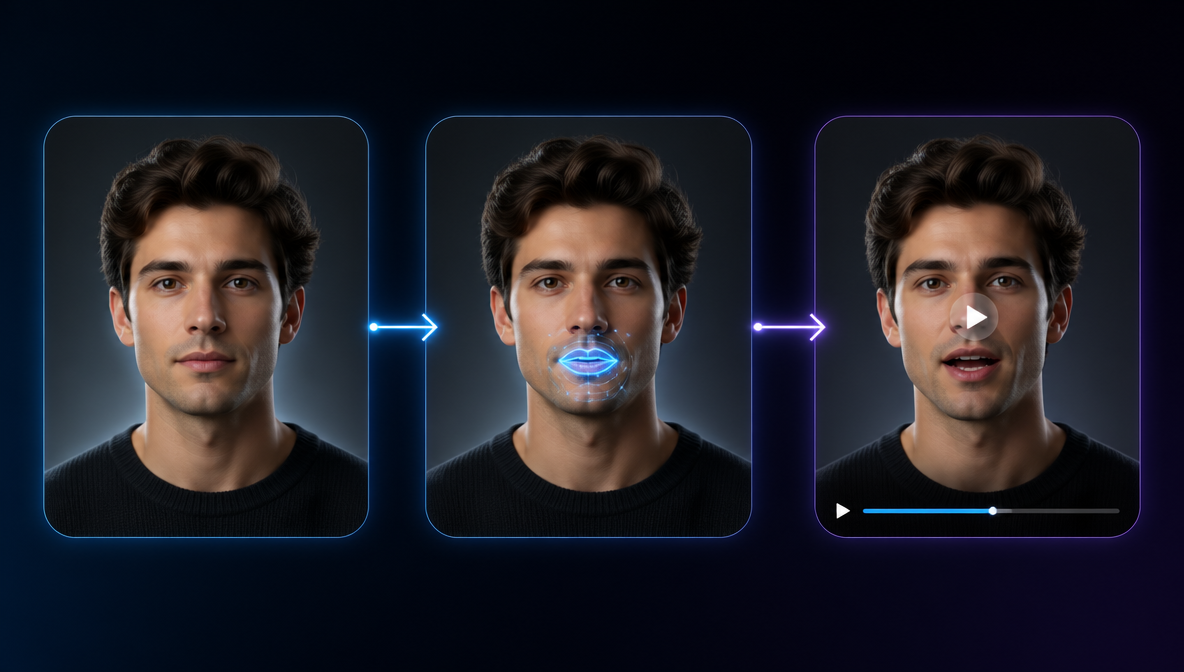
An AI talking photo is a still image that has been animated using artificial intelligence to appear as if the person in the photo is speaking. The AI analyzes the face in the image, maps facial landmarks, and generates realistic lip movements, micro-expressions, and head gestures that sync perfectly with the audio.
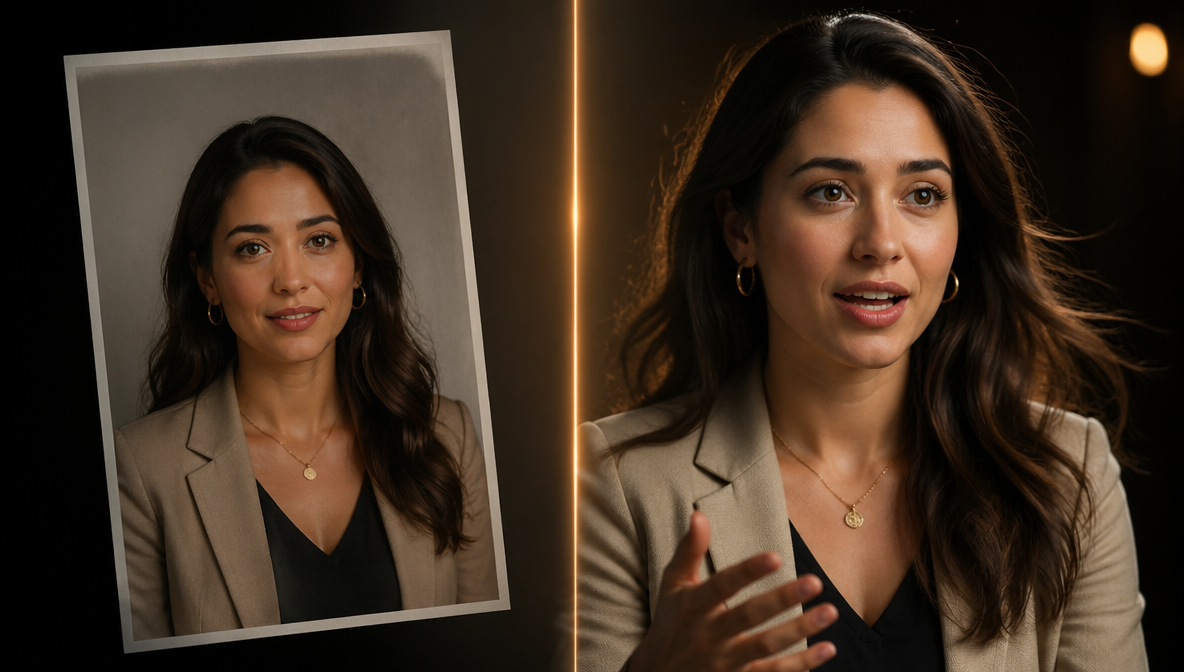
The result is a short video where the person in the photo appears to be speaking naturally — even though the original image was completely static.
This technology is powered by a combination of facial landmark detection, generative adversarial networks, and neural audio-visual synchronization models. The most advanced tools — like the HeyGen Avatar on ImagineArt — produce results that are nearly indistinguishable from real video.
How to Make a Photo Talk with AI: Step-by-Step
Here is the fastest way to turn any photo into a talking video — free, no app download, works in your browser.
Step 1: Open the HeyGen Avatar Tool on ImagineArt
Go to the HeyGen Avatar (text to video) page on ImagineArt. No account required to explore, and you get free credits to start generating immediately after signing up.
Step 2: Upload Your Photo
Upload a clear, front-facing portrait photo. The best results come from images where:
- The face is clearly visible and well-lit
- The subject is looking directly at the camera
- There are no obstructions (sunglasses, hands near the mouth, heavy shadows)
- The image is high resolution (at least 512x512 pixels)
JPG and PNG formats work best. You can use a real photo, an AI-generated portrait (try the AI Image Generator to create one), or even a stylized illustration.
Step 3: Type What They Should Say
Write the text you want the person in the photo to speak. This can be anything — a product introduction, a greeting, a tutorial explanation, or a creative script.
Example:
"Welcome to the future of video creation. With ImagineArt, all you need is a photo and a few words — and I will do the rest."
Step 4: Choose Voice and Style
- Voice: Select from a range of AI narrators with different tones, accents, and styles. For even more control, ImagineArt's Audio Studio lets you clone a specific voice and use it across all your talking photo videos.
- Talking Style: Choose between "stable" (minimal head movement) and more expressive options
- Resolution: Select your output quality
- Aspect Ratio: Choose 1:1, 16:9, or 9:16 depending on your platform
Step 5: Generate
Hit generate. In under a minute, you will have a video where your photo speaks with natural lip sync, subtle head movements, and realistic facial expressions.
Download the video and use it anywhere — social media, presentations, websites, email campaigns, or e-learning platforms.
Best Use Cases for AI Talking Photos
AI talking photos are not a gimmick — they solve real production problems across multiple industries.
Marketing and Sales
Create personalized video messages at scale without filming. Upload a spokesperson photo, type different scripts for different audience segments, and generate dozens of personalized videos in minutes. Perfect for outbound sales, product launches, and email marketing campaigns where video increases click-through rates.
E-Learning and Training
Transform static training materials into engaging video lessons. A talking photo of an instructor can deliver course content, explain procedures, or walk learners through complex topics — without the instructor ever sitting in front of a camera.
Social Media Content
Produce talking-head style content for TikTok, Instagram Reels, and YouTube Shorts without filming yourself. Upload a photo, type your script, and publish. This is particularly valuable for faceless creators, brands using virtual spokespeople, and anyone who wants to produce video content without appearing on camera. For a full breakdown of this workflow, see our guide on how to become a UGC creator with AI.
Customer Support
Create video FAQ responses, onboarding walkthroughs, and product video tutorials featuring a consistent virtual representative. Customers get a human-feeling interaction without your team recording individual videos.
Education and History
Bring historical figures, textbook characters, or fictional personas to life. Students engage more deeply with content when they can see and hear a character speak rather than reading static text.
Personal and Creative Projects
Animate family photos, create talking greeting cards, bring illustrations to life, or produce creative content for fun. The technology works with any front-facing portrait — real or generated.
Tips for Getting the Best Results
The quality of your AI talking photo depends heavily on your inputs. Here is how to maximize the realism:
Photo Quality Matters
- Use a front-facing photo with the subject looking directly at the camera
- Ensure even, soft lighting on the face — avoid harsh shadows or extreme angles
- Higher resolution images produce smoother animations
- Avoid photos where the mouth is obscured or the face is partially hidden
Script Writing Tips
- Write naturally — conversational scripts produce more realistic lip sync than formal text
- Keep sentences moderate length — very long sentences can reduce sync quality
- Add punctuation for natural pauses: commas, periods, and em-dashes help the AI pace the speech
- Test different voices to find one that matches the character in the photo
Output Optimization
- Choose 1:1 for Instagram, 9:16 for TikTok and Reels, 16:9 for YouTube and presentations
- For professional use, select the highest available resolution
- Preview before downloading — small prompt adjustments can significantly improve the result
Why Use ImagineArt for AI Talking Photos?
There are several AI talking photo tools available — Vidnoz, Synthesia, D-ID, ElevenLabs, and standalone HeyGen. So why use ImagineArt?
It is a complete creative suite, not just a single tool. ImagineArt gives you HeyGen's talking photo technology alongside 50+ AI image models, video generators, an AI image editor, and node-based workflows — all in one platform. You can generate a portrait with GPT Image 2 or ImagineArt 2.0, then immediately animate it with HeyGen Avatar — without switching tools or downloading anything. ImagineArt also offers a dedicated Lipsync Studio for advanced lip-sync control beyond what the HeyGen Avatar tool provides.
Free credits to start. You get free daily credits to generate talking photos without paying. No credit card required.
No app download. Everything runs in your browser. Upload a photo, type a script, generate a talking video — all without installing any software.
Multiple voice options. Choose from a range of AI narrators with different tones, styles, and accents to match your brand or project. Looking for more AI avatar and talking photo tools? See our best HeyGen alternatives comparison.
Whether you are creating a quick social media video, a series of personalized sales messages, or an entire e-learning course, the HeyGen Avatar on ImagineArt handles it from start to finish.
AI Talking Photo vs. Traditional Video Production
| Factor | Traditional Video | AI Talking Photo |
|---|---|---|
| Production time | Hours to days (scripting, filming, editing) | Under 1 minute per video |
| Cost | $500–$5,000+ per video | Free to start, credits-based |
| Equipment needed | Camera, lighting, microphone, editing software | A browser and a photo |
| Scalability | Linear — each video requires a new shoot | Unlimited — same photo, different scripts |
| Personalization | Expensive at scale | Type a new script and regenerate in seconds |
| Consistency | Varies with each shoot | Identical visual quality every time |
Ready to Make Pictures Talk with AI?
ImagineArt gives you everything needed to go from a single photo to a finished talking video — AI image generation, lip-sync animation, voice selection, and export — in one browser tab, no download required. Free credits are included on signup.
Frequently Asked Questions
Yes. ImagineArt provides free daily credits that you can use to generate AI talking photos using the HeyGen Avatar tool. No credit card is required to get started.
No. The HeyGen Avatar tool on ImagineArt runs entirely in your browser. Upload a photo, type your script, and generate your talking video without downloading or installing any software.
Front-facing portraits with clear, well-lit faces work best. The subject should be looking directly at the camera with no obstructions like sunglasses or hands near the mouth. Both real photos and AI-generated portraits work well.
HeyGen's lip sync technology produces natural mouth movements, subtle head gestures, and micro-expressions that closely match the audio. The results are among the most realistic available and are suitable for professional use in marketing, education, and content creation.
Yes. You can generate a portrait using GPT Image 2, ImagineArt 2.0, or any other AI image model on ImagineArt, and then immediately animate it with the HeyGen Avatar tool. This is a popular workflow for creating virtual spokespeople and brand characters.
The HeyGen Avatar tool on ImagineArt supports 1:1 (square), 16:9 (landscape), and 9:16 (vertical) aspect ratios. Output videos can be downloaded in MP4 format and are ready to use on any platform.
Video length depends on the script length and your credit balance. Most talking photo videos range from 15 seconds to 2 minutes, which covers the majority of use cases including social media content, sales messages, and e-learning modules.
Upload a clear, front-facing portrait to ImagineArt's HeyGen Avatar tool, type or paste a script, choose a voice, and click generate. The tool maps facial landmarks in the uploaded photo and generates a lip-synced video — the same workflow works for real photos, illustrated portraits, and AI-generated images. The output is an MP4 video of the avatar delivering your script.
Syed Anas Hussain
Syed Anas Hussain is a computer scientist blending technical knowledge with marketing expertise and a growing passion for AI innovation. Curious by nature, he dives into new AI sciences and emerging trends to produce thoughtful, research-led content. At ImagineArt, he helps audiences make sense of AI and unlock its value through clear, practical storytelling.