
Syed Anas Hussain
June 11, 2026 • Updated July 8, 2026
10 mins Read
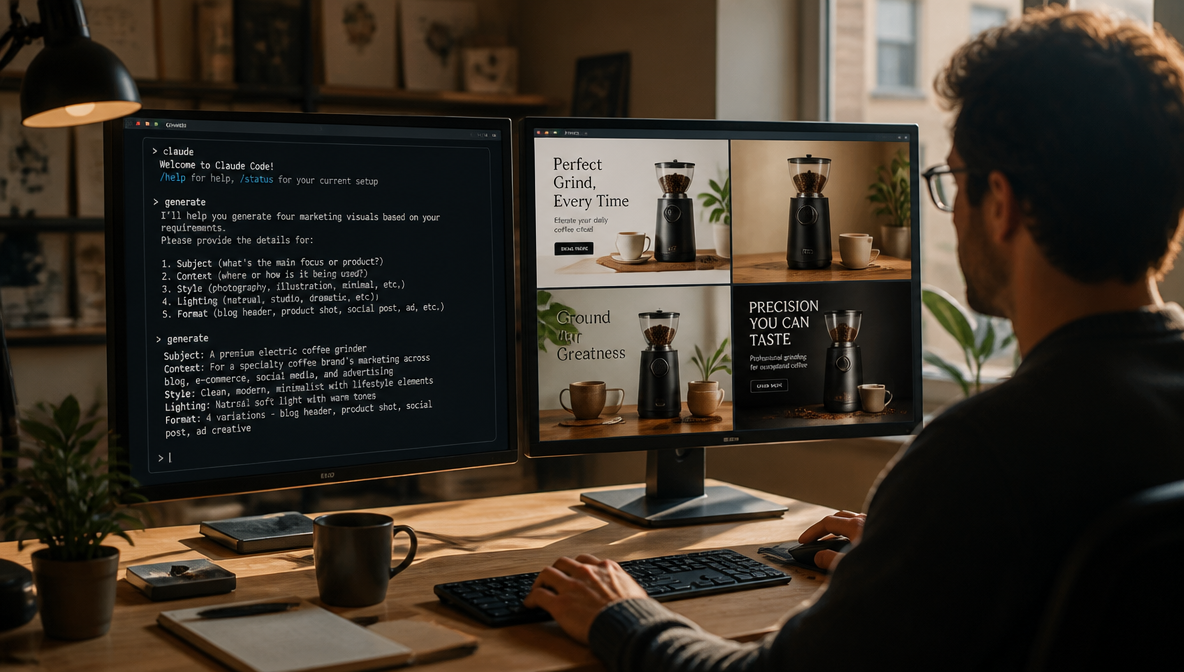
You connected the ImagineArt MCP to Claude Code. The tools are live, the balance shows 100 credits, and now you're staring at a cursor wondering what to actually type to get something worth using. That's where every setup tutorial drops you — and where this one picks up.
Quick Answer: The anatomy of a strong image prompt is: subject + context + style + lighting/mood + format. "A founder at a clean wooden desk, natural window light, editorial photography style, warm tones, 16:9" will produce something you can use. "A person working" will not. This guide covers prompt structure, aspect ratios by platform, style modifiers that work, and five real use cases with full copyable prompts.
What ImagineArt MCP Gives You Inside Claude Code
The ImagineArt MCP isn't just image generation — but for most creative sessions, that's where the value concentrates. Text-to-image is the tool you'll call most: describe what you need, the server generates it, a URL comes back in your conversation. No tab switch. No app change. No interrupted thought.
The AI Image Generator you'd normally use in the browser is the same underlying capability — accessed here as a native agent tool. The difference is context. When you're in Claude Code writing a product page brief, you can generate the hero image in the same session, iterate on it in the same thread, and never lose the campaign context you've been building.
If you haven't connected the MCP yet, the setup guide covers the exact install command for both Claude Code and Codex CLI. This article assumes you're already live and ready to generate.
Anatomy of a Great Image Prompt
The single biggest mistake I see — and made myself — is treating an image prompt like a search query. "Coffee shop morning vibe" is a search. "Interior of a quiet independent coffee shop at 7am, warm ambient light, wooden tables, no people, moody and minimal, editorial photography style, 16:9" is a prompt.
The five elements that separate usable output from a generic result:
1. Subject — What is in the image? Be specific. Not "a laptop" but "a thin silver laptop with an open browser, angled slightly left."
2. Context — Where is the scene set? "On a glass desk in a bright minimalist studio" tells the model how to fill the frame.
3. Style — The visual treatment. This is the most powerful lever. "Editorial photography" produces a completely different image than "flat design illustration" or "cinematic film still" — even with identical subjects.
4. Lighting and mood — "Soft diffused daylight" versus "warm golden hour" versus "overcast grey" are different feelings before you touch subject or style.
5. Format and composition — Aspect ratio, crop orientation, whether the subject is centered or offset. This shapes the image for its intended use before it's generated.
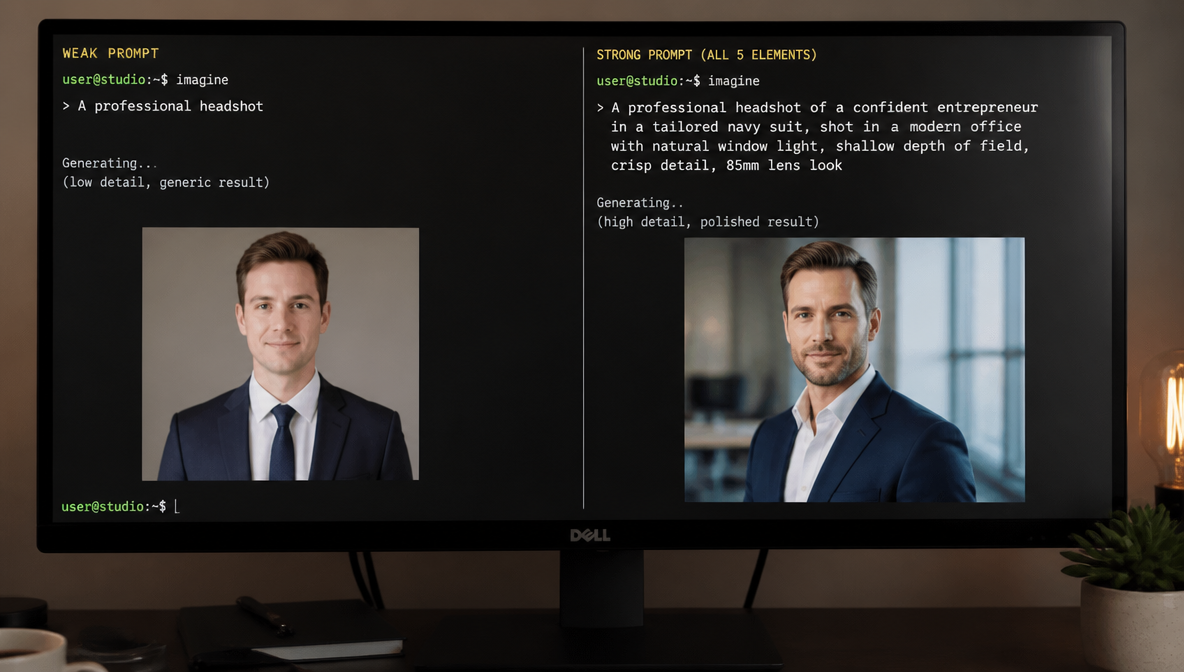
Weak → strong, side by side:
Weak: A professional headshot
Strong: Professional headshot of a woman in her 30s, dark blazer, clean light grey background, soft studio lighting, direct eye contact, slight smile, editorial photography, 1:1
Weak: A social media post image
Strong: Bold background for an Instagram post, deep navy blue, subtle geometric texture, no text, clean and minimal, flat design, 1:1 square format
The strong versions take 15 more seconds to write and produce images you might actually use. One thing to add every time you want clean marketing visuals: no text, no logos, no watermarks — without it, the model may add decorative elements to fill the frame.
Also Read: Best MCP Servers for Claude Code
Aspect Ratios — Match the Format to the Platform
Specifying the wrong aspect ratio means cropping after the fact — and the composition was built for a different frame. Get this right at generation time.
| Aspect Ratio | Best For | Example Platforms |
|---|---|---|
| 1:1 (square) | Profile images, social feed posts, product thumbnails, email headers | Instagram feed, LinkedIn feed, Facebook, email |
| 16:9 (landscape) | Blog headers, YouTube thumbnails, presentation slides, desktop hero images | Blog, YouTube, Google Slides, Webflow |
| 9:16 (vertical) | Stories, Reels, TikTok covers, mobile-first ads | Instagram Stories, TikTok, YouTube Shorts, Meta ads |
| 4:5 (portrait) | Instagram feed (maximum reach format), Pinterest, vertical display ads | Instagram feed, Pinterest, Meta ads |
| 3:2 (editorial) | Blog inline images, email newsletters, LinkedIn articles | Medium, Substack, Ghost, editorial |
| 21:9 (ultrawide) | Landing page banners, event covers, website hero sections | Web heroes, Facebook covers, event pages |
How to specify in a prompt — name it directly:
A serene forest path in autumn, golden leaves, soft morning mist, cinematic photography style, 9:16 vertical format
Or name the platform context:
Blog header for a productivity article — minimal home office setup, natural light, top-down view, 16:9
Naming the context ("blog header") is slightly more reliable for composition decisions because it signals that the subject shouldn't be too tight or centered.
Style Modifiers That Actually Work
Style is where generic output becomes something that fits your brand. These are reliable — tested across hundreds of sessions:
Photography styles:
editorial photography— clean, considered, slightly desaturated, journalistic qualityproduct photography— sharp, studio-lit, white or neutral background, commercialcinematic photography— wide aspect, dramatic lighting, color-graded, filmicdocumentary photography— candid feel, available light, imperfect and reallifestyle photography— aspirational, context-rich, warm, lived-in
Illustration styles:
flat design illustration— clean shapes, minimal shading, bold but simple paletteline art— outline-only, minimal fill, editorial and versatileisometric illustration— 3D-perspective flat style, great for tech/product explainerswatercolor illustration— soft edges, organic texture, warm and approachable
Mood and lighting:
golden hour lighting— warm, low sun, long shadows, aspirationalsoft diffused daylight— neutral, flattering, professional, morning feelovercast grey light— flat, slightly moody, good for fashion or editorialstudio lit— controlled, even, commercial-clean
Combining style + mood:
A desk setup with a notebook and pen, soft diffused daylight, editorial photography, warm tones, slightly desaturated, 3:2
Minimalist product packshot of a glass bottle, studio lit, pure white background, sharp focus, product photography, 1:1, no shadows
One rule: don't mix more than two visual styles in a single prompt. "Cinematic watercolor editorial" sends three different signals and the model averages them into something that looks like none of them.
How to Iterate Without Starting Over
The conversational architecture of Claude Code is the feature most people underuse for creative work. You don't regenerate from scratch — you refine in the same thread, and the agent retains context.
The keep/change technique:
After receiving a first result, specify exactly what to keep and what to change:
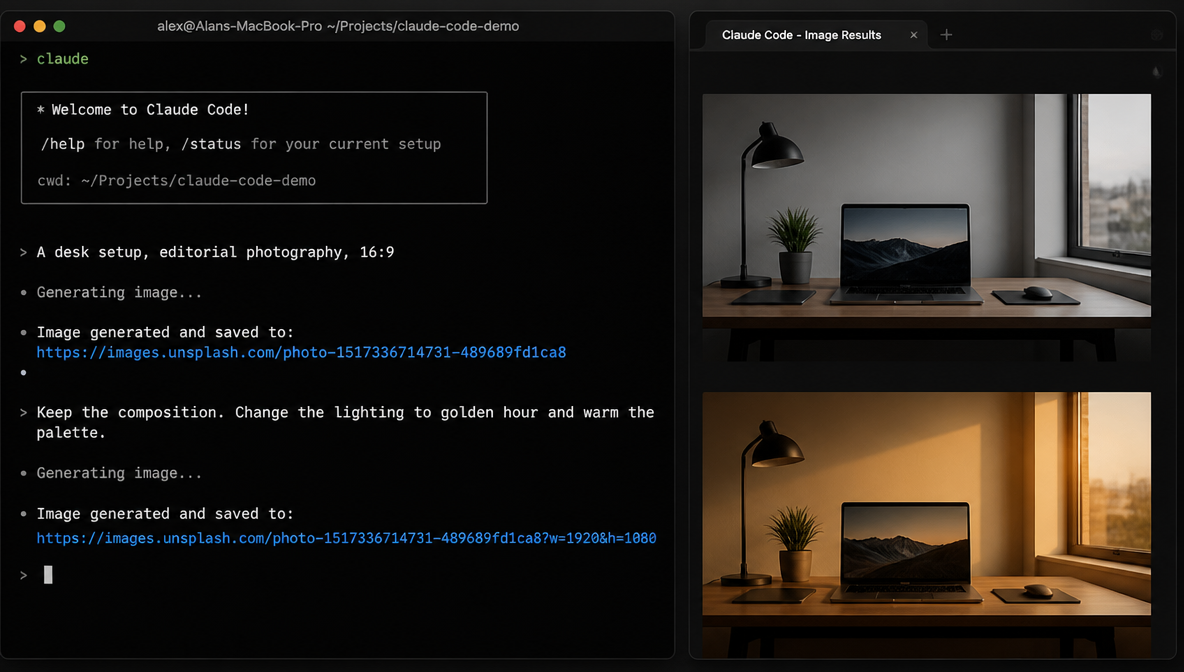
Keep the composition and the desk setup. Change the lighting to overcast and desaturate the palette — I want something moodier.
Same image but horizontal format — 16:9. Don't change the subject or style.
This prevents the model from re-randomizing elements that were already working.
When to iterate vs. start fresh:
Iterate (same thread) when: the composition is mostly right but one element is off — adjusting lighting, color, format, or a single detail.
Start fresh when: the first result is structurally wrong. Iterating on a bad foundation produces variations of the wrong thing.
Batching variations in one prompt:
Generate three versions of this hero image with different lighting:
1. Warm golden hour
2. Soft overcast daylight
3. Cool blue studio light
All 16:9, same composition and subject.
The ImagineArt Workflow canvas is built for systematic variation at scale — if you find yourself running the same variation pattern repeatedly, Workflow lets you build it once and run it on any brief. For in-session iteration, this technique in Claude Code is faster for one-off creative decisions.
Real Use Cases — Full Prompts You Can Copy
These are actual prompts used in Claude Code sessions. Each is specific enough to produce something useful on the first or second attempt.
1. Blog header — tech or productivity article (16:9)
Minimal home office desk setup viewed from above — silver laptop, white notebook, a ceramic mug, wooden desk surface, clean and uncluttered. Soft natural window light from the left. Editorial photography style. Slightly warm tones. 16:9 horizontal. No text.
2. LinkedIn carousel background (1:1)
Abstract geometric pattern in deep navy blue and white — subtle grid or diagonal lines, minimal, professional. Flat design. No text, no logos, no people. 1:1 square. Clean enough to place typography over.
3. Instagram Story — product launch (9:16)
Elegant hand holding a small glass serum bottle against a warm terracotta background. Beauty product photography. Soft studio lighting. Tight crop on hands and bottle. 9:16 vertical format. Luxury feel, warm palette.
4. Ad creative background — Meta/Google (4:5)
Serene outdoor workspace — laptop on a wooden picnic table, dappled light through trees, blurred natural background, shallow depth of field. Lifestyle photography. Golden hour light. 4:5 portrait format. No text. Wide enough to place a CTA in the lower third.
5. Brand mood board — four tiles in sequence (1:1 each)
Tile 1: Close-up of rough linen fabric, neutral cream, natural light, product photography, 1:1
Tile 2: Flat lay of dried botanicals on cream linen, muted sage and terracotta, 1:1
Tile 3: Clean white room, architectural shadow detail, strong light line, editorial, 1:1
Tile 4: Glass bottle on marble surface, single stem, soft window light, minimal, 1:1
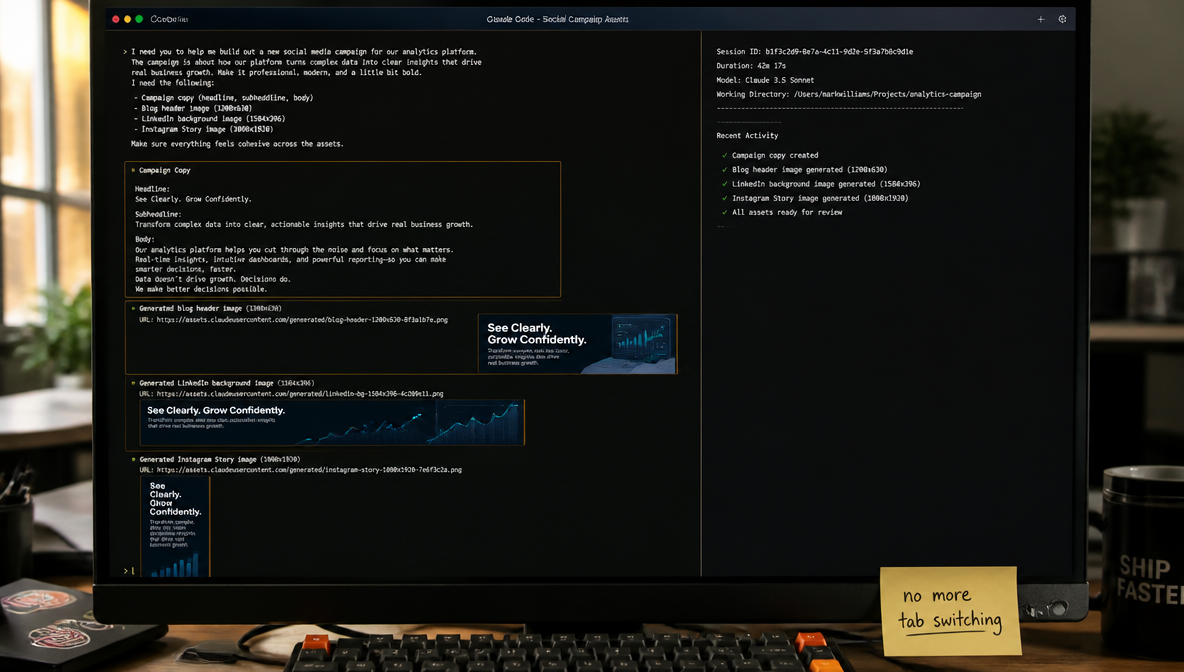
Once you've generated images that work, the Image Studio is where you refine, upscale, and remove backgrounds from results — particularly useful when you need production-ready files from a concept generated in Claude Code.
For sharing your output or finding prompting patterns from other creators, the ImagineArt Community regularly surfaces creative use cases worth borrowing from.
FAQs
Connect the ImagineArt MCP server to Claude Code first (one terminal command: claude mcp add imagine --transport http https://mcp.imagine.art), then simply describe what you want in your session. Claude Code will route image generation requests to the MCP automatically. You'll receive a URL or embedded image in the conversation within seconds.
The five elements of a strong prompt: (1) subject — what specifically is in the image, (2) context — the setting or environment, (3) style — photography style or illustration technique, (4) lighting and mood, (5) format — aspect ratio and orientation. Including all five gives the model enough to produce something intentional rather than generic.
Use 1:1 for Instagram feed and LinkedIn posts, 16:9 for blog headers and YouTube thumbnails, 9:16 for Instagram Stories and TikTok, 4:5 for Instagram feed ads (highest reach format), and 3:2 for blog inline images and editorial use. Specify the ratio in your prompt and ImagineArt MCP will generate to that frame.
Yes. Claude Code retains conversation context, so you can follow up with refinement instructions in the same thread: 'Keep the composition, change the lighting to golden hour' or 'Same image but 16:9 horizontal format.' This is faster than regenerating from scratch and prevents the model from re-randomizing elements that were already working.
For photography: 'editorial photography', 'product photography', and 'lifestyle photography' are the most reliable. For illustrations: 'flat design' and 'line art' are clean and versatile. Always add 'no text, no logos' when you need a clean background for copy overlay. Limit yourself to one or two style signals per prompt — more than that produces averaged, generic results.
The free tier includes 100 credits per day with no credit card required. Credit cost varies by generation type — image generation uses fewer credits than video. The balance inquiry tool in the MCP lets you check your remaining credits at any time during a session.
The underlying generation quality is the same — both access ImagineArt's models. The difference is workflow. Claude Code lets you generate images inline while working on a brief, campaign, or content piece, without switching tools or losing your session context. The browser AI Image Generator is better for exploratory generation where you're not in an active writing or coding session.
Syed Anas Hussain
Syed Anas Hussain is a computer scientist blending technical knowledge with marketing expertise and a growing passion for AI innovation. Curious by nature, he dives into new AI sciences and emerging trends to produce thoughtful, research-led content. At ImagineArt, he helps audiences make sense of AI and unlock its value through clear, practical storytelling.