
Umaima Shah
April 8, 2026 • Updated June 1, 2026
26 mins Read
Not all “all-in-one” platforms are built the same. Some still specialize in one part of the process and expand outward. Others are designed from the ground up as full creative systems, where generation, editing, automation, and output are deeply connected.
That difference is exactly where this comparison begins.
In this breakdown of Higgsfield vs Artlist vs ImagineArt, we’re not just listing features—we’re looking at how each platform actually fits into a modern production workflow. From AI image and video generation to stock assets, music, automation, and app ecosystems, the goal is simple: understand which tool reduces complexity, and which one quietly adds more of it.
If you’re trying to simplify your stack without sacrificing quality or control, this is the comparison that makes the decision clear.
This Higgsfield vs Artlist vs ImagineArt breakdown covers everything:
- Platform philosophy and what each is actually built for
- AI model depth across image and video
- Crown features: Cinema Studio, stock catalog, and ImagineArt Workflows
- Image and video generation head-to-head
- Apps ecosystems
- Music, voiceover, and stock catalog
- Pricing with real numbers from all three live platforms
- Use case breakdowns and final verdict
Let's get into it.
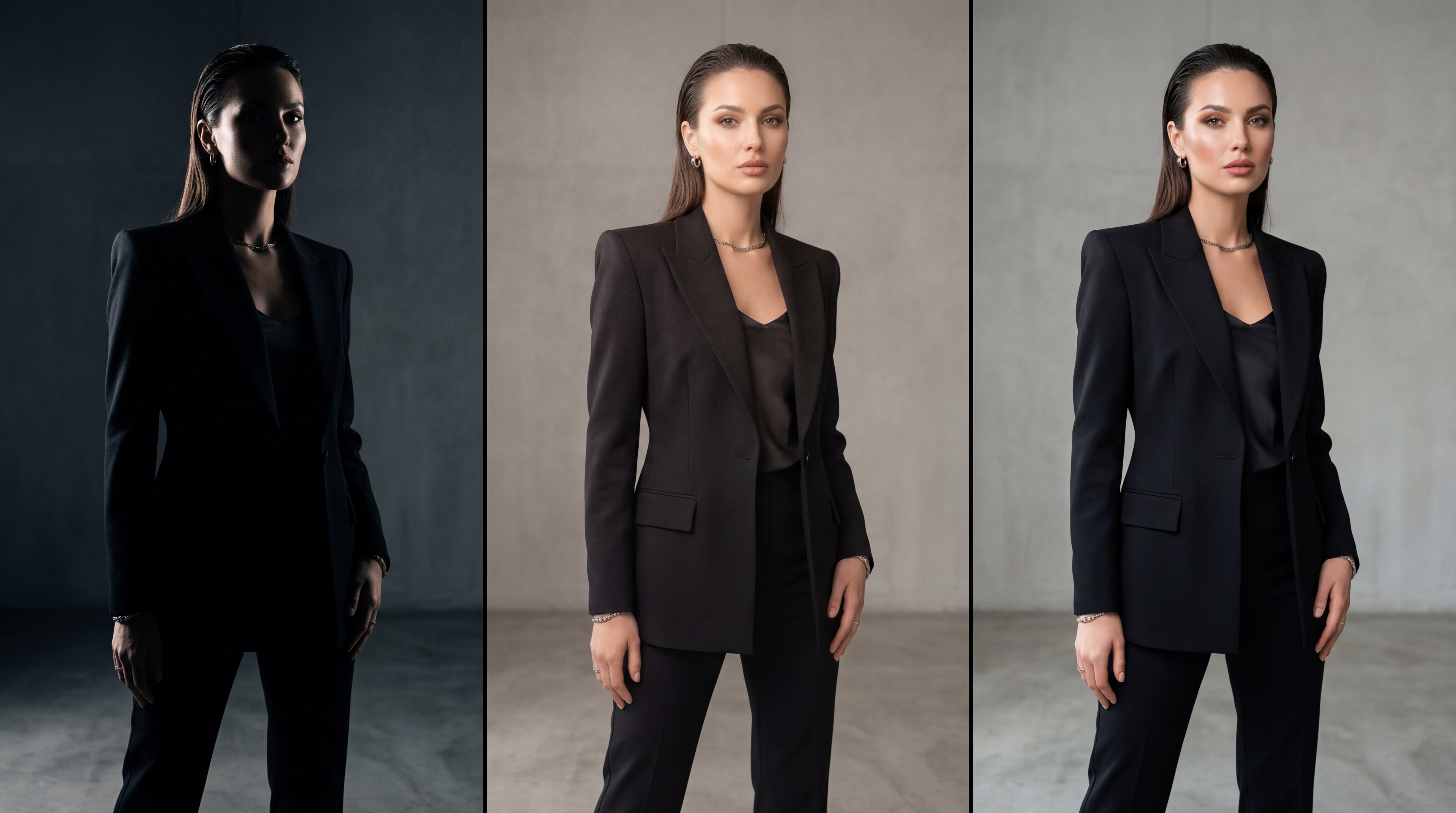 Skin texture, fabric detail, and lighting control separate good outputs from production-ready visuals.
ImagineArt: The Full AI Creative Suite
ImagineArt is built on one principle: the entire content production pipeline should run inside one platform. Not just generation. Generation, editing, animation, workflow automation, and a growing apps ecosystem, all connected, all running on the same credits.
The AI Image Generator supports multiple dedicated models for photorealistic, illustrative, typographic, and stylised outputs. The AI Video Generator handles text-to-video and image-to-video across multiple models with tiered credit costs. The AI Image Editor and AI Video Editor let you refine generated content without exporting to another tool. And ImagineArt Workflows chains every step into automated, repeatable pipelines.
A single creator or team can generate a product image, edit it, animate it, export it in social media formats, and automate the entire sequence for next week's campaign, without opening a second app.
ImagineArt also offers industry-focused enterprise plans with centralised billing, shared credit pools, and team-level access controls, built for agencies and content teams operating at scale.
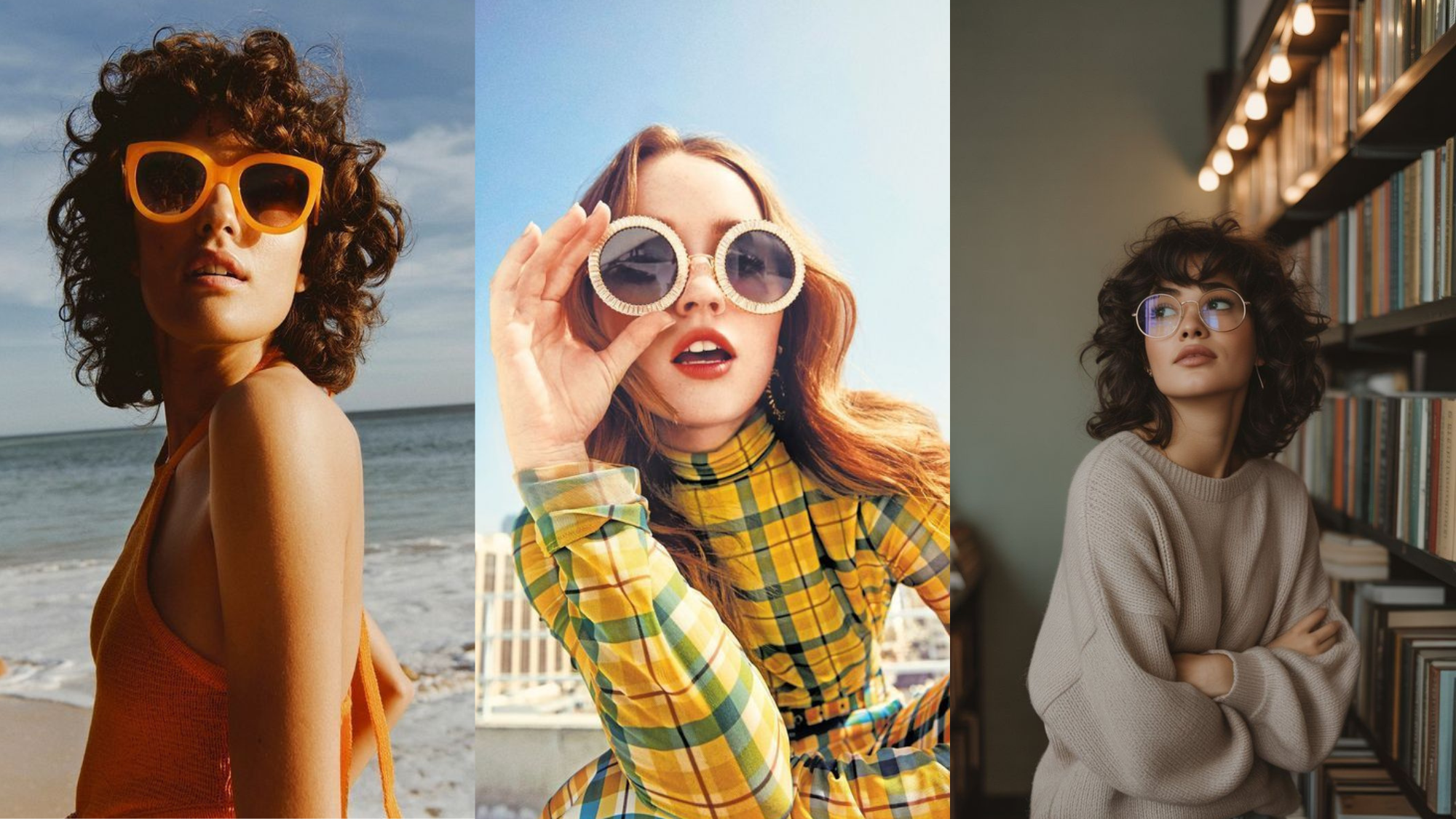
 Each app replaces an entire production task on its own.
Higgsfield: The Cinematic Video Studio
Higgsfield is a multi-model AI creative platform built around cinematic video production. The platform's signature feature is Cinema Studio 3.0, a virtual production environment that simulates real camera behavior using an optical physics engine. Where most AI video tools generate clips from text prompts, Higgsfield lets you configure camera body, lens type, focal length, and stacked movements before generation, producing predictable, director-grade cinematic results.
Beyond Cinema Studio, Higgsfield aggregates 15+ AI models including Sora 2, Veo 3.1, Kling 3.0, WAN 2.6, and Flux.2 Pro. The platform also includes a Soul ID character consistency system, Lipsync Studio with voice cloning, and Vibe-Motion for real-time motion graphic control.
Artlist: The AI Toolkit Plus Premium Stock Catalog
Artlist built its reputation as the definitive licensed asset platform for video creators. The catalog includes 900K+ royalty-free assets covering music, SFX, stock footage, video templates, LUTs, and Premiere Pro plugins, all under clean commercial licensing. That foundation remains Artlist's clearest differentiator in this Higgsfield vs Artlist comparison.
On top of that foundation, Artlist has built a comprehensive AI Toolkit: 20+ video generation models, 20+ image generation models, AI music generation via Google DeepMind's Lyria, and AI voiceover through ElevenLabs integration. Artlist also has its own proprietary image model, Artlist Original 1.0, trained exclusively on its curated cinematic footage library.
Platform Philosophy: Three Different Bets
The Higgsfield vs Artlist vs ImagineArt comparison is fundamentally a philosophy question before it is a features question.
ImagineArt was designed AI-first from day one. Every tool connects to every other. You generate an image with Flux, edit it with the AI Image Editor, animate it with Kling via the video generator, and export through ImagineArt Workflows, all in one session, all on the same credits. The platform exists to eliminate every moment where you would normally switch tools.
Higgsfield made a different bet: depth over breadth. Its philosophy is cinematic precision. The platform is built around the logic of a real film set, shot selection, camera configuration, scene building. Cinema Studio 3.0 gives creators directorial control over AI-generated video that no other platform currently matches. Higgsfield prioritises getting one type of output, cinematic video, exactly right, rather than covering every format.
Artlist's bet was different from both. It built a world-class stock catalog first, then added AI generation as a powerful layer on top. For creators who already live in Artlist for licensed music and footage, the AI Toolkit extends that workflow without requiring a new subscription. The AI tools and the stock catalog remain two separate workflows within the platform, not one connected pipeline.
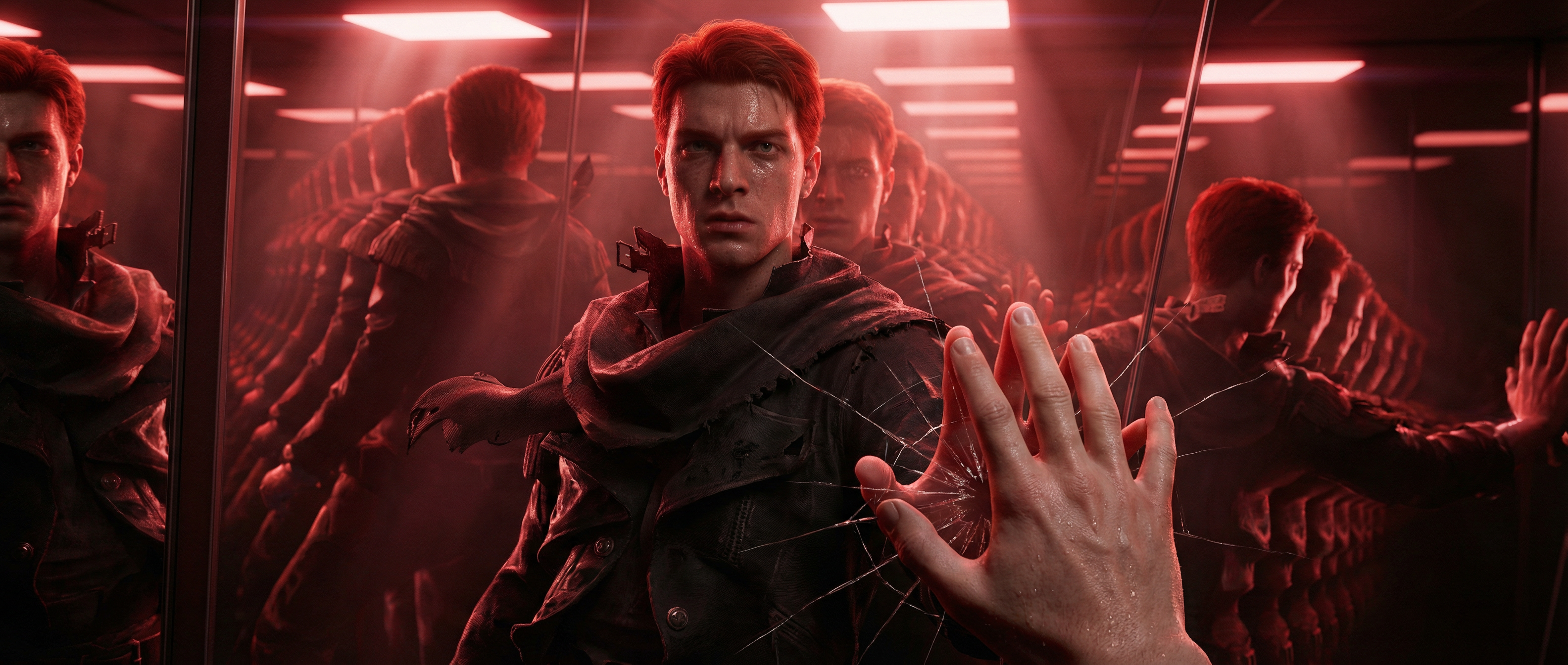 Detail, lighting, and consistency decide whether an image is usable—or just acceptable.
AI Model Comparison
All three platforms offer multi-model access. How they have organised that access reveals the biggest differences in the Higgsfield vs Artlist vs ImagineArt model comparison.
Image Models on ImagineArt:
- ImagineArt 1.5 Pro -- ImagineArt's proprietary model; produces production-ready 4K images with native resolution, accurate text rendering, and photorealistic materials built for professional creators. A clear signal of quality: Artlist has integrated this model into their own AI Toolkit.
- Nano Banana 2 -- ImagineArt's in-house fast generation model, optimised for high-quality outputs across a wide range of styles
- Flux / SDXL -- strong on photorealistic outputs, lighting accuracy, and balanced quality-to-speed ratio
- Ideogram -- best-in-class for typography generation; reliably renders text inside images without distortion
- Google Imagen 4 -- photorealistic results with strong prompt adherence
- Grok Imagine -- strong on character consistency and expressive, creative outputs
- GPT-4o Image -- OpenAI's image generator, excellent for precise editing and detailed text rendering
Video Models on ImagineArt:
- Kling (all versions) -- consistently one of the top performers for motion quality
- WAN 2.2 / 2.5 -- reliable for hyperrealistic video with precise motion control
- Google Veo / Veo 3 / Veo 3.1 -- exceptional for scene realism and natural motion
- Seedance -- dynamic motion with strong style variety
- Runway -- professional video production capabilities
- Hailuo -- fluid cinematic motion, strong for short-form social content
- Pixverse -- stylised output with vivid detail
ImagineArt adds new models regularly. When a major model drops in the AI space, it typically lands on ImagineArt without any platform update required on your end.
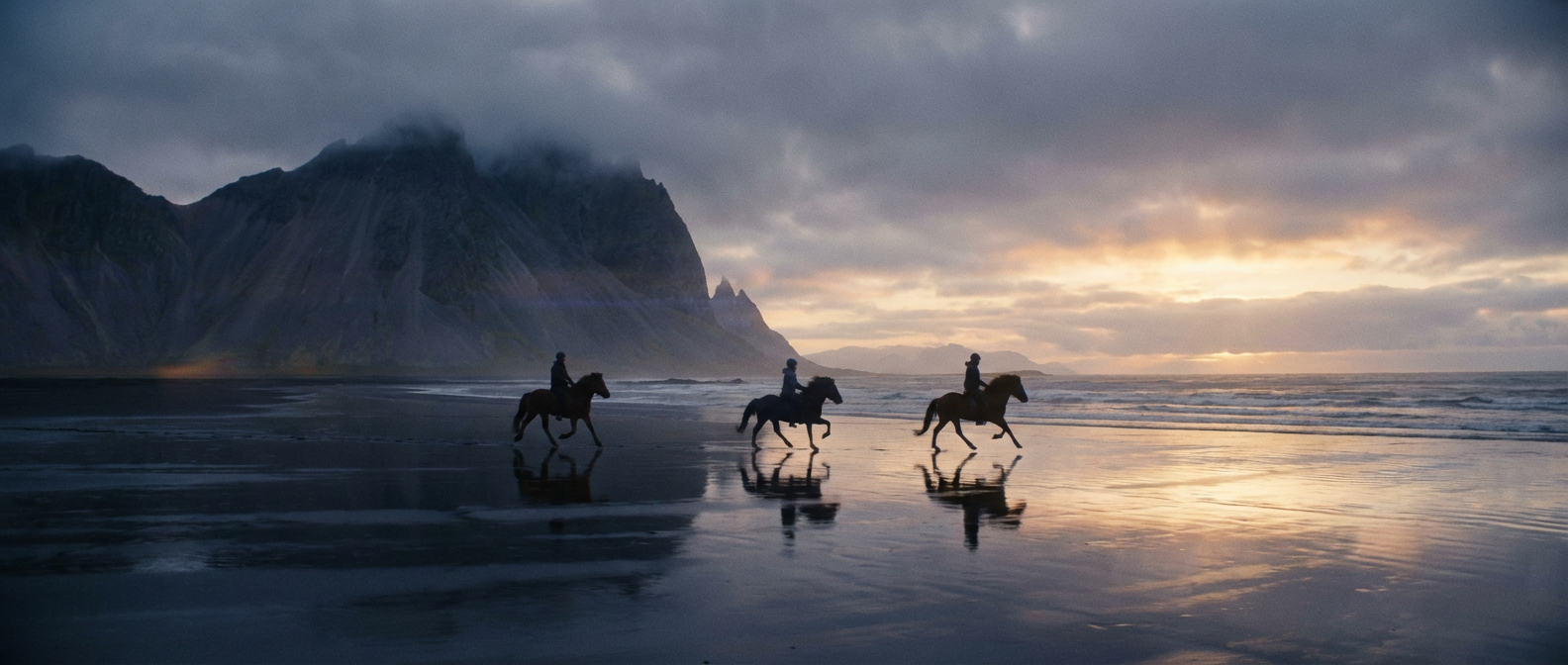 All three generate the scene, but ImagineArt brings clarity and depth together.
Higgsfield's Model Stack
Higgsfield aggregates 15+ models with Cinema Studio layered on top, changing how you interact with each one.
Video Models on Higgsfield:
- Sora 2 / Sora 2 Pro: ultra-realistic with lifelike characters and native audio; OpenAI's most advanced video model
- Veo 3.1: flawless audio-video sync with style and character control
- Kling 3.0 / 2.6: Pro cinematic control and strong visual consistency; Motion Control variant animates characters using reference video movement
- Seedance 1.5 Pro: precise audio-video sync with diverse artistic styles
- WAN 2.6: production-grade video with smooth motion and sound
- Soul V2: Higgsfield's own model; the only video model with 365-day unlimited access
Image Models on Higgsfield:
- Nano Banana Pro: 4K photorealistic results for scene design and cinematic composition
- Seedream 5.0 / 4.5: strong for imaginative visuals and cinematic lighting
- Flux.2 Pro / Dev: production-grade images with sharp text and precise colour
- GPT Image 1.5: fast generation with precise editing and text rendering
- Imagen 4 Ultra: maximum photorealism with print-ready quality
Artlist's Model Stack
Artlist integrates 20+ models across image and video, all accessible through the AI Toolkit.
Image Models on Artlist:
- Artlist Original 1.0: Artlist's proprietary model, trained exclusively on its curated cinematic footage catalog; the only model in this comparison built on high-quality film data rather than general internet data
- ImagineArt 1.5 Pro: 4K production-ready images with native text rendering (yes, Artlist integrates ImagineArt's own model into its toolkit)
- Flux.2 Pro: production-grade images across multiple variants
- Ideogram V3: strong for typography and text-heavy visuals
- GPT Image 1.5: OpenAI image generation at two quality tiers
- Nano Banana 2: fast generation model
- Seedream 5.0: stylised visuals with strong artistic composition
- Imagen 4 Ultra: maximum photorealism
Video Models on Artlist:
- Kling 3.0 / O3 / Motion Control: multi-shot cinematic sequences with reference-driven generation
- Veo 3.1 / Veo 3.1 Fast / Veo 3.1 Lite: three speed and quality tiers of Google's flagship video model, including built-in audio on Lite
- Sora 2: OpenAI's cinematic storytelling model with strong narrative consistency
- Seedance 2.0: structured references, cinematic continuity, automated audio sync
- WAN 2.6: expressive stylised visuals
- Hailuo 2.3: multiple speed and quality tiers
- Grok Imagine Video: fast multi-shot generation with native audio
The model overlap across all three platforms is significant. Kling, Veo, Seedance, Flux, and Hailuo appear on all three. What separates them is what is built around those models.
Crown Features: One Platform Standout Each
ImagineArt's Crown Feature: Workflows
If one feature defines ImagineArt in this Higgsfield vs Artlist vs ImagineArt comparison, it is ImagineArt Workflows. It is a node-based automation system that connects every step of content production into a reusable pipeline. Not a sequence you manually manage. An actual automated chain that executes the same creative process every time you trigger it, across image generation, editing, animation, and export.
What that looks like in practice: a marketing team producing weekly product content builds one workflow. Generate a product image using Flux. Run it through background removal. Apply relight adjustments. Animate it using Kling via the video generator. Export in the correct dimensions for Instagram, TikTok, and YouTube Shorts. Automated. Next week, they drop in a new product and run the same workflow. Same output quality. No manual execution between steps.
ImagineArt Workflows depth:
- Multi-model chaining: different AI models for different steps in the same pipeline
- Built-in workflow templates: prebuilt pipelines for social media, product photography, fashion, and campaign production
- Chat-assisted pipeline building: integrated AI chat helps generate prompts, suggest node connections, and guide pipeline creation step by step
- Cross-format output: one workflow produces assets sized for every platform simultaneously
- Connected to the full apps ecosystem: every app is connectable as a pipeline node
Neither Higgsfield nor Artlist has an equivalent to this. Higgsfield produces excellent individual clips through a manually-directed process. Artlist generates strong assets but has no automation layer connecting generation to editing to export.
Higgsfield's Crown Feature: Cinema Studio 3.0
Cinema Studio 3.0 is the most technically sophisticated cinematic video tool in the AI space. It is a virtual production environment built on a deterministic optical physics engine, meaning camera behavior is calculated from actual optical principles, not approximated from a prompt.
When you configure a shot in Cinema Studio, you are setting up a real virtual production:
- Camera body: virtual sensors modelled on real equipment including ARRI Alexa and RED
- Lens type: Anamorphic or Spherical, each with distinct optical characteristics that affect every frame
- Focal length: controls depth of field, perspective compression, and background separation
- Camera movement: stack up to 3 simultaneous movements (dolly + tilt + zoom) for complex motion that feels like a physical camera rig
- Lighting controls: temperature, contrast, saturation, grain, bloom, and exposure, adjustable instantly without re-rendering
- First and Last Frame Reference: set precise opening and closing frames to maintain scene continuity across a shot
This level of pre-generation control is something neither ImagineArt nor Artlist currently offers. The tradeoff is that the process is manually directed, linear, and not designed for high-volume automated production.
Artlist's Crown Feature: The Licensed Stock Catalog
Artlist's licensed stock catalog is where this Higgsfield vs Artlist comparison gets genuinely asymmetric. Neither Higgsfield nor ImagineArt plays in this space at all.
- 900K+ royalty-free assetsmusic, SFX, stock footage, video templates, LUTs, and plugins, updated daily
- 28,000+ royalty-free music tracks: original tracks across every genre, with stems, curated by professional musicians
- 8K stock footage: professionally shot, with ProRes and RAW/LOG formats available
- 50+ Premiere Pro plugins: built directly into your editing workflow via Artlist Hub
- LUT packs: professional colour grading presets for instant cinematic looks
- One commercial license covers everything: social media, paid ads, client work, broadcast TV, and YouTube monetisation
The licensing model is what makes this category-defining. One subscription. Unlimited downloads. Projects you publish during an active subscription remain permanently licensed, even after cancellation.
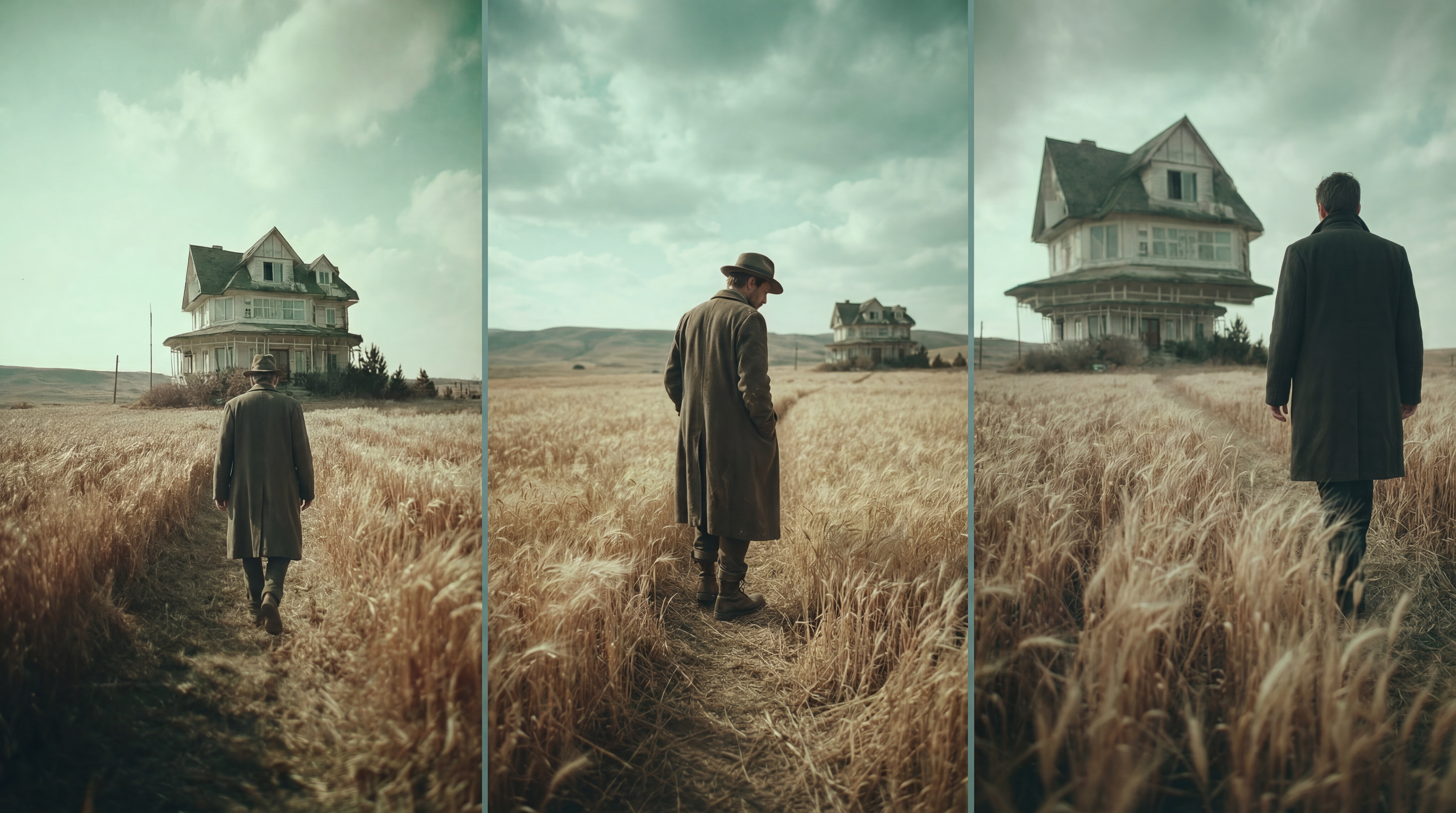 Natural lighting and realism feel more production-ready with ImagineArt.
Image Generation Comparison
ImagineArt
The AI Image Generator on ImagineArt is a dedicated, standalone tool, not a feature embedded inside another workflow. Multiple dedicated models for different styles. Ideogram for typography, which renders text inside images without distortion, is essential for social graphics, thumbnails, and ad creatives. Character consistency through custom model training. Batch generation for simultaneous variation comparisons. The AI Image Editor sits directly adjacent, so you generate an image, then inpaint, relight, remove backgrounds, or swap objects using text prompts without exporting to a second tool.
The practical advantage: generation and editing live in the same session on ImagineArt. You do not generate and then leave.
Higgsfield
Higgsfield's image generation is strong and organised around production workflows rather than standalone creation. Nano Banana Pro produces 4K photorealistic results for scene design and cinematic composition. Hero Frame generation creates still images that serve as reference anchors for Cinema Studio's Soul ID system, locking character appearance across video shots. SOUL Inpaint handles pixel-perfect editing on AI-generated images, letting you add, replace, or modify elements like clothing and facial features while maintaining realism. Higgsfield Canvas is a dedicated editing workspace for painting over specific areas and using AI to swap or remove objects.
The distinction: Higgsfield's image tools feed the cinematic video pipeline. ImagineArt's image tools support standalone production and full pipeline integration.
Artlist
Artlist's image generation through the AI Toolkit is strong, with 20+ models including Artlist Original 1.0. Text-to-image and image-to-image workflows. Full commercial rights on all outputs. Prompts and outputs are never used for training. The gap compared to ImagineArt: there is no dedicated editing layer. Image editing means image-to-image generation, not a connected post-generation workflow that stays inside the same session.
Video Generation Comparison
ImagineArt
The AI Video Generator gives creators flexible, multi-model video generation with tiered credit costs, letting you balance quality and budget based on what each project actually needs. WAN 2.2 at 30 credits per video for quick drafts and social content. Seedance 1.5 Pro at 72 credits for mid-tier output. Google Veo 3.1 at 900 credits for premium cinematic results.
Beyond model selection, what separates ImagineArt's video generation is the pipeline built around it: text-to-video and image-to-video, AI Motion Transfer for extracting and applying real movement from a reference clip to any AI-generated character, in-platform rendering, native social media format outputs, and full Workflow integration connecting image generation through animation through export in one automated sequence.
Higgsfield
Higgsfield's video generation is the most technically precise for cinematic output in this comparison. Kling 3.0 runs at approximately 6 credits per video. Sora 2 and Veo 3.1 run between 40 and 70 credits per video. Complex Cinema Studio renders with stacked camera movements can consume 50+ credits per generation.
First and Last Frame Reference control. Motion Control for animating characters using movement extracted from a reference video. In-platform rendering. The key limitation: post-production finishing typically continues in external software, which means the pipeline always exits the platform before the project is complete.
Artlist
Artlist's video generation through the AI Toolkit is one of the most model-rich in the market. Kling O3 and Seedance 2.0 are genuine standouts. Three tiers of Veo 3.1. Start and End Frame control. Text-to-video, image-to-video, and video-to-video workflows. Full commercial rights on everything generated.
Where ImagineArt pulls ahead: editing tools, workflow automation, and the ability to go from still image to animated export without ever leaving the platform.
Apps Ecosystem Comparison
ImagineArt
One of the clearest advantages in the Higgsfield vs Artlist vs ImagineArt comparison is ImagineArt's app ecosystem. These are purpose-built creative tools covering specific production jobs that would otherwise require separate subscriptions or production teams.
ImagineArt Apps Ecosystem:
- Relight AI: adjust lighting on any generated image post-creation; change the mood of a shot without re-rendering; professional studio lighting applied in seconds
- AI Interior Design: upload a room photo, describe your style, and get a fully redesigned space with new furniture, colour palettes, and decor; built for interior brands, architects, and real estate content
- Kling Motion Control: animate any character using motion extracted from a reference video; maintains full character identity throughout
- Video Background Changer: swap video backgrounds without green screen; works on any footage, any subject
- AI Outfit Try On: upload a model, choose a top, bottom, footwear, background, and pose to generate professional fashion visuals instantly; built for fashion brands and e-commerce
- Make People Hold Product: generate realistic images of people holding any product in natural scenarios; replaces expensive UGC shoots
- Change Camera Angle: adjust perspective on any image without reshooting; produce different-angle shots from a single source image
- Sketch to Render: turn a rough concept sketch into a photorealistic architectural or interior render in minutes, without any 3D software
- AI Music Studio: generate original music tracks across genres including Trap, Jazz, EDM, Lo-fi, Classical, Afrobeats, Deep House, Drum and Bass, Country, and RnB
- Game Verse: place any subject inside iconic game worlds including Minecraft, GTA-style scenes, Tekken, Mortal Kombat, Roblox, and Uncharted
- AI Influencer: build a fully customisable AI persona with consistent appearance across every post; animate for Reels and TikTok; full digital persona for social campaigns
And there are many more, from AI Hairstyle Changer and AI Clothes Swap to AI Age Progression, Collage Burst, and Video Reframe. Every tool runs on the same credits as image and video generation.
Higgsfield
Higgsfield's tool stack is focused and production-grade:
- Cinema Studio 3.0: virtual production environment with optical physics engine and Soul ID character system
- Lipsync Studio: 40+ voice presets, voice cloning, lip-sync in 10+ languages
- Vibe-Motion: real-time motion graphic control on a canvas
- Speak: AI characters speak or sing in the user's own voice
- Popcorn: simulates specific film stocks, camera bodies, and lens aberrations for replicating equipment-specific looks
- Recast: character face and identity swap with rotoscoping-style precision
- Shot Builder: multi-clip scene sequencing with continuity
- Diffuse: mobile app for short-form video creation with daily free credits
Artlist
Artlist's Artlist Hub brings the stock catalog and editing ecosystem directly into your existing video software:
- Artlist Library Extension: browse, preview, and download the full catalog, including music, SFX, footage, and AI voiceovers, directly inside Premiere Pro; drag and drop assets straight into your timeline
- AI Assistant: Silence Removal cuts dead air from dialogue footage automatically; Auto Zoom detects active speakers and applies dynamic zoom for emphasis
- 50+ professional plugins: color grading, visual effects, motion graphics, lens flares, fire effects, and split screens; compatible with Premiere Pro, After Effects, Final Cut Pro, and DaVinci Resolve
Artlist does not have an equivalent app ecosystem to ImagineArt. These tools do not exist within Artlist's platform.
 Realism isn’t just visual—ImagineArt produces results that feel convincing.
AI Music and Voiceover Comparison
ImagineArt
ImagineArt's AI Music Studio generates original tracks across multiple genres, including Trap, Jazz, Classical, EDM, Lo-fi, Afrobeats, Deep House, Drum and Bass, Country, and RnB. Each track is generated with lyrics and melody from a description. Ideal for creators who need original audio for video content without licensing concerns. All music generation runs on the same credits as image and video.
For voiceover, ImagineArt includes an AI Voice Studio for generating voiceovers from text prompts, with multiple voices and basic customisation options.
Higgsfield
Higgsfield's Lipsync Studio supports 40+ voice presets, voice cloning, and lip-sync in 10+ languages. The Speak feature lets AI characters speak or sing in the user's own voice, which is unique in this comparison. Dedicated music generation is not part of the platform.
Artlist
Artlist's AI music generation uses Lyria, Google DeepMind's music model. Generate full-length tracks with advanced control over style, genre, and pacing. All generated music carries the same commercial license as downloaded tracks from the catalog.
The 28,000+ curated music library from human artists adds a depth of musical quality that AI generation alone cannot reach. For voiceover specifically, Artlist's integration of ElevenLabs gives it a clear technical edge over the other two platforms in this comparison.
Workflow Comparison
ImagineArt: Generate, Edit, Animate, Export, Automate
ImagineArt Workflows is a node-based automation system. Build once, run for every campaign.
- Multi-model chaining across every step in the pipeline
- Reference image locking for persistent visual anchors across generation and animation
- Camera motion presets for pans, zooms, dolly, and cinematic motion during video generation
- Relight and scene control without regenerating from scratch
- Cross-format output producing assets sized for every platform simultaneously
- Team scalability: workflows are shareable across members and reusable across projects
- Full apps ecosystem connected as pipeline nodes
This is the structural advantage. Higgsfield focuses on configuring a shot before generation. Artlist connects generations to your external editor. ImagineArt automates the entire production sequence so teams can focus on the creative brief, not the execution steps.
Higgsfield: Define, Configure, Generate, Sequence, Export
Higgsfield's workflow mirrors a real film production process, intentionally manual and director-directed at each step:
- Define your character using Soul ID by generating a Hero Frame that locks facial geometry, wardrobe, and lighting as the reference anchor
- Configure your virtual camera: sensor type, lens, focal length, stacked movements
- Set lighting, scene, and emotional state for each character
- Generate the shot through Cinema Studio's optical physics engine
- Sequence scenes using Shot Builder for multi-clip narratives
- Export for finishing in external post-production software
Clean and precise. Manually directed. Not designed for automated high-volume content production.
Artlist: Generate, Hub, Edit in Your Software, Export
Artlist's workflow runs through the Artlist Hub desktop application:
- Generate assets through the AI Toolkit
- Bring them into Premiere Pro, After Effects, Final Cut Pro, or DaVinci Resolve via the Hub
- Use the 50+ plugins, AI assistant, and full catalog access inside your editor
- Export final content
The connection point is your external editor, not a unified platform. It is a connected workflow, but the pipeline exits the Artlist environment before you finish.
Worth noting: Artlist has announced Artlist Studio for Spring 2026, a full AI production environment with visual direction over casting, locations, lighting, and camera angles, plus Smart Canvas and an AI Agent in development. Artlist is clearly building toward a connected in-platform pipeline. The point is: ImagineArt already has it today.
Pricing Comparison
| Plan | ImagineArt | Higgsfield | Artlist |
|---|---|---|---|
| Free | 100 credits/day, refreshing | Limited daily credits | Limited sample trial (1 video, images, voiceovers) |
| Entry | $15/mo (3,500 credits) | $15/mo starter | $11.99/mo AI Starter (16,500 credits) |
| Mid | $30/mo (8,000 credits) | $39/mo creator | Not available (no mid-tier AI-only plan; jump to higher tier required) |
| Pro | $50/mo (~16,000 credits, all models, priority) | $49/mo higher tier | $89.99/mo AI Professional (180,000 credits, up to 5 members, priority) |
| Power | $250/mo (~100,000 credits) | Custom enterprise-level pricing for high-volume usage | Not available as a standalone tier |
| All-in-one | $50/mo (Ultimate) AI generation + editing + workflows + apps | Not offered as a unified plan (focus remains primarily on video generation tools) | $39.99/mo (Max) AI generation + full stock catalog + LUTs + 50+ plugins |
| Enterprise | Custom centralised billing, industry plans, shared credit pools | Custom enterprise solutions (tailored pricing and infrastructure) | Custom legal indemnification, SLA, enterprise security, SSO |
| Annual discount | 30% | 40% | 40% |
| Credit scope | Image, video, editing, workflows, apps one shared pool | Video-focused; Cinema Studio renders can consume 50+ credits each | AI generation only (stock catalog via Max or separate plan) |
Value Analysis
At $30/month on ImagineArt Standard, you get approximately 1,000 images and 125 videos with editing tools, workflow automation, and the full apps ecosystem all included in the same credit pool.
At $15/month on Higgsfield's entry plan, you get access to Cinema Studio and the full model roster. Credit consumption rises fast, though: a single complex Cinema Studio render with stacked camera movements can consume 50+ credits. For high-volume producers, this works against speed.
At $11.99/month on Artlist AI Starter, you get approximately 103 videos and 1,650 images per month, strong generation volume at an accessible price. At $39.99/month on Artlist Max, you add the full stock catalog, Artlist Hub, 50+ plugins, and LUTs. For creators who need licensed audio and footage alongside AI tools, this is compelling value that neither Higgsfield nor ImagineArt can match.
Use Case Breakdown
Choose ImagineArt when:
- You generate custom images and videos as your primary workflow
- You need editing tools connected to your generation pipeline -- the AI Image Editor and AI Video Editor sit in the same session as generation
- You want automation -- ImagineArt Workflows lets the same pipeline run every time without manual execution
- You need the apps ecosystem -- Relight AI, AI Influencer, Make People Hold Product, AI Outfit Try On, Sketch to Render
- Your team needs centralised pipelines with enterprise plans and shared credits
- You produce content across formats and need one platform from the first prompt to the final export
Choose Higgsfield when:
- Cinematic video quality is non-negotiable, and you are willing to manage credit consumption carefully
- You need precise camera control -- specific lens types, stacked movements, Soul ID character consistency across shots
- You are producing short-form brand content, product reveals, or cinematic ads where production quality is the differentiator
- You have a post-production workflow in Premiere Pro or DaVinci Resolve and just need the generation layer to be exceptional
- Lipsync, voice cloning, and the Speak feature are part of your content production
Choose Artlist when:
- You need professionally licensed music for your videos -- their catalog is unmatched by any platform in this comparison
- You edit manually in Premiere Pro, After Effects, or DaVinci Resolve and want AI generation as one step inside a traditional workflow
- You need 8K stock footage with clean commercial licensing and ProRes/RAW/LOG formats
- You want AI generation AND a stock library under one subscription -- Artlist Max covers both
- You need enterprise-grade security, legal indemnification, and guaranteed SLAs
- The quality of AI voiceover matters -- ElevenLabs integration is genuinely strong
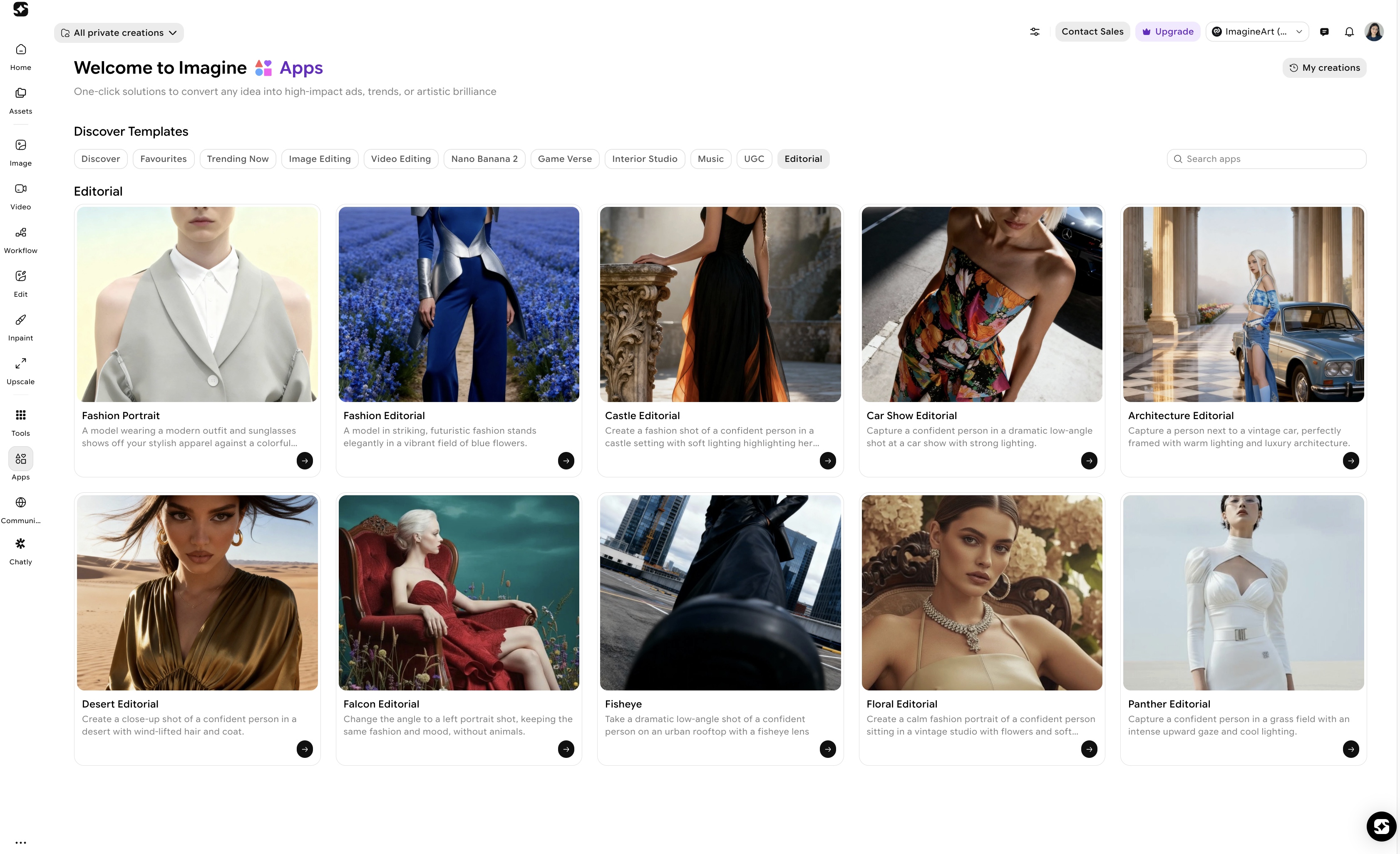 From relighting to motion control, every step runs inside ImagineArt Apps.
Full Feature Comparison Table
| Feature | ImagineArt | Higgsfield | Artlist |
|---|---|---|---|
| AI Image Generation | Flux, Ideogram, Imagen 4, GPT-4o, Nano Banana 2, ImagineArt 1.5 Pro | Nano Banana Pro, Seedream 5.0, Flux.2 Pro, GPT Image 1.5, Imagen 4 Ultra | Artlist Original 1.0, ImagineArt 1.5 Pro, Flux.2, Ideogram V3, GPT Image 1.5, Imagen 4 Ultra |
| AI Video Generation | Kling, WAN, Veo, Seedance, Runway, Hailuo, Pixverse | Sora 2, Veo 3.1, Kling 3.0, WAN 2.6, Seedance 1.5 Pro, Soul V2 | Kling 3.0/O3, Veo 3.1 (3 tiers), Sora 2, Seedance 2.0, Hailuo 2.3, WAN 2.6 |
| Proprietary Model | ImagineArt 1.5 Pro + Nano Banana 2 | Soul V2 (optimized for cinematic realism and motion control) | Artlist Original 1.0 (trained on cinematic stock footage) |
| Image Editing | Dedicated AI Image Editor integrated with generation and workflows | SOUL Inpaint + Higgsfield Canvas (focused on precision edits, not full pipeline editing) | Limited to image-to-image transformations (no standalone editing environment) |
| Video Editing | Dedicated AI Video Editor (native editing inside platform) | Limited native editing; most projects require export to external editors | No native editor; editing handled via external software using Artlist assets/plugins |
| Crown Feature | ImagineArt Workflows, node-based multi-model automation system | Cinema Studio 3.0, physics-based virtual production environment | 900K+ royalty-free stock catalog with unified commercial license |
| Character Consistency | Model-dependent (varies by model used) | Soul ID system locks identity, wardrobe, and lighting across shots | Model-dependent (no dedicated identity-lock system) |
| Camera Control | 10+ built-in cinematic presets | 50+ preset camera movements, stackable for complex shots | Prompt-based camera direction |
| Workflow Automation | Node-based visual pipeline builder (multi-step automation across models) | Linear workflow; manually controlled steps (no automation system) | Not available (no workflow automation tools) |
| Apps Ecosystem | Large ecosystem (Relight, AI Influencer, Interior Design, Motion Control, etc.) | Focused toolset (Cinema Studio, Lipsync Studio, Vibe-Motion, Speak, Popcorn, Recast) | Artlist Hub, 50+ plugins integrated into external editors (e.g., Premiere Pro, After Effects) |
| AI Music | AI Music Studio (original track generation by genre/style) | Not available (no native AI music generation tools) | Lyria (by Google DeepMind) + 28,000+ licensed tracks |
| AI Voiceover | AI Voice Studio (text-to-speech and voice generation) | Lipsync Studio + Speak (voice cloning and sync-focused tools) | ElevenLabs integration (external AI voice generation) |
| Licensed Stock Catalog | Not included (focus is on generation rather than stock assets) | Not included (generation-focused platform) | 900K+ assets including music, SFX, footage, LUTs, templates, plugins |
| Commercial Licensing | Yes, included in paid plans | Yes, all generated outputs licensed for use | Yes, covers both generated outputs and all downloaded assets |
| Free Tier | Daily refreshing credits | Limited daily credits with restricted feature access | Limited trial (sample generation + restricted asset access) |
| Entry Pricing | $15/month | $15/month | $11.99/month (AI Starter) |
| All-in-One Offering | $50/month (Ultimate: generation + editing + workflows + apps) | Not offered as a unified all-in-one system (primarily video-focused tools) | $39.99/month (Max: stock + plugins; AI tools require separate plan) |
| Enterprise | Industry-focused plans with centralized billing and shared credit pools | Custom enterprise solutions (tailored infrastructure and pricing) | Enterprise-grade offering with legal indemnification, SLA, SSO |
| Annual Discount | 30% | 40% | 40% |
Final Verdict: Higgsfield vs Artlist vs ImagineArt
Higgsfield, Artlist, and ImagineArt have all evolved far beyond their original roles—but they still win in very different ways.
Higgsfield leads in cinematic video. If your workflow is built around high-end, director-level visuals, Cinema Studio 3.0 is unmatched.
Artlist dominates licensed assets. For creators who rely on music, footage, and plugins inside their editor, Artlist Max remains the strongest value.
For teams creating at scale—marketers, agencies, and content creators—ImagineArt stands out as the most complete platform, bringing generation, editing, and workflows into one system.
FAQ
Yes. Both Higgsfield and Artlist have expanded far beyond their original focus areas. Higgsfield now includes image generation, lipsync, motion control, and character consistency tools, while Artlist has built a full AI Toolkit with 20+ models alongside its stock catalog. In 2026, the comparison is valid, with ImagineArt covering the widest range across generation, editing, automation, and apps.
Yes. Artlist's AI Toolkit includes 20+ video models such as Kling 3.0 and O3, Veo 3.1 in multiple tiers, Sora 2, Seedance 2.0, Hailuo 2.3, and WAN 2.6. All generated outputs come with full commercial licensing and are available across AI Starter, AI Professional, and Artlist Max plans.
No. Higgsfield does not provide a licensed stock music or asset library. Its audio capabilities focus on Lipsync Studio and the Speak feature for voice cloning and character audio. For licensed music, sound effects, and stock footage, Artlist is the platform that provides a complete catalog.
For AI content generation, editing, automation, and apps, ImagineArt covers most of what both platforms offer within a single system. However, Higgsfield still leads in cinematic video control through Cinema Studio 3.0, and Artlist remains unmatched for licensed music, stock footage, and professional editing plugins.
Artlist Original 1.0 is Artlist's proprietary AI image model trained on a curated library of cinematic footage. Unlike general-purpose models trained on internet data, it focuses on real-film characteristics such as lighting, composition, and optical realism, producing more cinematic outputs.
ImagineArt is best suited for social media content due to its multi-model image and video generation, integrated AI Image Editor, workflow automation, and apps ecosystem. It allows creators to generate, edit, and export content in one connected pipeline, making it ideal for high-volume, multi-format production.
Umaima Shah
Umaima Shah is a creative content strategist specializing in AI tools, image generation, and emerging technologies. She focuses on translating complex platforms into clear, practical insights for creators, designers, and product teams