
Tooba Siddiqui
April 16, 2026 • Updated April 16, 2026
12 mins Read
The gap between having a design idea and being able to visualize it professionally has never been smaller. Fashion design apps have moved well beyond digital sketchpads. Today's best tools handle everything from garment concept generation and fabric simulation to virtual try-ons and full campaign production, often within a single platform.
Designers using dedicated fashion apps are cutting prototype cycles significantly, with some teams reducing physical sampling by up to 80%. Now, the app-based design workflows are becoming standard practice across independent studios and major labels alike. Whether you are a professional designer, an independent label, a stylist, or a hobbyist looking for the best app to design clothes, there is a tool here for your workflow.
What to Look for in a Fashion Design App
Not every fashion design app serves the same purpose. Before committing to one, it helps to know what actually matters:
- AI capability: The best fashion apps are AI-native. Look for tools that generate, iterate, and automate rather than just digitize manual tasks.
- Ease of use: A powerful tool with a steep learning curve is only useful if you have the time to climb it. Consider how quickly you can go from zero to usable output.
- Output quality: The end result has to be presentation-ready. Low-resolution or generic outputs waste time regardless of how fast they are generated.
- Use case fit: A 3D garment simulation tool is not the right choice for a stylist building a lookbook. Match the tool to the job.
- Free vs paid: Several strong apps for fashion design offer free tiers or trials. If budget is a constraint, ImagineArt offers free access to core features, making them accessible starting points without a financial commitment.
- Platform availability: Some tools are desktop-only, others are mobile-first. Make sure the app fits how and where you work.
Also read: How to Use AI in Fashion Design
10 Best Fashion Design Apps in 2026
Explore a curated selection of the top apps for fashion designers, with ImagineArt providing some of the best fashion design apps for both emerging creatives and seasoned professionals.
AI Fashion Design Automation
1. ImagineArt Workflows
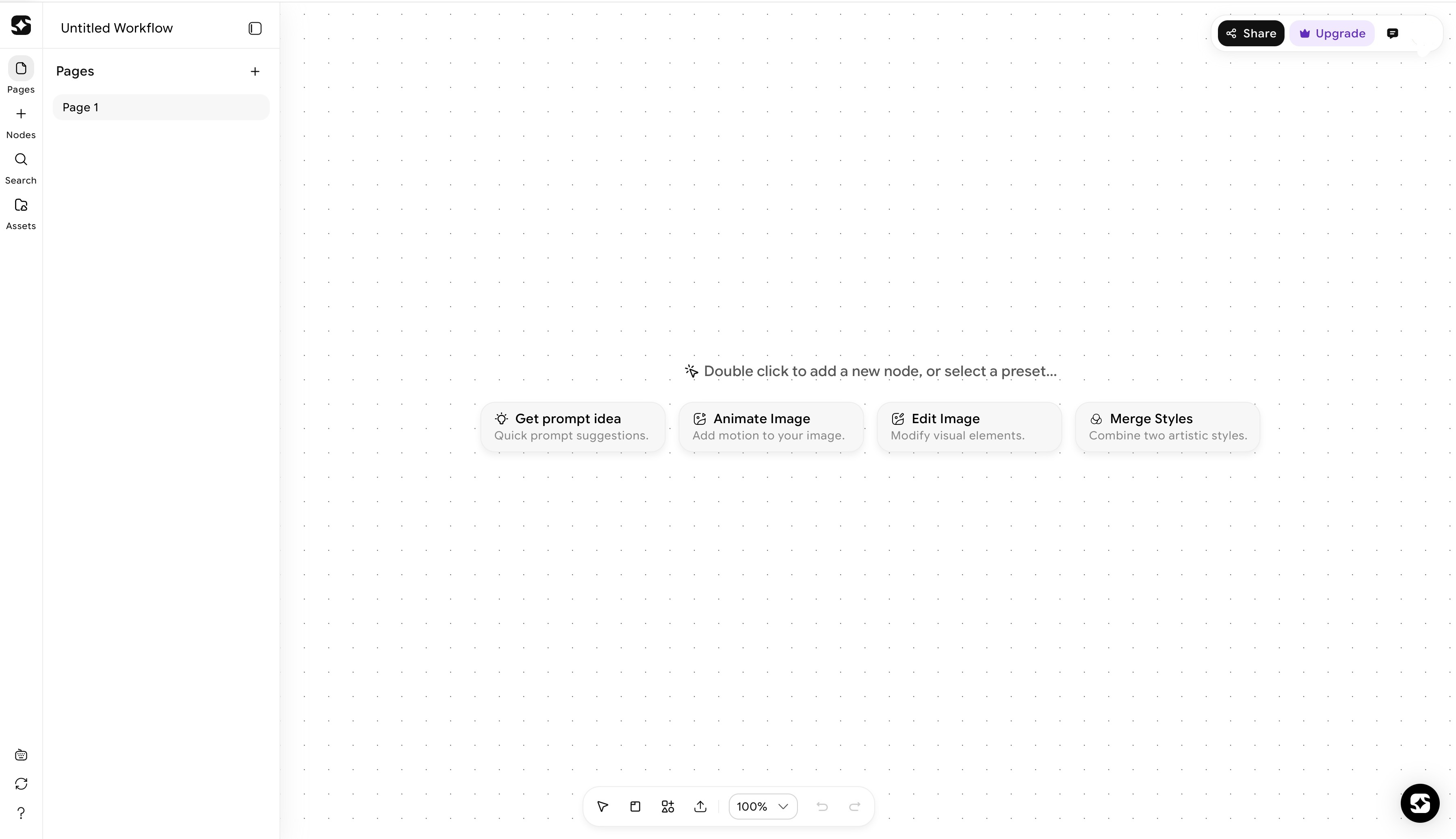 ImagineArt Workflows dashboard
ImagineArt Workflows is the most versatile tool on this list. It is a node-based AI pipeline builder that lets designers connect text, image, video, and audio tools into fully automated creative production systems. Instead of running individual prompts one at a time, you build a workflow where the output of one step automatically feeds into the next.
The system runs on a visual canvas where each node handles one task. A text node might generate a design brief, which feeds into an image node that produces garment visuals, which then connects to a video node that animates the result into a campaign reel. The entire pipeline runs on demand, and because workflows are reusable, you build it once and scale it indefinitely.
With access to 50+ AI models across text, image, video, and audio, plus an App Builder that lets you create interactive tools inside your workflows, this is not just a fashion design app. It is a full creative production system. For studios and teams running multiple projects simultaneously, the collaboration features and reusable pipeline logic make it the most efficient option on the market.
2. ImagineArt Sketch to Render
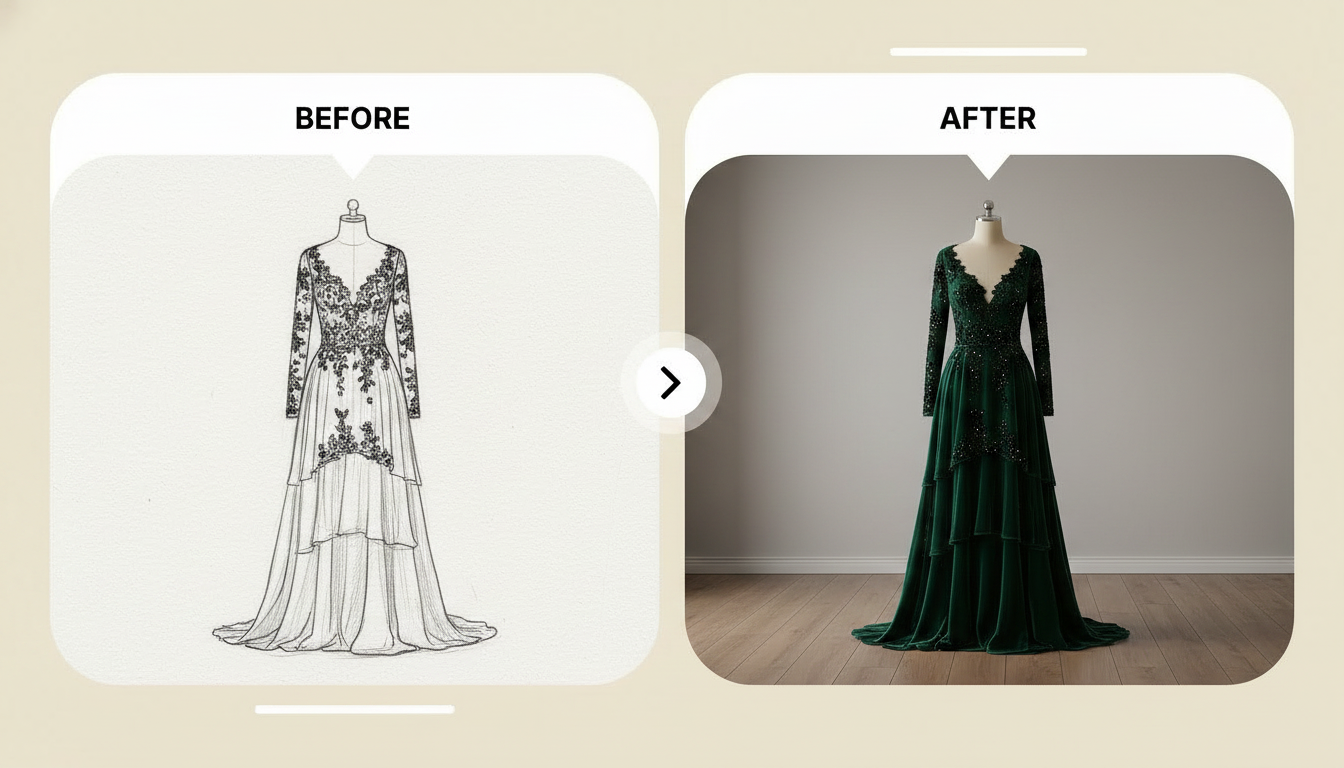 Create high-quality fashion design renders with ImagineArt
Most designers still think in sketches. The challenge has always been bridging the gap between a rough hand-drawn concept and a polished visual that communicates the full design intent to a client or production partner. ImagineArt sketch to render tool closes that gap directly.
The process is straightforward. Upload your concept image, whether it is a hand-drawn sketch, a CAD export, or a line drawing. Write a detailed prompt that describes the style, materials, color palette, and mood you are working toward. The AI reads your sketch structure first and enhances it using rendering logic rather than overwriting your original design intent. Click generate and you have a photorealistic render of your concept in seconds.
The key distinction here is that the tool works with your sketch, not against it. It does not replace your design with a generic AI output. It takes what you drew and makes it look finished. For designers who present to clients or need to communicate a concept clearly before sampling, this is one of the most practically useful apps for fashion designers available right now.
Virtual Styling and Try-On
3. AI Clothes Changer
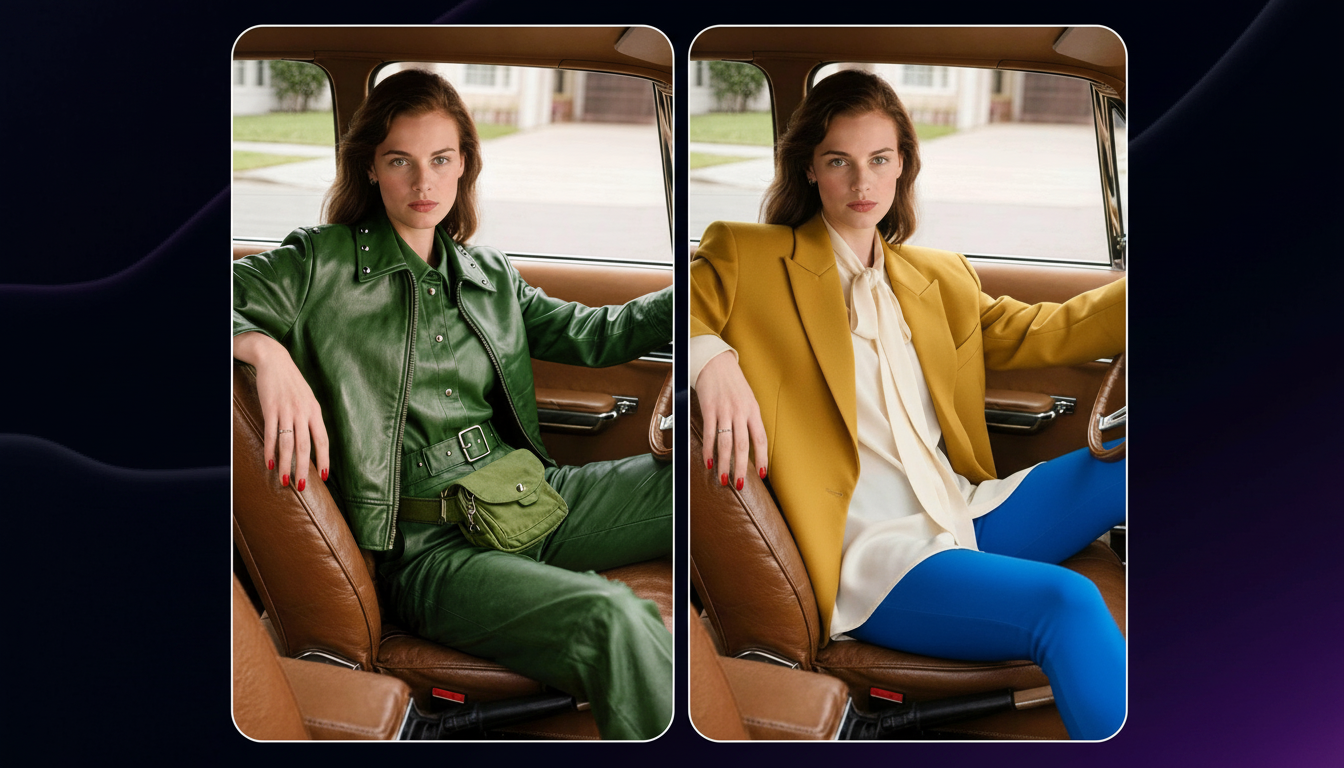
 Experiment with clothing ideas with ImagineArt AI Clothes Changer
 Whisk_cbd79287793eab29eb04899214394381dr.png
Testing how a garment looks on a specific person without producing a physical sample is one of the most time-saving applications of AI in fashion. ImagineArt AI clothes changer does exactly this.
Upload a clear photo of the person whose outfit you want to change, front-facing with good lighting works best, then upload a photo of the garment you want to apply. The AI reads the fabric, cut, color, and texture of the new garment and delivers a realistic outfit change in under 30 seconds. The result downloads immediately with no watermarks and no extra steps.
For designers testing colorways across a collection, stylists building client presentations, or e-commerce teams needing product imagery across multiple models, this clothing design app removes one of the most resource-intensive steps in the traditional workflow.
Also read: Best AI Clothes Swap Apps
4. AI Clothes Swap
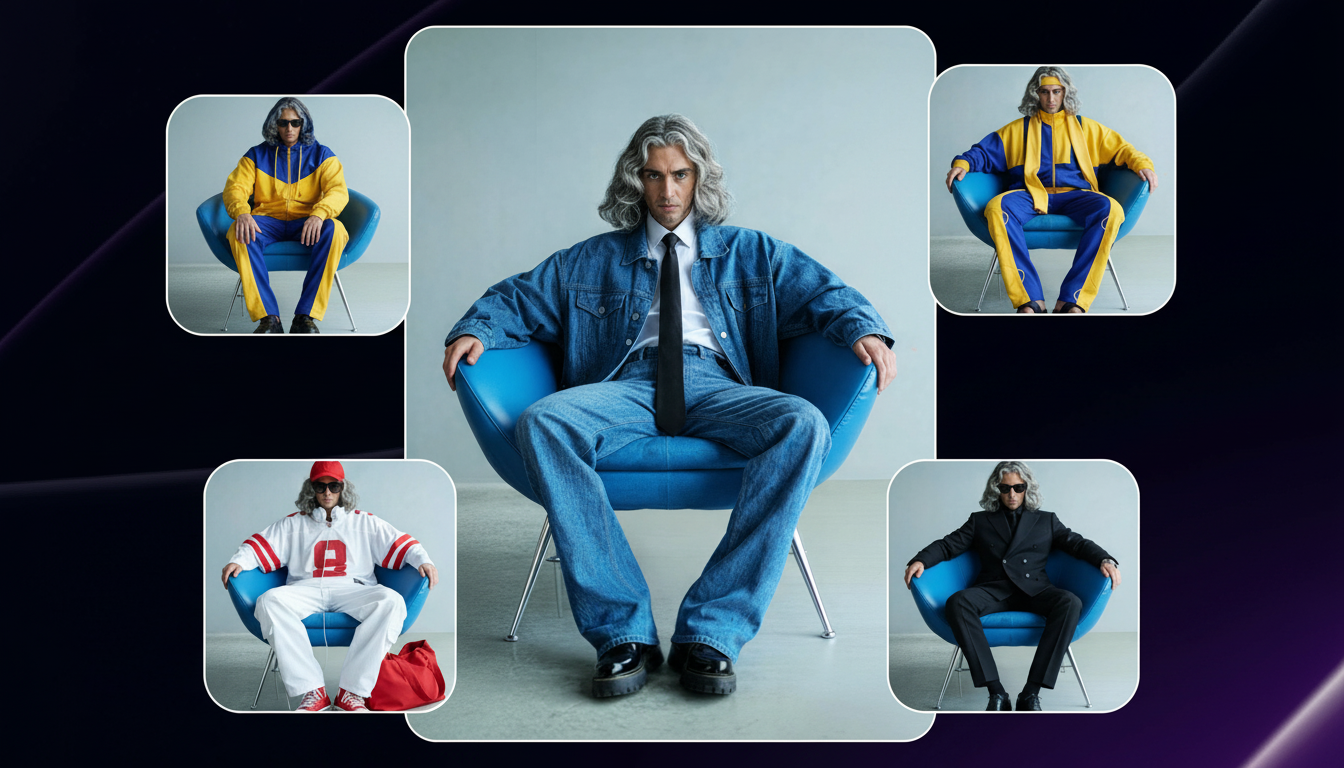 Transfer outfits on ImagineArt AI Clothes Swap app
Where the clothes changer applies a garment photo to a person, the AI clothes swap tool works from a reference outfit. Found a look on Instagram, Pinterest, or a magazine editorial that you want to see on a specific person? Upload the source outfit image and the target person photo. The AI identifies the clothing, textures, and style from the source image, then transfers the outfit onto the target person while matching their proportions, pose, and lighting.
The output is a realistic image showing the target person wearing the source outfit, with accurate fabric draping, shadows, and proportions. This is particularly useful for designers pulling references and wanting to visualize how a specific look translates onto a particular body type before committing to a design direction.
Also read: 10 Effective Ways to Use Clothes Swap AI Apps in Business
5. AI Virtual Outfit Try-On
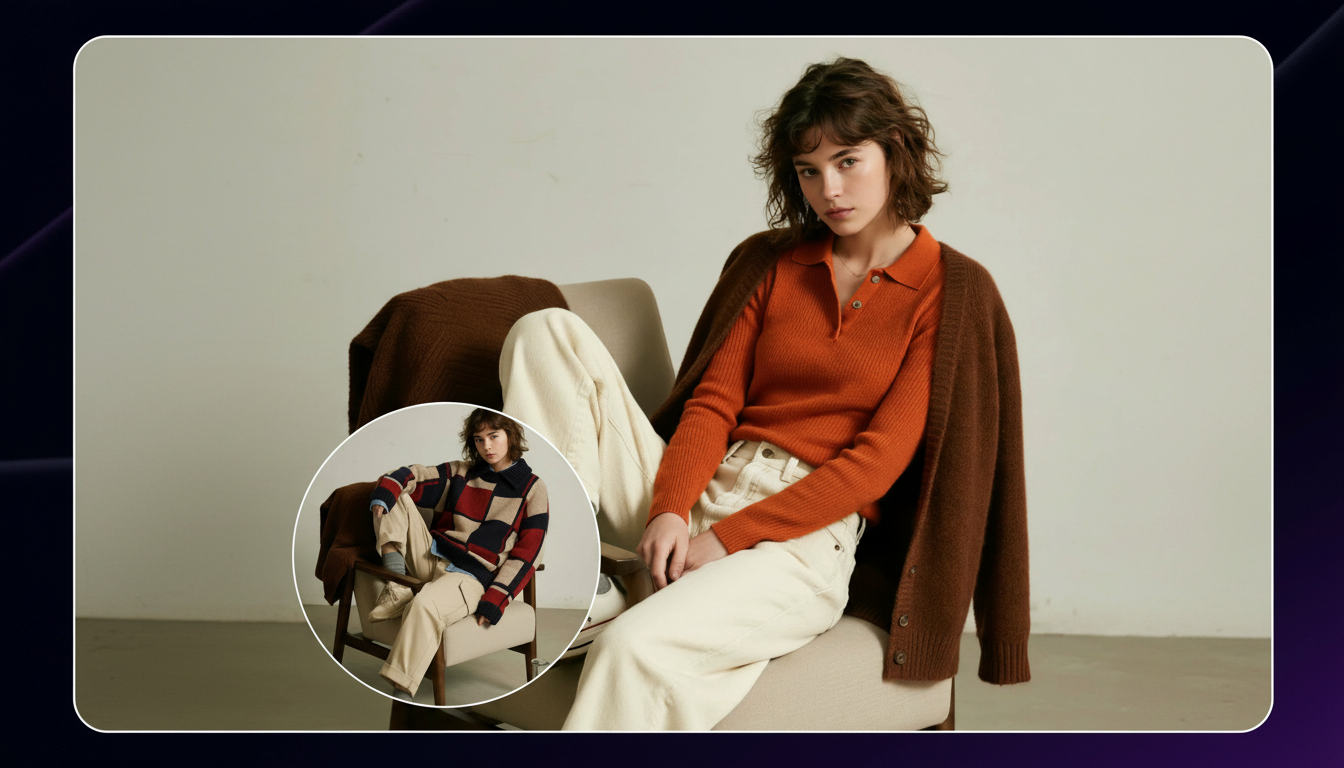 Try on different outfits with ImagineArt
The most granular styling tool in the ImagineArt suite, the outfit try-on tool gives you independent control over every element of a styled look. Select or upload your model, then choose topwear, bottomwear, footwear, pose, and background separately. The AI assembles the complete look into a single cohesive, realistic image.
This level of control makes it the strongest option on this list for lookbook creation, e-commerce product imagery, and collection presentations where complete outfits need to be visualized across multiple model types and settings. Individual pieces come together into a fully styled visual without a single physical sample or photoshoot required.
3D Garment Design and Simulation
6. CLO 3D
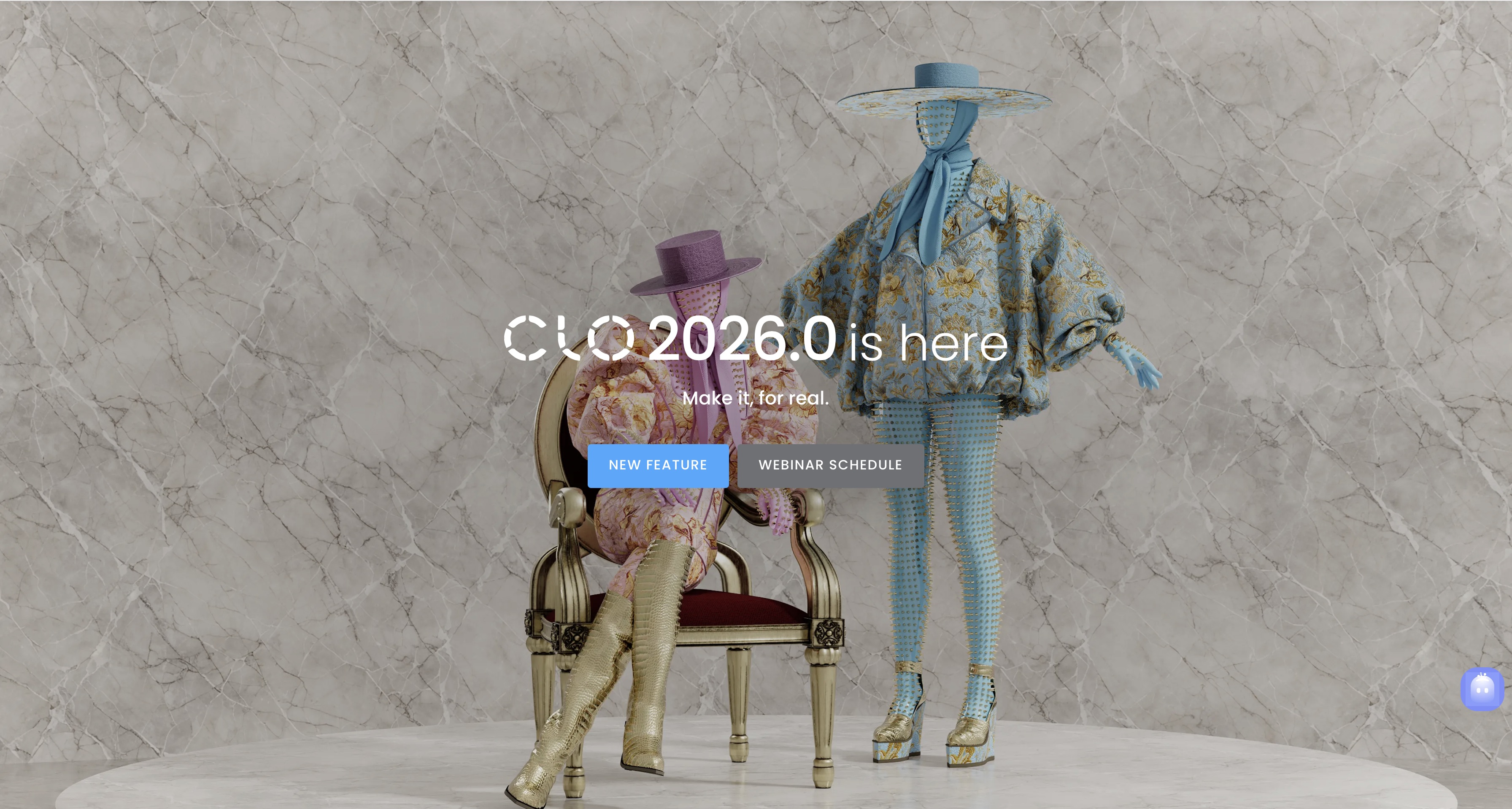
CLO 3D is the industry standard for 3D garment simulation. It allows designers to build accurate digital garments with realistic fabric physics, pattern making tools, and fit simulation. A garment built in CLO 3D behaves the way a physical garment would, draping, stretching, and responding to movement based on the fabric properties you assign.
For technical designers and pattern makers, it is an essential tool. The learning curve is steep and the software is expensive relative to other apps on this list, but for professional design teams that need precise fit and construction accuracy before cutting physical samples, nothing matches it.
7. Browzwear
Browzwear operates in similar territory to CLO 3D but with a stronger focus on product development and supply chain integration. It is built for apparel brands and manufacturers that need 3D design tools connected to their broader production workflows. Browzwear's platform supports collaborative design review, digital asset management, and direct integration with manufacturing partners, making it less of a standalone design app and more of an end-to-end product development platform.
For large labels and manufacturers working across global supply chains, the integration capabilities make it a strong operational choice alongside a creative tool like ImagineArt.
Digital Sketching and Illustration
8. Procreate
Procreate remains the premium choice for digital sketching and illustration. Running exclusively on iPad, it offers a natural drawing experience with an extensive brush library, layering system, and animation tools that make it a favorite among fashion illustrators and concept designers. For designers who prefer to think through ideas with a stylus rather than a prompt, it is the most capable digital sketchpad available.
Its limitation in a 2026 context is that it is purely a manual tool. There is no AI generation, no virtual try-on, and no automated workflow capability. It excels at what it does, but what it does is a single step in a much larger design process.
9. Sketchbook
Sketchbook is a free sketching and illustration app that covers the core functionality most designers need at the ideation stage. It is less powerful than Procreate but significantly more accessible, both in terms of cost and learning curve. For hobbyists and emerging designers exploring fashion sketching without committing to a paid tool, it is the most sensible free fashion design app starting point.
10. Patternsy
Patternsy focuses specifically on surface pattern and textile design, making it the most specialized tool in this category. Designers use it to create repeat patterns, test colorways across textile surfaces, and produce print-ready artwork. For fashion designers with a strong print or textile identity, it fills a gap that general illustration apps do not address as precisely.
How to Use Fashion Design Apps at Every Stage of the Process
No single app covers everything. The strongest fashion workflows are built by stacking the right tools across the right stages. Here is how that looks in practice:
Step 1: Get the concept out of your head and into something shareable
The first problem is always translation — an idea in your head looks very different from what ends up on paper, and even further from what a client or collaborator understands.
- Use ImagineArt Sketch to Render to take your rough concept, whether hand-drawn, CAD-exported, or a quick line sketch, and turn it into a polished visual that communicates your full design intent
- Use ImagineArt Workflows to build a pipeline that takes your brief or mood references and automatically generates garment visuals without running every step manually
- The goal at this stage is a visual clear enough that no one walks into the next conversation imagining something completely different
Step 2: Explore directions without committing to samples
The brief has been understood. Now you need options, fast, before the budget gets spent on physical prototypes nobody loves.
- Use the AI Clothes Changer to test colorways and garment variations across different people without producing a single physical piece
- Use the AI Clothes Swap to pull reference looks from editorial or social media and visualize how they translate onto specific body types
- Use ImagineArt Workflows to run multiple design directions in parallel, so "can we see it in another colorway" stops derailing the timeline
Step 3: Build the complete look before anything goes near a rack
The individual pieces work. Now they need to be seen together, styled, and presented in a way that sells the collection.
- Use the AI Virtual Outfit Try-On to select topwear, bottomwear, footwear, pose, and background independently and assemble a fully styled, cohesive image without a single fitting
- Use Procreate or Sketchbook to refine any illustration assets or hand-drawn details that need to accompany the digital presentation
- Use Patternsy if the collection has a print or textile identity that needs to be locked in and visualized across fabric surfaces before anything moves to production
How to Choose the Right App to Design Clothes
The right fashion design app depends entirely on where you are in the design process and what you are trying to produce.
- If you are at the ideation stage and need to move from concept to visual quickly, ImagineArt sketch to render tool or AI image generator gives you the fastest path from idea to presentation-ready output.
- If you are a professional designer who needs precise fit and construction accuracy, CLO 3D or Browzwear belong in your workflow.
- If you prefer drawing through ideas before handing them off to an AI tool, Procreate or Sketchbook handle that stage well.
- For stylists and designers focused on visualizing complete looks without physical samples, the ImagineArt virtual styling suite, covering the AI clothes changer, clothes swap, and outfit try-on, covers every scenario from single garment testing to full lookbook production.
- For teams and studios that need to automate and scale their creative output across multiple projects, ImagineArt Workflows is the only tool on this list that operates as a full production system rather than a single-use app. And for brands looking to deploy AI across their entire design and marketing operation, ImagineArt AI Enterprise solution provides the infrastructure to do that at scale.
The honest answer is that the best fashion design apps work together. The strongest workflows are not built around a single app. They are built around the right combination of tools for each stage of the process.
Ready to Create AI Fashion Design?
The best fashion design apps in 2026 are not just better versions of what existed five years ago. They are fundamentally different tools built around AI generation, automation, and virtual visualization. The design process is faster, more iterative, and more accessible than it has ever been.
The right starting point depends on your workflow. But if you are looking for the most versatile combination of AI fashion tools available in a single platform, from sketch to render to full campaign production, ImagineArt covers more of the design process than anything else on this list. And if you are thinking about how these tools translate into actual campaign output, this breakdown of fashion ads is a useful next read.
Frequently Asked Questions About Fashion Design Apps
The best fashion design app depends on your use case. For AI-powered design and automation, ImagineArt offers the most comprehensive suite of tools covering sketch to render, virtual try-on, clothes swapping, and full workflow automation. For 3D garment simulation, CLO 3D is the industry standard. For digital sketching, Procreate leads the category.
Yes. ImagineArt offers free access to core features, making it one of the most accessible free fashion design apps for designers who want AI-powered tools without an upfront financial commitment.
ImagineArt is the most beginner-friendly option on this list. The sketch to render tool, AI clothes changer, and outfit try-on all require no technical or design background to use effectively. Sketchbook is also a solid free starting point for beginners who want to explore digital sketching first.
Yes. AI-powered clothing design apps like ImagineArt are built for users at every skill level. If you can describe what you want in a text prompt or upload a reference image, you can produce professional-quality design visuals without any prior design experience.
Most fashion design apps handle one part of the design process. ImagineArt covers the full pipeline, from initial concept generation and sketch rendering to virtual try-on, clothes swapping, lookbook creation, and campaign video production. The Workflows tool goes further, letting designers build automated multi-step production pipelines that connect all of these capabilities together. For designers and brands that want a single platform rather than a stack of disconnected tools, that breadth is the core differentiator.
Tooba Siddiqui
Tooba Siddiqui is a content marketer with a strong focus on AI trends and product innovation. She explores generative AI with a keen eye. At ImagineArt, she develops marketing content that translates cutting-edge innovation into engaging, search-driven narratives for the right audience.