AI animation generator for 2D and stylized clips
Type a scene or upload a drawing. Get back a 2D, clay, comic or anime-style clip.
Trusted by Professionals and Creators from leading brands
One lighthouse keeper, five animation styles
How long can an animated clip run?
Most animation pages don't say how long a clip can run. Seedance 2.5 makes up to 30 seconds in one generation, per ByteDance, and Wan 3 also reaches 30 seconds, per Alibaba. Kling 3.0 runs 3 to 15 seconds, per Kuaishou. For a longer sequence, start each new clip from the last frame of the one before, or use Extend Video.
Draw two key poses, let the model fill the in-betweens
Animators already think in keyframes. Upload your first pose as the start frame and your last pose as the end frame, and the model animates the motion between them. Kling 3.0 (per Kuaishou) and Wan 3 (per Alibaba) take an end frame. It also works as an ai animation generator from image: one drawing in, and a prompt that describes only the movement.
Name the style in the prompt
Style comes from your words, so say it outright. Name the style in your prompt: 2D cel, watercolor, clay, comic or anime. Add one texture cue that belongs to it: bold outlines for cel, paper grain for watercolor, thumbprints for clay, halftone dots for comic. For flat 2D animation, keep it to one style and one texture. Want a 3D look? Use the 3D animation maker.
| Style | Words to put in the prompt | Model to try |
|---|---|---|
| 2D cel loop | flat 2D cel, bold outlines, holds on last pose | Kling 3.0 |
| Watercolor long shot | loose watercolor washes, paper grain | Seedance 2.5 |
| Clay with sound | clay figures, thumbprints, stop-motion feel | MiniMax H3 |
| Comic, panel to panel | comic book, halftone dots, ink outlines | Wan 3 |
| Anime in 4K | soft anime, cel shading | Kling 3.0 4K |
How to make an AI animation
Step 1
Start from text or a drawing
Open the video generator in Create Video mode. Type a scene to start from text, or upload a sketch, character sheet or finished frame to animate art you already have.
Step 2
Set the model, length and ratio
Choose the model by how long the shot needs to run, then a ratio: widescreen 16:9 for a YouTube upload, vertical 9:16 for Shorts or Reels.
Step 3
Describe the motion and generate
Name one action and one camera move, then generate. Add an end frame if you drew one and the model takes it. Finish with Captions, or Extend Video for more length.
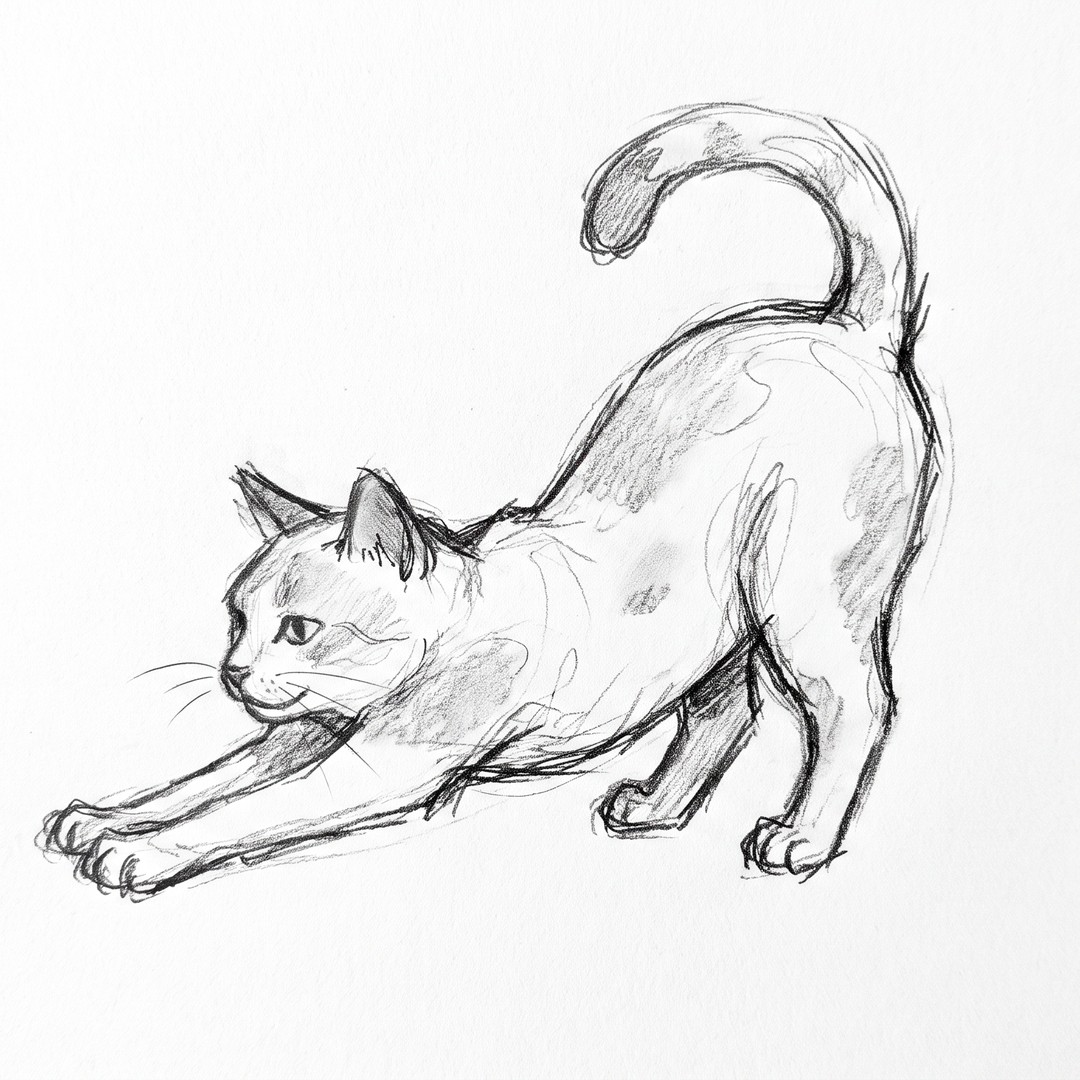
One pencil sketch, animated
A rough pencil sketch of a cat stretching, set as the start frame in Kling 3.0 Pro. The prompt names only the motion: "the cat arches its back, then yawns, camera still." Style words stay out, so the sketch sets the look.
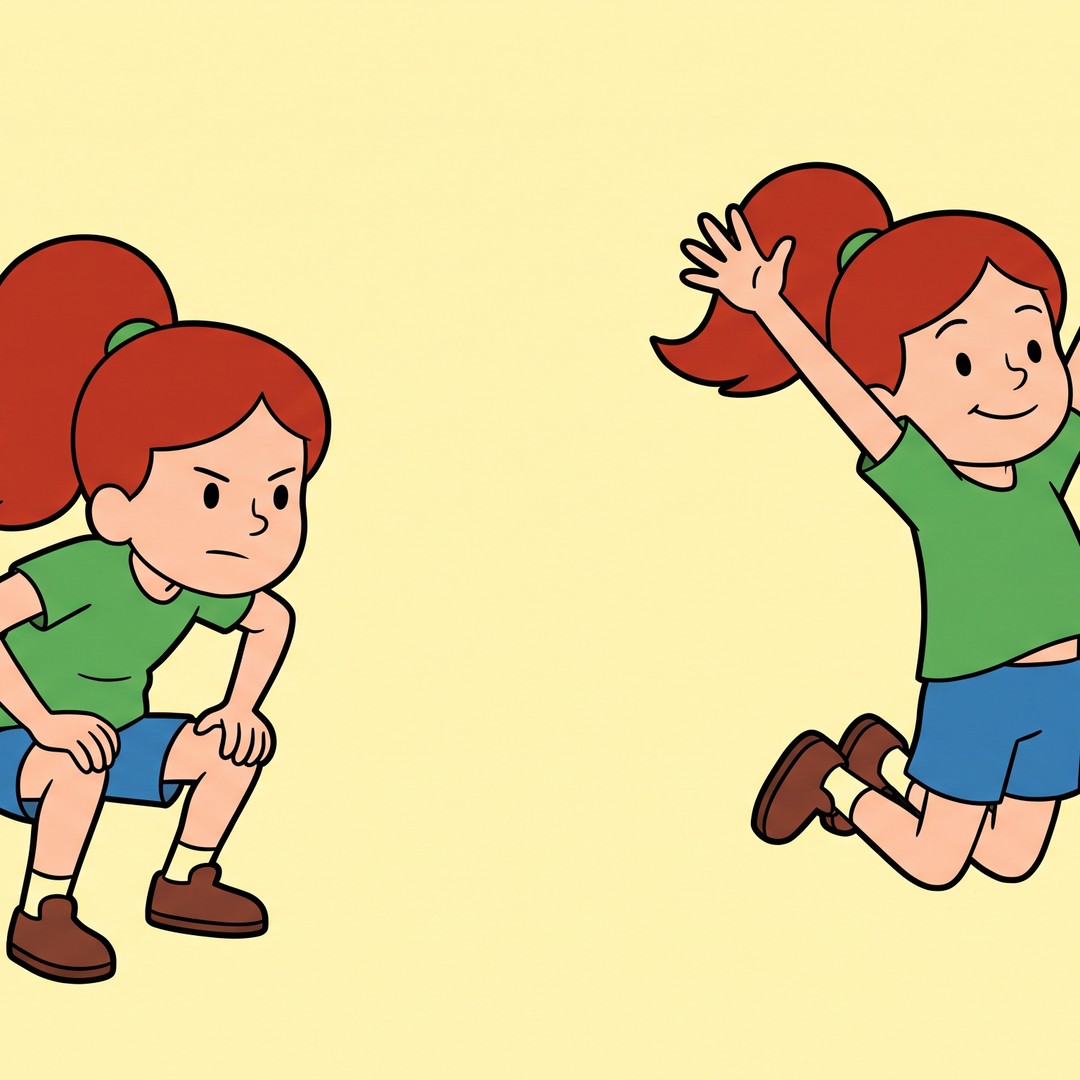
Two key poses, one in-between
A girl crouched, then the same girl mid-jump: two stills drawn as start and end frames. A model that takes an end frame animates the leap between them. Swap the end frame for a landing pose and the same start frame takes the jump somewhere else.
A prompt formula for animation
Subject, action verb, style, camera move, ending. Example: "a paper-cutout fox runs through a pop-up forest, cut-out animation style, camera tracks left, holds on the last pose." A held last pose makes the clip easier to loop.
More animation tools on ImagineArt
Purchase a Subscription
Upgrade to get access to pro features and generate more and better
Basic
For newcomers taking their first steps
View Plans
Billed monthly
Included in plan
3Kcredits per month
Additional Features
Up to ~600 Image Generations/month
Up to ~97 Video Generations/month
General Commercial Terms
Image Generation Visibility: Public
4 Concurrent Image Generations
Complimentary Access
All GPT Models
All Gemini Models
All Claude Models
Unlimited Generations
10 Image Models
9 Video Models
Standard
For rising creators to level up their game
View Plans
Billed monthly
Included in plan
8Kcredits per month
Additional Features
Up to ~1.6k Image Generations/month
Up to ~265 Video Generations/month
General Commercial Terms
Image Generation Visibility: Private
8 Concurrent Image Generations
Complimentary Access
All GPT Models
All Gemini Models
All Claude Models
Unlimited Generations
Nano Banana
Runway Gen 4 Turbo
Midjourney V7
8 more Image Models
8 more Video Models
Ultimate
Peak performance for pros
View Plans
Billed monthly
Included in plan
16Kcredits per month
Additional Features
Up to ~3.2k Image Generations/month
Up to ~530 Video Generations/month
All styles and models
General Commercial Terms
Image Generation Visibility: Private
Complimentary Access
All GPT Models
All Gemini Models
All Claude Models
Unlimited Generations
All image models in Standard plan
All video models in Standard plan
Kling 2.6 Pro
Seedance 1.5 Pro
ChatGPT 1.5
Creator
A full production engine for powerhouses
View Plans
Billed monthly
Included in plan
100Kcredits per month
Additional Features
Up to ~20k Image Generations/month
Up to ~3.3k Video Generations/month
All styles and models
General Commercial Terms
Image Generation Visibility: Private
Complimentary Access
All GPT Models
All Gemini Models
All Claude Models
Unlimited Generations
All image models in Ultimate plan
All video models in Ultimate plan
Kling 3.0 Pro
Seedance 2 Fast
Nano Banana 2
What creators say about ImagineArt
ApexStudios
This is AI video creation at its finest! The model is super intelligent and creates exactly what you want and how you want. With multiple image and element references, I can direct the AI about character positions, camera angles, and scene compositions. My new go-to video tool!
Alexandra Elena
Verified User

DreamWorks
Finally, a model that delivers complete creative freedom, not just fake promises. I can try as many backgrounds as I want, manipulate objects and subjects, and even add text. This is the Photoshop of videos, incredibly fast and precise but without any software download.

Anna Chierici
Creator (IT)
Pixels
The speed at which this 25th AI video generator edits results is quite impressive. What impresses me the most is how well it maintains the quality and coherence of videos after shot extension and style changes. Highly recommended!

Anya Petrova
Marketing Designer

Shopify
I work in filmmaking and have used a ton of video tools. But I’ve never come across a model that produces and edits visuals with such accuracy. There literally is no need to make any manual edits. What a life-saver!
Ben Harris
Product Manager

TechNova
As a social media lead, I have to create a multitude of video content for daily upload. ImagineArt video editor has completely changed my workflow. Now, I can edit on the go, create UGC with image references, and even extend shorter clips with video references. A must-have for creators!

Isabelle Kim
Concept Artist
Have questions?
We have answers!
An AI animation generator turns a text prompt or a still drawing into a short animated clip. On ImagineArt it works as an ai animation video generator inside the video tool's Create Video mode. Name the style in your prompt: 2D cel, watercolor, clay, comic or anime.
It depends on the model. Seedance 2.5 makes up to 30 seconds in one generation, per ByteDance, and Wan 3 reaches 30 seconds, per Alibaba. Kling 3.0 runs 3 to 15 seconds, per Kuaishou. For more, chain clips or use Extend Video.
Yes. Upload the drawing as the start frame and describe only the motion, so your line work sets the look. On models that take an end frame, add a second drawing as the final pose.
2D and stylized looks, so it works first as an ai 2d animation generator. Name the style in your prompt: 2D cel, watercolor, clay, comic or anime, plus one texture cue such as paper grain or halftone dots. For a 3D look, use the 3D animation maker.
Match the model to the job, using what each maker documents. Seedance 2.5 for single shots up to 30 seconds (ByteDance), Kling 3.0 for start and end frames (Kuaishou), and MiniMax H3 for 2K with stereo sound (MiniMax).
Start every shot from the same character drawing and keep its description word for word. Reusing one start frame gives each clip the same design to begin from, so the character only has to hold for one shot at a time.
Widescreen 16:9 suits a YouTube channel; vertical 9:16 suits Shorts or Reels. Kling 3.0 renders 1080p and offers native 4K, per Kuaishou, and MiniMax H3 reaches 2K, per MiniMax. YouTube lists 24, 25, 30, 48, 50 and 60 fps as common frame rates.
Yes, with limits. As a free ai animation generator, the free plan refreshes credits every 24 hours and exports 720p without a watermark, for non-commercial use. It runs ImagineArt's in-house models only; Seedance 2.5, Wan 3 and MiniMax H3 need a paid plan.
Only if you hold the rights. ImagineArt's terms bar impersonation and uploading other people, especially minors, without permission, and copyright covers existing characters. Original characters you created are fine to animate.