Try the AI animal video generator free on ImagineArt
Animate your own pet's photo or invent a creature, then add motion and sound.
Trusted by Professionals and Creators from leading brands
Animal videos made on ImagineArt
Turn your pet's photo into a video
Upload one photo of your own pet to the AI animal video generator and choose Create Video with a start image. Kling 3.0 makes 3 to 15 second clips at up to 1080p, per Kuaishou, and can also aim for an end frame you set. Best photos: one animal, both eyes visible, a plain background, no harness across the face.
Give the video a purr, a bark or a line
Make your cat purr or speak with an AI cat video generator. Google says Veo generates sound effects, ambient noise and even dialogue natively, in 8-second clips at 1080p or 4K. Write the sound into your prompt: rain on the window, a purr, or a short line in quotes. Mouth movement on a furry face varies, so preview each take before you post.
Keep the same animal across every video
ByteDance says Seedance 2.5 reads reference videos more precisely, and it makes up to 30 seconds in one generation. That helps when one corgi has to read as the same dog in the park, in the kitchen and on the sofa. Want your own voice on it instead? The live Lipsync mode makes talking videos from a voiceover or song you record. Test it on one face first.
How to make an animal video in three steps
Step 1
Pick where your video starts
Animating your own pet? Choose Create Video and add one clear photo as the start image. Inventing a creature? Make the still in the AI animal generator first, or start Create Video from a text prompt.
Step 2
Write the motion for the video
Name the species, one action and the camera. Cats: slow blink, tail flick, kneading. Dogs: head tilt, zoomies, a catch. Birds: wing stretch, head bob. Horses: trot, mane in wind.
Step 3
Check the video before you post
Count the legs. Check where the tail joins the body. Watch the paws where they meet the floor, and the fur edges during fast moves. If anything slips, re-roll that take.
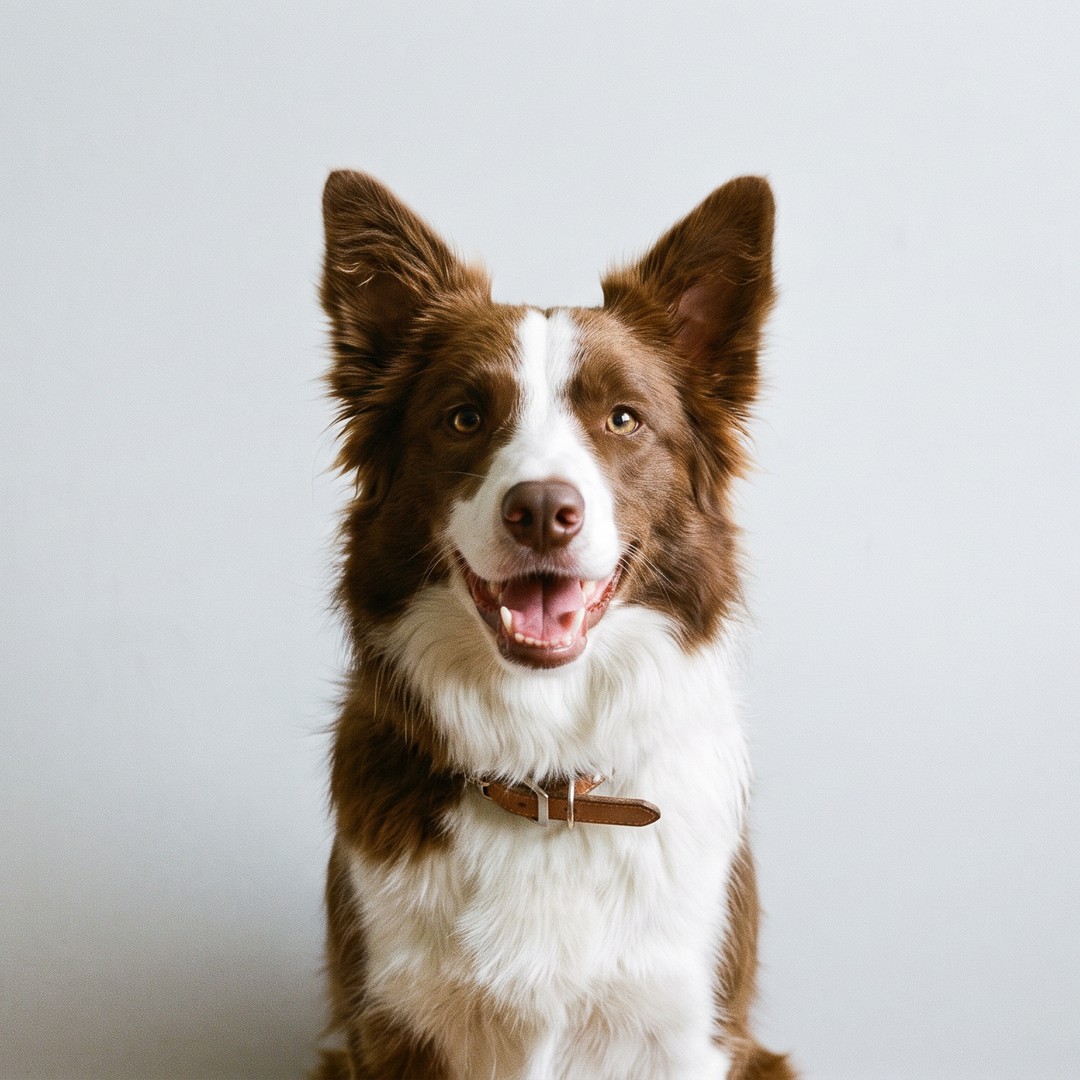
Your pet's photo, two videos from it
One photo is the only input here: a dog shot at eye level against a plain wall. Kling 3.0 made both clips with it as the start image: a close head tilt and a wide run across grass.
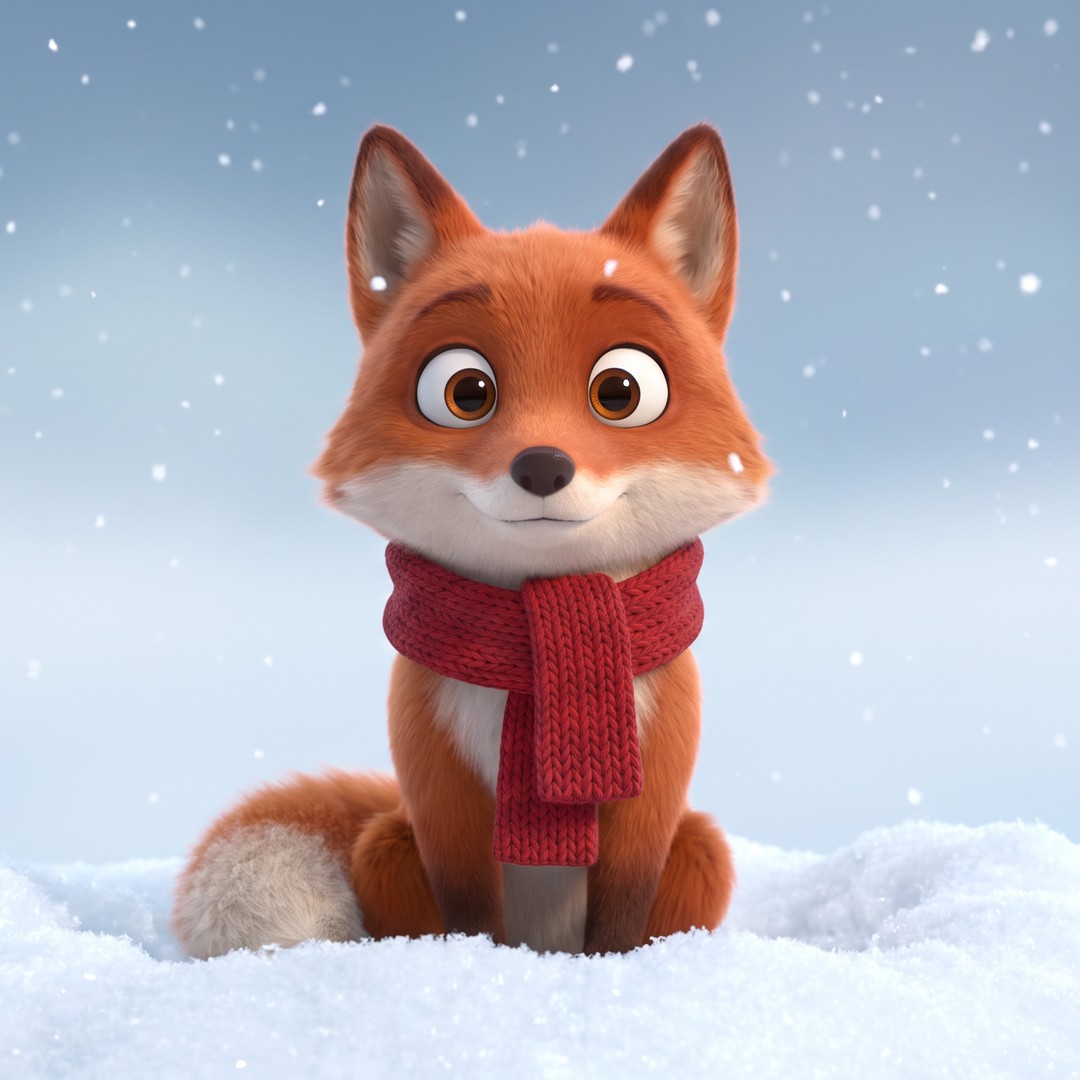
An invented animal, from still image to video
This fox never existed. It started as a still, a red fox in a knitted scarf, made in the AI animal generator. Kling 3.0, which takes start frames per Kuaishou, then animated that still for two clips: the fox padding through fresh snow, and a slow close up as it blinks.
What to keep out of your animal videos
YouTube removes staged animal rescues that put the animal in harmful scenarios, and content that glorifies neglect or harm toward animals. Keep it playful: a cat in a suit is fine, a puppy in floodwater is not.
More video and image tools for animal clips
Purchase a Subscription
Upgrade to get access to pro features and generate more and better
Basic
For newcomers taking their first steps
View Plans
Billed monthly
Included in plan
3Kcredits per month
Additional Features
Up to ~600 Image Generations/month
Up to ~97 Video Generations/month
General Commercial Terms
Image Generation Visibility: Public
4 Concurrent Image Generations
Complimentary Access
All GPT Models
All Gemini Models
All Claude Models
Unlimited Generations
10 Image Models
9 Video Models
Standard
For rising creators to level up their game
View Plans
Billed monthly
Included in plan
8Kcredits per month
Additional Features
Up to ~1.6k Image Generations/month
Up to ~265 Video Generations/month
General Commercial Terms
Image Generation Visibility: Private
8 Concurrent Image Generations
Complimentary Access
All GPT Models
All Gemini Models
All Claude Models
Unlimited Generations
Nano Banana
Runway Gen 4 Turbo
Midjourney V7
8 more Image Models
8 more Video Models
Ultimate
Peak performance for pros
View Plans
Billed monthly
Included in plan
16Kcredits per month
Additional Features
Up to ~3.2k Image Generations/month
Up to ~530 Video Generations/month
All styles and models
General Commercial Terms
Image Generation Visibility: Private
Complimentary Access
All GPT Models
All Gemini Models
All Claude Models
Unlimited Generations
All image models in Standard plan
All video models in Standard plan
Kling 2.6 Pro
Seedance 1.5 Pro
ChatGPT 1.5
Creator
A full production engine for powerhouses
View Plans
Billed monthly
Included in plan
100Kcredits per month
Additional Features
Up to ~20k Image Generations/month
Up to ~3.3k Video Generations/month
All styles and models
General Commercial Terms
Image Generation Visibility: Private
Complimentary Access
All GPT Models
All Gemini Models
All Claude Models
Unlimited Generations
All image models in Ultimate plan
All video models in Ultimate plan
Kling 3.0 Pro
Seedance 2 Fast
Nano Banana 2
What ImagineArt video creators say
ApexStudios
This is AI video creation at its finest! The model is super intelligent and creates exactly what you want and how you want. With multiple image and element references, I can direct the AI about character positions, camera angles, and scene compositions. My new go-to video tool!

Alexandra Elena
Verified User

DreamWorks
Finally, a model that delivers complete creative freedom, not just fake promises. I can try as many backgrounds as I want, manipulate objects and subjects, and even add text. This is the Photoshop of videos, incredibly fast and precise but without any software download.

Anna Chierici
Creator (IT)

Pixels
The speed at which this 25th AI video generator edits results is quite impressive. What impresses me the most is how well it maintains the quality and coherence of videos after shot extension and style changes. Highly recommended!

Anya Petrova
Marketing Designer

Shopify
I work in filmmaking and have used a ton of video tools. But I’ve never come across a model that produces and edits visuals with such accuracy. There literally is no need to make any manual edits. What a life-saver!
Ben Harris
Product Manager

TechNova
As a social media lead, I have to create a multitude of video content for daily upload. ImagineArt video editor has completely changed my workflow. Now, I can edit on the go, create UGC with image references, and even extend shorter clips with video references. A must-have for creators!

Isabelle Kim
Concept Artist
Have questions?
We have answers!
It's a tool that turns a written prompt or a photo of your pet into a short video clip. On ImagineArt you start in Create Video with a prompt or a start image, then use Extend Video if the clip needs more time.
Yes: daily credits, 720p, no watermark and non-commercial use only. Free credits cover ImagineArt's in-house video models, so Veo 3.1, Kling 3.0 and Seedance 2.5 need a paid plan. The same goes for an AI dog video generator free test on your dog's photo.
Yes. Choose Create Video and add one front-lit photo as the start image: a single animal, eyes visible, on a plain background. Use a photo you took, or one the owner allows.
Sometimes. Google, Kuaishou and ByteDance all describe Veo 3.1, Kling 3.0 and Seedance 2.5 as making sound with the video, and the live Lipsync mode makes talking videos from your own voiceover or song. Mouth movement on animal faces varies, so preview each take.
Start with Google Veo 3.1 for fur and sound: Google lists 4K output with native audio. For longer motion, like zoomies or a trot, try Kling 3.0, which runs up to 15 seconds per Kuaishou.
Seedance 2.5 is the model to try. ByteDance says Seedance 2.5 reads reference videos more precisely, and it makes up to 30 seconds per generation. Repeat the same coat, markings and setting details in every prompt.
Fast motion is where these models slip: an extra leg mid-stride, a tail that starts in the wrong spot, paws that sink into the floor. Slow the action, name one movement, and re-roll the take.
Skip staged rescues and any scene that puts an animal in distress: YouTube removes them, along with content that glorifies neglect or harm toward animals. Only upload photos of animals that are yours or that you have permission to use.
Only if it looks real. YouTube asks you to disclose a realistic AI animal video, but clearly fantastical content, like a cartoon cat in a suit or a unicorn ride, doesn't need the label.