Zahida Misher
November 18, 2026 • Updated November 18, 2026
10 mins Read
Here's how to make an AI avatar of yourself in six steps: pick a route, prepare one good photo or a 30-second recording, give it your voice, write a script, generate, and export for each platform. We'd put most of your effort into the second step, because the source photo or clip decides how much the result looks like you.
The fastest route is ImagineArt's Avatar Studio, where you can create your AI avatar from one photo and get a talking, lip-synced video in under a minute, or build a closer likeness from a 30-second recording.
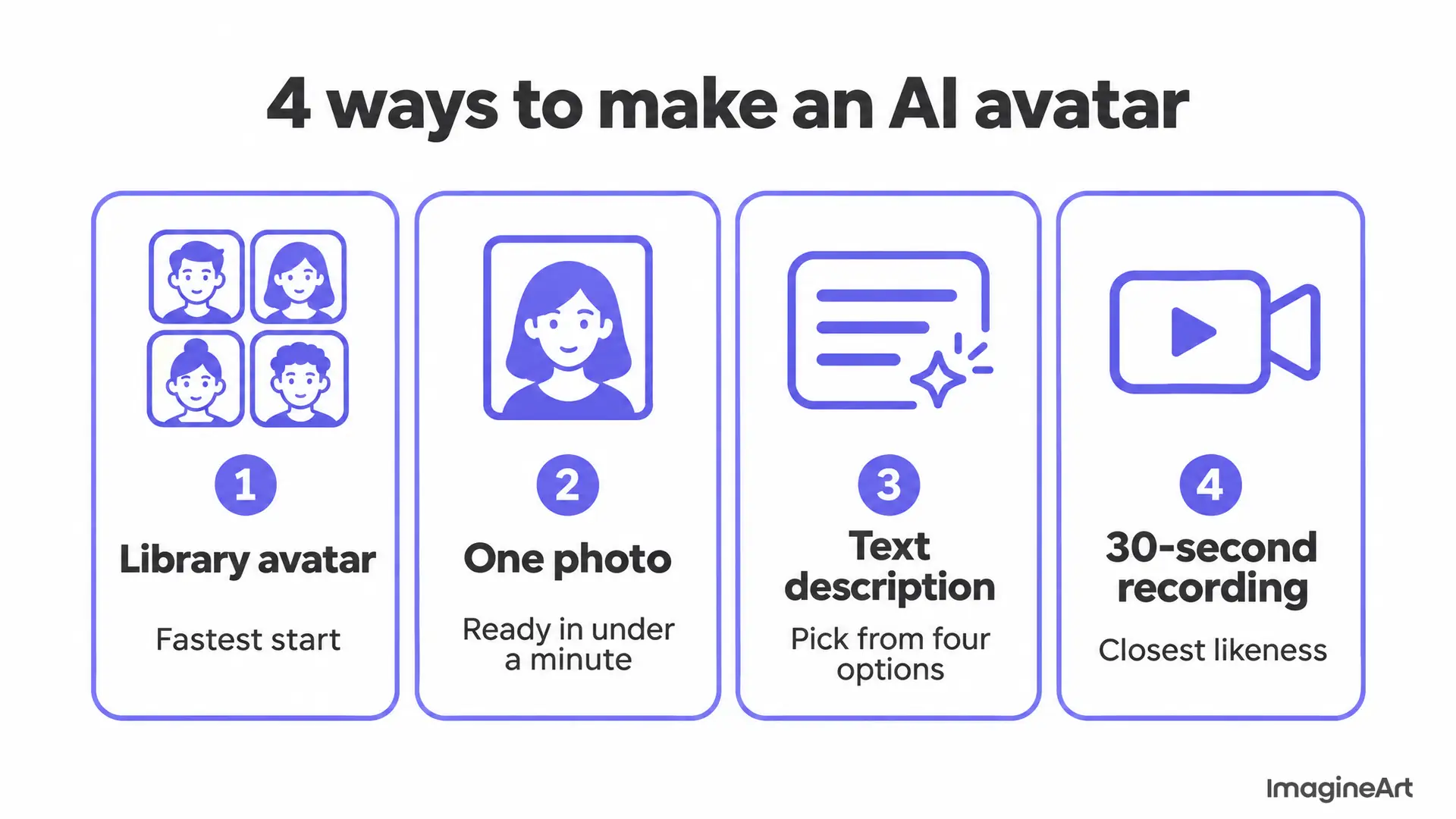 The four routes, from fastest start to closest likeness
Which kind of AI avatar should you create for yourself?
It depends on how closely the avatar must look and move like you. A photo avatar is fastest; a recorded avatar is closest. Avatar Studio offers four routes, and two of them are actually "of yourself".
| Route | What you give it | Ready in | Use it when |
|---|---|---|---|
| One photo (instant avatar) | One clear portrait | Under a minute | You want your face on video today |
| 30-second recording (studio avatar) | About 30 seconds of you talking | Longer than a photo | You'll publish often and want the closest likeness |
| Text description | A written description of a person | Four options to pick from | You want a brand character, not you |
| Library avatar | Nothing but a script | Immediately | The message matters more than the face |
Our rule of thumb: start with a photo to test whether an avatar video works for your audience, then record a studio avatar once you know you'll use it every week. Both are saved, so you build the face once and reuse it in every video after.
What you need before you start
You need four things, and none of them is a camera crew:
- Consent. Only make an avatar of yourself or of someone who has agreed to it. AI Avatar Studio ties a recorded studio avatar to the consent recording that created it, so no other account can generate video with that face.
- Source material. One sharp, front-facing portrait, or a phone that can record 30 seconds of video at eye level.
- A voice. A short recording of yourself if you want a voice clone, or a pick from the voice library.
- A first script. Two or three sentences you'd actually say out loud. You can write it on your phone.
Set aside 10 minutes for a photo avatar. Give the recorded route a little longer, mostly for setting up light.
Step 1: open Avatar Studio and choose your route
Open Avatar Studio and choose how to create your AI avatar: upload a photo, record yourself, describe a person, or pick from the library. It's free to start and doesn't ask for a credit card.
If you're unsure, choose the photo route first. It costs you one image and a minute, and the avatar is saved to your account for every video after.
Step 2: prepare a photo the AI can read
The photo is the model's only evidence of what you look like, so it can't invent what it doesn't see. A clean, front-facing, evenly lit portrait gives you an avatar that looks like you; a dim, angled selfie gives you a stranger with your haircut.
To show the difference, we generated two versions of the same fictional man with Nano Banana Pro in ImagineArt. On the left is the kind of photo to upload. The one on the right breaks four rules at once.
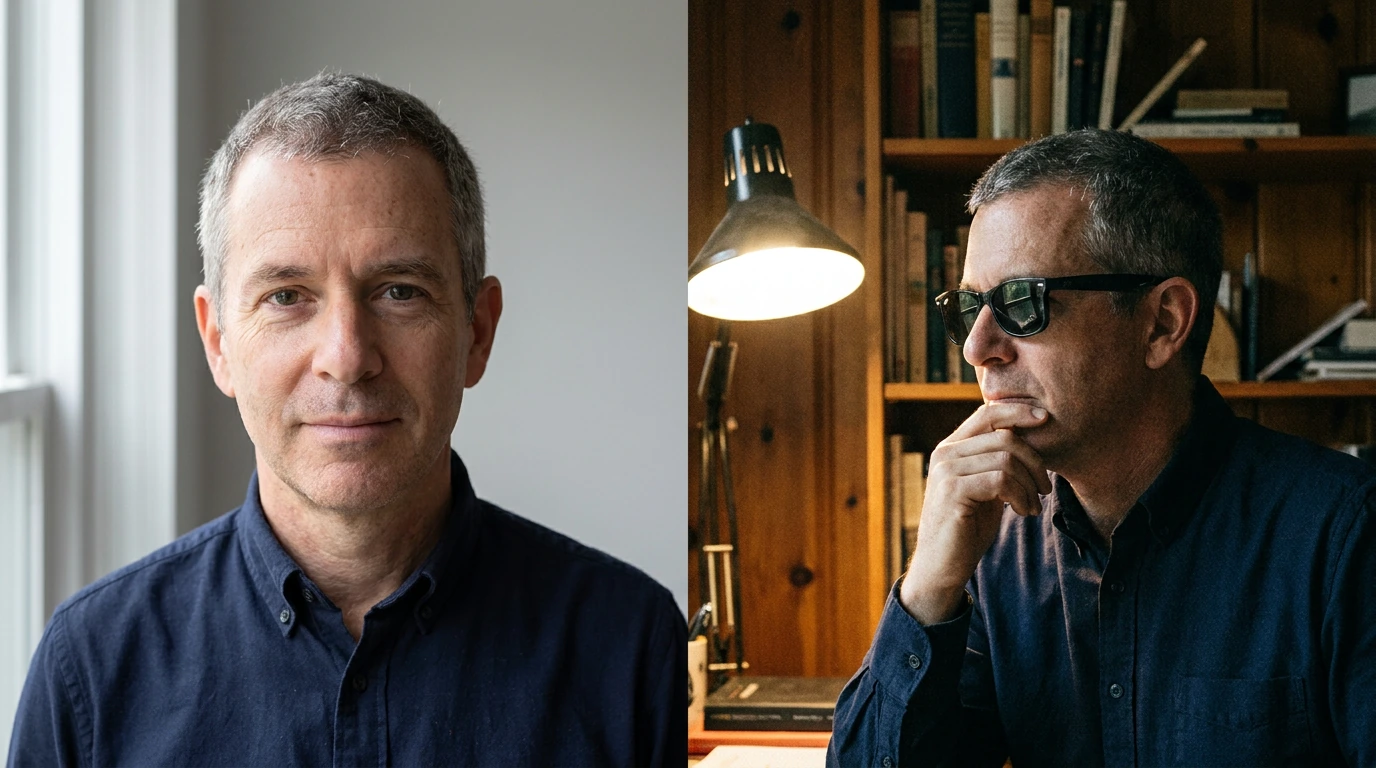 Left: upload this. Right: sunglasses, a hand on the chin, a turned face and a desk lamp
| Do this | Why it matters |
|---|---|
| Face the camera straight on, at eye level | Lip sync and head movement are built from what the face shows |
| Use soft, even light from in front of you | Hard shadows read as features and get baked into the avatar |
| Keep a plain background | Clutter around your head competes with the edges of your face |
| Show your full head and shoulders | The avatar can't add shoulders or ears the photo cropped off |
| Remove sunglasses; keep hands away from your face | Hidden eyes and mouth are exactly what the model needs |
| Use a sharp, high-resolution file | Weave, skin texture and hair need pixels |
This is the test portrait we'd hand to any avatar tool. We generated it with Nano Banana Pro from this prompt, at 16:9 and 1K: "Head-and-shoulders portrait of a fictional woman in her late twenties with straight black hair tied back, light natural makeup, wearing a plain cream blouse, facing the camera straight on at eye level with a relaxed closed-mouth smile, soft even window light from the front, plain light grey background, sharp focus on the eyes."
It came back with both shoulders in frame, sharp eyes and nothing touching the face. Your own photo should hit the same marks.
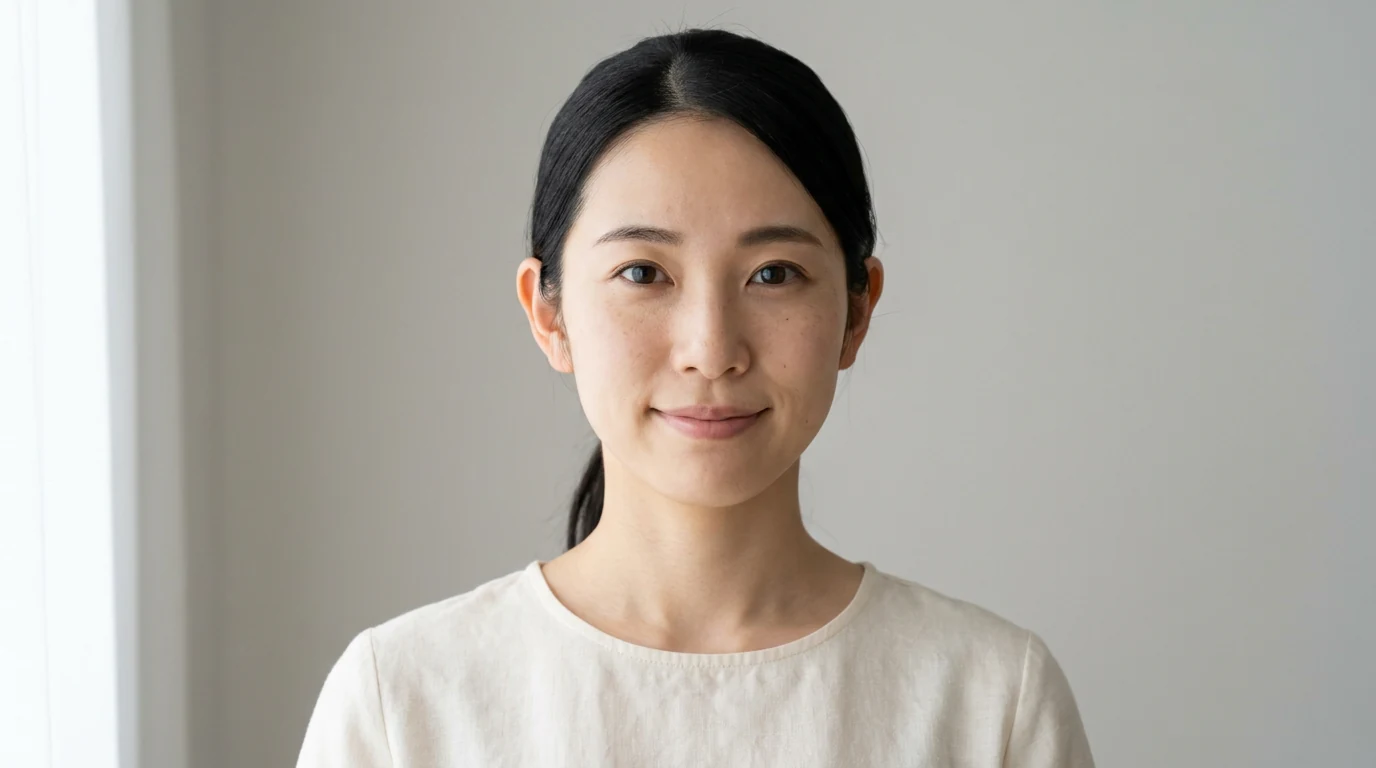 A source photo that ticks every box: straight on, evenly lit, plain background
Only have a small or soft photo? Avatar Studio's own page suggests sharpening it first with the Magnific image upscaler before you upload.
Step 3: or record 30 seconds for a closer likeness
A studio avatar comes from about 30 seconds of video of you talking. The recording captures how you move and speak, so the result is a closer likeness than a photo, and it's bound to your consent. That's less footage than many tools ask for: Synthesia's custom avatar page asks you to read a script on a webcam or upload 2 to 3 minutes of footage for a personal avatar.
Here's how we'd set up those 30 seconds:
- Prop the phone at eye level, about an arm's length away, in landscape or portrait depending on where most of your videos will run.
- Face a window so daylight falls on your face, not behind you.
- Stand or sit in front of a plain wall. You don't need a green screen: Avatar Studio places the avatar on preset sets, generated backgrounds or images you upload.
- Clip on a lavalier mic if you plan to clone your voice from the same session.
- Talk naturally to the lens for the full 30 seconds. Read a short paragraph, pause, and smile once; the model learns your resting face too.
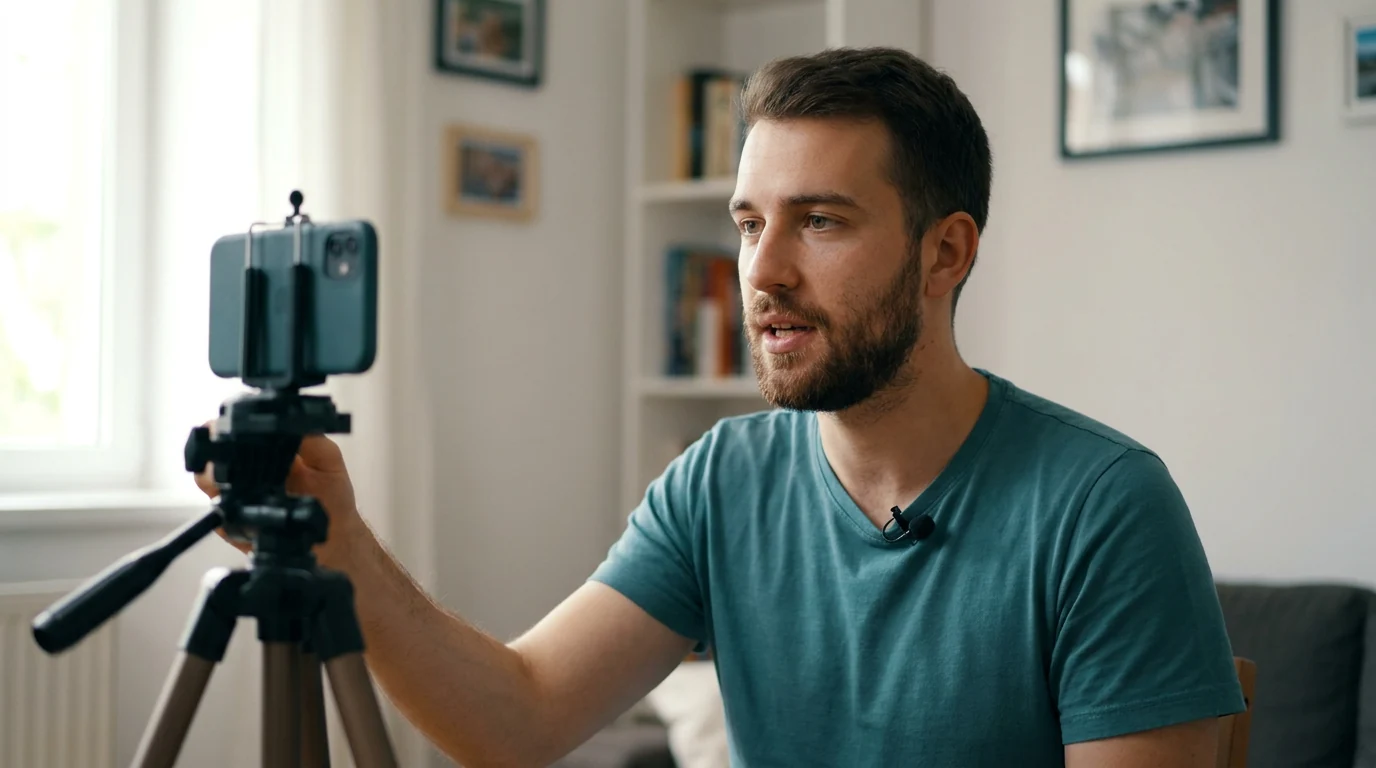 Phone at eye level, mic on and press record.
If you're building a reusable version of yourself to publish every week, our page on the AI digital twin covers who that route suits: founders, coaches, agents and course creators whose audience follows the person. Comparing tools? See our HeyGen alternatives.
Step 4: give your avatar your voice
You have three options, and they sit in the same panel as the script:
- Clone your own voice from a recording made in the browser or an uploaded file. The clone carries into every language the avatar speaks.
- Pick a library voice if you'd rather not use your own, or choose a narrator from AI text to speech in Audio Studio.
- Upload recorded audio and the avatar follows its accent, pitch and emotion. Use this when the delivery itself matters, like a founder's own read.
For a clean clone, record in a quiet, soft-furnished room and speak at your normal pace. Curious why some synthetic voices sound flat? This explainer on how neural text to speech works covers what changes between engines.
Step 5: write the script and generate
Write the way you talk, then press Generate. Avatar Studio returns a voiced, lip-synced video of your avatar reading the script.
A few things we check every time:
- Short sentences. If you'd trip over a line reading it aloud, the voice will too.
- Names, numbers and brand terms. Listen for them first; they're where a voice most often stresses the wrong syllable.
- One idea per scene. For a longer video, add scenes, each with its own lines, shot and background.
- Fix the line, not the video. If one sentence is wrong, edit that line and regenerate; the avatar, set and pacing come back the same.
Step 6: export for every platform
Export the aspect ratios you need from the same take: 9:16 for Reels, TikTok and Shorts, 4:5 and 1:1 for feeds, and 16:9 for YouTube.
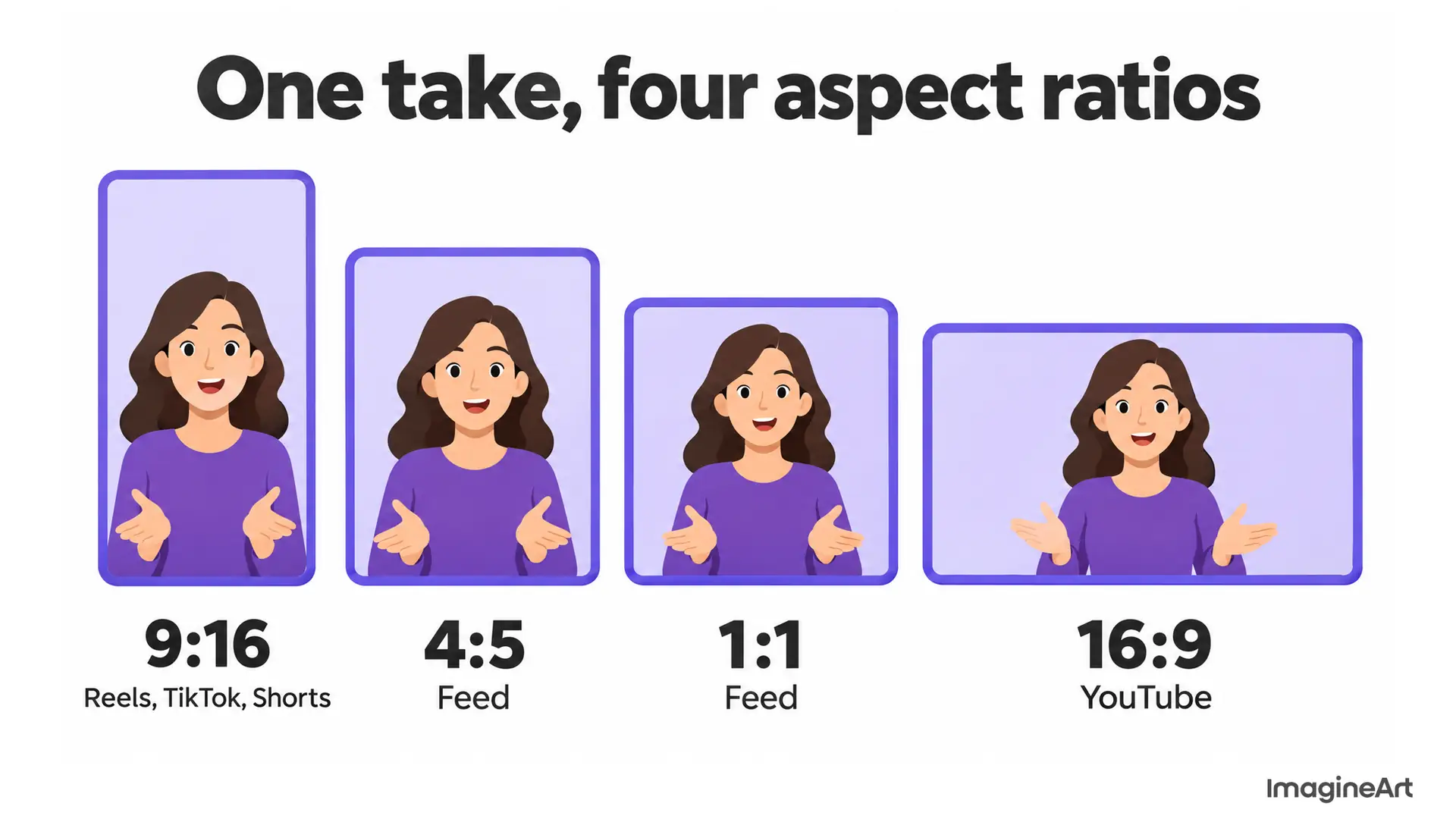 One take, four placements, no reframing
Three finishing touches make the video work harder:
- Captions. Most feeds autoplay muted, so add subtitles to your video before posting.
- Other languages. Your avatar can speak 50+ languages. To re-voice a video you've already filmed instead, use the AI video translator.
- B-roll. Cut away from the talking head with product or scene shots made in the AI video generator.
How to create an AI avatar for free
You can start for free. Avatar Studio needs no credit card to begin, and paid ImagineArt plans start at $13 a month, as of November 2026. The catch is commercial use: paid plans include it, while the free plan is for trying the studio. If the video sells something, run it on a paid plan. The current plan limits list what each tier includes.
Do you need to label an AI avatar of yourself?
Sometimes, and it depends on the platform and the market. Three rules are worth knowing before you publish:
- YouTube. YouTube's AI disclosure rules require a label on realistic AI content, such as making a real person appear to say something they didn't. Cloning your own voice for voiceovers or dubs is on its list of things that don't need disclosure. A photorealistic avatar video of you is a judgement call, so when in doubt, tick the box: YouTube says disclosure alone won't limit reach or monetization.
- The EU. Under the AI Act's Article 50 transparency rules, which apply from 2 August 2026, anyone publishing a deepfake (realistic AI video resembling a real person) must disclose that it's AI-generated.
- Ads in the US. The FTC's rule on fake reviews and testimonials covers testimonials from people who don't exist, including AI-generated ones. An avatar of you can present your brand, but it must never pose as a customer.
This isn't legal advice. Check each platform's current policy before you post.
Common mistakes, and the fix
| Problem | Likely cause | Fix |
|---|---|---|
| Avatar doesn't look like you | Angled, dim or filtered source photo | Re-shoot straight on in window light, or record a studio avatar |
| Mouth looks off on certain words | Names, numbers or jargon in the script | Spell them out the way you say them, then regenerate that line |
| Voice sounds robotic | Long, written-style sentences | Rewrite as you'd say it; split long sentences |
| Video looks cramped on Reels | Exported in the wrong ratio | Export 9:16 from the same take |
| Hands or accessories look odd | Hands near the face in the source | Use a photo with hands out of frame |
Make your avatar this afternoon
That's how to make an AI avatar that actually looks like you. Start with one good photo: straight on, window light, plain wall. Generate a 20-second test with a script you'd actually say, listen for names and numbers, then export it in 9:16. If it earns a place in your weekly content, record the 30-second studio version and clone your voice.
Ready? Create your AI avatar in Avatar Studio. It's free to start, and the first video takes about a minute.
Frequently asked questions
How do I create an AI avatar of myself?
Upload one clear, front-facing portrait to Avatar Studio for an instant avatar, or record about 30 seconds of yourself talking for a studio avatar. Then add a voice, type a script and generate a lip-synced video.
How do I create an AI avatar of yourself for free?
Start on the free plan: Avatar Studio needs no credit card, as of November 2026. Use the free plan to test; commercial use comes with paid plans.
How do I create an AI avatar video?
Create or choose the avatar, set the voice, script and background in one panel, then press Generate. Review it once with sound before exporting the aspect ratios you need.
How many photos do I need?
One. A single clear portrait is enough for an instant avatar. For the closest likeness, record a 30-second studio avatar instead.
Can my AI avatar speak languages I don't?
Yes. The avatar speaks 50+ languages, and with a cloned voice it still sounds like you. Write in your own language and pick a voice in the target language.
Can someone else make an avatar with my face?
Not from a studio avatar. It's bound to the consent recording that created it, so the likeness can't be generated from another account. Only upload photos of people who've agreed to it.
Zahida Misher
Exploring how AI transforms marketing, I help businesses unlock growth and future-proof their presence.