
Tooba Siddiqui
November 4, 2025 • Updated September 25, 2026
19 mins Read
You must have seen, or overloooked, this particular phrase on most of AI image generation tools and their plans: commercial use allowed. While it sounds promising, these three words and their variations have become one of the most misleading claim in generative AI. It can mean a couple of things: you own the image you generate, you can share the image you generate anywhere, you get copyrights, or you get nothing at all.
So yes, you can use AI images commercially, but only if the license for your specific plan covers it. Adobe Firefly is the safest pick when you need legal protection, and ImagineArt and Envato combine generation and editing in one subscription.
Key Takeaways
- A tool's license decides whether an image is safe for commercial use, so check it before you check the image quality
- Free plans often restrict commercial use, require attribution, or make your images public
- Owning an image under a tool's terms is not the same as holding a copyright on it, since purely AI-generated images generally can't be copyrighted in the US
- IP indemnification, where the provider covers you if an image infringes someone else's rights, is available from only a few tools, and usually only on paid or enterprise plans
- No license protects you if an image contains a real brand's logo, a recognizable person or a copyrighted character
What Counts as Commercial Use?
"Commercial use" covers a wider range of work than most people assume, and a license that covers one level may not cover the next:
- Internal use: mood boards, pitch decks and concept work that never leaves the company
- Content you monetize: blog images, YouTube thumbnails and social posts on channels that earn money
- Client work: images you create and hand over to a client, who then uses them in their own business
- Advertising, packaging and merchandise: paid ads, product labels, printed goods and anything sold with the image on it
The further down this list you go, the more the license terms matter, and the more useful indemnification becomes.
How We Compared the Image Generators for Commercial Use
We reviewed each AI image generator's terms of service, license terms and pricing page, looking at five things:
- whether free-plan images can be used commercially
- who owns the output
- whether the provider offers IP indemnification
- whether free-plan images carry a watermar
- the starting price for commercial use.
Quick note: Terms and prices change often, so check each tool's current terms before relying on them for client or paid work.
Commercial Terms at a Glance
| Tool | Commercial use on free plan | Output ownership | IP indemnification | Image visibility | Starting price |
|---|---|---|---|---|---|
| Adobe Firefly | No, watermarked; paid plan required | Yes, on paid plans | Paid plans, Adobe's own models only | Not stated | $9.99/mo |
| ImagineArt | Commercial terms on paid plans | Not stated | Not stated | Public on Basic and Standard; private on Ultimate and Creator | $13/mo |
| Envato | No free plan | Lifetime commercial license | Not stated | Not stated | $16.50/mo, billed annually |
| Canva AI | Limited, watermarked; full license on paid plans | No exclusive ownership | Enterprise only, via Canva Shield | Not stated | $18/mo per person |
| Leonardo AI | Yes, but Leonardo owns free-plan images | Yes, on paid plans | Not stated | Public on free plan; private on paid plans | $12/mo |
| Magnific AI | Attribution always required | Full copyright not guaranteed | AI output: Enterprise only. Stock: all plans, capped per claim | Not stated | $20/mo |
| Stable Diffusion | Recent models: free under $1M annual revenue. SDXL: no revenue limit | Stability claims no rights; you're accountable | No | Private, when self-hosted | Free to self-host |
Pricing and terms checked: 25 September, 2026
Top AI Image Generators for Commercial Use
Here’s a breakdown of the top seven AI image generators for commercial use:
1. Adobe Firefly
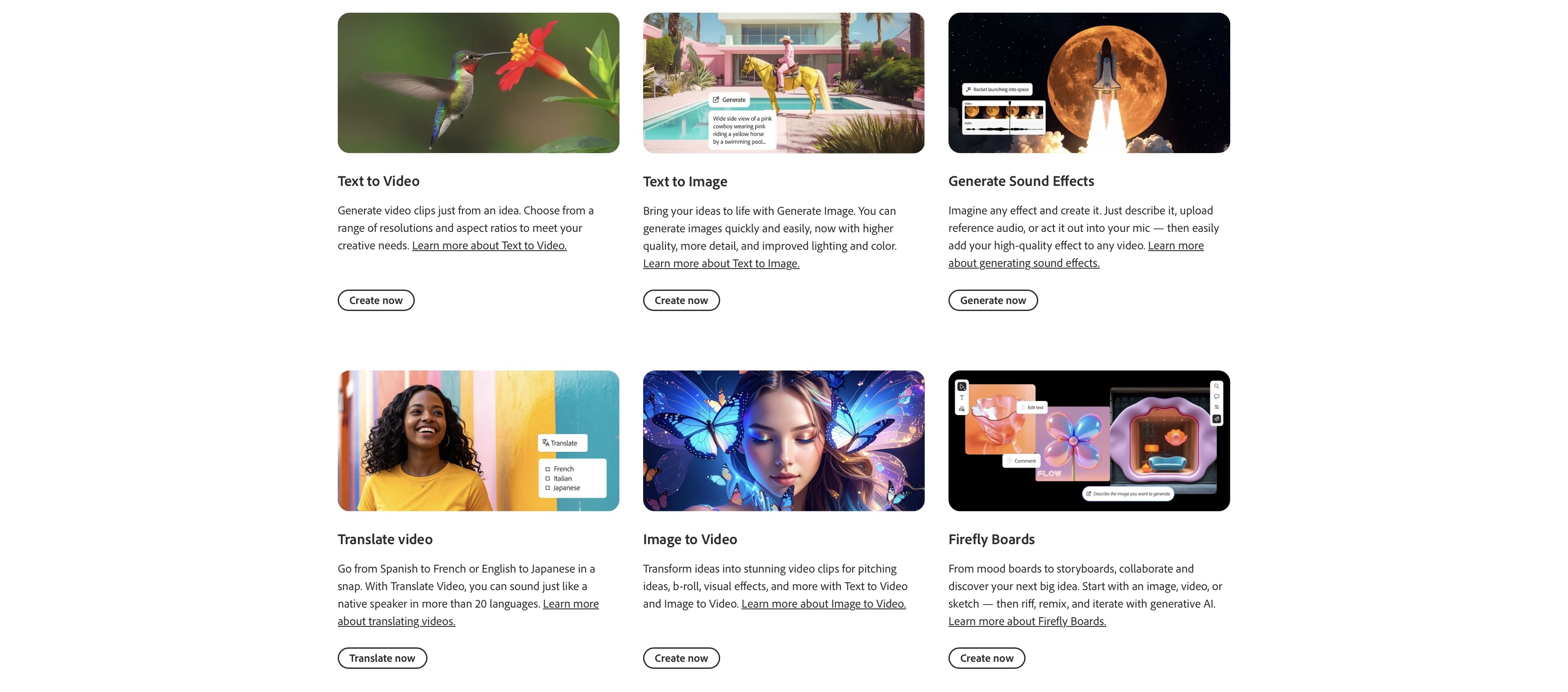
Adobe Firefly is a benchmark of its own, featuring generative AI model integration with Adobe tools. It includes AI image, audio, and video generation, along with editing features using a single prompt. Its main advantage for commercial work is its training data and legal backing, which make it the most cautious choice on this list.
Key Features
- Adobe Firefly allows you to train custom models based on your assets and style guides to ensure consistency and alignment with brand voice.
- Adobe Firefly is trained on licensed Adobe stock content to avoid copyright infringement and intellectual property violation issues.
- The platform offers a collaborative workspace, Firefly Boards, that allows different teams to brainstorm ideas, gather assets, generate and edit AI content, and sketch out drafts for future creations.
- Along with AI image, video, and audio generation, Adobe Firefly also supports scalable vector graphics creation via text prompt. It is perfect for generating logos and patterned visuals.
- With Adobe Firefly, you can create marketing campaigns, product shots, design prototypes, and more, making it ideal for eCommerce websites and marketing agencies.
Commercial Use/License
Images from Adobe's own Firefly models are designed to be commercially safe, and paid plans include IP indemnification, meaning Adobe will cover you if an image is found to infringe someone else's rights. That assurance doesn't automatically extend to the third-party models now available in the Firefly app. Adobe's own FAQ on partner models says users decide which models to use and are responsible for determining whether a partner model is appropriate for their project. For commercial work where legal protection matters, stick to Adobe's own Firefly models.
Pricing
Adobe Firefly comes with Creative Cloud subscriptions:
- The free plan allows for restricted access to AI features and asset generation.
- The standard plan costs around $9.99/month and includes 2,000 generative credits per month.
- The pro plan costs around $19.99/month and includes 4,000 generative credits per month.
- The premium plan costs around $199.99/month and includes 50,000 generative credits per month, with unlimited access to generative AI features like Text to Video.
Limitations
- Firefly's free plan comes with watermarks that can’t be removed, restricting free access for commercial use.
- You need a paid plan subscription to utilize Adobe Firefly for commercial use.
- Partner models in the Firefly app don't carry Adobe's commercial-safety assurance, so you're responsible for checking whether their output suits your project.
2. ImagineArt
ImagineArt offers a complete AI creative suite for creators, creative agencies, and professionals who want to generate images and videos on one platform. The platform provides you with stylistic diversity, ranging from photorealism and cinematic to animations and anime. It supports both text-based prompts and reference images to maintain style and visual consistency.
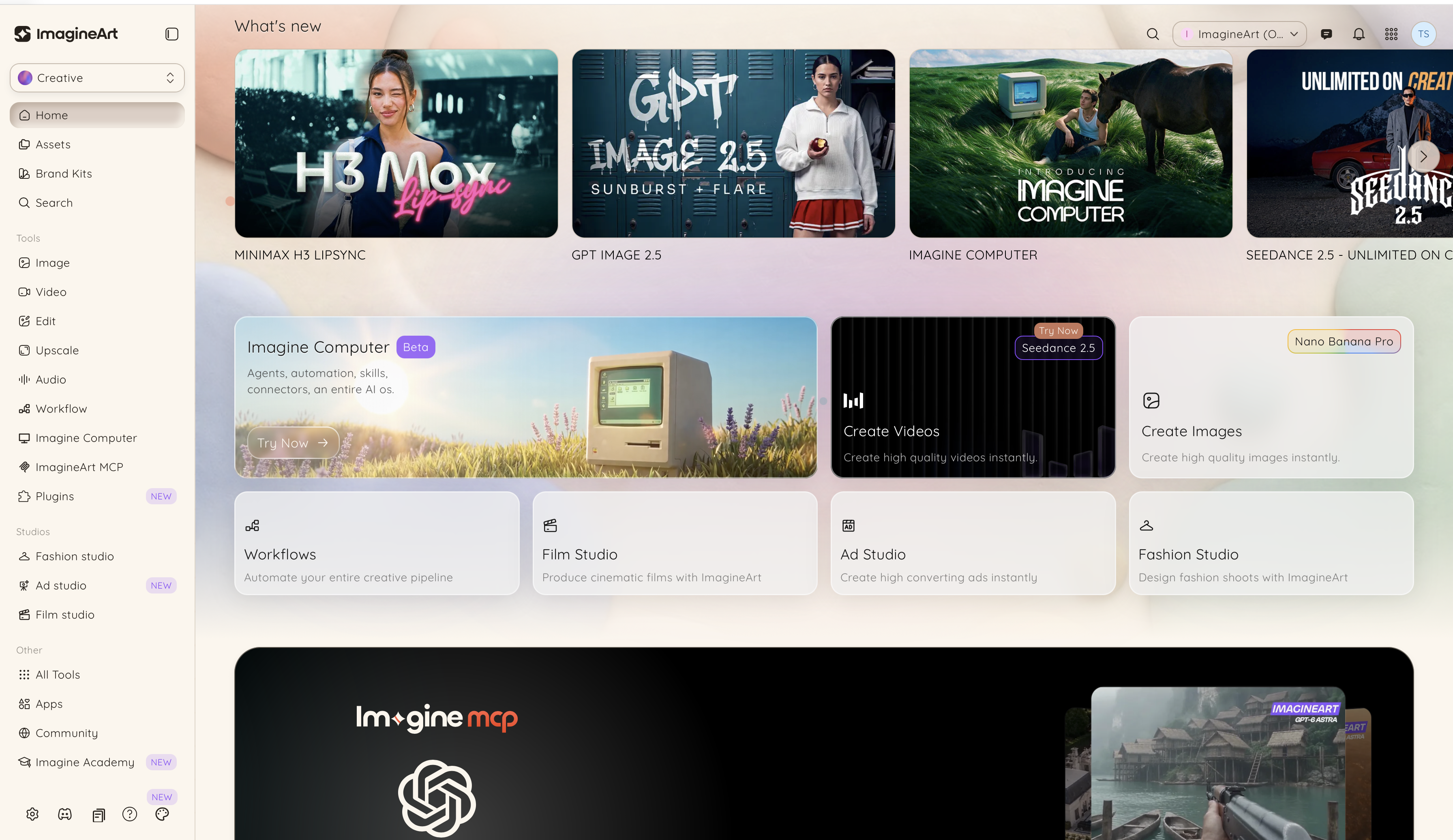 ImagineArt AI dashboard
Key Features
- ImagineArt AI image generator features top-notch AI image generation models, including Nano Banana Pro, Seedream v5, ImagineArt 2.0, GPT-Image 2.5, and more, compared side by side in our blind test of the best AI video generation models.
- It features a built-in AI image upscaler that gives you creative freedom to improve the quality of your visuals
- ImagineArt AI video generator features popular AI video generation models, including Seedance 2.5, MiniMax H3, Veo 3.1, Kling 3.0, FLUX 3, and more. It features an AI video editor, letting you add enhancements and fine-tune video aspects.
- The ImagineArt AI voice generator and music generator to produce soundscapes, music, narrations, and audio cues for your videos.
- The platform features a node-based collaborative workspace, ImagineArt Workflow, that allows you to share and create assets with your teams.
- It also includes the ImagineArt community, a dedicated space for sharing your creations, exploring images and videos created by others, and engaging with other creators.
Brands already use ImagineArt for commercial production. Framon Group's three-person marketing team produces all of its commercial imagery in-house, and WithFeeling, a creative agency, has had AI-generated work published in editorial magazines. See more in ImagineArt's business case studies.
Commercial Use/License
Every paid ImagineArt plan includes commercial terms, and paid subscribers can use generated images in commercial projects. Image visibility depends on your plan: generations on Basic and Standard are public, while Ultimate and Creator keep them private, which matters for client work or products that haven't launched yet. As with any AI tool, user can not reproduce logos, trademarks or other protected content without permission. Since the copyright law around AI-generated content is evolving, ImagineArt advises to consult a legal professional for your jurisdiction and use case.
Pricing
ImagineArt offers a credit-based pricing model.
- The free plan comes with 100 free daily credits.
- The basic plan starts at $13/month with up to 3K credits/month.
- The standard plan starts at $30/month with up to 8k credits/month.
Limitations
- Generations on Basic and Standard are public, so client or confidential work needs Ultimate or above
- Credit costs vary by model, so premium models use up credits faster
3. Envato
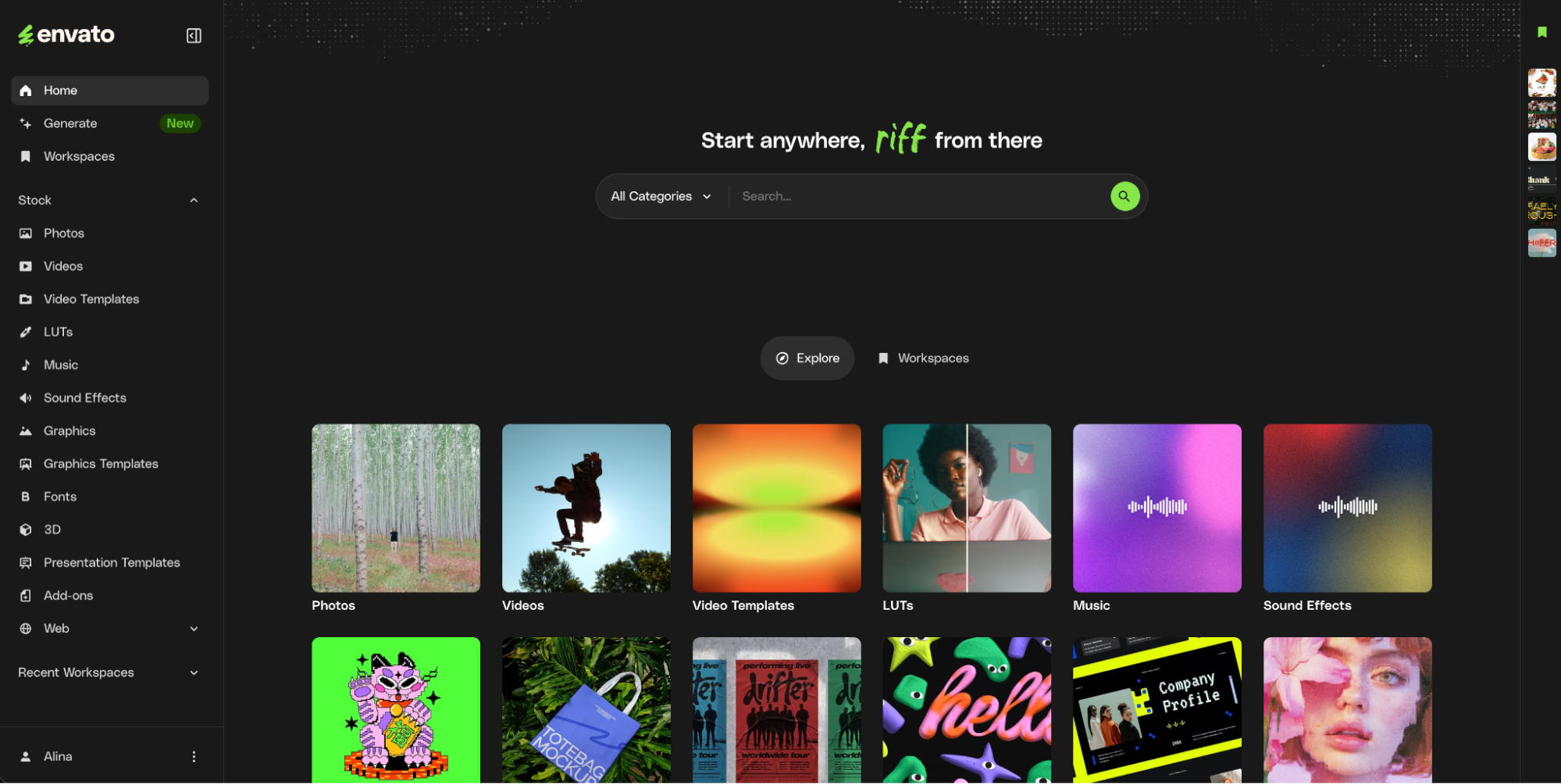
Envato is an all-in-one creative asset toolkit that combines a full set of AI tools with a broad stock catalog in one subscription. For commercial work, its distinguishing feature is that AI generation doesn't stand alone: you can generate an image or video, then finish it with licensed stock footage, music, fonts, and templates from the same catalog, all under a single commercial license. Envato takes a model-agnostic approach, routing each prompt to a well-suited model behind the scenes rather than asking you to choose.
Key Features
- Envato's AI Image generator creates images from text prompts or reference images, automatically routing each prompt to a well-suited model from leading providers like Google and OpenAI, so results stay strong without manual model selection. A "generate similar" option keeps visual consistency across a set.
- Envato's AI Video generator produces 1080p clips from prompts or a reference image, with built-in editing to extend, reframe, and swap subjects. These are useful for keeping a product or character consistent across a campaign.
- AI Music and AI Voice generation for soundtracks, narration, and audio cues to finish video projects.
- The world's broadest stock catalog (stock photos, video, fonts, graphic templates, 3D and more) sits alongside the AI tools, so generated and licensed assets live in one workflow.
- AI variants on stock assets and intent-based search across the catalog.
Commercial Use/License
Every asset you generate or download carries a lifetime commercial license that covers client, campaign, and commercial work, and holds even after cancellation. Outputs are watermark-free.
Pricing
Envato uses a flat subscription model rather than credits, billed annually:
- Core starts at $16.50/month, with a set number of monthly AI generations.
- All plans include unlimited stock downloads
Limitations
- Browser-based, so it requires a stable internet connection.
- Individual AI models aren't user-selectable; the platform routes automatically, which favors convenience over manual model control.
4. Canva AI
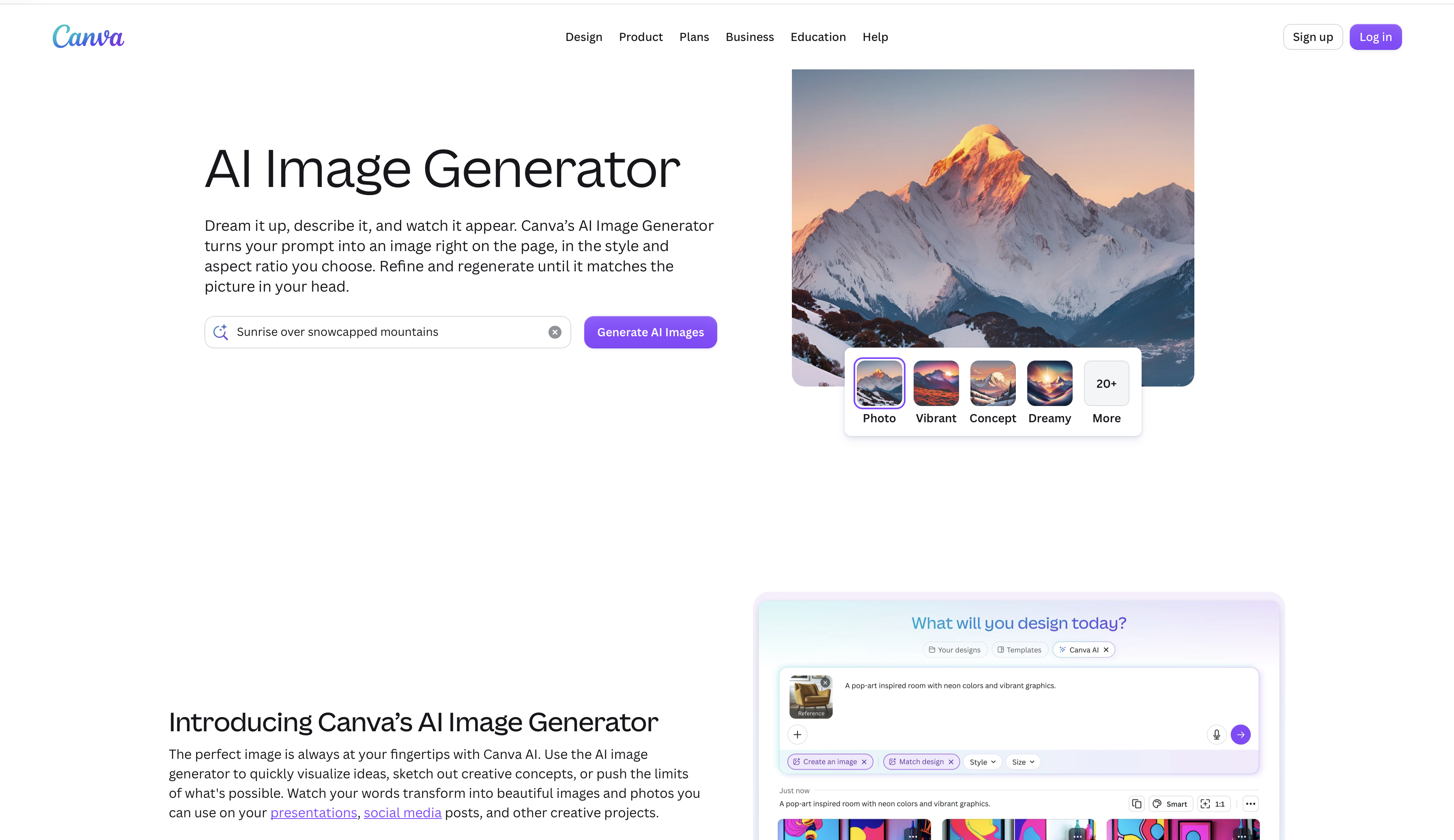
Canva AI is designed to expedite, improve, and automate the AI content creation process, including a dedicated design dashboard for both professional and personal asset creation. It is perfect for large-scale marketing teams, small businesses, freelance designers, advertising agencies, and social media content creators.
Key Features
- Canva AI features ‘Magic Design’ tool that can generate editable templates and suggest tailored style, color palette, and design suggestions.
- It offers comprehensive AI image generation and editing tools to replace, resize, reposition, and edit objects, along with features to remove background and extend the boundaries of images.
- It comes with ‘Magic write’ tool that allows you to write text and create drafts, summarise text, and create captions directly within the editor.
- Canva AI features AI image generator and AI video generator for creating high-quality images and videos using text and image prompts, along with an extensive template, image, and video library.
Commercial Use/License
You can use Canva AI images commercially, but you don't get exclusive ownership of them, so others could generate or use similar content. Canva offers indemnification through Canva Shield on Enterprise plans. Premium stock and full commercial licensing require a paid plan.
Pricing
- The free plan comes with basic AI features and image and video generation with watermarks and limited access to stock content.
- The pro plan costs around $18/month/person with access to premium templates, stock content, and full commercial license.
- The business plan costs around $25/month/person with higher AI access for better creation and collaboration tools and features.
Limitation
- No exclusive ownership of generated images
- Free-plan export restrictions, with transparent PNGs available only on paid plans
5. Leonardo AI
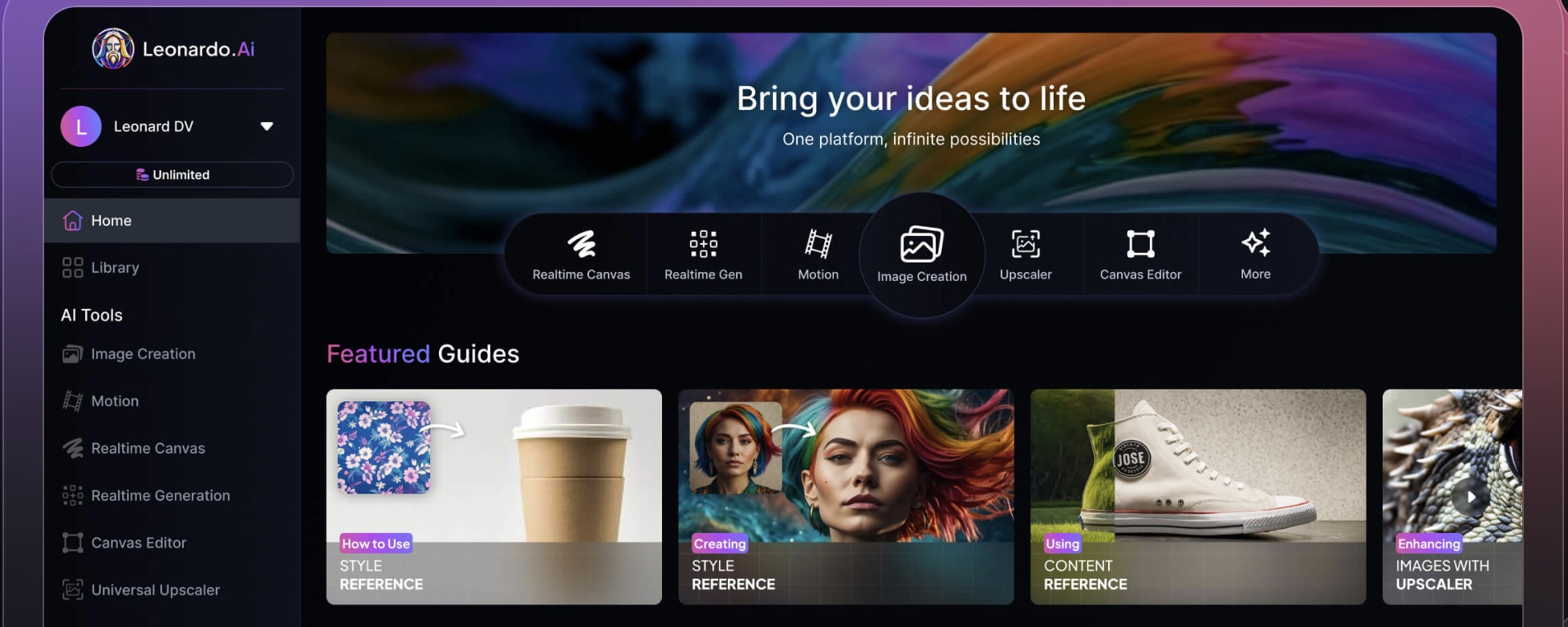
Leonardo AI is a comprehensive platform for high-quality image and video generation with extensive customization options, making it a perfect tool for designers, cinematic concepts, marketing visuals, product mockups, gaming art, and more.
Key Features
- Leonardo AI comes with a built-in AI image generator and AI video generator, letting you create both static and animated assets with strong prompt adherence and creative control
- The platform features a dedicated AI Canvas editor for detailed and creative manipulation of images, including background removal, object addition and removal, image extension, layering, and more.
- It allows you to create and train custom models to ensure consistency with brand aesthetics and stylistic preferences.
- The upscaling tool lets you improve image resolution and detailing of the generated image. It also includes a 3D texture generator to create realistic and custom textures for 3D models and objects— perfect for game developers and 3D artists.
- The platform includes a community gallery that you can access and explore for design and creative inspiration.
Commercial Use/License
The images created using the free plan have a non-exclusive and royalty-free license for commercial use, but the platform holds the ownership rights for the creations. All images are public. For paid plans, the user maintains both the full ownership and intellectual property rights and can use the creations for any commercial use.
Pricing
- The free plan comes with 150 daily fast tokens and limited generation and community access.
- The Essential plan costs around $12/month (excluding taxes) with a monthly 8,500 fast token and private creation access.
- The Premium plan costs around $30/month (excluding taxes) with monthly 25,000 fast tokens and unlimited image generation for select models at a relaxed pace
- The Ultimate plan costs around $60/month (excluding taxes) with monthly 60,000 fast tokens and unlimited image and video generation for select models at a relaxed pace
Limitations
- Free-plan images are public and owned by Leonardo, so they're not suitable for client work
- Generation speed depends on demand and your plan
6. Magnific AI (formerly Freepik AI)
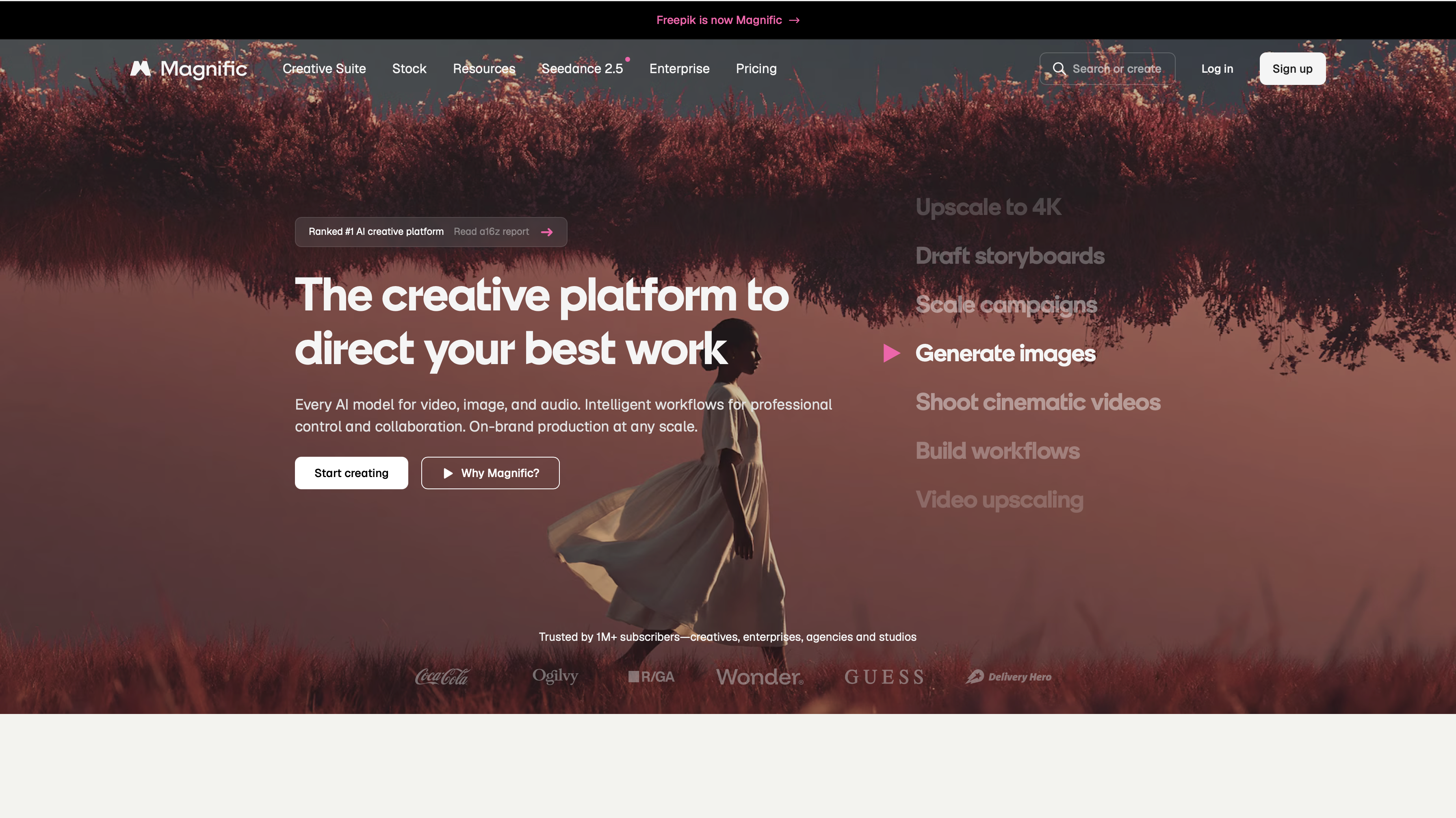
Magnific AI is known for offering one of the largest and most diverse asset libraries, with well-integrated image and video generation features. It comes with affordable AI image generation costs, allowing marketers and designers to create quality visuals for ads, websites, posters, banner ads, and printable media.
Key Features
- Mystic 2.5, Magnific's own image model, alongside third-party models including Imagen, Ideogram and Flux
- The platform also supports AI video generation, featuring Seedance, Hailuo, Runway, and more models, letting you create quality videos through text prompts, along with an editor to apply different filters, effects, and presets.
- It features video editor to create tailored content by combining clips, adding music or audio cues, and adding text and captions.
- Magnific AI comes with an image upscaler to improve image quality, image expander for resizing the visuals, and a retouch/erase tool for removing and replacing objects/elements from the visuals.
- It also features a text-to-speech generator that can generate professional-grade narrations and voiceovers.
Commercial Use/License
Magnific allows AI-generated images and videos to be used commercially on paid plans, with no attribution required. Free-plan use always requires visible attribution: "Designed by Magnific," with a link to magnific website, placed where your audience can clearly see it.
Legal protection is where Magnific differs most from its stock offering. Standard plans indemnify stock content, up to €50,000 per claim on Premium+ and Pro, but explicitly exclude AI-generated content. Protection for AI output is available only to Enterprise customers under their agreement, and it excludes prompts that include registered trademarks and continued use after an infringement notice. Magnific also notes that full copyright ownership of AI content "may not be guaranteed in all jurisdictions."
Two restrictions matter for commercial work: Magnific resources can't be used in logos or trademarks, and its merchandise license, which covers putting assets on physical products, excludes AI-generated content.
Pricing
- The free plan comes with restricted access to AI image generation features, with 20 images per day.
- The premium plan costs around $20/month with 20K credits/month.
- The premium+ plan costs around $45/month with 45K credits/month.
- The pro starter plan costs around $110/month with 112.5K credits/month (with Nano Banana 2, 2K) and 300K credits/month (Nano Banana 2 (2K) + Nano Banana Pro).
Limitations
- No indemnification for AI-generated content except on the Enterprise plan
- AI-generated content is excluded from the merchandise license for physical products
- Free-plan use requires visible attribution
- Different models use credits at different rates, which makes costs hard to predict.
7. Stable Diffusion
Stable Diffusion is a powerful and open-sourced image generator, allowing developers to self-host the model with hardware computational requirements, high control over image customization, and the ability to fine-tune generated images. It is one of the best AI image generators for commercials, architectural visualization, concept prototyping, brand photography, and branding assets.
Key Features
- The model can be installed locally, allowing you more control over the workflow, creations, and data privacy.
- Stable Diffusion allows for creating detailed and incredible quality images using natural language prompts and reference images to guide the AI about composition, style, color scheme, and more.
- The platform offers image editing features, including tools to modify and regenerate specific elements, add/remove objects, along with an image extension tool to expand the existing visual beyond the current borders.
- It can create images in versatile styles, ranging from photorealism, line art, photography, 3D, watercolor painting, and more.
- It allows for video and animation creation using dedicated extensions and workflows.
Commercial Use/License
Commercial use depends on the model version, and the licenses differ more than most people expect.
Recent Stability AI models, including SD3 Medium, use the Stability AI Community License, which allows free commercial use as long as your organization's total annual revenue stays under $1M. That threshold counts all of your revenue, not just income from the images. Above it, you need a separate Enterprise license from Stability.
SDXL 1.0 uses the CreativeML Open RAIL++-M License, which allows commercial use with no revenue threshold. Stability claims no rights in the images you generate, but you're accountable for them and how they're used, and the license bans certain uses, such as defamation, harmful misinformation and anything illegal.
Both models come "as is," with no warranty and no indemnification, so legal responsibility for what you publish sits entirely with you.
Pricing
Free to download and run on your own hardware. Hosted versions and Stability AI's API are priced by the provider.
Limitations
- Recent models require an Enterprise license once your business passes $1M a year in revenue; SDXL doesn't, but it's an older model
- Licensing varies by model version, so check each model's terms
- Requires technical setup and a capable GPU to run locally
Which AI Image Generator Is Best for Your Commercial Use?
- Safest for enterprise and regulated industries: Adobe Firefly, using its own models, since paid plans include indemnification. For larger teams, Magnific's Enterprise plan and Canva's Enterprise plan (through Canva Shield) also add legal protection.
- Best for generating images, video and audio in one subscription: ImagineArt, with access to many image and video models plus audio tools. Choose Ultimate or above for client work, since lower plans make generations public.
- Best for pairing AI with a stock library: Envato, where generated images and licensed stock footage, music and fonts sit under one license.
- Best for teams already designing in Canva: Canva AI, as long as you don't need exclusive ownership of your images.
- Best for custom models, concept art and game assets: Leonardo AI, on a paid plan, where you own your images and keep them private.
- Best for high-volume marketing visuals: Magnific AI, with its large asset library, though AI-generated images can't go on merchandise under its license.
- Cheapest at scale for technical teams: Stable Diffusion, self-hosted, once you've checked which model license applies.
Once you have picked the right AI image generator for commercial use, read our AI Image Prompting Guide to create AI images.
Before You Use an AI Image Commercially
- Check your plan. Is the plan you used licensed for commercial use, or only for personal use?
- Check ownership. Do you own the image outright, or hold a non-exclusive license that others share?
- Check indemnification. If the image is for paid ads, packaging or a client, does the provider cover you if a claim comes up?
- Check the image itself. Does it contain a real brand's logo, a recognizable person or a copyrighted character? No tool license covers those.
- Save the terms. Screenshot the license terms at the time you generate the image, since terms change and you may need to show what applied then.
Final Thoughts
Choosing the right AI image generator for commercial work depends on your goals, workflow, and how much control you want over output quality. Finding the right tool requires exploration and experimentation — so define your requirements, test out a few tools, and take complete advantage of free access plans!
Frequently Asked Questions
Can I use AI-generated images commercially?
Yes, if the tool's license allows it for the plan you used. Many tools restrict commercial use on free plans, add watermarks, require attribution, or keep ownership of free-plan images, so check the terms for your plan before publishing.
Do I own the images I create with AI?
It depends on the tool and the plan. Leonardo AI gives you full ownership on paid plans, while it keeps ownership of free-plan images. Canva lets you use images commercially without exclusive ownership. Stability AI claims no rights in images generated with Stable Diffusion, and Magnific notes that full copyright ownership of AI content may not be guaranteed in every jurisdiction.
Can AI-generated images be copyrighted?
In the US, images generated entirely by AI generally can't be copyrighted, since copyright requires human authorship. Meaningful human editing, combining or arranging of AI material can make the human-created parts protectable. Because the law is still evolving, ImagineArt recommends consulting a legal professional for your jurisdiction and use case.
Are free-plan AI images safe for client work?
Usually not. Adobe Firefly and Canva add watermarks on their free plans, Magnific requires visible attribution, and Leonardo AI keeps ownership of free-plan images and makes them public. For client work, use a paid plan that grants full commercial rights.
Are AI-generated images private?
Not always. On some platforms, images are public by default on lower plans. ImagineArt keeps generations public on Basic and Standard, and private on Ultimate and Creator. Leonardo AI makes free-plan images public. For unreleased products or confidential client work, choose a plan that keeps generations private.
What is IP indemnification, and do I need it?
IP indemnification means the provider covers legal costs if an image you generated is found to infringe someone else's intellectual property. It matters most for paid advertising, packaging and client deliverables. Adobe Firefly includes it on paid plans for its own models, Canva offers it on Enterprise plans through Canva Shield, and Magnific covers AI-generated content only on its Enterprise plan. Stable Diffusion comes with no indemnification at all.
Which AI image generator is safest for commercial use?
Adobe Firefly is the safest option for most buyers, since its own models are trained on licensed content and paid plans include indemnification. Check which model generated the image, though: Adobe's commercial-safety assurance doesn't cover the third-party models in the Firefly app. For larger teams, Magnific and Canva both offer indemnification on their Enterprise plans.
Can I use AI-generated images on merchandise?
It depends on the tool's license. Magnific's merchandise license, which covers putting assets on physical products, excludes AI-generated content entirely. Before printing AI images on anything you sell, check whether the license specifically covers physical products.
Is Stable Diffusion free for commercial use?
It depends on the model. Recent Stability AI models, including SD3 Medium, are free for commercial use under the Stability AI Community License, as long as your total annual revenue stays under $1M; above that, you need an Enterprise license. SDXL 1.0 uses the CreativeML Open RAIL++-M License, which allows commercial use with no revenue limit. Neither license includes indemnification.
Tooba Siddiqui
Tooba Siddiqui is a content marketer with a strong focus on AI trends and product innovation. She explores generative AI with a keen eye. At ImagineArt, she develops marketing content that translates cutting-edge innovation into engaging, search-driven narratives for the right audience.