AI Cinematic Video Generator
ImagineArt's AI cinematic video generator turns a text prompt into a Hollywood-style video, complete with realistic camera movement, dramatic lighting, and film-grade visual quality. Use it for trailers, short films, cinematic stock video, promo content, or even a cinematic wedding video, all without a camera crew, and start free with tokens that refresh every 12 hours.
Trusted by Professionals and Creators from leading brands
Explore Our Community Creations
Transform Written Text into Photorealistic Film Scenes
Turn descriptive prompts into 4K video clips that obey true optical physics. Describe a scene in plain text, and the generation engine renders realistic fluid dynamics, natural facial expressions, and hyper-detailed material textures. From swirling dust motes to rain-slicked pavement, your text becomes rich, high-definition cinematography instantly.
Command Cinematic Camera Motions and Anamorphic Lenses
Direct every camera move directly through your video prompt without keyframes or 3D rigging. Execute sweeping crane shots, orbital tracking, rapid dolly zooms, and handheld motion with frame-accurate stability. Dial in shallow depth of field, anamorphic lens flares, and natural motion blur to achieve authentic 35mm film aesthetic effortlessly.
Render Atmospheric Lighting and Genre-Specific Aesthetics
Generate dramatic lighting setups tuned to your video's visual mood. The model interprets film lighting language—applying golden-hour glows, neon city reflections, volumetric fog, and high-contrast Film Noir shadows. Color grading adjusts dynamically frame-by-frame, ensuring every generated clip maintains director-level aesthetic consistency.
Generate High-Frame-Rate Video Clips Up to 4K Resolution
Render ultra-crisp film sequences engineered for high-end video production and widescreen playback. Generate smooth, artifact-free clip motion in 16:9 widescreen or 9:16 vertical formats up to 4K resolution. Every generated video clip exports seamlessly as an MP4, ready for professional post-production timelines or direct release.
Text to Cinematic Video — How It Works?
Step 1
Write Your Cinematic Prompt
Start with a detailed description of your scene: the subject, the setting, the mood, the camera move, and the lighting style. The more specific you are, the more cinematic your output. Try: "A lone astronaut walks across a barren red desert at dawn. Wide establishing shot. Slow left-to-right pan. Warm golden hour light from low on the horizon." Think of this as your brief to a director of photography — every detail you include is a frame you control.
Step 2
Choose Your AI Model and Shot Settings
Select your AI model — Kling 3.0 for cinematic realism, Seedance 2.0 for multi-shot continuity, Runway Gen-4.5 for creative camera control, or Google Veo 3 for lifelike scene rendering. Set your aspect ratio (16:9 for widescreen, 9:16 for Reels, 1:1 for square), and choose your clip duration. Each model interprets your prompt differently — if one take is not quite right, switch models and generate again.
Step 3
Generate, Refine, and Export
Your cinematic video generates in seconds. Review it, request variations if needed, then export as an MP4 at up to 1080p or 4K depending on your plan. From there, take it straight to your social platform, drop it into a professional editing timeline, or bring it into ImagineArt's AI video editor to assemble multiple clips into a full sequence.
Direct Action Physics & Cinematic Visual FX
Bring ambitious, high-concept visual ideas to life with state-of-the-art motion mechanics. Generate photorealistic fantasy magic sequences, intense physical combat, and dramatic character movements without expensive green screens or CGI budgets. By leveraging Kling 3.0 for hyper-realistic fluid trajectories alongside expressive camera framing from Runway Gen-4.5, you can craft high-impact sequences for your next cinematic trailer or short film effortlessly.
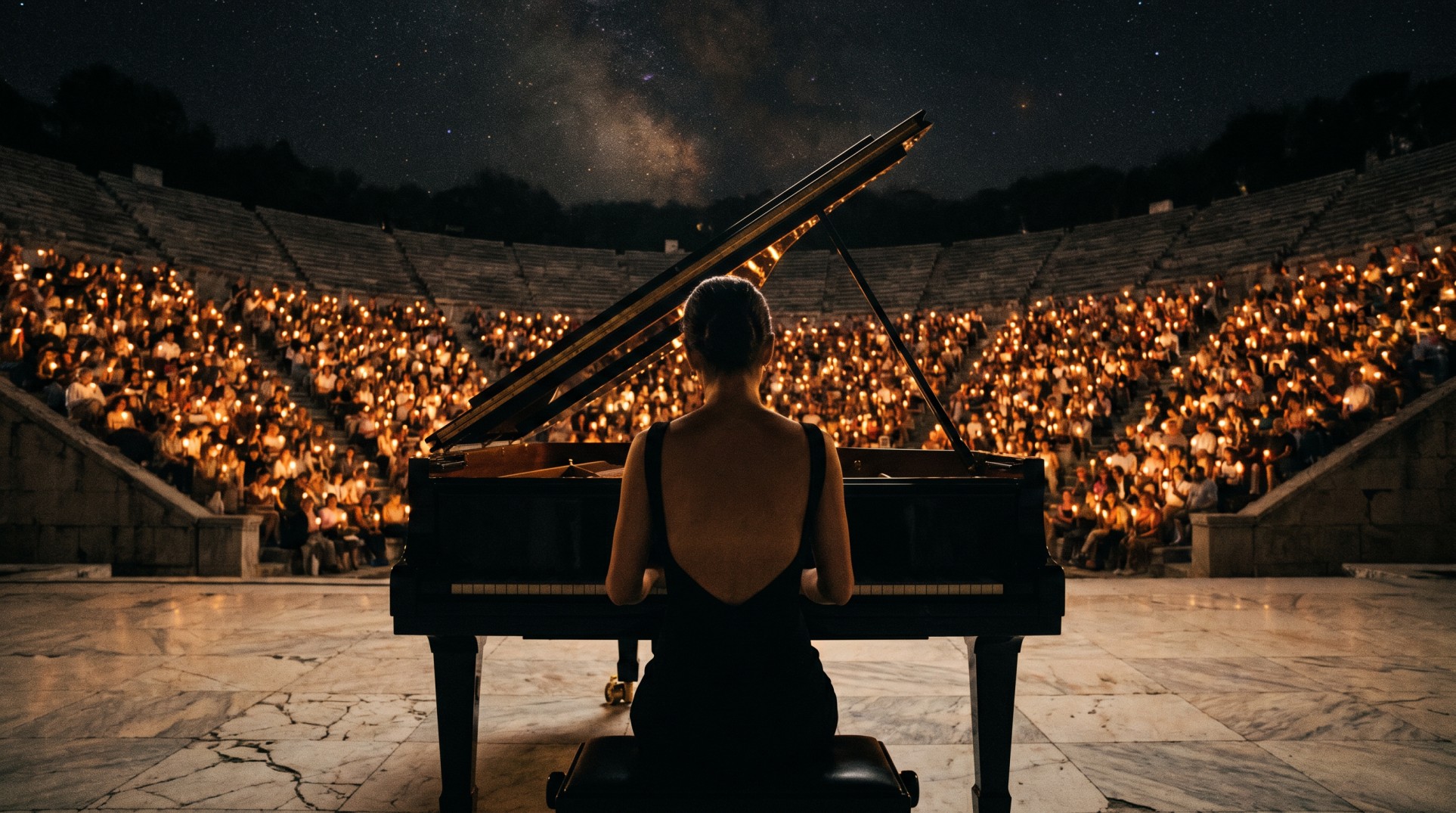
Grand Scale Atmospherics & Venue Visuals
Render grand stage environments, live concert venues, and intimate acoustic spaces with lifelike optical physics. Capture intricate candle-lit amphitheaters, dynamic light beams, and golden-hour glows with volumetric depth. Using the realistic lighting engine of Google Veo 3, you can create dramatic B-roll, event teasers, and music visuals, then refine your timeline cuts seamlessly using our AI Video Editor.
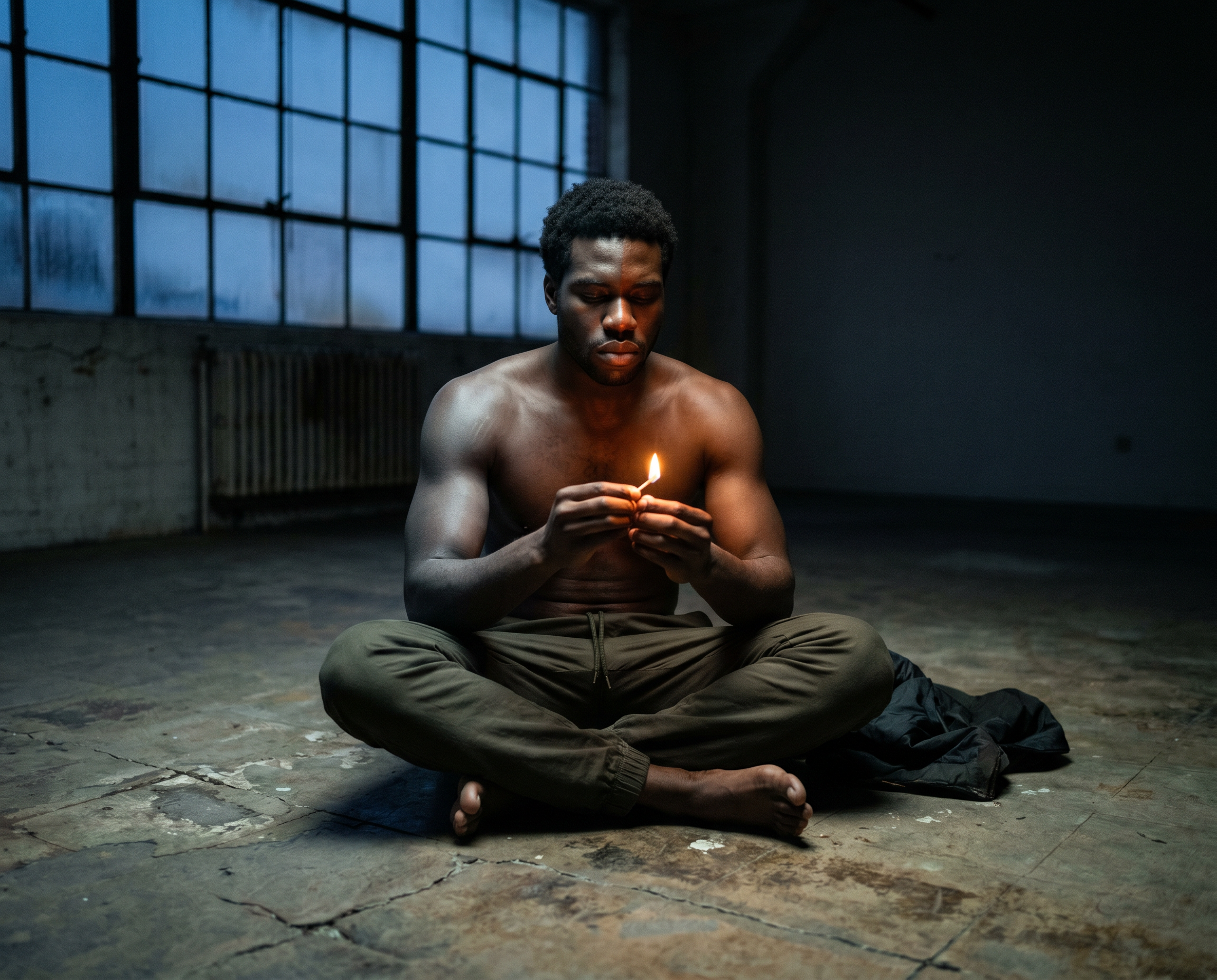
Intimate Character & Creative Framing
Master close-up emotional storytelling and unique top-down visual direction with AI cinematic video generator. Perfect for indie movie scenes, mood boards, and artistic social media promos, this engine locks in visual depth, natural textures, and clear lighting across every frame. By pairing shot-to-shot character consistency in Seedance 2.0 with complete multi-shot timelines, you can build cohesive narrative arcs directly inside our full-scale AI Film Studio.
Purchase a Subscription
Upgrade to get access to pro features and generate more and better
Basic
For newcomers taking their first steps
View Plans
Billed monthly
Included in plan
3Kcredits per month
Additional Features
Up to ~600 Image Generations/month
Up to ~97 Video Generations/month
General Commercial Terms
Image Generation Visibility: Public
4 Concurrent Image Generations
Complimentary Access
All GPT Models
All Gemini Models
All Claude Models
Unlimited Generations
10 Image Models
9 Video Models
Standard
For rising creators to level up their game
View Plans
Billed monthly
Included in plan
8Kcredits per month
Additional Features
Up to ~1.6k Image Generations/month
Up to ~265 Video Generations/month
General Commercial Terms
Image Generation Visibility: Private
8 Concurrent Image Generations
Complimentary Access
All GPT Models
All Gemini Models
All Claude Models
Unlimited Generations
Nano Banana
Runway Gen 4 Turbo
Midjourney V7
8 more Image Models
8 more Video Models
Ultimate
Peak performance for pros
View Plans
Billed monthly
Included in plan
16Kcredits per month
Additional Features
Up to ~3.2k Image Generations/month
Up to ~530 Video Generations/month
All styles and models
General Commercial Terms
Image Generation Visibility: Private
Complimentary Access
All GPT Models
All Gemini Models
All Claude Models
Unlimited Generations
All image models in Standard plan
All video models in Standard plan
Kling 2.6 Pro
Seedance 1.5 Pro
ChatGPT 1.5
Creator
A full production engine for powerhouses
View Plans
Billed monthly
Included in plan
100Kcredits per month
Additional Features
Up to ~20k Image Generations/month
Up to ~3.3k Video Generations/month
All styles and models
General Commercial Terms
Image Generation Visibility: Private
Complimentary Access
All GPT Models
All Gemini Models
All Claude Models
Unlimited Generations
All image models in Ultimate plan
All video models in Ultimate plan
Kling 3.0 Pro
Seedance 2 Fast
Nano Banana 2
What Our Customers Say

Trustpilot
I've been using ImagineArt regularly to create cinematic AI videos, and overall I think the platform is really impressive. As a content creator, I use it almost every day, and it helps me generate creative visuals that would otherwise take a lot more time and effort....

I Am One
Content Creator (US)
Trustpilot
My experience with Imagine Art was an excellent one. I love all the features the platform has, the All-in ONE aspect of it, allowing creatives to use all AI models available in the market: AI image models, AI video models, AI sound and music....
Alexandra Elena
Verified User
Trustpilot
Huge improvement since last comment! Your video generation technology has astronomically improved and I love being able to choose from all the different types! Letting us try out the various different video models is such a great idea. Keep up the amazing work team!
Justin
Verified User
Trustpilot
Imagine Art is a wonderful AI website that we enjoy creating videos on our filmmaking YouTube channel with. You can watch the videos we have created using ImagineArt from our Kısa Kafası YouTube Channel.
KISA KAFASI
Filmmaking YouTube Channel (TR)
Trustpilot
ImagineArt offers an impressive range of AI image generation styles and tools. The platform is intuitive and produces high-quality results across different creative styles. The support team is responsive and genuinely helpful. Would recommend to anyone looking for a versatile AI image tool.

Isabelle Kim
Concept Artist
Have questions?
We have answers!
Simply type in your description, add reference images or details if you wish, and click generate. The AI will automatically create stunning, cinematic videos based on your prompt.
Yes! You can easily add high-quality audio to your videos using our integrated Audio Lab tool once your video is generated.
Nope! ImagineArt’s AI handles everything from visuals to cinematic effects, making it easy for anyone to create professional-quality videos—even with zero experience.
Absolutely! Our AI is trained to handle a wide variety of styles and effects, including lens flares, bokeh, dramatic lighting, and more, giving you creative control over the final look.
You can create promo ads, social media content, cinematic stock clips, animated sequences, trailers, or even short films. The possibilities are endless.
After your video is generated, you can easily download it in your preferred format or directly share it to social media platforms.
ImagineArt gives you access to Kling 3.0, Seedance 2.0, Runway Gen-4.5, and Google Veo 3 for cinematic video generation. Each model has different strengths — Kling excels at realistic motion and character performance, Seedance at multi-shot storytelling and character consistency, Runway at creative camera control and cinematic framing, and Veo 3 at lifelike scene rendering and natural lighting. You can switch between models within the same session to find the right look for your project.
The Video Generator creates individual cinematic clips from a single prompt — ideal for social content, ads, trailers, and standalone creative clips. AI Film Studio is the complete production environment for making a full short film: multi-scene timeline, character consistency across shots, integrated Audio Studio for narration and music, and a Workflow builder. Use the Video Generator for single clips and Film Studio for full productions with narrative continuity.
ImagineArt generates cinematic videos in 1080p and 4K depending on the model and your plan. Videos export as MP4, ready to share directly to social platforms or drop into a professional editing timeline. Available aspect ratios include 16:9 for widescreen/landscape, 9:16 for portrait and vertical Reels, and 1:1 for square format posts.
Yes, videos generated on ImagineArt can be used for commercial purposes including advertising, branded content, client work, and social media campaigns. For full licensing details, refer to ImagineArt's Terms and Conditions.