
Arooj Ishtiaq
August 17, 2026 • Updated August 17, 2026
12 mins Read
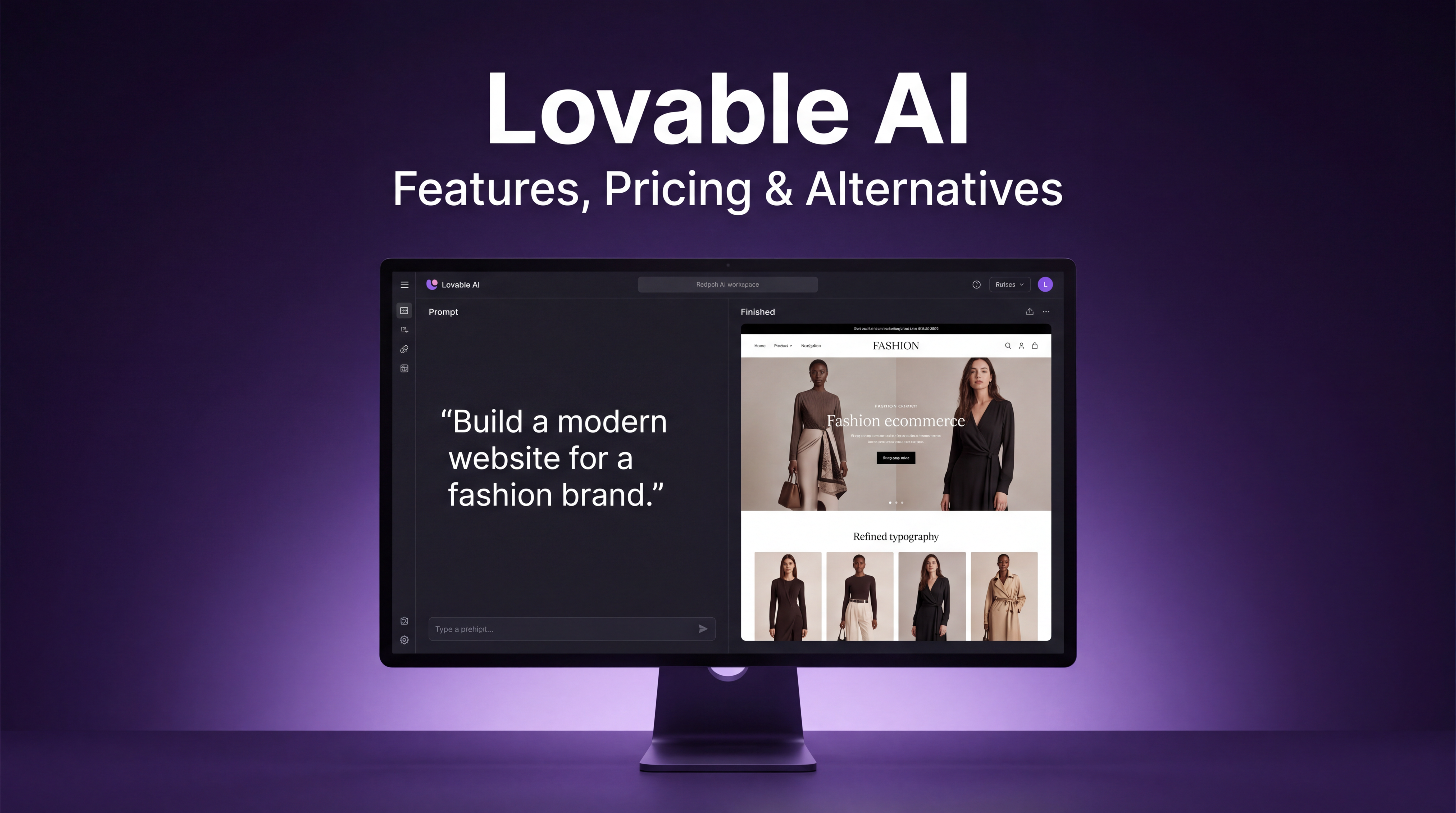
Lovable generates a complete, working web application from a chat prompt: a frontend, a working backend, and a real database, not just an interface you'd still need a developer to wire up. That's a specific example of a broader trend some are now calling vibe coding, building software by describing it rather than typing it line by line, and it's the reason Lovable has grown fast among non-technical founders and product teams. It's also exactly where its real limitations begin, and most reviews either gloss over that tension or stop at a vague "great for MVPs, weaker after that" without explaining what that actually means for your project or your bill.
This review breaks down what Lovable builds under the hood, what it actually costs once you understand how its credit system works, where independent reviewers consistently say it holds up and where it breaks down, and the question most competing reviews skip: exactly when you should stay in Lovable, when you should export your code, and when a broader workspace like Imagine Sites actually solves more of your problem than a pure app builder does.
Quick take: If your only need is generating application logic fast, Lovable's focus is a real strength. If your actual bottleneck spans research, copy, data, and the build itself, not just the build, Imagine Sites covers that wider brief from one workspace, and it's worth testing before assembling the same workflow out of Lovable plus several separate tools.
What Is Lovable?
Lovable is an AI app builder that generates complete, full-stack web applications from natural-language prompts. It builds the frontend interface, backend logic, and database together, rather than producing a visual layout that still needs a developer to make it functional. You describe what you want in chat, Lovable builds a working version, you refine it through follow-up prompts, and you either deploy with one click or export the code to GitHub if you want to continue development elsewhere.
How Lovable Actually Works
The disclosed stack behind Lovable's output is Next.js for the frontend, Tailwind for styling, and Supabase for the backend and database. That's a more standard, more transparent stack than many AI app builders offer, and it matters practically: if a developer ever needs to pick up a Lovable-generated project and extend it by hand, they're working with a widely understood framework rather than a proprietary format locked to one platform.
Lovable also runs two distinct modes, and the difference between them affects both how you work and how fast you burn through credits:
- Default Mode gives the AI direct control to build and modify your app. Credit cost here varies by task complexity: a small style change costs far less than wiring up authentication or a multi-step workflow.
- Plan Mode lets you reason through an idea or scope out a feature with the AI without it touching any code, charged at a flat rate of one credit per message regardless of complexity.
The practical implication is easy to miss: if you're still deciding what you actually want, working it out in Plan Mode first is meaningfully cheaper than iterating on a half-built feature in Default Mode and discarding several attempts along the way.
Key Features
- Full-stack generation. Lovable builds working backend logic and a real Supabase-backed database, not a static frontend.
- One-click deployment, taking a finished build live without a separate hosting setup.
- GitHub export. You can pull the full codebase out and keep developing elsewhere.
- Real-time team collaboration, which resolved an earlier limitation where only one person could effectively work on a project at a time.
- In-app AI features for end users, since Cloud credits also cover AI functionality running inside the apps you build, not just the initial build process.
Worth flagging directly: nowhere in this list is a research or writing capability. Lovable builds the shell an app needs, but the copy, data, and reference material that go inside it are entirely on you to source and paste in separately, a gap covered in more depth below.
Pricing and the Credit Economics
Lovable's pricing page looks straightforward until you start building, at which point the credit system becomes the thing that actually determines your real monthly cost, not the plan price alone.
| Plan | Price | What's Included |
|---|---|---|
| Free | $0 | 5 build credits per day, up to 30 per month, plus 20 Cloud credits monthly |
| Pro | $25/month | A larger monthly build and Cloud credit allowance |
| Business | Custom | Team-level features and higher collaboration capacity |
| Enterprise | Custom | Audit logs, SLAs, and dedicated support |
Three mechanics matter more than the headline price:
- Credits are pooled across the workspace, not assigned per person, so a team sharing one Pro subscription draws from the same balance.
- Credits expire on a schedule. Unused monthly credits expire after roughly two months. Annual plan credits expire one month after the annual period ends. Free-tier daily build credits expire daily and never carry over.
- Cost scales with complexity, not with a flat per-build rate. A small style tweak, like changing a button's color, runs around 0.5 credits. A small landing page with generated images runs closer to 1.7 credits. Authentication and more involved logic cost meaningfully more still.
The structural reason this catches people off guard: two users on the same $25 Pro plan can end up with completely different real-world costs, because the price is fixed but the consumption isn't.
Pricing accuracy note: several older reviews still reference Starter, Launch, or Scale tiers priced at $20, $50, and $100. Those names and prices no longer match Lovable's current Free, Pro, Business, and Enterprise structure. Treat any source still using that older naming as out of date.
Strengths
- Genuinely fast idea-to-app speed. Reviewers consistently describe getting a working app live anywhere from thirty minutes to a few hours.
- Real full-stack output, not a mockup, thanks to the Supabase-backed database and backend generation.
- Clean, tasteful default design. Generated interfaces are repeatedly described as professional-looking without manual design work.
- GitHub export as a genuine exit path, meaningfully reducing the platform lock-in that limits some competing tools.
Limitations: The 80% Problem
The most consistent theme across independent reviews isn't a single missing feature. It's a pattern reviewers describe as the 80% problem: Lovable gets you to an impressive first version fast, and the final stretch toward something production-ready gets disproportionately harder from there.
- Complex logic and edge cases break down more often, particularly custom authentication flows, multi-step workflows, and integrations that don't follow a standard pattern.
- Long prompt sessions can lose context, becoming harder to manage as a project accumulates edits and complexity.
- Repetitive error loops burn credits without forward progress. The AI partially fixes an issue, breaks something adjacent, and needs several more prompts to reconcile the result.
- No built-in automated testing, which matters more the closer a project gets to handling real users and real data.
- Direct code editing is limited in the default workflow, which frustrates more technical users.
None of this makes Lovable a weak tool. It makes it a tool with a real, well-documented ceiling.
When to Stay, Export, or Graduate
- Stay in Lovable for landing pages, waitlist apps, and internal tools like lead trackers or admin dashboards. A landing page typically takes one to two hours; a more involved internal tool often takes one to two weeks.
- Export to GitHub once you've validated the idea and want a developer, or a more technical version of yourself, to start hardening it.
- Graduate to Cursor or Claude Code once the project needs serious refactoring, production-grade reliability, or logic complex enough that prompting for a change is slower than writing it directly.
A pattern worth knowing from teams who've made this transition repeatedly: niche SaaS MVPs commonly spend their first four weeks in Lovable, then move to Cursor for the production build once real users depend on it. AI-wrapper products, a thin interface sitting over an existing AI API, often skip Lovable's advantage almost entirely, since that specific kind of integration work tends to get complicated fast.
Imagine Sites: The Alternative Worth Testing For Website Building
Every stage above, staying, exporting, graduating, assumes the app itself is the whole job. But a lot of what people actually reach for Lovable to build isn't a complex, database-driven SaaS product, it's a landing page that needs real copy, a client-facing site that needs both a build and the content inside it, an internal tool that needs to pull from actual company data. For that kind of project, a website or web app rather than deep custom application logic, Imagine Sites is worth testing first, since it's built specifically around creating polished, content-ready sites, not around replicating a full custom backend.
- Research and content generated in the same conversation. Lovable has no research or writing capability at all, confirmed by its own feature list above. If your site needs real copy, product descriptions, or reference material rather than placeholder text, Imagine Sites generates that as part of the same instruction that builds the site, instead of you writing it separately and pasting it in.
- Data structured before the build, without a separate database tool. For content and data that a website or web app actually needs to display, product listings, a directory, a simple dashboard, you can structure that data inside an AI spreadsheet first, then have the site pull directly from it, all inside one workspace. This covers the data needs of most sites well; it isn't a substitute for the kind of relational, custom backend logic a complex SaaS product would need.
- A comparable exit path, from the other direction. Lovable's GitHub export is a genuine strength against lock-in. Imagine Sites offers a similar bridge in reverse: its website builder can start from a template for speed, or connect directly to GitHub so you can ship and keep developing your own code, without needing a separate export step first.
- One credit pool covering far more than site-building. Lovable's credits are spent entirely on build complexity. Imagine Sites' workspace spans roughly a dozen tools, chat, deep research, documents, slides, images, video, and the site builder among them, on the same subscription.
- No separate research or writing subscription to maintain. If your current workflow is Lovable for the build plus a separate AI writing tool plus manual research, that's three tools and three bills doing what one workspace can do from a single brief.
- A genuinely free way to test the difference. Imagine Sites is free to start with no credit card required, which makes it a low-cost way to compare the actual workflow difference against Lovable's Plan Mode before committing project time to either.
This isn't a universal swap, and it's worth being direct about where the line sits. If your project genuinely needs complex custom backend logic, multi-step authentication flows, or a relational database powering real application behavior, that's Lovable's actual category, and Imagine Sites isn't positioned to replace it there.
But for the website and web app work that makes up most of what people bring to a tool like Lovable in the first place, a site that needs to look finished, read well, and pull from real content, Imagine Sites addresses that brief directly, research and copy included, rather than handing you a blank shell to fill in yourself. What Imagine Computer actually is covers the full workspace in more depth, and the best AI website builders of 2026 compares Imagine Sites against that specific category directly.
Other Lovable Alternatives
Beyond Imagine Sites, a handful of other tools solve more specific versions of what happens after or instead of Lovable:
- Cursor is the most commonly recommended next step once an app moves past prototype stage or needs serious refactoring. Our Cursor AI breakdown covers where it fits against Lovable directly.
- Claude Code is frequently mentioned alongside Cursor for production work and deeper debugging, particularly for teams comfortable working from a terminal rather than a visual chat interface.
- Bolt is often preferred for faster single-page prototypes, or by developers who specifically want more efficient generated code from the start rather than a heavier full-stack scaffold.
- v0 by Vercel fits better when design and component quality are the priority over full application logic. Our Vercel v0 breakdown covers that angle in more depth.
- Replit Agent comes up for stronger runtime and sandbox needs, particularly for anyone who wants to see and interact with the underlying code as it's generated. See our Replit AI agent review.
Is Lovable Worth It?
For the right use case, yes, clearly. If you're validating an idea, building a landing page, or putting together an internal tool that doesn't need to survive years of production traffic, Lovable's speed and genuine full-stack generation make the $25 Pro plan pay for itself quickly, often within the first month of use.
If you're building something that needs to hold up under real users, complex logic, or long-term maintenance, plan for the transition to another tool rather than expecting to stay in Lovable indefinitely. And if your actual need was never just the app, but the research, copy, and data that surround it, Imagine Sites is worth testing before Lovable, not just after it, since it's built to cover that wider brief from the first prompt rather than requiring a separate set of tools stitched around it.
The honest, recurring verdict across independent reviews of Lovable specifically: it's an excellent place to start a pure app-building project. Whether it's the right starting point at all depends on whether app-building is actually the whole job, or just the most visible part of it.
FAQ
How much does Lovable actually cost per month?
The Pro plan is $25 per month, but the real cost depends heavily on how complex your prompts are, since credits are weighted by task complexity rather than charged at a flat rate.
Do Lovable credits expire?
Yes. Unused monthly credits expire after roughly two months, annual plan credits expire one month after the annual period ends, and free-tier daily build credits expire daily with no rollover.
Is Lovable good enough for a production app with real users?
It depends on complexity. Lovable handles the first version of most apps well, but reviewers consistently describe a ceiling once you reach complex authentication, multi-step workflows, or non-standard integrations.
Can I get my code out of Lovable if I want to switch tools?
Yes. GitHub export is a core feature, which meaningfully reduces lock-in compared to AI builders that keep the generated codebase hidden inside their own platform.
What's the difference between Default Mode and Plan Mode?
Default Mode lets the AI directly build and modify your app, with credit cost scaling by task complexity. Plan Mode lets you reason through an idea without the AI touching any code, charged at a flat one credit per message.
Is there an alternative to Lovable that does more than just build the app?
Yes. Imagine Sites folds research, writing, data structuring, and the actual site build into one workspace, rather than treating app generation as a standalone task the way Lovable does. It's free to start, which makes it worth testing directly against your actual workflow rather than assuming Lovable is the only option.
Is Lovable an example of vibe coding?
Yes. Vibe coding describes building software by describing what you want rather than writing it directly, and Lovable's chat-to-full-stack-app workflow is one of the clearer examples of that trend in practice.
Arooj Ishtiaq
Arooj is a SaaS content writer specializing in AI models and applied technology. At ImagineArt, she creates sharp, product-focused content that helps creators and businesses understand, adopt, and get real value from AI tools.