
Syed Anas Hussain
April 28, 2026 • Updated July 8, 2026
22 mins Read
Higgsfield raised $130M at a $1.3B valuation in January 2026, and by mid-2026 was reportedly approaching $500M in annualized revenue with a much larger raise in discussion. It aggregates 15+ AI video models under one subscription, and it's a well-resourced platform with real adoption, over 15 million users and 4.5 million generations per day at last public count. But why are people looking for the best Higgsfield alternatives?
Because not every platform fits every creator. Some users find Higgsfield's interface overwhelming, especially as it evolves between releases. Others need capabilities beyond video, music, voice, AI workflows, or enterprise tooling. Higgsfield does offer a Business plan, but creators who need deeper B2B features like shared credit pools, team management, or custom model training may find it limiting. And some have encountered documented, specific trust concerns that prompted them to look elsewhere, covered in detail below rather than glossed over.
Why Some Creators Are Exploring Higgsfield Alternatives
Five reasons come up most often when creators start comparing Higgsfield against other options:
1. The Learning Curve Can Be Steep
Higgsfield offers a lot: Cinema Studio, Marketing Studio, 80+ apps, Soul ID, WAN Camera Control, and more. (Note: this article previously cited "Cinema Studio 3.5"; the most recent version confirmed in press coverage is Cinema Studio 2.0 as of February 2026. Confirm the current version number before publishing.) For power users, that's a feature-rich environment. For many creators, though, the volume of options, combined with frequent UI updates across releases, can make the platform feel difficult to navigate consistently. Features move, tools get renamed, and workflows that worked last month may look different after the next update.
If you value a stable, predictable interface that works the same way every session, that's a reasonable motivation to evaluate a Higgsfield AI alternative.
2. Higgsfield Credits and Cost Vary by Model
Like most AI platforms, Higgsfield uses a credit-based system where different models consume different amounts of Higgsfield credits per generation. Premium models naturally cost more than standard ones, so the effective Higgsfield cost per month depends on which models you use and how often.
Before committing to any plan, it's worth estimating your usage pattern against the credit allowance. For a detailed walkthrough of how Higgsfield pricing works across tiers and how credits scale, see our Higgsfield pricing analysis.
3. Documented Trust and Reputation Concerns
In early 2026, Higgsfield faced a specific, publicly documented crisis, not just generic "account concerns." Forbes reported that the company's marketing team had circulated AI-generated promotional content, including material using racial slurs, to influencers as part of a paid promotion campaign. Separately, users reported that "unlimited" plan marketing didn't match actual usage limits once subscribed, and a games/creative industry figure publicly called out an influencer-payment campaign as an undisclosed sponsorship arrangement.
Trustpilot reflects over 1,000 negative reviews, and the Better Business Bureau received formal complaints. On February 9, 2026, Higgsfield's X/Twitter account was suspended following the backlash; CEO Alex Mashrabov issued a public statement on February 11, 2026, acknowledging that "our internal processes and external communications haven't always kept pace with our core values."
These are public, documented, sourced events. Prospective users should factor them into their evaluation directly, not just as a vague reference to "billing concerns."
4. A Real Dependency Risk: Higgsfield's Reliance on Third-Party Models
Higgsfield's aggregator model is a strength when the underlying models stay available, and a risk when they don't. OpenAI shut down the Sora 2 consumer app on April 26, 2026, and by most accounts, Higgsfield had been Sora's largest customer by spend and usage. For a platform built on aggregating third-party models, the sudden loss of a major one is a real structural risk worth weighing, not just a footnote. It also underscores an argument for platforms like ImagineArt that maintain their own proprietary models (ImagineArt 2.0) alongside third-party integrations, reducing single-model dependency.
5. Video-Focused Platform — No AI Workflows or Standalone Audio Tools
Higgsfield is primarily a video and image generation platform. It doesn't currently include music creation, standalone voice synthesis, custom model training, AI workflows, or dedicated B2B/enterprise features to the same depth as a full creative suite. Creators who need a full production pipeline, from image generation through audio production to automated distribution, may need to supplement Higgsfield with 3-5 additional subscriptions.
How We Evaluated Each Higgsfield Alternative
Every tool was assessed across six criteria:
1. Model diversity - How many frontier video/image models are available?
2. Credit economics - How transparent is pricing, and how far do credits stretch at realistic usage volumes?
3. Platform scope - Video only, or does it extend to image, music, voice, and AI workflows?
4. Character & brand consistency - Custom training, identity pinning, or style locking capabilities?
5. UI simplicity & stability - Is the interface intuitive, and does it stay consistent between updates?
6. Platform trust - Billing practices, refund policies, and overall track record.
The 7 Best Higgsfield Alternatives
Each of the seven tools below was scored against the six criteria above, with an honest read on who it actually fits rather than a generic pros-and-cons list.
1. ImagineArt — Best Full-Platform Higgsfield Alternative
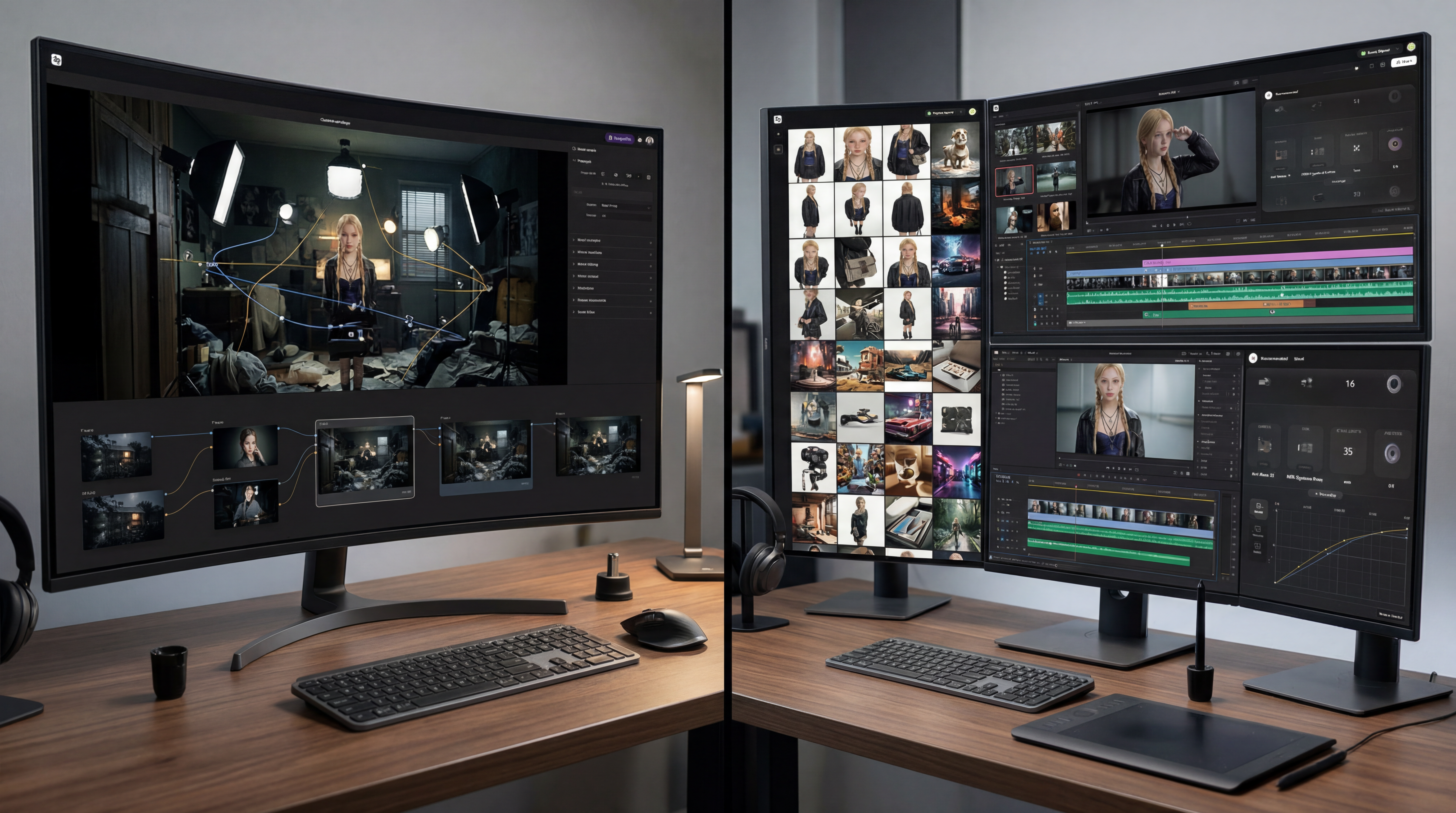
ImagineArt is a complete AI creative suite, image generation, video generation, music creation, voice synthesis, and AI workflow automation under one subscription. Where Higgsfield goes deep on video-specific features, ImagineArt goes wide across the entire creative pipeline. If you're comparing ImagineArt vs Higgsfield, the core difference is platform scope.
Model diversity: ImagineArt gives you access to Veo 3.1, Kling 3.0, Seedance 2.0, PixVerse v6, Wan 2.6, and Runway Gen-4.5, alongside ImagineArt 2.0, a proprietary model built for realism, cinematic lighting, and precise text rendering. ImagineArt continues adding new models as they release, without requiring a plan upgrade to access them.
Credit economics:
| ImagineArt Plan | Price (billed annually) | Credits/Month | Cost per 1,000 Credits |
|---|---|---|---|
| Free | $0 | 100/day | — |
| Basic | $9/mo | 3,000 | $3.00 |
| Standard | $20/mo | 8,000 | $2.50 |
| Ultimate | $34/mo | 16,000 | $2.13 |
| Creator | $175/mo | 100,000 | $1.75 |
Prices shown are billed annually. Monthly billing available at higher rates ($13, $30, $50, $250 respectively). Flagged: this article previously cited the Basic plan as both "3,000 credits" (in this table) and "2,000 credits" (in two FAQ answers further down) — a direct internal contradiction. This table's figure is used consistently throughout this revision; confirm which number is actually correct before publishing. What you see on the pricing page is what you pay, with no hidden per-model surcharges.
Platform scope:
- AI Video Generator — text-to-video and image-to-video with Consistent Character Video
- AI Film Studio — a dedicated cinematic production environment for long-form, multi-shot video workflows, now live. (Flagged: this article previously described Film Studio as "launching soon"; confirm current live status before publishing, since it's referenced as an active product elsewhere on the site.)
- Music Studio — text-to-song, AI covers, genre/mood/tempo controls, MP3/MIDI/PDF sheet music export
- Voice Studio — voice cloning, natural speech synthesis, multiple accents
- AI Heygen Avatar — lipsync integrated with voice synthesis
- AI Image Generator — ImagineArt 2.0 with inpaint, outpaint, 4K upscale, relight, style transfer, background removal
- AI Workflows — node-based automation for chaining tools into repeatable pipelines
- B2B & Enterprise — business-tier solutions for teams with dedicated support and volume pricing
This breadth is the main differentiator in the ImagineArt vs Higgsfield comparison. Higgsfield excels at video and image generation; ImagineArt adds music, voice, AI workflows, and enterprise tooling under the same roof.
- Character & brand consistency: Two features Higgsfield doesn't currently offer at the same depth. Consistent Character Video maintains identity across shots without re-prompting. Custom AI Model Training lets you upload 5-50 images of your product, character, or visual style and train a dedicated model, Object, Character, or Style type, reusable across every session. Higgsfield's Soul ID is useful for identity referencing from a single image, but it serves a different purpose than a fully trained custom model.
- UI simplicity & stability: ImagineArt's interface is consistent between releases, tools stay where you expect them. For creators producing daily, that predictability reduces friction and eliminates the re-learning curve that some Higgsfield users report after platform updates.
- Platform trust: No documented mass account incidents or billing disputes at scale, unlike the specific, sourced concerns covered above regarding Higgsfield. Free tier refreshes daily. Monthly billing is the default, no surprise annual charges.
- Best for: Creators who need image, video, and audio tools in one place. Marketing teams building repeatable branded pipelines with AI workflows. Organizations that need B2B capabilities. Creators who prefer a stable, predictable interface, or who want to reduce dependency risk on any single third-party model.
What Makes ImagineArt Stand Out as a Higgsfield Alternative
Six things in particular separate ImagineArt from a straightforward Higgsfield swap-in:
- AI Workflows — the only platform in this comparison with a node-based pipeline builder that chains image, video, audio, and LLM tools into automated, reusable workflows
- Enterprise-ready — B2B plans with centralized billing, shared credit pools, team management, and dedicated support
- Daily free credits — the free tier refreshes every day, so you can test and produce without committing to a paid plan
- Built-in AI Video Editor — a timeline-based video editing interface inside the platform, so you can cut, sequence, and polish clips without exporting to an external editor
- Full audio suite — Music Studio + Voice Studio + voice cloning under the same subscription and credit pool
- Reduced single-model dependency — a proprietary model (ImagineArt 2.0) alongside third-party integrations, so the loss of any one partner model, as happened with Sora, doesn't leave you without options
2. Runway ML — Best for Professional Filmmakers
RunwayML offers some of the strongest motion quality available — smooth, physically plausible movement with fine-grained directorial control. It’s a full creative platform (not just a single model), with tools spanning video generation, image generation, and dedicated video editing via Runway Aleph.
Model diversity: Proprietary models including Gen-4 for video generation and Aleph for video editing. Not a multi-model aggregator.
Credit economics: Professional plans start around $95/mo with a limited generation pool. Per-video cost is higher than aggregator platforms, making it a less practical Higgsfield alternative for budget-conscious creators.
Platform scope: Video and image generation with editing tools. No music, voice, or AI workflow automation.
Character & brand consistency: Style references and scene-locking tools. No custom model training.
UI simplicity: Clean, focused interface. Less feature density than Higgsfield, which some creators prefer.
Platform trust: Established company with consistent billing practices.
Best for: Independent filmmakers and production studios where motion quality is the top priority. Less suited for high-volume marketing content or creators comparing Higgsfield cost against alternatives.
3. Kling AI (Direct) — Best for Motion Control Specialists
Kling 3.0 is one of Higgsfield's most popular integrated models. You can also access it directly through Kling AI's own platform, removing the aggregator layer.
Model diversity: Kling 3.0 only.
Credit economics: Direct access pricing is typically straightforward. Check klingai.com for current rates and compare against Higgsfield credits for the same model.
Platform scope: Video generation with strong motion control. Basic image generation. No music, voice, or AI workflows.
Character & brand consistency: No equivalent to Soul ID or custom training on the direct platform.
UI simplicity: Single-purpose, straightforward interface.
Platform trust: Backed by Kuaishou. Stable track record.
Best for: Creators who specifically want Kling 3.0 and don't need access to other models. A focused Higgsfield AI alternative for single-model users.
4. InVideo AI — Best for Template-First Marketers
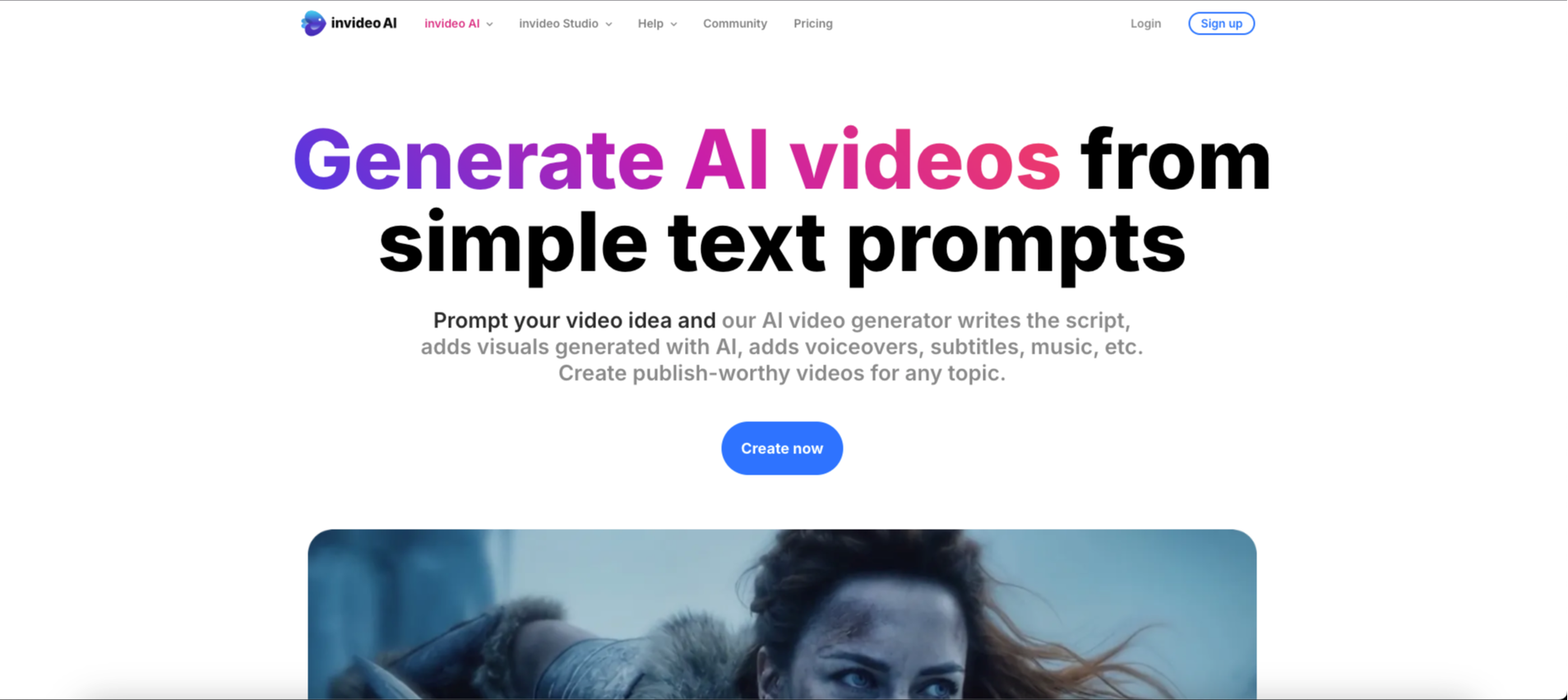
InVideo focuses on speed-to-publish rather than generative AI quality. Paste a script, pick a template, and get a formatted video with stock footage and narration.
Model diversity: Proprietary pipeline plus stock footage libraries. Not a model aggregator.
Credit economics: Plans start around $25/mo. Good value for template-based workflows, though not directly comparable to Higgsfield pricing since the output type differs.
Platform scope: Video creation with templates, stock footage, AI voiceover, and subtitles. No standalone image generation, music composition, custom model training, or AI workflows.
Character & brand consistency: Brand kit features (logos, colors, fonts). No AI-based identity consistency tools.
UI simplicity: Template-driven workflow with a low learning curve. Significantly simpler to navigate than Higgsfield.
Platform trust: Established platform with consistent billing.
Best for: Social media marketers who need fast, formatted video from scripts or articles. Not designed for cinematic AI generation, but a viable Higgsfield alternative for teams prioritizing production speed over creative control.
5. Pika 2.2 — Best for Creative Visual Effects
Pika's strength is stylistic transformation — scene transitions, artistic morphing, and creative effects that most other platforms don't prioritize.
Model diversity: Proprietary model. Single platform.
Credit economics: Functional free tier. Mid-range paid plans with competitive per-generation cost.
Platform scope: Video generation with effects tools. Basic image generation. No music, voice, or AI workflow automation.
Character & brand consistency: Limited. No custom training or identity tools.
UI simplicity: Focused, effects-forward interface.
Platform trust: Stable. No documented incidents.
Best for: Creators who prioritize visual creativity and artistic effects over camera precision or production volume.
6. Luma Dream Machine — Best for Photorealism
Luma produces some of the most photorealistic AI video output available. Lighting, texture, and spatial consistency are particularly strong in architectural and product scenes.
Model diversity: Proprietary. Single-model platform.
Credit economics: Competitive pricing with a functional free tier.
Platform scope: Video and image generation. No music, voice, or AI workflows.
Character & brand consistency: Limited. No custom training capabilities.
UI simplicity: Clean, minimal interface.
Platform trust: Stable. No documented incidents.
Best for: Product visualization, architectural rendering, and use cases where photorealism is the priority.
7. Atlabs — Best for End-to-End Video Production with Stock
Atlabs integrates stock footage libraries alongside AI generation, creating a hybrid environment for teams that work with both.
Model diversity: Limited AI model selection relative to ImagineArt or Higgsfield.
Credit economics: Mid-range. Value depends heavily on stock library usage vs. AI generation.
Platform scope: Video production with stock integration, subtitles, and basic editing. No music, voice, custom training, or AI workflow automation.
Character & brand consistency: Brand kit features. No AI-based identity tools.
UI simplicity: Straightforward for stock-based production workflows.
Platform trust: No documented incidents.
Best for: Teams that combine stock footage with AI-generated content in the same production tool.
AI Workflows: Why Automation Is the Next Differentiator
One of the biggest gaps in Higgsfield — and most AI video platforms — is the lack of AI workflow automation. Today, most creators follow the same pattern: generate an image, manually download it, upload it to a video tool, generate a clip, download that, open a separate audio tool, create a soundtrack, then stitch everything together in an editor. Every step is manual, and every step is a friction point.
AI workflows change this by letting you chain multiple tools into a single automated pipeline.
What AI Workflows Look Like in Practice
ImagineArt AI Workflow is a node-based visual pipeline builder. Instead of jumping between tabs and tools, you connect nodes on a canvas — each node representing a step in your creative process.
A typical AI workflow might look like this:
Product Marketing Pipeline Text prompt → ImagineArt 2.0 (generate product image) → 4K Upscale → AI Video Generator (animate the image) → Music Studio (generate background track) → Export final video with audio
Social Content Pipeline Reference image → Custom Model (apply brand style) → Consistent Character Video (generate multiple angles) → Voice Studio (add narration) → Export batch of branded clips
Campaign Automation Pipeline Single brief → Generate 10 image variants → Select top 3 → Create video from each → Add music → Export all formats for Instagram, TikTok, YouTube Shorts
Each of these AI workflows runs as a single pipeline. Build it once, run it for every campaign, every product launch, every content cycle. ImagineArt AI Workflows also support LLM integrations (Claude, ChatGPT), so you can include AI-powered text generation, prompt refinement, or content planning as nodes within the same workflow.
Why This Matters for Higgsfield Users
Higgsfield doesn't offer AI workflows, pipeline automation, or an API for general users. Every generation is a standalone action — you produce a clip, export it, and continue your work in a separate tool. For one-off clips, that's fine. For professional content teams producing at volume, the lack of automation creates a bottleneck that increases both time-to-publish and total cost of production.
The platforms in this comparison that offer some form of AI workflow automation are ImagineArt (AI Workflow — full node-based builder), InVideo (template-based automation), and Atlabs (template-based). Only ImagineArt provides a visual, programmable pipeline that chains AI generation tools end to end.
| AI Workflow Capability | ImagineArt | Higgsfield | Runway ML | Others |
|---|---|---|---|---|
| Visual pipeline builder | Full node-based builder (AI Workflow) | Not available | Not available | Not available |
| Chain image → video → audio | Supported in a single pipeline | Not available | Not available | Not available |
| LLM integration in workflows | Claude and ChatGPT nodes supported | Not available | Not available | Not available |
| Reusable pipeline templates | Save and reuse full pipelines | Not available | Not available | InVideo and Atlabs offer template-based automation, not full pipelines |
| Batch generation from a single brief | Generate multiple variants from one input | Not available | Not available | Not available |
Side-by-Side Comparison Table
For a quick scan across all seven tools and every criterion covered above, here's how they stack up side by side:
| Criteria | ImagineArt | RunwayML | Kling AI (Direct) | InVideo AI | Pika 2.5 | Luma Dream Machine | Others |
|---|---|---|---|---|---|---|---|
| Model Diversity | Multi-model platform + proprietary ImagineArt models | Runway Gen-4.5 & Aleph only | Kling 3.0 only | Single proprietary pipeline | Single proprietary model | Single proprietary model | Typically single-model platforms |
| Pricing Transparency | Published credit costs for every model | Premium pricing | Clear subscription pricing | Plan-based pricing | Published pricing | Published pricing | Varies by platform |
| Image Generation | Complete AI image suite with custom model training | Basic image generation | Basic image generation | Not available | Basic image generation | Photorealistic image generation | Limited or platform-dependent |
| Music Creation | Full Music Studio | Not available | Not available | Not available | Not available | Not available | Rarely included |
| Voice Synthesis | Voice Studio with cloning | Not available | Not available | AI narration only | Not available | Not available | Limited support |
| Character Consistency | Consistent Character Video + custom model training | Style references | Not available | Not available | Not available | Not available | Basic consistency tools |
| AI Workflows | Full node-based AI Workflow builder | Not available | Not available | Template automation | Not available | Not available | Usually template-based |
| Film Studio | Dedicated multi-shot Film Studio | Not available | Not available | Not available | Not available | Not available | Rare feature |
| B2B / Enterprise | Dedicated enterprise plans | Available | Not available | Available | Not available | Not available | Varies by vendor |
| AI Video Editor | Timeline-based editor included | Aleph editor | Not available | Basic editing | Not available | Not available | Usually basic editing |
| UI Stability | Consistent interface | Clean UI | Simple interface | Template-driven | Effects-focused | Minimal interface | Platform dependent |
| Mobile Apps | iOS & Android | Not available | Available | Available | Not available | Not available | Varies |
| Platform Trust | No documented mass incidents | Established platform | Backed by Kuaishou | Established platform | Stable platform | Stable platform | Depends on provider |
| Best For | Complete AI creation, workflows & enterprise | Filmmaking & editing | Dedicated Kling users | Template-based marketing videos | Creative visual effects | Photorealistic video creation | Specialized AI video tools |
How to Choose Based on Your Use Case
Rather than a generic ranking, here's how to match a specific situation to the right pick from this list:
"I'm a solo creator making social content on a budget"
→ ImagineArt. The Basic plan at $9/mo (annual) provides 3,000 credits covering image, video, music, and voice. The free tier gives 100 credits daily, and iOS/Android apps let you create from anywhere. The interface stays consistent between updates — no re-learning required after each release.
"I'm a professional filmmaker who needs cinematic precision"
→ RunwayML for best-in-class motion quality. Then evaluate ImagineArt's AI Video Generator for additional shots at better cost efficiency. ImagineArt's upcoming Film Studio will expand cinematic production capabilities significantly — a strong addition for creators comparing ImagineArt vs Higgsfield for filmmaking use cases.
"I'm a marketing team generating branded content at volume"
→ ImagineArt. Custom model training lets you upload product images once and generate consistent branded content across sessions. ImagineArt's AI Workflows automate your pipeline from image to video to audio to export. The Ultimate plan ($34/mo annual, 16,000 credits) is designed for volume production.
"I need enterprise-grade tooling with team management"
→ ImagineArt's B2B tier. Business plans include dedicated support, volume pricing, and team management features built for organizations — not just individual creators. Higgsfield offers a Business plan but doesn't currently match on team management or shared credit pool features.
"I need automation — not just generation"
→ ImagineArt with AI Workflows. If the reason you're looking for a Higgsfield alternative is the lack of AI workflows, ImagineArt's AI Workflow builder is the most complete option in this comparison. Build end-to-end pipelines that chain image, video, audio, and LLM tools into repeatable processes.
Understanding Credit-Based Pricing Across Platforms
Most AI generation platforms — including Higgsfield and ImagineArt — use credit-based pricing. The plan price is only part of the picture. What matters is how many credits each generation consumes and how transparent that information is before you subscribe.
A few things worth checking on any platform before committing:
- Is credit consumption per model/tool documented? Some platforms publish this clearly; others require you to discover costs in-app after subscribing.
- Do unused credits roll over or expire? ImagineArt credits refresh monthly with no expiry on top-ups. Policies vary across platforms.
- What does the credit pool cover? ImagineArt credits are shared across image, video, music, and voice. On video-focused platforms, you'll need separate subscriptions for audio tools.
- Is monthly billing the default? Check the checkout flow carefully. Some platforms default to annual billing, which may result in a larger upfront charge than expected.
| What to Check | Why It Matters |
|---|---|
| Credit-per-generation documentation | Lets you estimate monthly cost before subscribing |
| Credit expiry policy | Credits that expire create waste if usage is uneven month to month |
| What credits cover | Shared credits (image + video + audio) vs. video-only affects total tool cost |
| Default billing period at checkout | Confirm whether monthly or annual is pre-selected before entering payment |
| Refund policy on annual plans | Some platforms don't offer refunds on annual subscriptions |
FAQs
ImagineArt's free tier refreshes daily with no watermark restrictions on standard generations. Pika also offers a functional free tier for creative effects experimentation.
Yes. ImagineArt's motion control tool provides camera movement options including dolly, pan, tilt, and custom motion paths. A dedicated Film Studio with expanded cinematic controls is launching soon.
ImagineArt plans range from $9/mo (2,000 credits) to $50/mo (16,000 credits), with credits covering image, video, music, and voice. Higgsfield plans range from approximately $15/mo to $99/mo. See our full pricing comparison for a detailed breakdown.
ImagineArt's AI Workflow builder is a node-based tool that chains image generation, video creation, audio production, and LLM tools into automated pipelines. No other platform in this comparison offers equivalent workflow automation.
Yes. Download your generated assets from Higgsfield before your subscription ends. ImagineArt supports the same input formats and provides comparable model access for Kling AI and Seedance.
Our Higgsfield AI review covers the platform's strengths, weaknesses, pricing, and documented trust issues in detail. It's the most comprehensive Higgsfield review available as of April 2026.
ImagineArt is well-suited for marketing teams. Custom model training supports brand consistency, AI Workflows automate repeatable pipelines, and the Ultimate plan ($50/mo, 16,000 credits) is designed for volume production.
Yes. ImagineArt provides business-tier solutions with dedicated support, volume pricing, and team management — designed for organizations and professional teams.
Syed Anas Hussain
Syed Anas Hussain is a computer scientist blending technical knowledge with marketing expertise and a growing passion for AI innovation. Curious by nature, he dives into new AI sciences and emerging trends to produce thoughtful, research-led content. At ImagineArt, he helps audiences make sense of AI and unlock its value through clear, practical storytelling.