
Syed Anas Hussain
February 24, 2026 • Updated July 17, 2026
9 mins Read
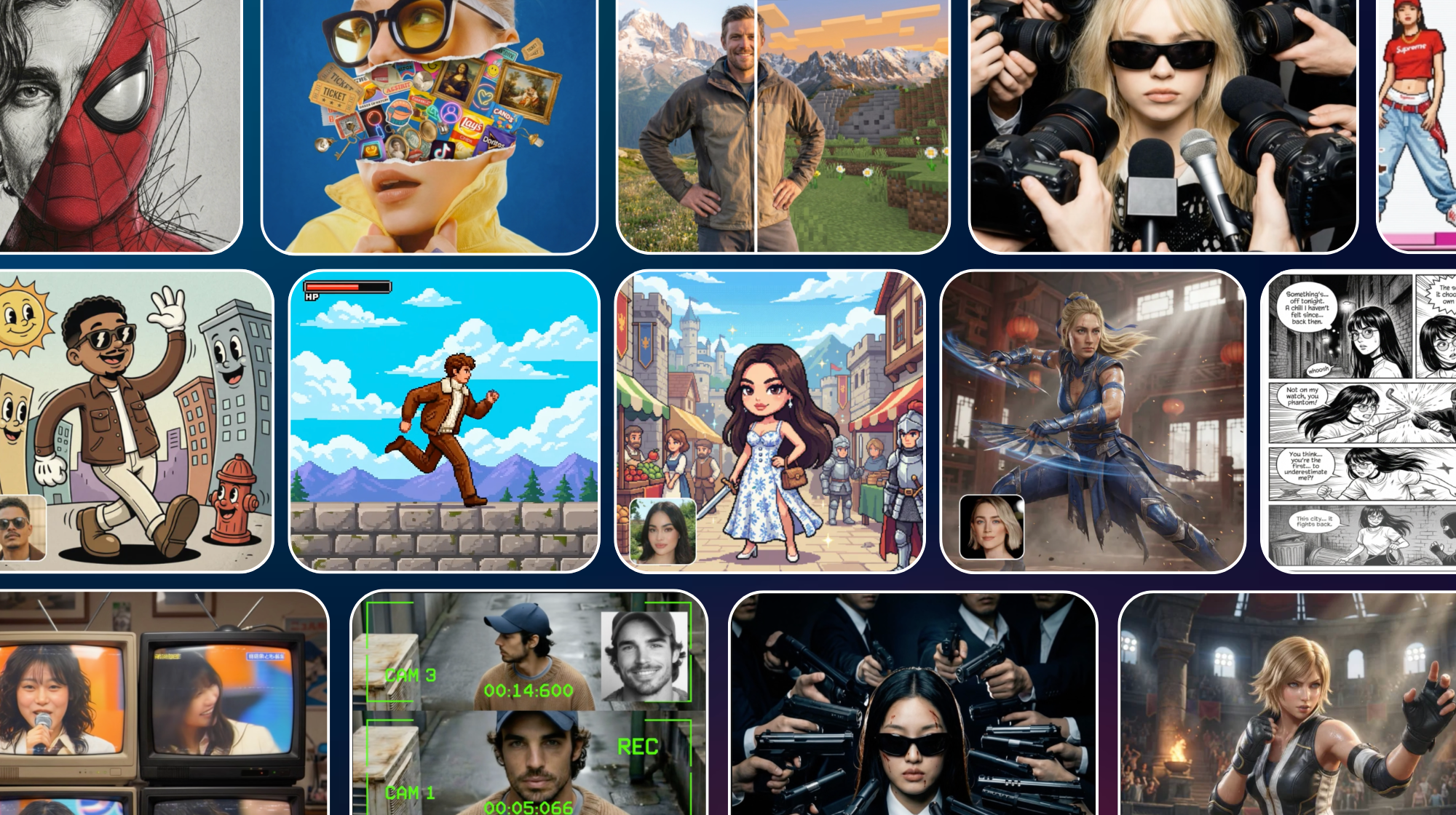
Everyone on the internet seems to have cracked the code of creating viral and high quality photos. But how is everyone doing it? No, they haven’t hired professional editors, they are just using the best photo filter apps.
I have listed the top 15 best photo filter apps so that you can have the next trending picture on your socials. So, without further ado, let’s get right into it.
Quick Overview - The Best Photo Filter Apps
Now, if you are in a hurry, here’s my list for the 15 best photo filter apps of 2026
- Collage Burst (Chaotic and Colorful)
- Superhero Act (Epic and Heroic)
- Banana Wick (John Wick Style)
- Paint App (Retro Pixel Vibe)
- CCTV (Surveillance Style)
- Paparazzi (Celebrity Glam)
- Japanese Show (Retro TV Fame)
- AI Manga Generator (Manga Art)
- Comic (Comical Aesthetic)
- Tekken 8 (Fighter Swag)
- Mortal Kombat (Main Character Energy)
- Minecraft (Block Game World)
- 90s Cartoon (Retro Vibes)
- Pixel Quest (8 Bit Adventure)
- Pixel Hero (Pixar Style Hero)
The 15 Best Photo Filter Apps of 2026
1. Collage Burst Photo Filter
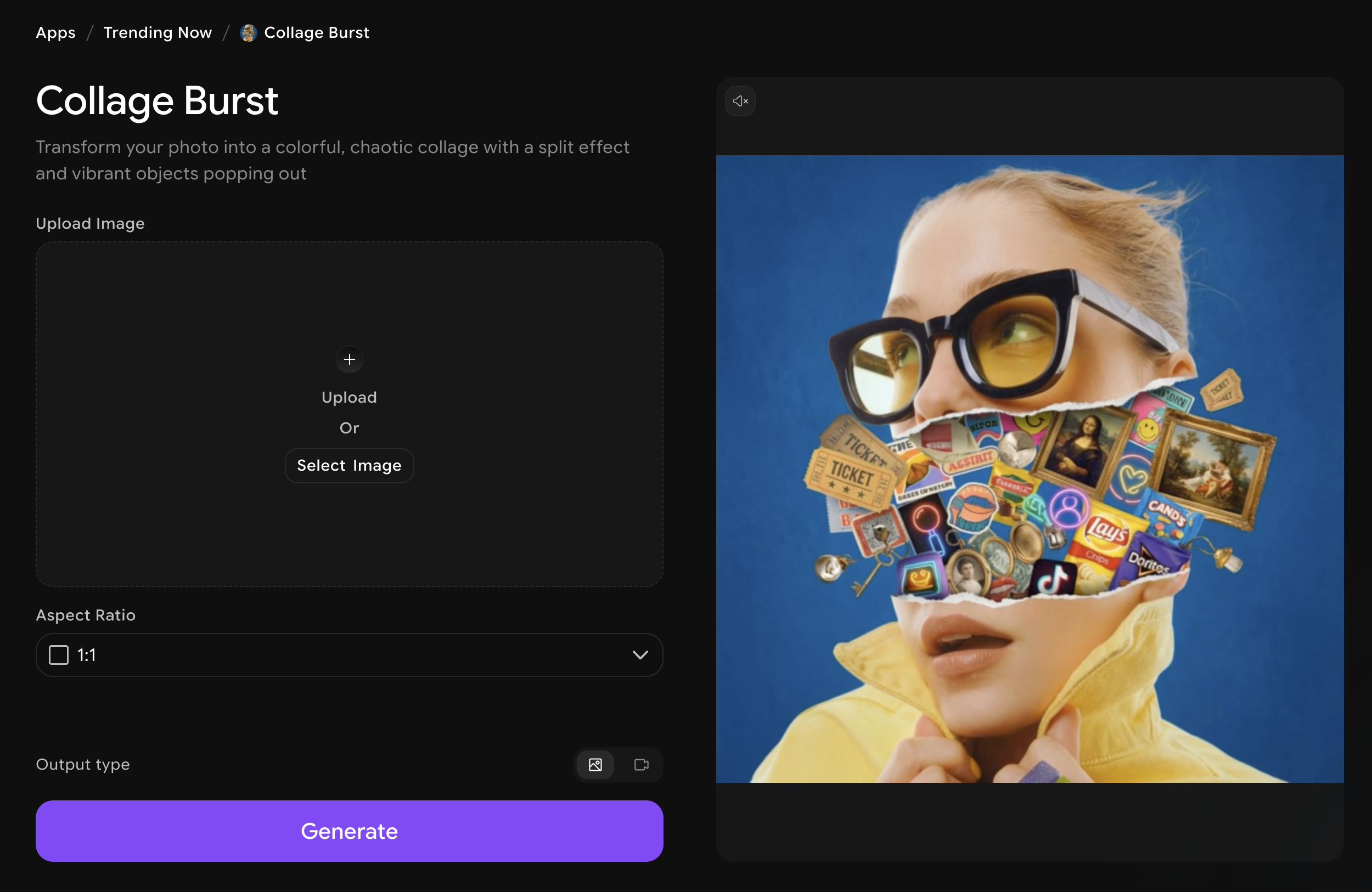
This one's for the chaos lovers. If you are looking for the best photo filter app that combine multiple images this one is for you. Collage Burst takes your photo and explodes it into a colorful, split-effect collage with vibrant objects popping out from every corner. It's loud, it's fun, and it stops the scroll every single time.
What makes it fun
- Transforms any photo into a vibrant multi-object collage instantly
- Split-burst effect creates a dynamic, eye-catching visual energy
- Perfect for social media posts that demand attention
2. Superhero Art Photo Filter
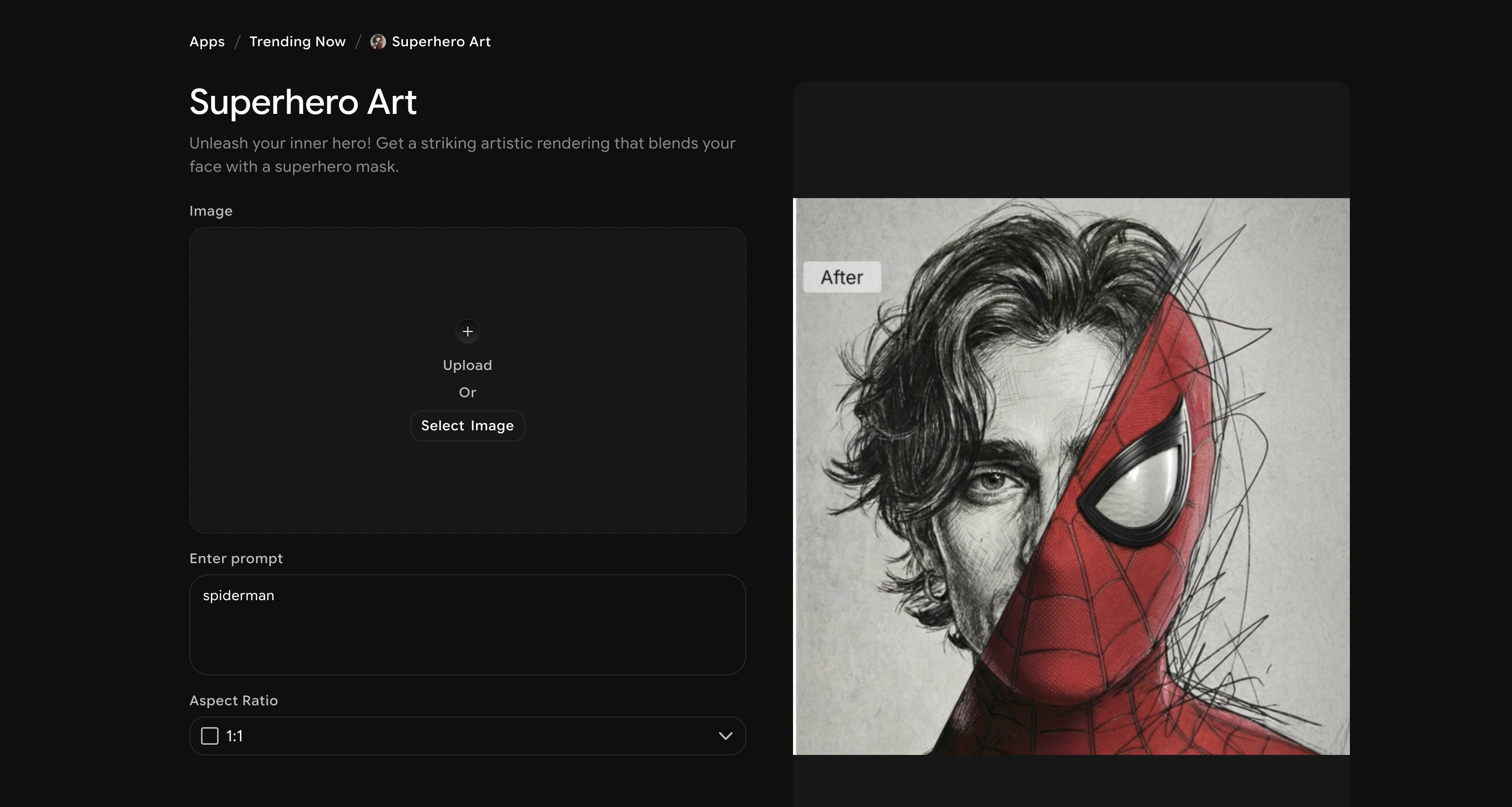
Ever wanted to see yourself in a superhero mask? Superhero Art blends your face into a striking artistic rendering, giving you that full comic-book-hero look. It's dramatic, it's bold, and it is one of the best photo filter apps that can make you trend on your social media.
What makes it fun
- AI seamlessly blends your face with a superhero mask and costume
- High-detail artistic rendering makes every result feel unique
- Great for profile pics, fan art vibes, and just feeling powerful
3. Banana Wick
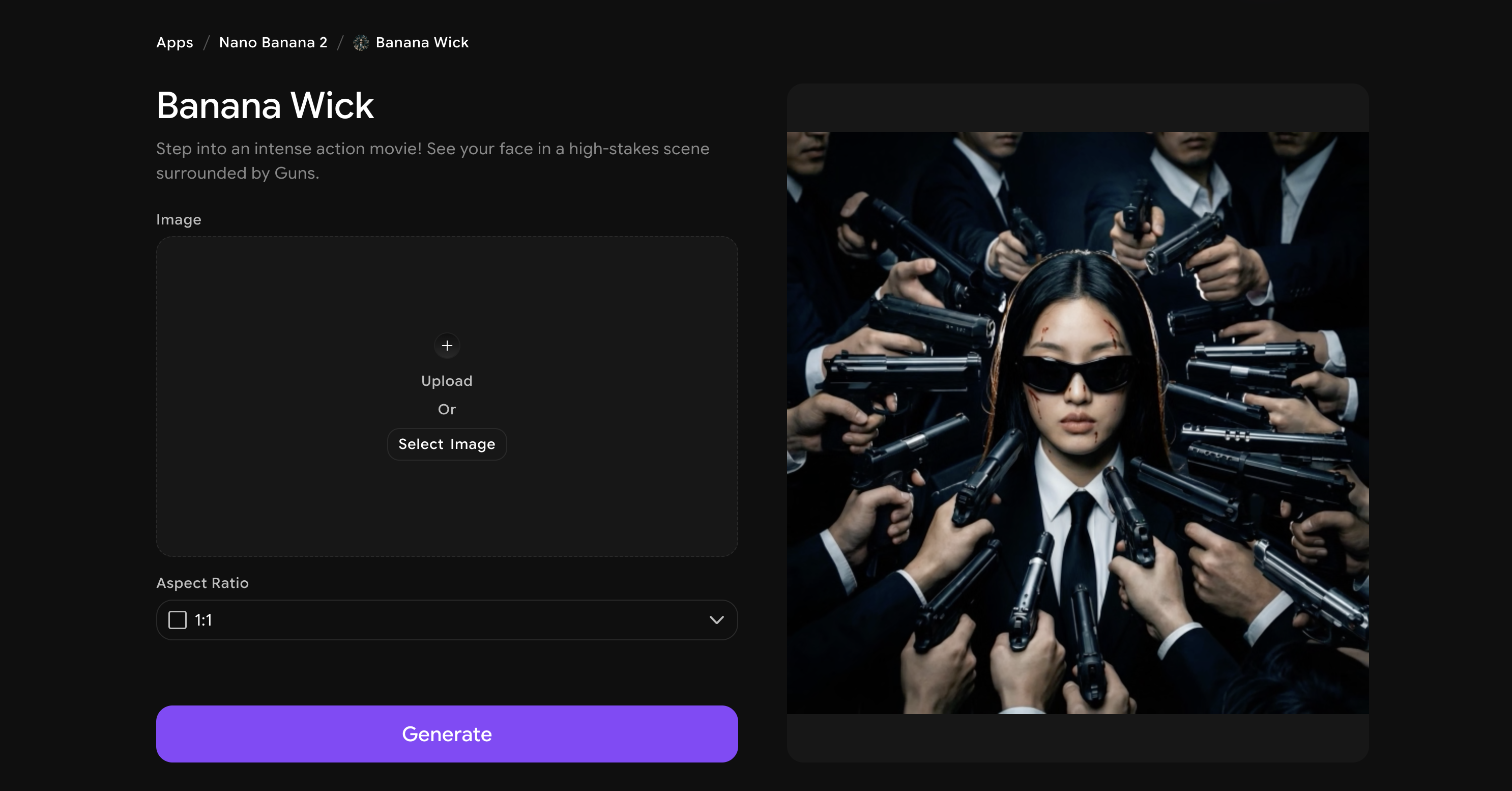
John Wick energy, minus the dog drama. This filter drops your face into a high-stakes action movie scene complete with cinematic lighting and guns surrounding you. It's intense, theatrical, and ridiculously cool-looking.
What makes it fun
- Places your face convincingly into a Hollywood-style action movie scene
- Cinematic lighting and dramatic composition make every photo look like a movie still
- Instantly shareable — friends will do a double take every time
4. Paint App
A nostalgia trip in the best way. Paint App transforms your photo into vibrant pixel art displayed on a classic retro computer screen. It’s one of those photo filter apps that feels like a throwback yet totally current at the same time.
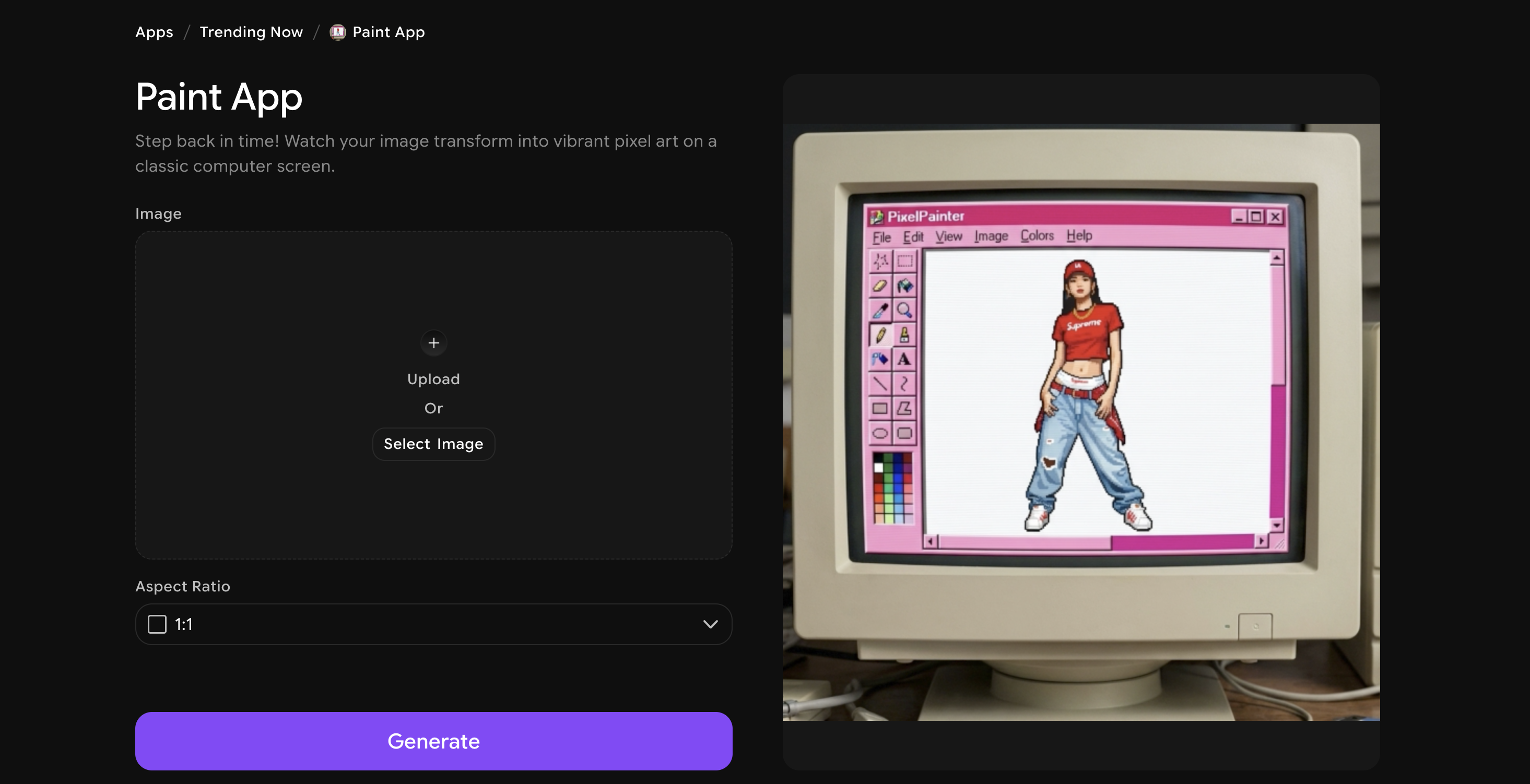
What makes it fun
- Converts your photo into detailed pixel art with an old-school monitor frame
- Bright, retro color palette gives your image a charming vintage feel
- Works beautifully as a creative wallpaper or unique social post
5. CCTV Photo Filter App
This one is weirdly satisfying. It’s been trending all over social media lately, easily making it one of the best photo filter apps of 2026. But what makes it special? CCTV drops you into a high‑tech surveillance setup, complete with face-recognition overlays and tracking grids. It’s the kind of filter that makes you feel like you’re starring in a spy thriller or a hacker movie.
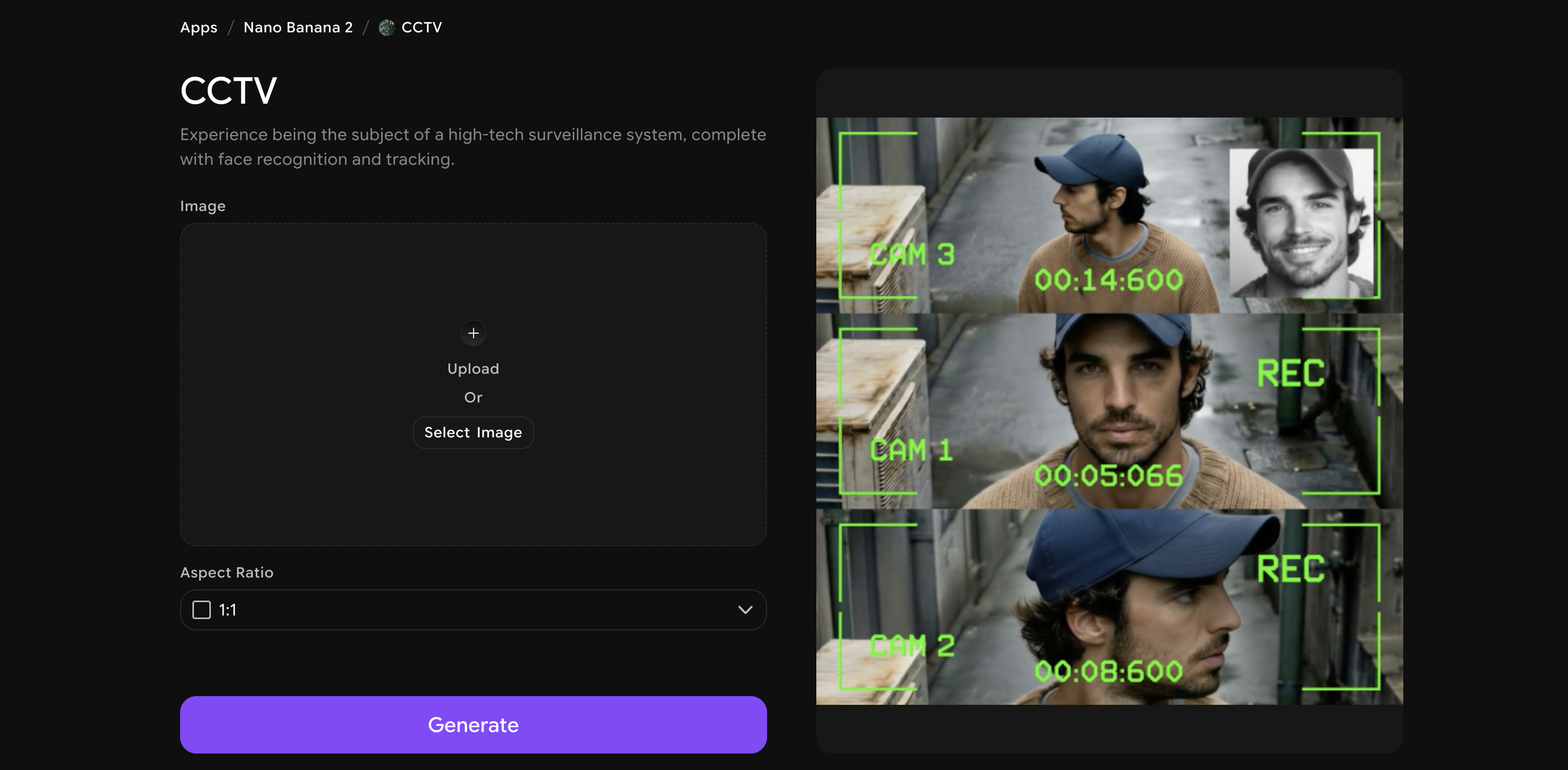
What makes it fun
- Adds realistic surveillance aesthetics like face-tracking boxes and data overlays
- Grainy CCTV texture makes the final result feel genuinely cinematic
- Perfect for mysterious, edgy social media content
6. Paparazzi Photo Filter App
Lights. Camera. You. Paparazzi surrounds your photo with flashing cameras and microphones, making you look like an A-list celebrity stepping out at a premiere. This is main character energy, fully activated.
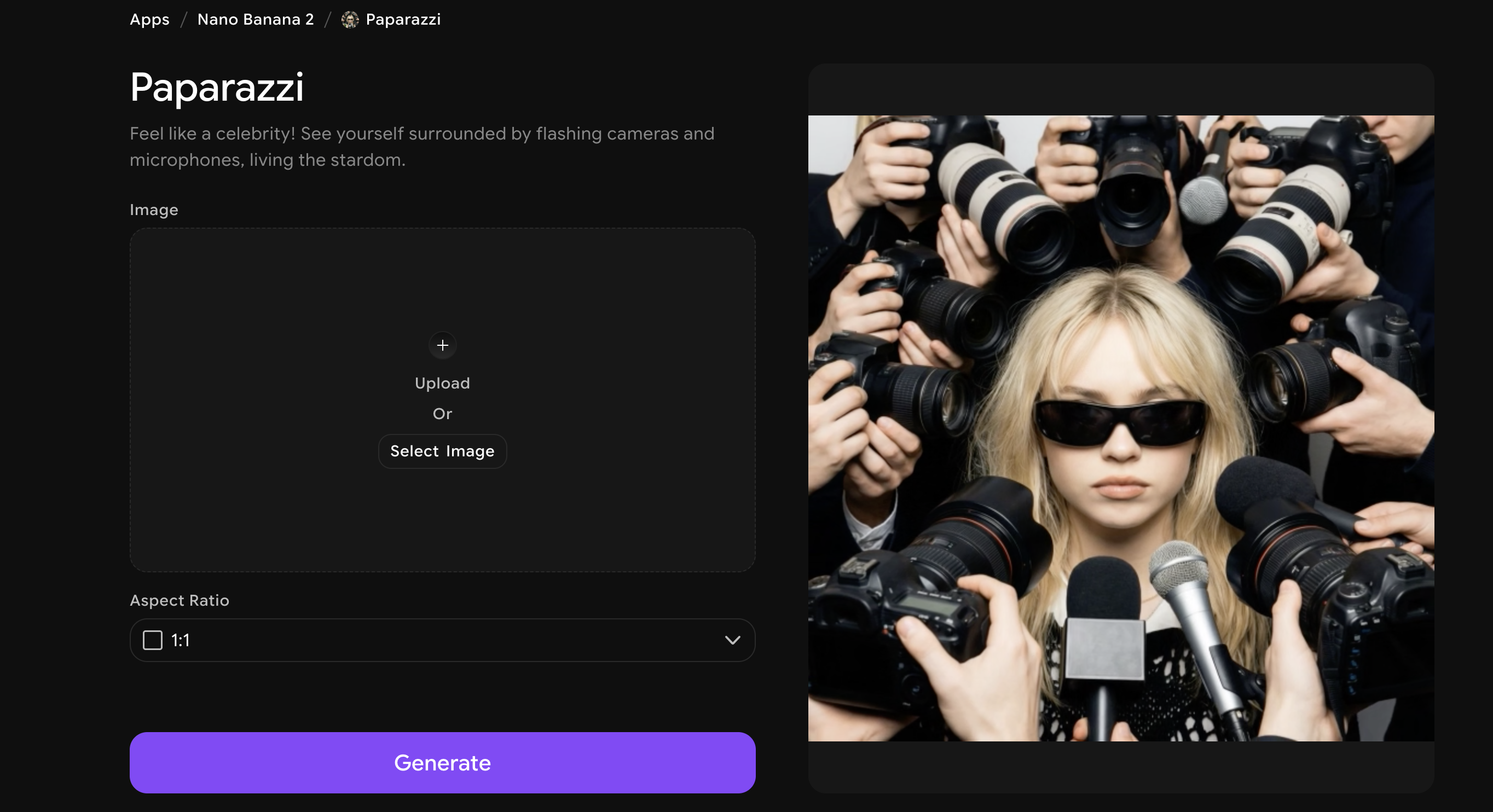
What makes it fun
- Creates a real celebrity-moment aesthetic with camera flashes and press crowd
- Flattering and bold — great for birthday posts, special occasion content, and hype reels
- Makes anyone look instantly famous and iconic
7. Japanese Show
Go full retro-TV star with this one. Japanese Show places your face on multiple classic retro television screens, replicating that quirky, colorful aesthetic of vintage Japanese game shows. It's bizarre and brilliant.
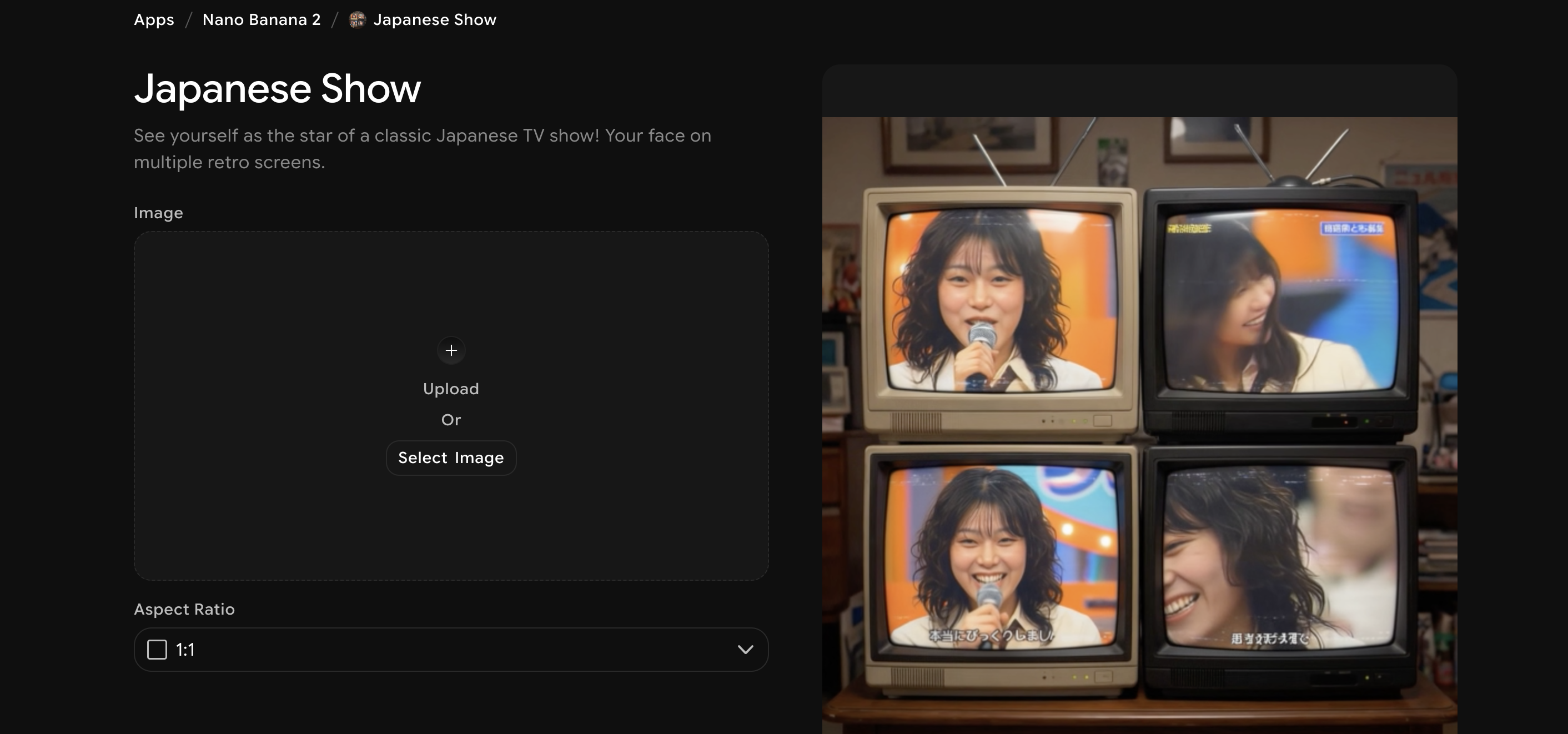
What makes it fun
- Renders your face across multiple retro TV screens for a surreal multi-panel effect
- Captures the warm, grainy look of classic 80s-90s Japanese broadcasting
- A genuinely unique filter you won't find anywhere else
8. AI Manga Generator
This is a dream for anime fans. AI Manga Generator transforms your photo or text prompt into detailed manga panels and characters. The results are genuinely stunning — sharp linework, expressive faces, and full manga panel layouts.
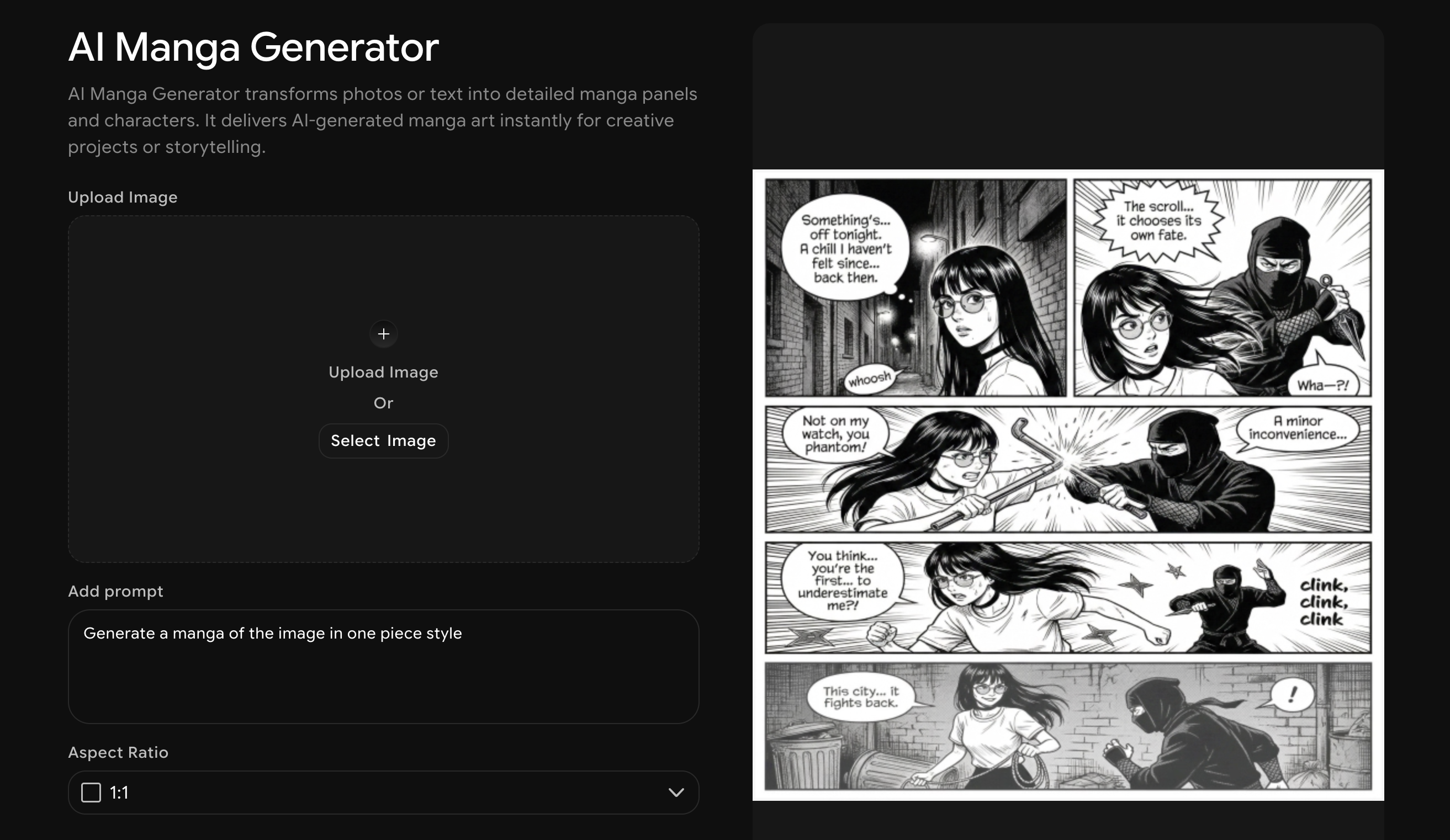
What makes it fun
- Converts photos into authentic manga-style art with panel compositions
- Works from both photo uploads and text prompts for full creative control
- Ideal for storytelling, fan content, and creative projects
9. Comic
Who said you can't be the star of your own comic book? Comic places your face into a full action sequence — specifically, a daring jewel heist scene where you're the master thief. Bold colors, dynamic panels, and maximum drama.
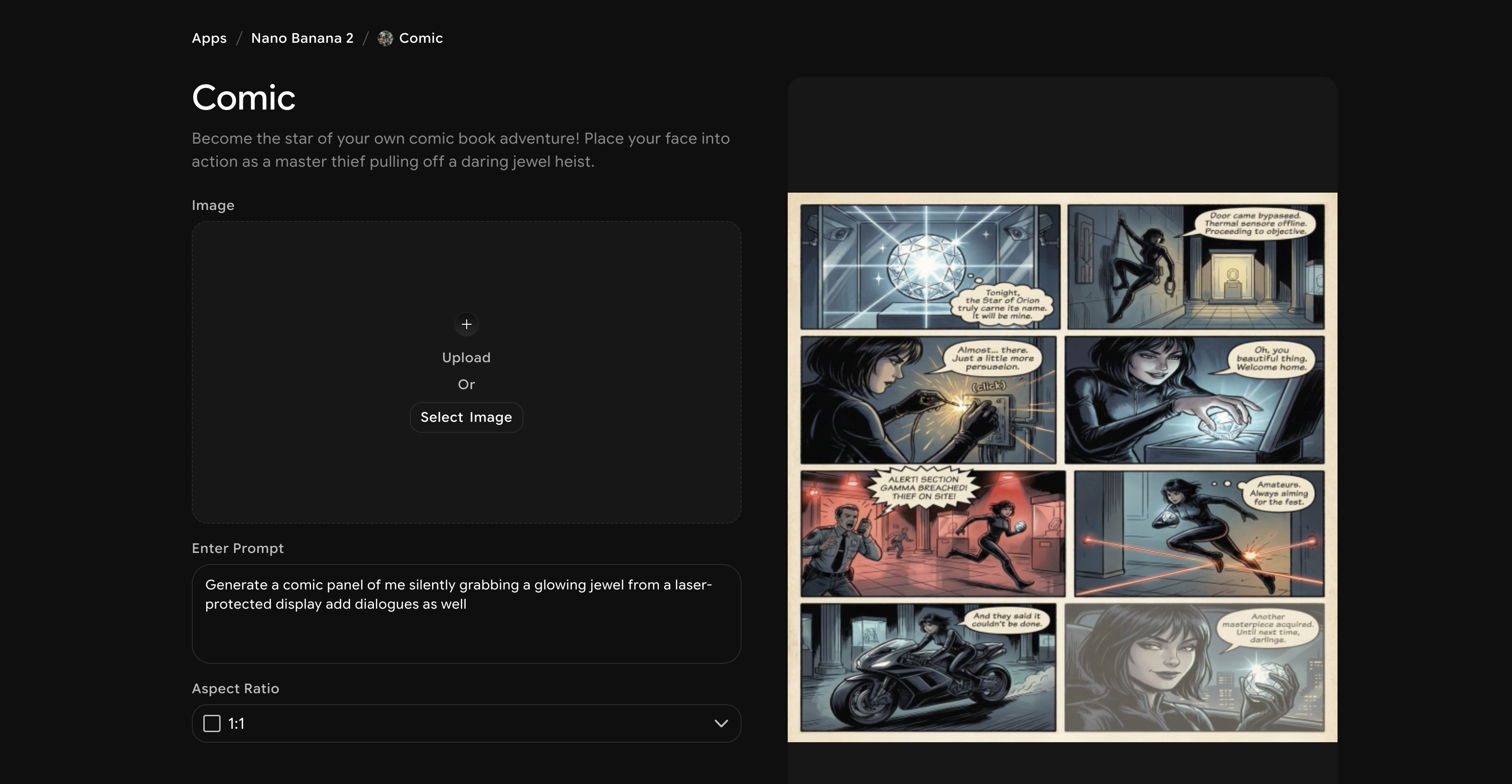
What makes it fun
- Full comic-book art style with action lines, panel borders, and vivid coloring
- The jewel heist narrative makes the composition immediately exciting and story-driven
- Perfect for avatars, creative prints, and fans of graphic novel aesthetics
10. Tekken 8 Photo Filter
Get ready to fight. Tekken 8 puts your face on a powerful fighter character from the iconic game series, arena-ready and absolutely menacing. Gaming fans will lose their minds over this one.
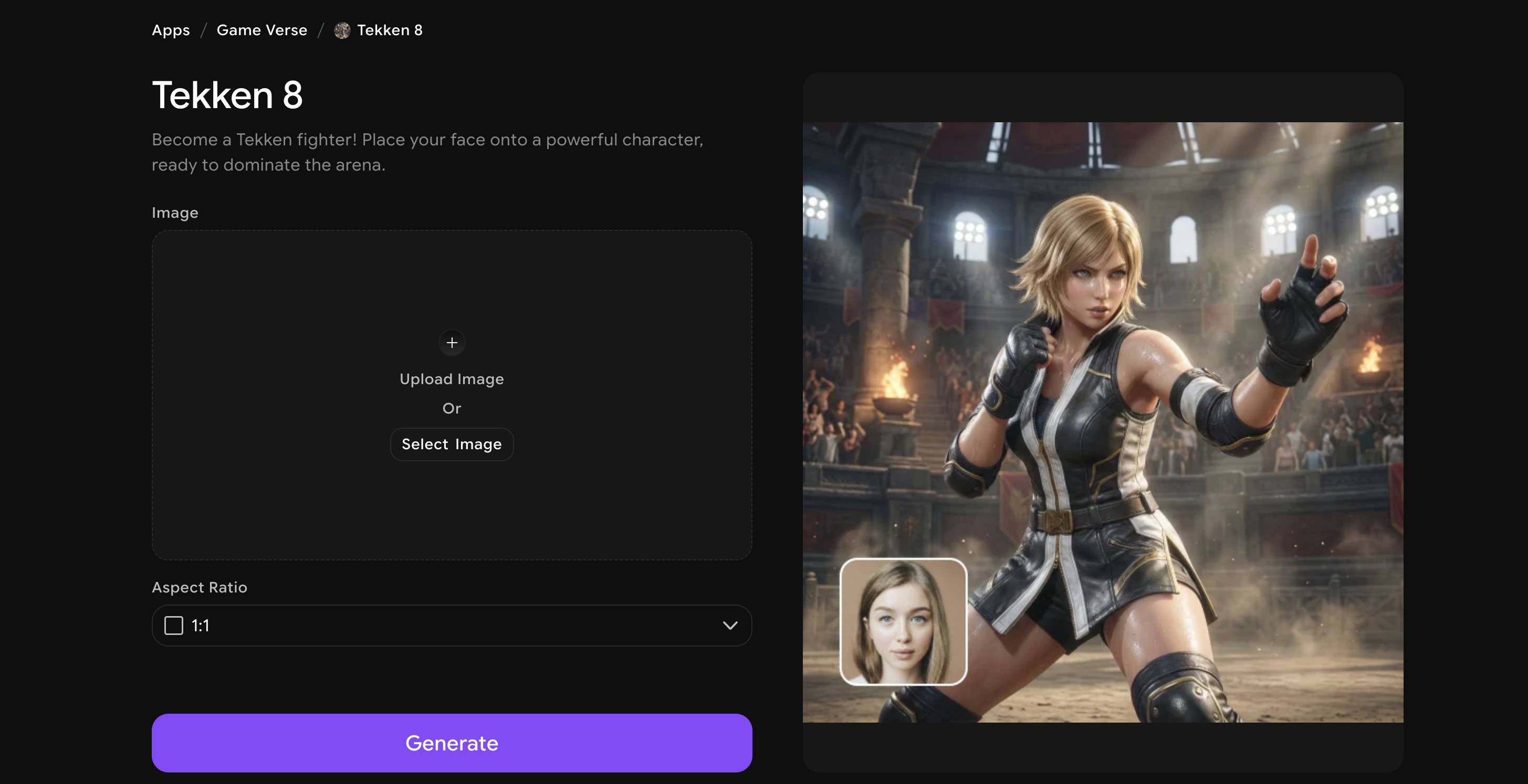
What makes it fun
- Realistic face-swap onto a Tekken 8 fighter character with in-game quality visuals
- Dramatic arena lighting adds to the intensity of the final image
- Incredible for gaming content, character cosplay ideas, and reaction posts
11. Mortal Kombat Photo Filter App
FINISH HIM (or her). Mortal Kombat drops your face onto an iconic MK fighter character, loaded with attitude and ready to unleash. The rendering is sharp, dramatic, and immediately recognizable to any gaming fan.
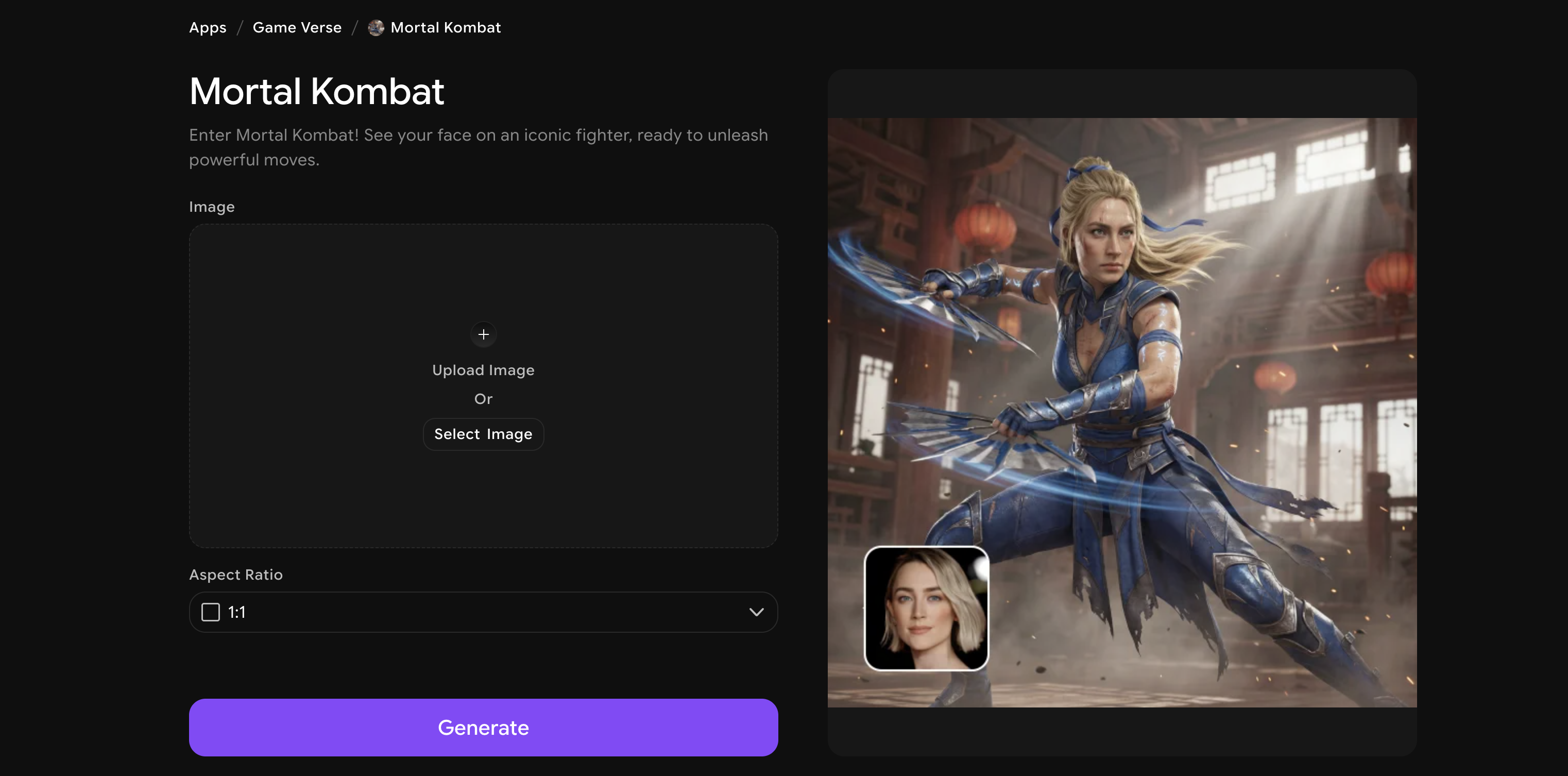
What makes it fun
- Places your face on a fully rendered Mortal Kombat fighter in iconic game style
- Dark, dramatic visual composition that matches the game's legendary aesthetic
- A must-try for gaming fans and content creators looking for viral moments
12. Minecraft
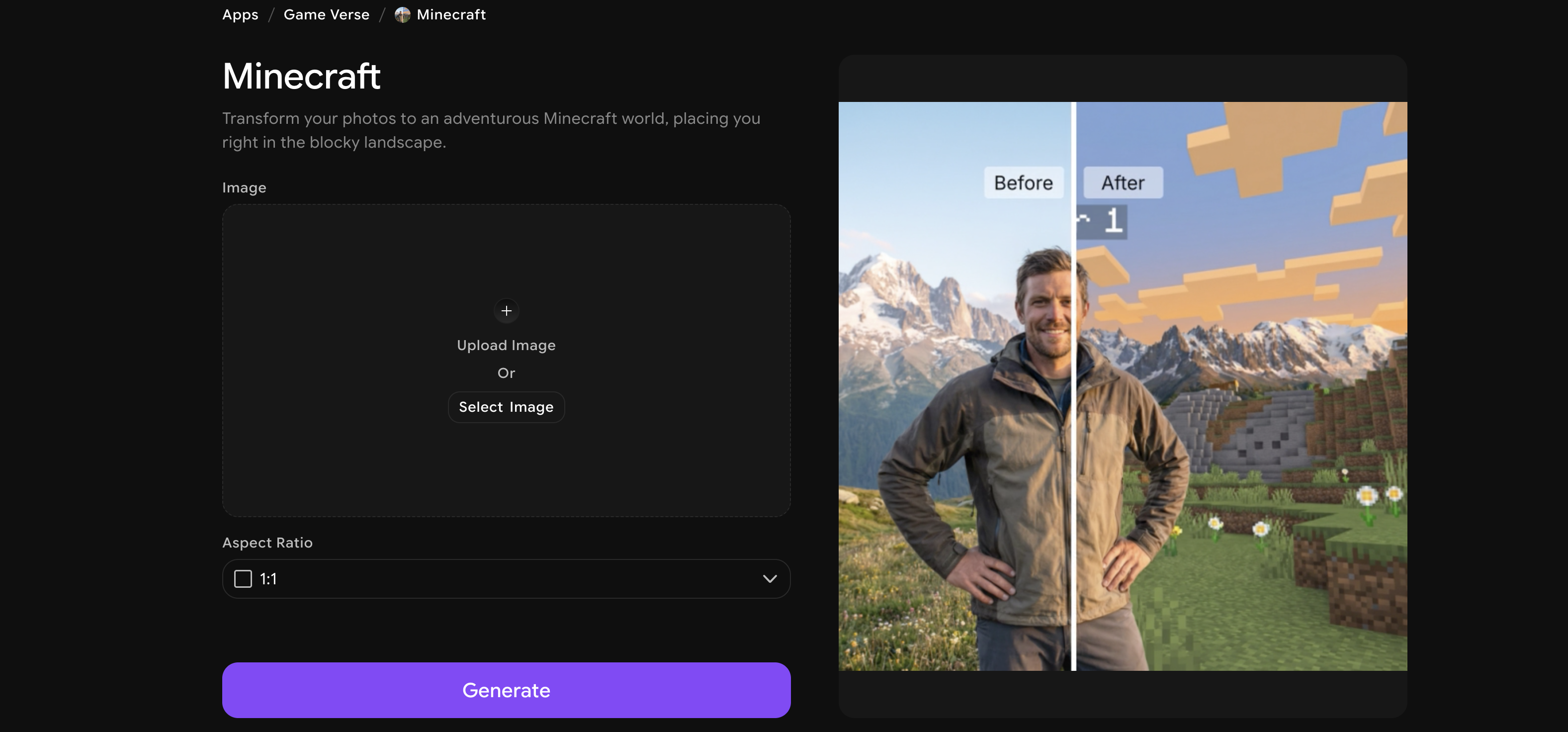
Step into the most famous blocky world in gaming history. Minecraft transforms your photo into a full Minecraft-style scene, placing you right in the pixelated landscape as if you just spawned in. Absolutely loved by gaming fans of all ages.
What makes it fun
- Full Minecraft world rendering with authentic blocky textures and environments
- Your likeness is translated into the game's iconic character style
- Wildly popular with younger audiences and nostalgic gamers alike
13. 90s Cartoon
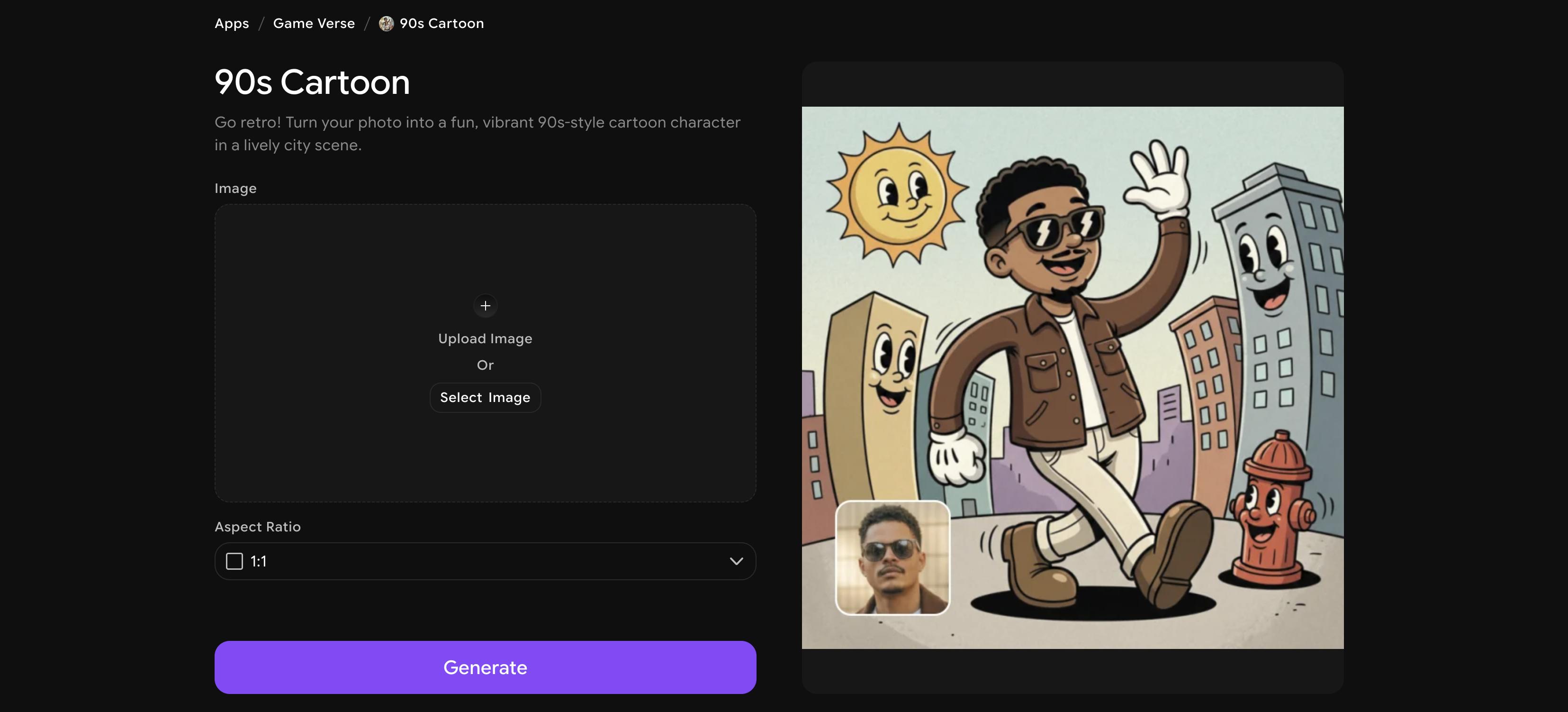
Nobody's doing nostalgia like this. 90s Cartoon transforms your photo into a fun, vibrant retro cartoon character set in a lively city scene — think classic Saturday morning cartoons but starring you. It's cheerful, colorful, and deeply nostalgic.
What makes it fun
- Converts your photo into a classic 90s hand-drawn cartoon style with bright colors
- Full city-scene background composition makes it feel like a show title card
- Perfect for throwback posts, creative profiles, and anyone who grew up with cartoons
14. Pixel Quest
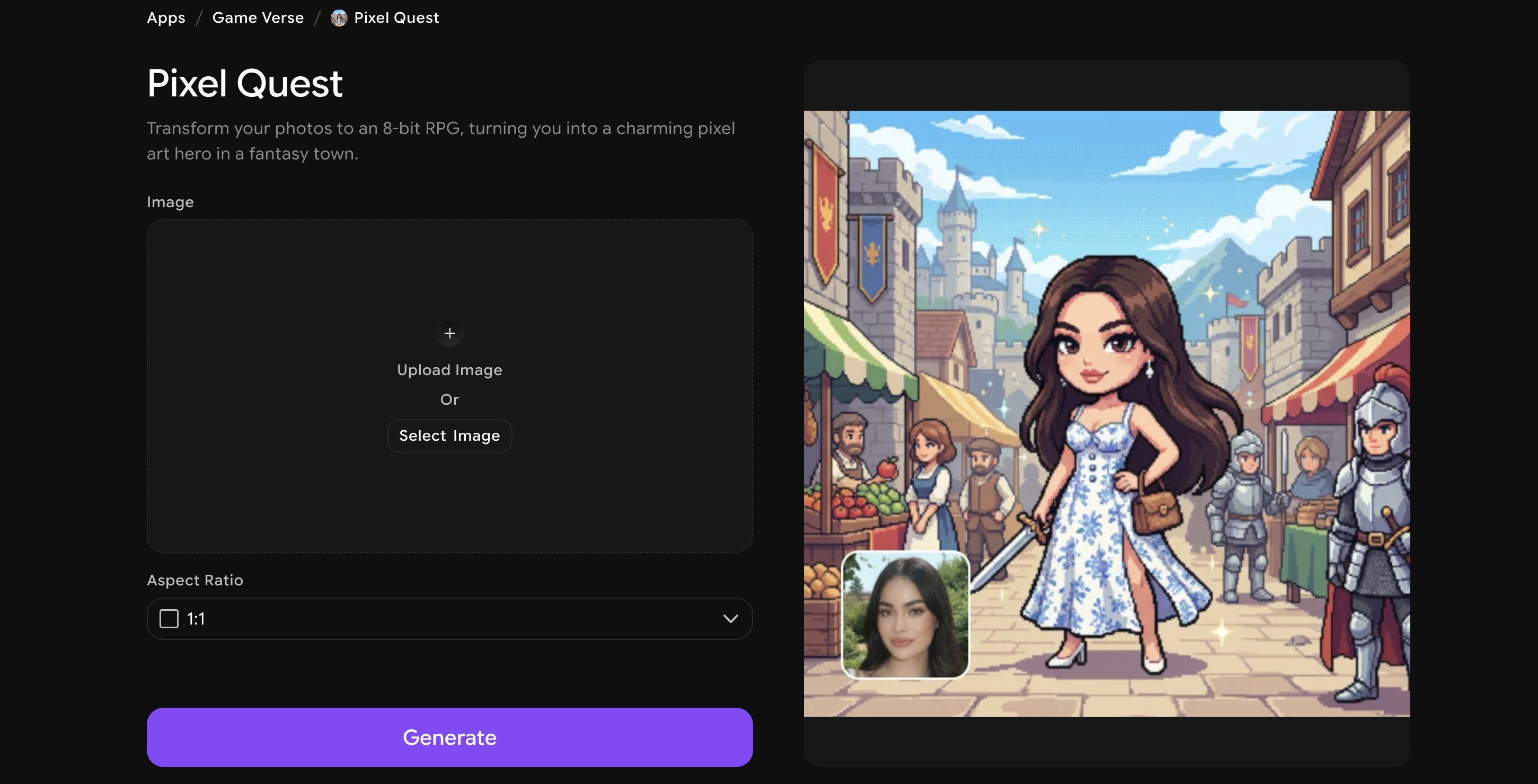
Think classic RPG adventure games — but you're the hero. Pixel Quest turns your photo into a charming 8-bit pixel art character placed in a fantasy town, complete with the warm pixel glow of your favorite retro RPG.
What makes it fun
- Full 8-bit RPG rendering with pixel art character and fantasy town background
- Charming retro palette and sprite design that feels authentically old-school
- Amazing for gaming communities, retro content creators, and pixel art enthusiasts
15. Pixel Hero
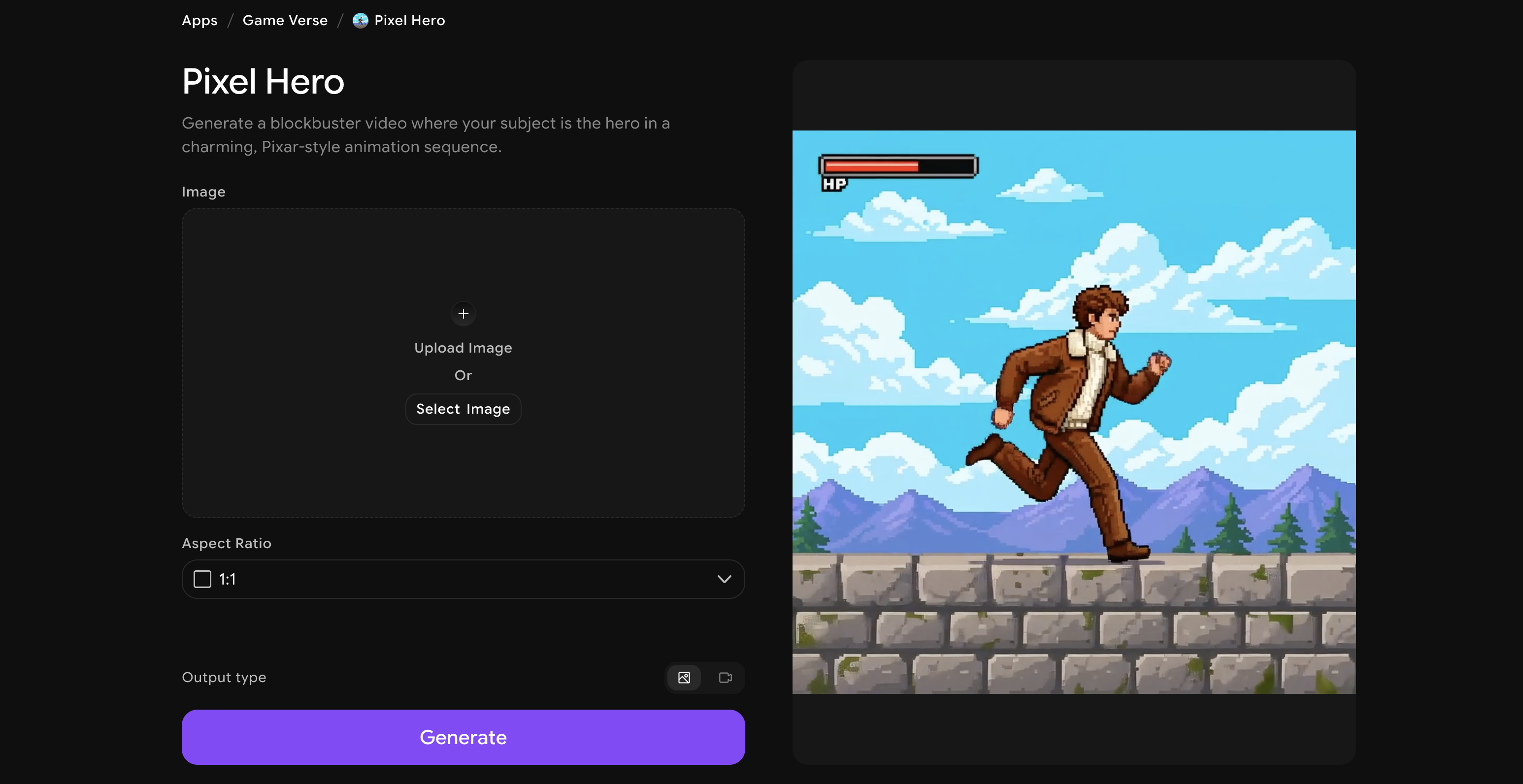
And to close out our list of the best photo filter apps of 2026, we have Pixel Hero, a filter that transforms your photo into a Pixar-style animated sequence where you become the hero of a blockbuster story. The rendering quality is stunning: smooth, cinematic, and convincingly movie-like.
What makes it fun
- Creates a Pixar-quality animated version of your photo with storybook detail
- Dynamic, cinematic composition makes it feel like an actual movie moment
- One of ImagineArt's most viral and shareable filters for a reason
For a deeper guide to aesthetic-specific editing apps and film preset tools, see: Best Aesthetic Photo Editing Apps
How to Use Photo Filter Apps on ImagineArt?
Using any of these filters takes less than a minute. Here's exactly how it works:
Step 1 - Go to imagine.art/apps and select your photo filter app.
Step 2- Upload your image directly from your device.
Step 3 - Add a prompt if required, then click Generate.
Step 4 - Review your result, download, and share it wherever you want.
That's it. No editing experience needed, no software to install, no learning curve.
Ready to Transform Your Photos?
Stop scrolling through other people's content and make your own with the best photo filter apps of 2026.
Answers to your Most Asked Questions!
Yes! You can run your photo through multiple ImagineArt filters one at a time. Just download the result from one filter and upload it to the next app — there's no limit to how creative you can get.
ImagineArt takes user privacy seriously. Your uploaded photos are used solely to generate your output and are not shared publicly or used to train models without consent. You can review the full privacy policy on their website for details.
Many ImagineArt filter apps are available to try for free. Some advanced generations or higher-resolution downloads may require extra credits or a subscription plan, but you can get started without a credit card.
You can explore many filters without signing in. Creating a free ImagineArt account gives you access to more generations, saved creations, and the full suite of apps.
Most filters work best with individual portraits, but several like Collage Burst, Minecraft, and 90s Cartoon can handle group shots as well. Results vary depending on the app, so it's worth testing your photo to see what you get.
Syed Anas Hussain
Syed Anas Hussain is a computer scientist blending technical knowledge with marketing expertise and a growing passion for AI innovation. Curious by nature, he dives into new AI sciences and emerging trends to produce thoughtful, research-led content. At ImagineArt, he helps audiences make sense of AI and unlock its value through clear, practical storytelling.