Zahida Misher
November 5, 2026 • Updated November 5, 2026
14 mins Read
You drag a product photo into Canva, reach for Magic Eraser to lose the dish sponge, and meet a Pro badge. That's the moment a lot of searches for a Canva alternative begin.
The short answer first. For templates and layouts, the closest swap is Adobe Express. If most of your Canva time went into fixing photos and making social visuals, a prompt-based AI image editor like ImagineArt does more per edit. If you want less AI, not more, Graphite and Penpot are free and open source.
Why the search at all? Canva's pricing gives Free users up to 20 uses of Standard or Premium AI tools a month, and Magic Edit, Magic Eraser, Magic Expand and Magic Grab are Pro, Business and Enterprise features. Below: ten tools by job, a free-plan AI table, who owns the output, and two real ImagineArt edits. If you're new to prompt editing, start with our guide on how to edit photos with AI.
Canva alternatives at a glance
Prices are US list prices, as of November 2026. "Free plan" means what the vendor's own page says, not what a reviewer remembers from 2024.
| Tool | Best for | Free plan (AI part) | Paid from (as of November 2026) |
|---|---|---|---|
| Canva (baseline) | Templates, layouts, team brand kits | Up to 20 Standard or Premium AI uses a month; no Magic Edit or Magic Eraser | Pro US$18/mo or US$144/yr |
| Adobe Express | Canva-style templates | "Limited generative AI credits", free daily generations | Premium US$9.99/mo |
| ImagineArt | AI photo edits and AI visuals from a prompt | Free plan with personal-use images; current plan limits | See the plans page |
| Pixlr | Budget photo editing with generative fill | Free tier in the browser | Plus US$2.49/mo |
| Microsoft Designer | Free AI graphics with a Microsoft account | Monthly credits, 1 credit per AI action | Free; Microsoft 365 Personal, Family or Premium add up to 4x the credits |
| Recraft | AI vector graphics and brand assets | 3 generations per style a day, public, no commercial use | Basic US$12/mo (US$10/mo annual) |
| Kittl | Typography, merch and logos | Personal use only | Pro US$12 per editor/mo, billed annually |
| VistaCreate | Print-ready designs | Starter US$0 with 10GB | Pro from US$10/mo |
| Visme | Presentations and infographics | 10 AI credits a month, no downloads | Starter US$12.25/mo billed yearly |
| Picsart | Mobile photo editing with AI | Not checked for this post | Pro US$15/mo or US$10.5/mo yearly |
| Figma | Teams that also design apps and sites | 150 AI credits a day, up to 500 a month | Professional Full seat US$16/mo, billed annually |
How to read it: if you mostly made social posts out of photos, look at the first five rows and judge each Canva alternative by its photo tools. If you mostly made multi-page layouts, brochures or decks, the template-led rows (Adobe Express, VistaCreate, Visme) are your shortlist, and an AI photo editor is a sidekick, not a replacement.
The 10 best Canva alternatives, by their job
Each entry gives the Canva job it takes over, the vendor's own AI claims, the price as of November 2026, and a named reviewer's finding where one exists.
1. Adobe Express: best for Canva-style templates
If you liked Canva's workflow and only resent the bill, Adobe Express is the nearest Canva alternative. Adobe Express plans put the Free tier at US$0 with "limited generative AI credits", 5GB of storage, and free daily generations for image generation and Insert & Remove Objects. Premium costs US$9.99 a month, billed monthly, with 250 generative credits and 100GB, as of November 2026. It runs in desktop browsers and on mobile.
In Zapier's roundup, Harry Guinness made Express his best overall pick: fewer templates than Canva, but an editor he found more powerful and nicer to use. That piece dates from June 2025, so treat its prices as history and use Adobe's page for today's.
- Pros: closest template-and-layout match; object insert and remove on the free tier
- Cons: the free credit count isn't stated as a monthly number; generative features lean on Adobe's credit system
Adobe's other AI image tool has its own credit maze, untangled in its Adobe Firefly free.
2. ImagineArt: best for AI photo edits and AI visuals
As a Canva alternative, our AI photo editor replaces the part where you drag a photo in and then fight it. You describe the change in plain words: remove an object, swap a background, retouch, restyle. The editor page puts it bluntly: "There are no masks to draw, layers to manage or selection tools to learn." It runs on Nano Banana Pro by default, with GPT Image 2.5, Ideogram 4.5 (pitched for clean, readable text), Seedream 4.5, Flux 3, Flux Kontext and more in the same picker. Uploads are JPG, PNG or WEBP up to 30MB, so RAW files need converting first.
We ran this edit in ImagineArt. The source was a generated phone-style shot of a speckled cream mug on a kitchen counter: a sponge, a crumpled tea towel, a plain cardboard box, spoons and crumbs, all under harsh strip light.
 Speckled cream ceramic mug on a cluttered kitchen counter with a sponge, tea towel and cardboard box under harsh light
One prompt in Nano Banana Pro:
"Place the mug on a pale sage linen surface with soft morning window light from the left and a sprig of eucalyptus beside it. Remove the sponge, towel and cereal box. Keep the mug's shape, glaze, speckles and handle exactly the same."
The result put the same speckled mug and handle on sage linen with eucalyptus and side light. Every bit of clutter went, including the spoons and crumbs we never named, because the model rebuilt the whole scene. The warmer light makes the glaze read creamier than the original. The dedicated AI background changer is built for exactly this job.
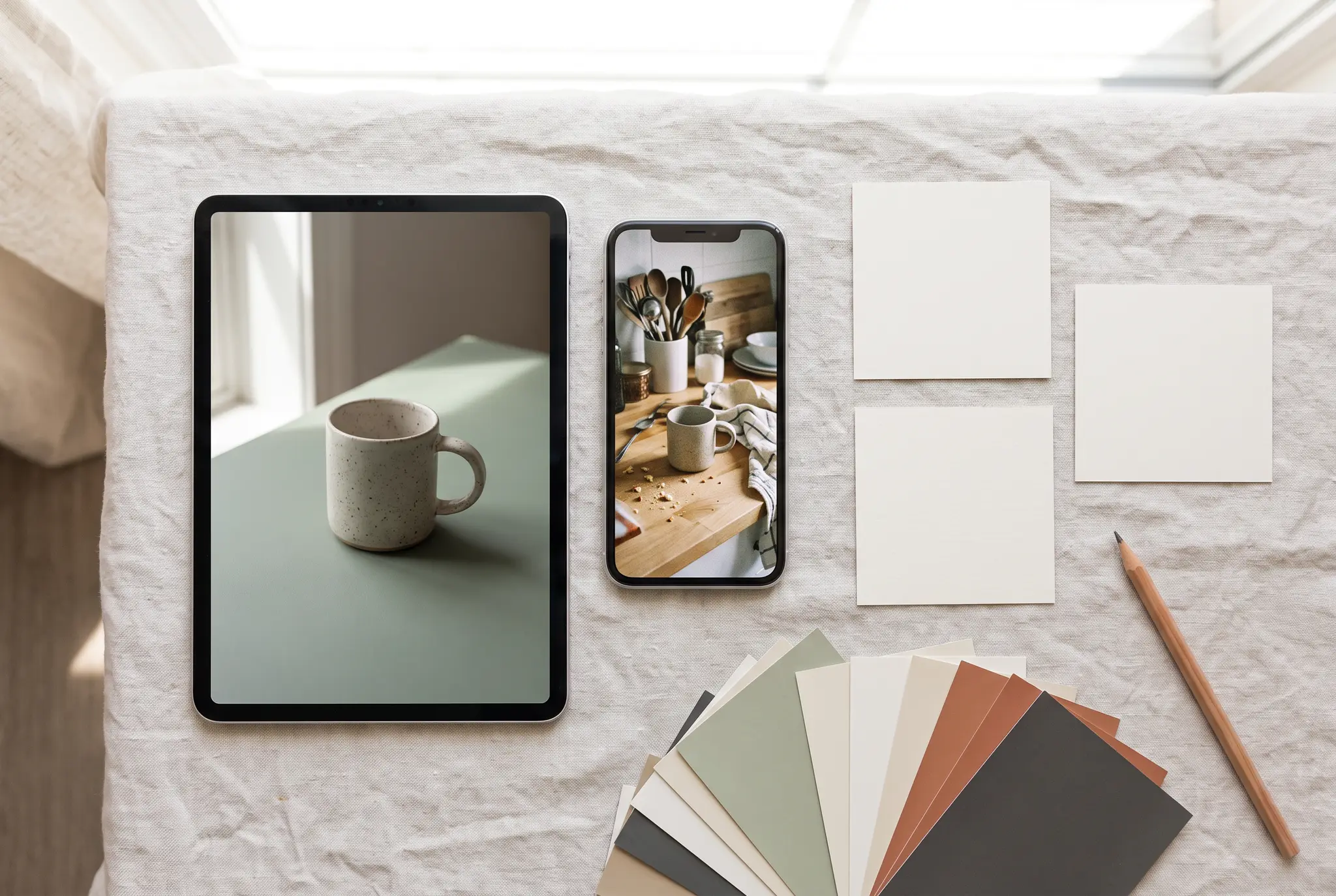
 Same speckled ceramic mug on a sage linen surface with a eucalyptus sprig in soft window light
Then the Canva-shaped test. We fed that output to GPT Image 2.5 Sunburst and asked for a 4:5 Instagram post with "Weekend pottery class" in a dark green serif at the top and "Saturdays, 10am" at the bottom. Both lines came back spelled right (three words, then two), and the mug stayed put, with an extra wall added above to fit 4:5.
The catch matters: the text is baked into the pixels. You can't click it and fix a typo the way you would in Canva. You prompt again.
 Text spelled right, but it's part of the image, not an editable layer.
For branded one-offs there's also an AI logo generator, and any edited image can go to the AI video generator to animate. ImagineArt runs in the browser and has iOS and Android apps.
A YouTube thumbnail maker covers one more job people used Canva for.
Price (as of November 2026): ImagineArt has a free plan; check the current plan limits. The editor page says free-plan images are for personal use, and paid plans add commercial use.
- Pros: edits from a sentence, no masks; more than ten models in one picker; in our test, text came out spelled right
- Cons: not a layout or template tool, so no multi-page documents, presentations, print templates or drag-and-drop layouts; text is not editable after generation; no team brand-locking
3. Pixlr: best budget editor with generative fill
Pixlr is the Canva alternative for people who mostly opened Canva to fix a photo and would rather pay pocket change. Pixlr has a free tier in the browser. Plus costs US$2.49 a month with 80 AI credits, and Premium costs US$9.99 a month with 1,000, as of November 2026. Its AI tools include Generative Fill, Background Remover and Object Remover.
Zapier's Guinness called Pixlr the best value design tool in his roundup, while noting it's split across several apps and "a bit rough around the edges".
- Pros: the cheapest paid tier on this list; Generative Fill and object removal
- Cons: several apps instead of one; the free credit count isn't on the pricing page
4. Microsoft Designer: best free option with a Microsoft account
If you have a Microsoft account, you already have this Canva alternative. Microsoft Designer is a free web app with "Create with AI" and "Edit with AI" modes. You get a fresh set of credits each month and each AI action costs one. Microsoft 365 Personal, Family or Premium subscribers get up to four times more.
- Pros: free with an account many people already have; generation and editing in one place
- Cons: we couldn't verify a fixed free credit number on Microsoft's page
5. Recraft: best for AI vector graphics and brand assets
Recraft is a Canva alternative for icons, illustrations and brand assets rather than photos. Recraft gives free users 3 generations per style per day. Basic costs US$12 a month (US$10 billed annually) for 1,000 credits, and Pro US$20 (US$16 annually) for 2,000, as of November 2026.
Read the free-plan small print twice. Recraft's page says images generated on Free are owned by Recraft, appear in its public gallery and aren't licensed for commercial use. Paid plans grant full ownership and commercial rights.
- Pros: vector output for logos, icons and illustrations; clear ownership rules on paid plans
- Cons: free images are public and non-commercial; not a photo or layout editor
6. Kittl: best for typography, merch and logos
Kittl is the Canva alternative for people who kept nudging letter spacing. It's built around type, badges and merch graphics. Kittl lists Free, Pro, Expert and Max. Pro is US$12, Expert US$26 and Max US$48 per editor per month, billed annually, as of November 2026. AI runs on tokens.
The Free plan is personal use only, with no commercial rights. That rules it out for client work until you pay.
- Pros: made for type-led logos, T-shirts and posters; AI inside the design canvas
- Cons: Free is non-commercial; we only found annual prices on the page
7. VistaCreate: best for print-ready designs
VistaCreate is the Canva alternative closest in spirit, with a print shop attached. VistaCreate Starter costs US$0 with 10GB of storage, and Pro starts at US$10 a month for up to 10 seats, as of November 2026. Its AI tools include an Image Generator, Background Remover, Object Remover and BG Changer.
In the Zapier roundup, Guinness singled it out for its VistaPrint integration and noted the AI image generator.
- Pros: template-led like Canva; built-in path to print; seats for a small team
- Cons: AI tools are add-ons to a template editor, not the main event
8. Visme: best for presentations and infographics
If your Canva account was mostly slides, charts and reports, Visme is the specialist Canva alternative. Visme Free gives 10 AI credits a month and 500MB, but no downloads. Starter costs US$12.25 a month billed yearly with 200 AI credits, and Business US$24.75 a month billed yearly with 500, as of November 2026.
Experte's scored test, by Julia P. Manzau, still put Canva first and Visme second, praising the editor and calling it "fairly expensive".
- Pros: data, charts and presentations are the core; AI credits on every tier
- Cons: the free plan can't download; AI credits are capped per tier
9. Picsart: best mobile photo editor with AI
Picsart is the Canva alternative for the "edit on my phone, post it" crowd. Picsart Pro costs US$15 a month or US$10.5 a month billed yearly, with 500 credits a month. Ultra starts at US$75 a month (US$60 billed yearly), as of November 2026. Apps run on iOS, Android and Windows, and Pro lists advanced background and object removal.
- Pros: strong mobile apps; background and object removal on Pro
- Cons: we didn't verify the free plan's limits; credit math gets complicated across models
10. Figma: best for teams that also design apps and sites
Figma is the Canva alternative that makes sense when marketing sits next to product designers. Figma Starter is free with 150 AI credits a day, up to 500 a month. A Professional Full seat costs US$16 a month billed annually (US$20 monthly) with 3,000 AI credits, as of November 2026. Figma Buzz, its tool for marketing assets, is in beta on all seats.
- Pros: one place for product and brand design; a daily free AI allowance
- Cons: a steeper learning curve than Canva for someone making one Instagram post
Want a Canva alternative with less AI?
Yes, there are good ones. Graphite runs in a browser, keeps files local and has no generative AI or templates. Penpot is free and open source and can be self-hosted. Affinity is free too, though Canva owns it and its AI tools need a paid Canva plan. Pick by how much layout control you need.
One of this query's top results is a post in a Facebook group called Artists Against Generative AI. Those readers don't want a smarter Magic Edit. They want a canvas that does what it's told.
XDA's look at Graphite by Nolen Jonker describes it as free, open source, browser-based and local-first, with no generative AI and no templates. Penpot lists its Professional plan at $0, on its cloud or on your own server. Affinity's download page says its pixel, vector and layout tools are free with a Canva account.
These suit illustrators, zine makers and anyone who'd rather move every pixel themselves. They ask more of you than a Canva alternative with a template gallery. That's the trade.
Is there a 100% free alternative to Canva?
Penpot is the cleanest fully free alternative to Canva: open source, every feature on the $0 plan. Graphite and Affinity are free as well. Canva-like tools with free tiers (Adobe Express, Microsoft Designer, VistaCreate Starter, Figma Starter) work at no cost but cap AI use or downloads. Here's what each free plan gives you for AI, checked October 29, 2026.
| Free plan | AI on the free plan | The catch |
|---|---|---|
| Canva Free | Up to 20 Standard or Premium AI uses a month, no Ultra AI | Magic Edit, Magic Eraser, Magic Expand, Magic Grab not included |
| Adobe Express Free | Free daily generations, limited credits | No monthly number on the plans page |
| ImagineArt Free | AI edits and generations on a free plan | Personal use; limits on the plans |
| Microsoft Designer | Monthly credits, 1 per AI action | Microsoft 365 plans get up to 4x more |
| Figma Starter | 150 AI credits a day, up to 500 a month | Built for drafts and UI kits, not print |
| Visme Free | 10 AI credits a month | No downloads, 500MB |
| Recraft Free | 3 generations per style per day | Public images, no commercial use |
| Kittl Free | AI runs on tokens | Personal use only |
| VistaCreate Starter | Image Generator, Background Remover, Object Remover | 10GB storage |
| Penpot | Not an AI tool | Fully free, open source |
Who owns what you make with Canva's AI and its alternatives?
Under Canva's AI product terms, effective June 26, 2026, you keep ownership of your input and own your AI output, with one exception: output that edits Canva library content. Edit a stock photo from Canva's library and you don't own the result. Canva also says outputs may not be unique.
The alternatives split three ways. Recraft Free keeps ownership itself and bars commercial use, while its paid plans hand over full rights. Kittl Free is personal use only. ImagineArt's editor page says free-plan images are for personal use, and paid plans add commercial use.
What that means in practice:
- Before client or product work, open the tool's terms page, not its marketing page, and look for "commercial use" and "ownership".
- If a design starts from a stock asset inside the tool, check that asset's license separately.
- Keep your original photos. Canva's terms confirm you keep your input, and a local copy proves it.
This isn't legal advice. It's a reading of each vendor's own pages as of November 2026.
How to choose a Canva alternative for your workflow
Pick a Canva alternative by the job you actually did in Canva last month, not the one you planned to do.
- Photos and social visuals: ImagineArt for prompt edits and generated visuals; Pixlr if you want sliders and layers on a budget. Need a visual from nothing? Try the AI image generator.
- Templates and layouts: Adobe Express first, VistaCreate if print matters.
- Slides, charts and reports: Visme.
- Logos, icons and brand assets: Recraft for vectors, Kittl for type-heavy designs.
- Teams that also build apps or sites: Figma.
- Less or no AI: Graphite or Penpot.
People searching for apps like Canva or sites like Canva may need two tools, not one: a template editor for layouts and a photo editor for the images inside them. Adobe Express Premium plus Pixlr Plus comes to US$12.48 a month as of November 2026, about half a Canva Business seat at US$25.
If your real need is layers, masks and pixel control, that's a different list: our Photoshop alternatives guide covers it.
Pick the tool for the job you actually do
Canva is still a strong template tool. The reasons to leave are specific: a 20-use AI cap on Free and the photo tools parked behind Pro. Match the replacement to the work. Adobe Express or VistaCreate for layouts, Visme for slides, Recraft or Kittl for brand assets, Figma for product teams, Graphite or Penpot if you'd rather skip AI.
If most of your Canva time went into fixing photos and turning them into posts, our test shows what a prompt editor does with a messy counter shot: one sentence for a new set, one more for a post with text spelled right. Just remember that text isn't editable afterwards.
Try your own before and after in the AI image editor, starting with the photo you were about to drag into a template.
Frequently asked questions
What is the best substitute for Canva?
It depends on the job. Adobe Express is the closest substitute for templates and Zapier's best overall pick. ImagineArt suits AI photo edits and social visuals from a typed sentence. Visme fits slides and infographics, and Graphite or Penpot fit anyone avoiding AI.
Who are Canva's main competitors?
Adobe Express is the most direct competitor for template-based design. Figma competes for teams that design products and marketing in one place, Visme for presentations and reports, and VistaCreate for print-led small-business design. AI-first image tools like ImagineArt, Picsart and Recraft compete for the photo and graphics side.
Why don't professional designers use Canva?
There's no reliable count of who uses what, so treat the premise with care. Detailed layout and layer work tends to live in tools built for it, such as Affinity, Figma or Photoshop, which give finer control over type, vectors and pixels. Canva trades some of that control for speed from templates.
Does Canva use AI on the free plan?
Yes, in a limited way. Canva's US pricing page gives Free users up to 20 uses of Standard or Premium AI tools a month, with no Ultra AI tools. Magic Edit, Magic Eraser, Magic Expand and Magic Grab aren't included on Free; they start with Pro.
Is Canva Pro worth it in 2026?
At US$18 a month or US$144 a year as of October 2026, Pro buys premium templates and content, Magic Edit and Magic Eraser, and up to 200 Premium AI uses a month. If you mostly edit photos or only need templates occasionally, a cheaper or free alternative may cover it.
Zahida Misher
Exploring how AI transforms marketing, I help businesses unlock growth and future-proof their presence.