Try-On
Puts a real garment from your own photo onto a model: virtual try-on, outfit swap, try-on video.
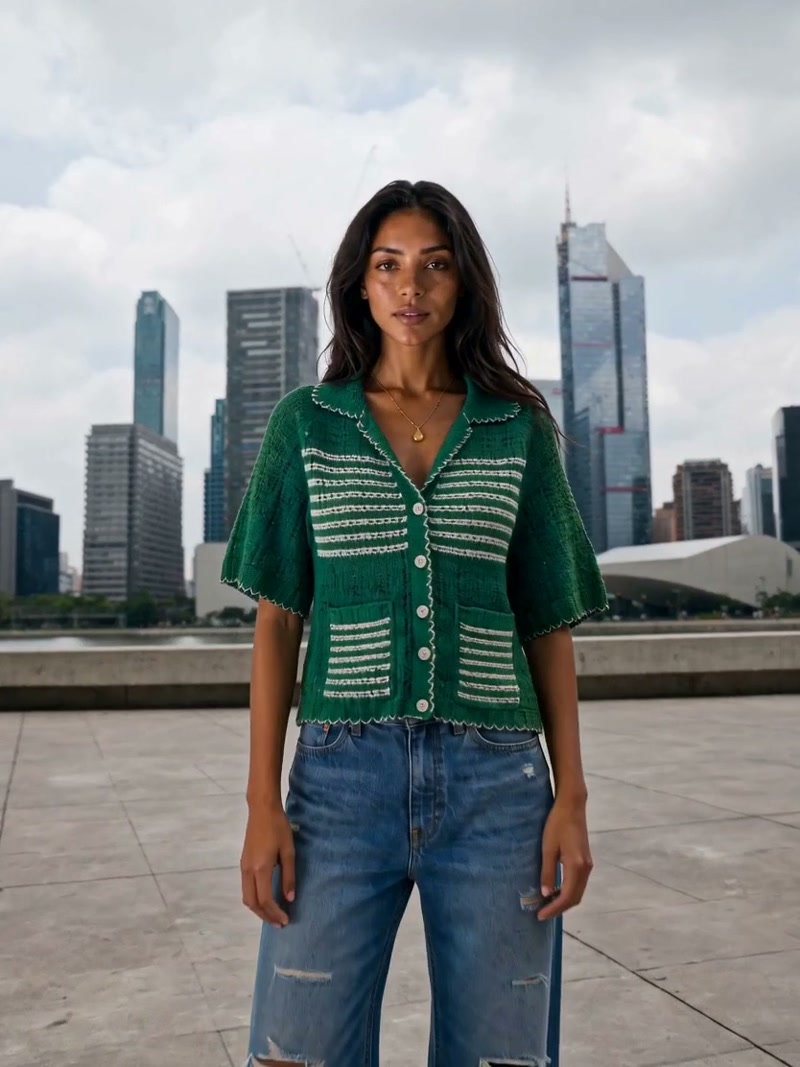
Jacket On A Model
Reference attached
@ImagineArt /try-on Put this jacket on a model, three-quarter view, studio grey backdrop. Reference: [Reference](https://cdn-imagine.vyro.ai/imagine-one/imagine-mcp/studios/fashion-result.mp4) Skill: [Try-On](https://www.imagine.art/gpt-astra/skills/try-on) Plugin: [Install ImagineArt](https://chatgpt.com/plugins/plugin_asdk_app_6a97af93ebc88191961039f177688fa9) If the ImagineArt plugin is not installed, install it from the link above before continuing.
 Try in ChatGPT
7 Ways To Open This One.
- Jacket On A ModelPut this jacket on a model, three-quarter view, studio grey backdrop./try-on
- Flat Lay From A PhotoExtract just this garment from the photo, laid flat, on transparent./garment
- Swap The LookSwap the outfit in this photo for the one in the second image and keep the pose./outfit-swap
- Size Guide SetShow this dress on three different body types for the size guide./try-on
- Reseller ListingPut this thrifted coat on a model so I can list it properly./wear-this
- Sunglasses On A FaceShow these sunglasses on a model, front and three-quarter./try-on
- Staff Uniform MockupPut our logo polo on a staff model for the careers page./try-on
- 01
Install The Plugin
Open ImagineArt in the ChatGPT plugin directory and connect your imagine.art account. There is no API key to generate, store or rotate.
- 02
Send One Of The Briefs
Every brief below opens ChatGPT with the message already typed. Read it, edit it, send it.
- 03
Get The Files Back
Images, video and audio land in the thread as they finish. Chain them in the same session: generate, upscale, cut out, animate.