Fashion
Lookbooks, editorials and catalogue shoots, and the motion that comes off them.
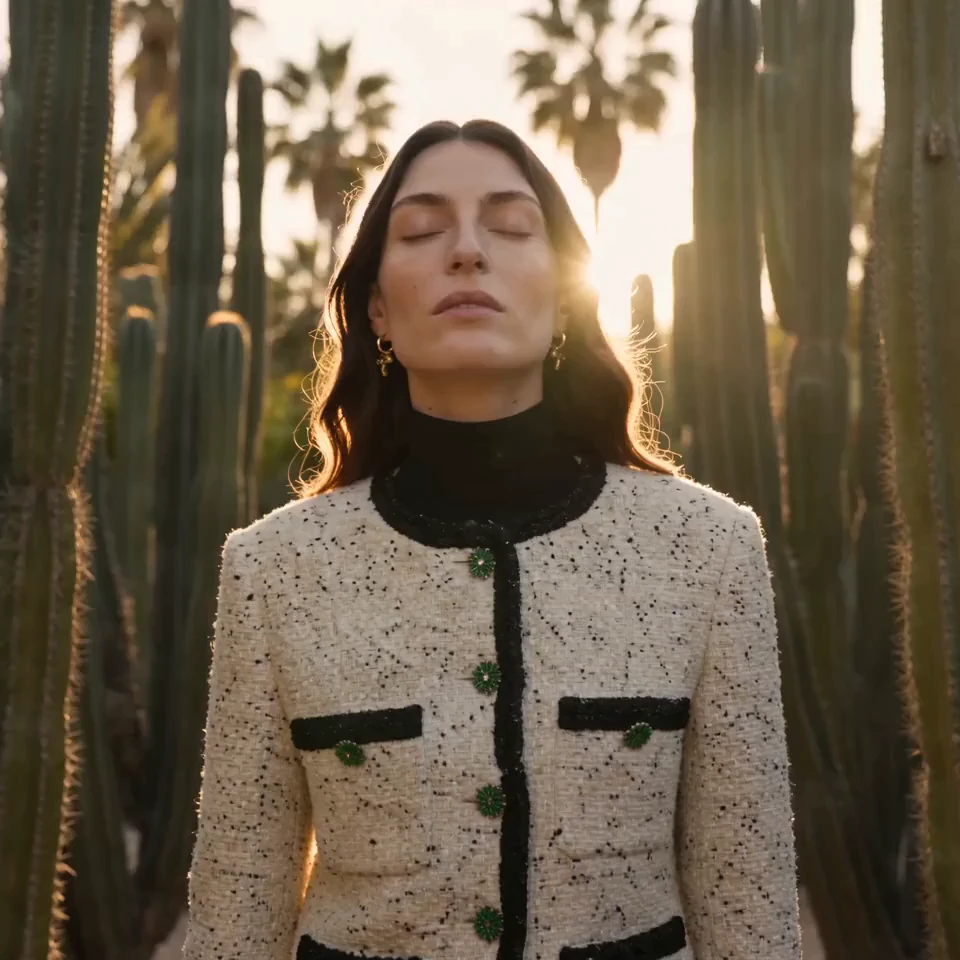
Spring Lookbook
Reference attached
@ImagineArt /lookbook A spring lookbook for this collection, warm daylight, six looks. Reference: [Reference](https://cdn-imagine.vyro.ai/imagine-one/fashion/editorial/videos/cactus-golden-hour.mp4) Skill: [Fashion](https://www.imagine.art/gpt-astra/skills/fashion) Plugin: [Install ImagineArt](https://chatgpt.com/plugins/plugin_asdk_app_6a97af93ebc88191961039f177688fa9) If the ImagineArt plugin is not installed, install it from the link above before continuing.
 Try in ChatGPT
7 Ways To Open This One.
- Spring LookbookA spring lookbook for this collection, warm daylight, six looks./lookbook
- E-Commerce SetA clean catalogue set on a neutral backdrop, consistent framing across every look./catalogue
- Magazine EditorialA moody editorial spread for this collection, hard light, concrete location./editorial
- Runway ClipTurn the strongest shot from that shoot into a runway walk, 1080p./runway
- Recast The ModelKeep the shoot and change the model to someone older./model
- Restyle The LookSame model and setting, swap the wardrobe for the autumn pieces./wardrobe
- Lookbook To ReelAnimate this lookbook shot into a short reel for the launch./animate
- 01
Install The Plugin
Open ImagineArt in the ChatGPT plugin directory and connect your imagine.art account. There is no API key to generate, store or rotate.
- 02
Send One Of The Briefs
Every brief below opens ChatGPT with the message already typed. Read it, edit it, send it.
- 03
Get The Files Back
Images, video and audio land in the thread as they finish. Chain them in the same session: generate, upscale, cut out, animate.