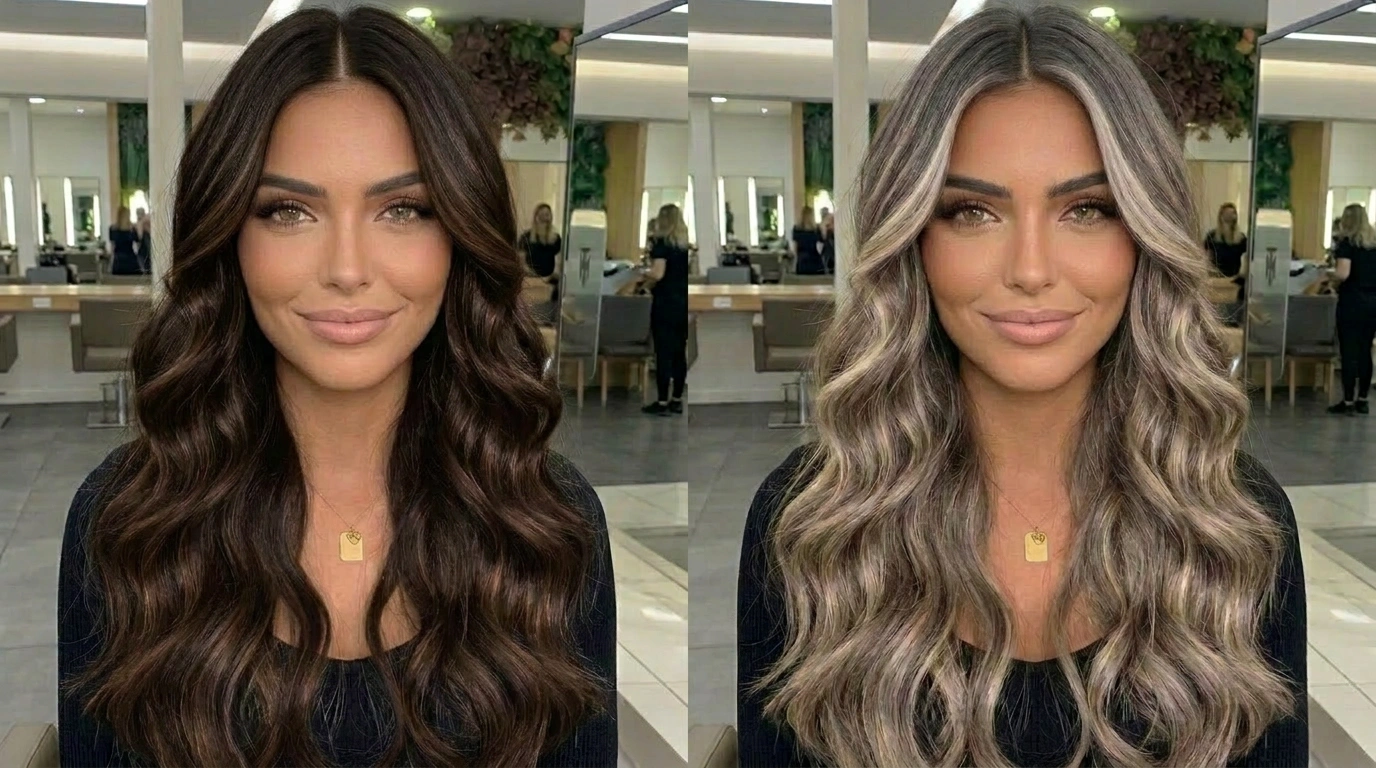
Aqsa Nazir Kayani
March 9, 2026 • Updated March 9, 2026
12 mins Read
You have a Pinterest board with a section for: hair colors. Cool, but you do know you can’t try them all back to back without frying your hair and costing a small fortune. At the end of the day you are looking for ‘the’ color, the one that makes you feel incredible and not like a bad decision.
Yeah. We have all been there.
Hair color is one of those things that feels super personal. A bad dye job does not just affect your hair. It affects your whole mood for weeks.
Here is the good news: you can now try on any hair color before you touch a single drop of dye. This guide walks you through exactly how to try on hair color virtually, step by step, using a tool that makes the whole thing stupidly easy.
Let's get into it.
Why Try Hair Color Virtually First?
Look, committing to a hair color is a big deal. It is not like buying a top you can return. Here is why trying it virtually first is the move:
Avoid Bad Hair Color with Permanent Dye
Permanent dye does not budge easily. If you go wrong, you are looking at:
- Color correction appointments ($150 to $400 at most salons)
- Toners and bond-repair treatments to fix the damage
- Weeks of awkward in-between hair while it fades
- Potential breakage from over-processing
Learning how to try on hair color before you commit means you walk into the salon with actual confidence. It also means you are not that person texting their stylist three days later saying "so I am not totally sure about this." Nobody wants to be in that situation.
Experiment with Shades That Suit Your Skin Tone
Not every color works on every skin tone, and that is just facts. For example:
- Cool ash blonde looks great on pink or cool undertones but can wash out warm or olive skin
- Warm copper or auburn pops on medium and warm skin tones but can clash with very cool complexions
- Rich chocolate brown flatters almost everyone but the exact shade still makes a big difference
- Platinum reads differently on fair skin vs. deeper skin tones, both can be stunning but the exact tone matters a lot
Virtual try-on lets you test all of this on your actual face with your actual undertones. Not on a model. Not on your friend. On you.
Preview Bold Colors Risk-Free
Always wanted to go fire engine red or silver fox? Same. But going bold is terrifying when it is permanent. Virtual try-on gives you zero-stakes permission to go full unhinged with your color choices. Test the weird ones. Test ALL of them. It costs nothing.
Honestly? Sometimes the color you assumed would look wild ends up being the one that looks the most fire on you. You would never know unless you tried it first. That is exactly why knowing how to try on hair color virtually is such a game-changer.
What Is ImagineArt AI Hair Color Changer?
ImagineArt AI Hair Color Changer is an AI-powered tool that lets you try on hair color online without filters, guesswork, or a stylist. You upload a photo, type in what color you want, and the AI shows you a realistic preview in seconds.
Here is what makes it different from the random filter apps you have probably already tried:
| Feature | Basic Filter Apps | ImagineArt AI |
|---|---|---|
| Color accuracy | Generic color overlay | Adapts to your actual hair texture and lighting |
| Color options | Limited presets | Any color you can describe in words |
| Realism | Looks like an obvious filter | Looks like an actual photo of you |
| Photo types | Selfies only | Any photo format works |
| Speed | Instant but inaccurate | A few seconds and genuinely realistic |
The short version: ImagineArt uses real AI, not just a color tint layer. The result looks like a real photo of you with that hair color, not a screenshot with a filter dragged over it.
How to Try on Hair Color in 3 Simple Steps
This is the part you came here for. Here is exactly how to try on hair color using ImagineArt, broken down into four steps that take less than two minutes total.
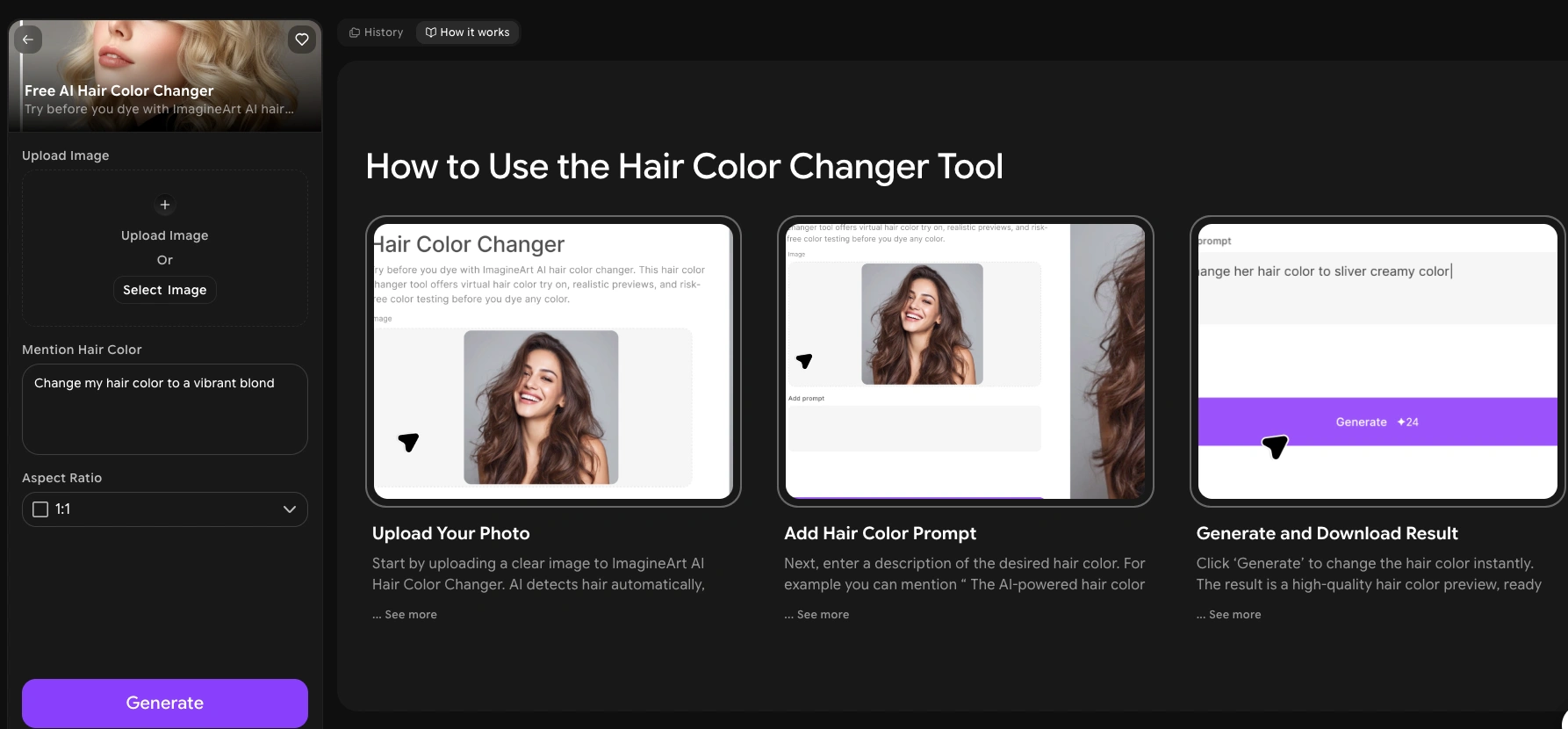 Hair Color Try on ImagineArt App
Step 1: Upload Your Photo
Head to ImagineArt and open the AI Hair Color Changer app. Upload a clear photo of yourself.
What makes a good photo:
- Front-facing or three-quarter angle
- Hair is down and clearly visible (not in a bun or under a hat)
- Good lighting, ideally natural light near a window
- Clean background helps but is not required
Photos that work well:
- A selfie taken near a window on a bright day
- A candid from brunch where your hair is down and loose
- An older photo from when your hair was a different length
Photos that do not work as well:
- Hair fully tied up, braided, or under a hood
- Heavy shadows across your hair
- Very blurry or low resolution images
The AI needs to clearly see your hair to change it. Better input equals better output. Simple as that.
Step 2: Type In Your Desired Hair Color
This is where it gets fun. In the prompt box, type the hair color you want to preview. The AI understands natural language so just describe what you are picturing.
Example prompts to get you started:
- "platinum blonde with icy silver tones"
- "deep burgundy red with dark brown roots"
- "warm honey blonde with caramel highlights"
- "jet black with a subtle blue sheen"
- "pastel lavender, soft and faded"
- "bright copper red, like a new penny"
- "natural dark brown with chunky face-framing highlights"
- "dark teal with black roots growing in"
The more detail you add, the more customzied the result will be. Want to know how to try out different hair colors ideas in one session? Just adjust your prompt each time and compare the outputs side by side.
Step 3: Hit Generate and Wait a Few Seconds
Click generate and let the AI do its thing. In just a few seconds you will see yourself with the new color. The AI processes your actual hair structure so the result looks realistic, not like a cartoony overlay.
If the first result is not quite right, tweak your prompt:
- Too dark? Add "lighter" or "soft" to your description
- Too flat looking? Add "dimensional" or "with subtle highlights"
- Too intense? Add "muted," "natural," or "toned down"
- Want visible roots? Specify "with [color] roots showing through"
- Too warm? Add "cool-toned" or "ashy"
Every small adjustment gets you closer. Think of it like giving directions to a very talented stylist who can only hear you and cannot see your inspo pic yet.
Step 4: Save or Share Your Favorite Looks
Found a color that has you like? "okay YES"! Save it. Download the image and take it straight to your stylist as a reference photo. No more describing your dream color as "beachy but not too blonde" and hoping they get it.
Ways to use your saved results:
- Show your stylist directly so there is zero miscommunication at your appointment
- Send to friends for a second opinion before you commit
- Post on Instagram or TikTok as a "which one should I do?" poll
- Save a few options in a folder and sit with them for a day before deciding
- Use alongside Pinterest inspo pics when building your mood board for the appointment
Stylists genuinely love when clients come in with a clear reference image. It sets expectations, cuts the back-and-forth, and means everyone is on the same page before a single foil goes in.
Why Choose ImagineArt AI Hair Color Changer
There are a few virtual try-on tools out there but ImagineArt hits different for a few solid reasons.
Simple and fast. Upload, type, generate. That is the entire process. You do not need a tutorial or twenty minutes to figure it out. Even if you are not tech-savvy at all, you will not get stuck.
Massive color range. Because you describe colors in natural language, you can try literally anything:
- "Dark forest green with black roots" - yes
- "Warm golden brown with red undertones and soft highlights" - yes
- "Faded teal that looks like it has been growing out for two months" - yes
No preset limitation. No color wheel hunting. Just describe it and see it.
- Works on any device. Phone, tablet, laptop. You can try on hair color online from wherever you are. Standing in the drugstore aisle trying to decide between two box dye shades? Pull up ImagineArt right there and test both before you buy either.
- Realistic enough to use as a stylist reference. The output quality is high enough that you can genuinely take the result to your colorist as a reference photo. That is how accurate it is.
Tips for the Best Virtual Hair Color Try-On Results
You want the most accurate preview possible. These small tweaks make a big difference.
Use Natural Light for Accurate Results
Photos taken in artificial light, especially yellow indoor lighting or harsh overhead bulbs, can throw off how the AI reads your hair and skin tone. Natural light gives the AI the clearest information to work with.
Best lighting for your photo:
- Near a window during the day
- Outside in open shade (not harsh direct sunlight)
- Overcast days actually give really even, flattering light
Lighting to avoid:
- Yellow or warm-toned indoor bulbs
- Dim rooms with heavy shadows across your hair
- Ring light only (can flatten texture and give odd reflections)
Make Sure Your Hair Is Clearly Visible
If your hair is tied up, tucked away, or covered by anything, the AI does not have much to work with. Use a photo where your hair is down or styled in a way that shows its full shape. The more hair the AI can see, the more accurate the color change will be.
Test Multiple Prompts Before You Decide
Do not stop at one result. Run the same photo with three or four different color prompts and compare them. You might think you want one thing and then see something completely different on yourself and immediately know that is it.
A quick comparison workflow to try:
- Test your first choice color as-is
- Try one shade lighter and one shade darker
- Try a warm version vs. a cool version of the same color
- Pick your top two and look at them again tomorrow with fresh eyes
Use Multiple Photos for a Fuller Picture
The same color can look totally different depending on the angle and how your hair falls. Run the tool on both a front-facing photo and a three-quarter profile shot. That way you get a realistic sense of how the color will look on you day to day, not just straight-on.
Hair Colors Worth Testing Virtually Right Now
Not sure where to start? Here are some trending hair color ideas that are worth trying on your own photo before you commit to any of them in real life.
For dark hair:
- Espresso brown with mahogany undertones
- Dark cherry red (looks almost black indoors, deep red in sunlight)
- Midnight blue black
- Soft balayage starting at chin level
For medium brown hair:
- Warm chestnut with copper highlights
- Toffee blonde balayage
- Rich auburn all-over color
- Dimensional bronde (the brown-blonde mix that looks effortlessly natural)
For lighter or already blonde hair:
- Platinum with cool ash tones
- Strawberry blonde with peachy ends
- Buttery golden blonde
- Sandy beige blonde with darker roots
For the bold and unbothered:
- Vivid red or fire orange
- Pastel pink or lilac
- Intentional gray or silver (yes, it is having a massive moment right now)
- Split dye with two contrasting colors on each half
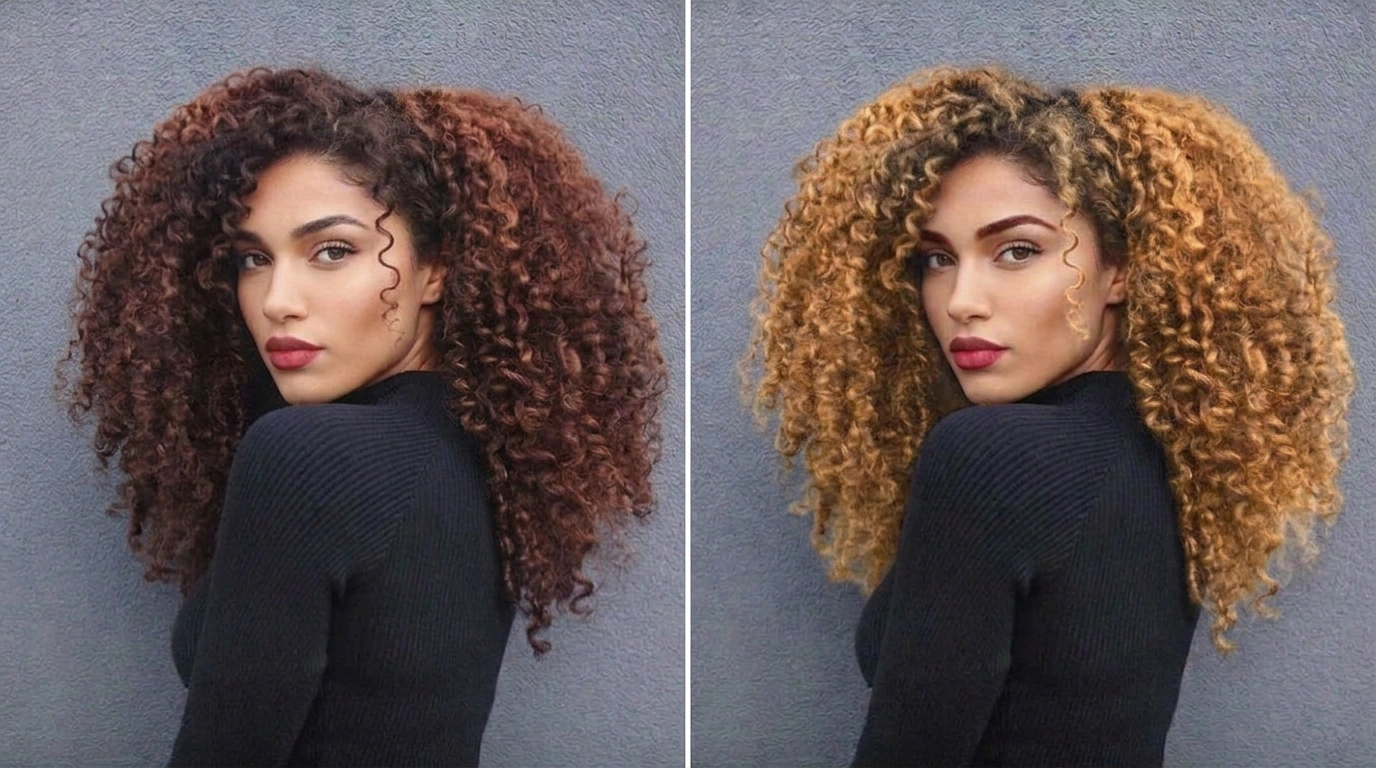 Curly Hair Color Change
The best part? You can test every single one of these on your actual face using ImagineArt without picking up a single box of dye. That is exactly what how to try on hair color online is made for.
Curly Hair Color Change
The best part? You can test every single one of these on your actual face using ImagineArt without picking up a single box of dye. That is exactly what how to try on hair color online is made for.
Ready to try on hair color virtually?
Trying a new hair color does not have to feel like a scary, irreversible commitment anymore. With ImagineArt AI Hair Color Changer, you get to play, experiment, and figure out exactly what you want before spending a single dollar on dye.
The days of crossing your fingers at the salon and hoping the result matches the inspo pic are done. You can now see the future version of your hair before it even exists.
So go ahead. Try the color you have been lowkey obsessing over for months. Test three in a row. Build a little color mood board from your results. Then walk into your appointment knowing exactly what you want and ready to say "this, exactly this."
You might just love it. And even if you end up sticking with your current color, at least now you know for sure instead of always wondering "what if."
Common Questions About How to Try On Hair Color
Can I use ImagineArt to try on hair color if I have very dark hair?
Yes, absolutely. The AI works on all hair colors including dark brown and black hair. Keep in mind that going from a very dark base to a very light color like platinum requires bleaching in real life, which the AI does not simulate. The virtual preview shows you the target color accurately but your stylist will walk you through what it actually takes to get there from your starting point.
How do I try out different hair colors on pictures I already have?
This is exactly what ImagineArt is built for. Upload any existing photo of yourself, type in the color you want to test, and hit generate. You can run the same photo multiple times with different color prompts to compare looks. There is no limit to how many options you can preview.
Will the virtual hair color match the real dye result exactly?
Very close but not pixel perfect. Real results depend on your starting hair color, the dye brand, and how your hair processes color. For example, the AI can show you what copper red looks like on you but the exact warmth and saturation will also depend on your natural undertones and whether pre-lightening is needed.
Think of the virtual try on as a high accuracy preview, not a guarantee. It is far more useful than imagining it in your head or relying on a photo of someone with completely different hair.
Can I try bold or unconventional hair colors virtually?
Yes, and you should. That is one of the best parts about knowing how to virtually try on hair color. Zero risk means zero reason to hold back. Try neon green. Try lavender. Try a two toned split dye. You might discover a bold color looks incredible on you and you would never have known without trying it first.
Is the ImagineArt Hair Color Changer free to use?
ImagineArt offers free access to try the Hair Color Changer tool. Check their website for the latest information about free credits and premium plan options.
Aqsa Nazir Kayani
Aqsa Nazir Kayani specializes in SaaS and Gen AI, delivering search-optimized content that boosts visibility and strengthens brand authority.