Ideogram 4.5 AI image editor
Now on ImagineArt
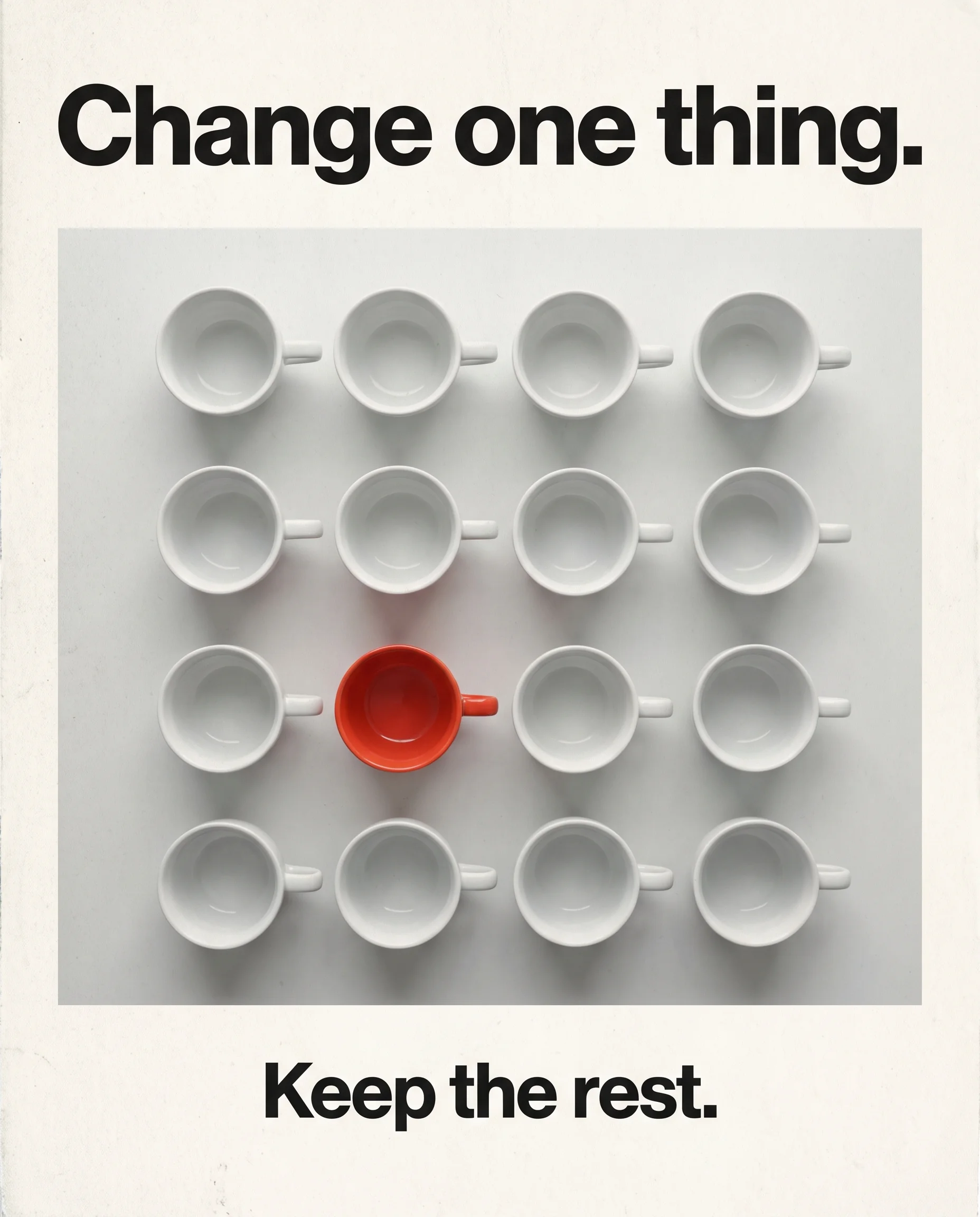
Ideogram's precise edit model: change one thing, keep the rest.
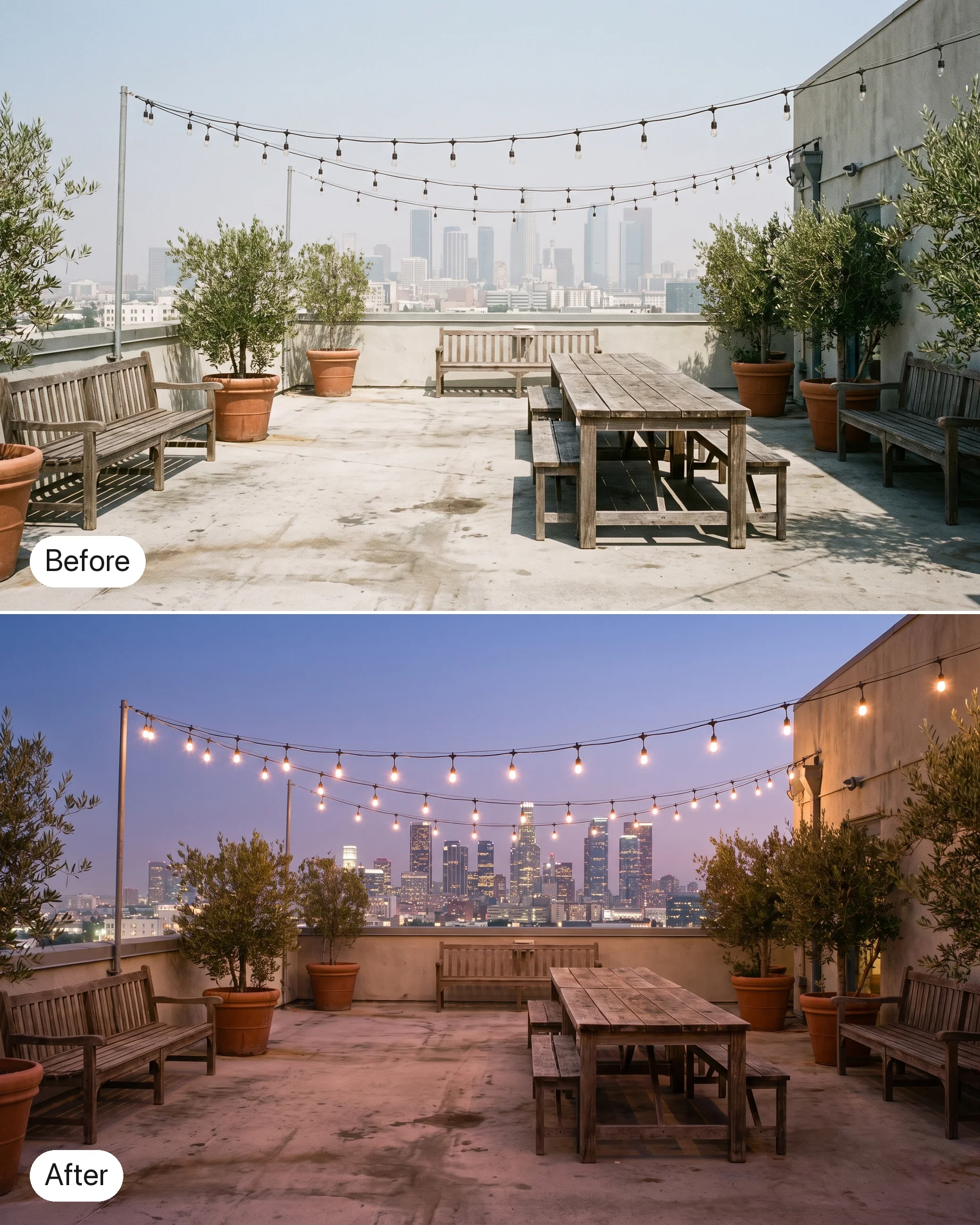
What the community is already building
Twelve edit instructions written for Ideogram 4.5's strengths. Start from an image, apply one, then edit the result again with the next.
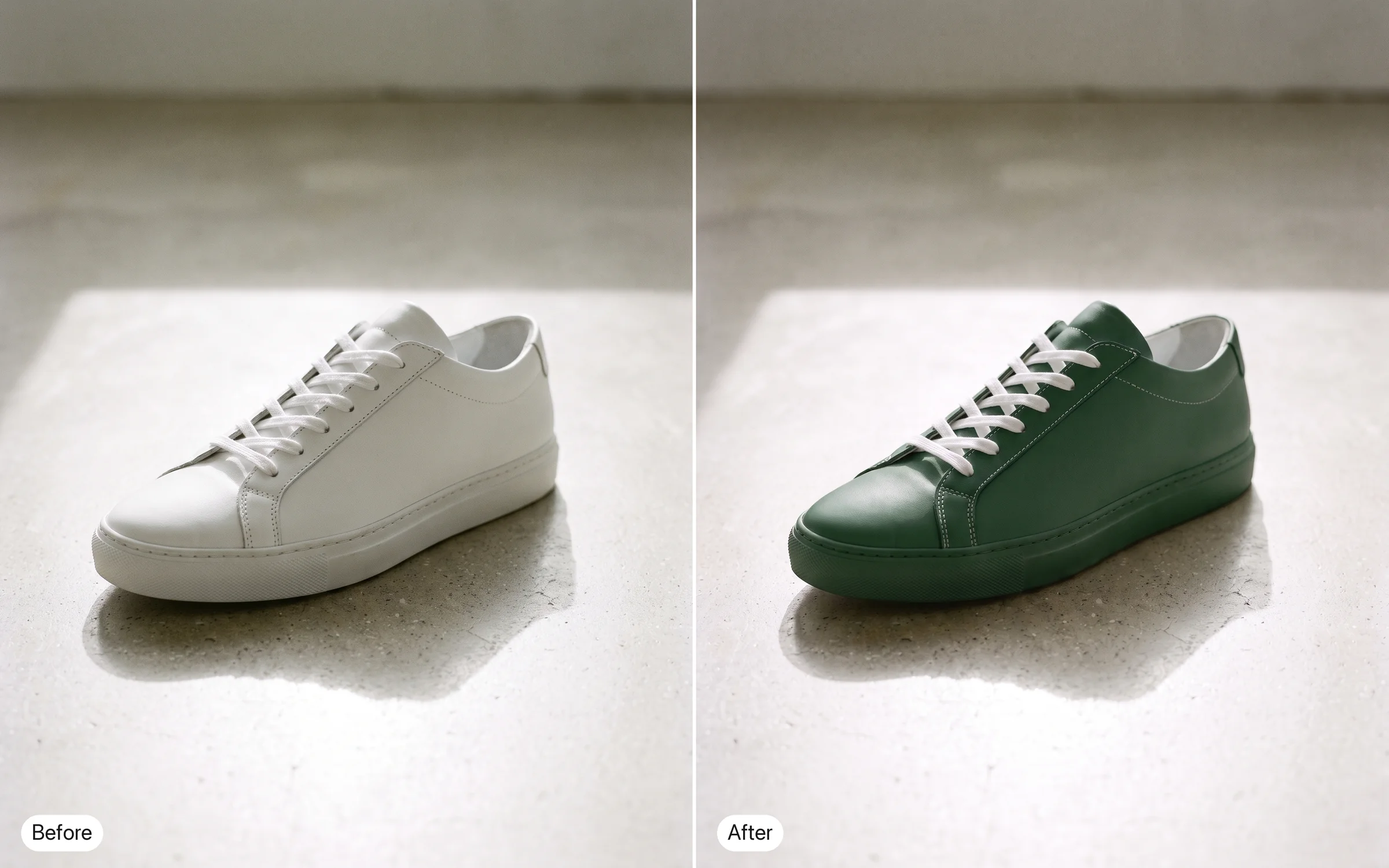
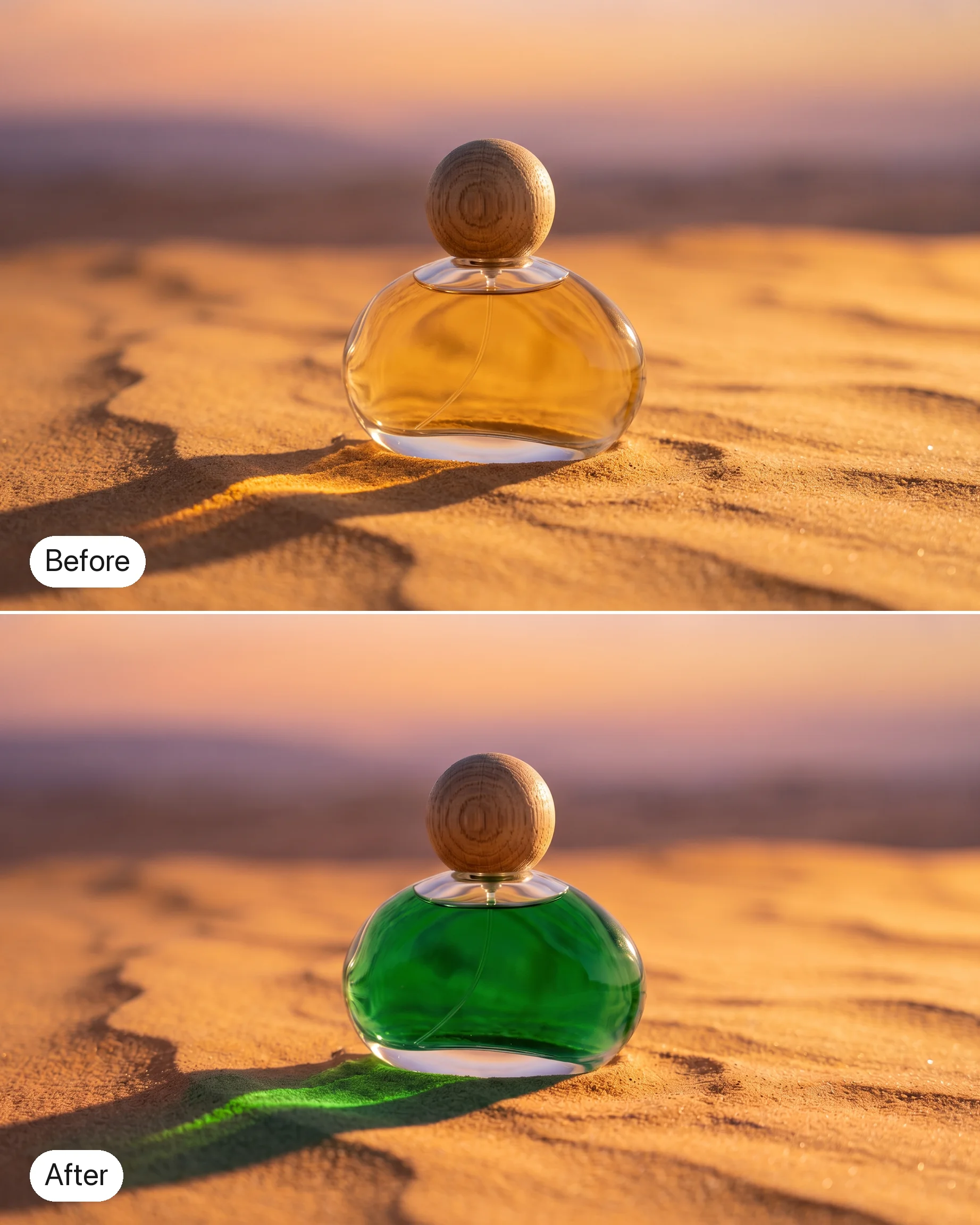
Change the sneaker from white to forest green. Keep the laces, stitching and the shadow on the floor exactly as they are.
Try prompt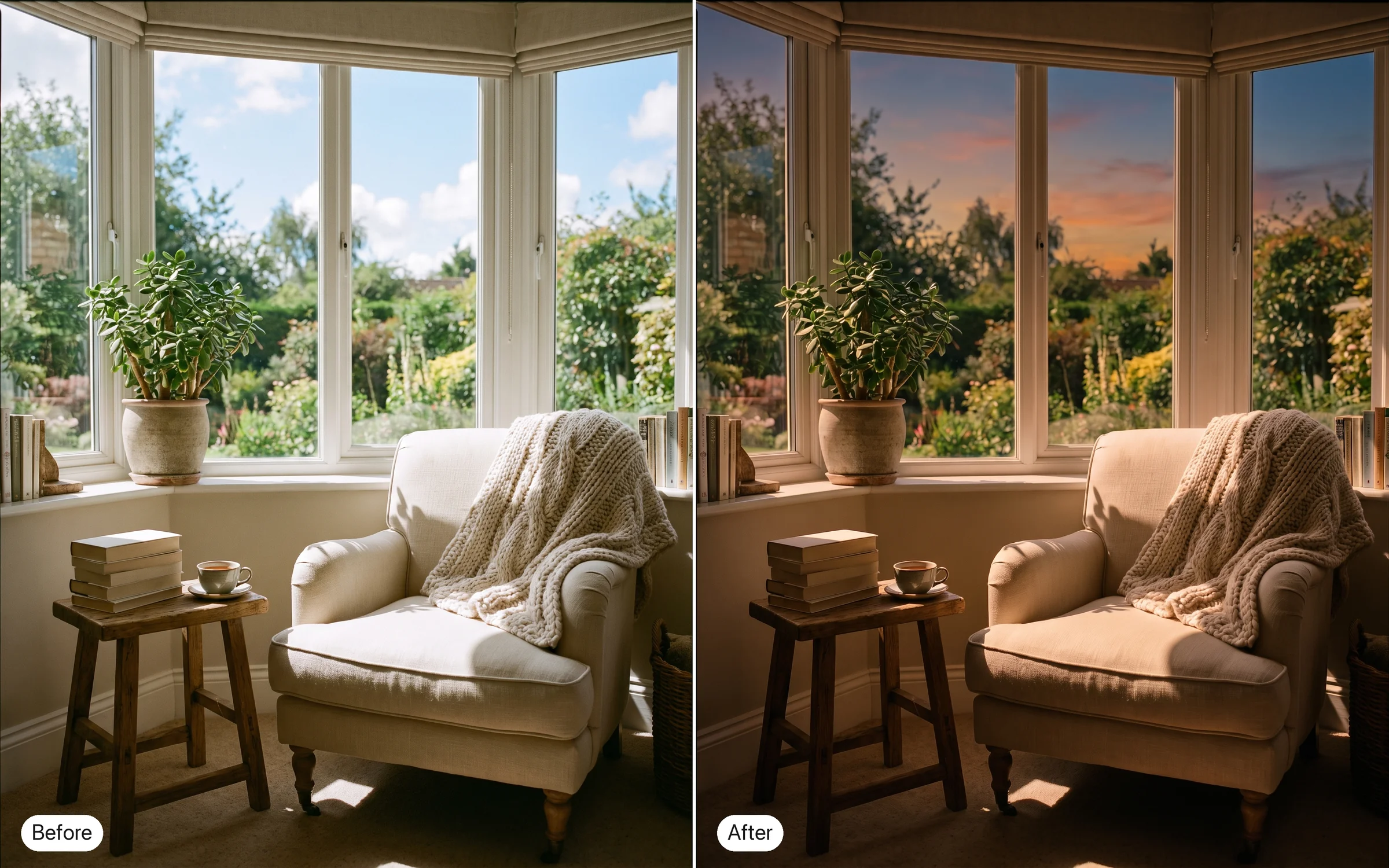
Relight this living room for late afternoon: warm sun through the left window, soft shadows across the rug. Leave the furniture where it is.
Try prompt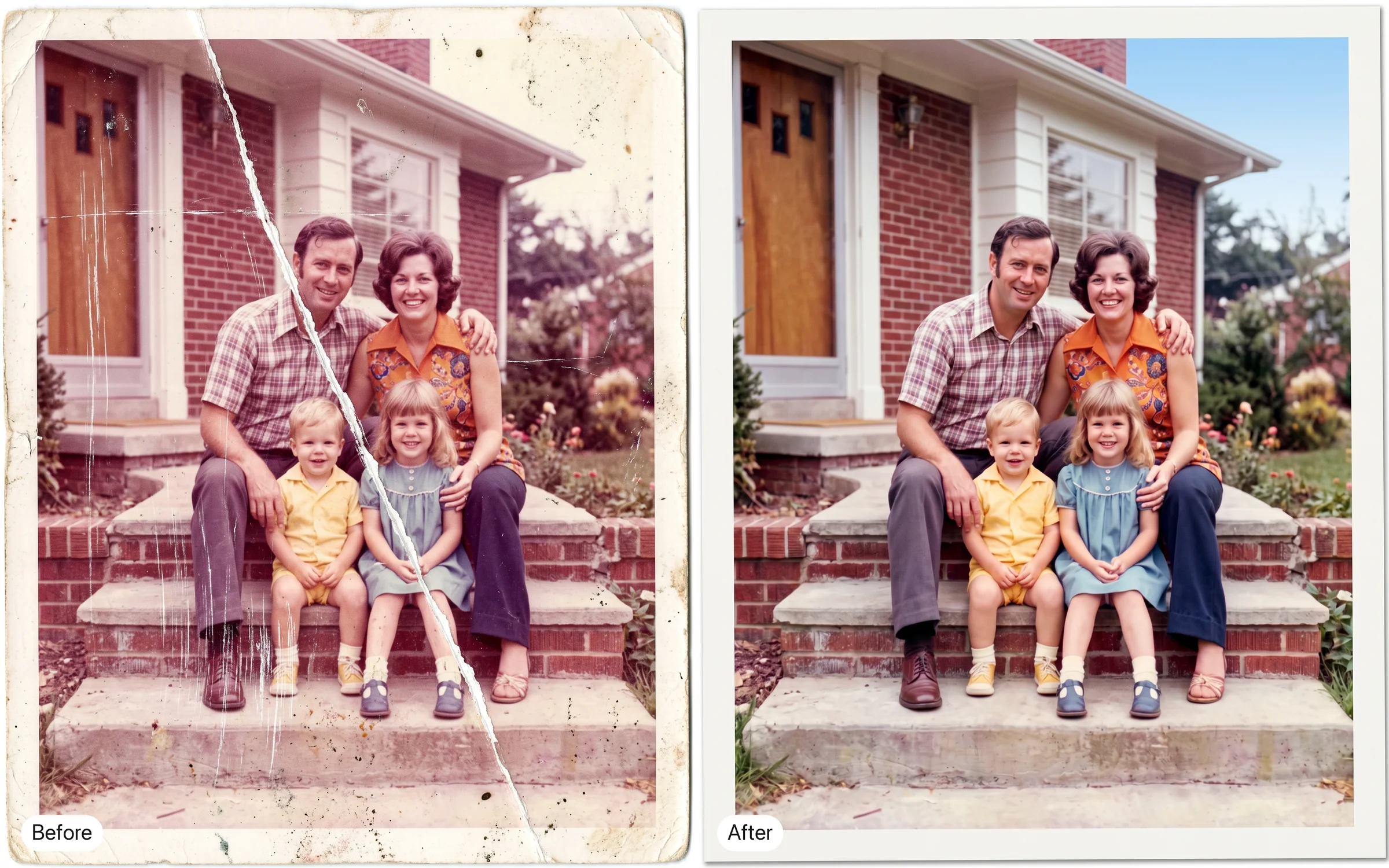
Restore this faded 1970s family photo. Remove the scratches and the fold line, and bring back natural skin tones without changing anyone's expression.
Try prompt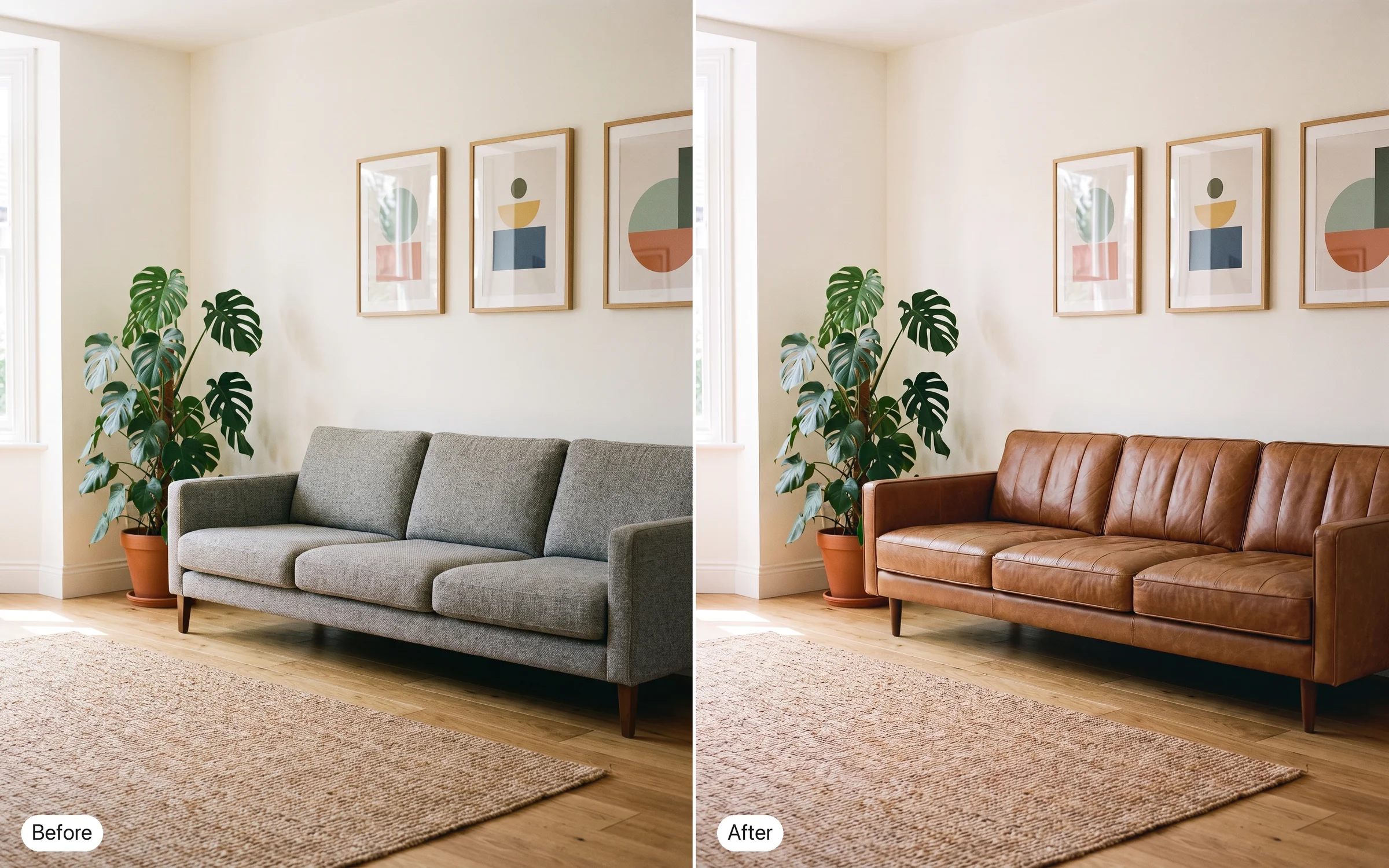
Replace the grey sofa with a mid-century leather sofa in cognac brown. Keep the walls, the plant and the framed prints untouched.
Try promptChange the sneaker from white to forest green. Keep the laces, stitching and the shadow on the floor exactly as they are.
Try promptRelight this living room for late afternoon: warm sun through the left window, soft shadows across the rug. Leave the furniture where it is.
Try promptRestore this faded 1970s family photo. Remove the scratches and the fold line, and bring back natural skin tones without changing anyone's expression.
Try promptReplace the grey sofa with a mid-century leather sofa in cognac brown. Keep the walls, the plant and the framed prints untouched.
Try promptChange the sneaker from white to forest green. Keep the laces, stitching and the shadow on the floor exactly as they are.
Try promptRelight this living room for late afternoon: warm sun through the left window, soft shadows across the rug. Leave the furniture where it is.
Try promptRestore this faded 1970s family photo. Remove the scratches and the fold line, and bring back natural skin tones without changing anyone's expression.
Try promptReplace the grey sofa with a mid-century leather sofa in cognac brown. Keep the walls, the plant and the framed prints untouched.
Try promptChange the sneaker from white to forest green. Keep the laces, stitching and the shadow on the floor exactly as they are.
Try promptRelight this living room for late afternoon: warm sun through the left window, soft shadows across the rug. Leave the furniture where it is.
Try promptRestore this faded 1970s family photo. Remove the scratches and the fold line, and bring back natural skin tones without changing anyone's expression.
Try promptReplace the grey sofa with a mid-century leather sofa in cognac brown. Keep the walls, the plant and the framed prints untouched.
Try promptChange the sneaker from white to forest green. Keep the laces, stitching and the shadow on the floor exactly as they are.
Try prompt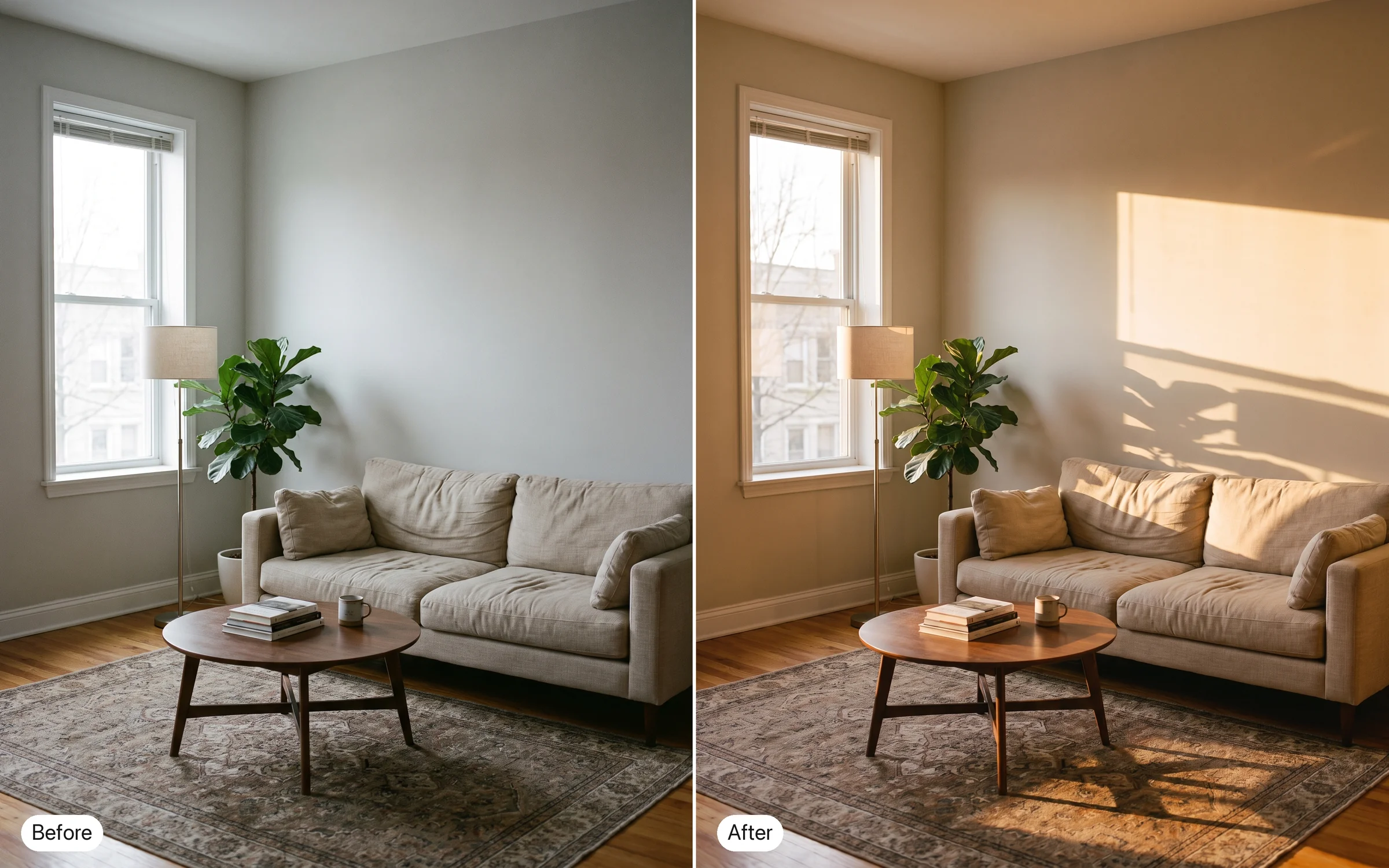
Relight this living room for late afternoon: warm sun through the left window, soft shadows across the rug. Leave the furniture where it is.
Try promptRestore this faded 1970s family photo. Remove the scratches and the fold line, and bring back natural skin tones without changing anyone's expression.
Try promptReplace the grey sofa with a mid-century leather sofa in cognac brown. Keep the walls, the plant and the framed prints untouched.
Try prompt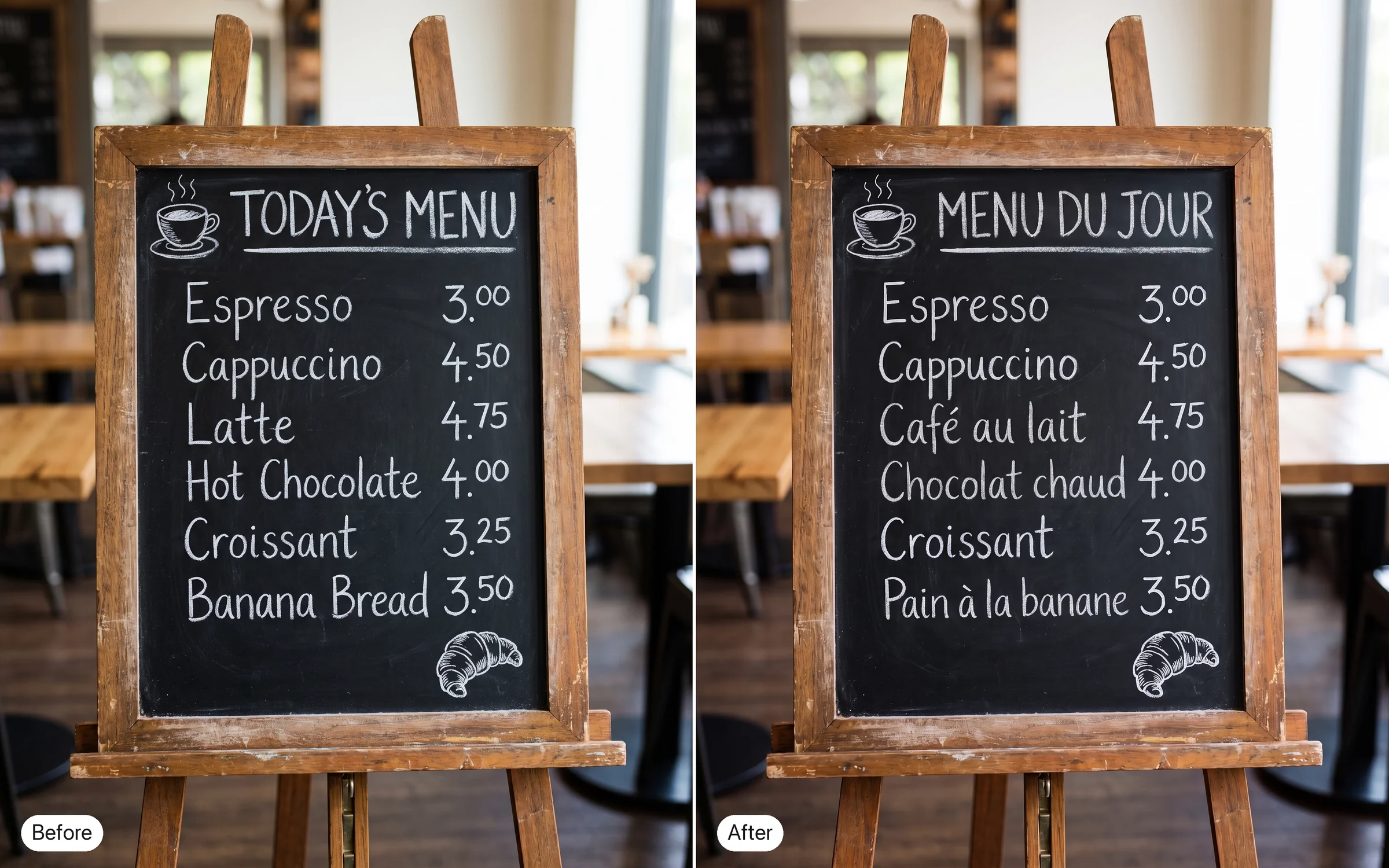
Translate the café's chalkboard menu from English to French, keeping the layout. The chalk drawings and the prices stay as they are.
Try prompt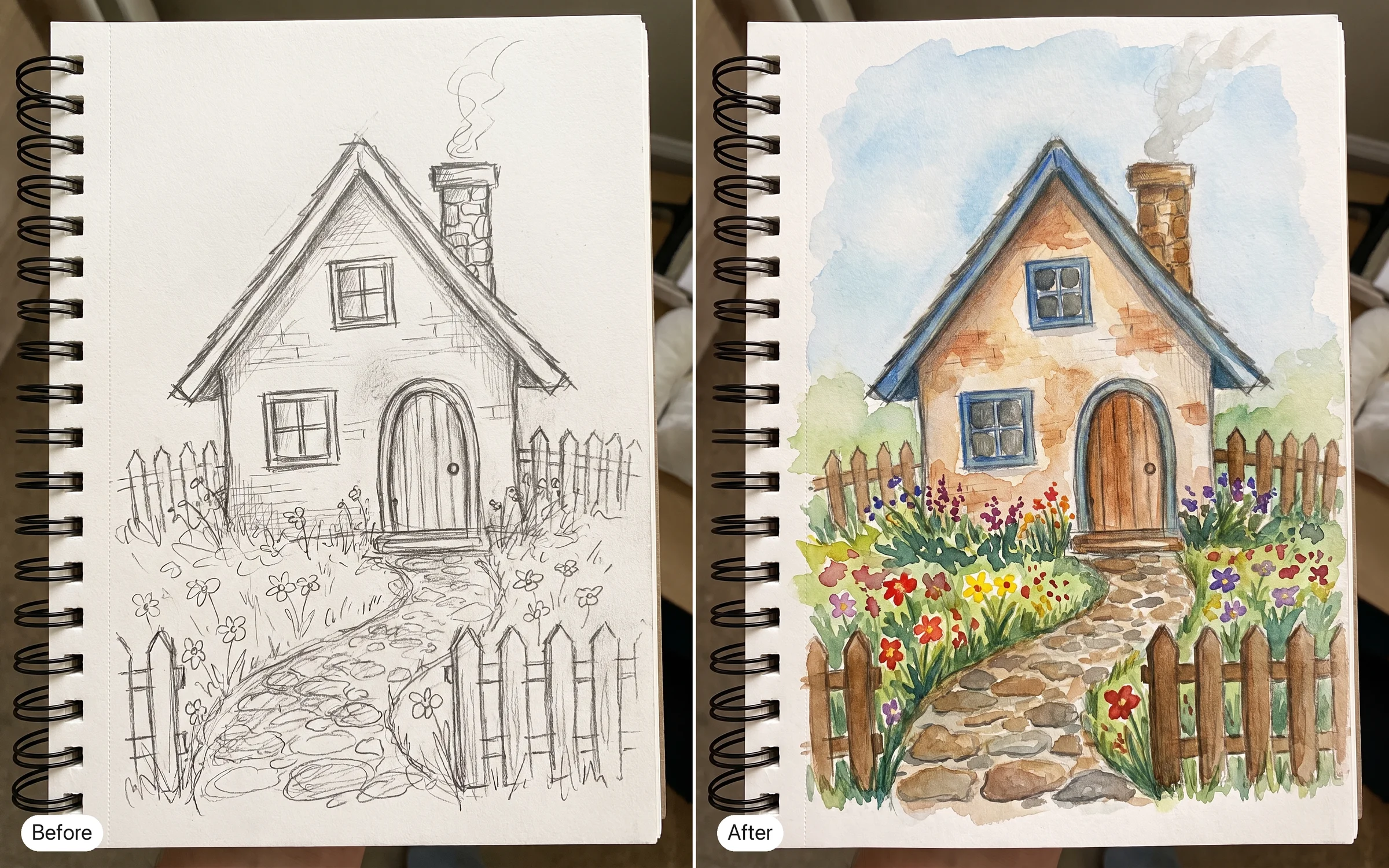
Turn this pencil sketch of a cottage into a finished watercolor painting. Keep the same roofline, windows and garden path.
Try promptChange the light outside the window from midday to dusk. Everything inside the room stays the same.
Try prompt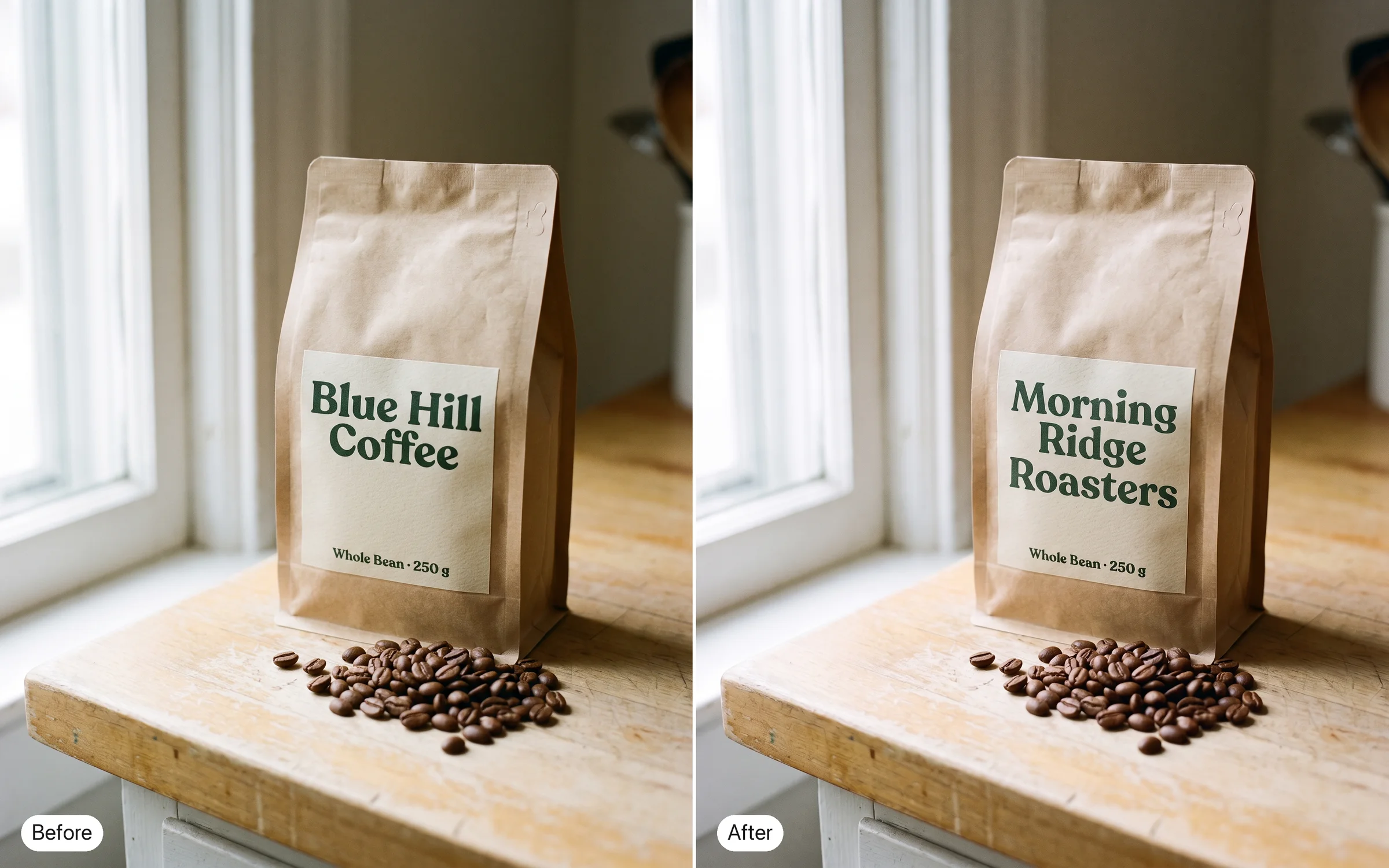
Swap the label on the coffee bag to read "Morning Ridge Roasters" in the same font weight and color. The bag, the beans and the counter stay untouched.
Try prompt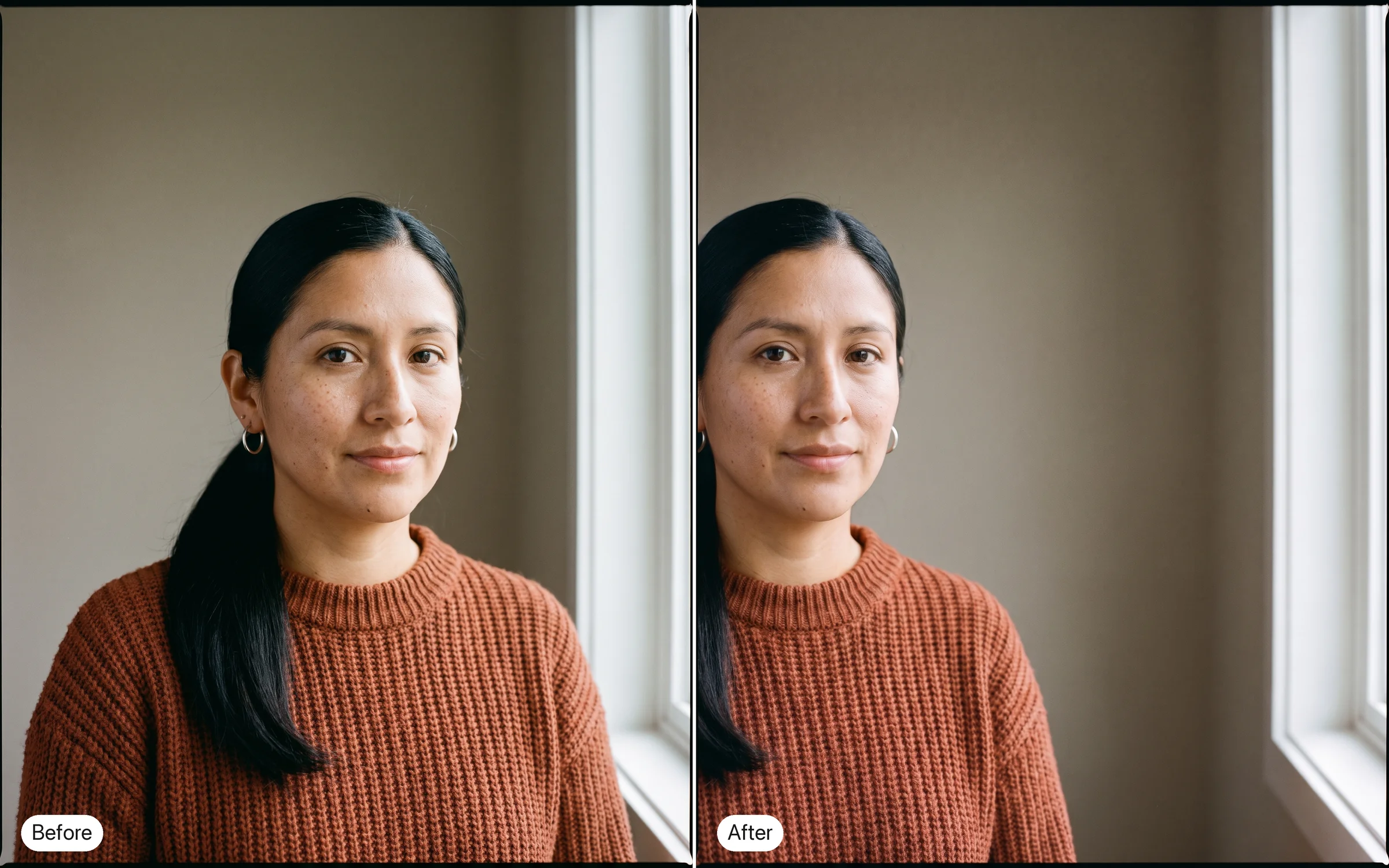
Reframe this portrait so the subject sits on the left third. Keep the face, outfit and lighting exactly as they are.
Try prompt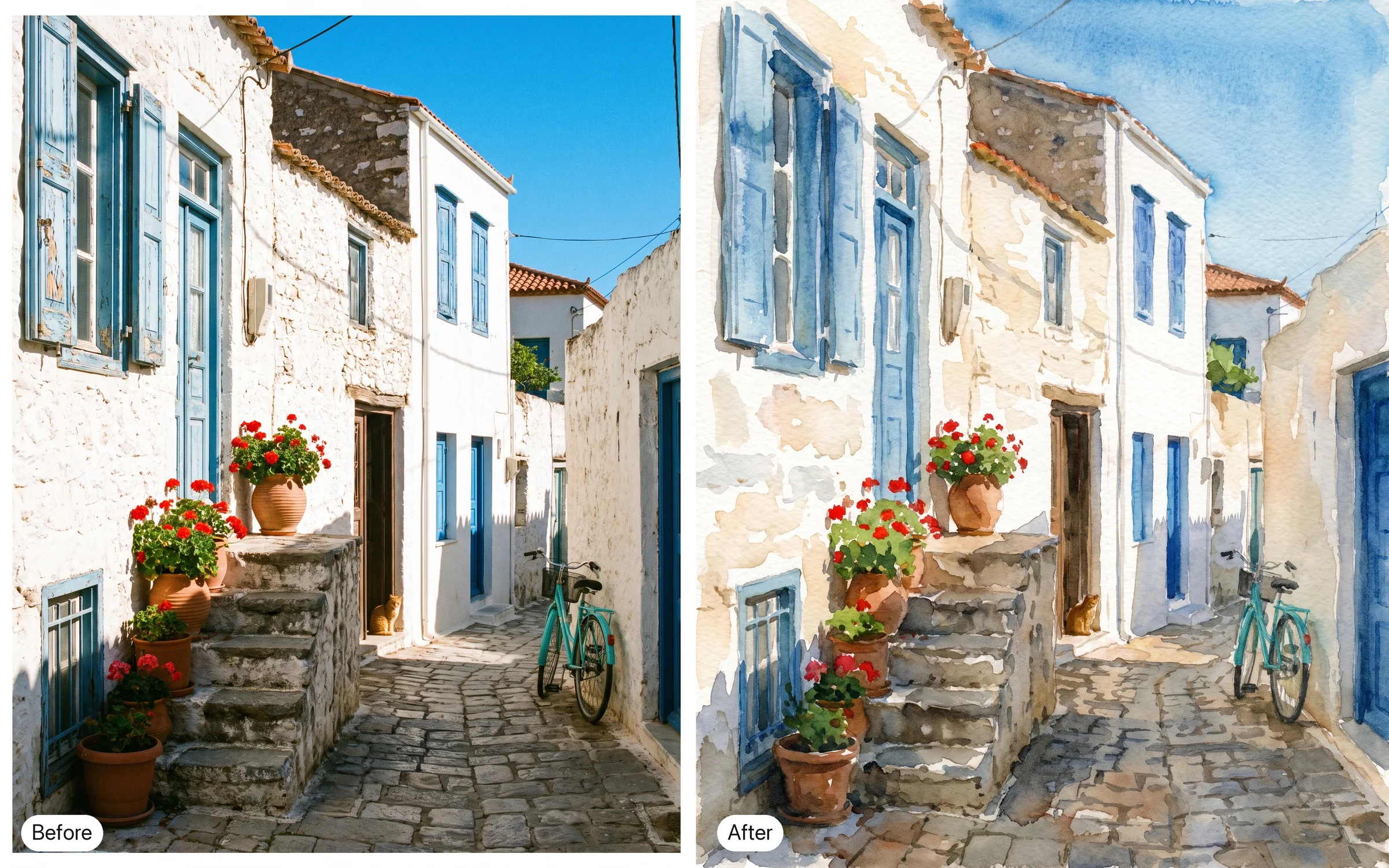
Repaint this photo in a loose watercolor style. Keep the composition and every object in the same place.
Try prompt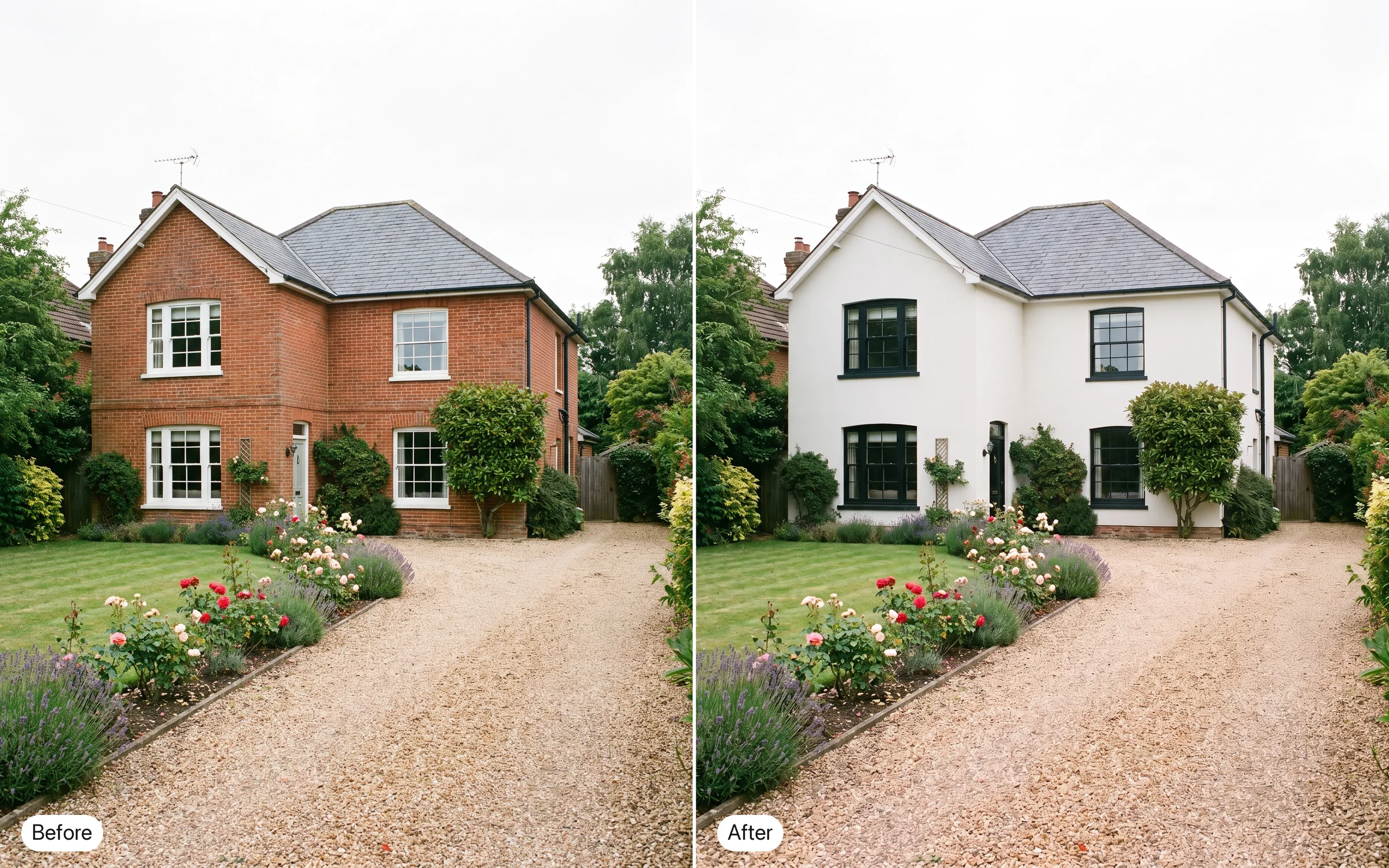
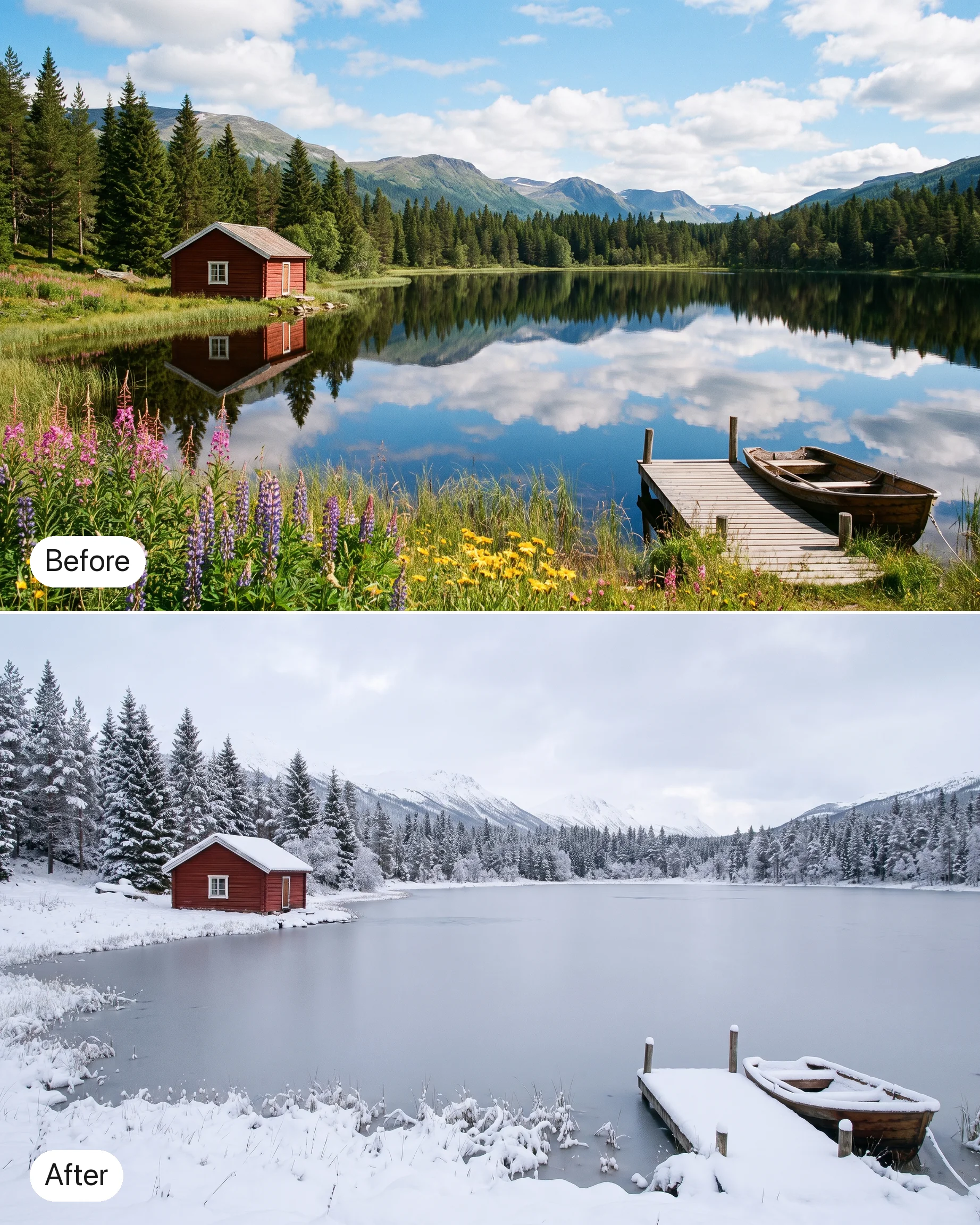
Change the exterior of the house from red brick to white render with black window frames. Keep the roof, garden and driveway.
Try prompt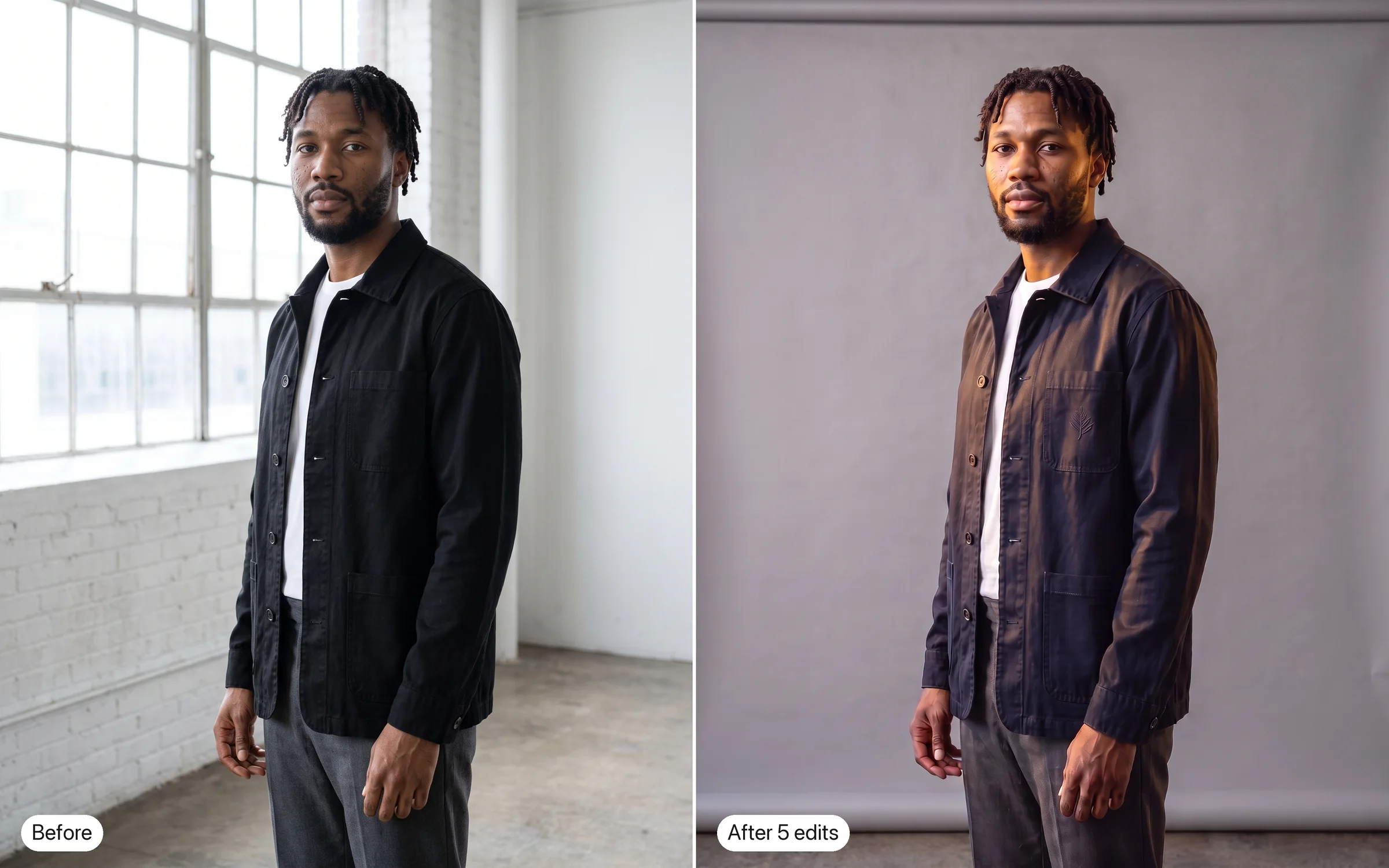
Make the model's jacket navy instead of black. Then add a small embroidered logo on the chest, swap the background to a grey studio sweep, warm the light and sharpen the fabric texture. Each edit starts from the last result.
Try promptChange the sneaker from white to forest green. Keep the laces, stitching and the shadow on the floor exactly as they are.
Try promptRelight this living room for late afternoon: warm sun through the left window, soft shadows across the rug. Leave the furniture where it is.
Try promptRestore this faded 1970s family photo. Remove the scratches and the fold line, and bring back natural skin tones without changing anyone's expression.
Try promptReplace the grey sofa with a mid-century leather sofa in cognac brown. Keep the walls, the plant and the framed prints untouched.
Try promptTranslate the café's chalkboard menu from English to French, keeping the layout. The chalk drawings and the prices stay as they are.
Try promptTurn this pencil sketch of a cottage into a finished watercolor painting. Keep the same roofline, windows and garden path.
Try promptChange the light outside the window from midday to dusk. Everything inside the room stays the same.
Try promptSwap the label on the coffee bag to read "Morning Ridge Roasters" in the same font weight and color. The bag, the beans and the counter stay untouched.
Try promptReframe this portrait so the subject sits on the left third. Keep the face, outfit and lighting exactly as they are.
Try promptRepaint this photo in a loose watercolor style. Keep the composition and every object in the same place.
Try promptChange the exterior of the house from red brick to white render with black window frames. Keep the roof, garden and driveway.
Try promptMake the model's jacket navy instead of black. Then add a small embroidered logo on the chest, swap the background to a grey studio sweep, warm the light and sharpen the fabric texture. Each edit starts from the last result.
Try promptChange the sneaker from white to forest green. Keep the laces, stitching and the shadow on the floor exactly as they are.
Try promptRelight this living room for late afternoon: warm sun through the left window, soft shadows across the rug. Leave the furniture where it is.
Try promptRestore this faded 1970s family photo. Remove the scratches and the fold line, and bring back natural skin tones without changing anyone's expression.
Try promptReplace the grey sofa with a mid-century leather sofa in cognac brown. Keep the walls, the plant and the framed prints untouched.
Try promptTranslate the café's chalkboard menu from English to French, keeping the layout. The chalk drawings and the prices stay as they are.
Try promptTurn this pencil sketch of a cottage into a finished watercolor painting. Keep the same roofline, windows and garden path.
Try promptChange the light outside the window from midday to dusk. Everything inside the room stays the same.
Try promptSwap the label on the coffee bag to read "Morning Ridge Roasters" in the same font weight and color. The bag, the beans and the counter stay untouched.
Try promptReframe this portrait so the subject sits on the left third. Keep the face, outfit and lighting exactly as they are.
Try promptRepaint this photo in a loose watercolor style. Keep the composition and every object in the same place.
Try promptChange the exterior of the house from red brick to white render with black window frames. Keep the roof, garden and driveway.
Try promptMake the model's jacket navy instead of black. Then add a small embroidered logo on the chest, swap the background to a grey studio sweep, warm the light and sharpen the fabric texture. Each edit starts from the last result.
Try promptChange the sneaker from white to forest green. Keep the laces, stitching and the shadow on the floor exactly as they are.
Try promptRelight this living room for late afternoon: warm sun through the left window, soft shadows across the rug. Leave the furniture where it is.
Try promptRestore this faded 1970s family photo. Remove the scratches and the fold line, and bring back natural skin tones without changing anyone's expression.
Try promptReplace the grey sofa with a mid-century leather sofa in cognac brown. Keep the walls, the plant and the framed prints untouched.
Try promptTranslate the café's chalkboard menu from English to French, keeping the layout. The chalk drawings and the prices stay as they are.
Try promptTurn this pencil sketch of a cottage into a finished watercolor painting. Keep the same roofline, windows and garden path.
Try promptChange the light outside the window from midday to dusk. Everything inside the room stays the same.
Try promptSwap the label on the coffee bag to read "Morning Ridge Roasters" in the same font weight and color. The bag, the beans and the counter stay untouched.
Try promptReframe this portrait so the subject sits on the left third. Keep the face, outfit and lighting exactly as they are.
Try promptRepaint this photo in a loose watercolor style. Keep the composition and every object in the same place.
Try promptChange the exterior of the house from red brick to white render with black window frames. Keep the roof, garden and driveway.
Try promptMake the model's jacket navy instead of black. Then add a small embroidered logo on the chest, swap the background to a grey studio sweep, warm the light and sharpen the fabric texture. Each edit starts from the last result.
Try prompt
Try Ideogram 4.5 on ImagineArt
Start from an image, describe one change, then edit the result again.
Add your image
Upload the photo or design you want to change.
Describe the edit
Say exactly what should change and what should stay.
Keep going
Edit the result again, one change at a time.
Edit after edit, without the drift
Leading models add pixel shifts, color changes and texture artifacts with every edit, according to Ideogram. Ideogram 4.5 is designed to reduce that drift, so details hold across multi-turn edits instead of degrading after a few changes.
Edit one: make the mug matte black. Edit two: add steam rising from the coffee. Edit three: change the table from oak to white marble, keeping the mug and steam exactly as they were.
Try prompt

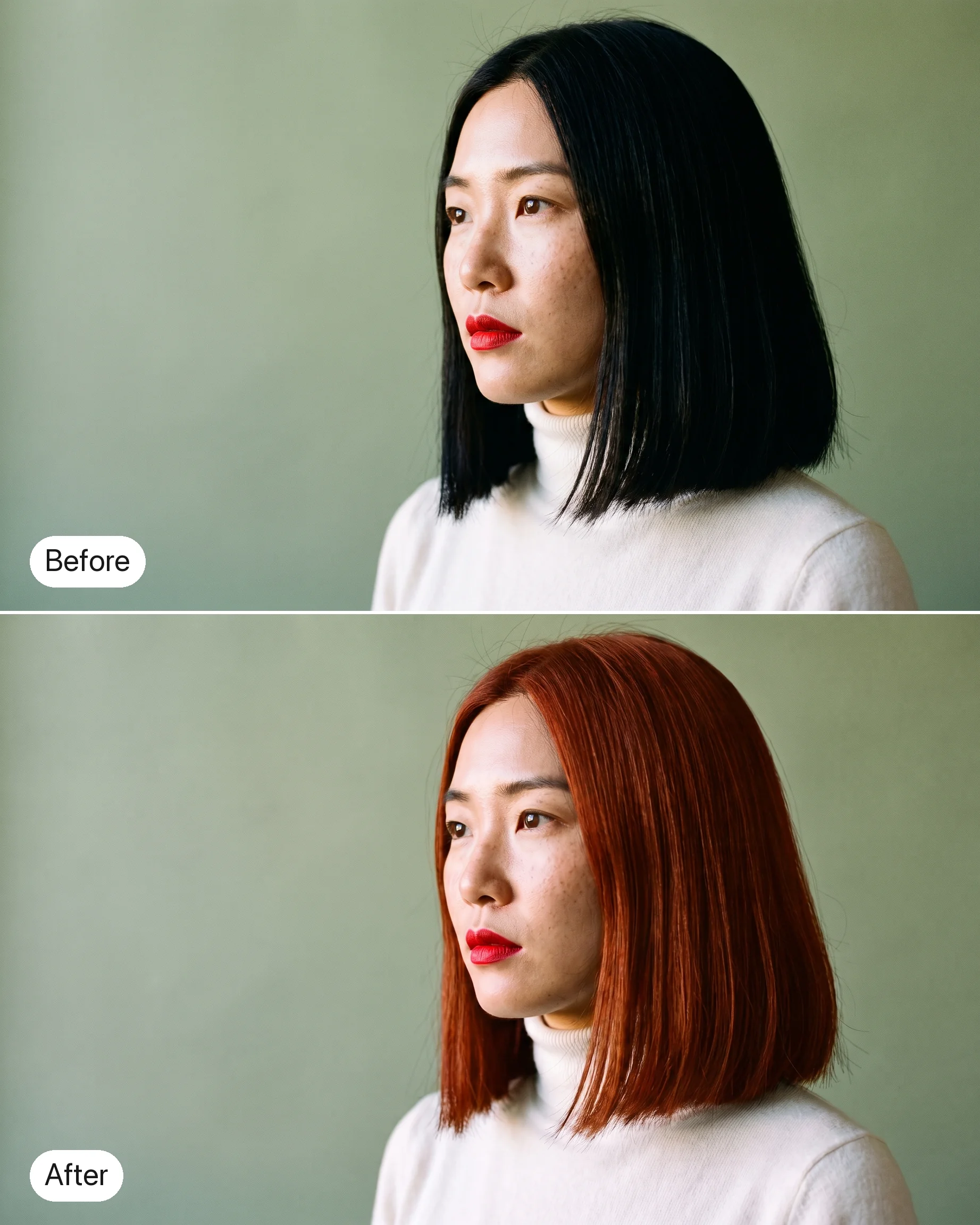
Edit the scarf, not the face
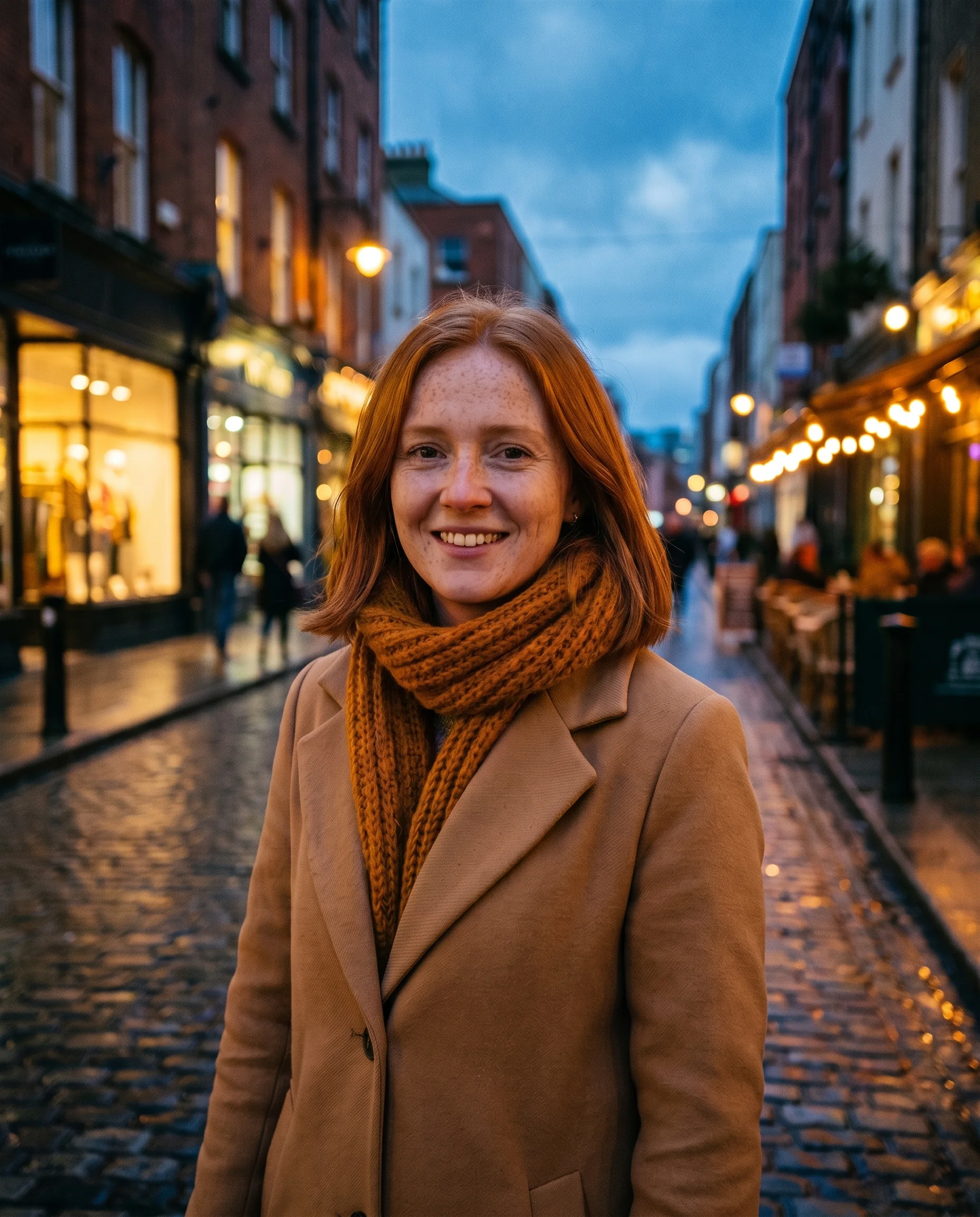
Ideogram's documentation puts it plainly: tell Ideogram 4.5 what to change and it leaves everything else alone, with minimal drift in shape, texture and color. In an AI image editor, that's the difference between fixing a scarf and redrawing the face.
Change only the color of the woman's scarf from red to mustard yellow. Keep her face, hair, coat, the street behind her and the evening light exactly as they are in the original.
Try prompt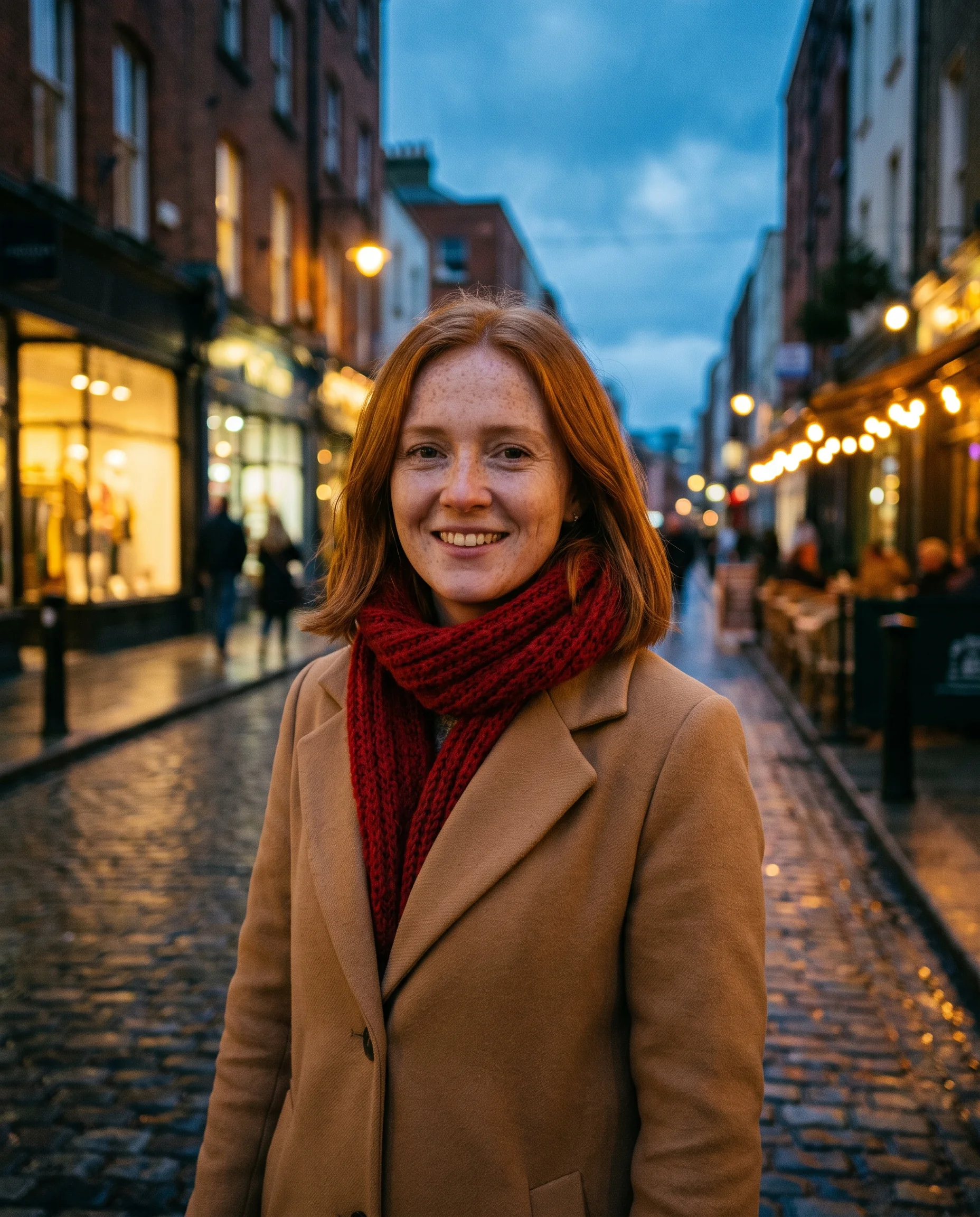
Full-size edits and clean crop edges
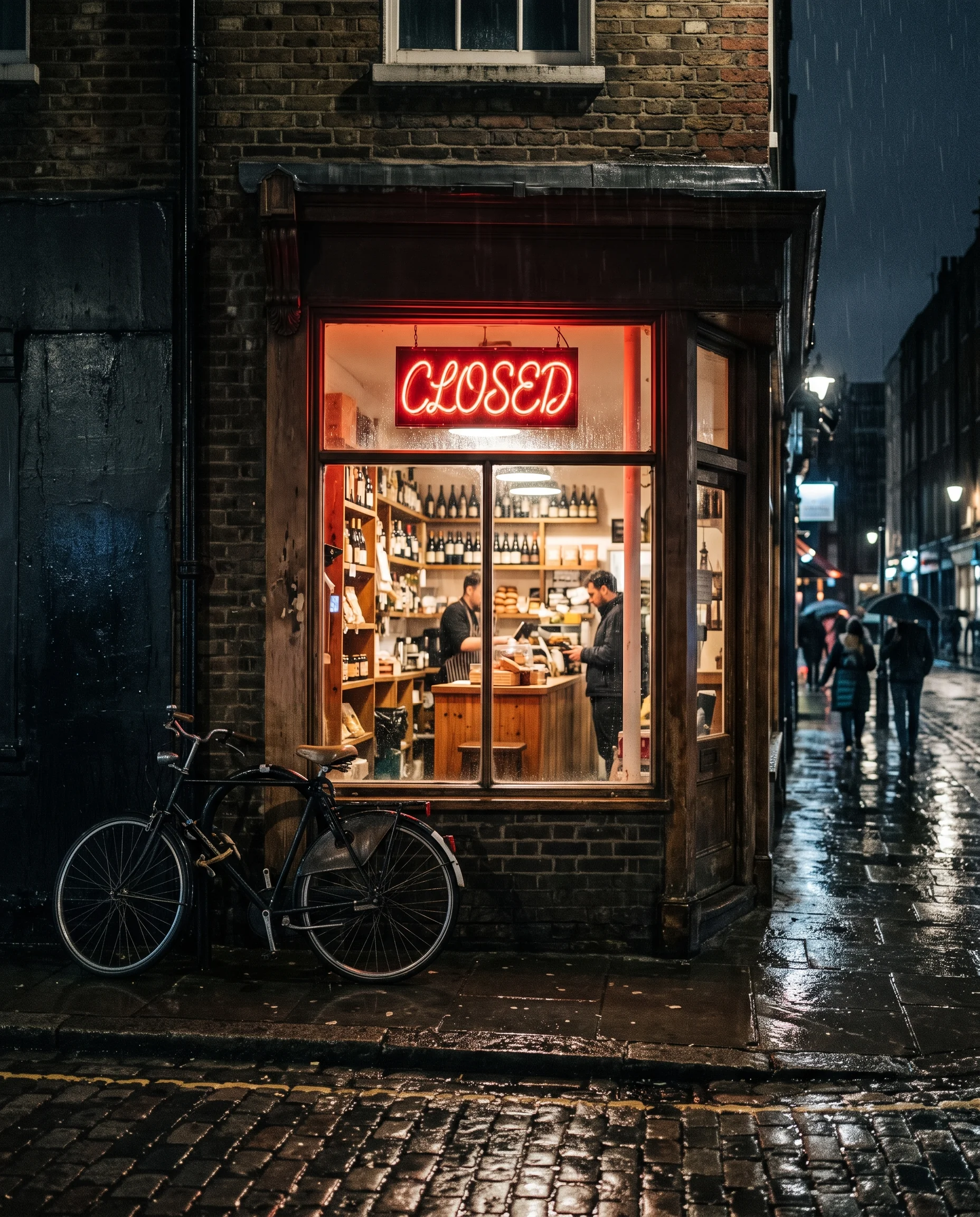
Ideogram says 4.5 keeps the source image's width and height, and shows it editing a 24.2-megapixel photo. It also preserves the edges of an edited crop, so a close-up fix can be stitched back into the original.
Starting from a crop of the shop sign, change the word "OPEN" to "CLOSED" in the same neon style, keeping the crop's edges clean so you can stitch it back into the full street photo afterwards.
Try prompt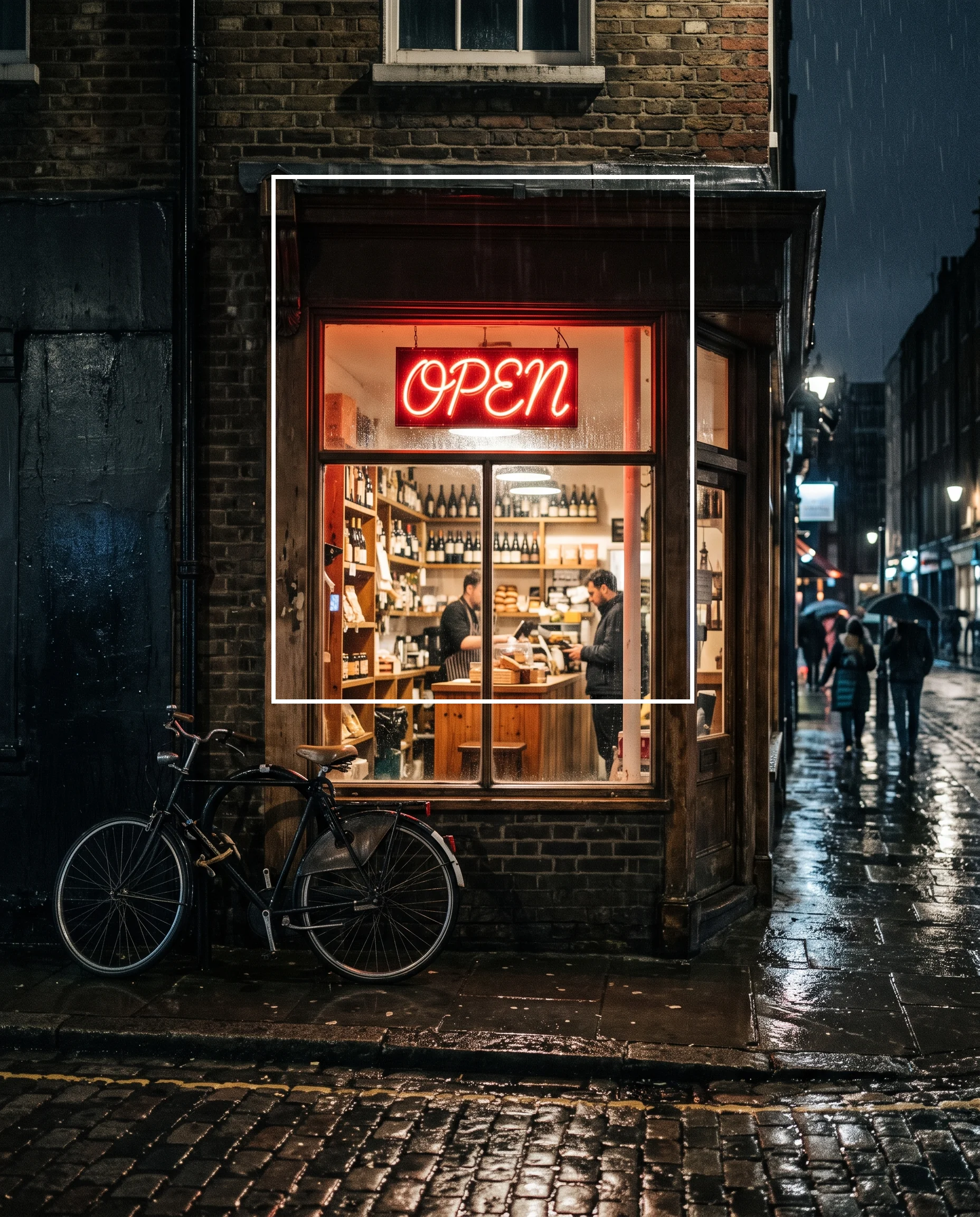
Text edits and translation in place
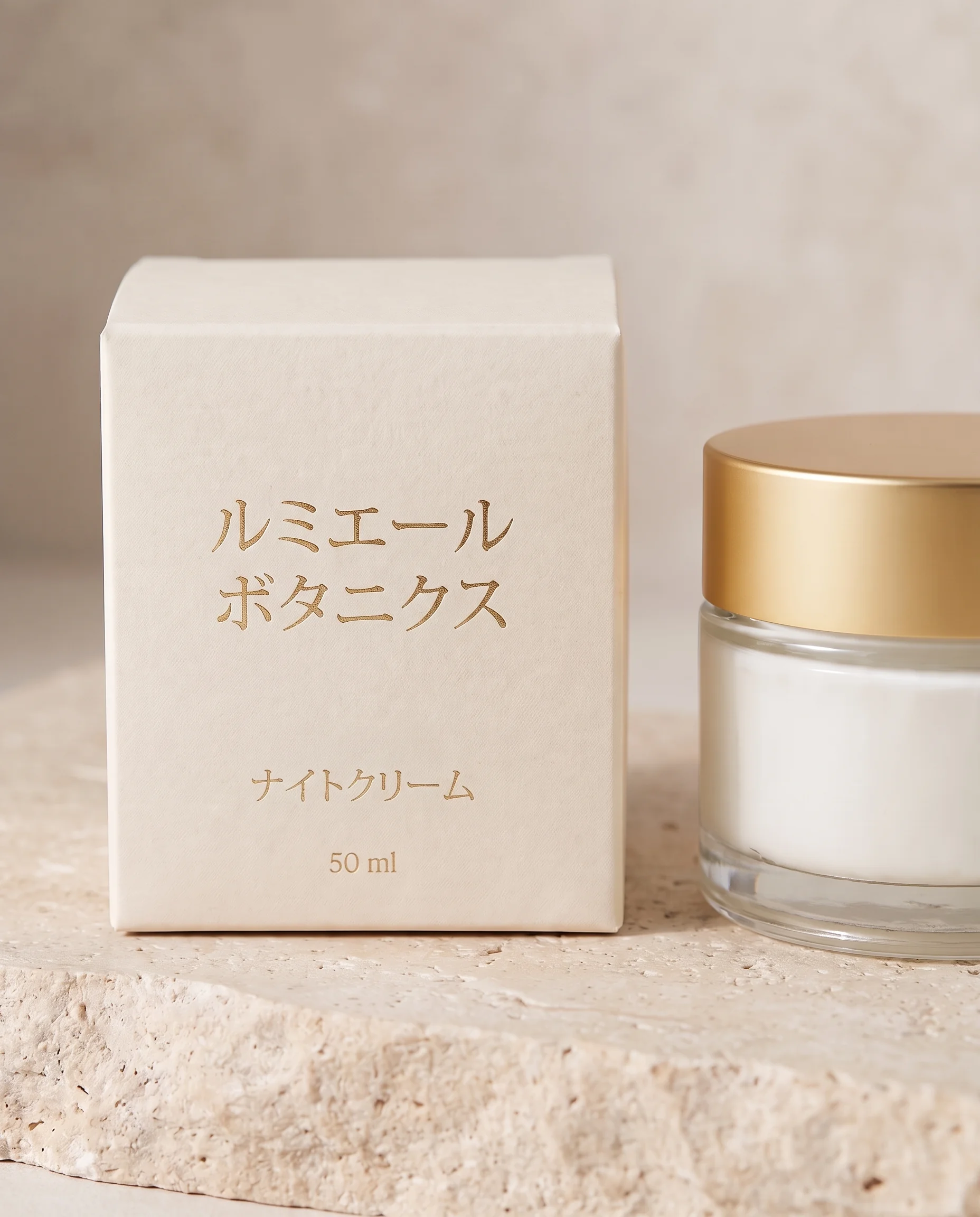
Ideogram's own demos show Ideogram 4.5 rewriting and translating text in place inside an image, across Japanese, French and English examples. For AI image editing on signs, labels and packaging, that means changing the words without rebuilding the design.
Translate the text on this skincare box from English to Japanese, keeping the same layout, font weight and gold foil color, and leave the product photo and background untouched.
Try prompt
Whether you are designing a campaign, building a brand, or creating daily content, ImagineArt gives you the tools to create stunning visuals faster.
Get started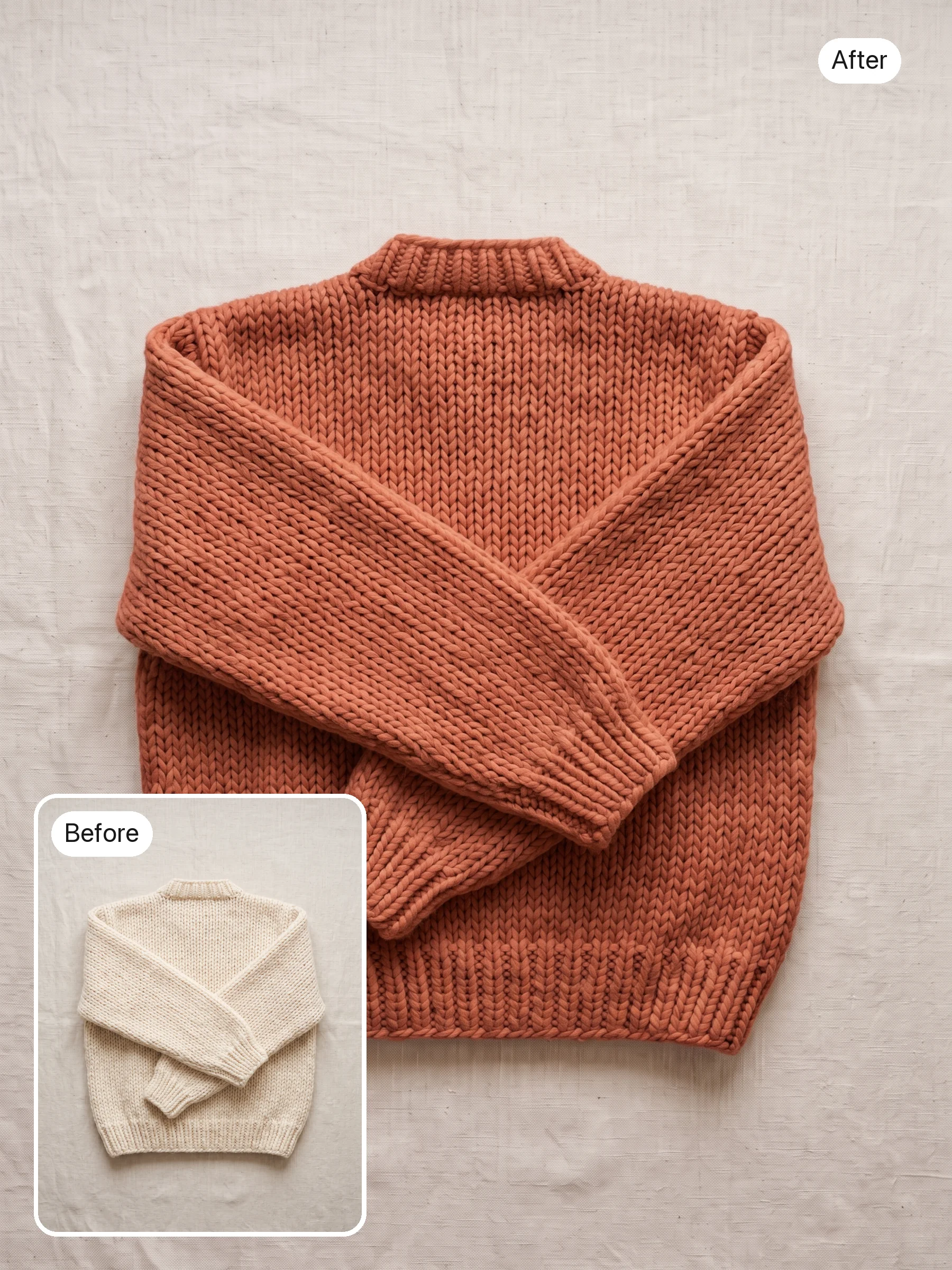
Product recolors for every variant
An e-commerce team can shoot one hero image, then use Ideogram 4.5 to produce each color variant of the product, so every one starts from the same angle, lighting and background.
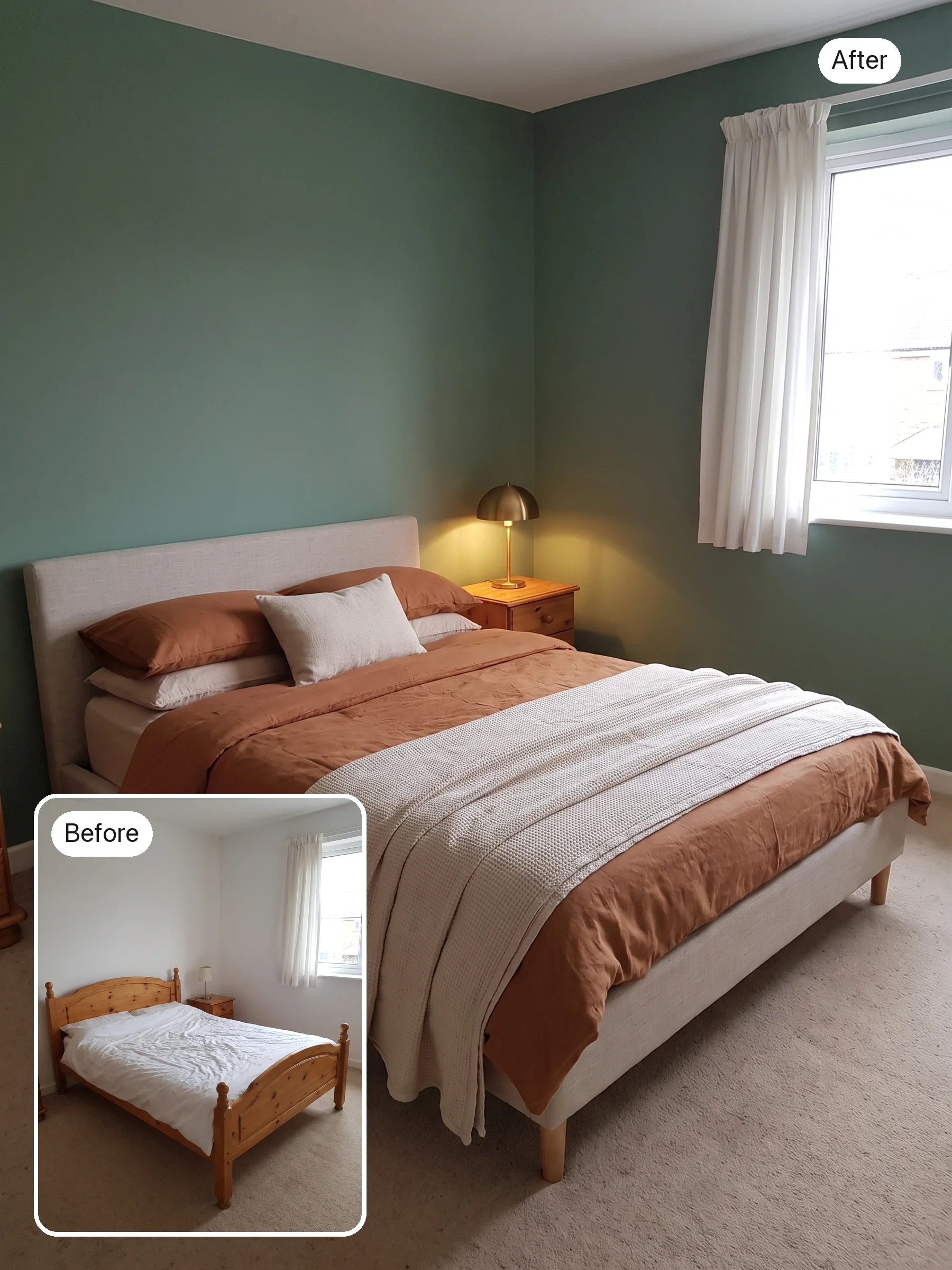
Interior design concepts on a real room
An interior designer can photograph a client's actual living room, then swap furniture, wall colors and lighting one edit at a time. Ideogram 4.5 is designed to reduce drift between rounds, so the room itself should stay recognizable.
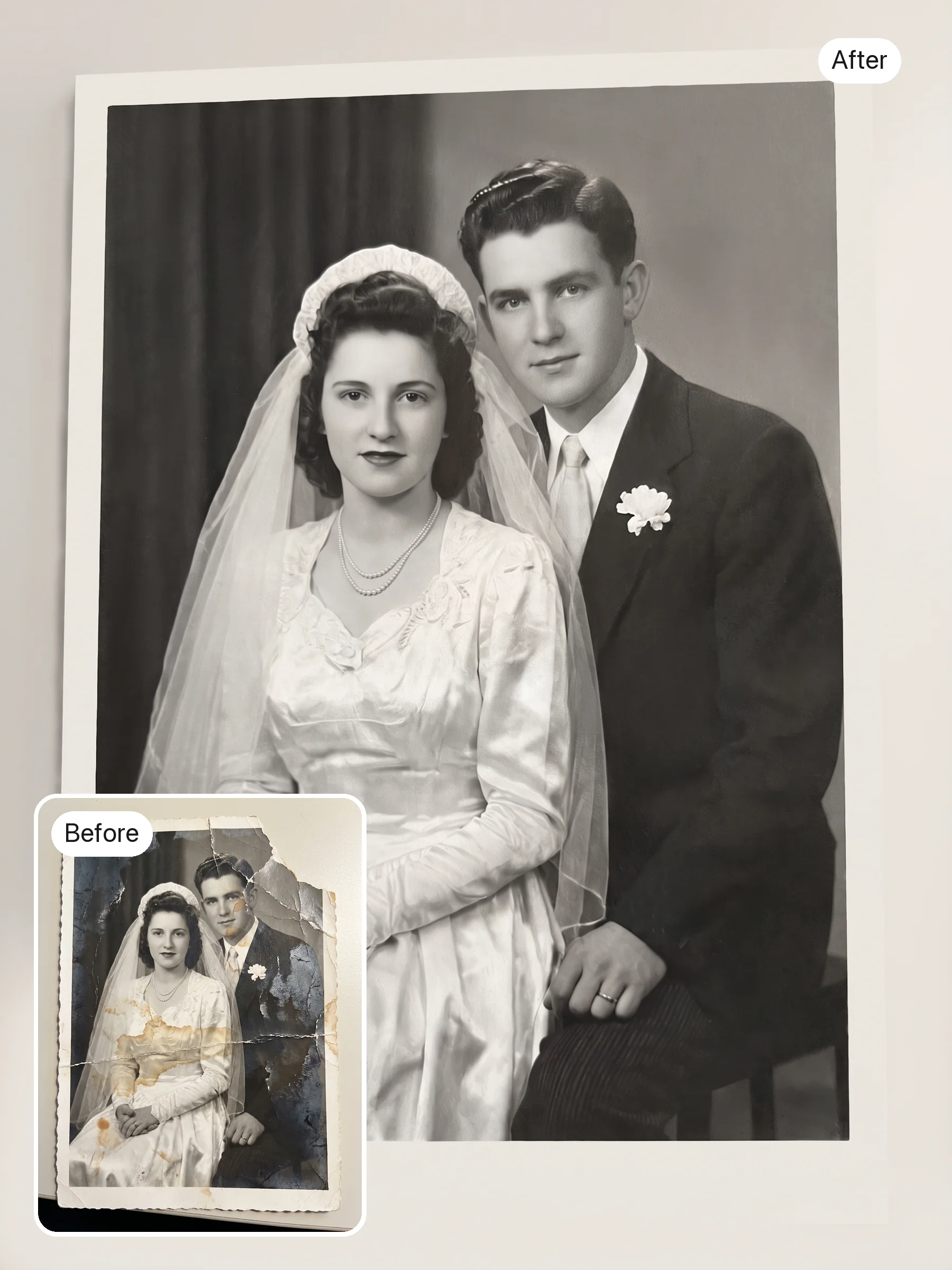
Old photo restoration
A family archivist or local museum can restore faded, scratched prints in small steps, fixing damage first and color second, and stop at whichever version still looks like the original photo.
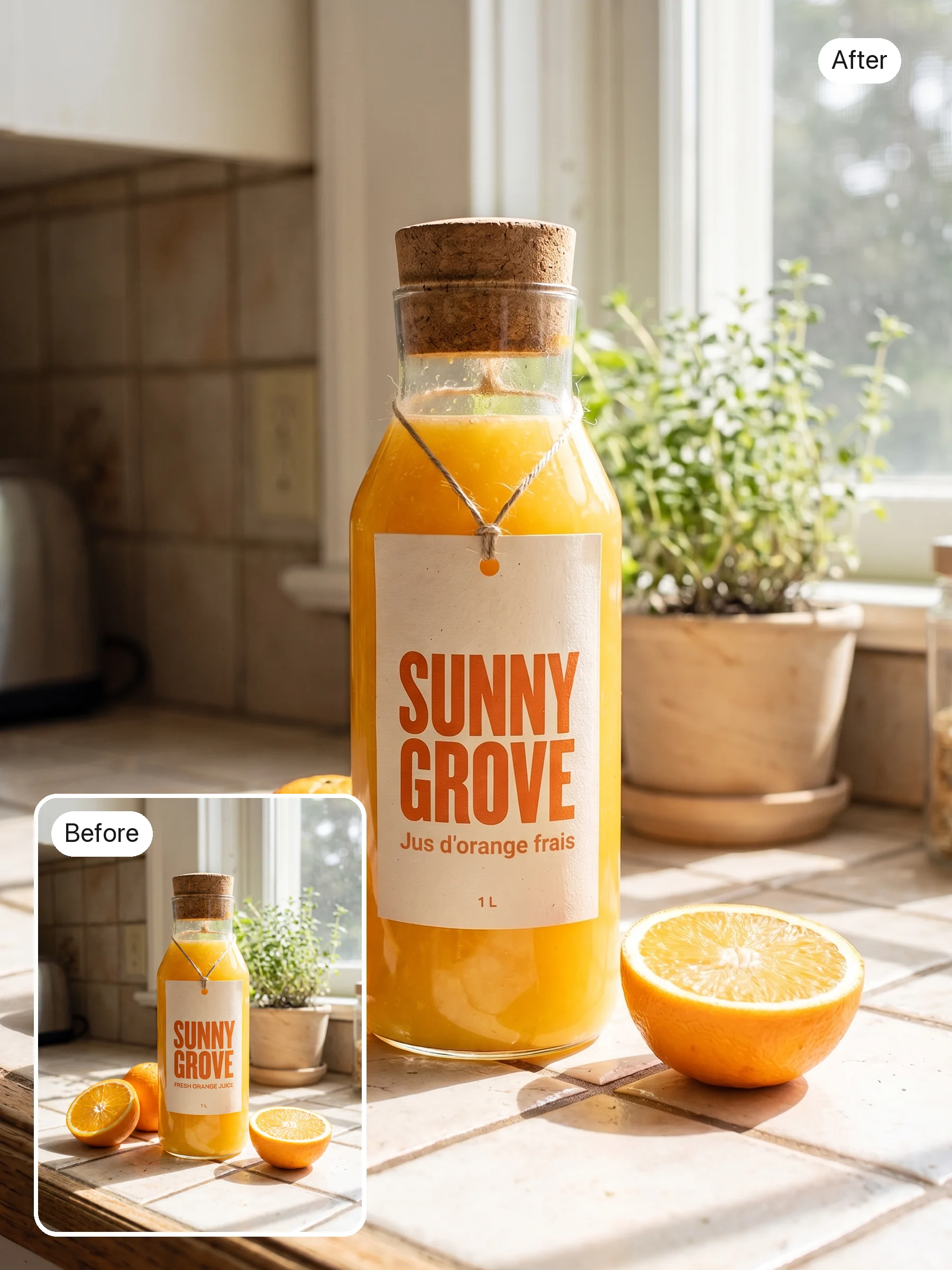
Packaging and label localization
A brand team launching in Japan or France can test the translated label on the real product shot, with the text rewritten in place, and check the fit before anything goes to print.
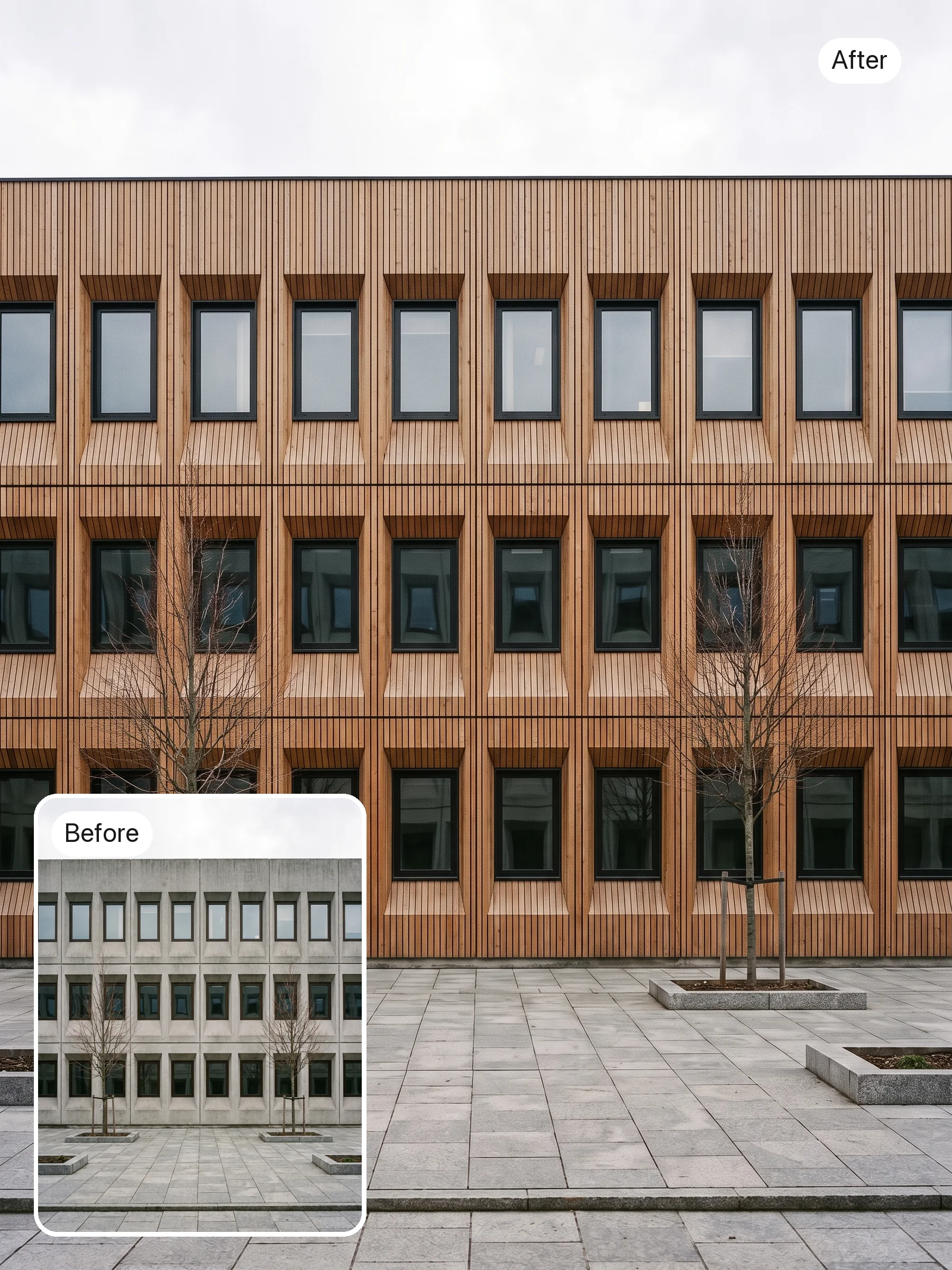
Architecture and exterior options
An architect or real estate marketer can try three facades on the same exterior photo, each one an edit of the last, instead of commissioning a new render for every option.
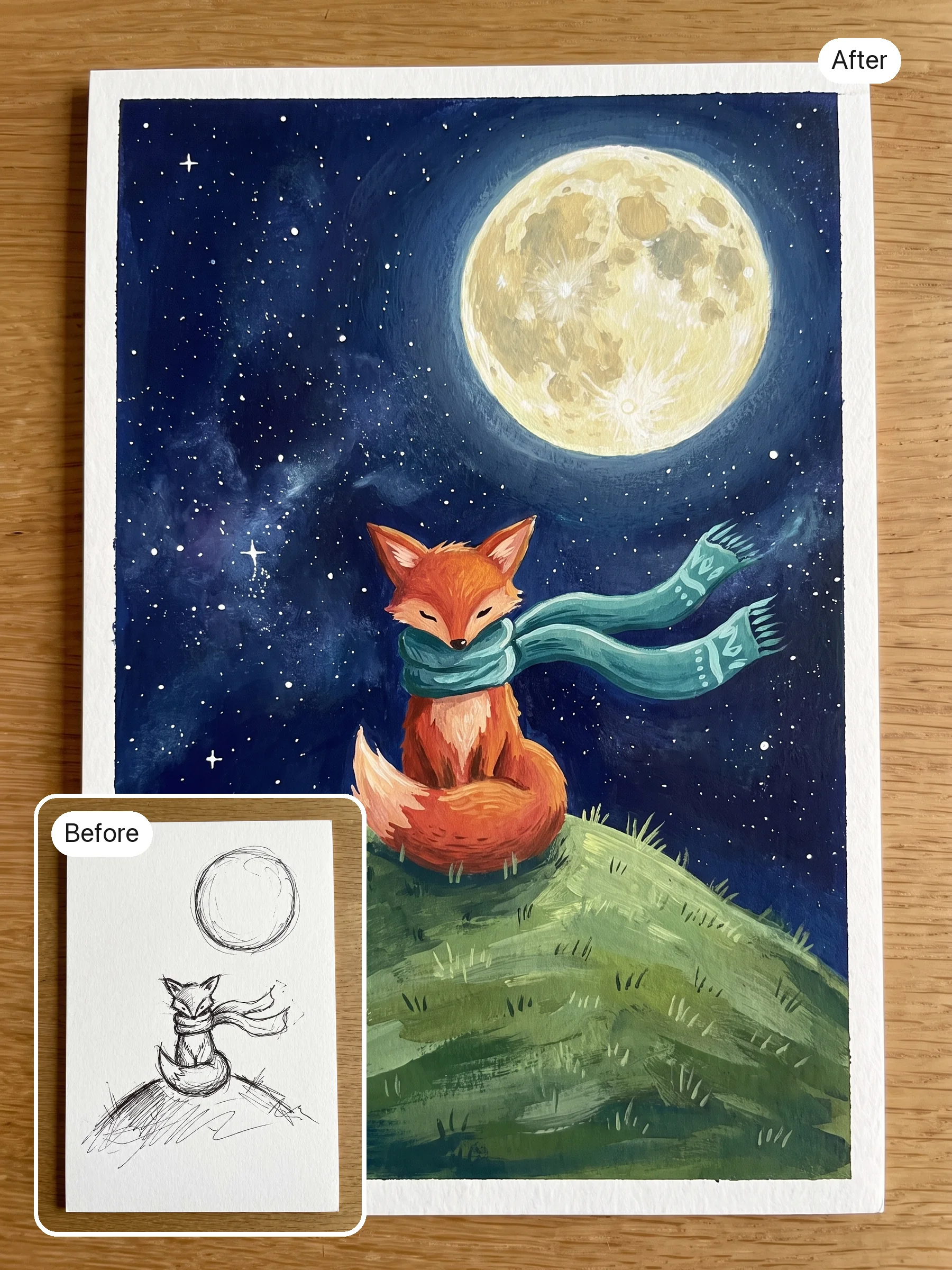
Sketch to finished artwork
An illustrator can turn a rough sketch into a finished piece, then refine it over several edits, adjusting color, lighting and detail while keeping the sketch's composition from one edit to the next.
Product recolors for every variant
An e-commerce team can shoot one hero image, then use Ideogram 4.5 to produce each color variant of the product, so every one starts from the same angle, lighting and background.
Interior design concepts on a real room
An interior designer can photograph a client's actual living room, then swap furniture, wall colors and lighting one edit at a time. Ideogram 4.5 is designed to reduce drift between rounds, so the room itself should stay recognizable.
Old photo restoration
A family archivist or local museum can restore faded, scratched prints in small steps, fixing damage first and color second, and stop at whichever version still looks like the original photo.
Packaging and label localization
A brand team launching in Japan or France can test the translated label on the real product shot, with the text rewritten in place, and check the fit before anything goes to print.
Architecture and exterior options
An architect or real estate marketer can try three facades on the same exterior photo, each one an edit of the last, instead of commissioning a new render for every option.
Sketch to finished artwork
An illustrator can turn a rough sketch into a finished piece, then refine it over several edits, adjusting color, lighting and detail while keeping the sketch's composition from one edit to the next.
Reviews
What creators are saying
Real ratings, pulled live from Trustpilot, not hand-picked quotes.

"Imagine.art is hands down one of the best AI image generators I have used lately. The results are consistently high-quality, and the prompt accuracy is fantastic."
"The most important feature I like is face consistency. You can generate a face and use it across hundreds of images with very good accuracy."
"I love the image generation and have been using it to create some great tee shirt designs. The monthly cost is minimal compared to the benefits."
"ImagineArt has been a game changer for creating visuals that fit my brand quickly."
Plans
Simple pricing, no surprises
See exactly what a generation costs on your plan.
Free
USD 0 · per creator / month, billed annually
3000 credits / month
- 100 Daily credits
- In-house models only
- 36k credits per year
- 1 Fast Image concurrency
Basic
For newcomers taking their first steps
3K credits / month
- Up to ~97 video generations / month
- Up to ~600 image generations / month
- 10 image models · 9 video models
- 4 concurrent image generations
- General commercial terms
Ultimate
Peak performance for pros
16K credits / month
- Up to ~530 video generations / month
- Up to ~3.2k image generations / month
- All styles and models, including Kling 2.6 Pro and Seedance 1.5 Pro
- Everything in Standard, unlimited
- General commercial terms
Trusted by creative teams, designers and marketers.
Compare every plan and buy credit packs →FAQs
- What is Ideogram 4.5?
- Ideogram 4.5 is an image editing model from Ideogram AI, which calls it its most precise edit model. According to launch coverage, it was released on September 30, 2026. It's built for changing an existing image, one instruction at a time, while keeping the parts you didn't ask to change.
- What does multi-turn editing mean in practice?
- It means editing the same image again and again: recolor the mug, add steam, then change the table. Ideogram says other leading models degrade the image a little each round, so within a few edits it gets worse. Ideogram 4.5 is designed to reduce that drift, so you can keep refining instead of starting over.
- How is Ideogram 4.5 different from Ideogram 4?
- Ideogram 4 (4.0) is Ideogram's open-weights generator, released in June 2026 with 9.3 billion parameters under a non-commercial license, and it's already on ImagineArt as Ideogram v4. Ideogram 4.5 is edit-first: you start from an existing image and change it. Use 4.0 to create from scratch, and 4.5 to refine.
- How does Ideogram 4.5 compare with Nano Banana and GPT Image 2.5 for editing?
- Ideogram's own side-by-sides show Nano Banana and GPT Image 2.5 Sunburst outputs becoming unusable within a few edits, while 4.5 holds up. Those are Ideogram's demos, and we haven't found an independent editing benchmark we'd stand behind. Since those models are on ImagineArt too, run the same edit sequence through each.
- Is Ideogram 4.5 open source or open weights?
- Not yet. Ideogram's launch post said open weights are coming soon, but as of October 7, 2026, there was no Ideogram 4.5 release on Ideogram's Hugging Face page. Ideogram 4.0's weights are available there under a non-commercial license.
- Can I use Ideogram 4.5 free on ImagineArt?
- Check the image tool: ImagineArt's free plan gives 100 credits a day on a limited set of models, and premium models need a paid plan. Paid plans and credit packs are on the pricing page.
Resources

Built for a full production, not just one image
Image Studio
Keep refining and editing your images.
AI Ad Studio
Build ad creatives around your edited product shots.
AI Film Studio
Plan and build video scenes from your stills.
AI Fashion Studio
Create fashion and product visuals for your catalog.
Audio Studio
Add a voiceover or soundtrack to the video you build next.
Fix the one thing that's wrong
Fix the scarf, the label or the light, and keep the photo you already like, with Ideogram 4.5.
Start from an image · Edit one change at a time