
Tooba Siddiqui
September 30, 2026 • Updated October 5, 2026
21 mins Read
GPT Image 2.5, released by OpenAI on September 8, 2026, has two models. Flare is the fast default, and Sunburst takes longer per image in exchange for more precise results. They cost the same per token, so choosing between them comes down to whether the extra time gets you a better image. We ran both models on the same seven jobs with identical prompts, then scored the outputs, timed every render and worked out the cost of each usable image.
Every prompt is published below, so you can run the same tests yourself.
Sunburst vs. Flare at a Glance
| Flare | Sunburst | |
|---|---|---|
| Built for | Speed and volume | Precision and detail |
| Avg. render time (our tests) | 20–25s | 30s |
| API price | Same token rate | Same token rate |
| First-try usable rate (our tests) | 89% (16 of 18) | 89% (16 of 18) |
| Jobs won | 2 of 7 | 5 of 7 |
| Best for | Product photos and realistic, photo-style scenes | Text and labels, detailed portraits, edits and skin close-ups |
Overall Score
| Job | Flare | Sunburst | Winner |
|---|---|---|---|
| Creating from scratch and editing | 6/10 | 7.25/10 | Sunburst |
| Photorealistic product scene | 8.5/10 | 8/10 | Flare |
| Text on a poster and product label | 7.75/10 | 9.25/10 | Sunburst |
| Precise edits without drift | 8/10 | 8.5/10 | Sunburst |
| Hands, faces and small details | 7.2/10 | 8.7/10 | Sunburst |
| Realistic results and settings | 7.75/10 | 7.25/10 | Flare |
| Noise and grain | 8.3/10 | 9/10 | Sunburst |
| Overall | 7.6/10 | 8.3/10 | Sunburst |
What Are GPT Image 2.5 Flare and Sunburst?
Flare and Sunburst are the two versions of GPT Image 2.5, OpenAI's image generation and editing model. Flare is the default, producing better images than GPT Image 2 at up to 50% lower latency. Sunburst spends more time on each image, which OpenAI says gives tighter edits and better detail preservation.
OpenAI positions Flare for social content, product listings, prototyping and high-volume work, and Sunburst for campaign visuals, product photography and hero images. Both models share the same features, sizes, and quality tiers.
Read the complete overview of GPT image 2.5 on ImagineArt Insights
How We Tested
We ran seven jobs on both Flare and Sunburst, using an identical prompt, the same aspect ratio and the same setting for each pair. We tested on ImagineArt AI image generator at 1K resolution, medium quality, and 16:9 aspect ratio. Each output was scored out of 10 on whether it followed the prompt and whether we'd use it in a real project.
Job 1: Creating From Scratch vs. Editing an Existing Image
GPT Image 2.5 can generate an image from a text prompt or edit a photo you upload. We tested both modes on each Flare and Sunburst.
1A: From scratch (text to image)
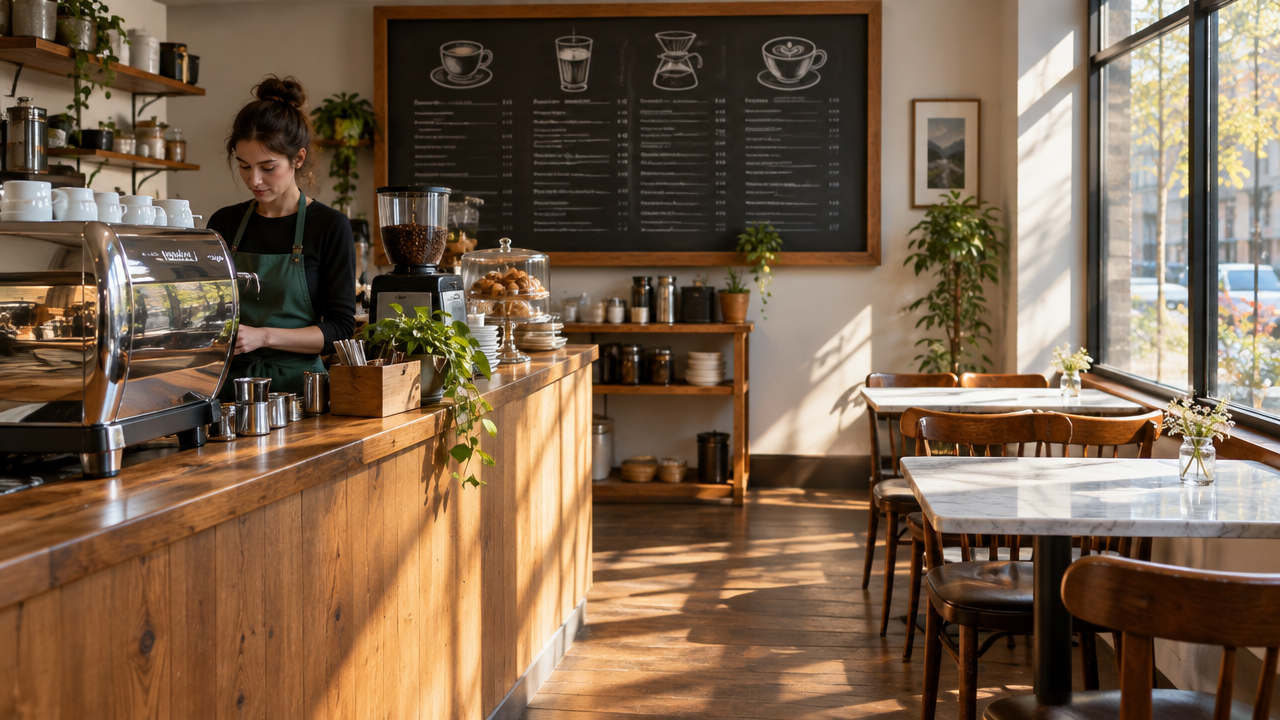
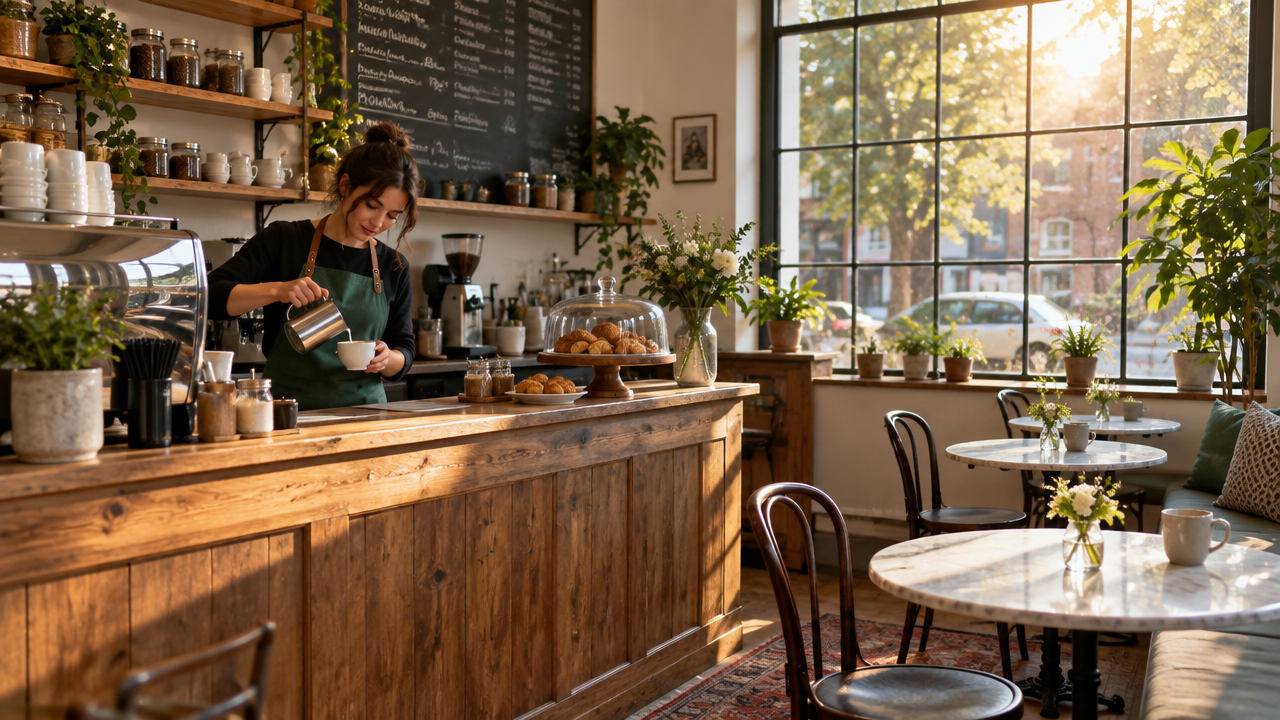
A small independent coffee shop interior in the morning. A wooden counter on the left with a chrome espresso machine, a chalkboard menu on the back wall, three round marble tables by a large window on the right, and soft sunlight coming in at a low angle. One barista in a green apron is behind the counter. Photorealistic, shot on a 35mm lens at eye level.
 GPT image 2.5 Flare GPT image 2.5 Flare
|
 GPT image 2.5 SunburstImage 2 GPT image 2.5 SunburstImage 2
|
1B: Editing an existing image (we uploaded our own photo)
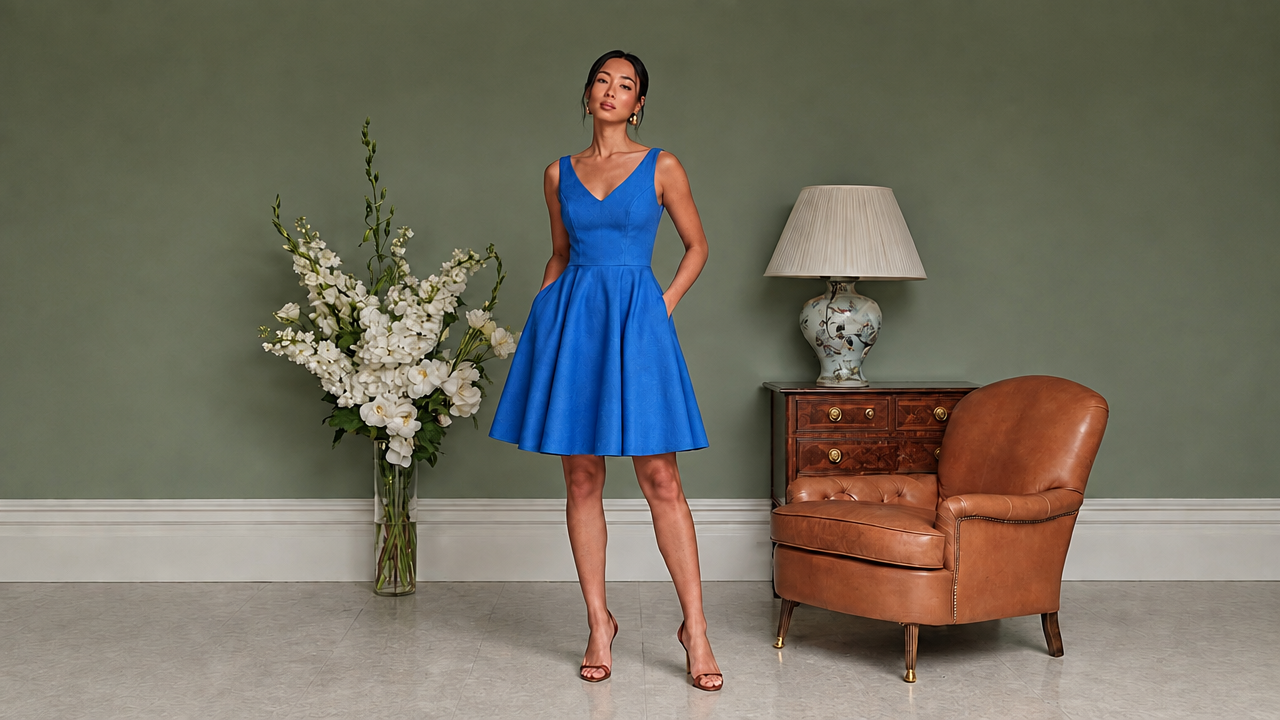 Reference image generated by ImagineArt AI image generator
Keep this photo exactly as it is, including the layout, furniture, lighting and camera angle. Change only one thing: replace the object on the table with a potted monstera plant in a white ceramic pot. The plant should match the lighting and shadows of the rest of the photo.
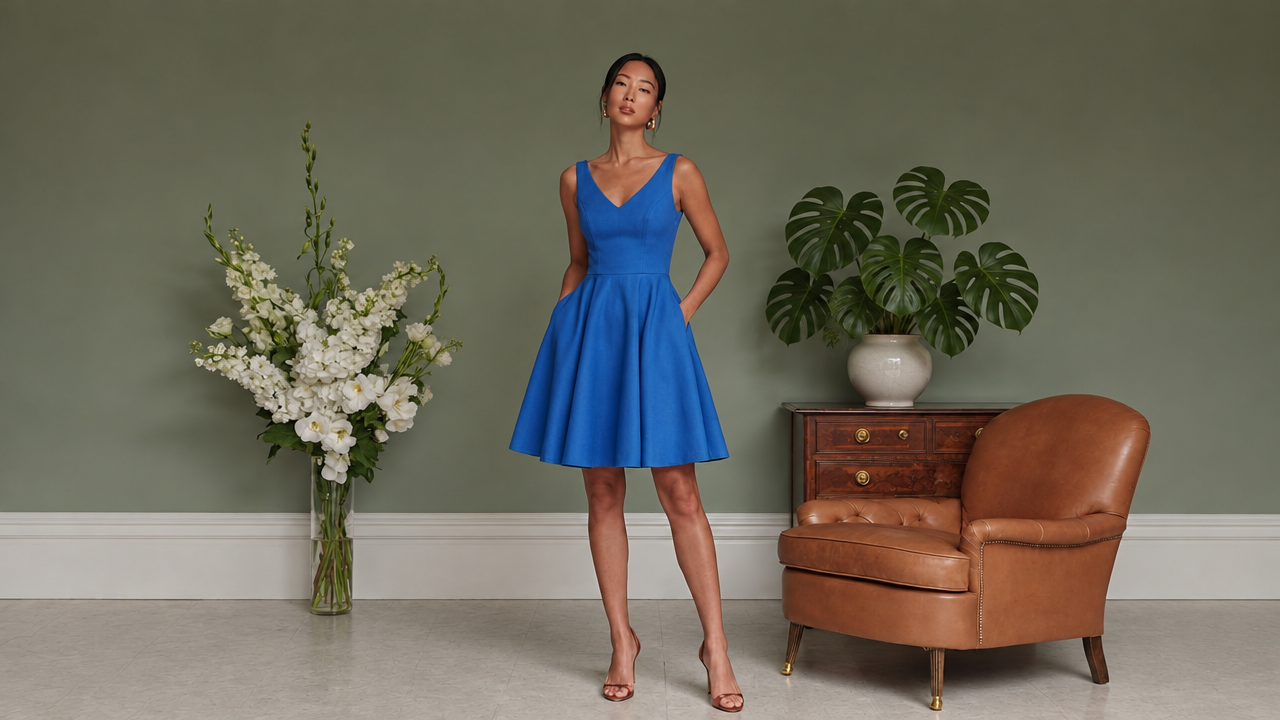 GPT image 2.5 Flare GPT image 2.5 Flare
|
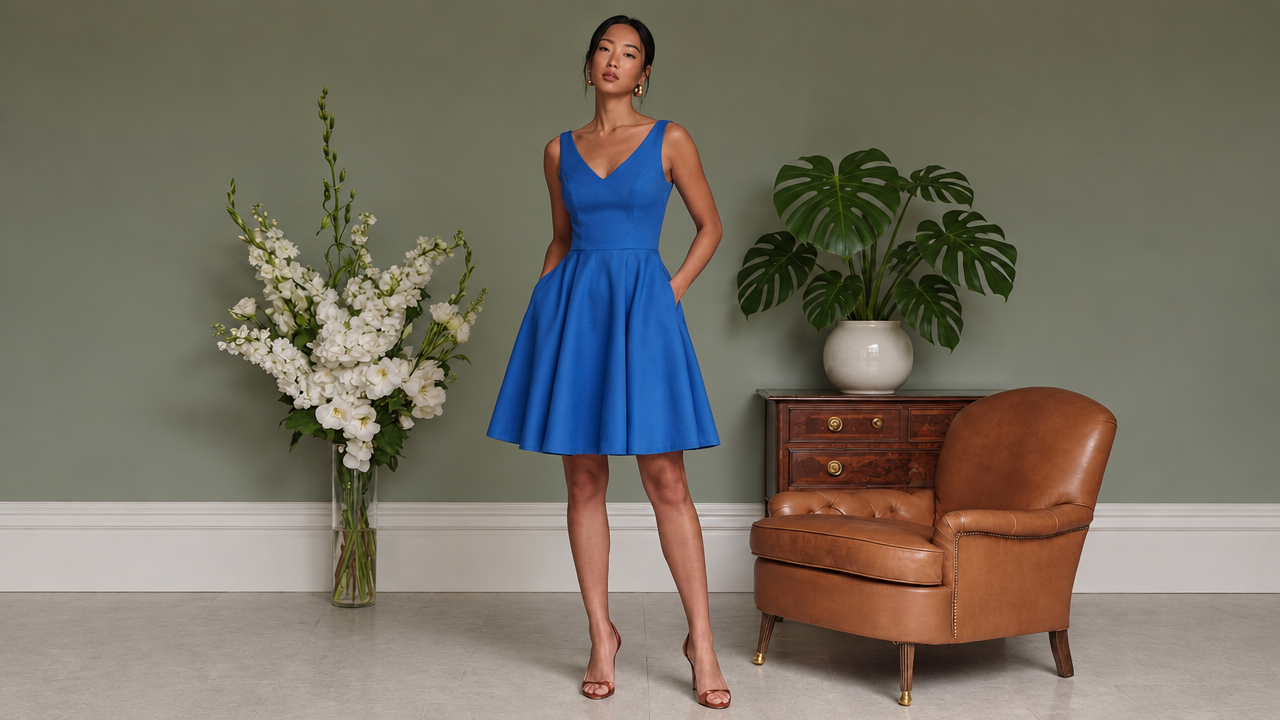 GPT image 2.5 Suburst GPT image 2.5 Suburst
|
What we checked: For 1A, how many of the layout instructions landed (counter on the left, window on the right, three tables, one barista). For 1B, whether anything other than the object changed.
Results: For job 1B:
- Flare: The swap works, but the pot isn't quite white and the model's face looks slightly awkward.
- Sunburst: The plant and pot match the prompt better.
For job 1A:
- Sunburst followed all nine instructions in the prompt on its first attempt, including the three round marble tables by the window. Sunburst's one weak spot was the espresso machine, which it pushed to the edge of the frame and mostly cropped out. Its golden, sun-flared lighting also looked more like late afternoon than morning
- Flare's first attempt produced the more natural morning light, with sunlight streaking across the floorboards, but it gave us two rectangular tables instead of three round ones.
- Both models filled the chalkboard with unreadable filler text, which the prompt didn't ask for.
Winner: Sunburst. It followed the layout instructions more closely in both modes, and at one attempt each for text to image, its extra render time didn't cost a retry.
Job 2: A Photorealistic Product Scene
Product photography is one of the jobs OpenAI names specifically for Sunburst, so this is where it should pull ahead.
Prompt:
Product photograph of a 30ml amber glass serum bottle with a black rubber dropper cap, standing on a beige travertine stone block. Behind it, a softly blurred sprig of eucalyptus. Warm morning sunlight from the left casts a long, soft shadow to the right. A few small water droplets on the stone. The bottle has a plain white label with the word "LUMA" in black serif capitals. Commercial skincare advertising style, shallow depth of field, 100mm macro lens.
What we checked: glass transparency and reflections, whether the shadow falls opposite the light source, the stone texture, the spelling of "LUMA," and any plastic or oversharpened look.
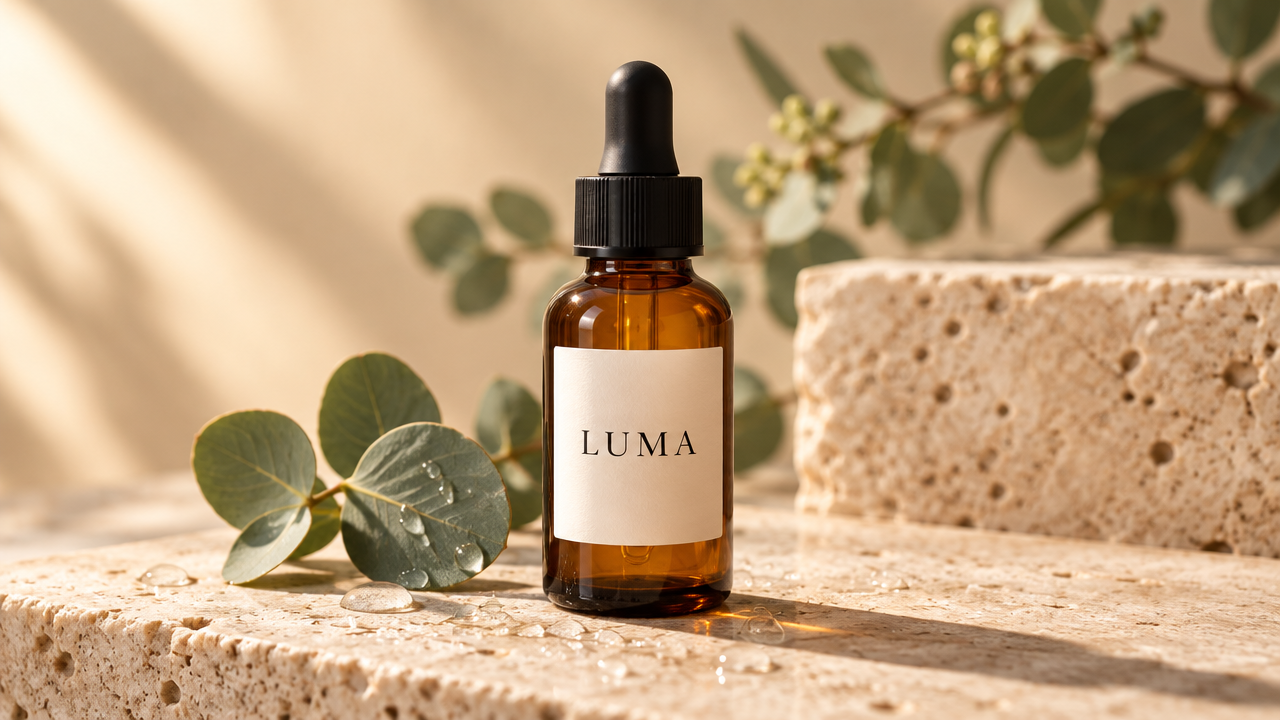 GPT image 2.5 Flare GPT image 2.5 Flare
|
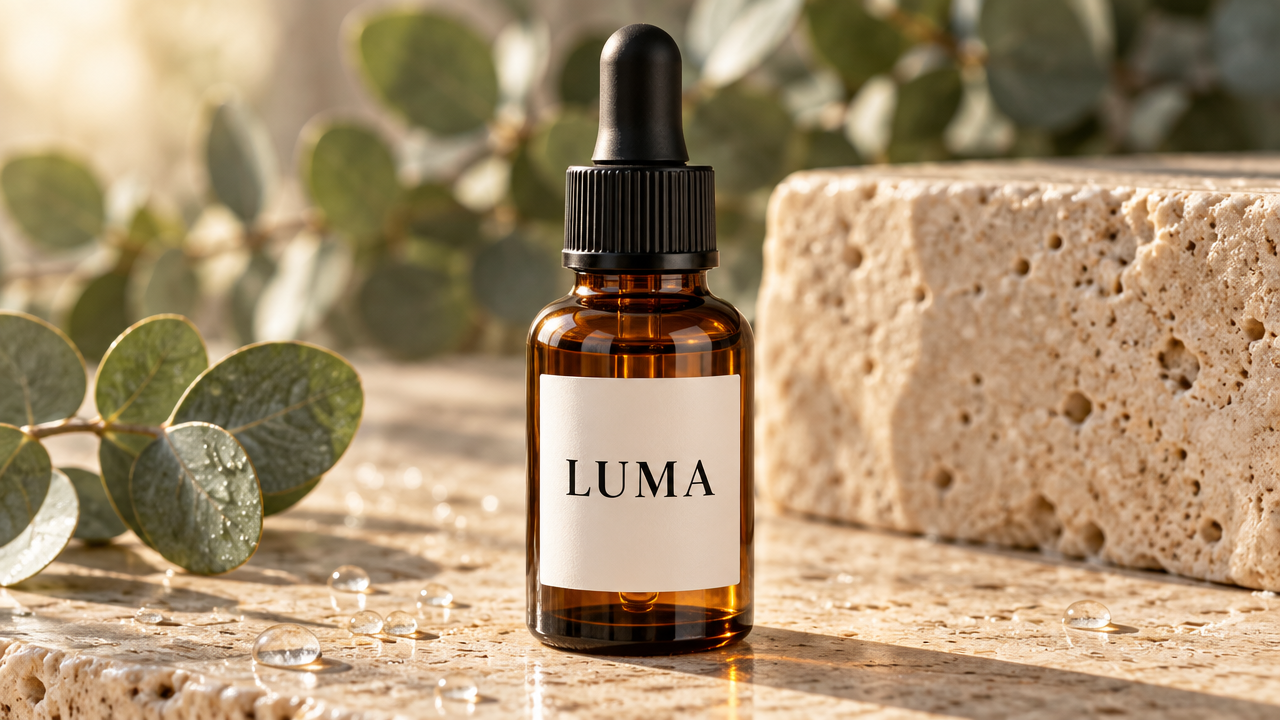 GPT Image 2.5 Sunburst GPT Image 2.5 Sunburst
|
Results: Both models produced a usable product shot on the first attempt, and both spelled "LUMA" correctly. Flare's image looks more like a real photograph. Sunlight streaks across the wall, the bottle casts the long, soft shadow, and light passing through the amber glass throws a warm glow onto the stone. Its only misses were small: the label came out cream rather than white, and it added a sharp eucalyptus sprig in the foreground.
Sunburst gave us a cleaner white label with bolder lettering, which would hold up better at thumbnail size. The stone pores, water droplets and leaves have a crisp, slightly rendered look, and the shadow is shorter and harder than we asked for. It looks like a polished ad, where Flare's looks like a photo.
Winner: Flare, narrowly. Sunburst's label is cleaner, but Flare's lighting and depth of field make it the more convincing product photo suitable for product listings.
Job 3: Text on a Poster and a Product Label
OpenAI says GPT Image 2.5 handles short text better than GPT Image 2, while long passages remain unreliable. We tested both ends on each model, using a poster with four text sizes and a label with very small print.
3A: Poster:
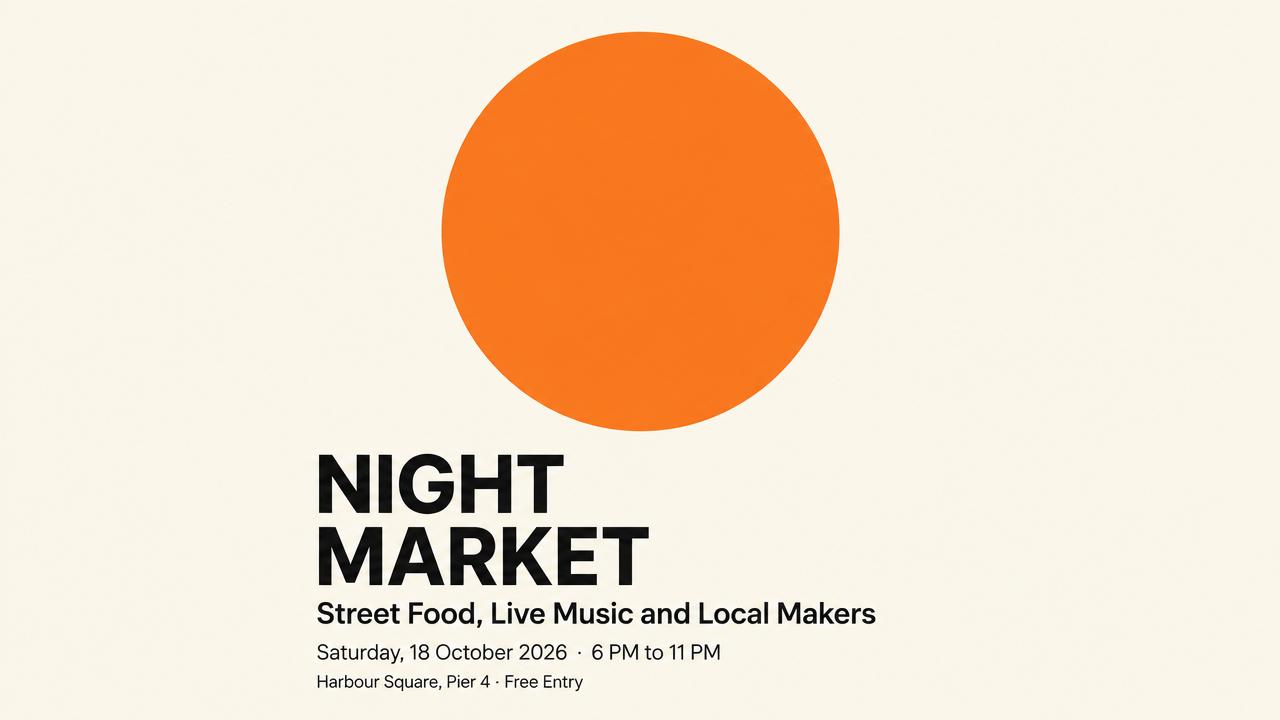
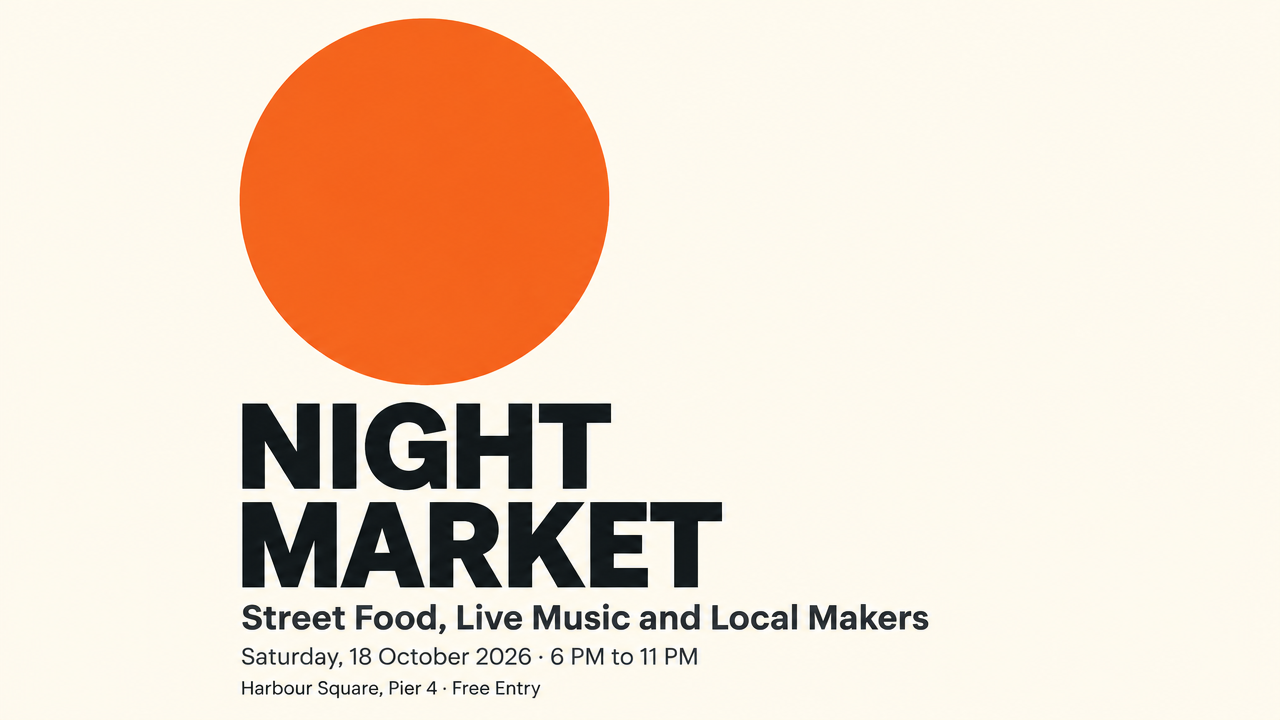
A minimalist event poster with a cream background and a single large orange circle in the upper half. Text, exactly as written: Headline (large, bold sans serif): "NIGHT MARKET" Subheading (medium): "Street Food, Live Music and Local Makers" Details (small): "Saturday, 18 October 2026 · 6 PM to 11 PM" Bottom line (smallest): "Harbour Square, Pier 4 · Free Entry" Clean Swiss design layout, left-aligned text, generous margins.
 GPT image 2.5 Flare GPT image 2.5 Flare
|
 GPT image 2.5 Sunburst GPT image 2.5 Sunburst
|
3B: Product label:
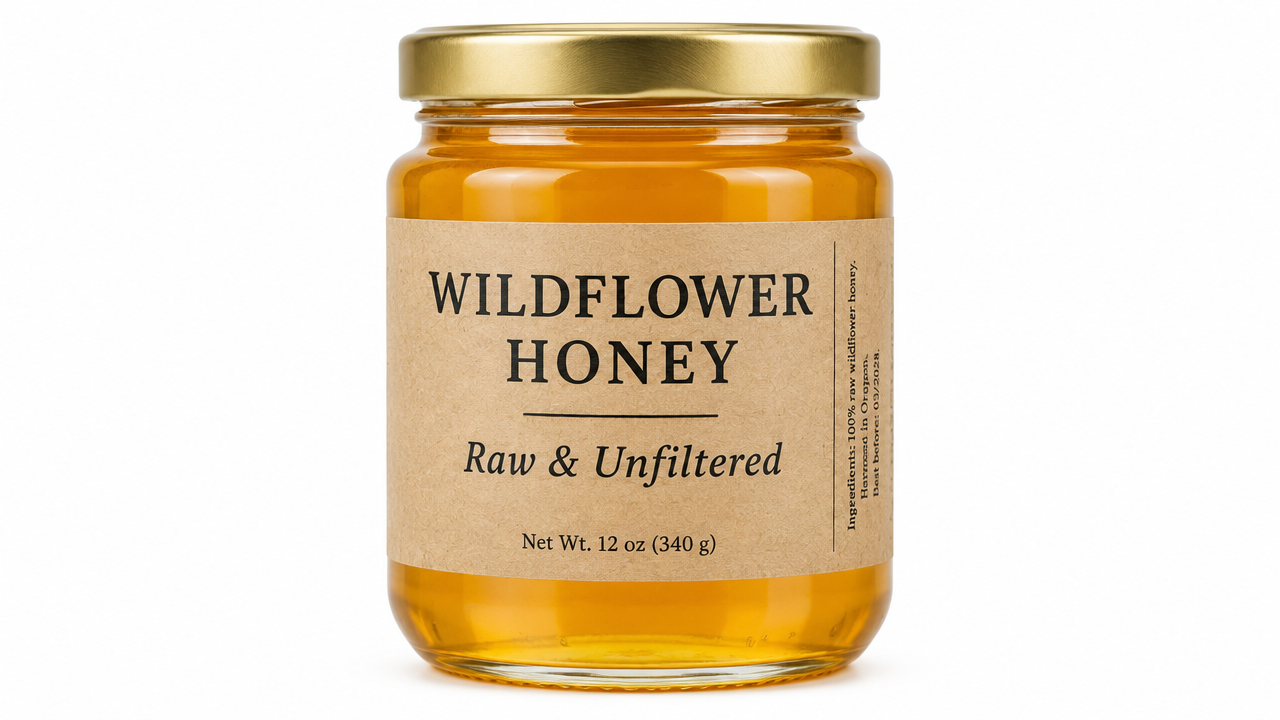
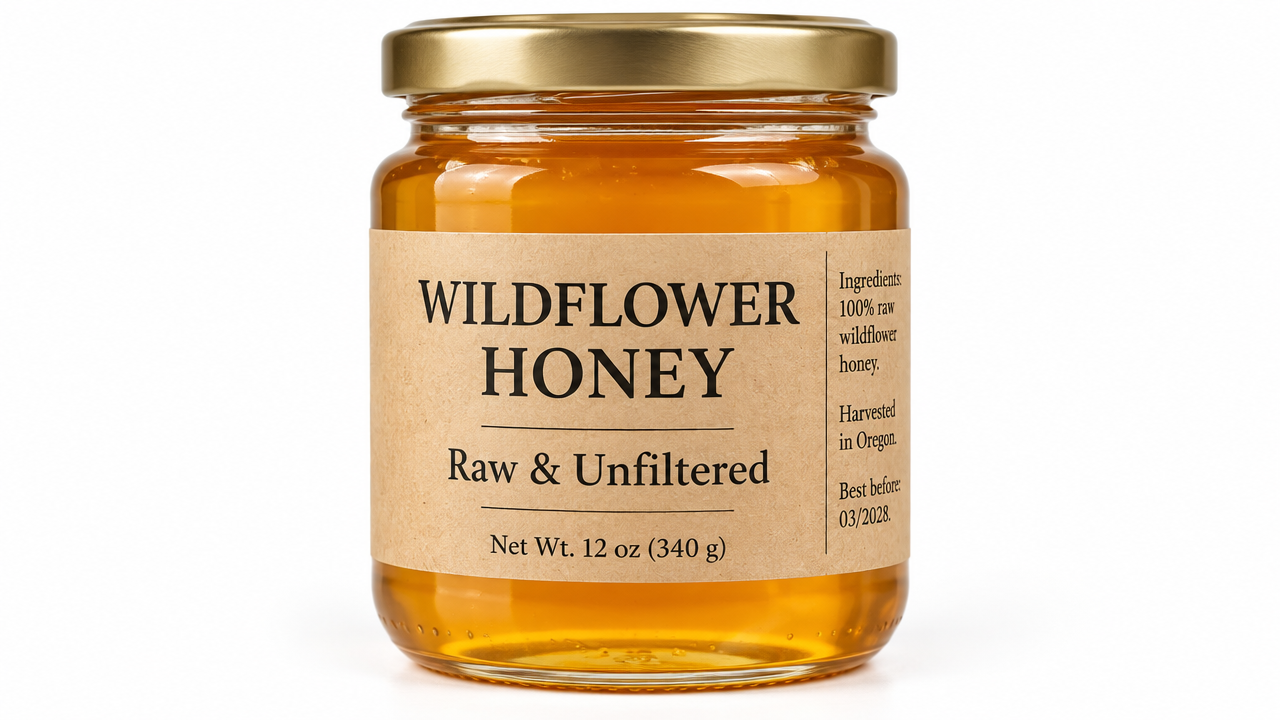
A front-facing photo of a glass jar of honey with a kraft paper label. The label text, exactly as written: Top (large): "WILDFLOWER HONEY" Middle (medium): "Raw & Unfiltered" Bottom (small): "Net Wt. 12 oz (340 g)" Side panel (very small): "Ingredients: 100% raw wildflower honey. Harvested in Oregon. Best before: 03/2028." Studio lighting, plain white background, label fully readable.
 GPT image 2.5 Flare GPT image 2.5 Flare
|
 GPT image 2.5 Sunburst GPT image 2.5 Sunburst
|
What we checked: every word and number, line by line, and the text size at which errors started on each model.
Results: Both models got every word of the poster right on the first attempt, down to the date, the times and the "·" separators. Sunburst's poster had the stronger design, lining up the orange circle with the text on a shared left edge and giving the headline more weight. Flare centered the circle above left-aligned text, which looks clean but less like a Swiss layout. Neither left the generous top and bottom margins we asked for.
The label is where the models split. Both rendered the headline, subheading and net weight correctly. On the side panel, though, Flare set the text sideways in very small type and made two errors: "Ingredients" became "Ingeedients," and "Harvested in Oregon" turned into unreadable letters. Sunburst set the same text as short horizontal lines at a slightly larger size and got every word right. It interpreted "very small" loosely, but the result met the more important instruction, "label fully readable." Once the text is right, you can animate your poster for social media.
Winner: Sunburst. Both models are reliable for headlines and short lines of text. For fine print such as ingredients, legal lines or small labels, Sunburst was the only one we'd trust without checking every letter. On Flare, errors started at the smallest text size.
Job 4: Revising an Image Without Losing the Subject or Layout
Multi-round editing is the other job OpenAI highlights for GPT images 2.5. We tested if the quality degraded over repeated edits, and we wanted to see which model resisted that longer.
We created a base image for test applied these edits to it:
Base image prompt:
A woman in her 30s with shoulder-length curly dark hair, wearing a mustard yellow sweater, sitting at a wooden café table by a window, holding a white coffee mug with both hands and smiling slightly. Natural daylight, photorealistic, medium shot.
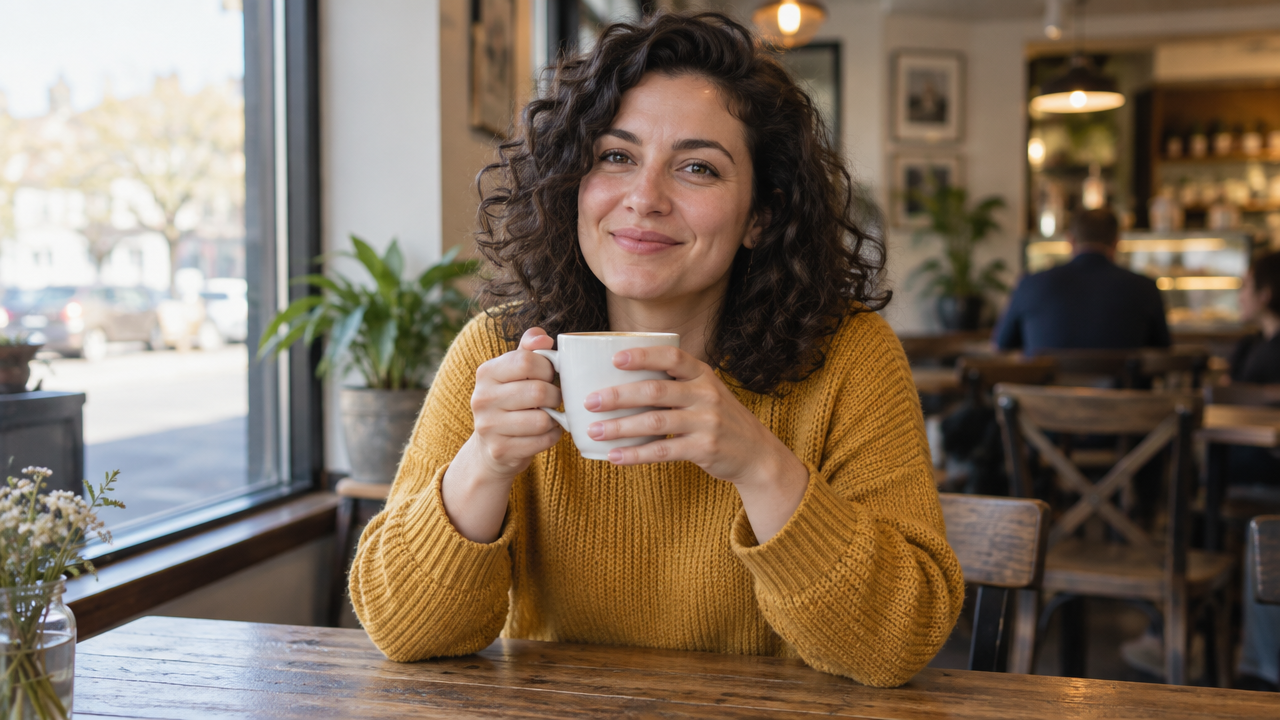 Base image generated by ImagineArt AI image generator
Five edit rounds, each applied to the base image:
Edit round 1: Change only the sweater color to forest green. Keep everything else exactly the same.
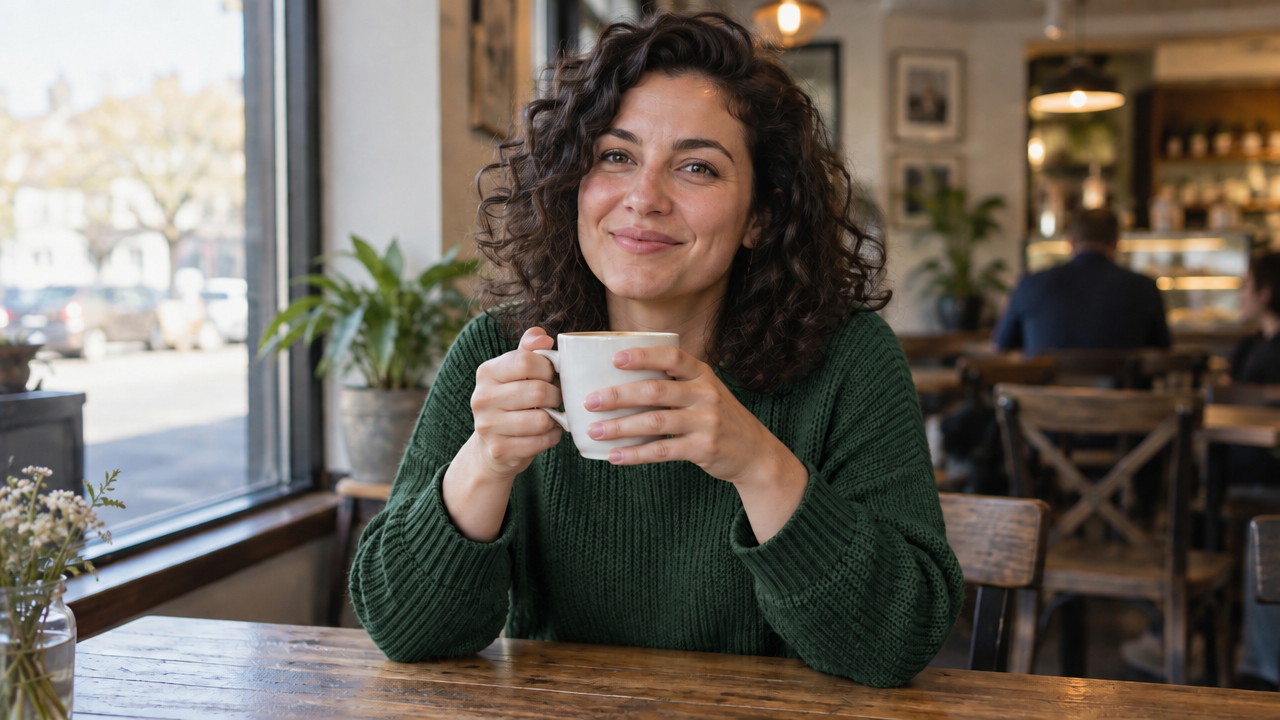 GPT image 2.5 Flare GPT image 2.5 Flare
|
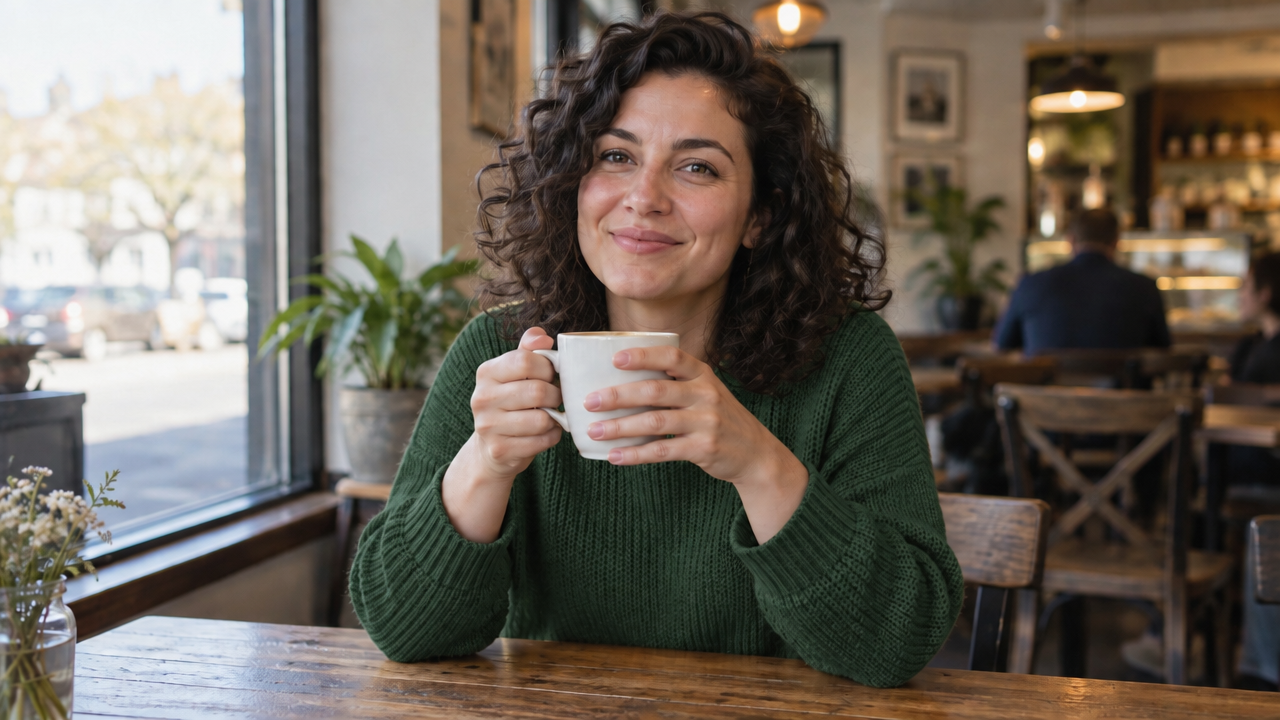 GPT image 2.5 Sunburst GPT image 2.5 Sunburst
|
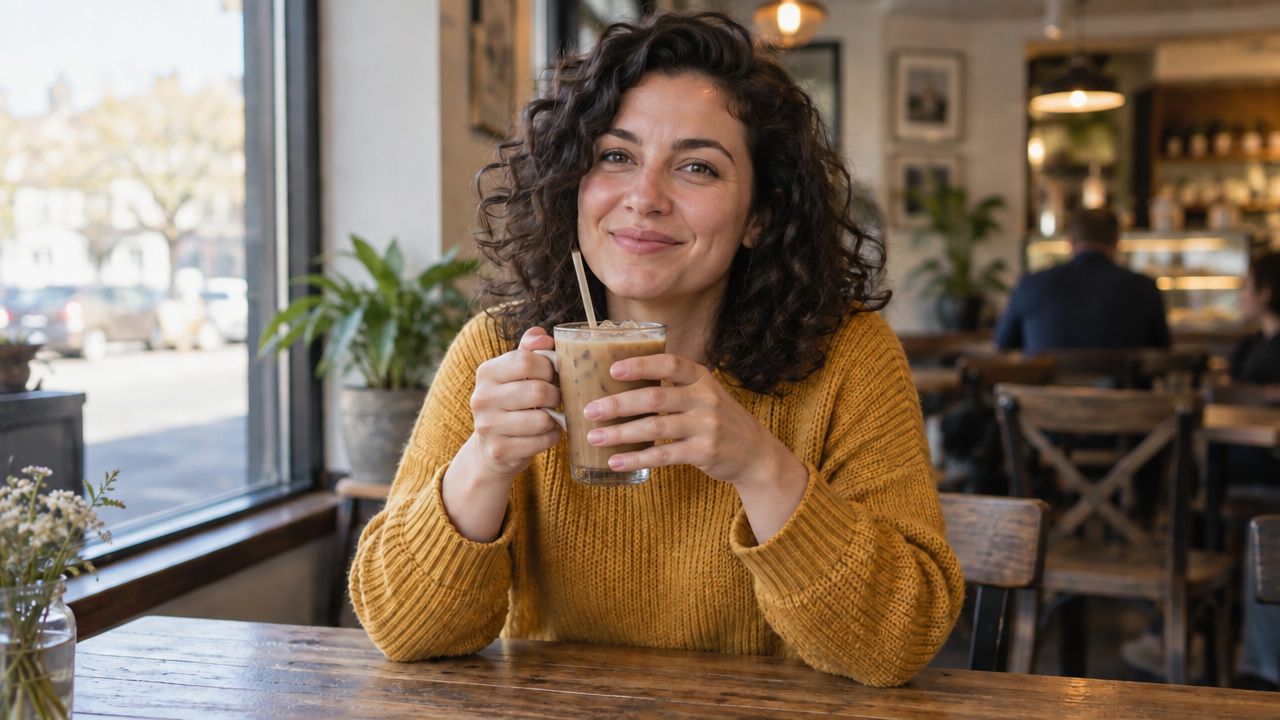
Edit round 2: Change only the mug to a clear glass of iced coffee. Keep everything else exactly the same.
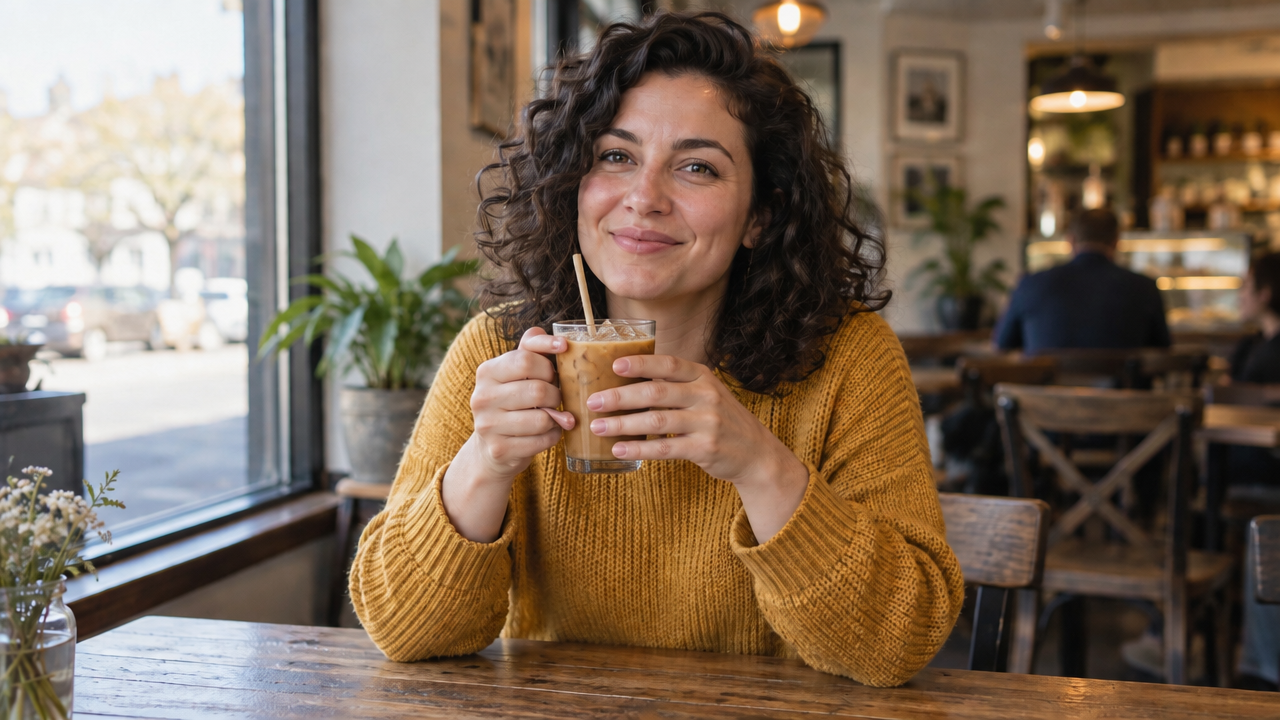 GPT image 2.5 Flare GPT image 2.5 Flare
|
 GPT image 2.5 Sunburst GPT image 2.5 Sunburst
|
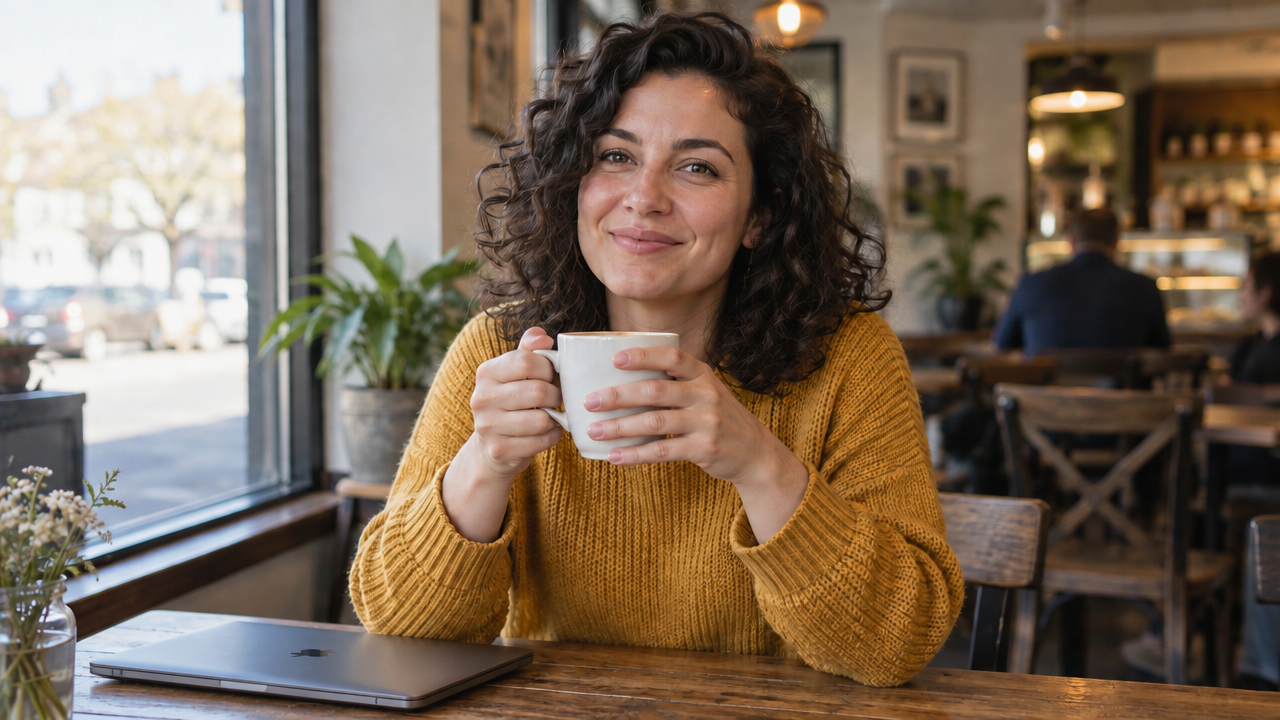
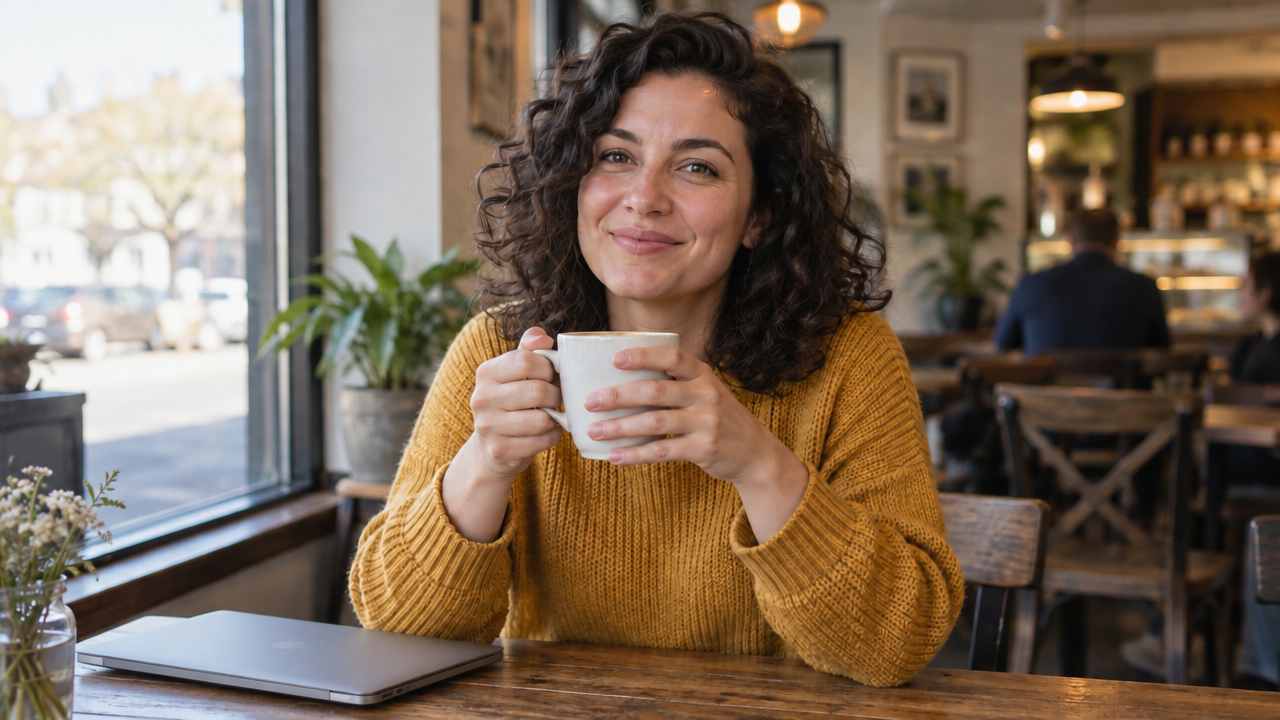
Edit round 3: Add a closed laptop on the table to her left. Keep everything else exactly the same.
 GPT image 2.5 Flare GPT image 2.5 Flare
|
 GPT image 2.5 Sunburst GPT image 2.5 Sunburst
|
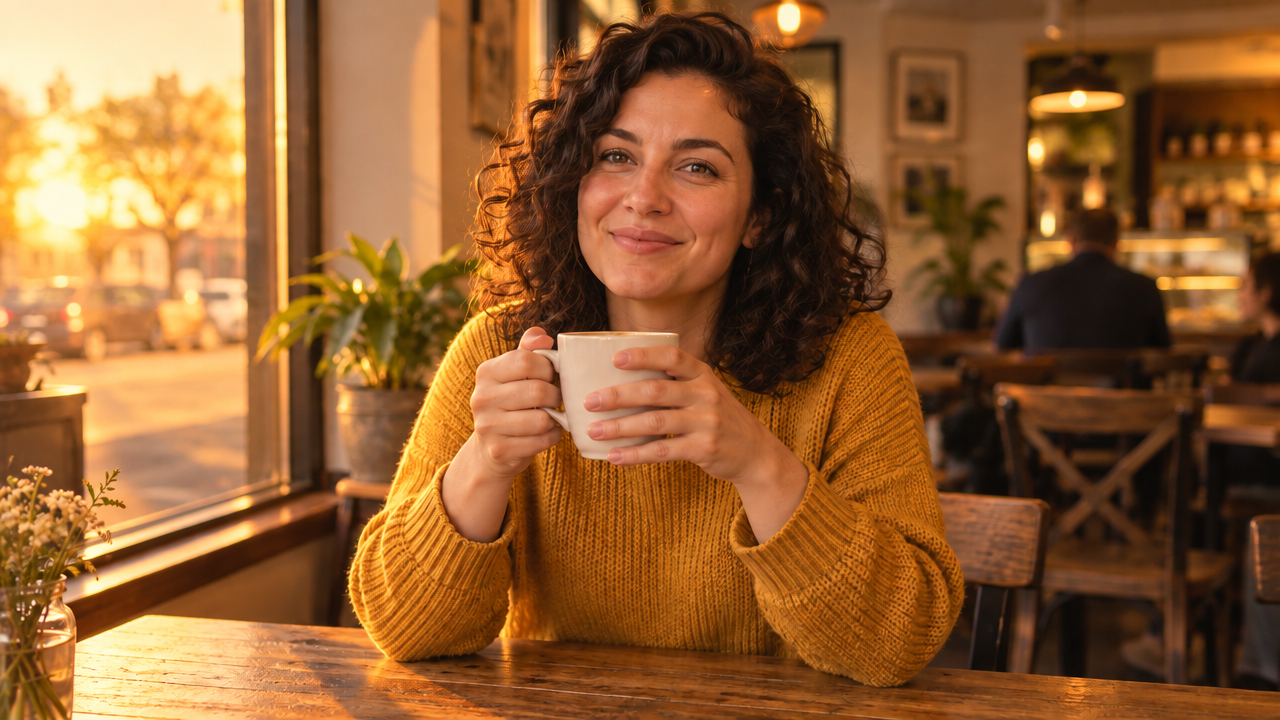
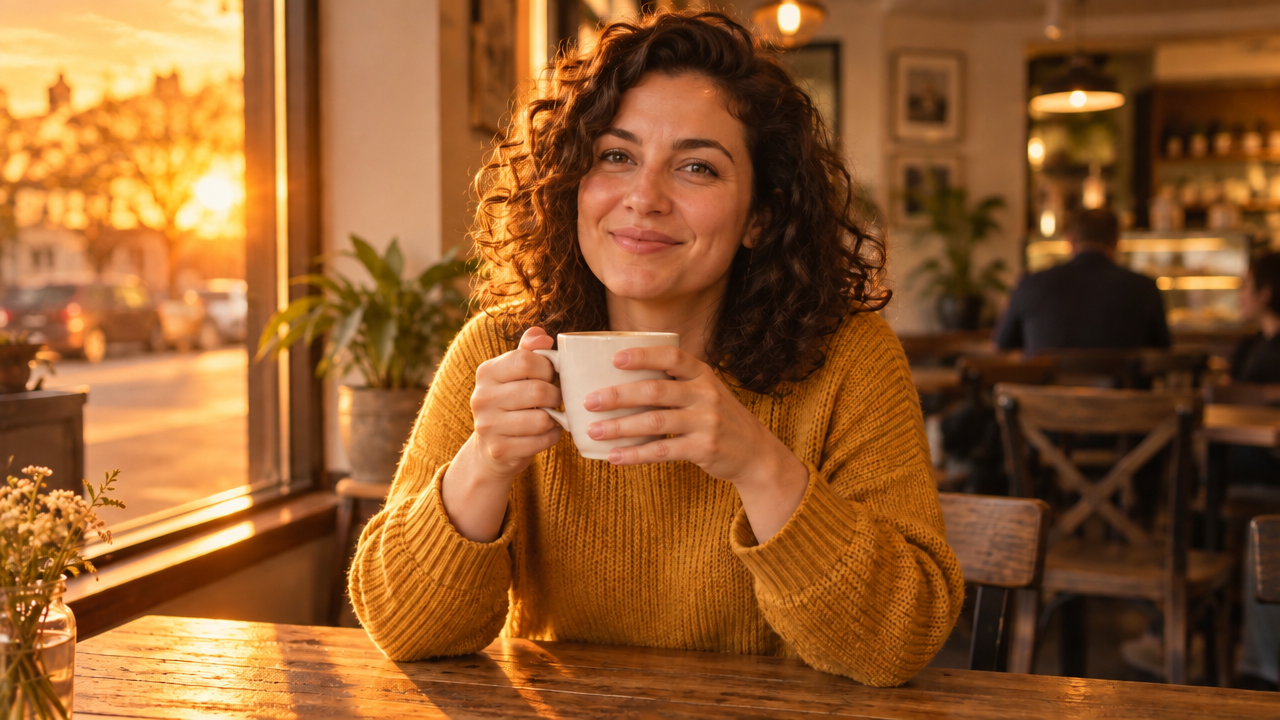
Edit round 4: Change the lighting to golden hour sunset. Keep her face, pose, clothing and the layout exactly the same.
 GPT image 2.5 Flare GPT image 2.5 Flare
|
 GPT image 2.5 Sunburst GPT image 2.5 Sunburst
|
For lighting changes on a photo you didn't generate, a dedicated tool that can adjust the lighting keeps the subject in place.
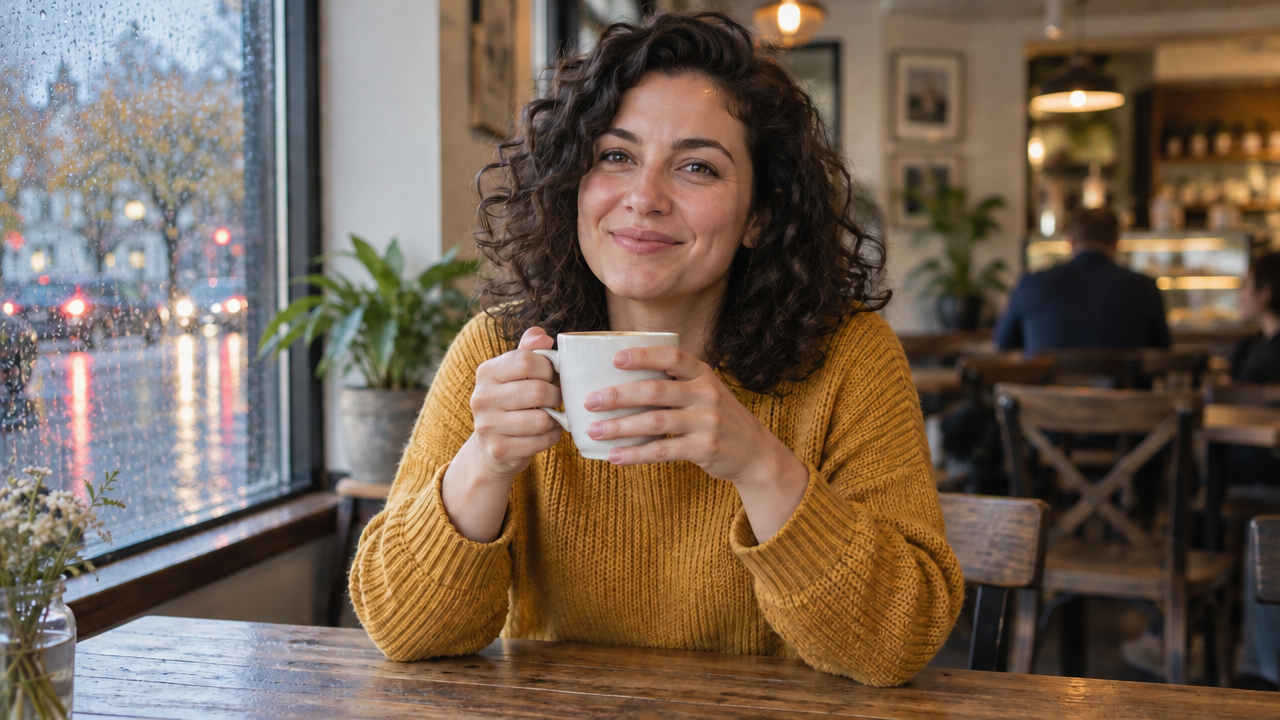
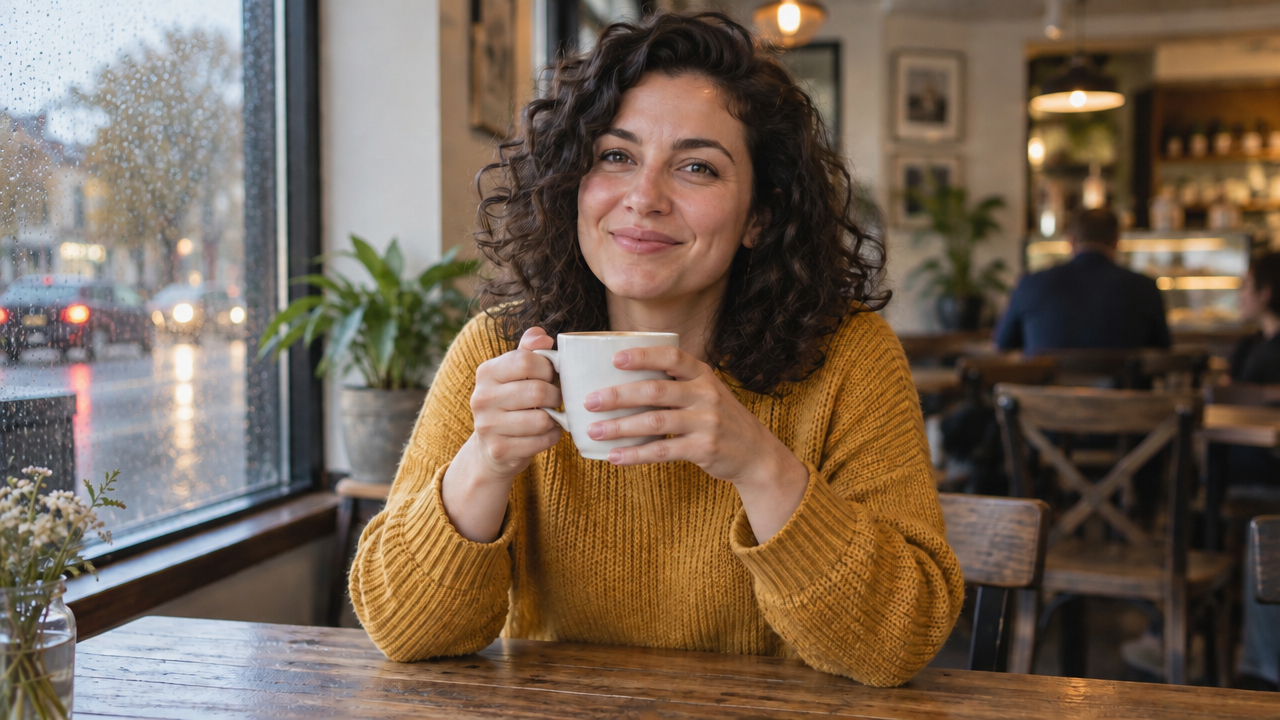
Edit round 5: Change only the background outside the window to a rainy street. Keep everything else exactly the same.
 GPT image 2.5 Flare GPT image 2.5 Flare
|
 GPT image 2.5 Sunburst GPT image 2.5 Sunburst
|
What we checked: her face, hair, pose and the table layout after every round, compared against the base image, and the round where drift first appeared on each model.
- Visible drift in face or pose: none
- Face still recognizable in every edit: yes
- Attempts: total 6
Results: Both models handled this far better than our first editing test. Across the four edits that didn't change the lighting, her face remained unchanged on either model, and the café background barely moved. When we asked for a rainy street outside, the window changed almost completely while the rest of the frame stayed in place. Even the golden hour edit, which relights every pixel, kept her face, pose and sweater where they were.
Both models needed two attempts to swap the mug for iced coffee. Sunburst's version, a clear glass mug with a handle, kept her original grip, while Flare switched to a tumbler and adjusted her hands to fit. Both got one instruction wrong in the same way: asked to put the laptop "to her left," both placed it on the left side of the image, which is her right. Flare's laptop also came with an Apple logo we didn't ask for, which matters if you plan to use the image commercially.
Winner: Sunburst, narrowly. Both models were precise enough to trust with single edits on a finished image, and the gap between them was small.
The prompt pattern that worked on both models: change one thing per edit, name it specifically, and state what must stay the same.
Job 5: Hands, Faces and Small Details
Hands, faces and precise small details are where image models most often slip. We scored each model on how many instructions it followed, not only on how good the image looked.
5A: Hands
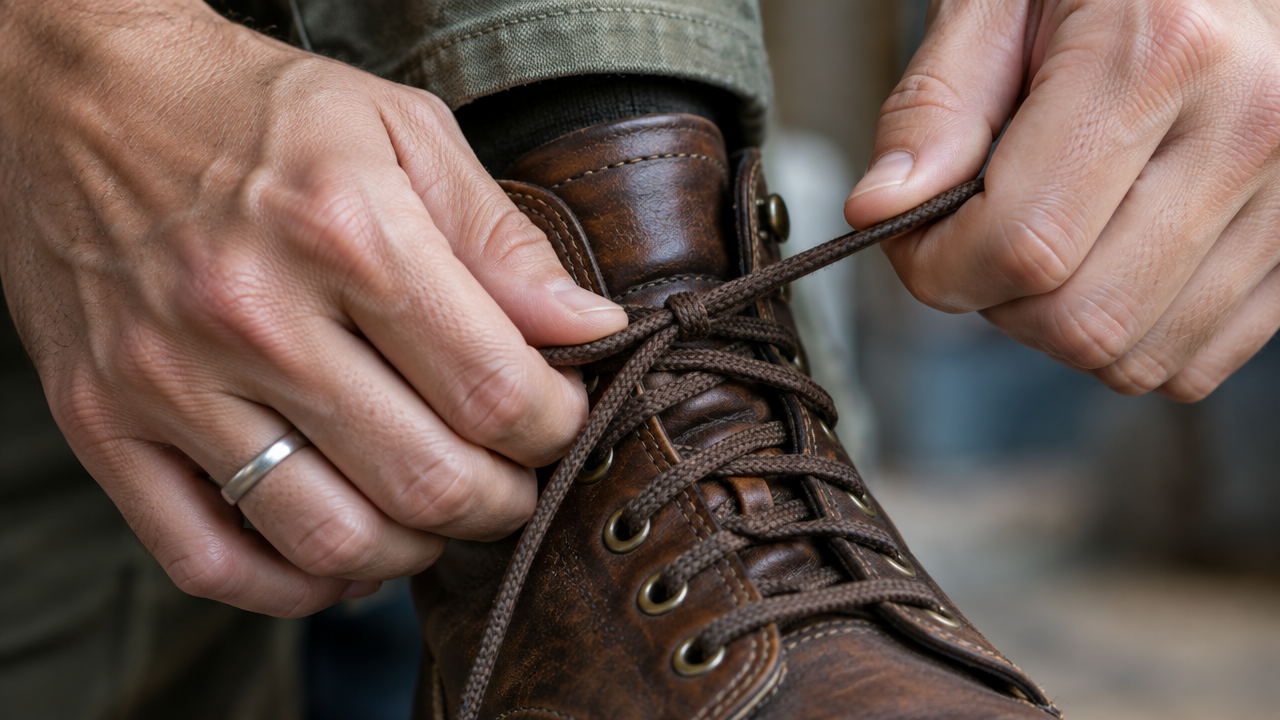
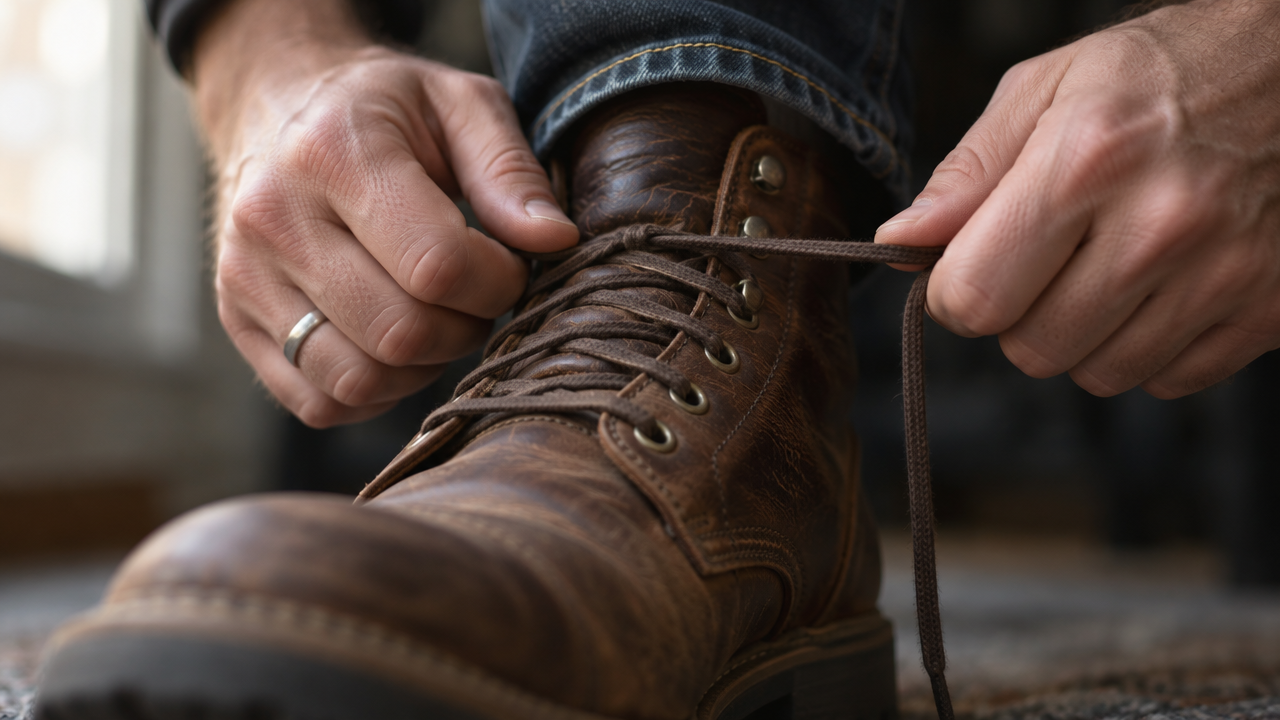
Close-up photo of a person's hands tying the laces of a brown leather boot. The left hand holds the boot steady while the right hand pulls one lace tight. A silver ring on the ring finger of the left hand. Both hands have five fingers, natural knuckles and short, clean nails. Soft window light, photorealistic.
 GPT image 2.5 Flare GPT image 2.5 Flare
|
 GPT image 2.5 Sunburst GPT image 2.5 Sunburst
|
5B: Face
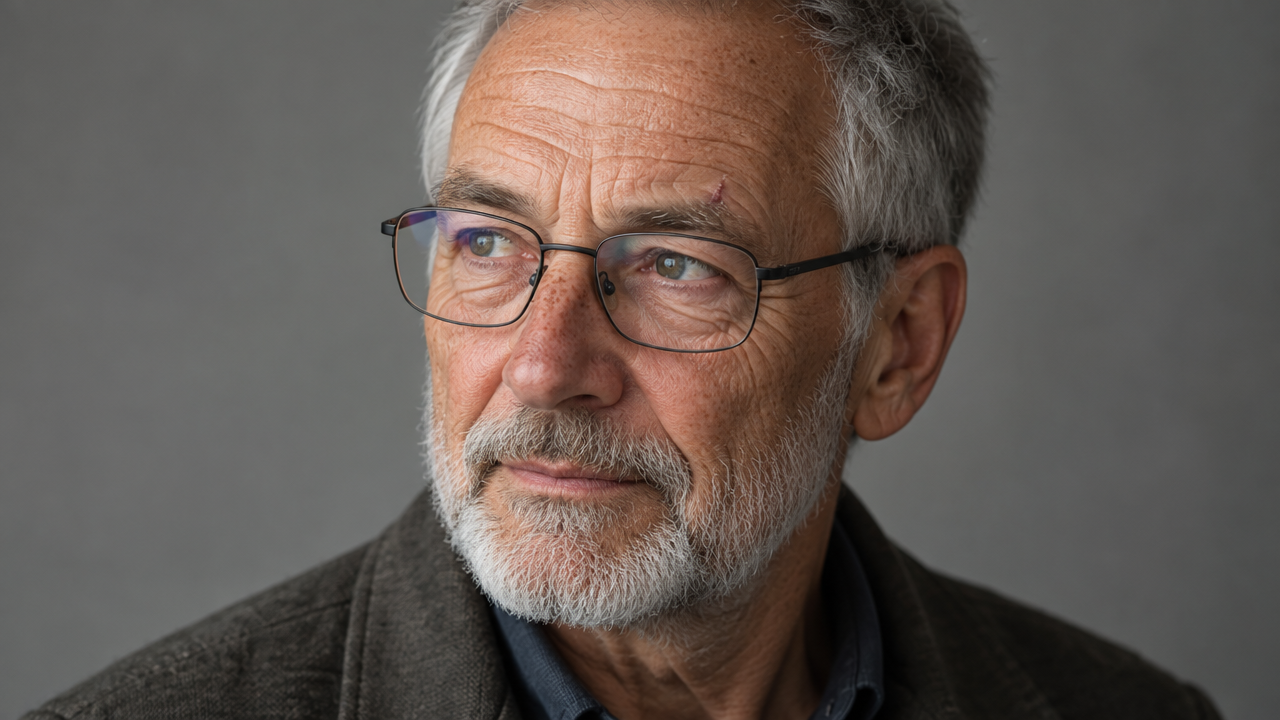
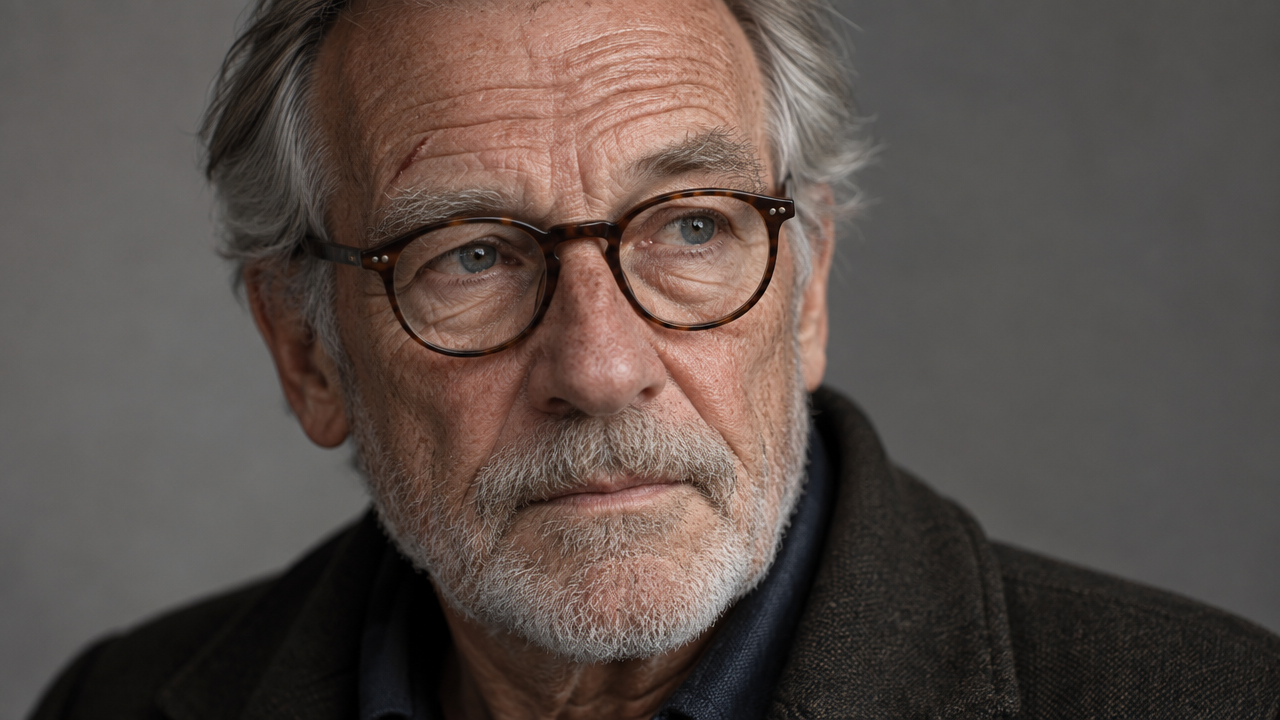
Close-up portrait of an elderly man with deep wrinkles, a short grey beard, light freckles across his nose, and one small scar above his right eyebrow. He wears round tortoiseshell glasses, and his gaze is aimed slightly to the left of the camera. Neutral grey backdrop, soft studio light, photorealistic, 85mm lens.
 GPT image 2.5 Flare GPT image 2.5 Flare
|
 GPT image 2.5 Sunburst GPT image 2.5 Sunburst
|
5C: Small details
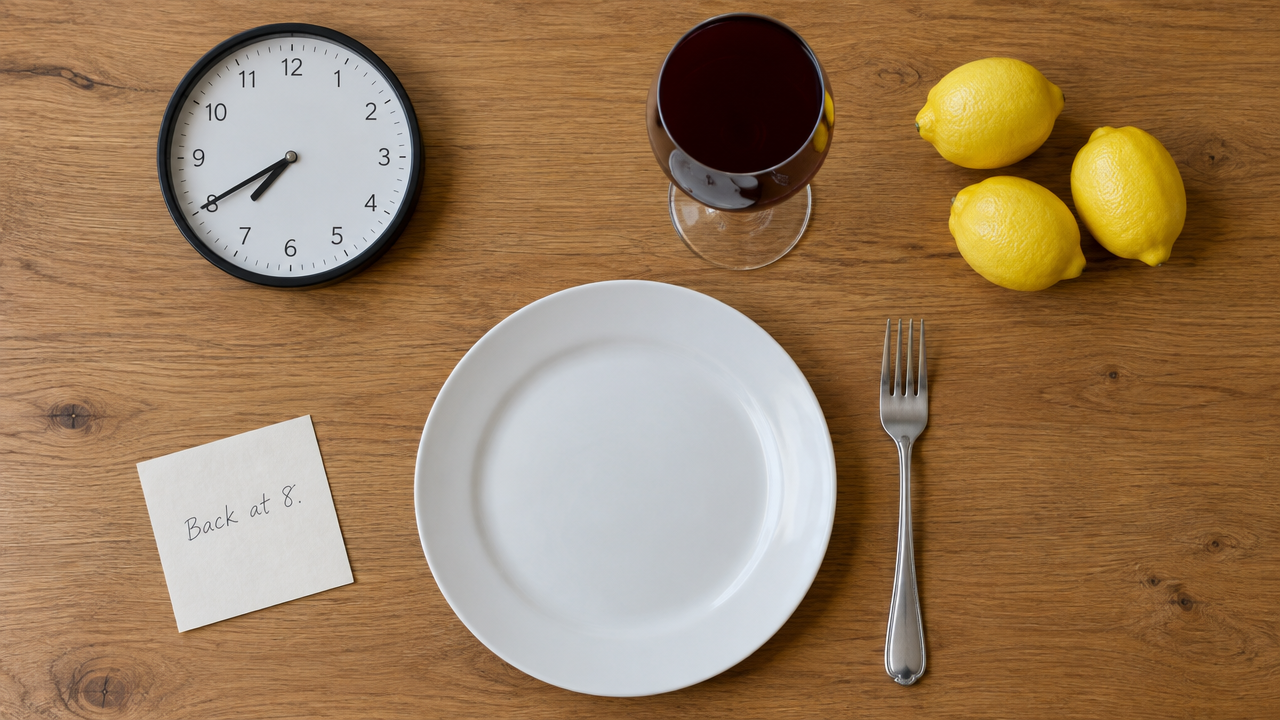
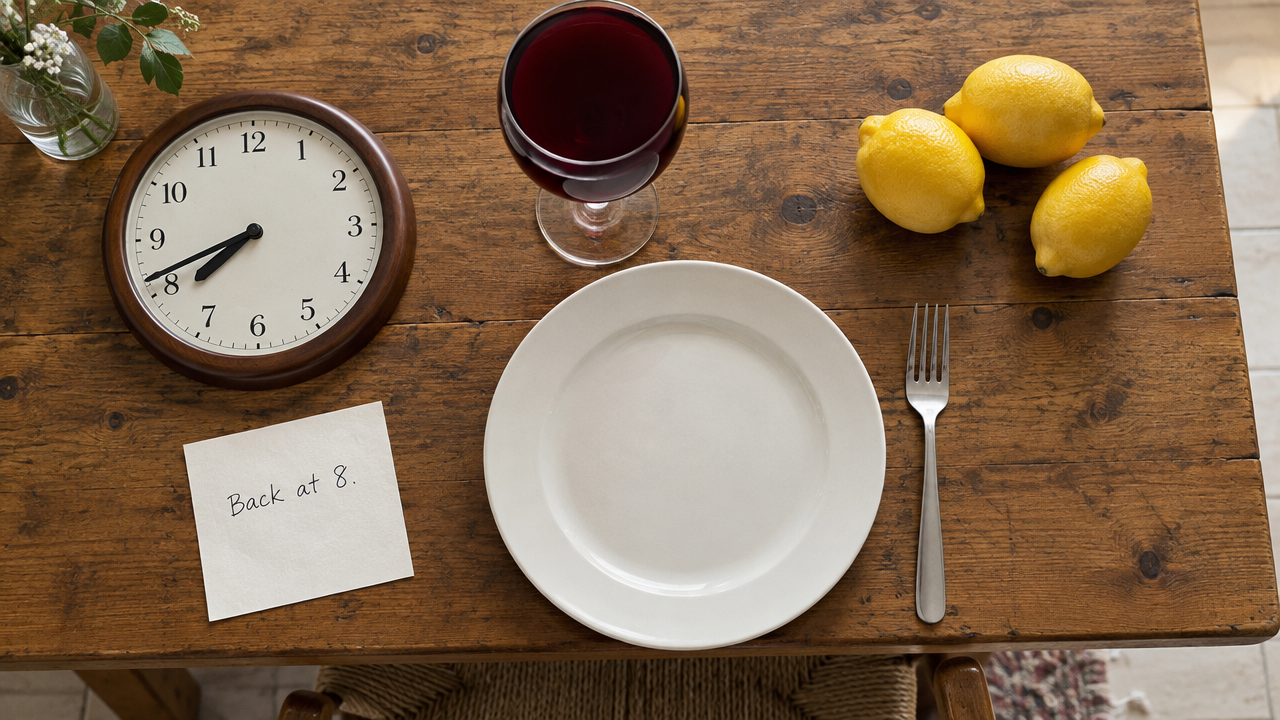
A kitchen table seen from above. On it: an analog wall clock lying flat showing exactly 7:40, a wine glass filled completely to the brim with red wine, exactly three lemons, a fork placed to the right of a white plate, and a handwritten note that reads "Back at 8." Photorealistic, even natural light.
 GPT image 2.5 Flare GPT image 2.5 Flare
|
 GPT image 2.5 Sunburst GPT image 2.5 Sunburst
|
Results: Hands are no longer the weak spot they were for older image models. Both Flare and Sunburst produced two convincing hands with five fingers each, natural knuckles and believable lacing, all on the first attempt. The small-details test went just as well. Both clocks showed exactly 7:40, with the hour hand correctly placed between 7 and 8, and both models got the three lemons, the fork, the full glass and the handwritten note right.
The misses were almost all about left and right. In the hand shot, the camera faces the person, so their left hand should appear on the right of the frame. Both models put the ring and the lace-pulling roles on the wrong hands, treating the left of the image as the person's left. Flare did the same in the portrait, placing the scar above his left eyebrow instead of his right, and it also ignored the round tortoiseshell glasses in favor of thin rectangular frames. Sunburst placed the scar correctly and gave him exactly the glasses we described.
Winner: Sunburst. Both models handle hands and small details well. For faces with specific features, Sunburst followed the brief much more closely, and Flare missed two of the details that make a portrait recognizable.
Job 6: Getting Realistic Results: The Settings That Matter
Choosing between Flare and Sunburst is one image generation setting, quality tier and the prompt wording are the others. We kept one prompt fixed and changed one variable at a time, to see whether switching models matters more than raising the quality tier.
Prompt:
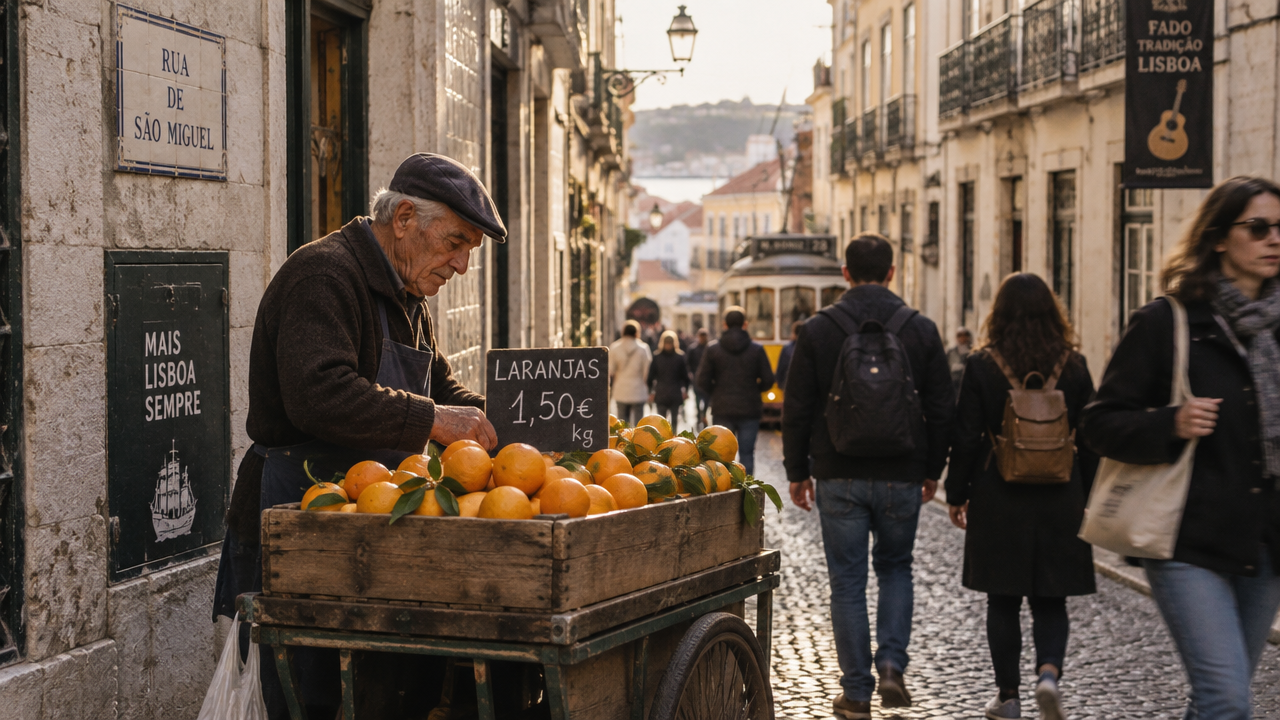
A candid street photo of an old man selling oranges from a wooden cart on a narrow cobblestone street in Lisbon, late afternoon light, people walking past slightly out of focus.
Runs 1: Flare and Sunburst at max quality
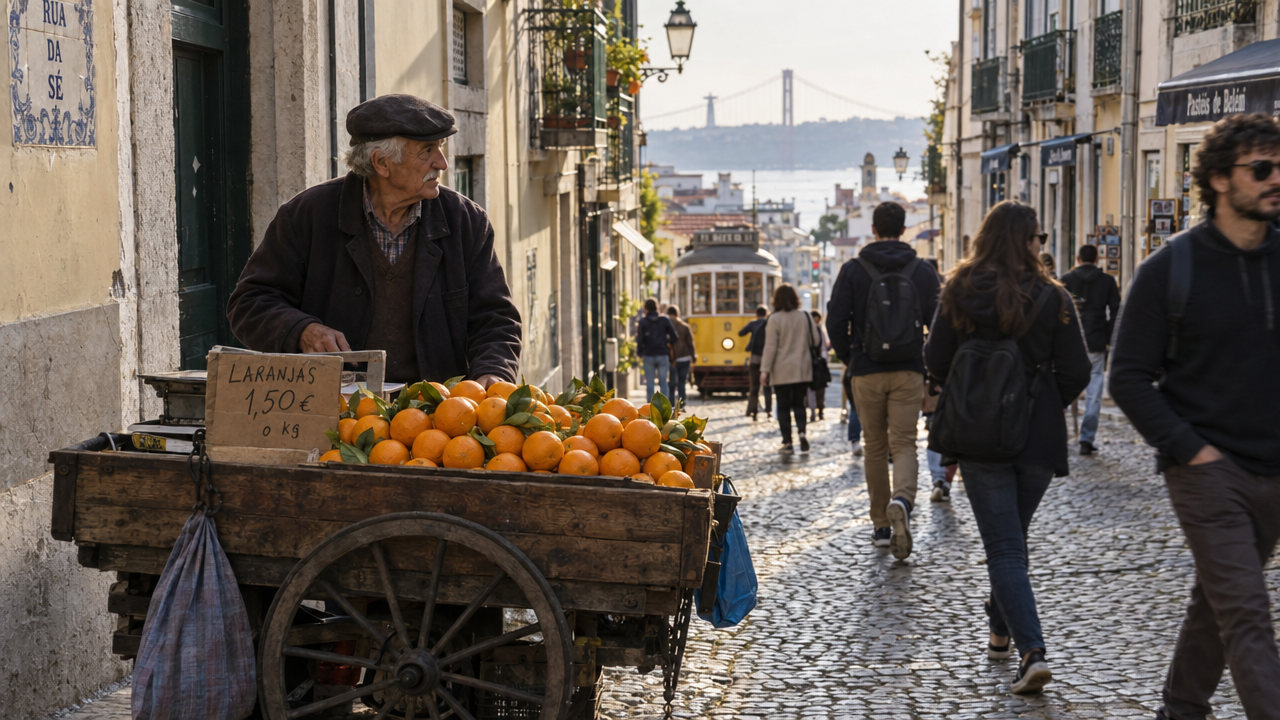 GPT image 2.5 Flare GPT image 2.5 Flare
|
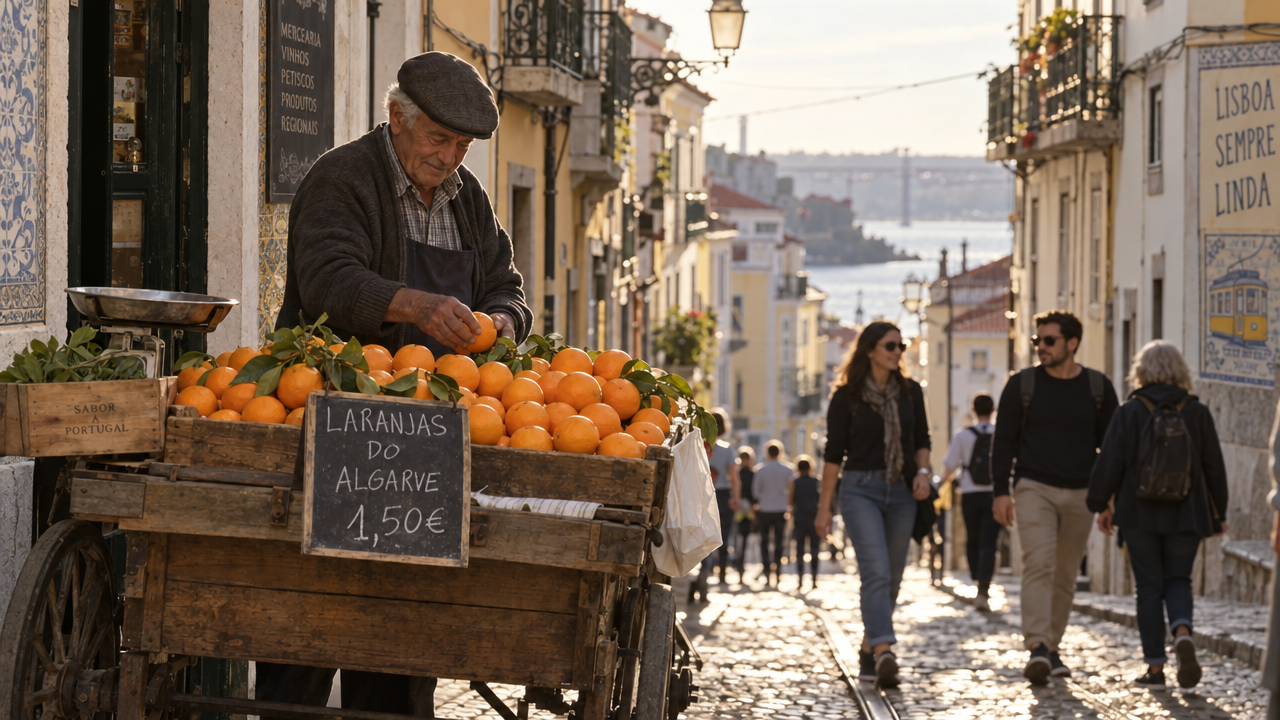 GPT image 2.5 Sunburst GPT image 2.5 Sunburst
|
Runs 2: Adding the photography wording: `Shot on a Fujifilm X100V, 23mm, f/2, natural color, slight film grain, no retouching.
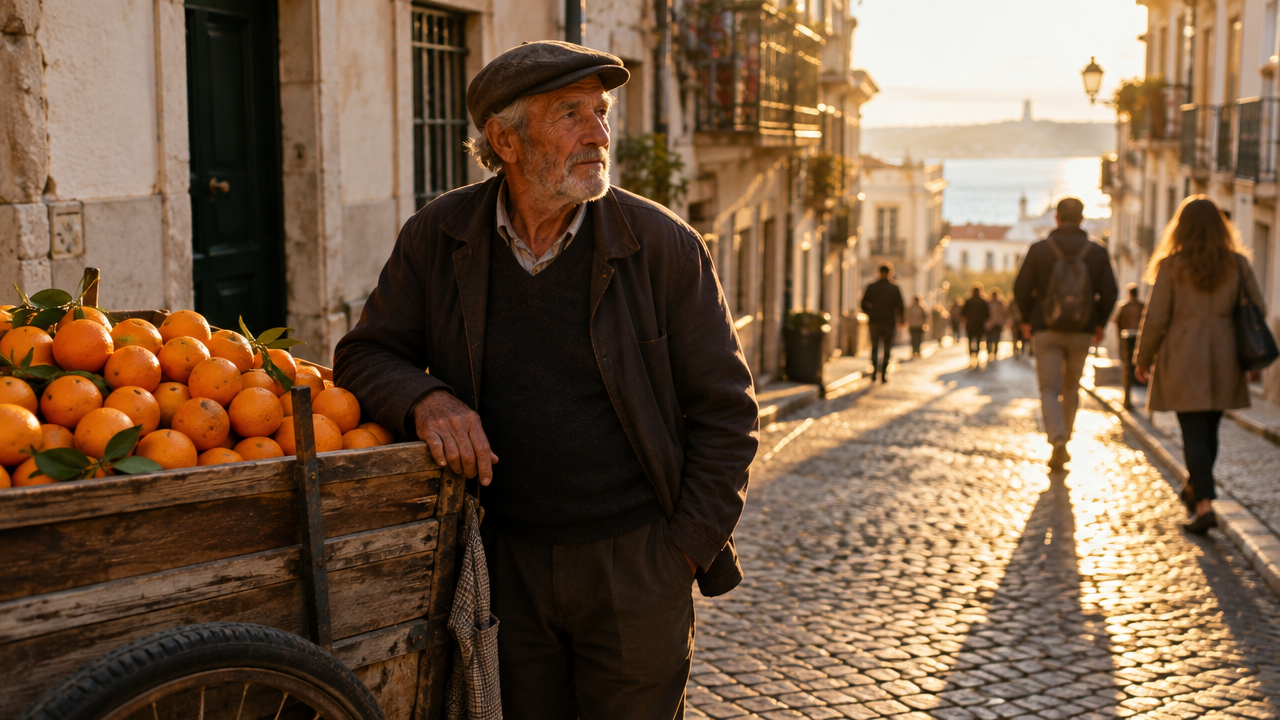 GPT image 2.5 Flare GPT image 2.5 Flare
|
 GPT image 2.5 Sunburst GPT image 2.5 Sunburst
|
Results: With the plain prompt, both models produced something closer to a travel poster than a candid photo. Each filled the street with Lisbon landmarks we never asked for, including a yellow tram, the 25 de Abril bridge, azulejo tiles and shop signs, and Flare kept the nearby passersby sharp rather than out of focus. Sunburst's version was slightly more natural, with the vendor mid-task, picking up an orange.
Adding the camera details changed Flare's image the most. The landmarks disappeared, the background fell into a soft, shallow focus, and the low sun cast long shadows across the cobblestones. It looks like a real photograph, and it was the most realistic image we got in this review. Sunburst's second image softened the background and toned down the color, but it kept most of the tourist signage, and the people nearest the camera stayed fairly sharp. Every sign we checked, across all four images, was spelled correctly in Portuguese.
Winner: Flare. Sunburst edged ahead on the plain prompt, but Flare responded much more to photography language, and together they produced the best result.
Best settings for realistic images with GPT Image 2.5:
- Prompt: name a camera, lens and aperture, and add "natural color, no retouching." In our test, this made a bigger difference than switching models.
- Model: Flare, which followed the camera wording more closely than Sunburst
- Quality: we tested at max.
- Location: if you name a famous city, expect landmarks. Add "an ordinary side street, no landmarks or tourist signs" if you want the scene to look candid.
For more on why camera and lighting details change the output, see our guide to what makes an AI image prompt work.
Job 7: The Noise Test: Does Sunburst Fix the Grain?
Noise has been the biggest complaint since launch. Users on Reddit reported fine grain in images that should be smooth. The grain appeared even when the prompt asked for smooth surfaces.
If Sunburst's extra processing time reduces grain, that alone could decide the choice for print and product work. We tested the surfaces where grain shows up most.
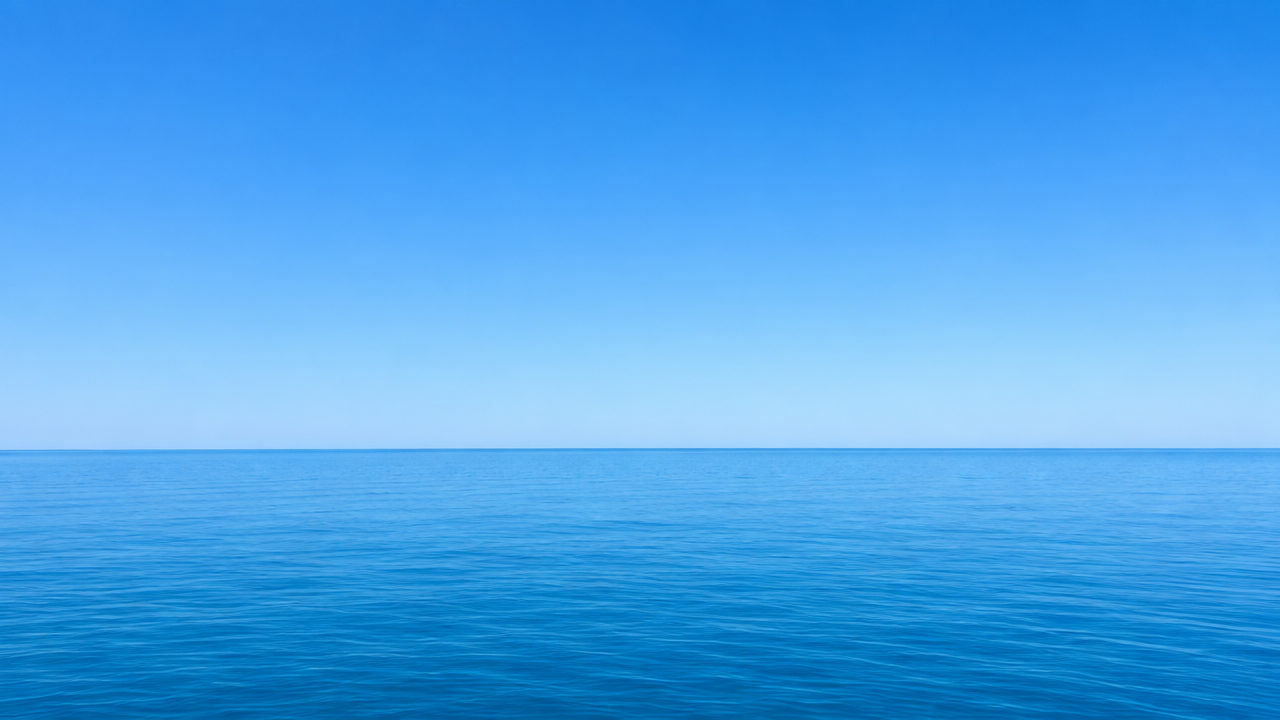
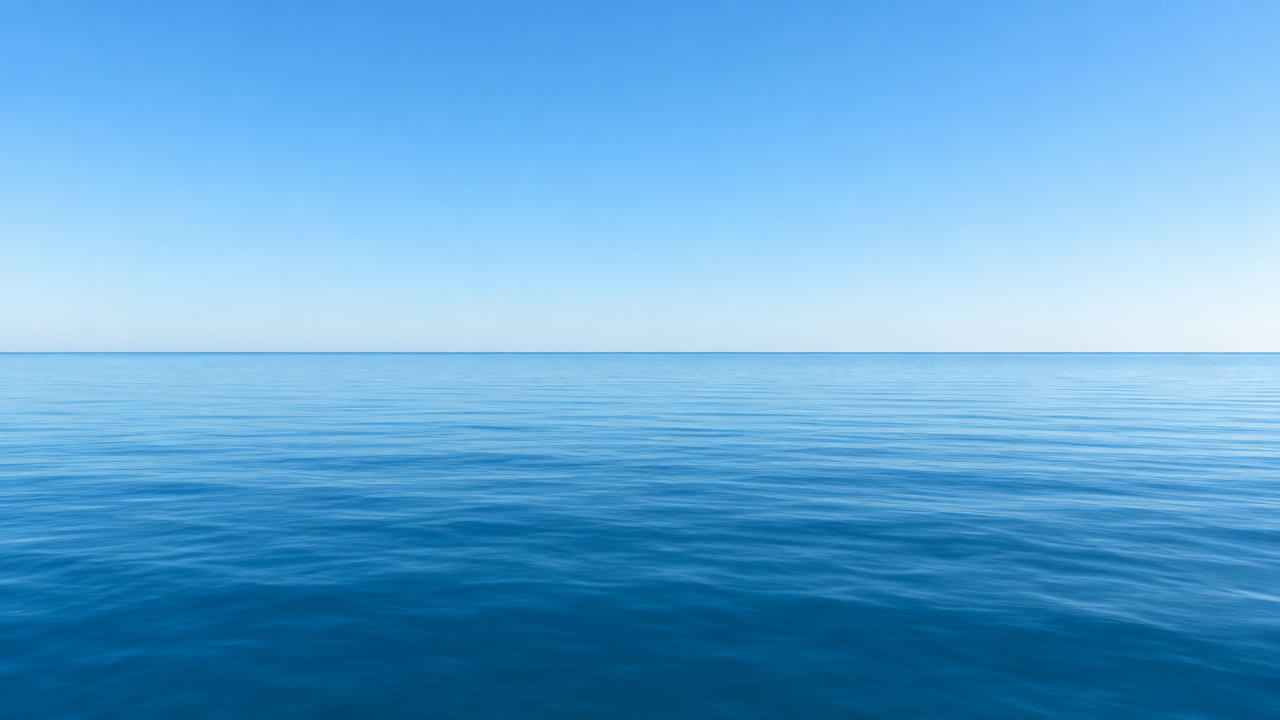
Noise test 1: A clear, cloudless blue sky over a calm sea at midday, smooth color gradient from deep blue at the top to pale blue at the horizon.
 GPT image 2.5 Flare GPT image 2.5 Flare
|
 GPT image 2.5 Sunburst GPT image 2.5 Sunburst
|
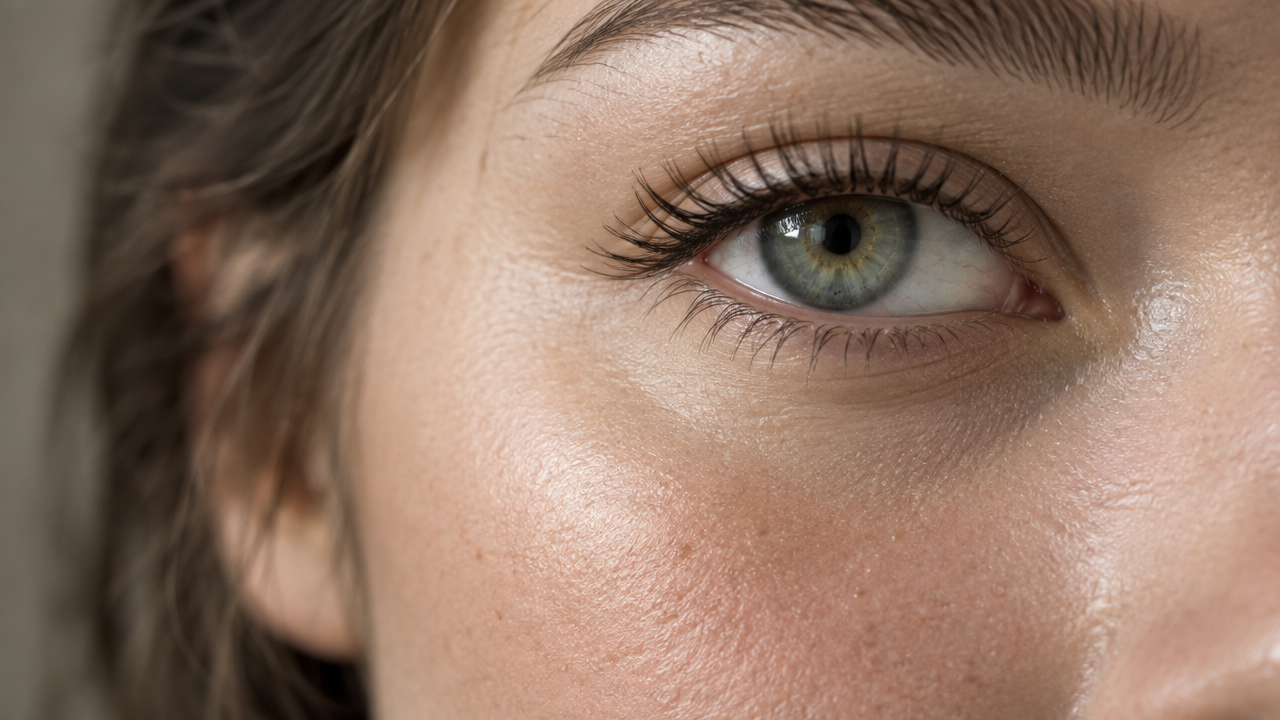
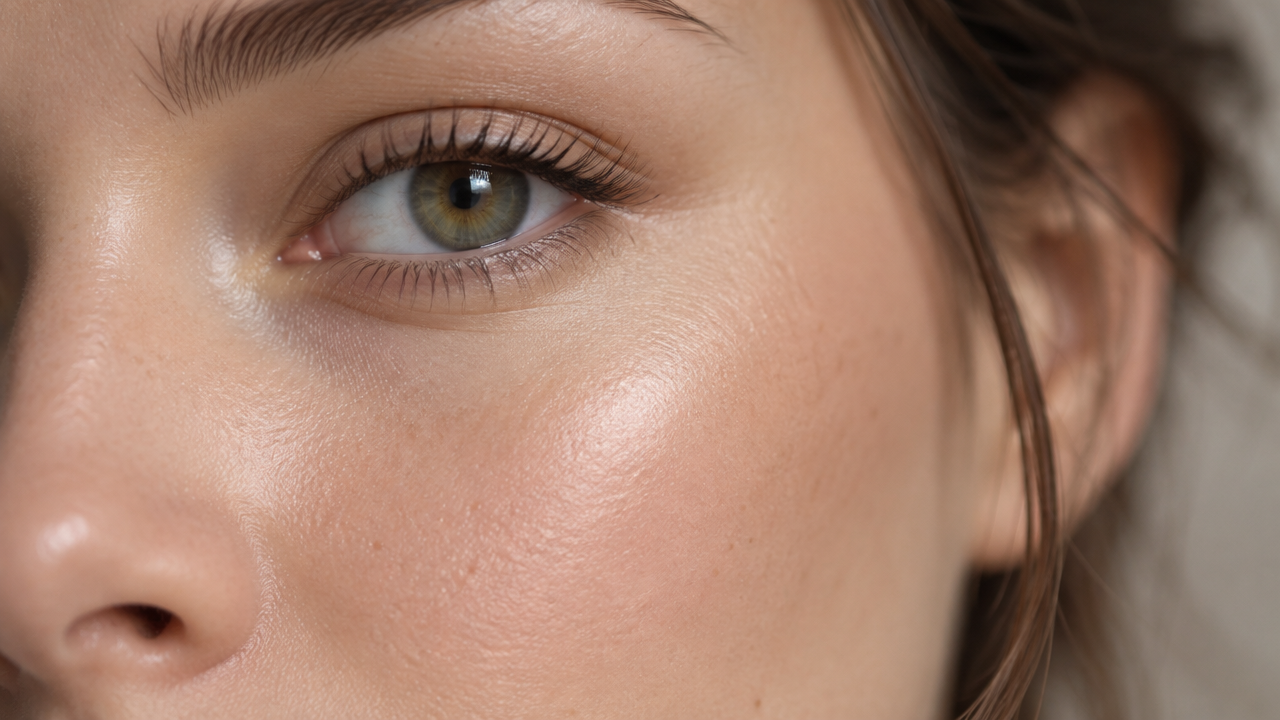
Noise test 2: Extreme close-up of a young woman's cheek and eye, smooth natural skin, soft beauty lighting.
 GPT image 2.5 Flare GPT image 2.5 Flare
|
 GPT image 2.5 Sunburst GPT image 2.5 Sunburst
|
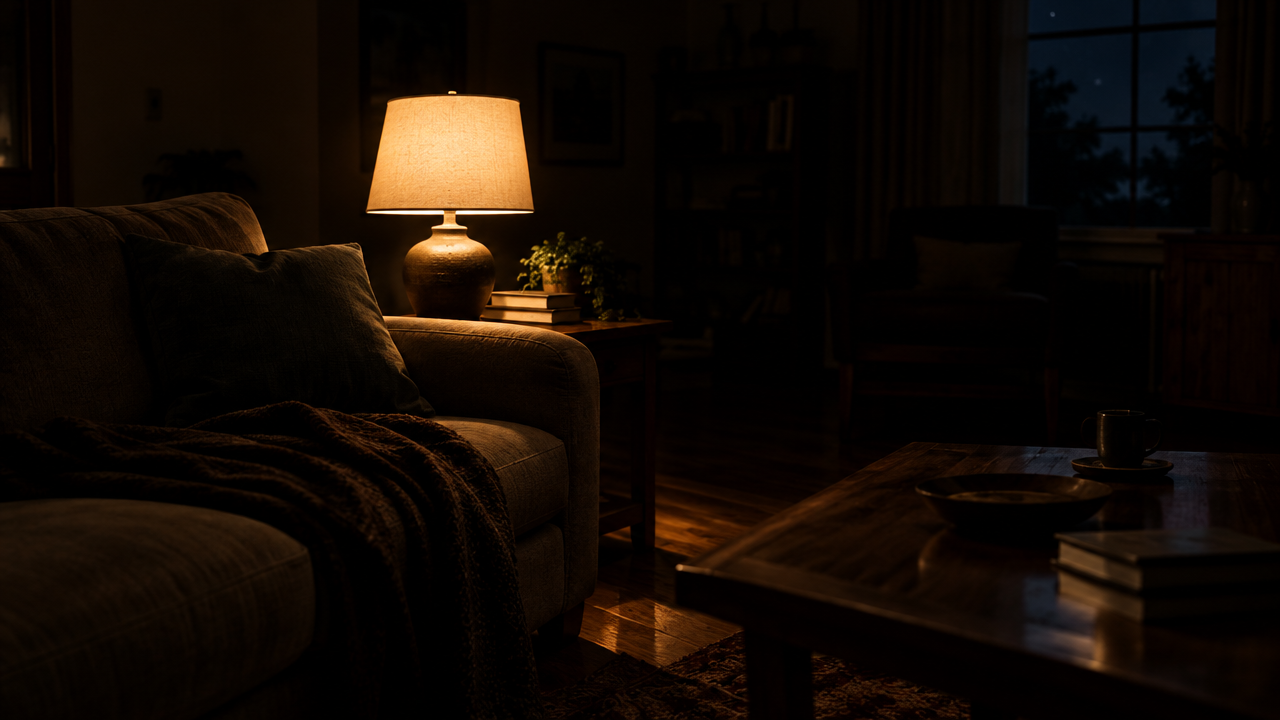
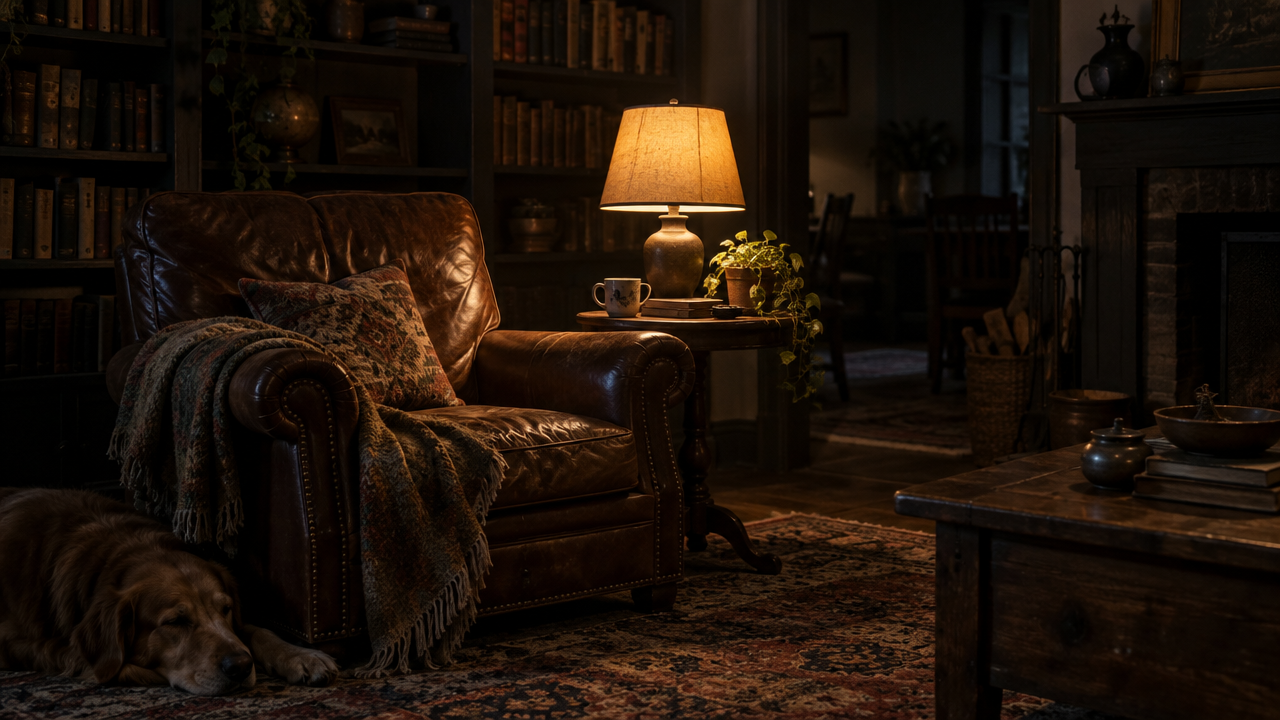
Noise test 3: A dim living room at night lit only by one table lamp, deep shadows, quiet mood.
 GPT image 2.5 Flare GPT image 2.5 Flare
|
 GPT image 2.5 Sunburst GPT image 2.5 Sunburst
|
Results: Neither model showed the grain users have complained about. Both skies came out perfectly smooth, with no grain or banding in the gradient, and the night-time living rooms were clean in both the shadows and the lamp-lit areas. Both models did push the darkest shadows close to pure black, where grain can't show, so a brighter low-light scene might tell a different story.
Skin was the exception. Flare's close-up had twice the fine texture of Sunburst's, and zoomed in, it wasn't random grain but a crinkled pattern that makes the skin look processed. Sunburst's skin showed soft, natural pores, closer to a real beauty shot.
Winner: Sunburst. Both models produced clean skies and shadows at this resolution, but for skin close-ups, Sunburst avoided the synthetic texture that showed up in Flare's image.
Our test images were 1280 x 720. For print or 4K use, run the final image through an AI image upscaler rather than regenerating it at a higher tier.
Speed and Cost: Is Sunburst Worth the Extra Time?
In the OpenAI API, Flare and Sunburst cost the same: $30 per million image output tokens, with the same input rates, and half price for batch jobs. On ImagineArt, both models also cost the same credits at the same settings, but the settings you choose change the price a lot. At 1K resolution, an image costs 6 credits at low quality and 120 credits at max quality.
The difference between the models is time and hit rate. Here's how it worked out in our tests:
| Flare | Sunburst | |
|---|---|---|
| Avg. render time | 20–25s | 30s |
| Usable on the first try | 89% (16 of 18) | 89% (16 of 18) |
| Avg. attempts per usable image | 1.1 | 1.1 |
| Credits per usable image, 1K, low quality | 6 | 6 |
| Credits per usable image, 1K, max quality | 120 | 120 |
| Time per usable image | 20–25s | 33s |
What that costs in dollars on ImagineArt, at 1K resolution:
| Low quality | Max quality | |
|---|---|---|
| Cost per usable image, Ultimate plan ($55/month) | ~$0.02 | ~$0.45 |
| Cost per usable image, Basic plan ($13/month) | ~$0.03 | ~$0.57 |
| Images per month, Ultimate (16,000 credits) | ~2,400 | ~120 |
| Images per month, Basic (3,000 credits) | ~450 | ~23 |
The choice between Flare and Sunburst comes down to time: Sunburst took slightly longer per usable image, about 5 to 10 extra seconds each.
Sunburst vs. Flare: Which Should You Use?
- For high volume batches, use Flare. The same hit rate as Sunburst at about 5 to 10 seconds less per image
- For product photography, use Flare. The image came out with more natural light, glass and depth of field. Sunburst's version looked oversharpened.
- For posters and labels with text, use Sunburst. The only model that got the fine print on our label right.
- For single targeted edits, use Sunburst. Even though, both GPT images 2.5 models kept faces and backgrounds almost untouched, Sunburst preserved small details slightly better.
- For portraits and close-ups, use Sunburst. The AI image model followed specific facial features and produced natural skin, where Flare's showed a processed texture.
- For drafts and concept work, use Flare. It is faster, and small misses matter less at the draft stage.
- For print or smooth gradient-work, use either. Both skies and night scenes were clean in our tests, so check skin close-ups at full size
Choose Flare if you:
- Create images in volume and need them fast
- Want photo-style product shots or street scenes, and describe the camera and lens in your prompt
Choose Sunburst if you:
- Need text to be exactly right, down to the small print
- Create portraits or close-ups where specific features, like glasses or a scar, have to match the brief
Limitations of Both Models
Some problems showed up on both Flare and Sunburst, so switching models won't fix them:
- Left and right: both models read directions from the viewer's side. Asked for a laptop "to her left" and a ring on "the left hand," both put them on the wrong side. Describe positions as they appear in the image instead.
- Edits on existing photos: single edits on generated images are more precise.
- Filler text: background text nobody specified, like a café's chalkboard menu, came out as unreadable scribbles on both models.
- Synthetic textures: each model had a weak spot. Sunburst's product shot looked oversharpened, and Flare's skin close-up showed a crinkled, processed texture.
- Crushed shadows: in low light, both pushed the darkest areas close to pure black. That hides grain, but it also loses shadow detail.
- Layout instructions: neither model left the "generous margins" we asked for on the poster.
- Things you didn't ask for: both added unrequested objects, including an Apple logo on a laptop, Lisbon landmarks and tourist signs, and extra props. Reiterate to remove unnecessary objects or use AI text remover for textual elements.
For commercial work, add "unbranded, no logos" to your prompt and check every image for trademarks. See our guide to best AI image generators for commercial use before you generate any brand assets.
Frequently Asked Questions
Is GPT Image 2.5 Sunburst better than Flare?
Sunburst won five of our seven tests, mainly on text, faces and edits, and scored 8.3 out of 10 overall against Flare's 7.6. Flare won the product photo and the realism tests, and it's faster.
Is Sunburst worth the extra time?
Sunburst takes about 1.5 to 2 times longer per image than Flare. In our tests, it was worth it for fine print, detailed portraits and skin close-ups, and not for product photos, realistic street scenes or simple edits, where Flare did as well or better.
Do Sunburst and Flare cost the same?
Yes. Both models use the same API token pricing: $30 per million image output tokens, $8 per million image input tokens and $5 per million text input tokens. Your real cost depends on how many retries each model needs, which in our tests came to about $0.06 per usable image for both Flare and Sunburst.
Which is better for text, Flare or Sunburst?
Sunburst. Both rendered every word of our poster correctly, but only Sunburst got the small print on the product label right. Flare misspelled "Ingredients" and garbled a full line.
Which is better for editing images?
Sunburst, narrowly. Both kept faces and backgrounds almost untouched when editing a generated image, changing only about 7% of the pixels in the face. On an uploaded photo, however, both models reframed the whole shot.
Does GPT image 2.5 fix the noise problem?
In our tests, neither model showed grain on skies or in low light at 1280 x 720. The one difference was skin, where Sunburst produced natural pores and Flare showed a processed texture
Tooba Siddiqui
Tooba Siddiqui is a content marketer with a strong focus on AI trends and product innovation. She explores generative AI with a keen eye. At ImagineArt, she develops marketing content that translates cutting-edge innovation into engaging, search-driven narratives for the right audience.