Free AI Video Generator
AI video generator creates and edits cinematic videos using AI text to video, image to video and video to video tools with native audio, then lets you edit, extend, and add lip-sync or captions. Every top model in one platform, including Seedance 2.5, Wan 3, Flux 3, Hailuo 3 Max, Gemini Omni, and more. You can download videos without a watermark, 30 seconds and longer, in any format.
Start CreatingNo credit card required
Generation Modes
Generate Video From Text, an Image, or a Clip
Text to Video Generator
Describe what you want to see, and free AI text to video generator turns every word in your prompt to video, complete with scenes, characters, timing, and camera motion. For cinematic videos with native audio, use Seedance 2.5 or Veo 3.1 with descriptive prompts. For video refinement and conversational editing, use Gemini Omni.
Generate Text to Video →Free Image to Video AI
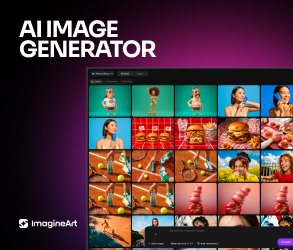
ImagineArt AI Image to Video Generator turns any photo into video using depth, light, and motion cues. Upload a product shot and watch it animate into a 360° spin. You can even generate your own reference image using ImagineArt AI image generator, upload it as the first frame, and animate the image into full scene with character consistency up to 720p and 4K upscaling.
Generate Image to Video →Extend or Edit using Existing Videos
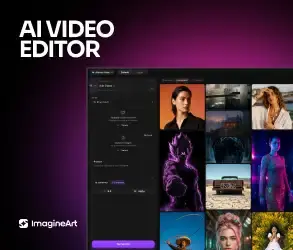
After generating an AI video, ImagineArt AI video editor lets you edit and extend video with native audio and accurate lipsync. Extend a short clip into longer sequences using video to video tool, add multilingual subtitles, burn in AI captions in Spanish, Italian, Japanese or any language, and synchronize music or your own voiceover with lip movements of your video character. Enhance footage with built-in video restyle, recolor, and upscale tools.
Restyle Your Video with AI →Features
All The Features That You Need In An AI Video Generator
Multi-Mode Inputs
Start with a script, image, or video. The AI Video Maker transforms any idea into a polished video that fits your exact creative vision.
AI Audio Sync
No more awkward timing. Every sound, beat, and dialogue line syncs perfectly with your visuals for a smooth, professional rhythm.
Character Consistency
Keep your main character consistent across every shot. The AI locks in appearance, style, and motion for seamless storytelling.
Viral Video Remake
Spotted a trend that's taking off? Remake it with your own character, product, or outfit. ImagineArt Viral Remake follows the original video's motion and pacing, so you get a fresh AI UGC video that fits the trend while people are still watching it.
AI Video Extender
Expand short clips into complete sequences. Describe the motion, context, and transitions through a prompt, and the AI will generate longer video looks intentionally shot, not looped.
AI Auto Clipper
Turn long videos into short clips without touching a timeline. The ImagineArt AI clipper picks the strongest moments from podcasts, livestreams, and webinars, then cuts them into ready-to-post clips for TikTok, Reels, and YouTube Shorts.
Edit Video With AI
Edit video with AI by describing the change you want. Type something like "make it night" or "swap the jacket for a red one," and ImagineArt updates the scene while the motion and framing stay put. Need finer control? Open the full AI video editor.
Video Object Removal
Remove any object from a video clip without reshooting using ImagineArt AI video object removal. The AI fills in the background naturally so the edit is invisible in the final output.
AI Motion Control
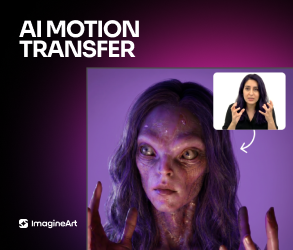
Upload a reference video and transfer its motion to any character or image. ImagineArt AI Motion Control maps complex movement frame by frame while keeping the character's appearance consistent.
AI Lip Sync
Make any character talk. Upload a voiceover or type a script, and our lip sync AI matches mouth movement, expressions, and tone to every line. Use it for talking-head videos, product explainers, and dubbed clips that need to look natural.
AI Caption Generator
Plenty of people scroll with the sound off, so your words need to be on screen. The ImagineArt AI caption generator lines up subtitles with the speech in your video, and you choose a caption style that suits TikTok, Reels, or YouTube Shorts.
Video Background Changer
Replace and remove the background in any video with ImagineArt AI video background changer. Swap a location, add a studio backdrop, or isolate the subject cleanly without a green screen.
Bulk Video ad Generation
Create multiple variations of a concept in one go. Compare pacing, tone, and visual style to find the version that hits hardest.
Video Object Replace
Swap any object in a video with something new with ImagineArt AI video object replace. Replace a product, prop, or background element using a text prompt while the rest of the scene stays untouched.
AI Video Upscaler
Take a soft, low-res clip up to a sharper, higher resolution. The ImagineArt AI video upscaler brings back fine detail, reduces grain, and cleans up color, so old footage and fresh AI generations both hold up on a bigger screen.

How It Works
How To Make AI Videos Instantly?
Add Input
Pick a creation mode: Text to Video, Image to Video, Extend, Edit Video, Lipsync, Viral Remake, Captions, or Auto Clipper. Then type your prompt or upload the images and clips you want to work from. The AI Video Generator reads your input and works out the best way to bring it to life.
Video Configuration
Choose AI video generation model including Seedance 2.5, Wan 3.0, Hailuo 3.0, Gemini Omni and more. Set the aspect ratios (16:9, 1:1,etc), pick the video resolution (480p, 720p, 1080p), and select the video duration (5-30 seconds).
Generate & Edit
AI Video Generator will render the video in seconds. You can download high-quality AI-generated video in multiple formats or edit using ImagineArt AI video editing apps/tools and fix color, lighting, background, and visual elements
Models
Every Top AI Video Model in One Platform
Generate ultra-realistic Videos with Top Models for free.
ByteDance
Seedance 2.5
Use Seedance 2.5 for fully synced 30-second, audio-visual cinematic output. It supports up to 50 multimodal references, with advanced region-level video editing and multilingual support. Try Seedance 2.0, 1.5, and 1.0 on ImagineArt.
Try Seedance 2.5
Runway
Runway Gen-4.5
Use Runway Gen-4.5 for the world's top-rated video model, delivering unmatched visual fidelity and creative control. It sets new standards for motion quality, temporal consistency, realistic physics, and precise generation across every mode.
Try Runway Gen-4.5
Kuaishou
Kling 4.0
Use Kling 4.0 for single-pass 30-second video with steadier motion and smooth tracking and orbit camera moves. It generates stereo audio with multilingual lip-sync, and Omni Reference takes up to 15 images, videos, subjects, and voices to guide the result. Try Kling 3.0, 2.6 Pro, or 2.5 Pro Turbo on ImagineArt.
Try Kling 4.0
Google Veo 3.1
Use Google Veo 3.1 for cinematic footage with native audio, high-quality dialogue and synchronized sound effects in a single pass. Try Veo 3.1 Fast for quicker turnaround, or Veo 3.1 Lite for lower-cost generation.
Try Google Veo 3.1
Gemini Omni Flash
Use Gemini Omni Flash for conversational video generation and editing that reasons across text, image, audio, and video in one prompt. Every edit builds on the last, preserving characters, physics, and scene continuity with natural language instructions.
Try Gemini Omni Flash
Alibaba
WAN 3.0
Use Wan 3.0 for single-pass 30-second AI video generation. It accepts up to 20 multimodal references for consistent branding and characters. Wan 3.0 supports native audio generation and synchronization and multilingual video production. Try Wan 2.5, 2.2, and 2.6 on ImagineArt.
Try WAN 3.0
Black Forest Labs
FLUX 3
Use FLUX 3 for a single-architecture multimodal model that handles images, video, and audio together. It supports keyframe-to-video, generative audio-visual continuation, and multilingual dialogue generation. Audio output is physically grounded, with sounds and beats matching the causal events on screen rather than being layered separately.
Try FLUX 3
MiniMax
Hailuo 3.0 & H3 Max
Use Hailuo 3.0 and H3 Max for native 2K video generation and synchronized audio in single pass. It features an omni reference system, including audio clips, videos, images, to maintain faces, motion, and voice consistency and styling. Try Hailuo 2.3 and 2.0 on ImagineArt.
Try Hailuo 3.0 & H3 Max
Stop Explaining the Shot. Generate It.
Seedance, Sora, Kling, Veo, Runway and more — every top video model on one account, free to start, with no watermark on what you export.
Use Cases
Why ImagineArt Is The Best AI Video Generator?
ImagineArt AI Video Generator makes professional video creation simple, fast, and accessible.
Advertising
Create Video Ads That Actually Sell
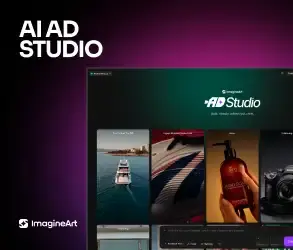
ImagineArt AI Video Maker helps you turn product shots and ideas into real, polished videos. Generate product demo videos, brand stories, and A/B ad variations for Meta and TikTok, without a studio, actors, or shoot schedule. You can even create publish-ready ads using URL, ad reference, and motion design on ImagineArt AI Ad Studio and go from idea to finished ad within a minute.
Start Generating AdsCreator Content
Generate UGC That Feels Realistic
Build reaction videos, UGC reviews, AI influencers, and avatars that talk and emote naturally with AI Video Generator. Add on-screen text and captions, generate trending AI music and audio, and create UGC that looks authentic and connects fast. Perfect for creators, brands, and marketers who need relatable content without relying on real shoots.
Generate UGC VideosSocial
Create AI Videos for Social Media That Stands Out
Create short videos that are platform-native and publish-ready. Create short videos formatted for TikTok, Instagram Reels, YouTube Shorts, and LinkedIn. Output at 9:16 for vertical feeds or 16:9 for YouTube, directly from the same dashboard. ImagineArt AI Video Generator gives you full creative control with commercial usage license and no watermarks. Got a long video sitting on your drive? Cut it into short clips with Auto Clipper, add captions in a style that fits your feed, or jump on a trend with Viral Remake.
Make Social VideosFilm
Turn Your Ideas into Movie Stories
Turn scripts and prompts into cinematic movie trailers, story clips, or visual experiments. ImagineArt AI Video Generator gives your ideas a film-like feel with dramatic lighting, clean motion, and believable depth. Great for storytellers, AI filmmakers, or anyone who wants their visuals to hit harder.
Generate AI MoviesShowcase
Community Creations
See what creators are building with ImagineArt AI Video maker using top Video Models in one place.
Trusted by Professionals and Creators from leading brands and companies
Plans
Purchase a Subscription
Upgrade to get access to pro features and generate more and better.
Free
For curious minds starting to explore
3k credits / month
- 100 Daily credits
- In-house models only
- 36k credits per year
- 1 Fast Image concurrency
Basic
For newcomers taking their first steps
3K credits / month
- Up to ~97 video generations / month
- Up to ~600 image generations / month
- 10 image models · 9 video models
- 4 concurrent image generations
- General commercial terms
Standard
Most popularFor rising creators to level up their game
8K credits / month
- Up to ~265 video generations / month
- Up to ~1.6k image generations / month
- Unlimited Nano Banana, Runway Gen-4 Turbo, Midjourney V7
- 8 concurrent image generations · private by default
- General commercial terms
Ultimate
Peak performance for pros
16K credits / month
- Up to ~530 video generations / month
- Up to ~3.2k image generations / month
- All styles and models, including Kling 2.6 Pro and Seedance 1.5 Pro
- Everything in Standard, unlimited
- General commercial terms
Trusted by 30M+ creative team, designers and marketers.
Compare every plan and buy credit packs →Frequently Asked Questions
Get answer about every possible query you have related to AI Video generator.
- What is an AI video generator?
- An AI video generator is a tool that converts text prompts, images, or existing video clips into finished video content using deep learning models trained on large datasets of visual and motion data. It handles scene composition, character motion, lighting, transitions, and audio automatically. ImagineArt gives you access to 40+ top models from a single platform, including Sora 2, Kling 4.0, Seedance 2.5, Veo 3.1, and Runway 4.5.
- What is the best AI video generator in 2026?
- The best AI video generator depends on your use case. ImagineArt is one of the best AI video generators in 2026, offering access to 40+ top models, including Sora 2, Kling 4.0, Seedance 2.5, Gemini Omni Flash, Runway 4.5, Flux 3, Wan 3, and Hailuo H3 Max. You can create cinematic, animated, marketing, talking head, and more on a single platform with built-in video editing tools.
- Is ImagineArt's AI video generator free?
- ImagineArt has a free plan that includes daily credits that are refreshed every 24 hours, 720p exports, no watermarks, and access to limited AI video models with no credit card required. Paid plans unlock premium models including Sora 2, Seedance 2.5, Veo 3.1, Wan 3, and Hailuo H3 Max, along with higher generation limits and private outputs.
- How do I make a video from a photo?
- Upload the photo you want to animate on ImagineArt image-to-video generator. AI video models such as Kling 4.0, Seedance 2.5, and Hailuo H3 Max are strong choices for photo animation. Write a short prompt describing the motion you want to generate and the AI ensures subject consistency across the clip.
- Do the AI videos have a watermark?
- No. Videos you download from ImagineArt AI video generator do not have a watermark on any plan. Free plan downloads come with non-commercial use and no watermarks.
- Does ImagineArt support native audio generation?
- Yes, ImagineArt AI video generator supports native audio generation and synchronization. You can even record your own voiceovers, songs, and music on LipSync Studio and synchronize it to your video, without needing any third-party audio tool.
- How do I make a video from text?
- Open ImagineArt AI text-to-video generator and type your prompt. Your prompt should specify the subject, action, scene, camera setting, lighting, and mood. The AI generates a finished video from your description with no design skills needed.
- Do I need to sign up to try it?
- A free account is required to generate videos. Signing up takes under a minute and gives you free daily credits with no credit card needed.
- Can I edit videos on ImagineArt after generating them?
- Yes. ImagineArt supports both generation and post-generation editing from the same platform. ImagineArt AI video editor lets you trim, adjust, and refine generated clips before publishing. The platform also has dedicated video editing apps to refine the scenes and visual elements of the AI-generated video.
- Can I make AI videos for YouTube or social media?
- Yes. Videos generated on ImagineArt AI video maker can be used commercially on YouTube, TikTok, Instagram, and other platforms under ImagineArt's standard commercial terms, which are included with all paid plans. Export at up to 4K resolution in formats ready for direct upload.
- Can I use AI-generated videos for commercial purposes?
- Yes. Videos generated on paid ImagineArt plans are cleared for commercial use, including marketing campaigns, social media ads, product promos, client work, and monetized content on YouTube, TikTok, and Instagram. Review your specific plan's license terms for full details.
- How do I turn a long video into short clips?
- Open Auto Clipper in ImagineArt Video Studio and upload your long video, such as a podcast episode, a livestream, or a webinar. The AI clipper scans the footage, finds the moments worth sharing, and cuts them into short clips. Keep the ones you like and download them for TikTok, Reels, or YouTube Shorts.
- Can I remake a viral video with my own character?
- Yes. Viral Remake lets you take a trending video and put your own character, product, or outfit in it. Upload the clip and your reference image, and ImagineArt recreates the video with your subject in place. It's a quick way to make AI UGC videos, product promos, and fashion content while a trend is still hot.
Creative Suite
Imagine More with AI Creative Suite
ImagineArt gives you everything you need to create, customize, and bring your ideas to life in one seamless platform.
More Resources

The Future of AI Video Generation
Generate realistic AI videos with ImagineArt AI Video Generator.
No credit card required · Commercial use included