Ryan Hayden
October 17, 2023 • Updated July 20, 2026
7 mins Read
Product photography is like the e-commerce superhero, working silently behind the scenes to ensure that things look their best. It's the unsung hero that can transform an ordinary item into an extraordinary must-have.
But here's the thing – you don't need a fancy camera, a high-end studio, or a big budget to create stunning product images that wow your customers. You have Imagine AI Art Generator, a cutting-edge text-to-image tool that's here to make your product photography dreams come true.
In this blog, we'll explain it to you in plain and simple language. We'll show you how to use Imagine AI for product photography or product mockups and even ghost mannequin shoots with AI Fashion Studio, even if you've never considered yourself a photography expert. You don't need to be a tech guru to harness the power of Imagine AI Art Generator.
Why Product Photography Matters
Imagine you fall in love with new pair of sneakers you see online. Why? Probably the pictures, right? That's where product photography comes into play. It's all about making those sneakers look amazing so you'll want to buy them.
Good product photos:
- Make a great first impression.
- Wins customers trust.
- Help your brand stand out.
- Boost your online visibility.
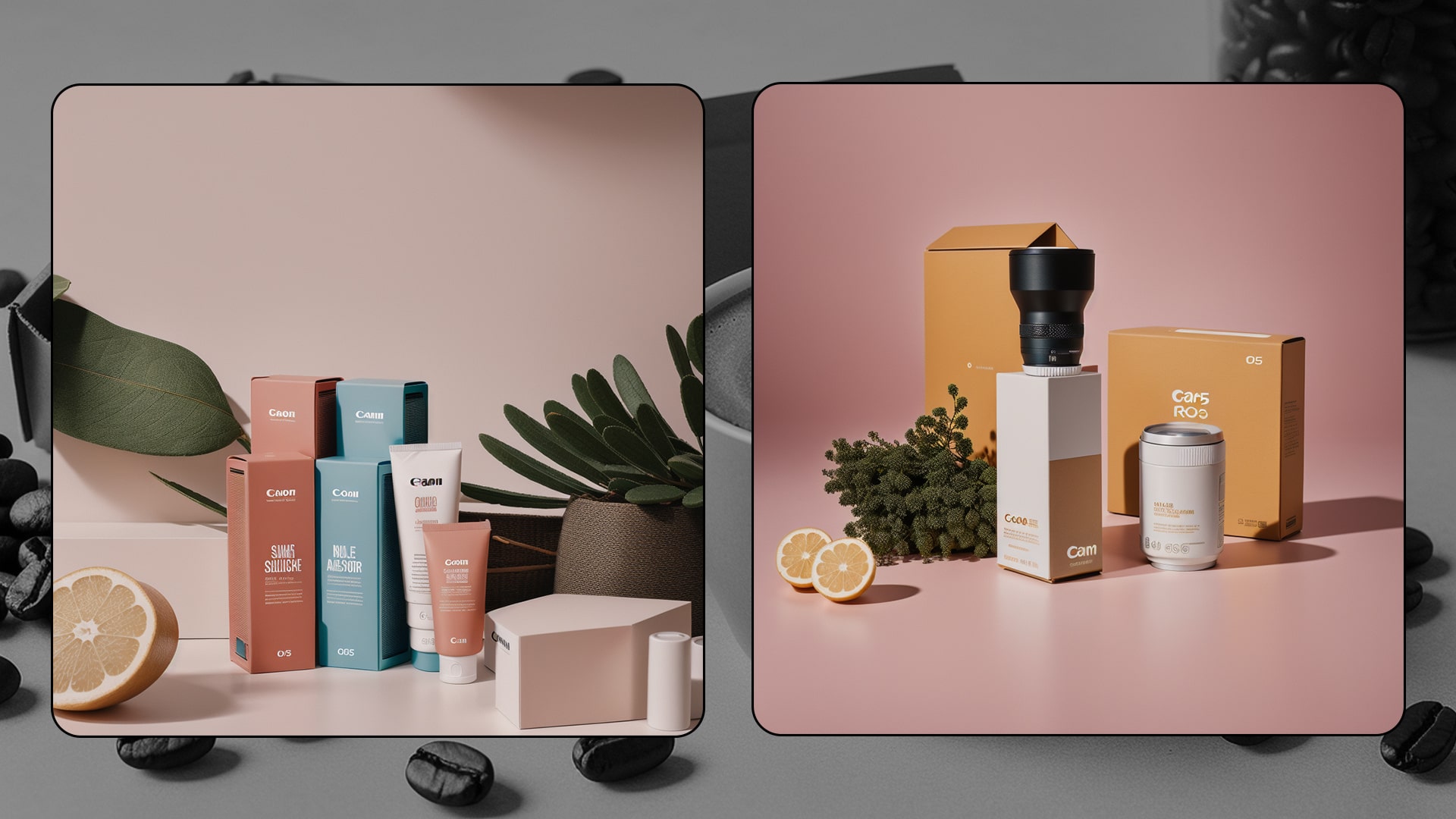 Photographs of Different Products
Using Imagine AI for Product Photography
Now, let's dive into how Imagine AI Art Generator can help you achieve all this and more.
1. High-Quality Visuals
Imagine AI Art Generator can work its magic and generate stunning product images that are super high-quality. These photos can showcase your products in all their brilliance, emphasising every last detail.Imagine your sneakers looking so crisp and detailed that customers can practically reach out and touch them through the screen.
2. Custom Art Styles
Imagine AI doesn't stop at realism; it's got around 90 different art styles up its sleeve. You can choose the style that matches your brand or your customers' tastes. Whether you're into realistic, fantasy, retro, or anime vibes, Imagine AI's got you covered. You can also Upscale your image with Imagine's advanced features.
3. Aspect Ratio Optimization
Different platforms have varying requirements. Imagine AI allows you to adjust the aspect ratio of your product photographs to ensure that they fit exactly on your website, social media, or print materials. No more cropping or stretching!
4. Consistency Across Platforms
Imagine AI can help you keep a consistent look across all your marketing materials. Your product images will have the same style and design elements, making your brand instantly recognizable.
5. Variety of Scenarios
You can get creative with Imagine AI. It can create product images in various settings. Whether you want your sneakers to look like they're in a cool studio or on a mountain peak, Imagine AI can make it happen.
6. Negative Prompt
Imagine AI can be told what not to include in the images. So,If you don't want any distractions, such as random things in the background, you can ensure that your product is the focus with Imagine AI art Generator
7. Creative Campaigns
Got a special promotion or a seasonal event? Imagine AI Art Generator can whip up unique and eye-catching visuals to make your marketing campaigns pop. Your customers won't forget those sneakers anytime soon!
8. Efficiency and Cost-Effectiveness
Forget about expensive photoshoots. Imagine AI Art Generator streamlines the image creation process, saving you both time and money.. Perfect for businesses that need to update their images frequently.
9. Testing and Iteration
Imagine AI allows you to experiment with different styles and variations of your product images. This means you can figure out what your customers like and set it accordingly.
10. Search Engine Optimization (SEO)
High-quality product images made by Imagine AI can improve your website's SEO. When customers engage with your images, it tells search engines that your site is worth checking out. Plus, they'll stick around longer, reducing bounce rates.
11. Customization
Imagine AI's got a little feature called "seed." It allows you to customize the generated photos to achieve exactly what you desire. You can ensure that your product photographs are consistent with your brand's vision, down to the least detail.
Example: Creating Stunning Sneaker Images with Imagine AI
Imagine AI can help you showcase your sneakers in the best possible light. Let's say you have a pair of sleek, black sneakers, and you want to create eye-catching images for your online store.
Step1: Textual Prompt
You can add customized text or simple prompts describing your sneakers.
Step 2: Select an Art Style
Choose an art style that is according to your brand theme. For a modern and realistic look, you can select the "Realism" style.
Step 3: Aspect Ratio Optimization
Determine where you'll use these images – on your website, Instagram, or in a promotional flyer. Adjust the aspect ratio accordingly. For Instagram, a square aspect ratio works well.
Step 4: Negative Prompt (if needed)
If you want the focus solely on the sneakers, you can use a negative prompt to remove any distracting elements. For example: "Exclude background clutter."
Step 5: Generate Images
Let Imagine Image AI Generator do its magic! It will generate a set of high-resolution images of your sneakers in the chosen art style, with the specified aspect ratio and customization.
Step 6: Seed for Customization (if needed)
Use the "seed" – a particular number for a specific image to be further fine-tuned.Match your brand's image by adjusting the illumination, the angle, or even the colour balance. For instance, you can add a subtle warm tone to create a cozy atmosphere.
Step 7: Upload and Use
Now, you have a set of stunning sneaker images that you can upload to your online store, social media, or marketing materials. They will grab your customers' attention and make your sneakers look irresistible.
By following these steps, you can use Imagine AI to create professional and visually appealing product images for your sneakers or any other product, enhancing your online presence and boosting sales.
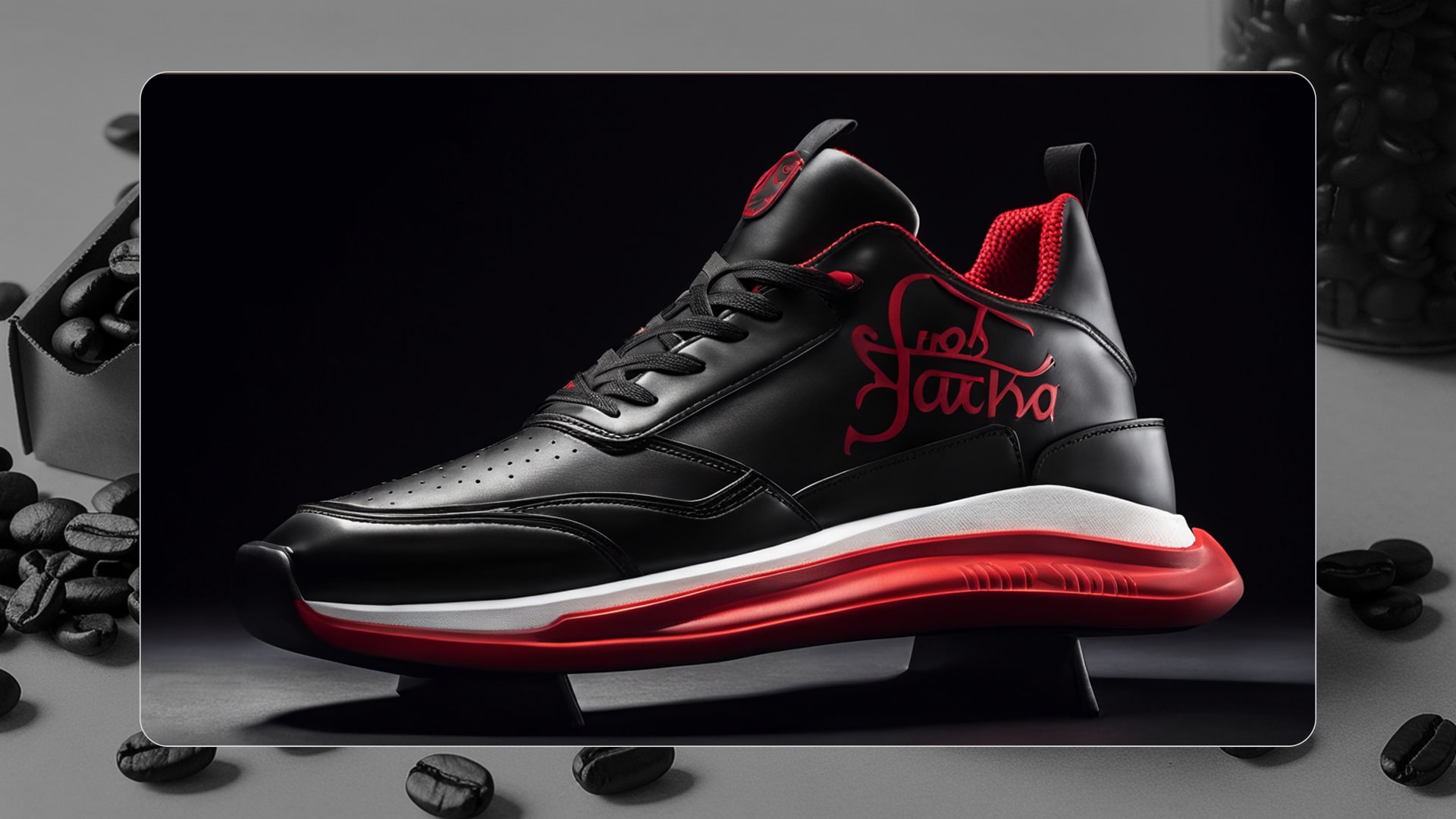 Black athletic sneakers with white sole and red logo
Conclusion
So, there you have it – using ImagineArt AI mockup and product photography generator isn't rocket science. It's a smart way to make your products shine online, boost your brand, and engage customers. With high-quality images, bespoke art styles, and a whole bag of tricks, Imagine AI is your dependable buddy for transforming ordinary product photos into spectacular ones. Give it a try, and watch your products steal the spotlight online!
Ready to elevate your product photography? Explore the creative possibilities with Imagine AI Art Generator today! And don't forget to check out the Imagine API for commercial use. Dive into our Imagine Affiliate Program to turn your passion for art and AI into earnings. Unleash your artistic potential on the go with Imagine's iOS and Android apps.
FAQS
Imagine AI enables you to create personalized interior designs by letting you describe your dream space in words. Its advanced models generate visuals that match your preferences, such as color schemes, decor styles, and room layouts, ensuring your home reflects your unique taste.
Yes! Imagine AI allows you to visualize your ideas without hiring expensive designers or committing to costly changes. By generating accurate visual representations, it helps you plan effectively, saving both time and money.
Absolutely! Imagine AI acts as your virtual design playground, allowing you to explore various interior styles like minimalist, rustic, vintage, or futuristic. You can experiment with combinations and visualize ideas without any physical effort or expense.
Imagine AI may be used for product photography by creating high-quality photos based on product descriptions, removing the need for costly photographic gear and studio setups.
No, Imagine AI Art Generator’s intuitive design makes it accessible to people of all skill levels, including those with no prior photographic experience.
Using Imagine AI for photography allows you to create high-quality photographs that make a good first impression, raise client trust, differentiate your brand, and boost online visibility.
Simply enter the text of your products into Imagine AI Art Generator, and the technology will generate visually appealing graphics that highlight your products in the best light.
Ryan Hayden
Ryan Hayden is a passionate AI explorer and writer, dedicated to diving deep into the evolving world of artificial intelligence. With a keen eye on innovation, he breaks down complex AI concepts into captivating reads, inspiring readers to think differently about how technology can reshape the world.