
Arooj Ishtiaq
January 8, 2026 • Updated July 8, 2026
18 mins Read
So you are a social media marketer already aware of the design and creative production struggle; the never-ending demand for content, the visuals and branded designs, the product videos and advertisements, and whatnot! I hear you… And so, I curated this list of the best AI image generators for social media so you can pick one that fits your content needs and team size.
The best part? These tools have changed everything for social media teams. You can create Instagram posts, product photos, and even CGI ads in minutes instead of waiting days. Sprout Social's 2025 Impact of Social Media Marketing Report found that even as publishing volume fell between 2023 and 2024, engagement rose by nearly 20%. The advantage on social media is no longer frequency, it's visual quality, and that's exactly where AI image generators change the equation.
A Quick Glance at Best AI Image Generator for Social Media
| Tool | Best For | Free Tier | Starting Price | Text in Image | Multi-Reference | On ImagineArt |
|---|---|---|---|---|---|---|
| ImagineArt | All-in-one platform | Yes | $9/month | Yes | Yes | Native |
| Nano Banana Pro | NLP scene composition | Limited | Via Google | Yes | No | Yes |
| Ideogram v4 | Typography-heavy posts | Yes | $7/month | Best-in-class | No | Yes |
| Flux 2 | Photorealistic backgrounds | No | $0.06/image | Yes | Yes (10 refs) | Yes |
| GPT-image 1.5 | Iterative editing | Yes (ChatGPT) | $0.011/image | Yes | No | Yes |
| Imagen 4 | High-speed daily content | No | $0.02/image | Yes | No | Yes |
| Adobe Firefly | Licensed commercial use | Limited | $59.99/month | Yes | No | No |
| Midjourney v7 | Artistic/stylized content | No | $10/month | Improving | Yes (3 refs) | Yes |
| Kling O1 Image | Series consistency | No | $0.03/image | No | Yes (10 refs) | Yes |
How We Evaluated These AI Image Generators
Each tool was assessed across five criteria:
- Output quality for social formats: sharpness, lighting, and composition at 1:1, 9:16, and 16:9 resolutions
- Text rendering accuracy: correctness and clarity of in-image text, across Latin and non-Latin scripts
- Generation speed: time to first usable draft without manual retouching
- Prompt reliability: how consistently the tool interprets and executes detailed prompts
- Pricing transparency: whether costs are predictable at volume, and what commercial licensing actually covers
10 Best AI Image Generators for Social Media Tried and Tested
But here’s the thing: not all AI tools are equal. Some are amazing at rendering text perfectly, while others create photorealistic product shots. Other AI image generators are speedy, while some give you incredible creative control and character personalization.
Let’s walk you through each of these best AI image generators so can find one to fit your workflow.
1. ImagineArt AI Image Generator
ImagineArt is one of the best AI image generators for social media because it creates photorealistic images with on-point text rendering and lighting effects. It has a native model, ImagineArt 1.5, that creates realistic images with natural textures and reduced artificiality in generated images.
Most importantly, ImagineArt gives you access to all other AI image generation models in ONE subscription, and you can even create videos for your social media handles. The models process prompts efficiently and offer reference image support for maintaining visual consistency across multiple posts, which matters when you’re building a cohesive brand presence.
ImagineArt Key Features
- Complete AI creative suite with AI chat, image, video, ads, and apps
- An AI image generator and AI video generator in the same interface for creative workflow
- Photorealistic rendering with focus on natural lighting and texture detail
- Text integration capabilities for adding words directly into images
- Reference image support for style consistency
- Multiple aspect ratio options for different social platforms
- Inpainting for editing specific image areas
- Upscaling functionality for higher resolution outputs
- Prompt enhancer to improve basic text descriptions
ImagineArt Aspect Ratios for Social Media
ImagineArt 1.5 offers 9 aspect ratios for social media content creation: 1:1 (square), 9:16 (vertical), 16:9 (horizontal,) and others like 2:3 for Pinterest, 4:3 etc.
What You Can Create for Social Media with ImagineArt
- Instagram carousels with consistent product photography styling across panels
- Quote cards with integrated text rendering for announcement posts
- Social media graphics with different aspect ratios for multiple platforms
- YouTube thumbnails with attention-grabbing visuals
- Branded visuals and marketing assets for Facebook and LinkedIn business pages
- Product mockups for e-commerce social media
Pros
- Good balance of image quality and generation speed for daily content needs
- Text rendering works well for basic marketing graphics.
- Reference images help maintain brand consistency.
- Supports common social media aspect ratios
- Accessible pricing with a free tier available
Cons
- Detailed prompts required for best results
- Only 50 free tokens every day
Pricing
- Subscriptions starting at $10/month for 3600 credits/month
- ImagineArt 1.5 and ImagineArt 1.5 Fast consume 10 and 5 credits, respectively
2. Ideogram 3
Ideogram 3 is best for accurate text rendering within AI-generated images, addressing one of the biggest weaknesses in most image generators. The tool produces clear, correctly spelled typography that integrates naturally into visual designs.
Another strength of Ideogram 3 is the character consistency and personalization of features when rendering human anatomy. So let’s say, if your brand has an AI influencer or a virtual brand ambassador, Ideogram 3 can render perfect social media content using this avatar for your channels and advertisements.
For social media managers who create engaging posts with ‘characters’, say advertisements, tutorial series, vlogs ,or any content where readable text is important, Ideogram 3 comes in super handy.
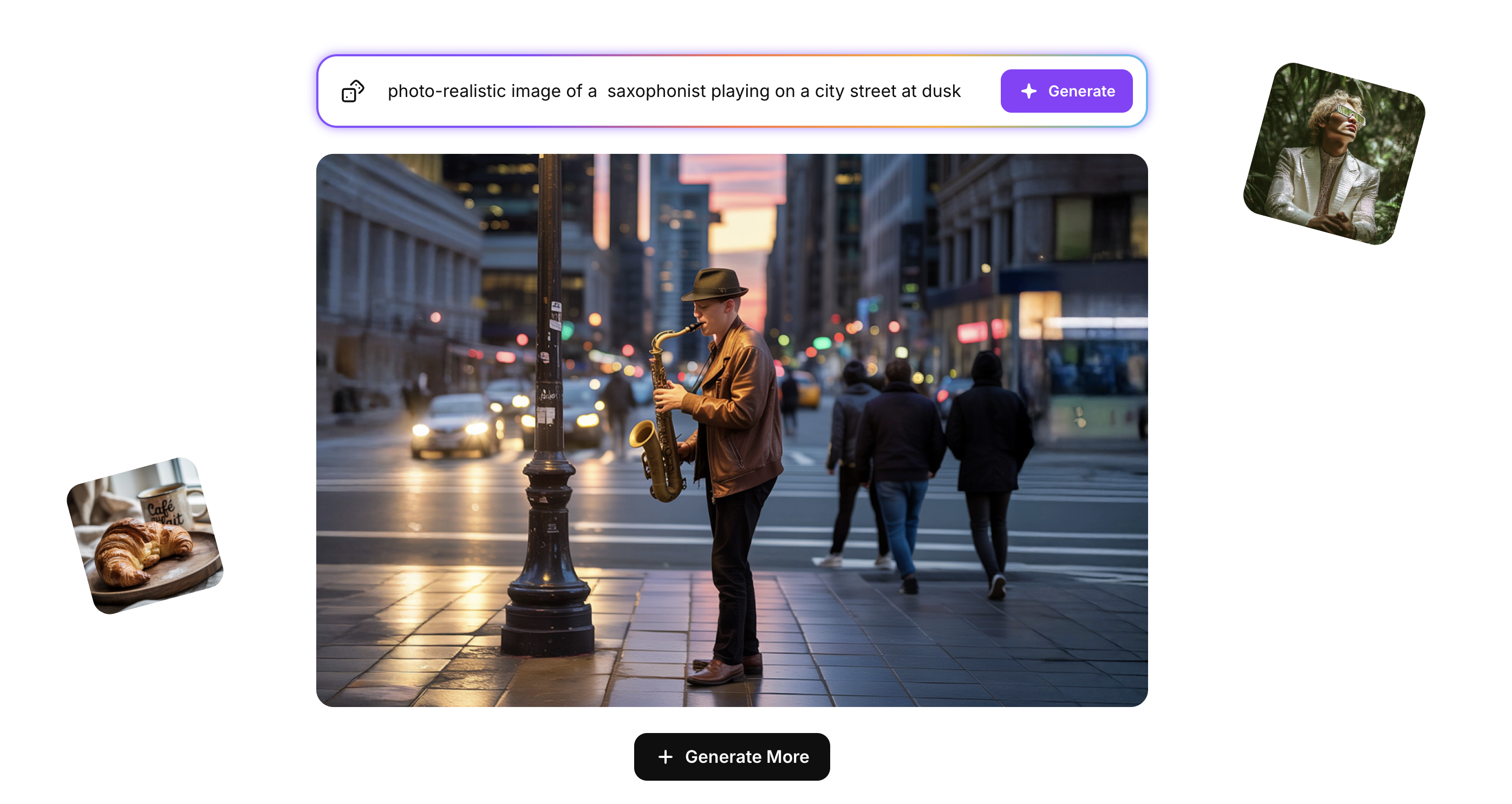 Ideogram 3 AI Image generator
Key Features
- Advanced text rendering engine for accurate typography
- Style reference system using uploaded images
- Batch generation for creating multiple variations
- Prompt enhancement for better results from simple descriptions
- Multiple aspect ratio support
- Both photorealistic and artistic style options
- Multi-language text support with varying quality
Aspect Ratios for Social Media
Ideogram 3 offers 5 aspect ratios: 9:16, 16:9, 1:1, 4:3, and 3:4
What You Can Create for Social Media
As one of the best AI image generators for social media, Ideogram 3 creates :
- graphics and posts with typography
- event announcements and promotional posters with clear text
- Logo mockups for brand exploration
- Educational infographics where text clarity matters
- Instagram quote cards combining text and visuals
- LinkedIn graphics with professional typography and brand ambassadors
- Pinterest pins with compelling text overlays.
Pros
- Best-in-class text accuracy for typography-heavy content
- Style references simplify brand consistency.
- Batch processing speeds up A/B testing workflows.
- Reliable prompt interpretation
- Works across realistic and artistic styles
Cons
- Slower generation compared to speed-optimized tools
- Non-Latin scripts are less reliable than Latin-based text.
- May prioritize text over other compositional elements
Pricing
- Ideogram 3 subscriptions start from $7/month for basic and $48/month for Pro!
- On ImagineArt, Ideogram 3 consumes 25 credits per image
Recommended Read: Ideogram 3 Overview
3. Flux 2
Flux 2 from Black Forest is good for professional image generation and editing with multi-reference capabilities and high-resolution output. The tool processes up to 10 reference images simultaneously to extract and maintain visual consistency, so it’s useful for complex campaigns requiring precise brand alignment.
Flux’s image editing capabilities make it one of the best AI image generators for social media. It is available in multiple variants (Pro for quality, Dev for flexibility, Schnell for speed). Flux 2 targets professional workflows where output quality justifies longer generation times and higher costs.
Key Features
- Multi-reference processing up to 10 images
- 4MP resolution output capability
- Three model variants for different speed/quality needs
- Advanced prompt following for complex requests
- Photorealistic rendering with accurate lighting
- Typography support for text-in-image needs
- Open-weight Dev version available for developers
Aspect Ratios for Social Media
Flux 2 on ImagineArt supports 9:16, 4:3, 3:4, 1:1, and 16:9 aspect ratios for platform-optimized content.
What You Can Create for Social Media
- Professional product photography for e-commerce posts
- Multi-asset campaigns with visual consistency across platforms
- High-quality lifestyle imagery for brand storytelling
- Commercial advertisements requiring photography-level quality
- Professional headshots and portrait series
- Product placement mockups in various scenarios
- Brand assets requiring exact visual specifications
Pros
- High photorealistic quality suitable for commercial use
- A multi-reference system enables complex visual consistency.
- Multiple model variants provide workflow flexibility.
- Professional output quality
- Developer-friendly options available
Cons
- Higher computational requirements increase costs.
- Slower generation times in quality-focused modes
- More complex to use than consumer-focused tools
Pricing
- Flux 2 provides API pricing of $0.01 per image (Schnell), $0.06 per image (Dev), and $0.17 per image (Pro), with free self-hosting available for Dev under $1M revenue.
- On ImagineArt, this consumes 50 credits for Flux 2 Max and 28 for Flux 2 Pro.
4. Nano Banana Pro
Nano Banana Pro is Google's image generation model that focuses primarily on improved text rendering within images. Nano Banana's main strength is creating clearer, more accurate typography in generated visuals, which addresses a common weakness in AI image generators.
The tool is available through Google's platforms with 4K resolution support, and it's designed for creating content where text clarity matters e.g, infographics, posters, and multilingual marketing materials for social media.
What You Can Create for Social Media
- Infographics with readable text and a clear information hierarchy
- Posters and promotional graphics where typography needs to be sharp
- Multilingual marketing materials with text in various languages
- Educational posts where text accuracy impacts comprehension
- Announcement graphics with clear, professional text rendering
- Quote cards and text-overlay content for Instagram and Facebook
- Professional graphics suitable for LinkedIn business content
Aspect Ratios for Social Media
Nano Banana Pro on ImagineArt lets you choose portrait (3:4), square (1:1), landscape, or custom aspect ratios to fit any social platform.
Key Features
- 4K resolution output capability
- Improved text rendering accuracy in images
- Multi-language text support
- Available through Google AI platforms (Gemini app, Google AI Studio)
- Quota-based access system
- Higher resolution outputs compared to predecessor
- Text clarity focus for marketing and informational content
Pros
- Strong text rendering quality for graphics requiring readable typography
- 4K resolution suitable for professional use
- Multi-language support useful for international campaigns
- Accessible through Google's settings
- Good for text-heavy social media content
Cons
- Limited free quota - requires a Google AI Plus, Pro, or Ultra subscription for extended use.
- Quota-based restrictions can limit high-volume content production.
- Primarily optimized for text-focused content rather than purely artistic generation.
5. Imagen 4
Imagen 4 from Google DeepMind prioritizes generation speed with a three-tier pricing system matching different quality and speed requirements. This tool is among the highly rated AI image generators for social media.
It generates images significantly faster than previous versions while maintaining competitive quality levels. With Standard, Fast, and Ultra variants, you can choose cost-effective rapid generation for testing concepts or premium options for final campaign assets.
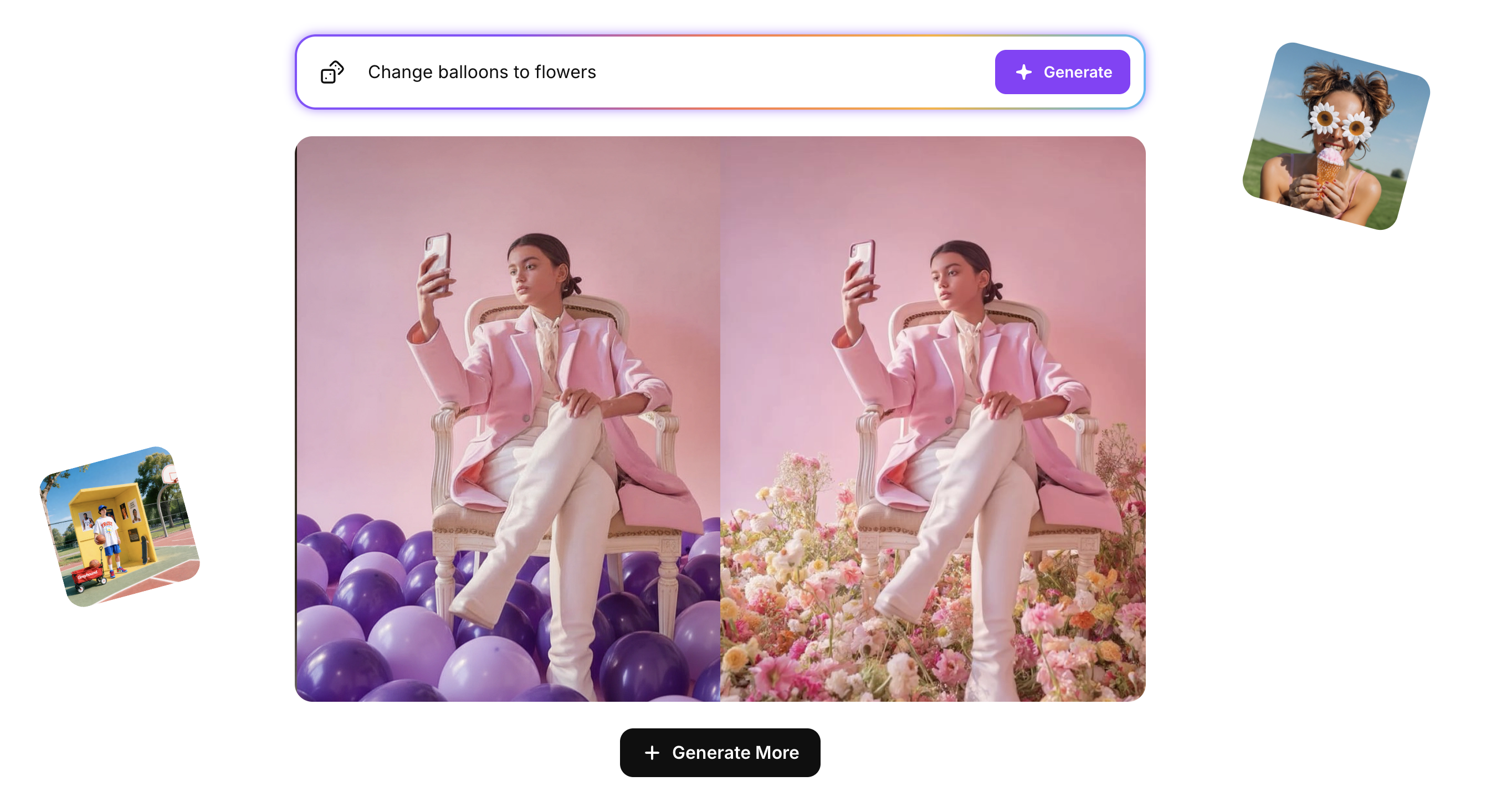 Imagen 4 AI Image generator
Key Features
- Three pricing tiers: Fast ($0.02), Standard ($0.04), Ultra ($0.06) per image
- 2K resolution output
- Faster generation than previous Imagen versions
- Text rendering capabilities
- Multiple artistic styles beyond photorealism
- SynthID watermarking for content provenance
- Various aspect ratio support
Aspect Ratios for Social Media
Imagen 4 on ImagineArt supports 9:16, 3:4, 4:3, 1:1, and 16:9 formats, and generates up to four variations per prompt.
What You Can Create for Social Media
- Rapid concept testing for campaign development
- Daily social content across multiple platforms
- Product photography variations for testing
- Time-sensitive content capitalizing on trends
- Instagram Stories and Reels thumbnails
- A/B testing visuals for optimization
- Quick-turnaround client requests
Pros
- Strong speed-to-quality ratio for daily production
- Flexible pricing matches different project needs.
- The pay-per-image model avoids subscription commitment.
- Good photorealistic detail
- Multiple style options available
Cons
- Images may show visible AI characteristics.
- Often requires multiple iterations for specific results.
- Costs accumulate with high-volume use.
Pricing
- Nano Banana Pro uses token-based native pricing equivalent to $0.02-$0.05 per image through Google DeepMind APIs.
- On ImagineArt, its next-level multi-image generation and editing capabilities consume 24 credits per generation.
6. GPT Image 1.5
You can access OpenAI’s image generation technology through ChatGPT and API integrations. It offers fast generation with iterative editing features.
The GPT Image 1.5 helps with multiple rounds of refinement while maintaining image consistency, reducing the frustration of completely regenerating images for small changes. This makes it practical for social media workflows involving client feedback and gradual refinement.
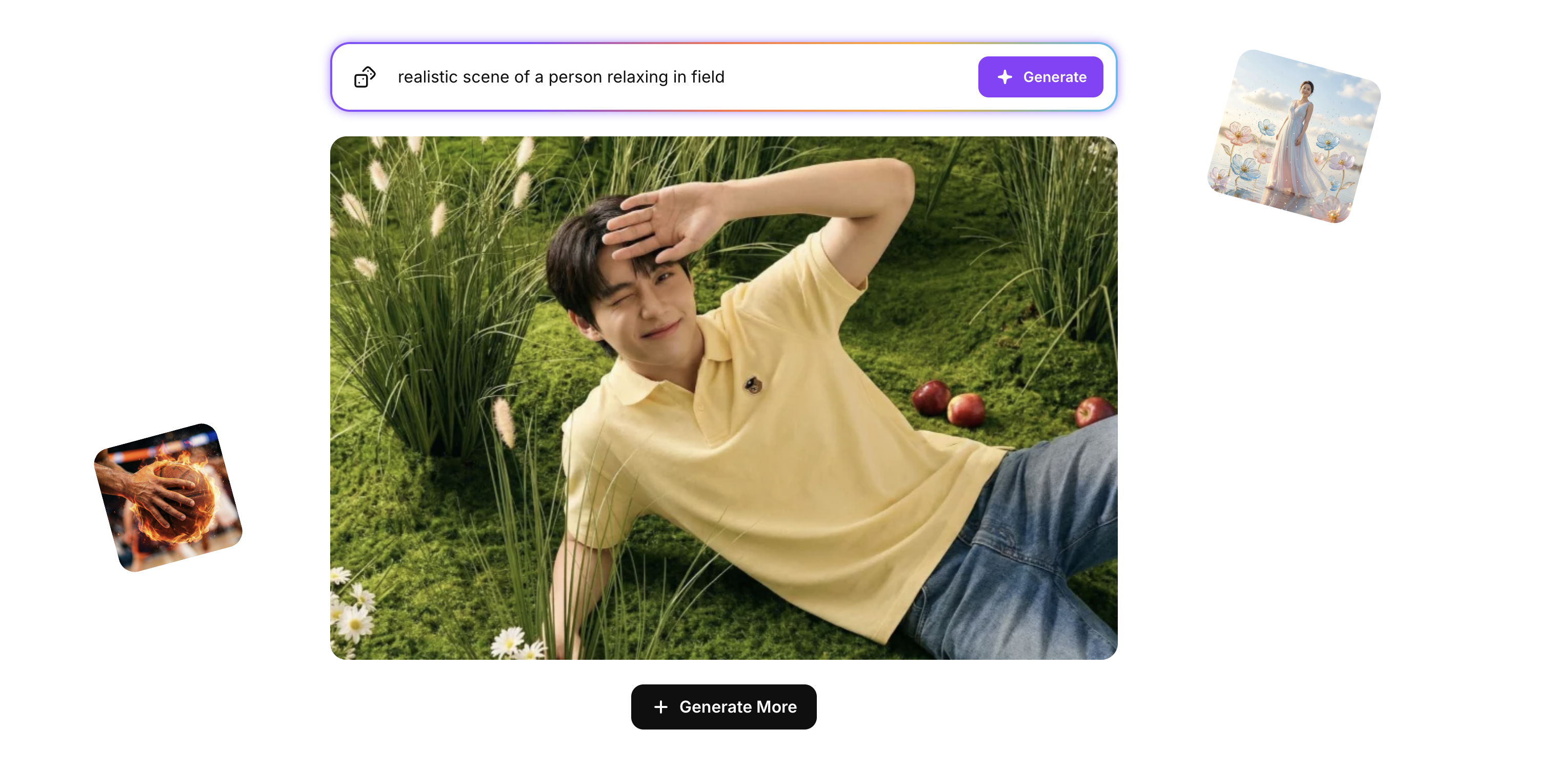 GPT 1.5 AI Image generator
Key Features
- Faster generation compared to earlier DALL-E versions
- Improved text rendering in images
- Iterative editing with consistency
- High-resolution output options
- Better instruction following
- Image input for editing workflows
- Integration with the ChatGPT interface
Aspect Ratios for Social Media
ChatGPT Image Generation supports all major aspect ratios (9:16, 2:3, 5:4, 1:1, 3:4, 3:2, 16:9), and generates up to four variations per prompt.
What You Can Create for Social Media
- Social posts requiring client feedback iterations
- Product visuals needing styling adjustments
- Brand graphics with evolving creative direction
- Marketing materials requiring element modifications
- Instagram ads for A/B testing
- Concept images needing progressive refinement
- Quick-turnaround content with revision requirements
Pros
- Speed enables rapid testing and iteration.
- Editing stability reduces revision frustration.
- Good general-purpose quality
- Lower learning curve than specialized tools
- ChatGPT integration provides convenient access.
Cons
- Primarily accessed through third-party platforms or ChatGPT.
- Pricing varies by access method.
- Still may need several iterations for precise requests.
Pricing
- GPT Image native pricing ranges from $0.011-$0.25 per image across Mini ($0.005-0.052), Standard ($0.040-0.190), and Plus ($0.080-0.250) tiers.
- On ImagineArt, generation consumes 10-18 credits depending on quality settings.
7. ImagineArt Apps
ImagineArt Apps is good for template-based CGI product placement specifically for social media marketing. Rather than open-ended generation, this tool offers pre-designed scenarios where you place products into professional CGI environments.
The template approach trades creative flexibility for speed and simplicity, making it practical for e-commerce teams needing consistent product photography alternatives.
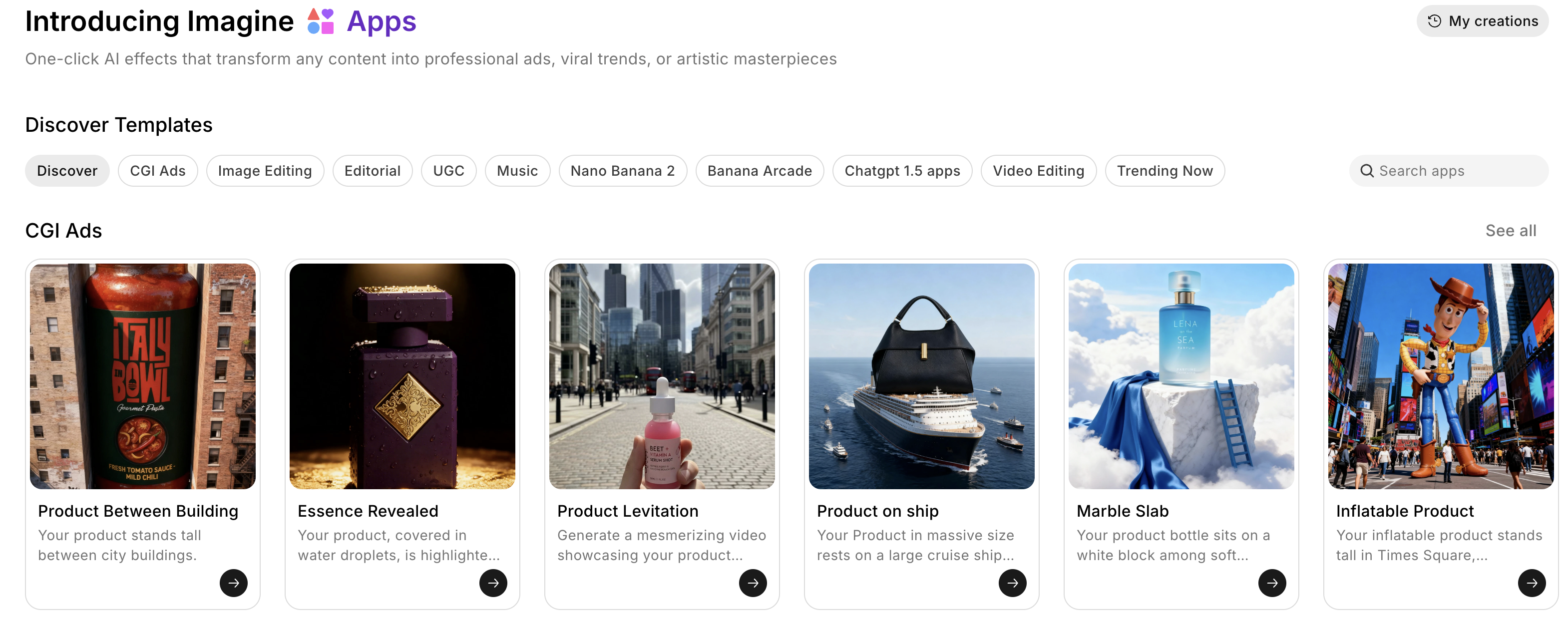 Imagineart Apps AI image generator
Key Features
- Pre-designed CGI templates for products
- Mobile and web accessibility
- Social media-optimized export formats
- Quick product-to-post workflow
- Multiple scenario templates (pedestals, urban scenes, studios)
- Platform-specific aspect ratio presets
- Integration with the broader ImagineArt ecosystem
What You Can Create for Social Media
- E-commerce product posts with professional backgrounds
- Instagram Reels and TikTok content featuring products
- Product launch announcements with consistent styling
- Seasonal photography updates without new photo shoots
- Brand collaboration posts with coordinated scenes
- Mobile-created content for remote teams
- Quick-response trending topic content
Pros
- Very fast from product image to finished post
- Mobile access enables on-the-go creation.
- The template approach simplifies decisions.
- Good for product marketing use cases
- Easy to learn and use
Cons
- Templates limit creative customization.
- Less flexible than general-purpose generators
- Full features require a paid subscription.
Pricing
- ImagineArt Apps are included in Pro and Max subscription plans ranging from $29-$120 per month.
- On ImagineArt, basic templates consume 5 credits while advanced CGI product placements use 8 credits.
8. Adobe Firefly
Adobe Firefly is different from other tools because it is trained on licensed Adobe Stock content and public domain materials, providing clearer commercial usage rights than tools trained on scraped internet data.
Beyond image generation, Firefly integrates with Adobe Creative Cloud applications and provides access to multiple third-party AI models, including Google’s and OpenAI’s, functioning as a multi-modal creative platform with legal safeguards for professional use.
Key Features
- Training on licensed and public domain content only
- Access to multiple AI models (Adobe, Google, OpenAI, Runway, Luma)
- Text-to-image and text-to-video generation
- Generative Fill editing tools.
- Sound effects generation
- Content Credentials watermarking
- Creative Cloud integration
Aspect Ratios for Social Media
Adobe Firefly supports key aspect ratios like 9:16, 16:9, and 1:1, and seamlessly integrates with Creative Cloud.
What You Can Create for Social Media
- Client campaign assets with clear licensing
- Multi-format content combining image and video
- Brand assets integrated with Adobe workflows.
- Video content with AI-generated sound effects
- Agency work requiring copyright clarity
- Cross-platform campaigns using multiple AI models
- Professional marketing with content provenance
Pros
- Clearer commercial rights for professional use
- Multi-modal reduces the need for separate tools.
- Integrates with existing Adobe workflows
- Multiple AI models provide options.
- Transparent licensing terms
Cons
- Quality varies across different models.
- The credit system can feel limiting.
- Complex interface for Adobe newcomers
- It can be expensive for high-volume production.
Pricing
- Adobe Firefly requires Creative Cloud All Apps at $59.99/month (1,000 credits) or API access at $0.05 per image.
For more details, visit: AI Instagram Post Generator
9. Midjourney
Another tool among the list of AI image generators for social media is Midjourney. Midjourney works on artistic quality and distinctive aesthetics over photorealism, creating images with cinematic composition and painterly detail.
Version 7 brought improvements in prompt adherence and visual coherence. The platform’s signature style makes social media content stand out in social feeds but may not suit brands requiring straightforward product photography or corporate visuals. Access requires Discord or an invite-only web interface, with no free tier currently available.
Key Features
- Version 7 with improved prompt accuracy
- Style reference using up to 3 images
- Character reference for consistency
- Image weight parameter controls
- Web and Discord access options
- Multiple aspect ratio options
- Large community (20M+ members claimed)
Aspect Ratios for Social Media
Midjourney supports precise aspect ratio control from tall vertical (1:2) to ultra-wide (2:1), including popular formats like 9:16 and cinematic ratios.
What You Can Create for Social Media
- Artistic brand content for creative positioning
- Concept art for imaginative campaigns
- Fantasy and sci-fi themed content
- Stylized portraits for personal brands
- Eye-catching Instagram posts
- Creative product interpretations
- Campaign mood boards and vision boards
Pros
- The distinctive artistic style stands out visually.
- Strong community resources for learning
- Style consistency features for brand identity.
- Good for creative, artistic campaigns
- Regular version improvements
Cons
- No free tier available for testing
- Requires Discord or invite-only web access
- Artistic style doesn’t suit all brand types.
- Pricing starts at $10/month minimum.
Pricing
- Midjourney offers subscription plans from Basic ($10/month), Standard ($30/month), Pro ($60/month), to Mega ($120/month), with no free tier available.
10. Kling O1 Image
Kling O1 Image is good for maintaining visual consistency across multiple images by processing up to 10 reference images simultaneously. This multi-reference capability helps preserve character features, product details, and brand elements across content series.
The natural language editing allows modifications through plain English instructions, making it accessible for users without technical image editing expertise.
Key Features
- Multi-reference processing up to 10 images
- Natural language editing instructions
- Character consistency across generations
- Style transfer capabilities
- Multi-image fusion
- High-resolution output
- Local editing for specific elements
Aspect Ratios for Social Media
Kling O1 Image supports 9:16, 16:9, and 1:1 formats and preserves character or product consistency across all aspect ratios when using reference images.
What You Can Create for Social Media
- Character-based content series with visual consistency
- Brand mascot content across different scenarios
- Product campaigns with the same item across contexts
- Avatar and portrait series with unified styling
- Comic-style social content with recurring characters
- Multi-post storytelling requires continuity.
- Style transformation while preserving core identity
Pros
- Strong character consistency for series content
- Natural language interface is accessible.
- Multi-reference enables complex concepts.
- Good for narrative and campaign continuity
- Professional output quality
Cons
- Newer platform with less documentation
- Availability varies across platforms.
- Advanced features require experimentation.
Pricing
- Kling O1 Image native API pricing starts at $0.03 per basic image, $0.08 for high-resolution, and $0.12 for 10-reference processing.
- On ImagineArt, this consumes 20 credits (single reference) or 30 credits (multi-reference).
How to Choose the Right AI Image Generator for Social Media
By use case
- Daily volume content (10+ posts/week): ImagineArt or Imagen 4 for fast generation, broad aspect ratio support
- Typography-heavy posts, quote cards, event graphics: Ideogram v4, the best-in-class text accuracy
- Photorealistic product photography and backgrounds: Flux 2 for multi-reference, 4MP output
- Iterative client work requiring rounds of revision: GPT-image 1.5 for editing consistency across iterations
- Artistic, stylized brand content: Midjourney v7 for distinctive aesthetic for creative campaigns
- Character series or mascot continuit: Kling O1 Image for 10-reference multi-image consistency
- Agency or client work requiring clear commercial licensing: Adobe Firefly for licensed training data
- One subscription covering multiple models: ImagineArt for all models under one credit system
Quick use-case picks
- High-volume daily social content: ImagineArt or Imagen 4
- Posts with readable text overlays: Ideogram v4
- Product and background realism: Flux 2
- Client revision workflows: GPT-image 1.5
- Artistic brand identity: Midjourney v7
- Recurring character/series content: Kling O1 Image
- Licensed commercial asset creation: Adobe Firefly
- Access to all models in one place: ImagineArt
Ready to Create AI Images for Social Media?
The right AI image generator for social media depends on what you make and how often. For daily content at volume, you need speed and aspect ratio flexibility. For typography-heavy graphics, you need text accuracy. For photorealistic product photography, you need multi-reference processing and high resolution.
ImagineArt covers the widest range — multiple model access, native image and video generation, and aspect ratio support for every major platform under one subscription. If you're building a full social media content pipeline, start there.
Frequently Asked Questions
What is the best AI image generator for social media in 2026?
ImagineArt is the strongest all-in-one option — it provides access to multiple models (Flux 2, Ideogram v4, Kling O1 Image, and others) under one subscription alongside native image and video generation. For specialized needs: Ideogram v4 leads on text-in-image accuracy, Midjourney v7 leads on artistic style, and Flux 2 leads on photorealistic backgrounds.
Is there a free AI image generator for social media?
Yes. ImagineArt offers a free tier with daily credits. Ideogram v4 has a free plan. GPT-image 1.5 is accessible free through ChatGPT. Adobe Firefly offers limited free generations. Midjourney has no free tier.
Which AI image generator handles text in images best?
Ideogram v4 leads on in-image text accuracy, producing correctly spelled, well-integrated typography consistently. Nano Banana Pro and GPT-image 1.5 also perform well for text rendering. Midjourney handles text poorly — it is not suited for quote cards, event announcements, or any content requiring readable copy.
Can I use AI-generated social media images commercially?
It depends on the tool and plan. ImagineArt permits commercial use on paid plans. Adobe Firefly permits commercial use on all plans, with the clearest licensing position of any tool on this list (trained on licensed content only). Midjourney permits commercial use on paid plans. Always verify the specific plan's commercial license before using outputs in paid advertising or client deliverables.
What aspect ratio should I use for Instagram posts?
Square (1:1) for feed posts, 4:5 for portrait feed posts that maximize screen coverage, and 9:16 for Reels and Stories. Most tools on this list support all three. ImagineArt, Flux 2, and GPT-image 1.5 offer the broadest aspect ratio coverage.
Do I need multiple AI image generators, or can one tool cover everything?
Most professional teams use two: one general-purpose tool for daily volume (ImagineArt covers this) and one specialist tool for specific needs — Ideogram v4 if you produce a lot of text-overlay content, Midjourney if your brand identity is strongly artistic. Starting with ImagineArt alone covers most use cases before adding a second tool.
Arooj Ishtiaq
Arooj is a SaaS content writer specializing in AI models and applied technology. At ImagineArt, she creates sharp, product-focused content that helps creators and businesses understand, adopt, and get real value from AI tools.