GPT Image 1.5 AI image editor
Now on ImagineArt
OpenAI's December 2025 model for edits that leave the important parts alone.
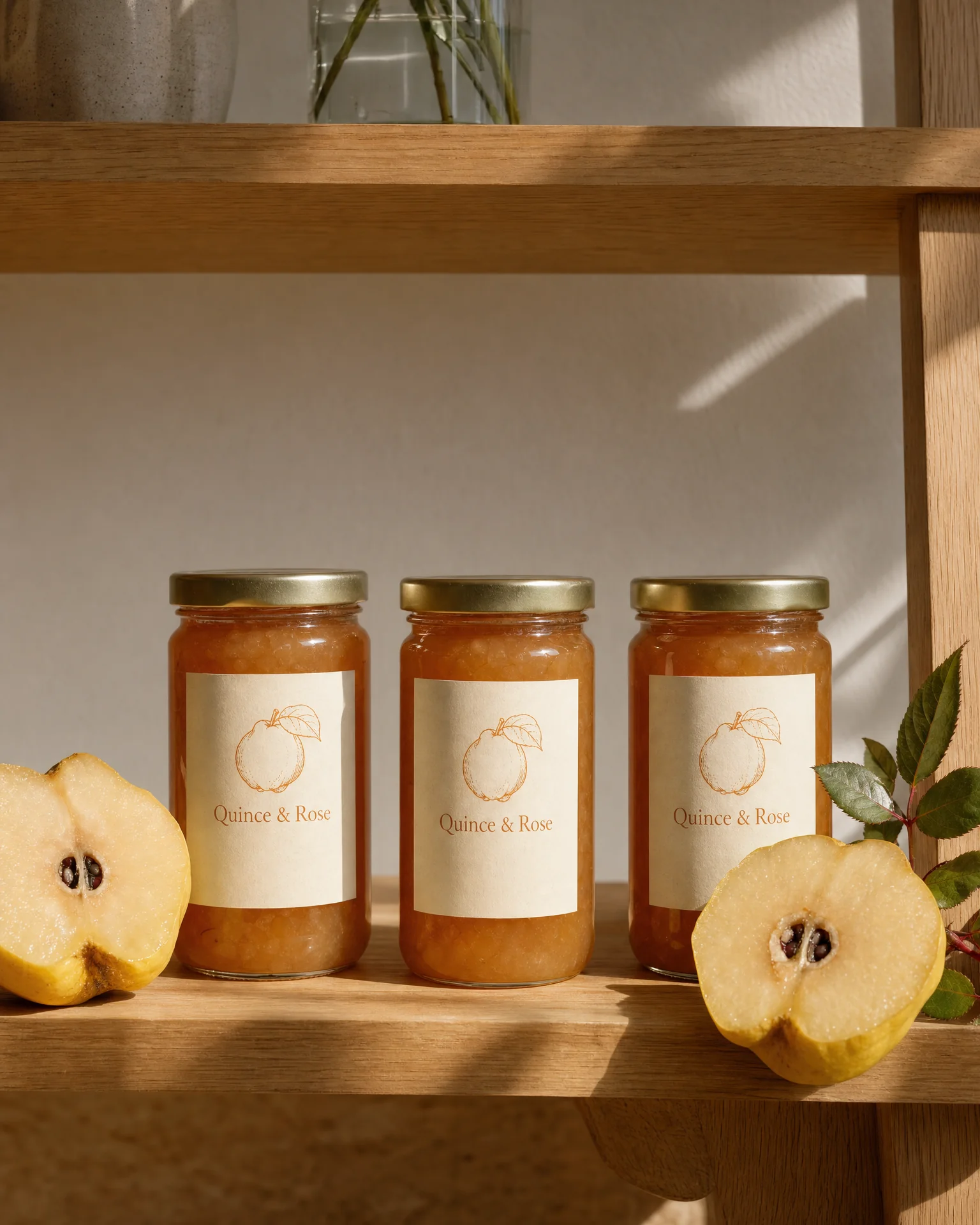
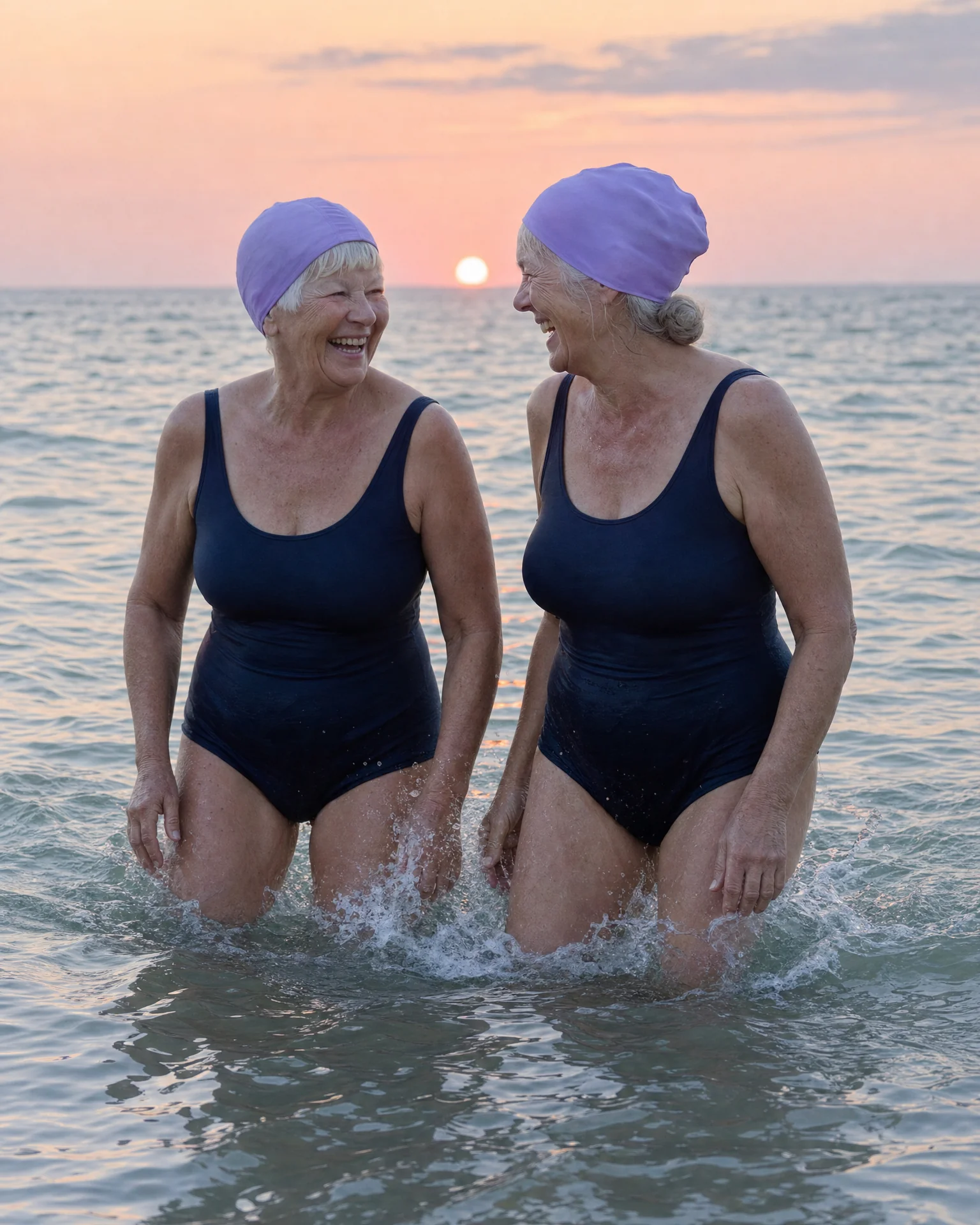
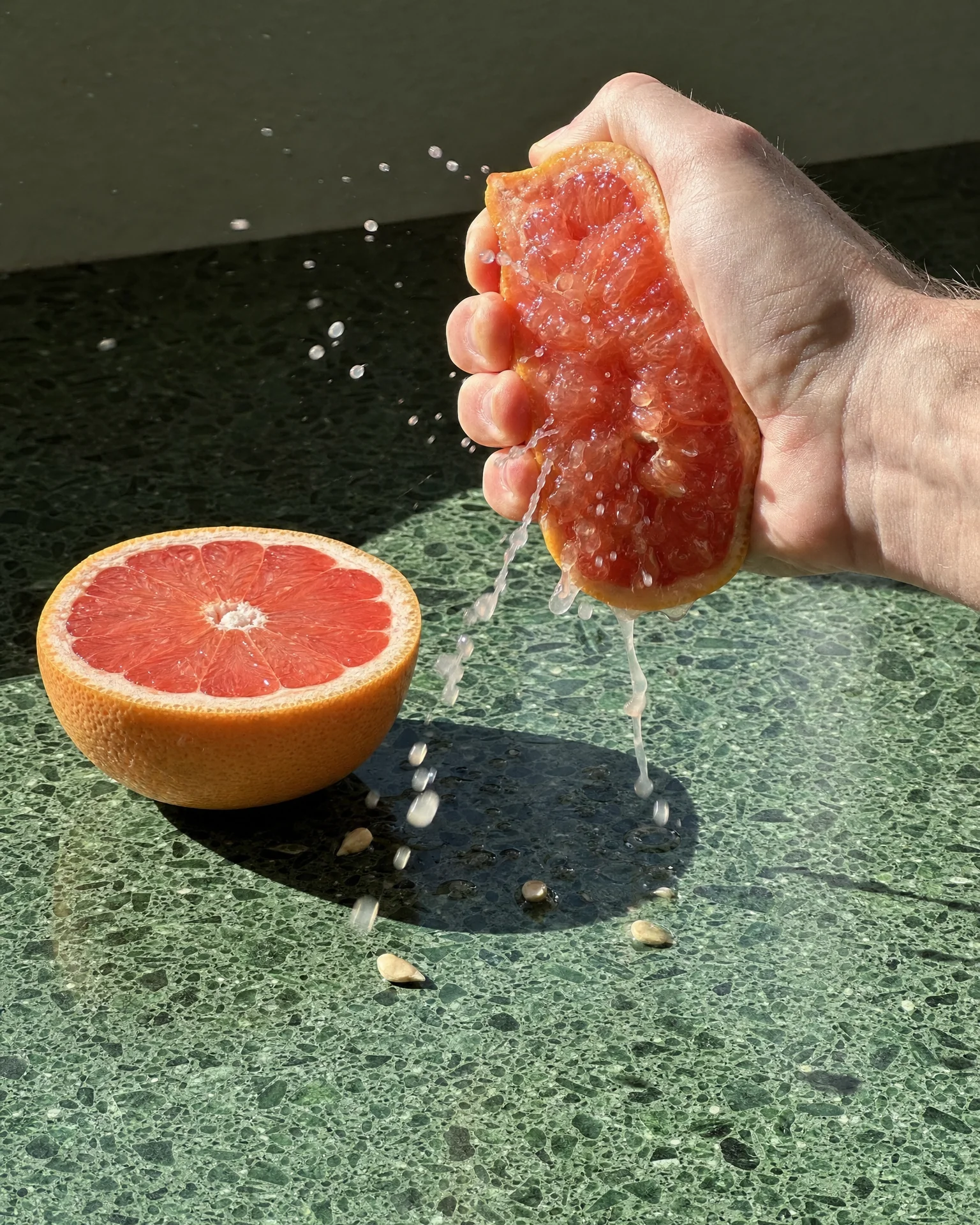
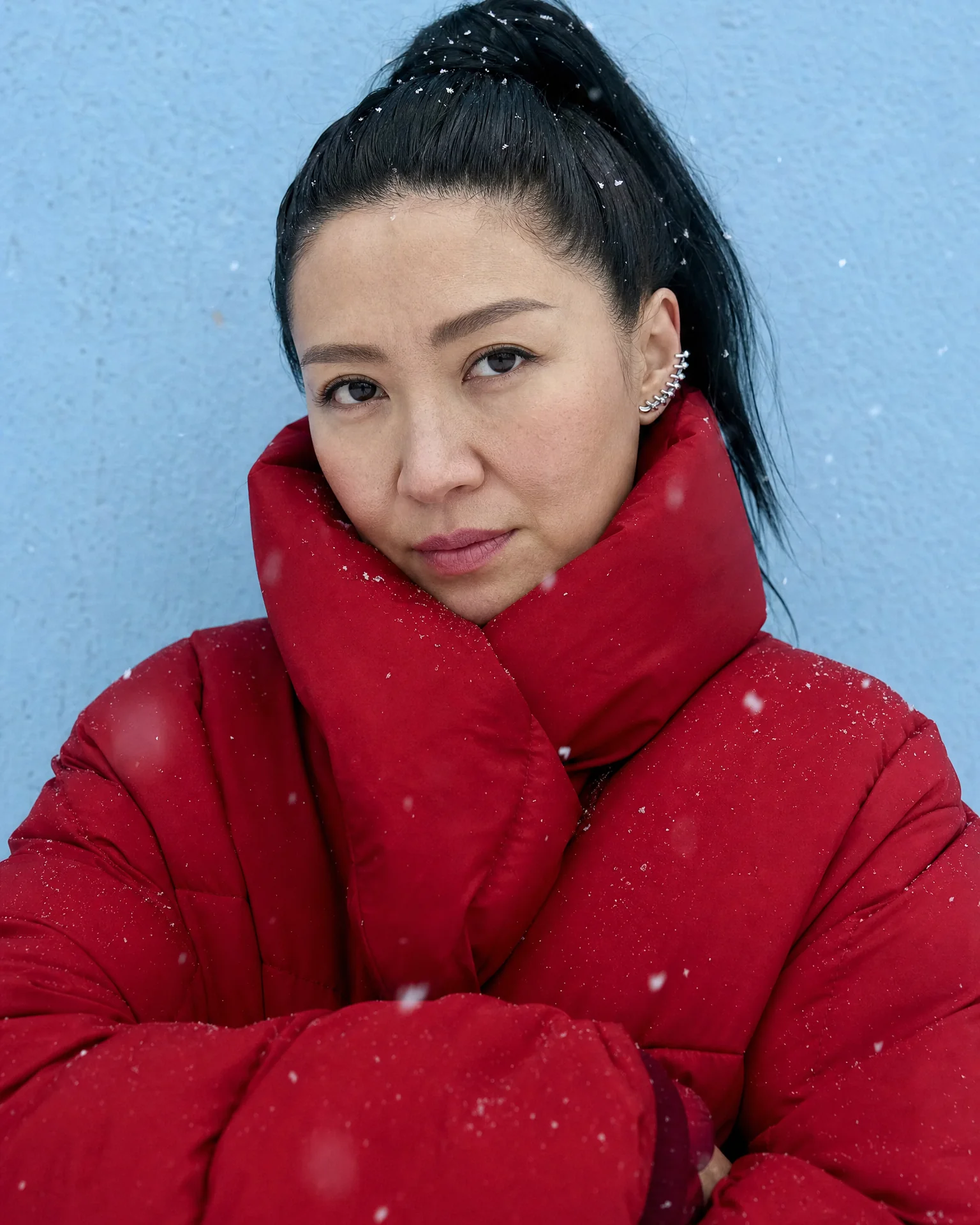
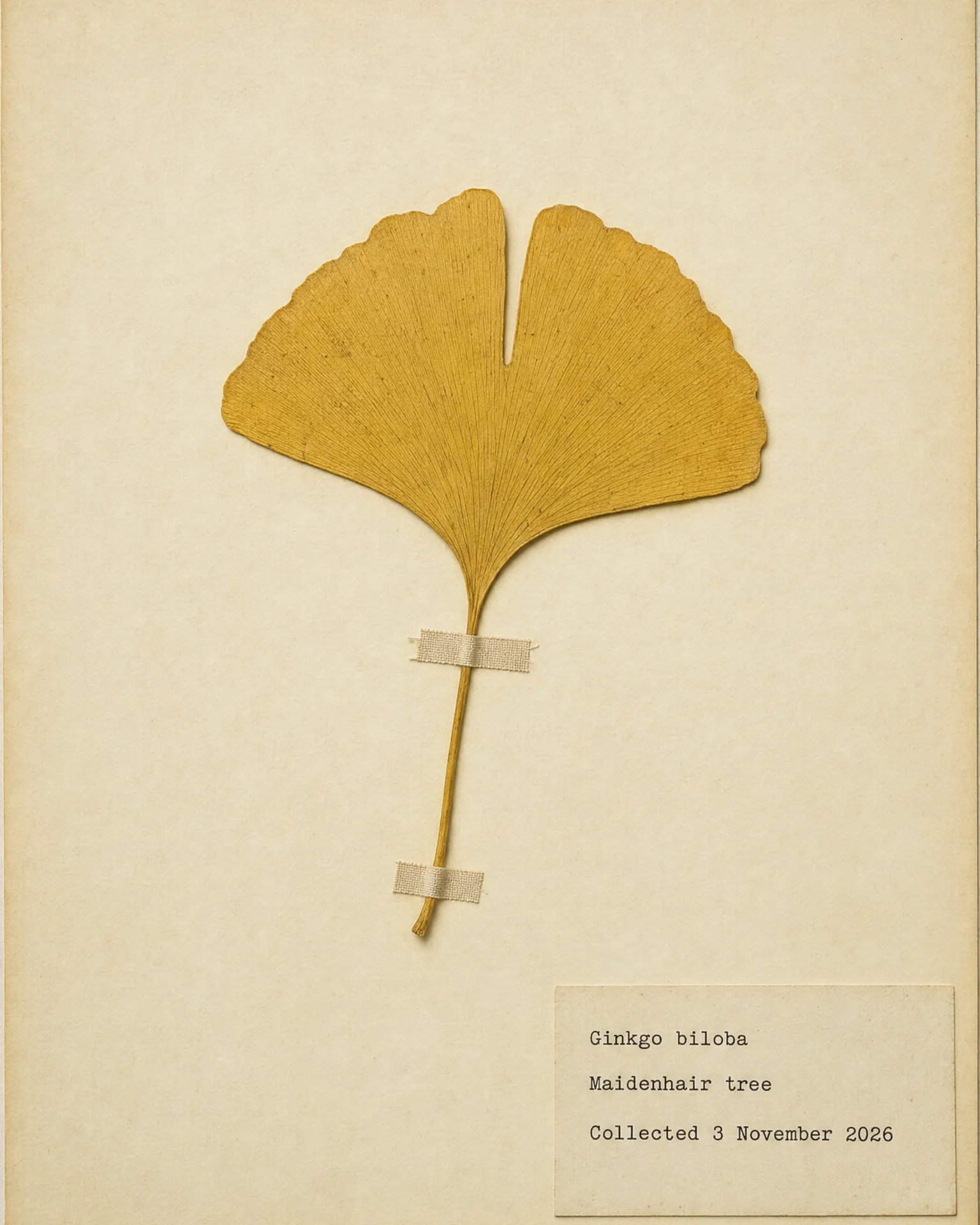
See GPT Image 1.5 in action
Prompts to try first
Real prompts, run through GPT Image 1.5. Copy one and swap in your own subject.
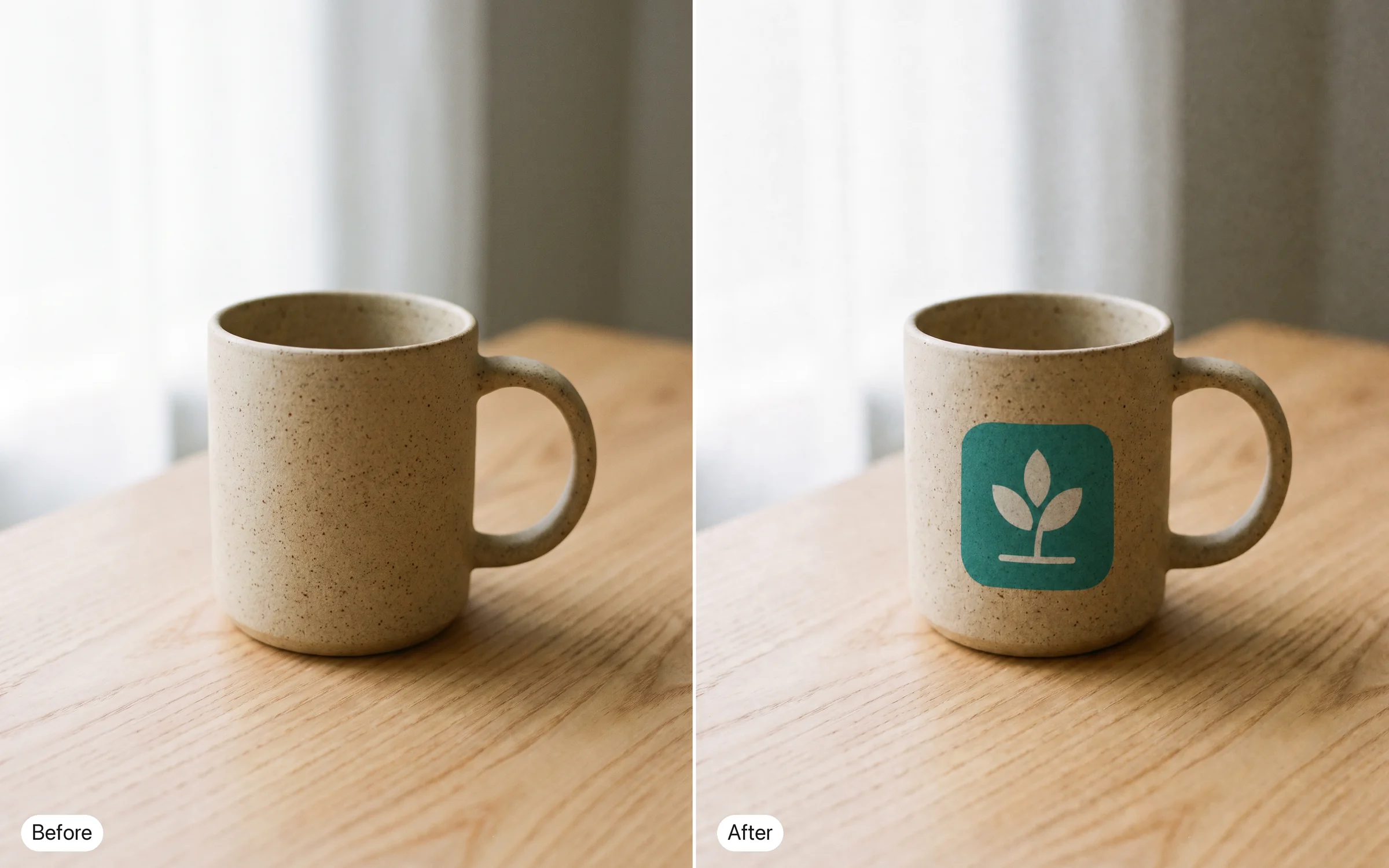
Put our logo from this file on the mug in this product photo, same colors, same proportions.
Try prompt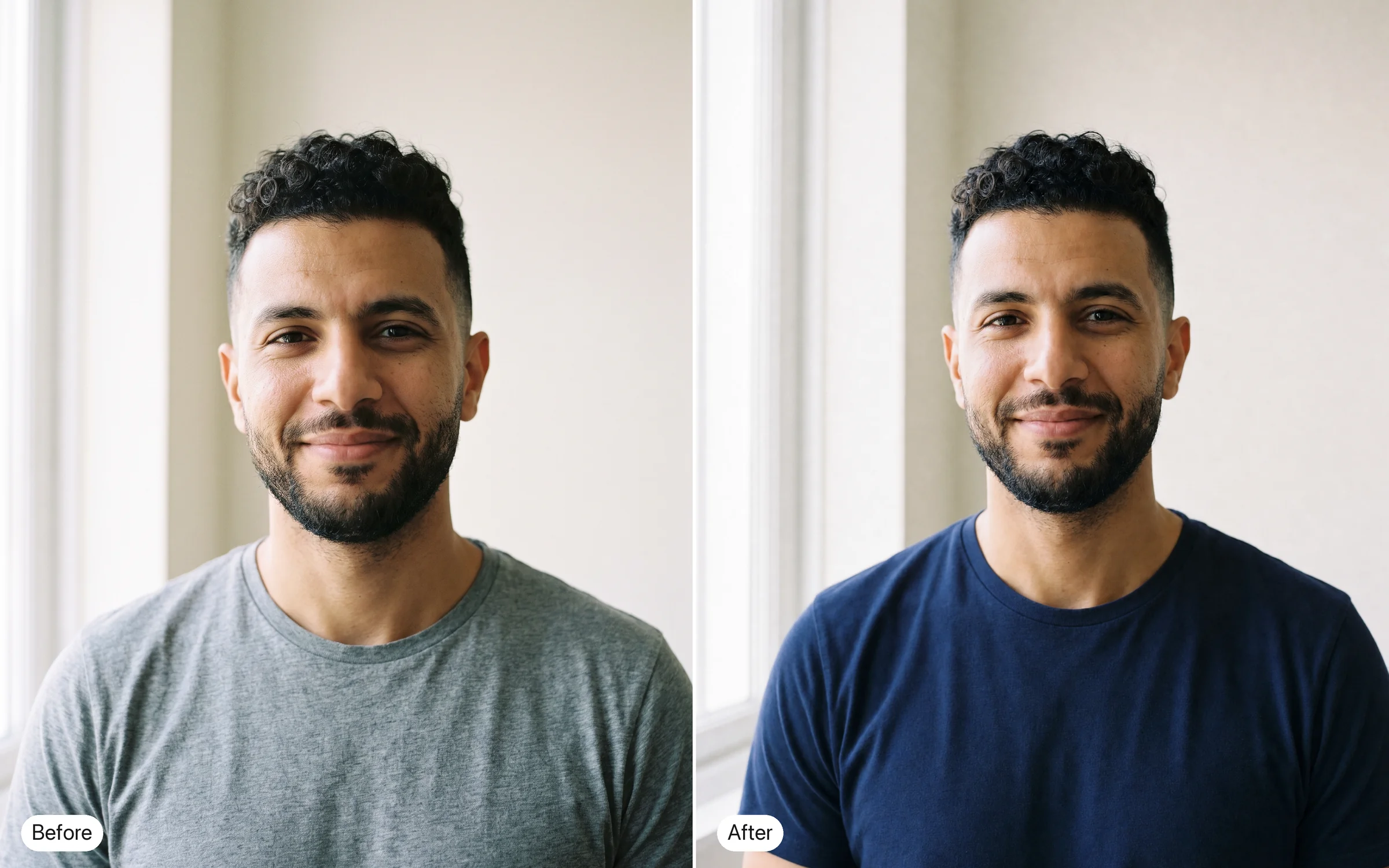
Change the shirt in this portrait from grey to navy. Keep the face, hair and lighting.
Try prompt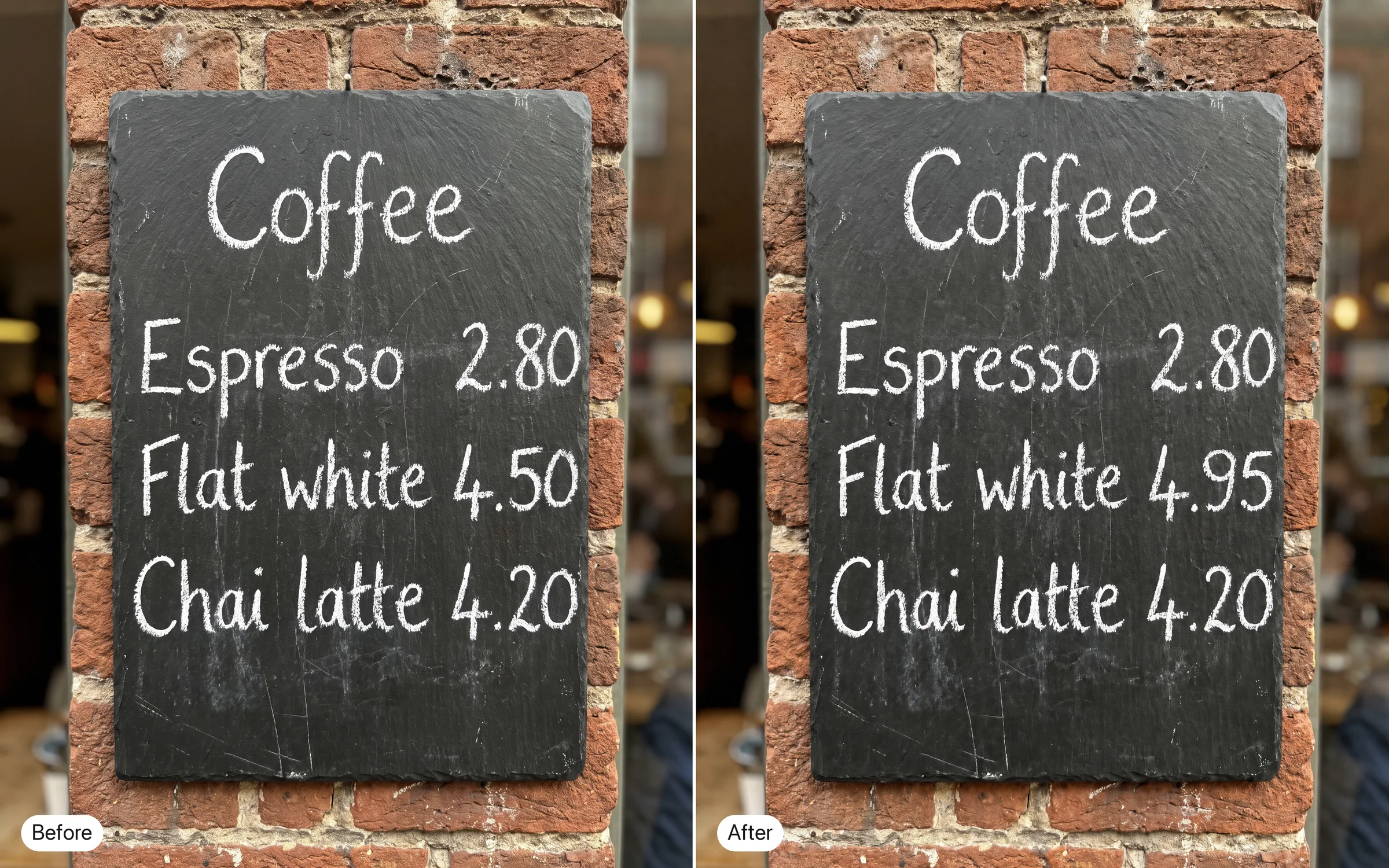
Replace the price on this café menu photo from "4.50" to "4.95" in the same font.
Try promptPut our logo from this file on the mug in this product photo, same colors, same proportions.
Try promptChange the shirt in this portrait from grey to navy. Keep the face, hair and lighting.
Try promptReplace the price on this café menu photo from "4.50" to "4.95" in the same font.
Try promptPut our logo from this file on the mug in this product photo, same colors, same proportions.
Try promptChange the shirt in this portrait from grey to navy. Keep the face, hair and lighting.
Try promptReplace the price on this café menu photo from "4.50" to "4.95" in the same font.
Try promptPut our logo from this file on the mug in this product photo, same colors, same proportions.
Try promptChange the shirt in this portrait from grey to navy. Keep the face, hair and lighting.
Try promptReplace the price on this café menu photo from "4.50" to "4.95" in the same font.
Try promptPut our logo from this file on the mug in this product photo, same colors, same proportions.
Try promptChange the shirt in this portrait from grey to navy. Keep the face, hair and lighting.
Try promptReplace the price on this café menu photo from "4.50" to "4.95" in the same font.
Try prompt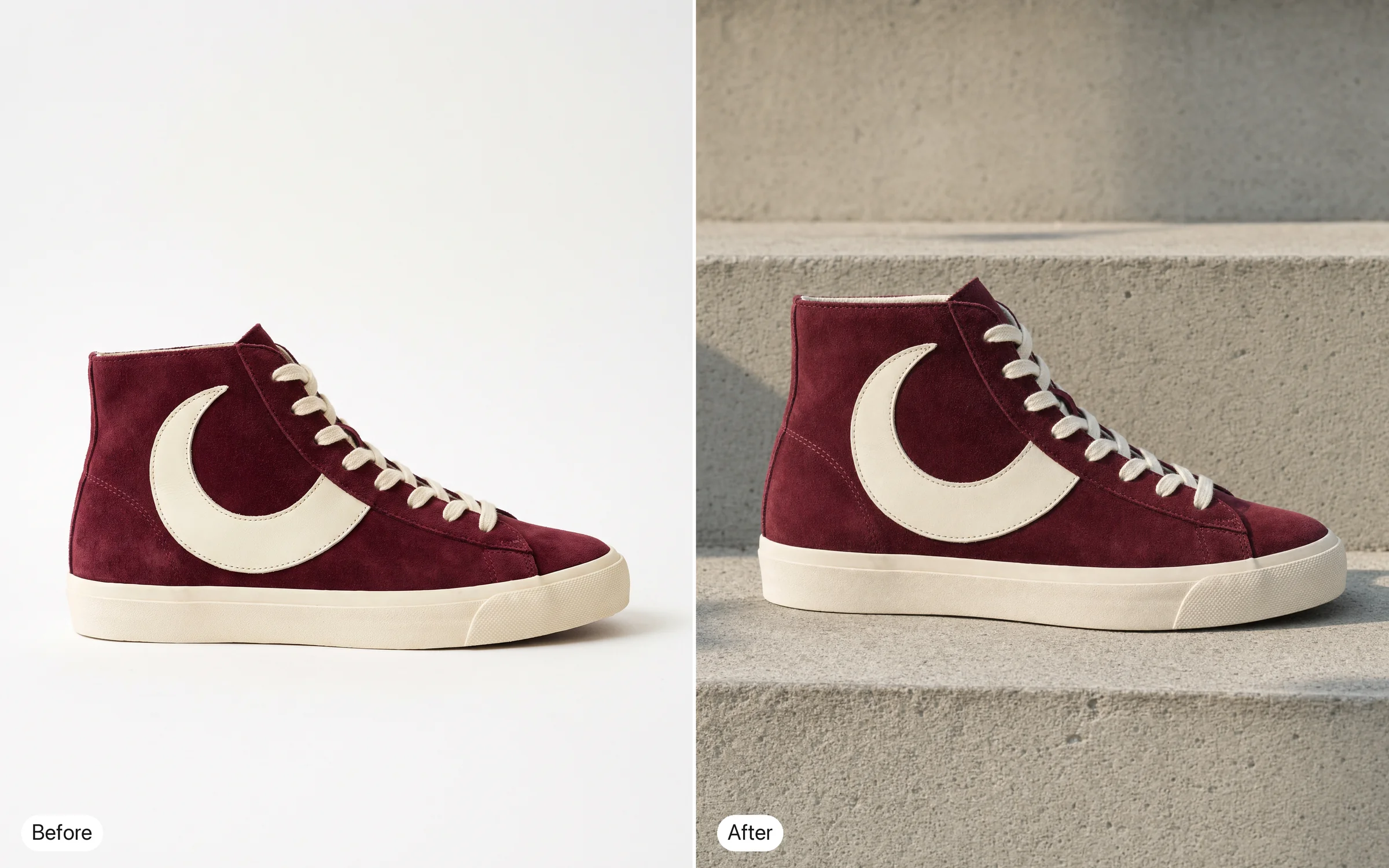
Move this sneaker onto a concrete step in morning light. Keep the logo on the side sharp.
Try prompt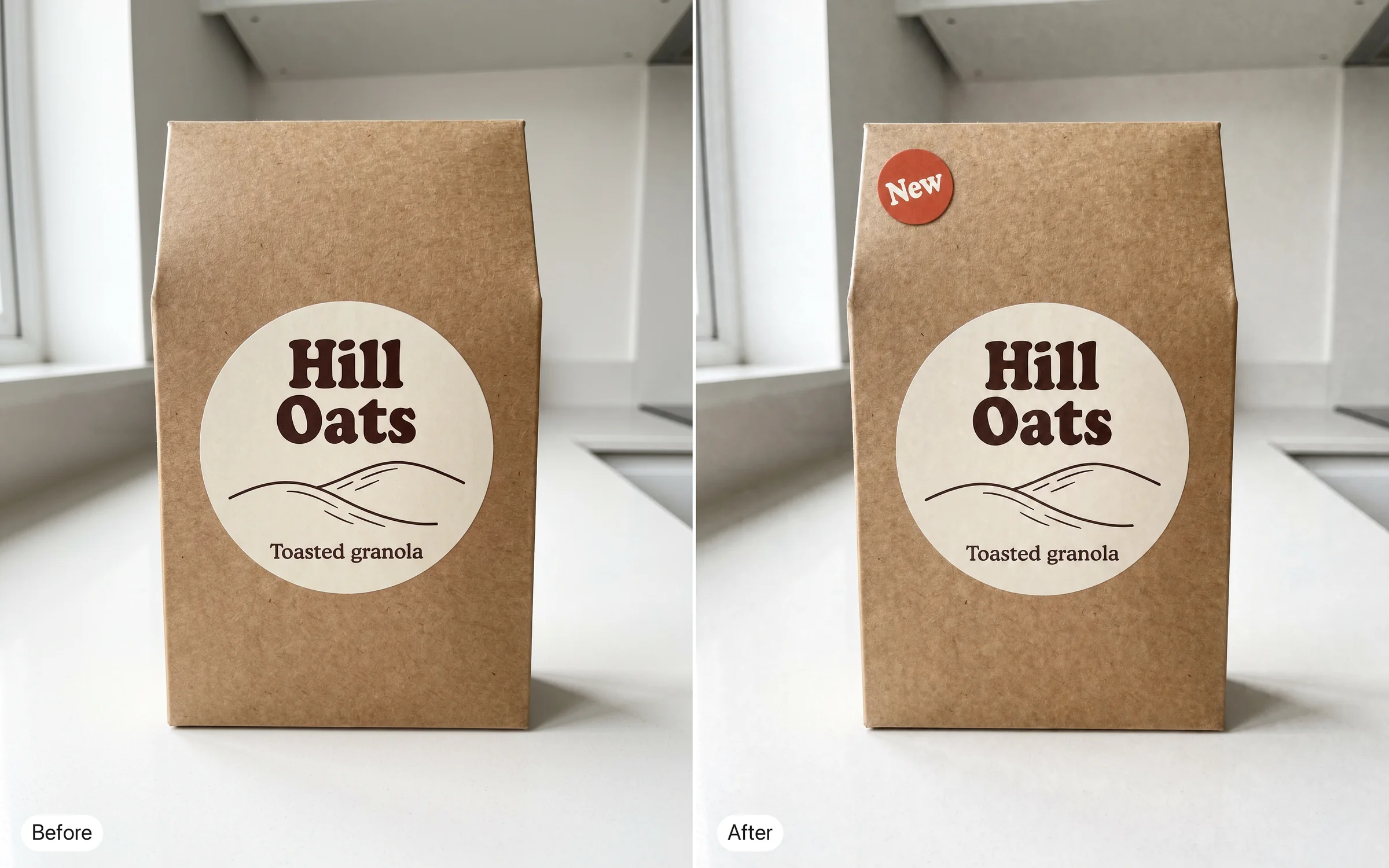
Add a small "New" badge to the top corner of this packaging photo without touching the label.
Try prompt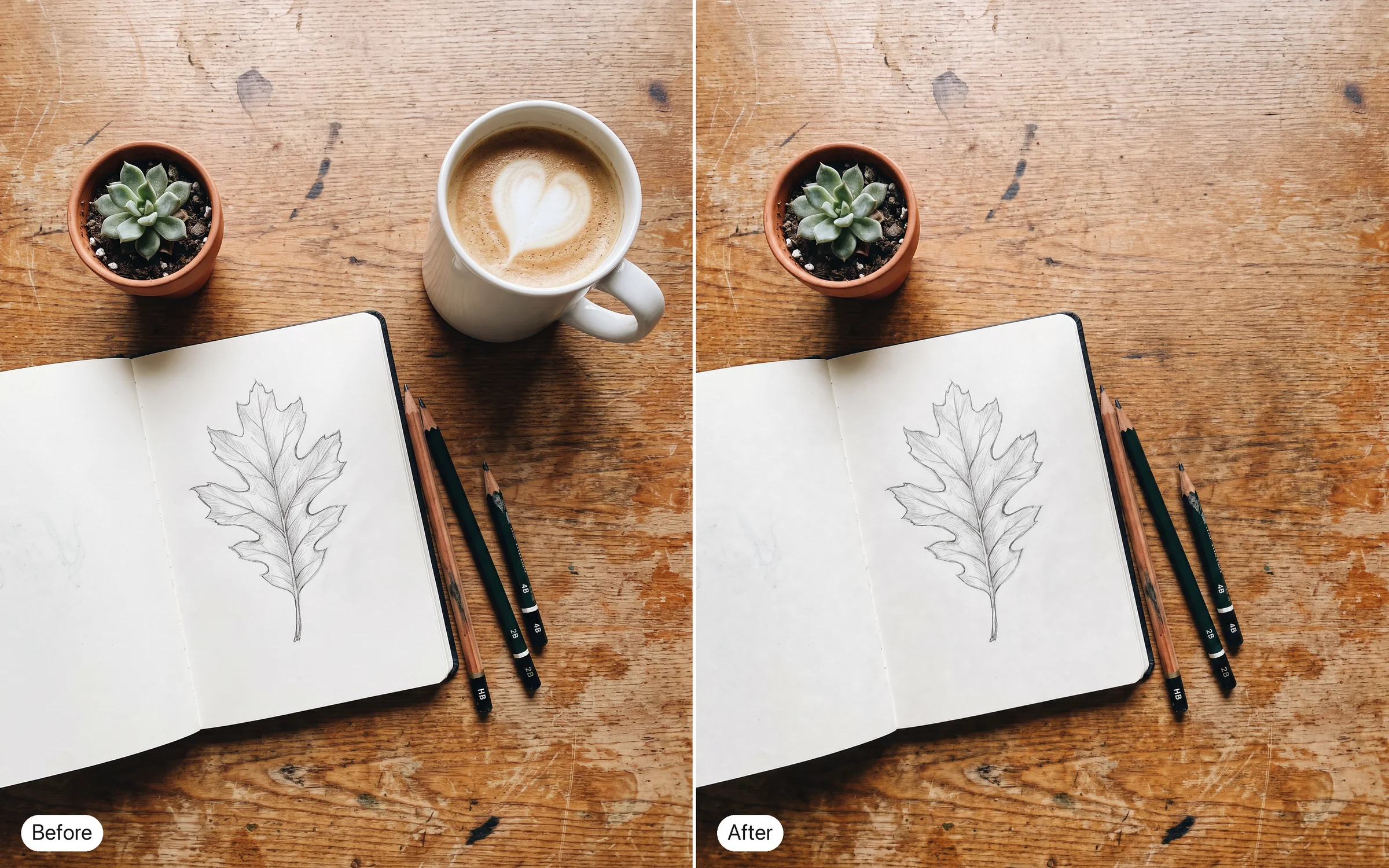
Remove the coffee cup from this desk photo and fill the space with more of the wood grain.
Try prompt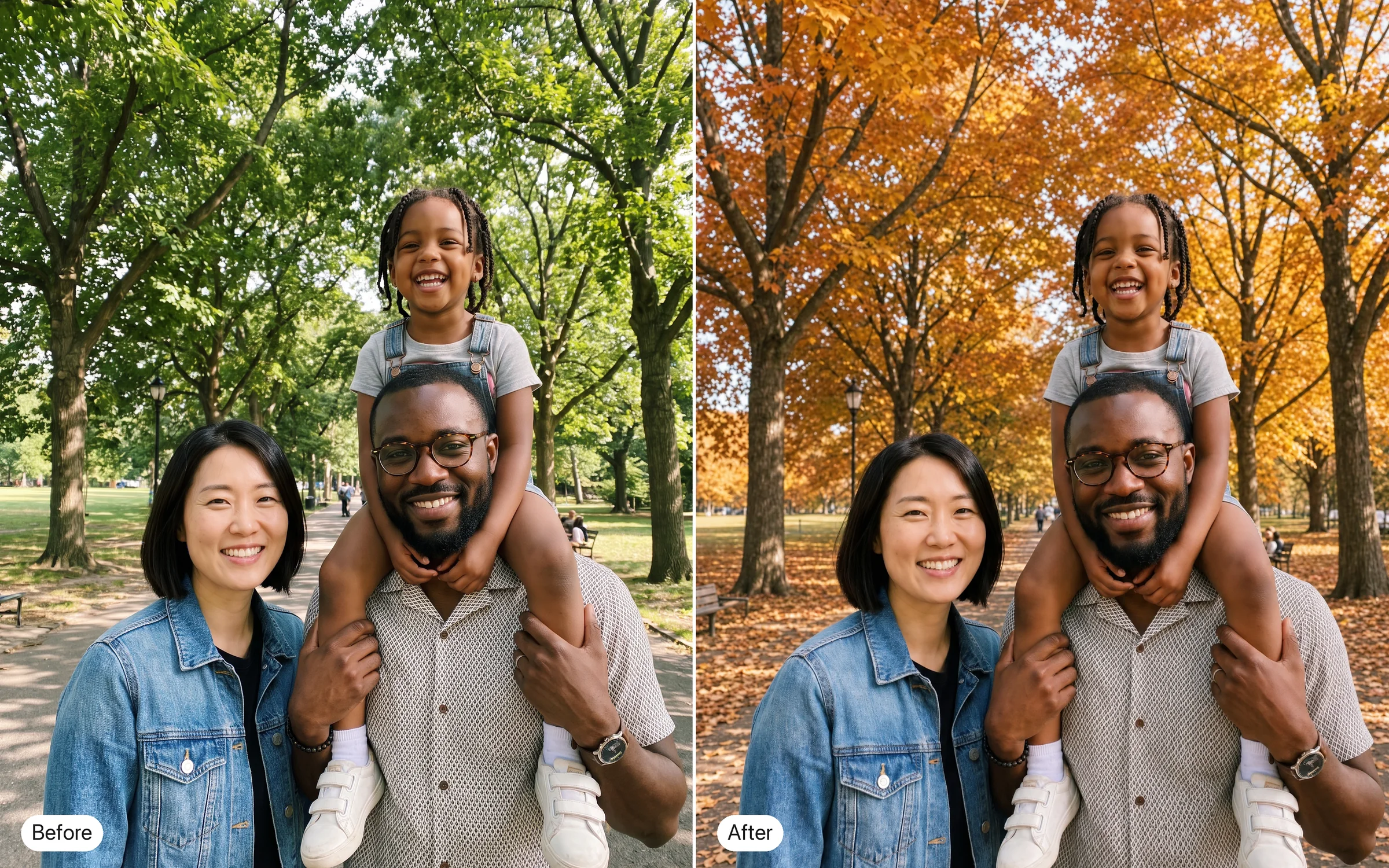
Change the season in this family photo to autumn, orange leaves on the trees. Keep everyone's faces.
Try prompt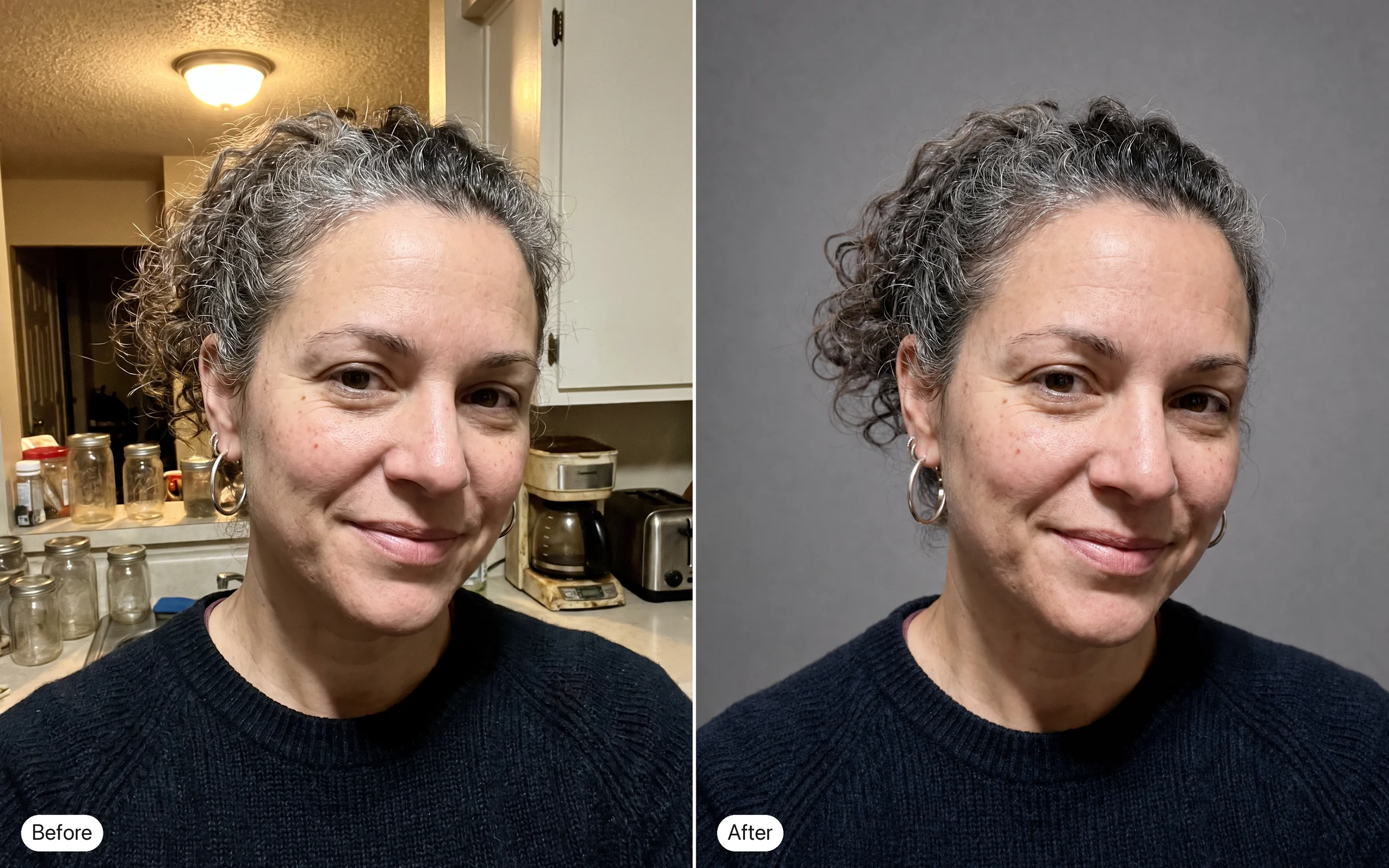
Make this headshot look like it was taken in a soft-lit studio, without changing the face.
Try promptPut our logo from this file on the mug in this product photo, same colors, same proportions.
Try promptChange the shirt in this portrait from grey to navy. Keep the face, hair and lighting.
Try promptReplace the price on this café menu photo from "4.50" to "4.95" in the same font.
Try promptMove this sneaker onto a concrete step in morning light. Keep the logo on the side sharp.
Try promptAdd a small "New" badge to the top corner of this packaging photo without touching the label.
Try promptRemove the coffee cup from this desk photo and fill the space with more of the wood grain.
Try promptChange the season in this family photo to autumn, orange leaves on the trees. Keep everyone's faces.
Try promptMake this headshot look like it was taken in a soft-lit studio, without changing the face.
Try promptPut our logo from this file on the mug in this product photo, same colors, same proportions.
Try promptChange the shirt in this portrait from grey to navy. Keep the face, hair and lighting.
Try promptReplace the price on this café menu photo from "4.50" to "4.95" in the same font.
Try promptMove this sneaker onto a concrete step in morning light. Keep the logo on the side sharp.
Try promptAdd a small "New" badge to the top corner of this packaging photo without touching the label.
Try promptRemove the coffee cup from this desk photo and fill the space with more of the wood grain.
Try promptChange the season in this family photo to autumn, orange leaves on the trees. Keep everyone's faces.
Try promptMake this headshot look like it was taken in a soft-lit studio, without changing the face.
Try promptPut our logo from this file on the mug in this product photo, same colors, same proportions.
Try promptChange the shirt in this portrait from grey to navy. Keep the face, hair and lighting.
Try promptReplace the price on this café menu photo from "4.50" to "4.95" in the same font.
Try promptMove this sneaker onto a concrete step in morning light. Keep the logo on the side sharp.
Try promptAdd a small "New" badge to the top corner of this packaging photo without touching the label.
Try promptRemove the coffee cup from this desk photo and fill the space with more of the wood grain.
Try promptChange the season in this family photo to autumn, orange leaves on the trees. Keep everyone's faces.
Try promptMake this headshot look like it was taken in a soft-lit studio, without changing the face.
Try prompt
Try GPT Image 1.5 on ImagineArt
Edit with GPT Image 1.5 on ImagineArt: OpenAI's December 2025 model for precise changes that keep logos and faces, with sharper small text, from up to 4 images.
Step 1
Choose Chatgpt 1.5 in the image tool, then add the photo you want to change.
Step 2
Upload one to four images. The photo to edit, plus any logo or product you want placed in it.
Step 3
Name the change and the keepers. Say what should change and what has to stay untouched.
Step 4
Pick a shape. Choose square, tall 2:3 or wide 3:2, and generate.
Logos and faces that survive the edit
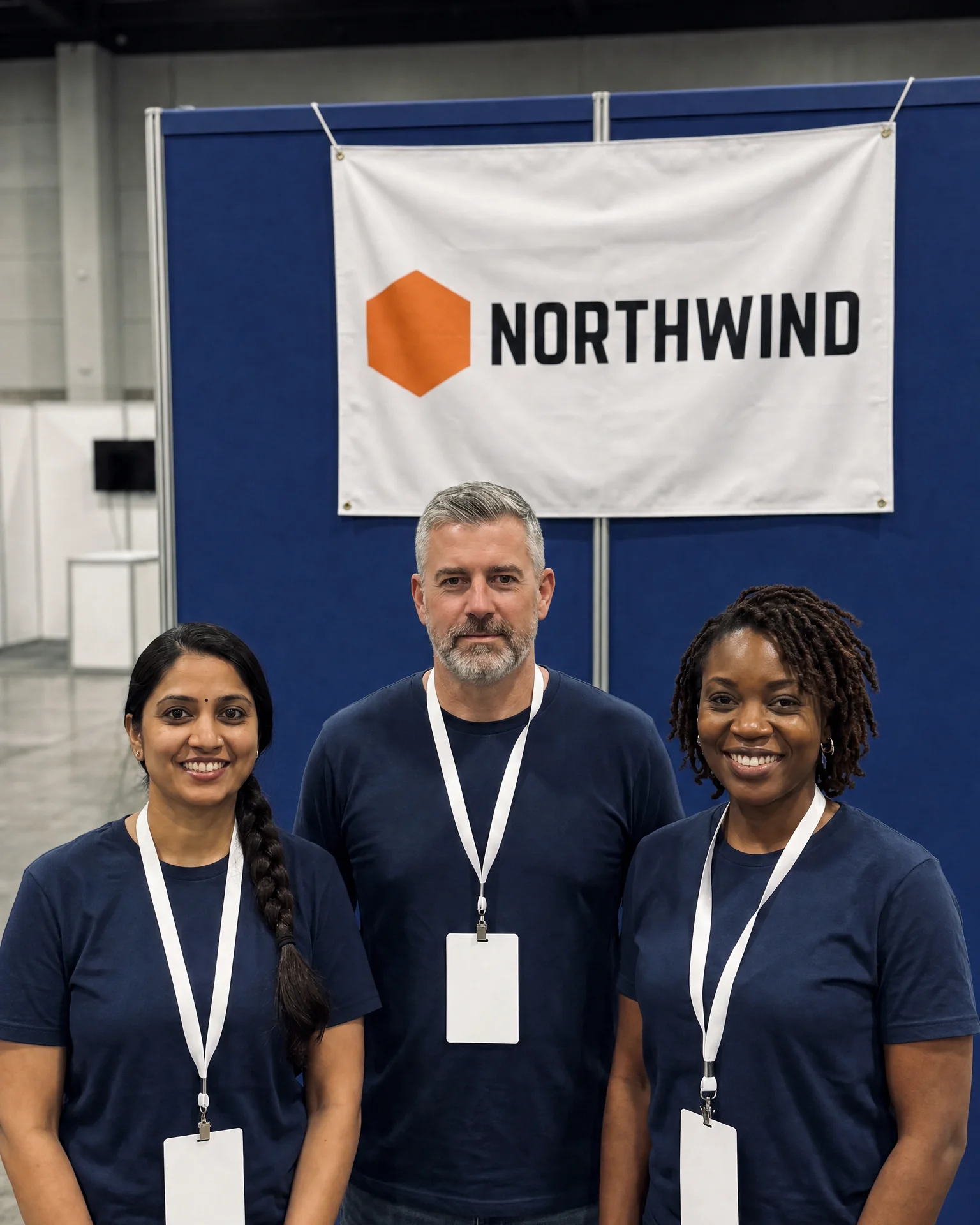
OpenAI launched GPT Image 1.5 with "more precise image editing and preservation of logos & faces". That matters for brand and people photos, where a small drift in a logo or a face ruins an otherwise good edit.
In this photo of our team at a trade show, change the booth backdrop from white to deep blue. Keep every face, the logo on the banner and the lanyards exactly as they are.
Try prompt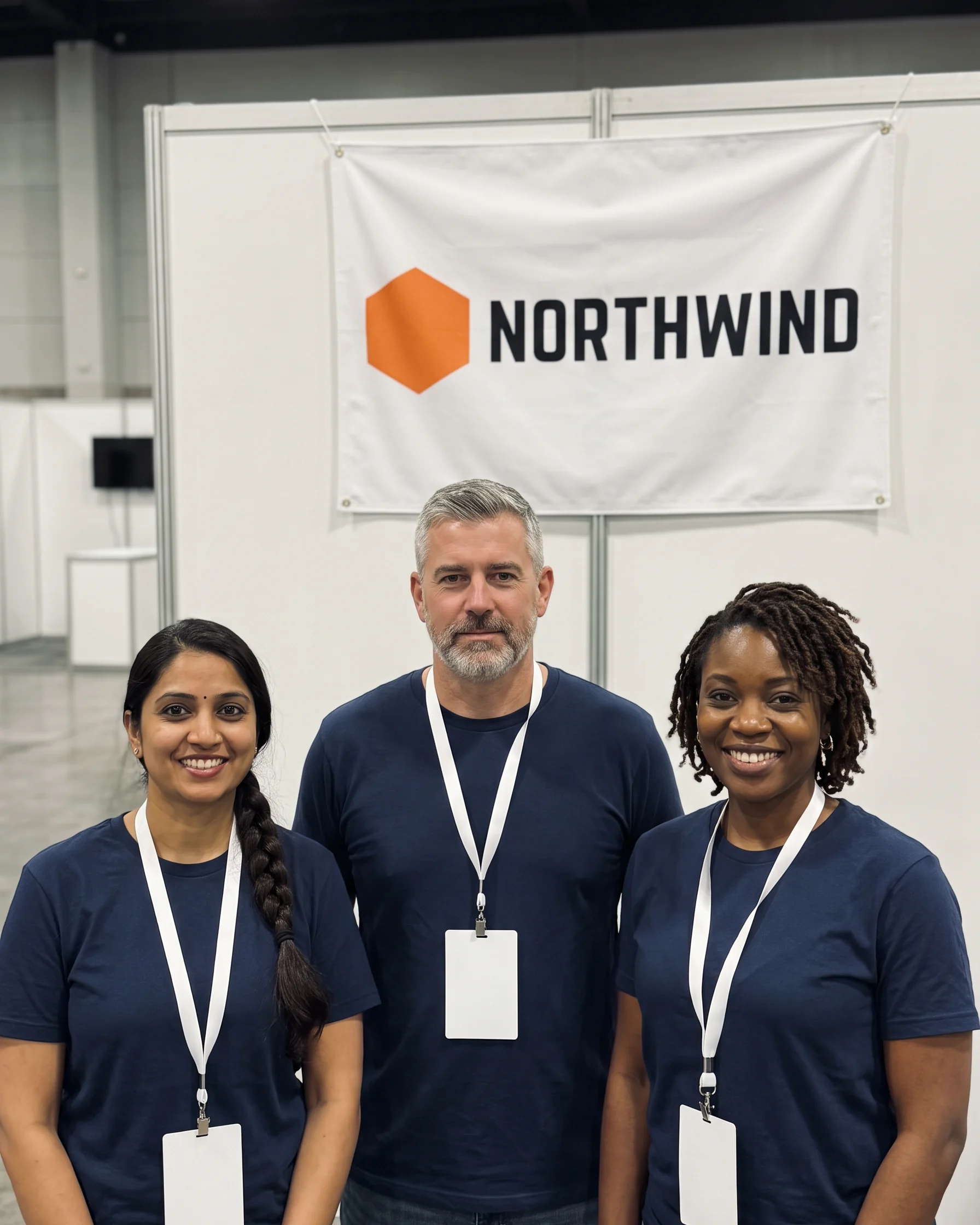
Instructions it follows more closely
OpenAI says 1.5 brought "better instruction following and adherence to prompts". List the change and the things to keep, and it has a clearer brief to work to.
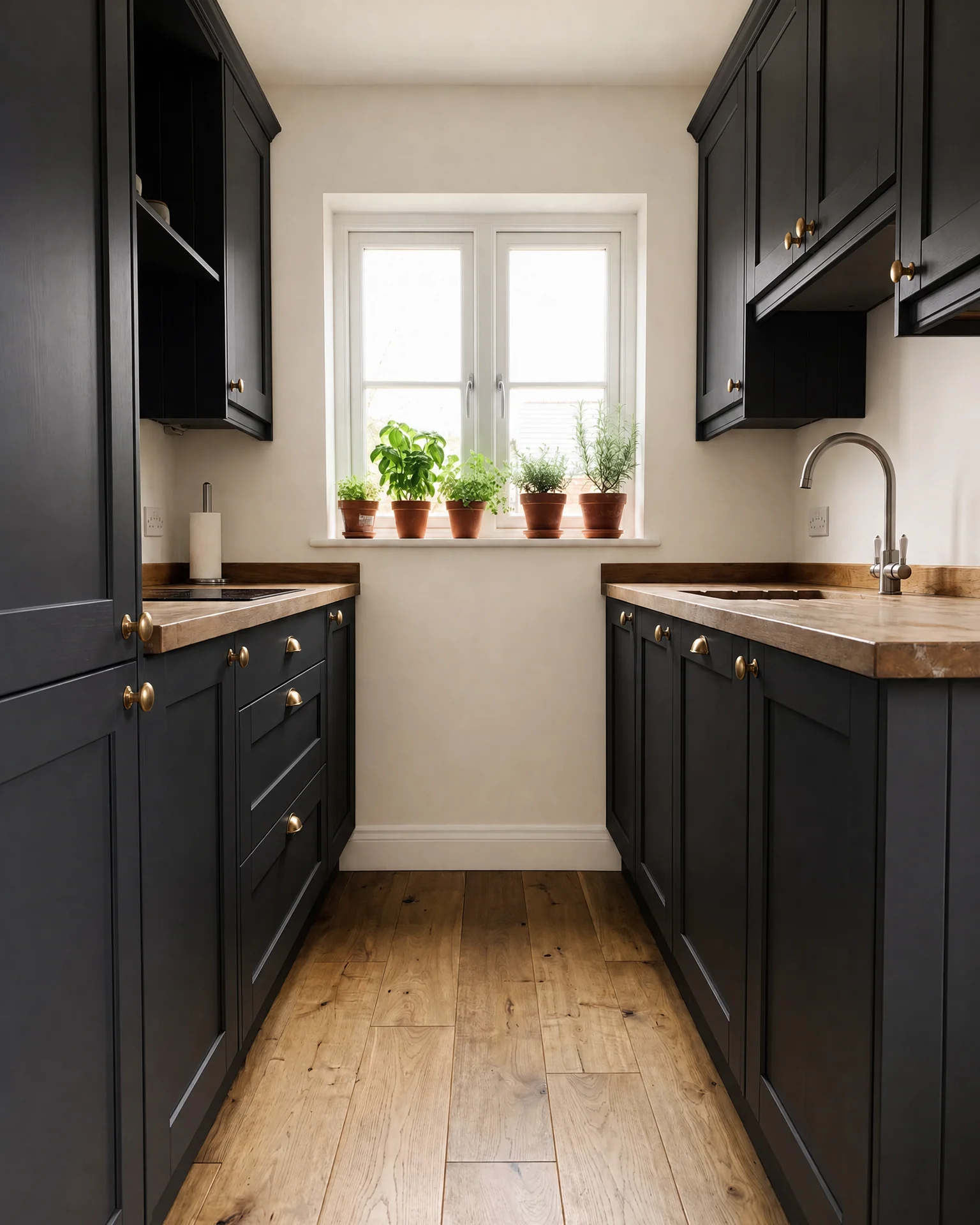
Edit this kitchen photo: make the cabinets matte black, the handles brass and the walls warm white. Leave the window, the plants and the wooden floor exactly as they are.
Try prompt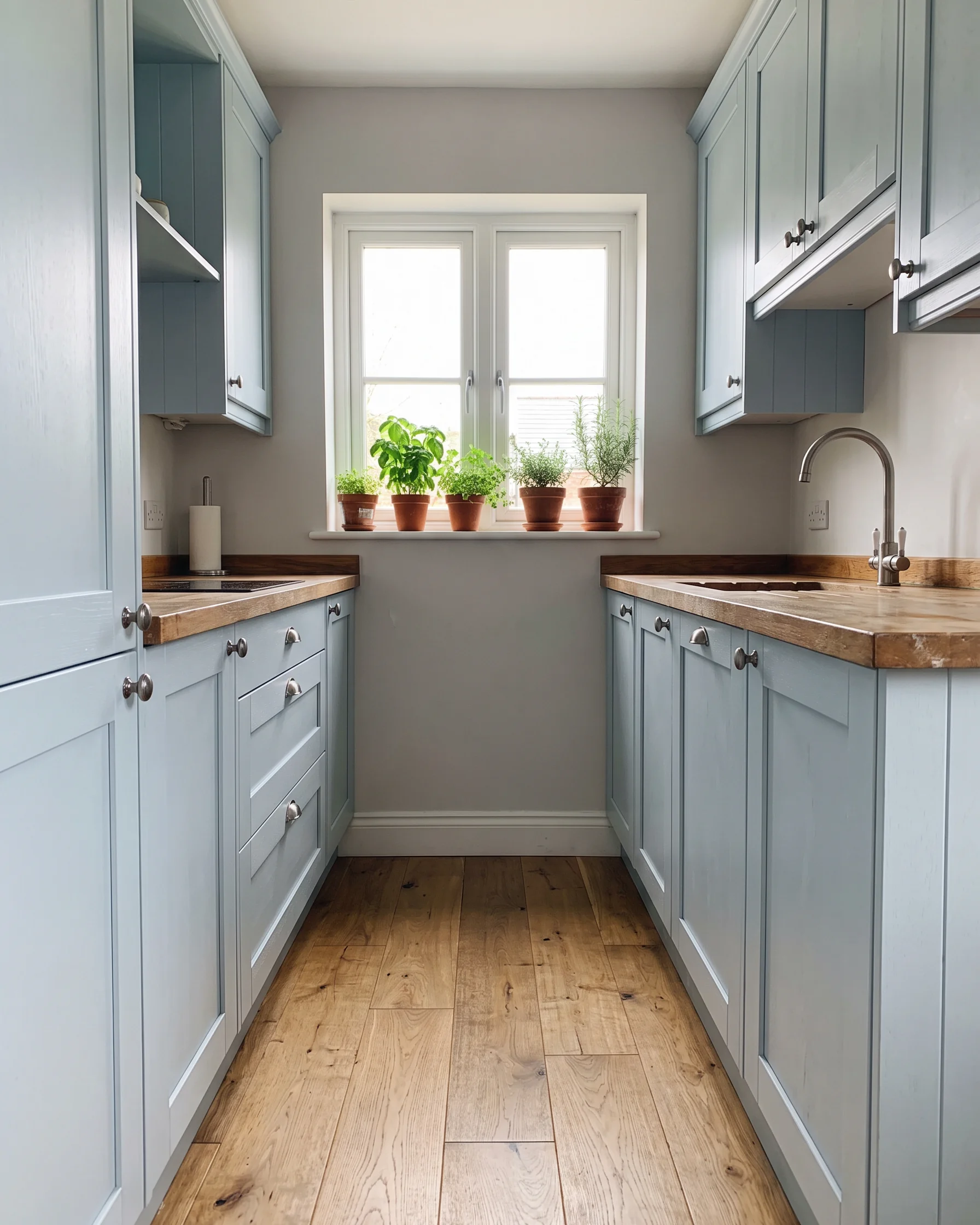
Smaller text that stays readable
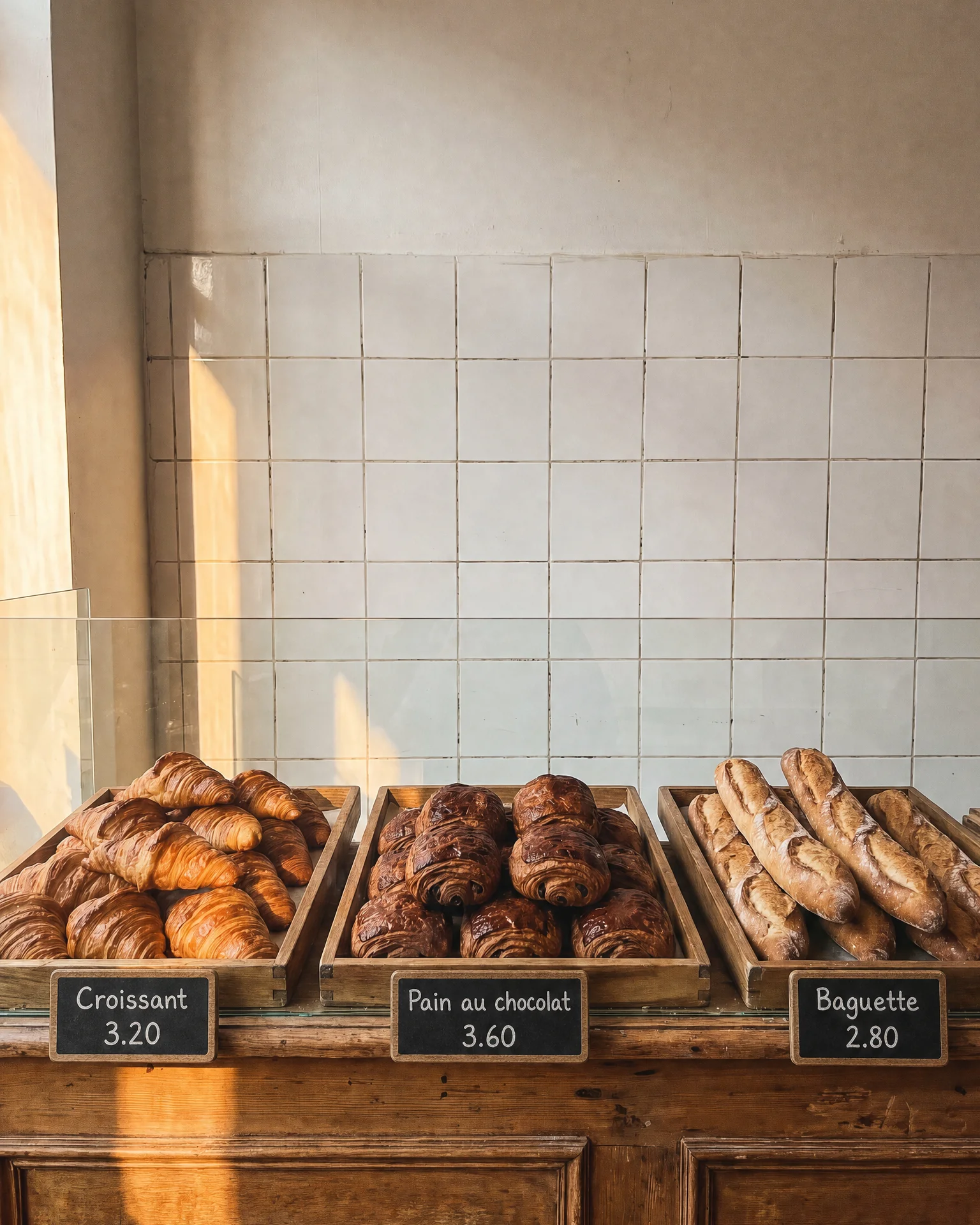
OpenAI lists "improved text rendering, particularly for denser and smaller text" for 1.5. That helps with price tags, menu lines and fine print that's easy to get wrong.
On this photo of a bakery counter, add small chalkboard price tags in front of each tray: "Croissant 3.20", "Pain au chocolat 3.60", "Baguette 2.80". Keep the trays and the light.
Try prompt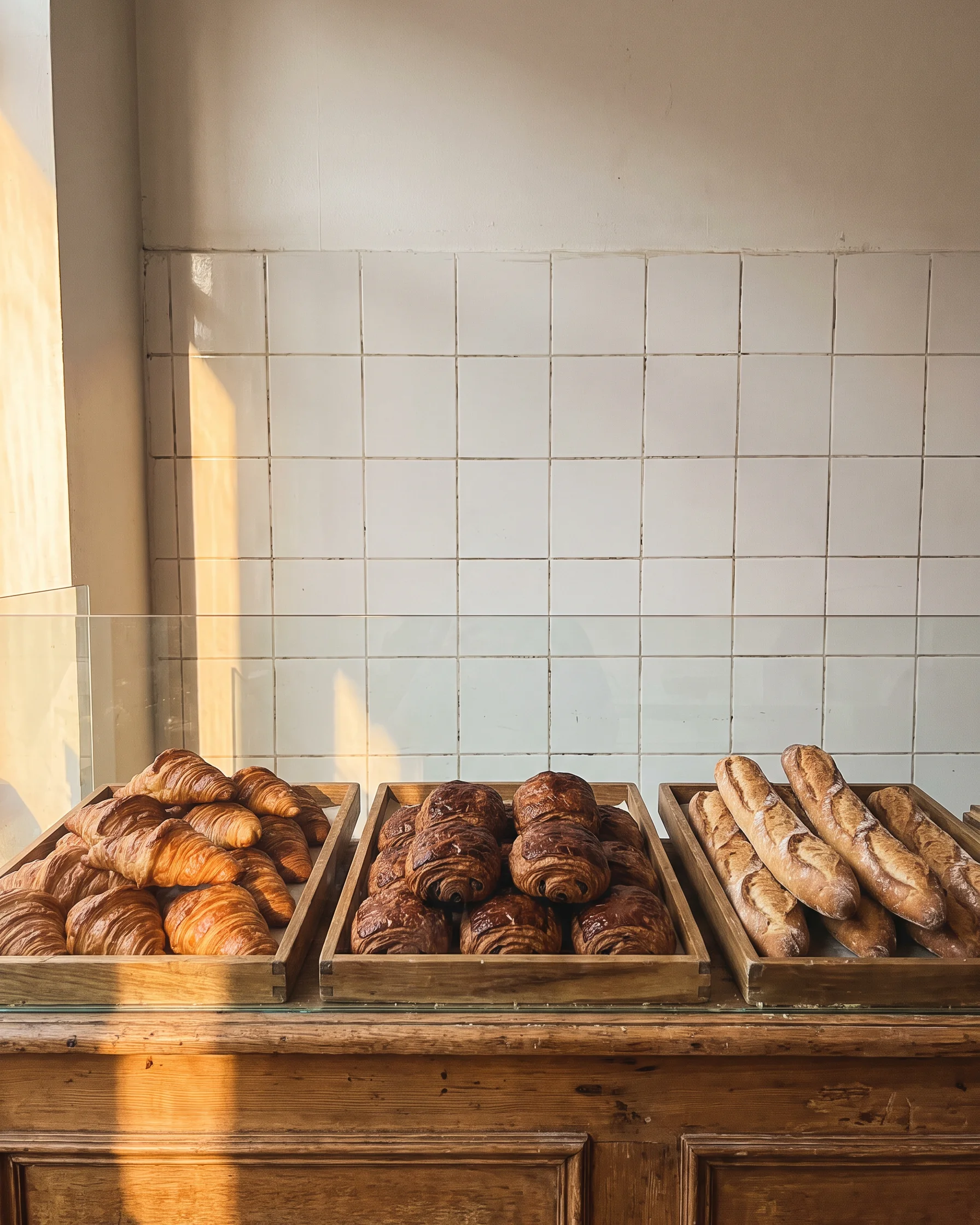
Up to four images in one edit
ImagineArt's edit mode for GPT Image 1.5 takes one to four images, so you can bring a logo, a product or a second photo into the scene you're editing.
Take the backpack from the second image and put it on the shoulder of the hiker in the first, same lighting as the mountain trail, and keep the hiker's face unchanged.
Try prompt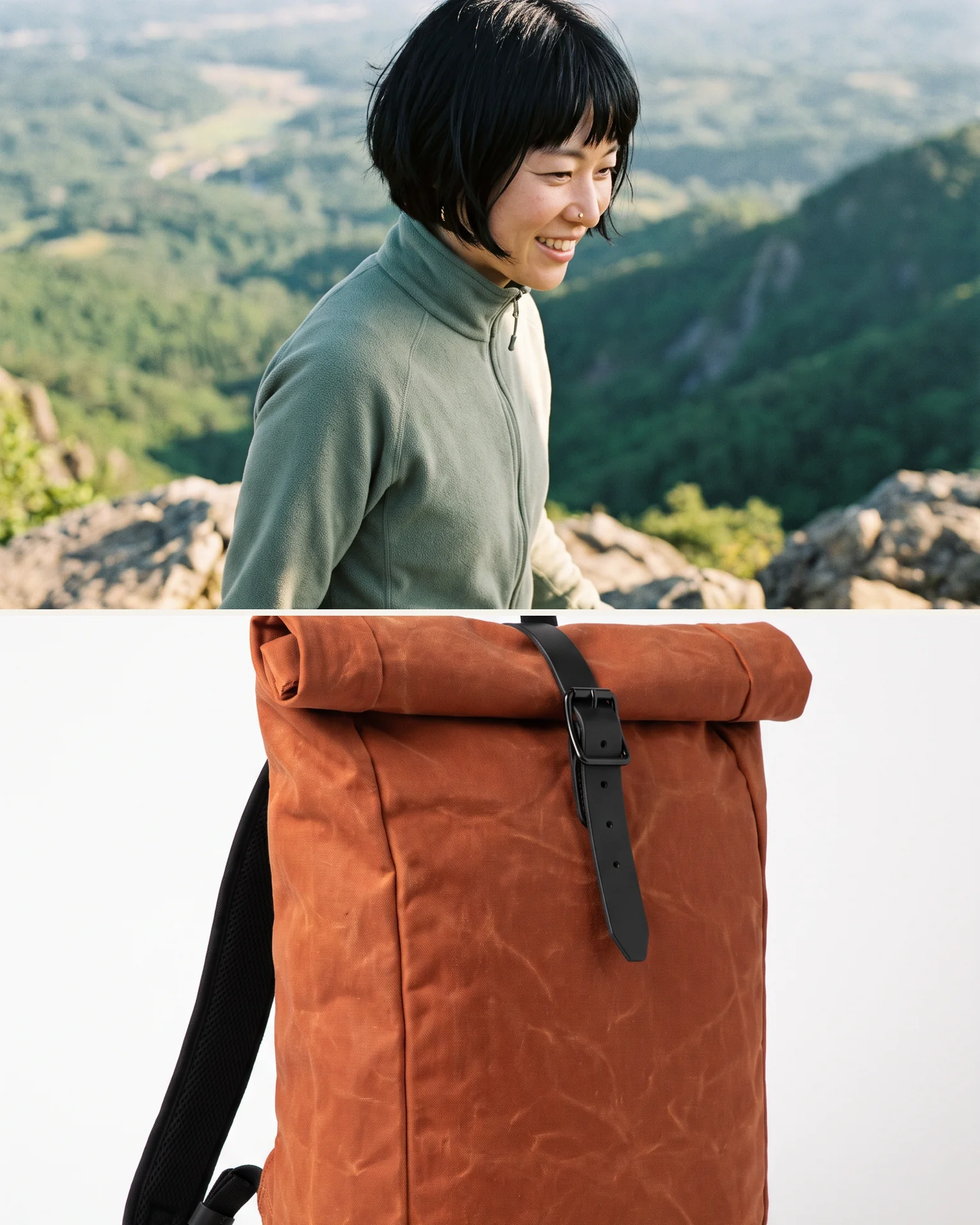
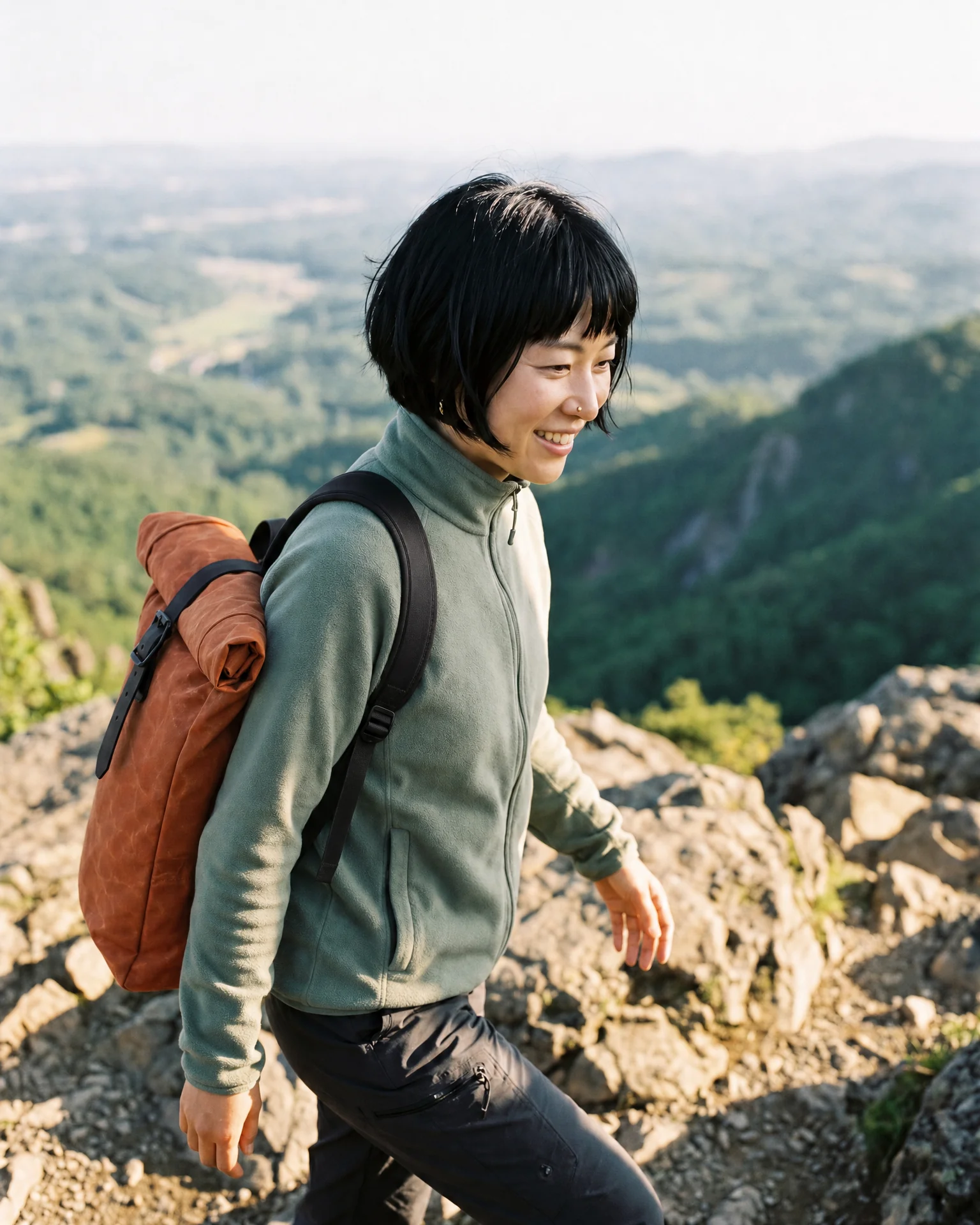
Edit with GPT Image 1.5 on ImagineArt: OpenAI's December 2025 model for precise changes that keep logos and faces, with sharper small text, from up to 4 images.
Start editing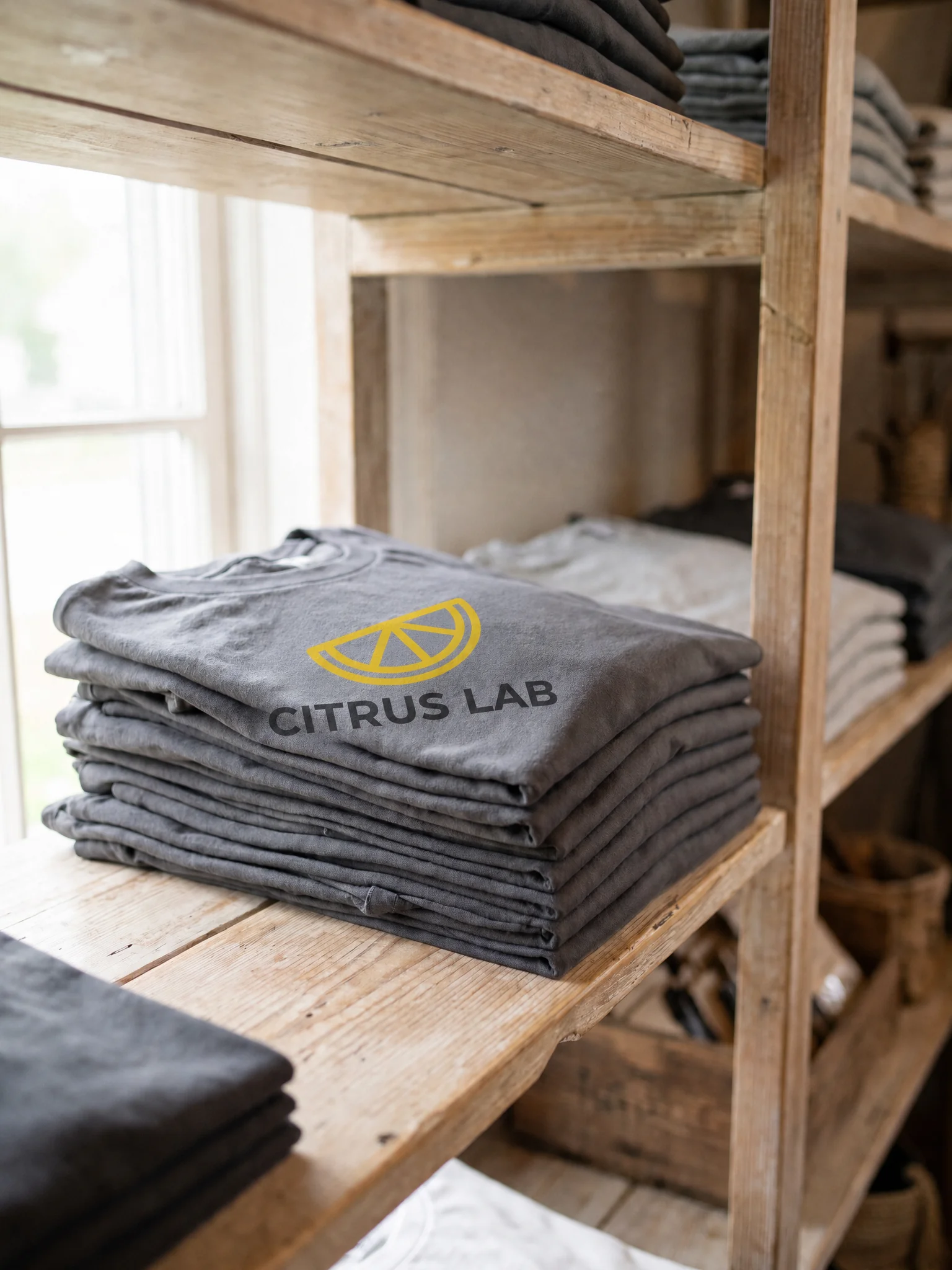
Brand placement in existing photos
A marketing coordinator can place the company logo on merchandise in photos the team already has, without a new shoot, and keep the logo's shape intact.
Team and staff photo touch-ups
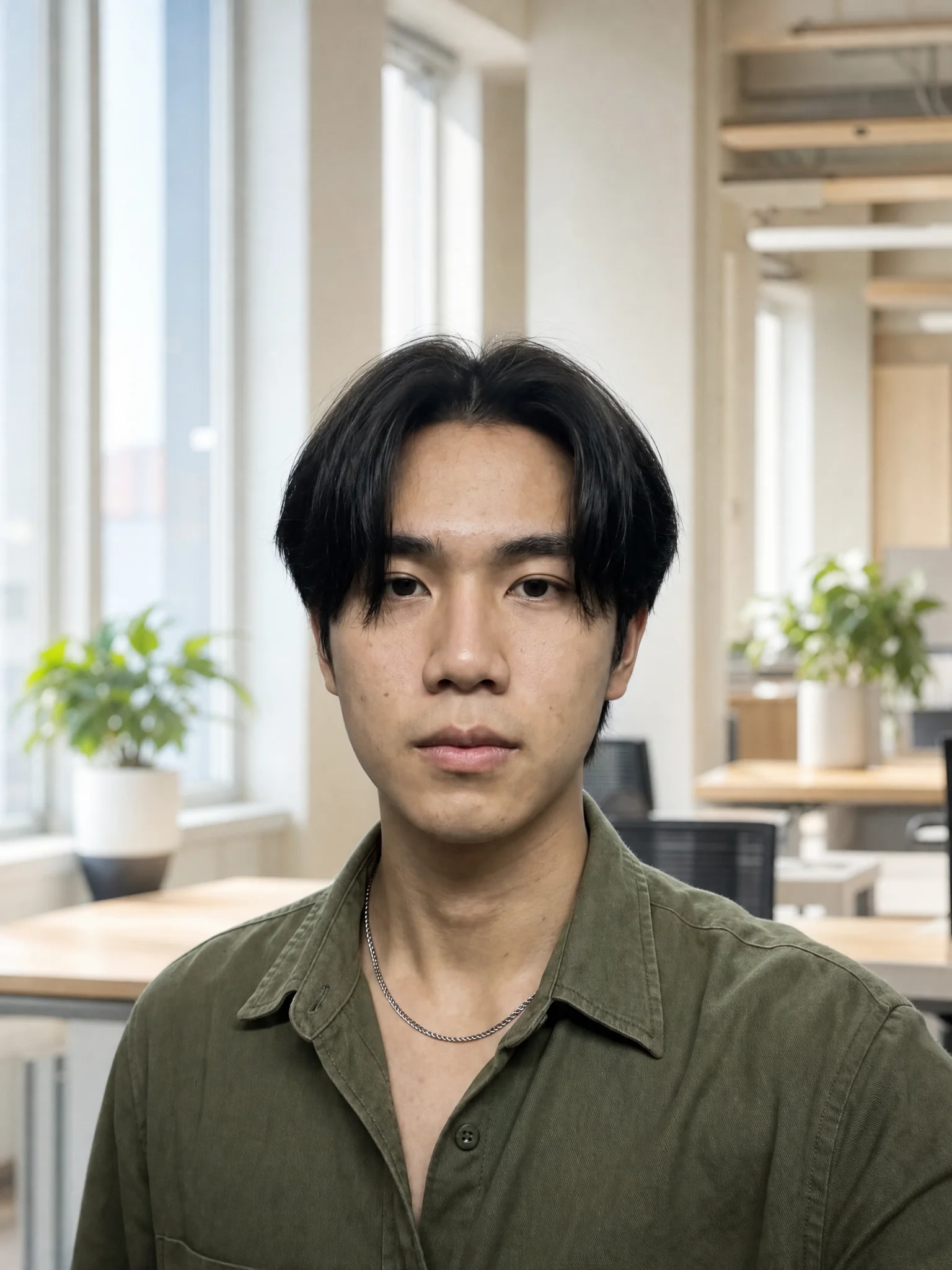
An HR team can change backgrounds or outfits in a set of staff photos for a website refresh, matching them to one office look, while asking the model to keep every face exactly as it is.
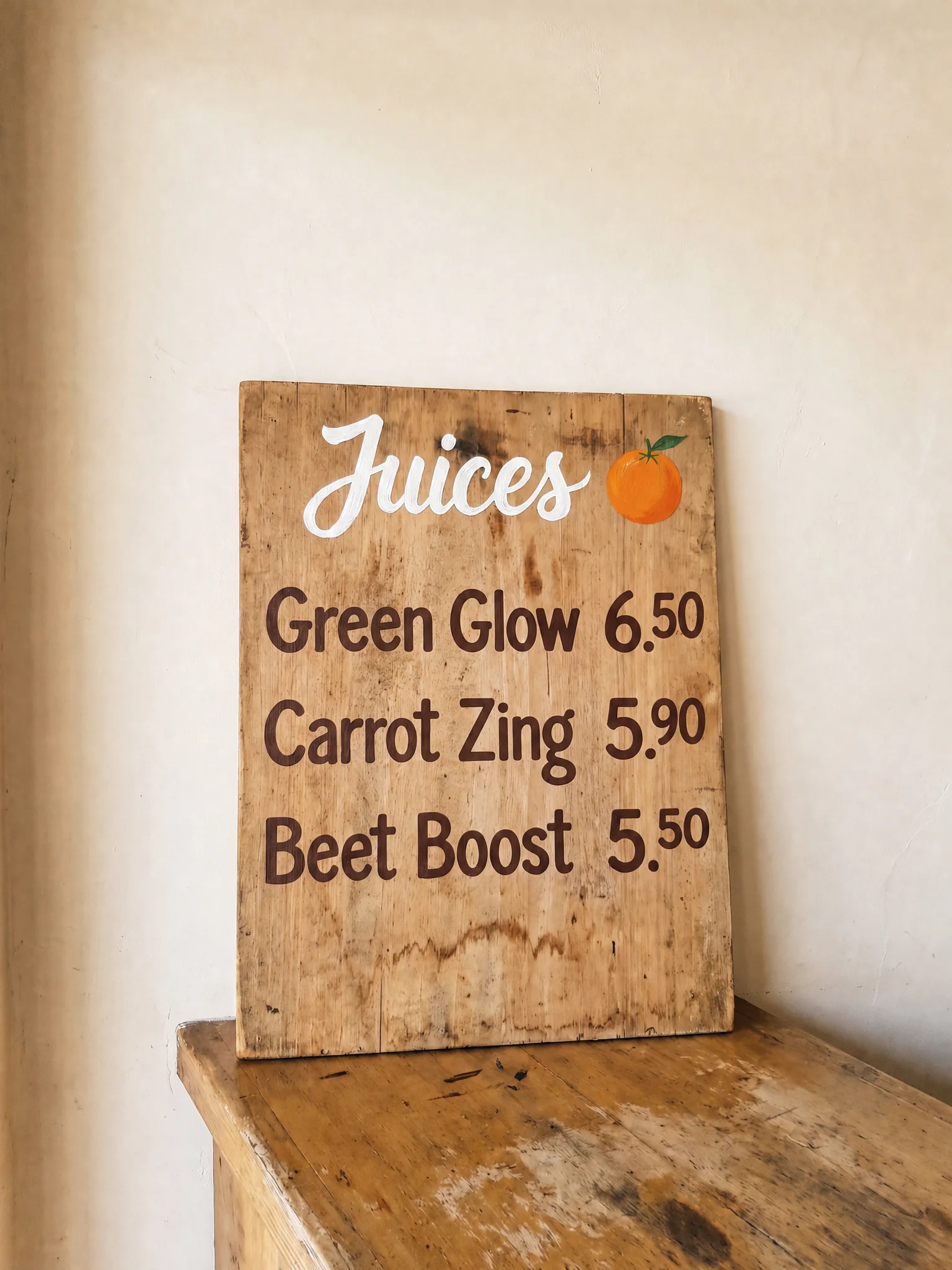
Menu and price updates
A café owner can update the small prices on a photographed menu board for the website or delivery app, changing a few numbers and asking for the same chalk style, instead of rewriting and reshooting the whole board.
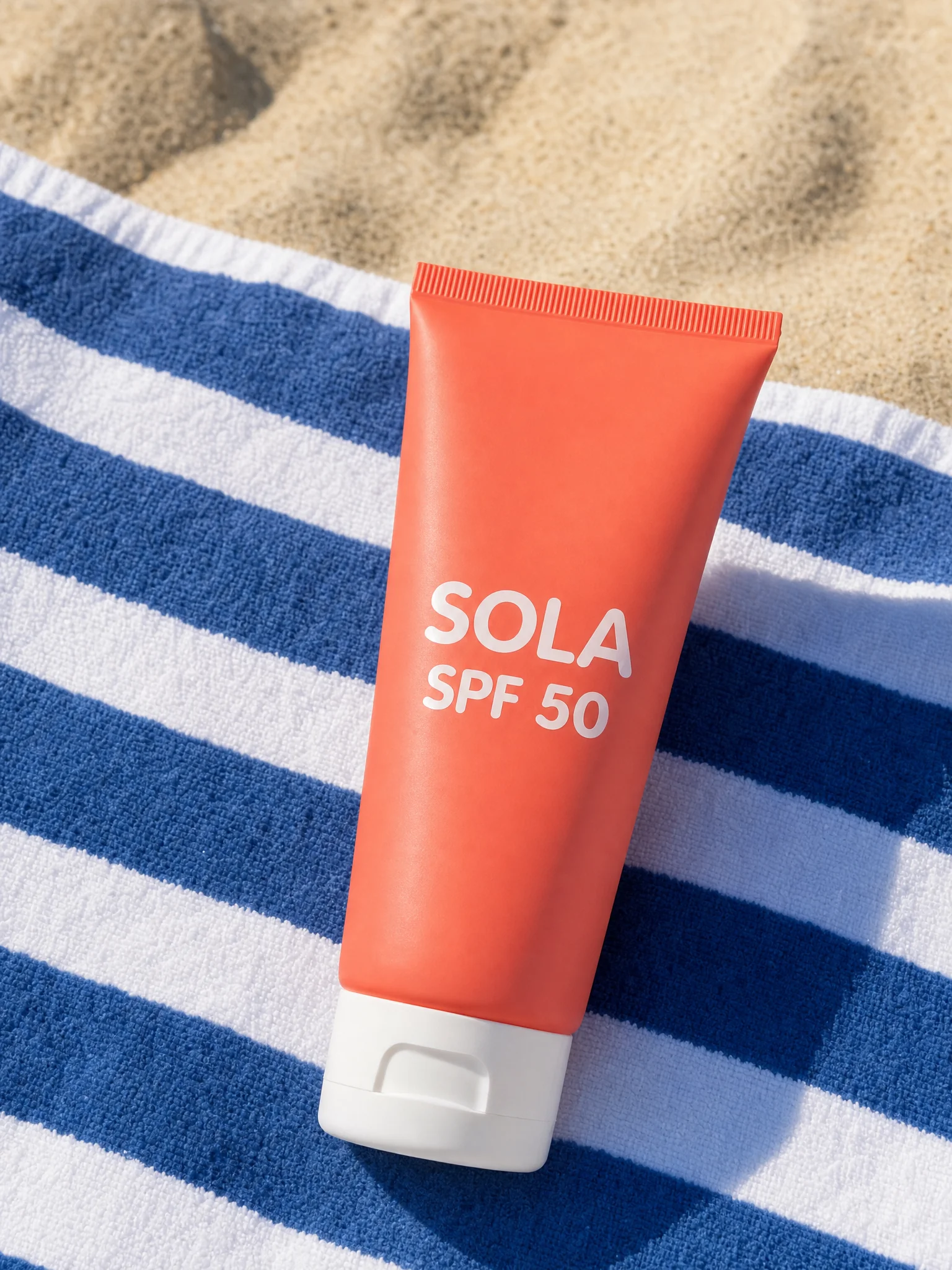
Product shots in new settings
An online seller can move a product from a plain white backdrop into a lifestyle scene, a kitchen counter or a beach towel, and ask for its logo and label to stay sharp and unchanged.
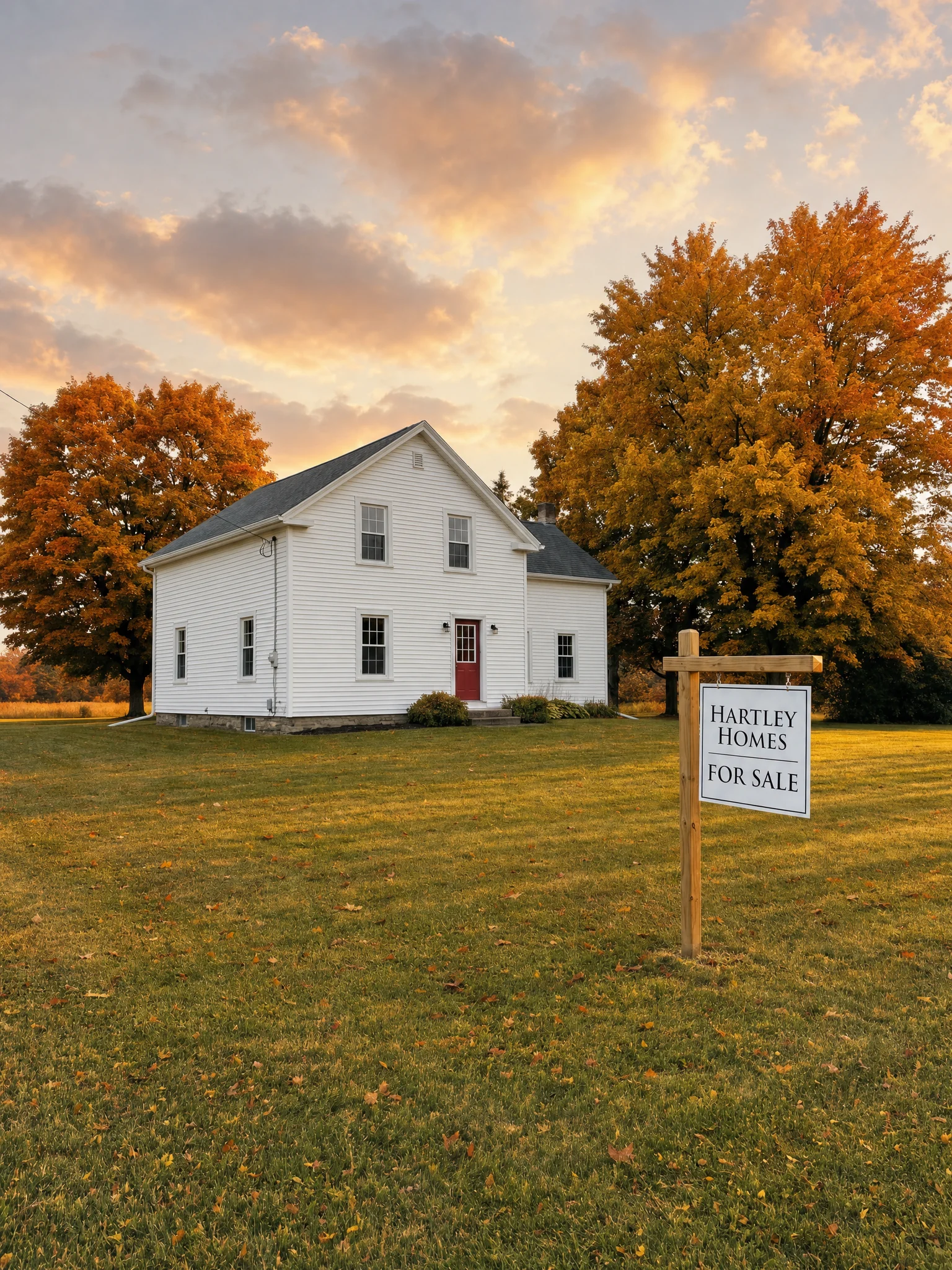
Real estate photo fixes
A real estate agent can change the sky or the season in a listing photo while asking for the brokerage logo on the yard sign to stay sharp and readable, and the house to stay as it was.
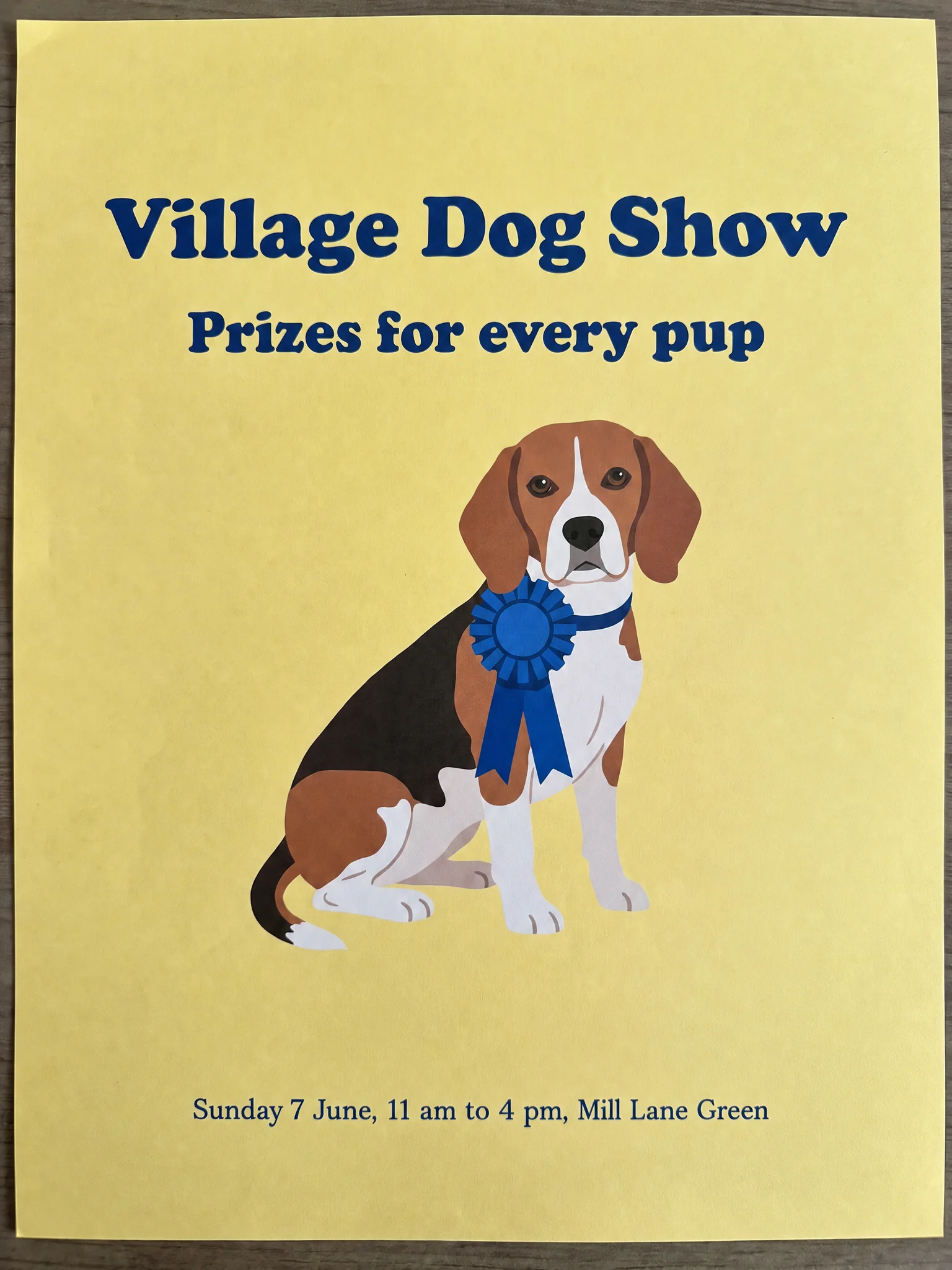
Flyers with small print
A community group or local club can add opening hours, a date or a short address line in small type to an existing flyer image, so the details stay readable without redesigning it.
Brand placement in existing photos
A marketing coordinator can place the company logo on merchandise in photos the team already has, without a new shoot, and keep the logo's shape intact.
Team and staff photo touch-ups
An HR team can change backgrounds or outfits in a set of staff photos for a website refresh, matching them to one office look, while asking the model to keep every face exactly as it is.
Menu and price updates
A café owner can update the small prices on a photographed menu board for the website or delivery app, changing a few numbers and asking for the same chalk style, instead of rewriting and reshooting the whole board.
Product shots in new settings
An online seller can move a product from a plain white backdrop into a lifestyle scene, a kitchen counter or a beach towel, and ask for its logo and label to stay sharp and unchanged.
Real estate photo fixes
A real estate agent can change the sky or the season in a listing photo while asking for the brokerage logo on the yard sign to stay sharp and readable, and the house to stay as it was.
Flyers with small print
A community group or local club can add opening hours, a date or a short address line in small type to an existing flyer image, so the details stay readable without redesigning it.
Reviews
What creators are saying
Real ratings, pulled live from Trustpilot, not hand-picked quotes.

"Imagine.art is hands down one of the best AI image generators I have used lately. The results are consistently high-quality, and the prompt accuracy is fantastic."
"The most important feature I like is face consistency. You can generate a face and use it across hundreds of images with very good accuracy."
"I love the image generation and have been using it to create some great tee shirt designs. The monthly cost is minimal compared to the benefits."
"ImagineArt has been a game changer for creating visuals that fit my brand quickly."
Plans
Simple pricing, no surprises
See exactly what a generation costs on your plan.
Free
USD 0 · per creator / month, billed annually
3000 credits / month
- 100 Daily credits
- In-house models only
- 36k credits per year
- 1 Fast Image concurrency
Basic
For newcomers taking their first steps
3K credits / month
- Up to ~97 video generations / month
- Up to ~600 image generations / month
- 10 image models · 9 video models
- 4 concurrent image generations
- General commercial terms
Ultimate
Peak performance for pros
16K credits / month
- Up to ~530 video generations / month
- Up to ~3.2k image generations / month
- All styles and models, including Kling 2.6 Pro and Seedance 1.5 Pro
- Everything in Standard, unlimited
- General commercial terms
Trusted by creative teams, designers and marketers.
Compare every plan and buy credit packs →FAQs
- What is GPT Image 1.5?
- GPT Image 1.5 is an image generation and editing model from OpenAI, rolled out from December 16, 2025, in ChatGPT and on OpenAI's platform. OpenAI highlighted more precise editing, logos and faces that hold up, and better small text.
- Is GPT Image 1.5 still OpenAI's current model?
- No. OpenAI now calls it its previous image model. GPT Image 2 arrived in April 2026 with stronger structured layouts, better multilingual text and more aspect ratios, and GPT Image 2.5 followed in September. OpenAI is retiring 1.5 from its own developer platform on December 1, 2026. GPT Image 2 and 2.5 are both on ImagineArt.
- How does GPT Image 1.5 rank?
- On Artificial Analysis, checked October 14, 2026, it sat in the top 10 for text-to-image and 12th for image editing, behind OpenAI's newer GPT Image 2 and 2.5. Rankings move as new models arrive.
- Why does ImagineArt call it "Chatgpt 1.5"?
- It's the same OpenAI model, also searched as ChatGPT Image 1.5. ImagineArt's image tool lists it as Chatgpt 1.5, and Workflow lists it as GPT Image 1.5. Both create from text and edit your images.
- Is GPT Image 1.5 free on ImagineArt?
- No. GPT Image 1.5 is only open to paid ImagineArt plans; the free credits cover a short list of models such as ImagineArt 1.0 Lite and Flux Dev. See the pricing page.
- What sizes and inputs does GPT Image 1.5 support?
- Text-to-image outputs at 1K in three shapes: 1:1, 2:3 and 3:2. Edit mode in the image tool takes one to four images. Workflow's GPT Image 1.5 node creates from text, or edits with one optional reference image, in the same three shapes.
Resources
Built for a full production
Change the part that's wrong
Upload the photo, name the change, and ask GPT Image 1.5 to keep the logo and the faces where they were.