Flux Kontext AI photo editor
Now on ImagineArt
Change the one thing you name. Leave the rest of the photo alone.
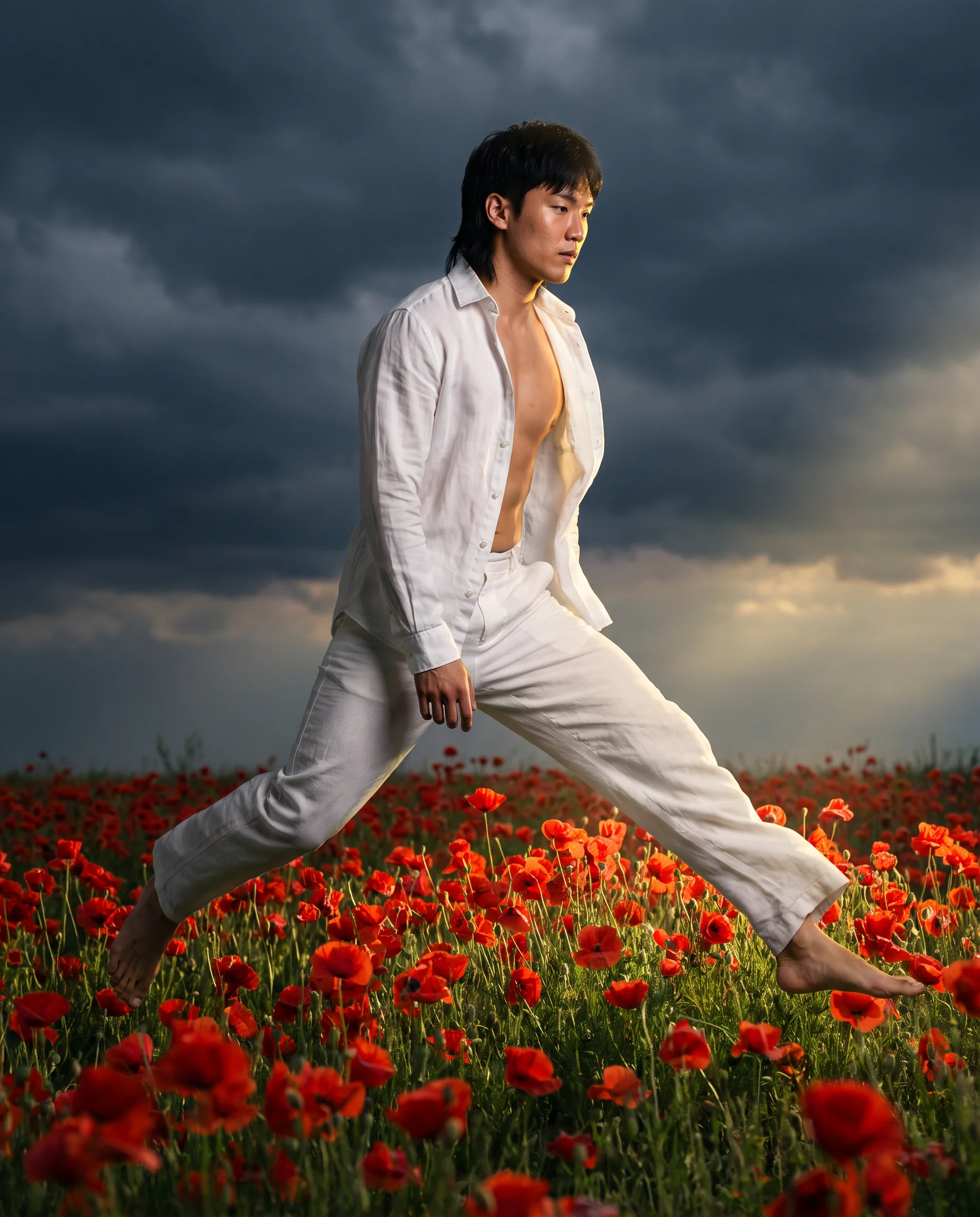
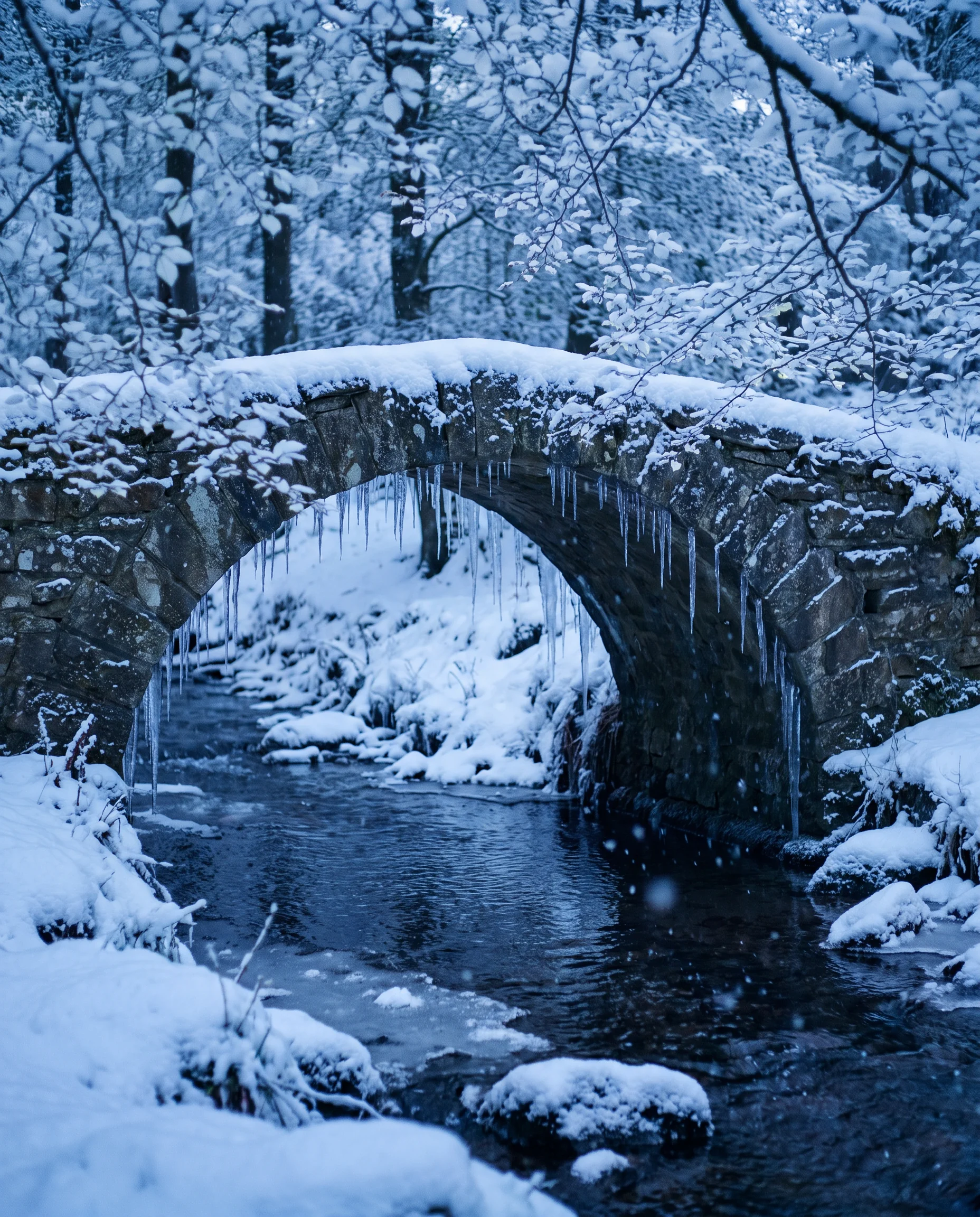
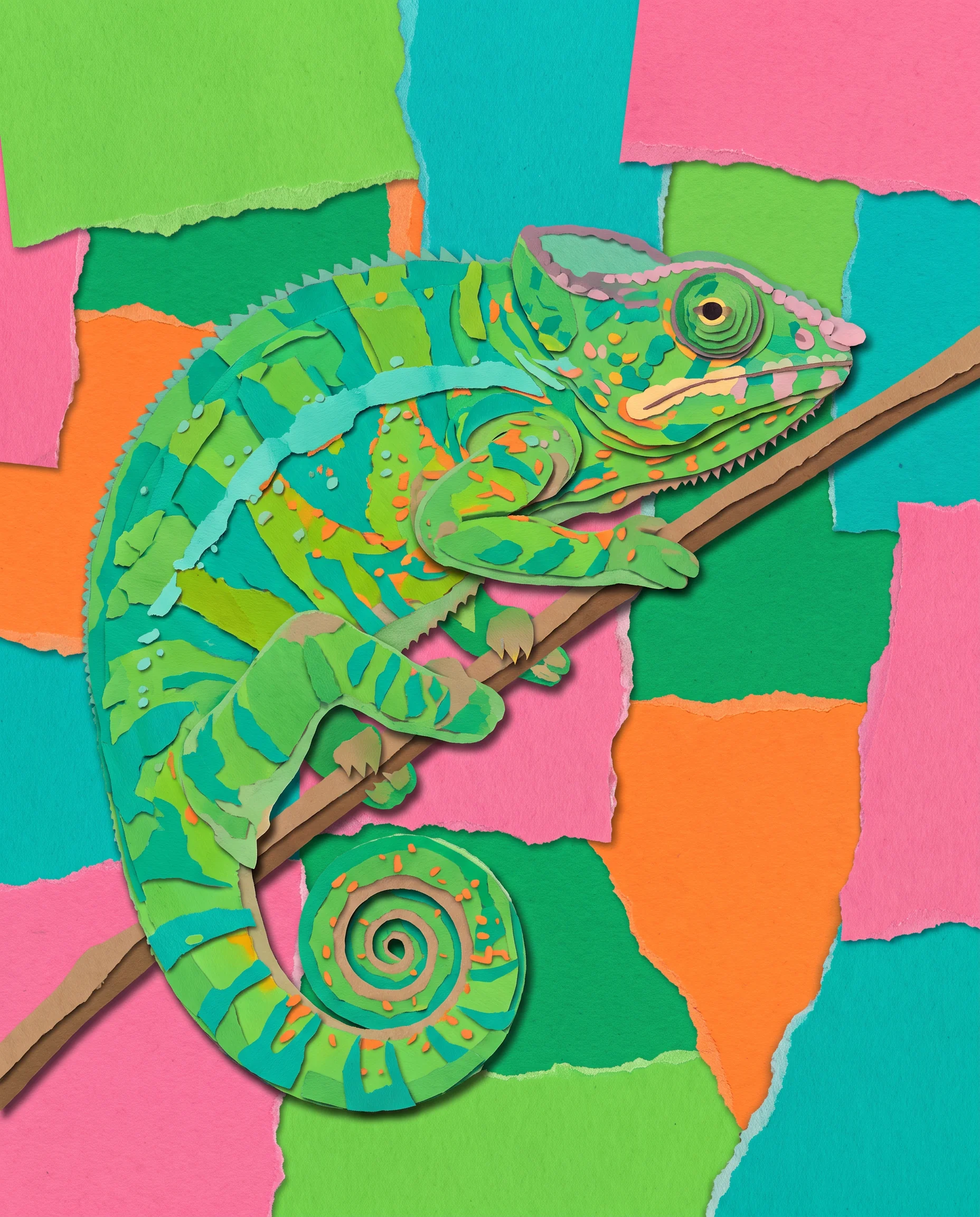
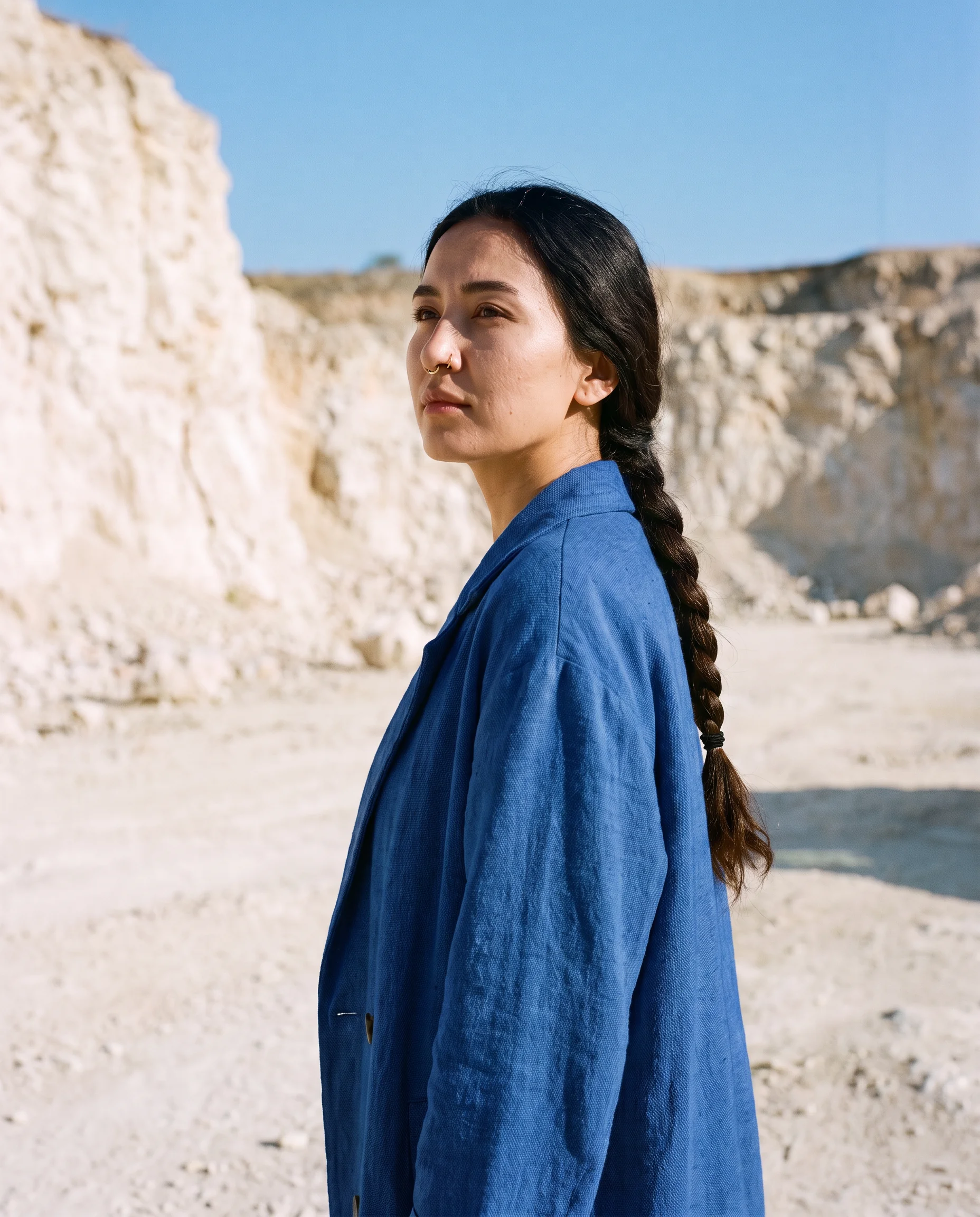
See Flux Kontext in action
Prompts to try first
Flux Kontext
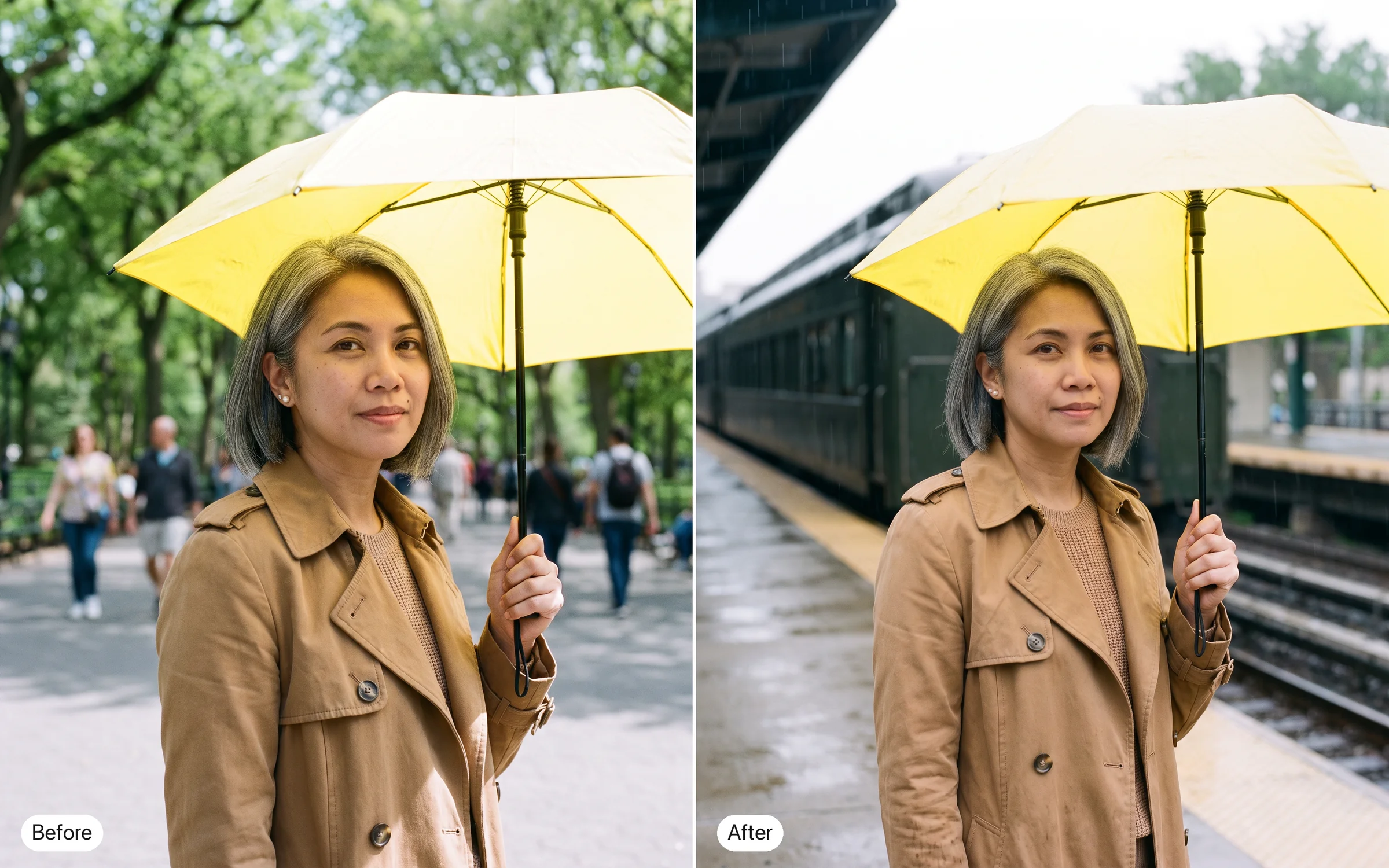
Put the same woman on a train platform in the rain, holding the same yellow umbrella.
Try prompt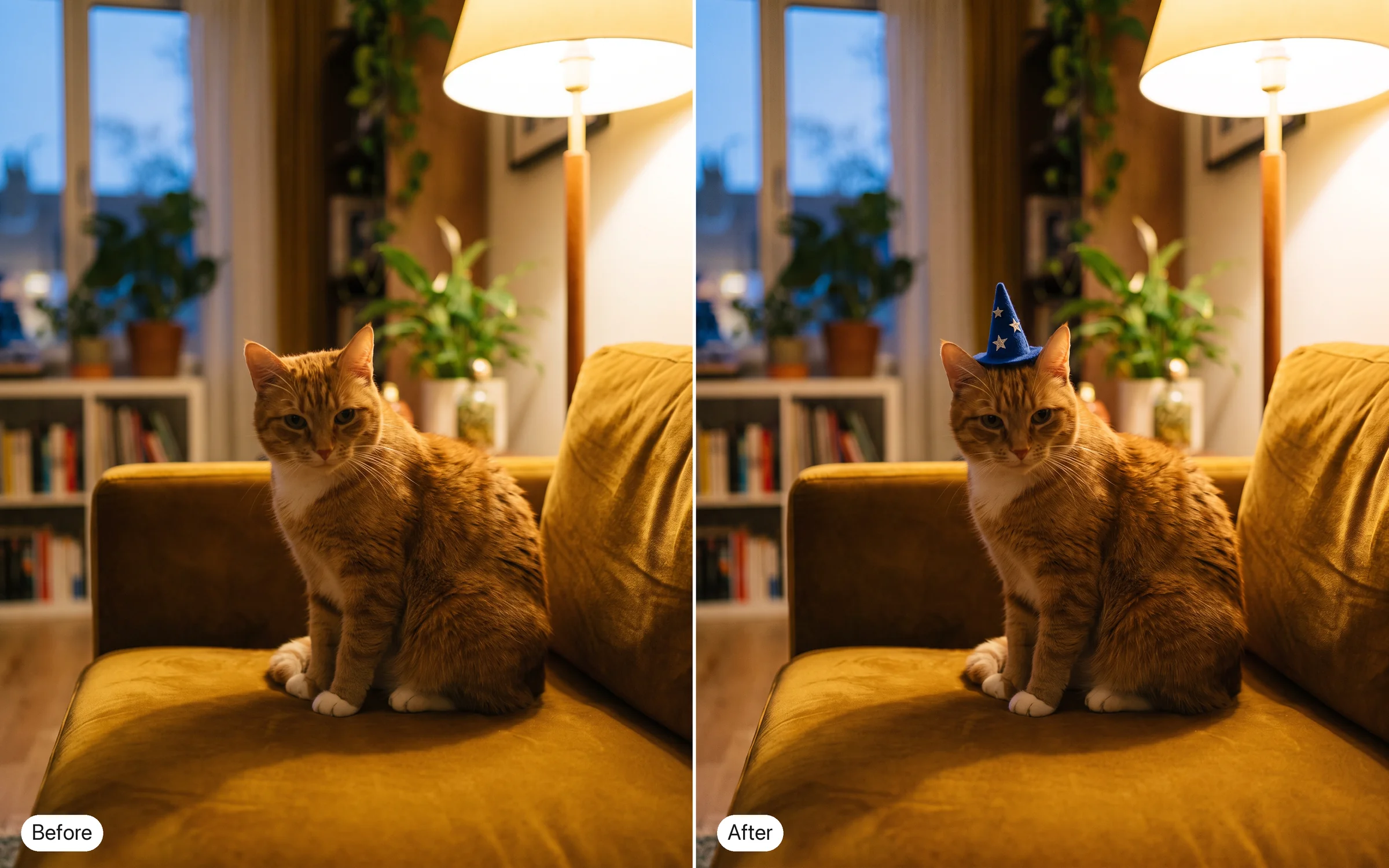
Give the cat in this photo a tiny wizard hat. Keep its face, the sofa and the light.
Try prompt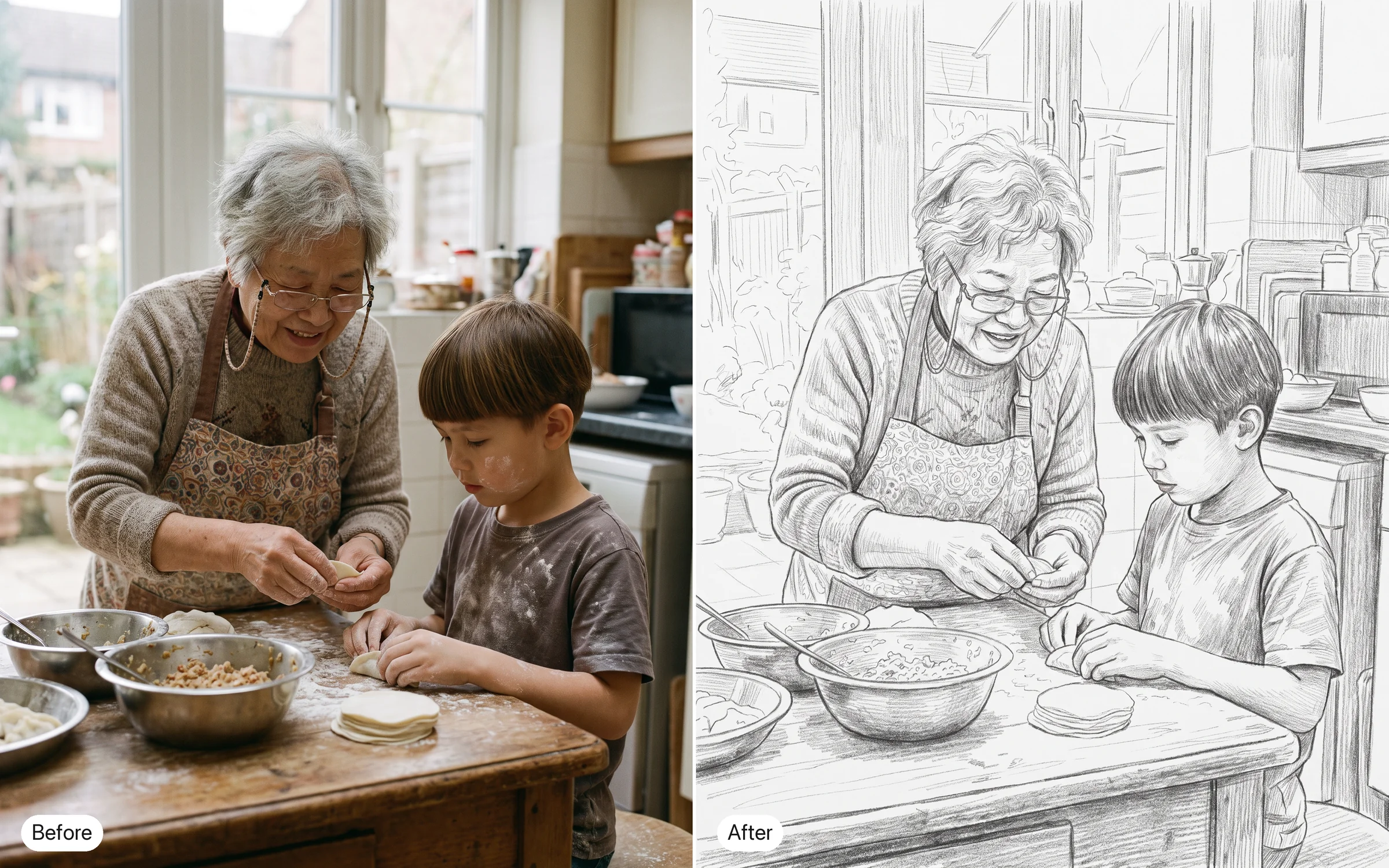
Turn this photo into a pencil sketch, with the composition unchanged.
Try prompt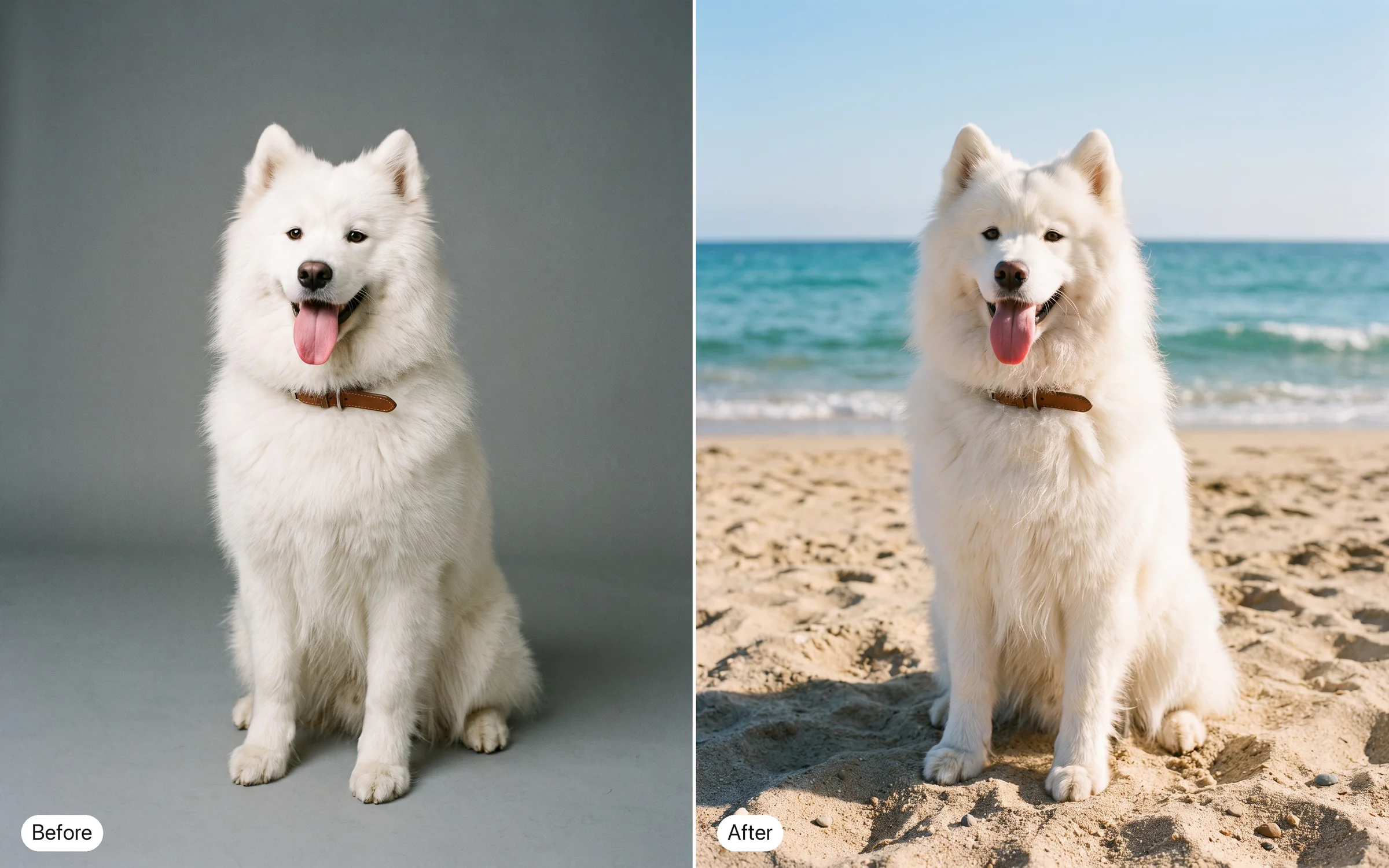
Swap the plain gray background for a sunny beach. Keep the dog's pose and fur exactly.
Try prompt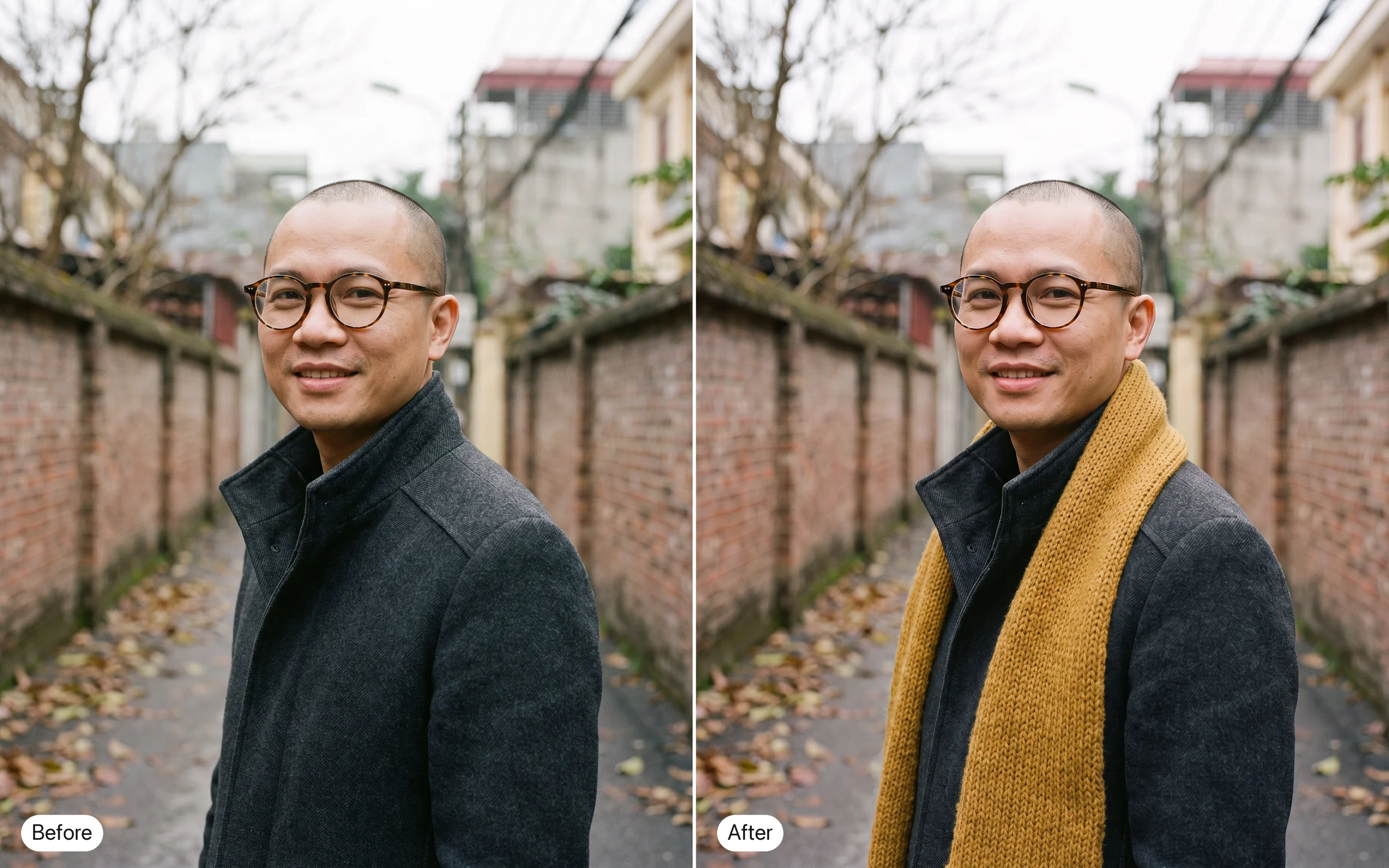
Add a knitted scarf to the man. Change nothing else.
Try prompt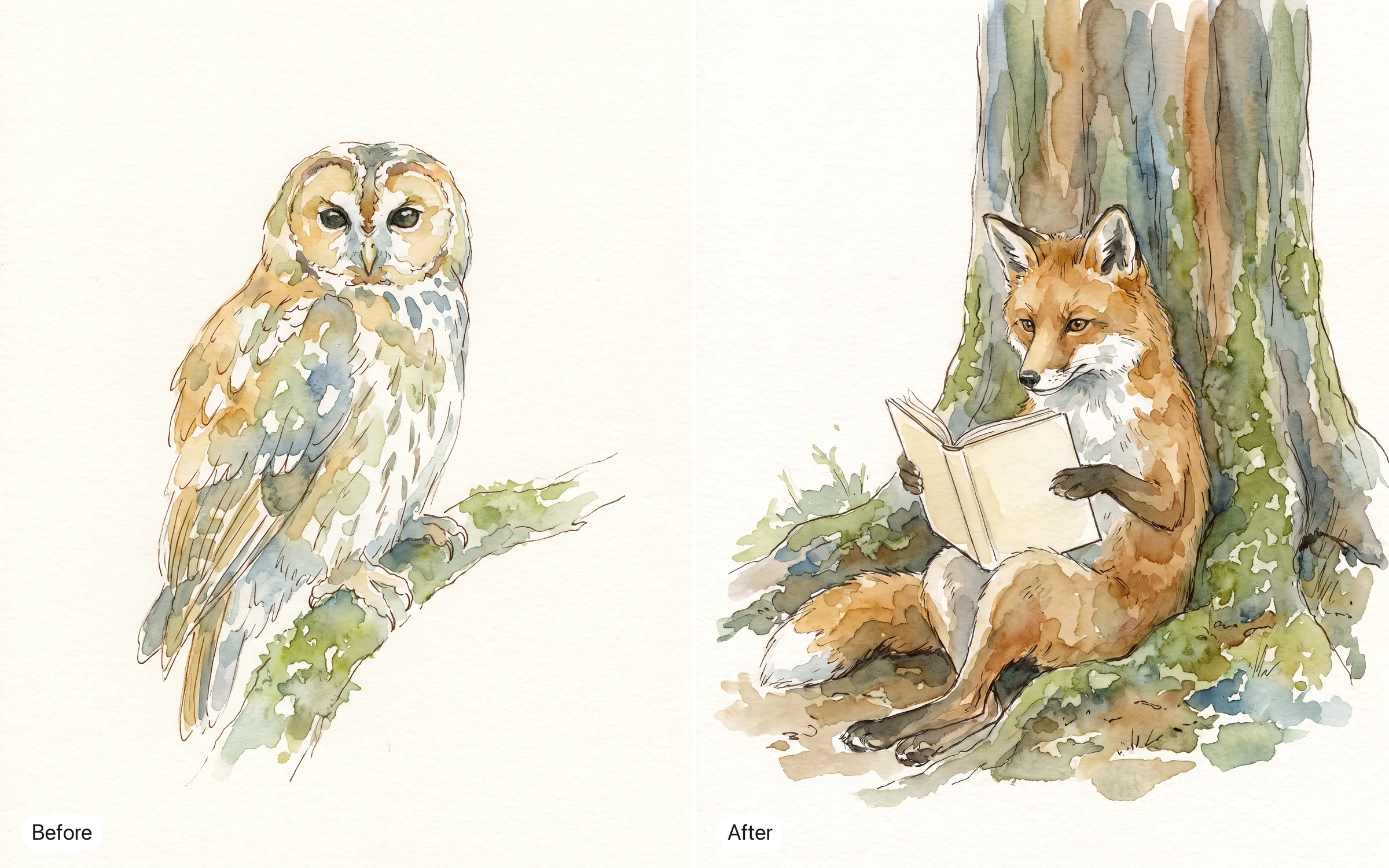
Draw a new scene in the same watercolor style as this image: a fox reading under a tree.
Try promptPut the same woman on a train platform in the rain, holding the same yellow umbrella.
Try promptGive the cat in this photo a tiny wizard hat. Keep its face, the sofa and the light.
Try promptTurn this photo into a pencil sketch, with the composition unchanged.
Try promptSwap the plain gray background for a sunny beach. Keep the dog's pose and fur exactly.
Try promptAdd a knitted scarf to the man. Change nothing else.
Try promptDraw a new scene in the same watercolor style as this image: a fox reading under a tree.
Try promptPut the same woman on a train platform in the rain, holding the same yellow umbrella.
Try promptGive the cat in this photo a tiny wizard hat. Keep its face, the sofa and the light.
Try promptTurn this photo into a pencil sketch, with the composition unchanged.
Try promptSwap the plain gray background for a sunny beach. Keep the dog's pose and fur exactly.
Try promptAdd a knitted scarf to the man. Change nothing else.
Try promptDraw a new scene in the same watercolor style as this image: a fox reading under a tree.
Try promptPut the same woman on a train platform in the rain, holding the same yellow umbrella.
Try promptGive the cat in this photo a tiny wizard hat. Keep its face, the sofa and the light.
Try promptTurn this photo into a pencil sketch, with the composition unchanged.
Try promptSwap the plain gray background for a sunny beach. Keep the dog's pose and fur exactly.
Try promptAdd a knitted scarf to the man. Change nothing else.
Try promptDraw a new scene in the same watercolor style as this image: a fox reading under a tree.
Try promptPut the same woman on a train platform in the rain, holding the same yellow umbrella.
Try promptTurn this photo into a pencil sketch, with the composition unchanged.
Try promptSwap the plain gray background for a sunny beach. Keep the dog's pose and fur exactly.
Try promptAdd a knitted scarf to the man. Change nothing else.
Try promptDraw a new scene in the same watercolor style as this image: a fox reading under a tree.
Try prompt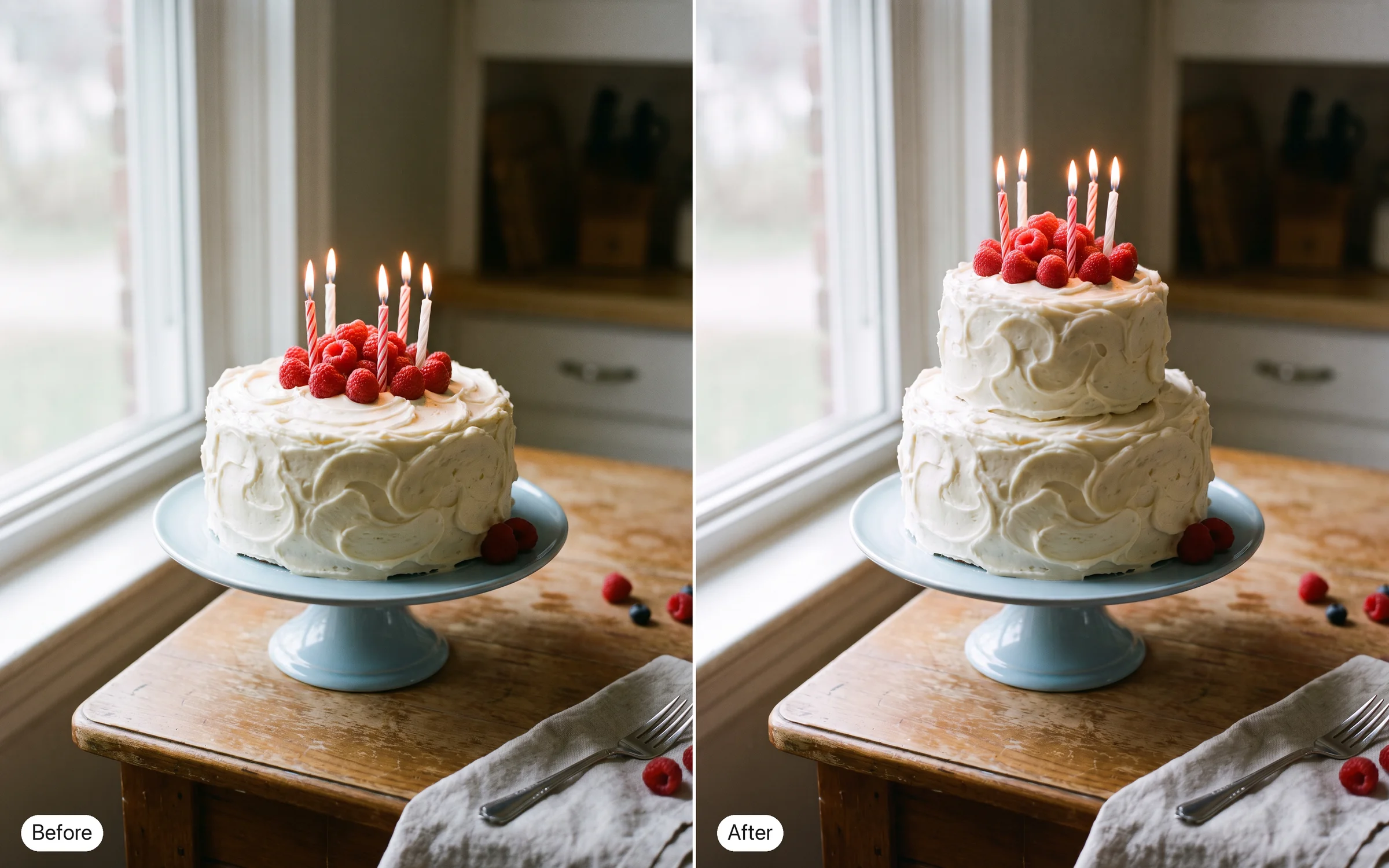
Make the cake two tiers tall. Keep the plate, the candles and the table.
Try prompt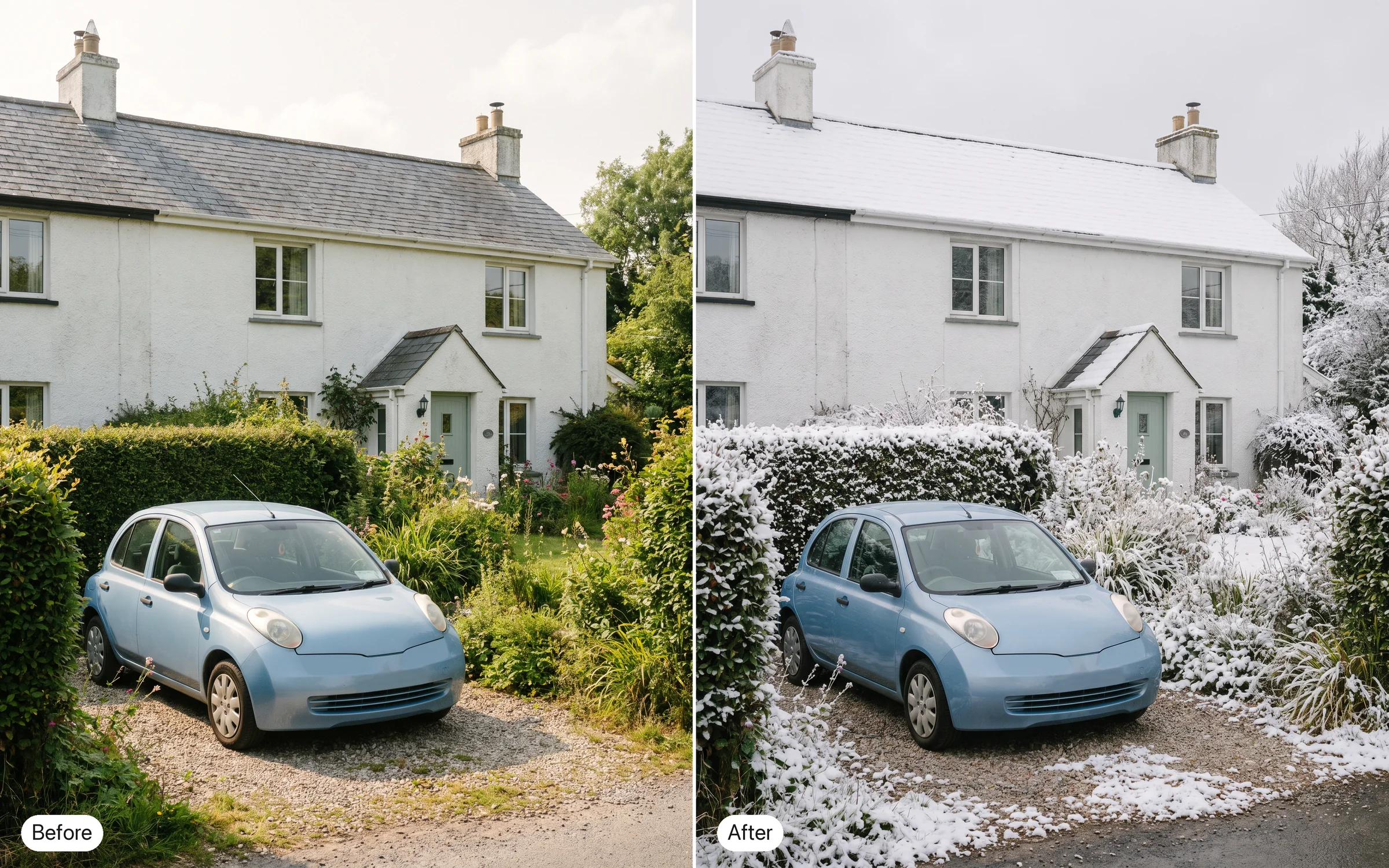
Change the season to winter: snow on the roof and the hedge. Keep the house and the car the same.
Try promptGive the cat in this photo a tiny wizard hat. Keep its face, the sofa and the light.
Try promptPut the same woman on a train platform in the rain, holding the same yellow umbrella.
Try promptTurn this photo into a pencil sketch, with the composition unchanged.
Try promptSwap the plain gray background for a sunny beach. Keep the dog's pose and fur exactly.
Try promptAdd a knitted scarf to the man. Change nothing else.
Try promptDraw a new scene in the same watercolor style as this image: a fox reading under a tree.
Try promptMake the cake two tiers tall. Keep the plate, the candles and the table.
Try promptChange the season to winter: snow on the roof and the hedge. Keep the house and the car the same.
Try promptGive the cat in this photo a tiny wizard hat. Keep its face, the sofa and the light.
Try promptPut the same woman on a train platform in the rain, holding the same yellow umbrella.
Try promptTurn this photo into a pencil sketch, with the composition unchanged.
Try promptSwap the plain gray background for a sunny beach. Keep the dog's pose and fur exactly.
Try promptAdd a knitted scarf to the man. Change nothing else.
Try promptDraw a new scene in the same watercolor style as this image: a fox reading under a tree.
Try promptMake the cake two tiers tall. Keep the plate, the candles and the table.
Try promptChange the season to winter: snow on the roof and the hedge. Keep the house and the car the same.
Try promptGive the cat in this photo a tiny wizard hat. Keep its face, the sofa and the light.
Try promptPut the same woman on a train platform in the rain, holding the same yellow umbrella.
Try promptTurn this photo into a pencil sketch, with the composition unchanged.
Try promptSwap the plain gray background for a sunny beach. Keep the dog's pose and fur exactly.
Try promptAdd a knitted scarf to the man. Change nothing else.
Try promptDraw a new scene in the same watercolor style as this image: a fox reading under a tree.
Try promptMake the cake two tiers tall. Keep the plate, the candles and the table.
Try promptChange the season to winter: snow on the roof and the hedge. Keep the house and the car the same.
Try promptGive the cat in this photo a tiny wizard hat. Keep its face, the sofa and the light.
Try prompt
Try Flux Kontext on ImagineArt
Edit photos with Flux Kontext on ImagineArt: Black Forest Labs' May 2025 model changes one detail you name and leaves the rest of the image as it was.
Bring the photo first
On ImagineArt, every Kontext option works on an image you upload, not from a blank page.
Upload your image
In the image tool, pick Flux Kontext Max Multi and add 1 to 3 photos.
Name the change
Say what to change and what to keep, in one plain sentence.
Choose the frame and run it
Pick one of seven aspect ratios, then edit again from the result if you need a second change.
Change one thing, keep the rest
Black Forest Labs built Kontext for "targeted modifications of specific elements in an image without affecting the rest." Its own test set, KontextBench, has 1,026 image and prompt pairs, split into local edits, global edits, character and style references, and text edits.
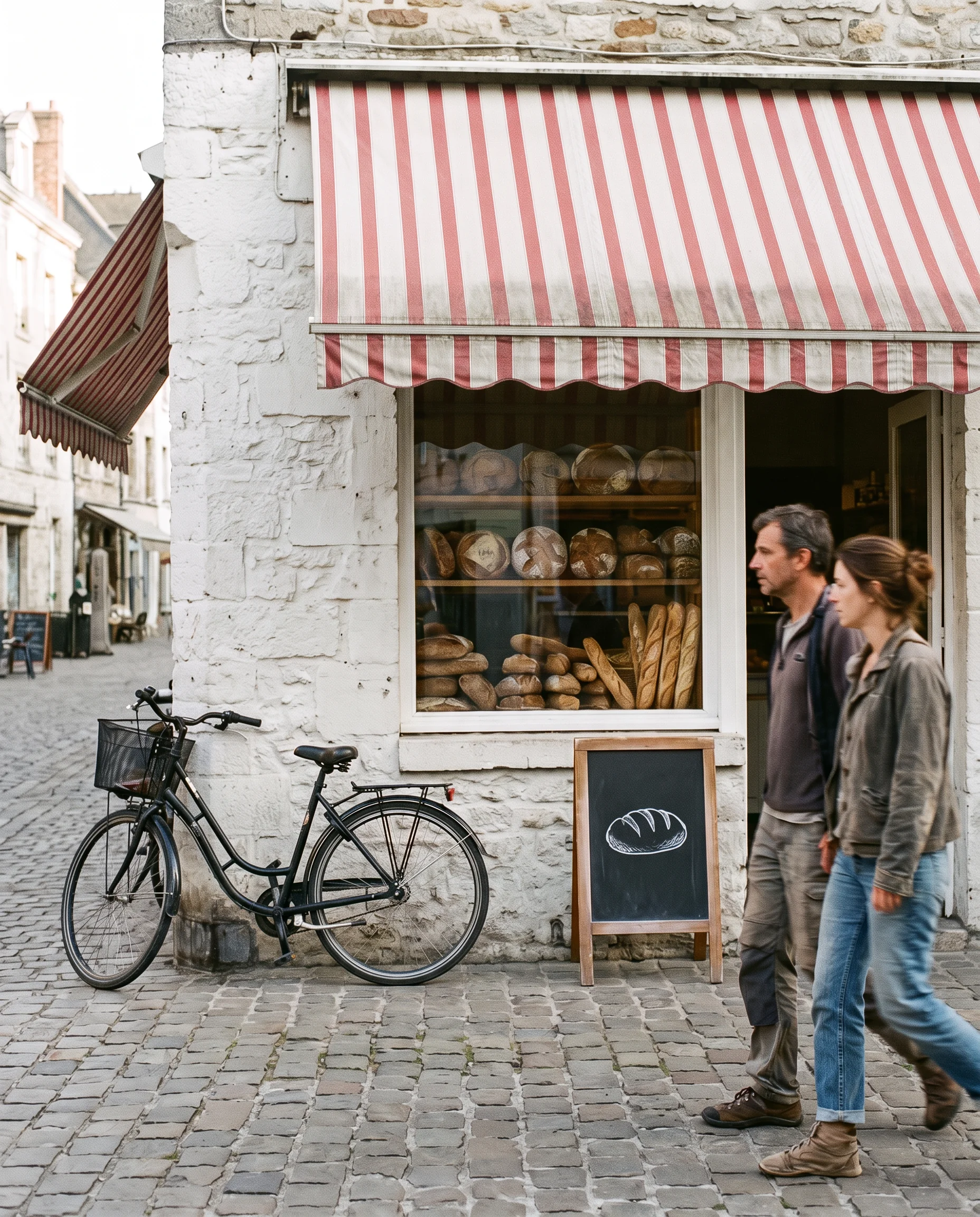
Change the bakery's awning from blue and white stripes to red and white stripes. Keep the window display of bread, the bicycle leaning on the wall, the chalkboard sign and the people on the pavement exactly as they are.
Try prompt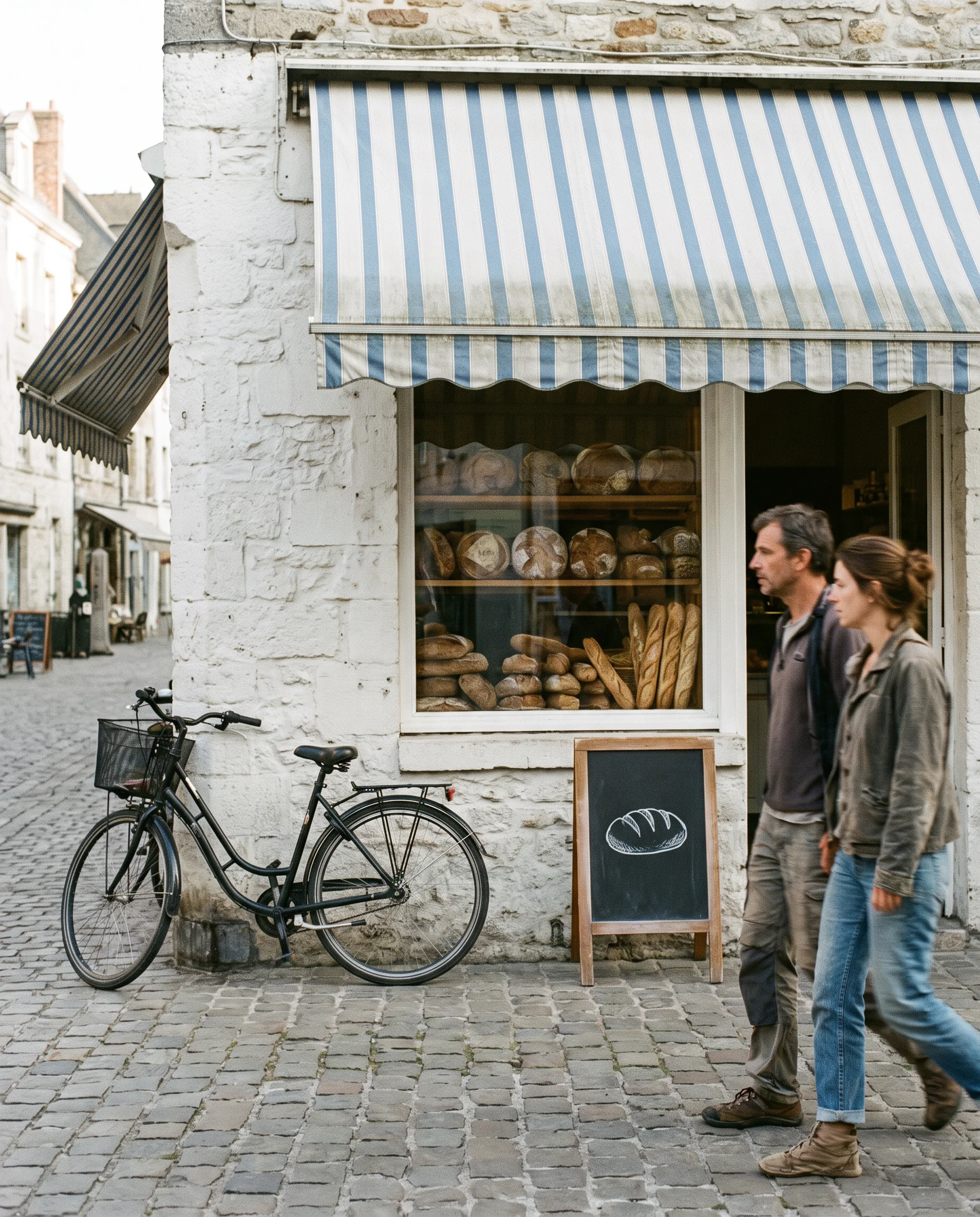
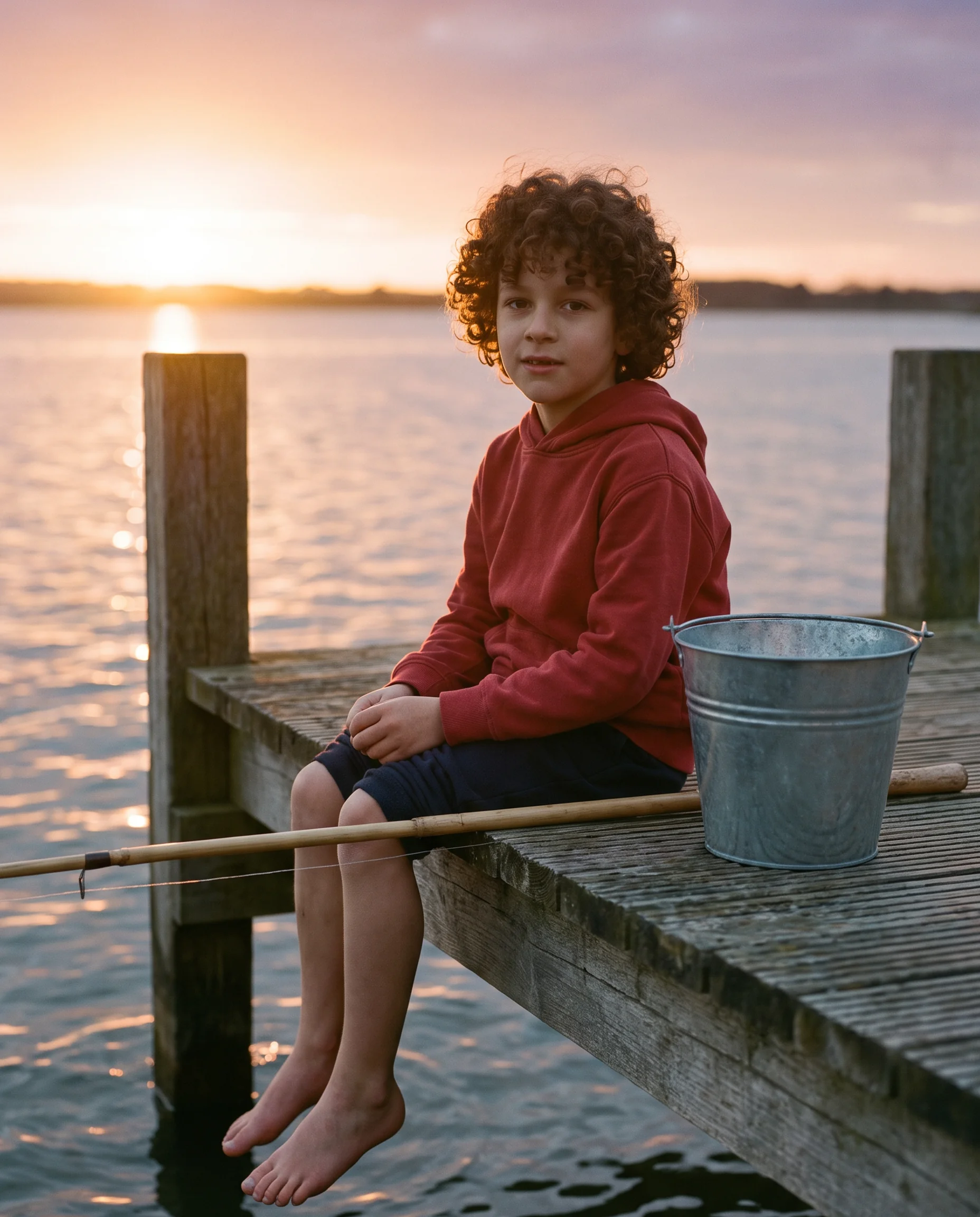
The same character in a new scene
Kontext can keep "a reference character or object in a picture" the same "across multiple scenes and environments." Upload one clear photo of the character and describe where they go next.
Show this same boy, with the same face, curly hair and red hoodie, sitting on a wooden pier at sunset with his feet over the water, a fishing rod and a small bucket beside him.
Try prompt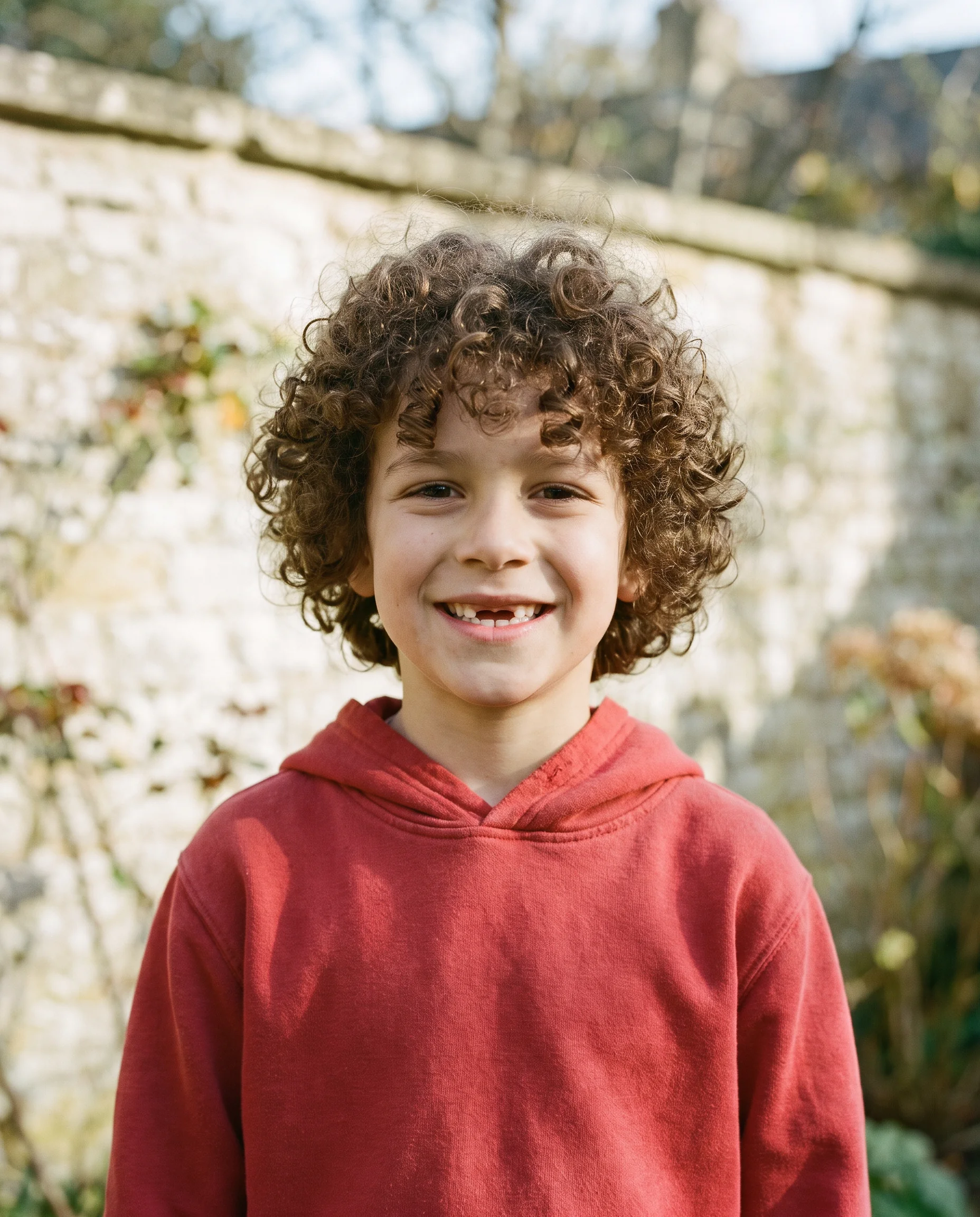
Borrow the style of one image
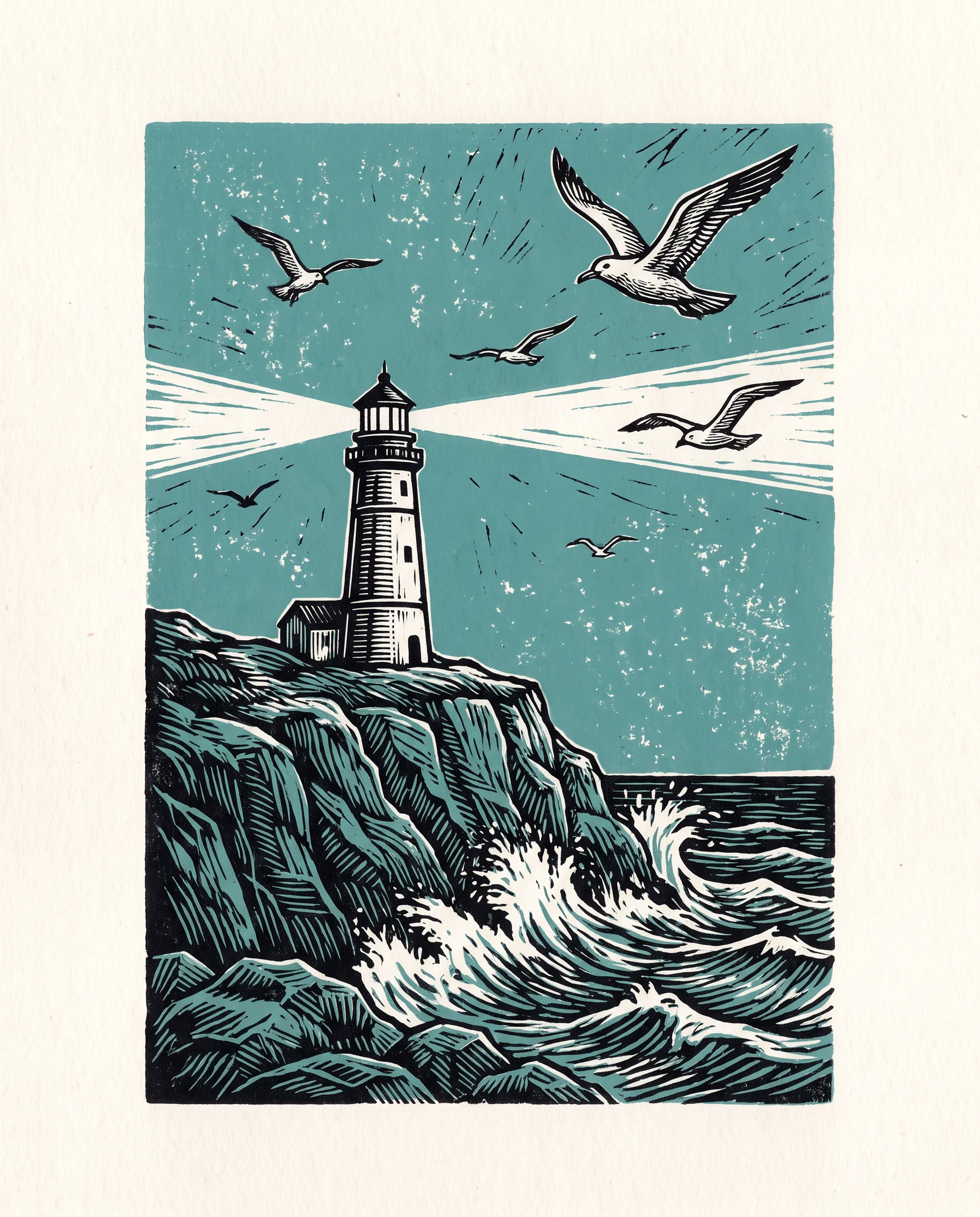
Give Kontext an image whose look you like and ask for a new subject. Black Forest Labs says it creates new scenes "while preserving unique styles from a reference image, directed by text prompts."
Using the style of this linocut print, make a new image of a lighthouse on a cliff with gulls overhead, same colors and line weight.
Try prompt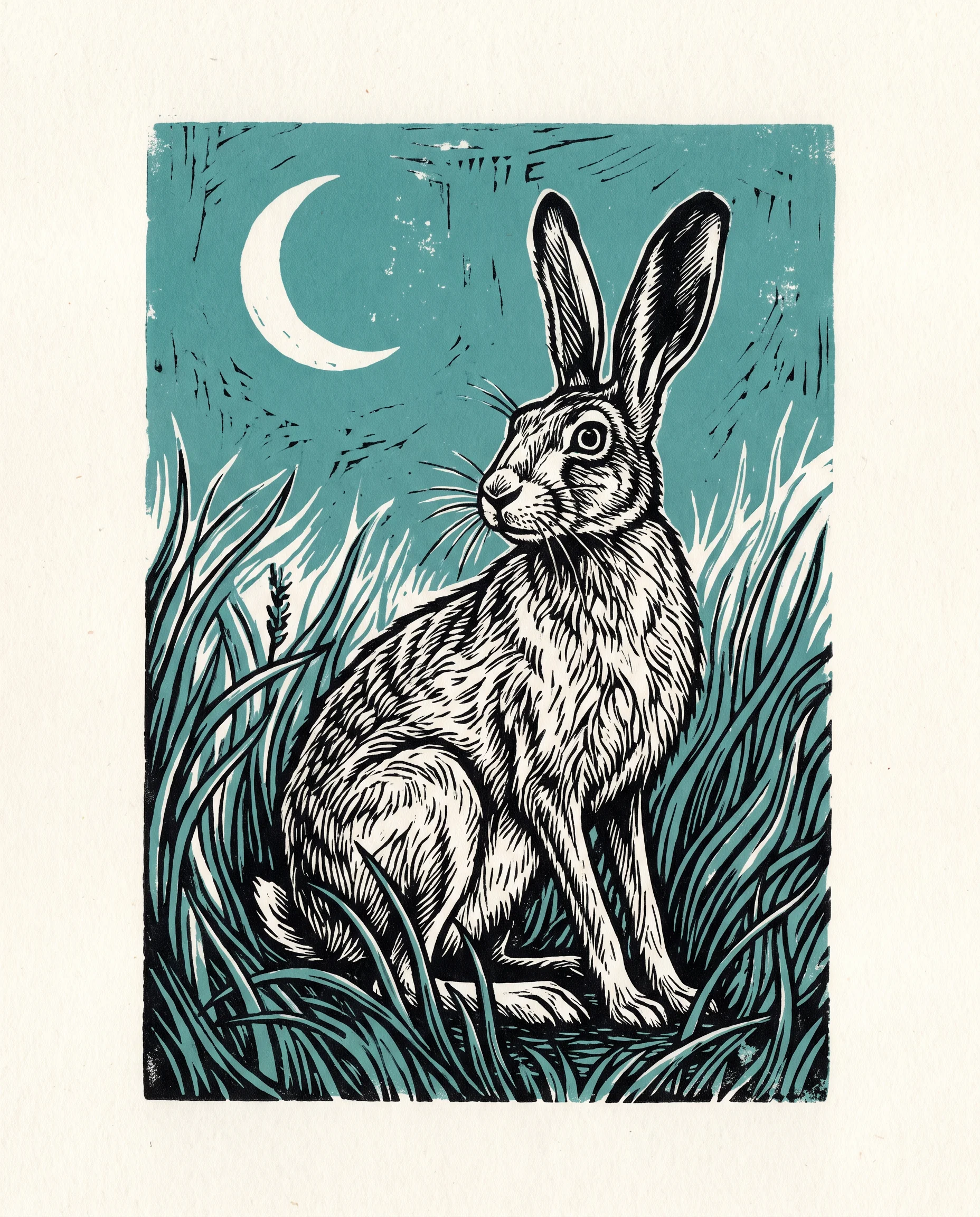
Build an edit step by step
Black Forest Labs says you can "build upon previous edits through multiple turns" while keeping characters and styles. Its paper times a 1024×1024 image at 3 to 5 seconds in its own tests. Long chains of edits "can introduce visual artifacts."
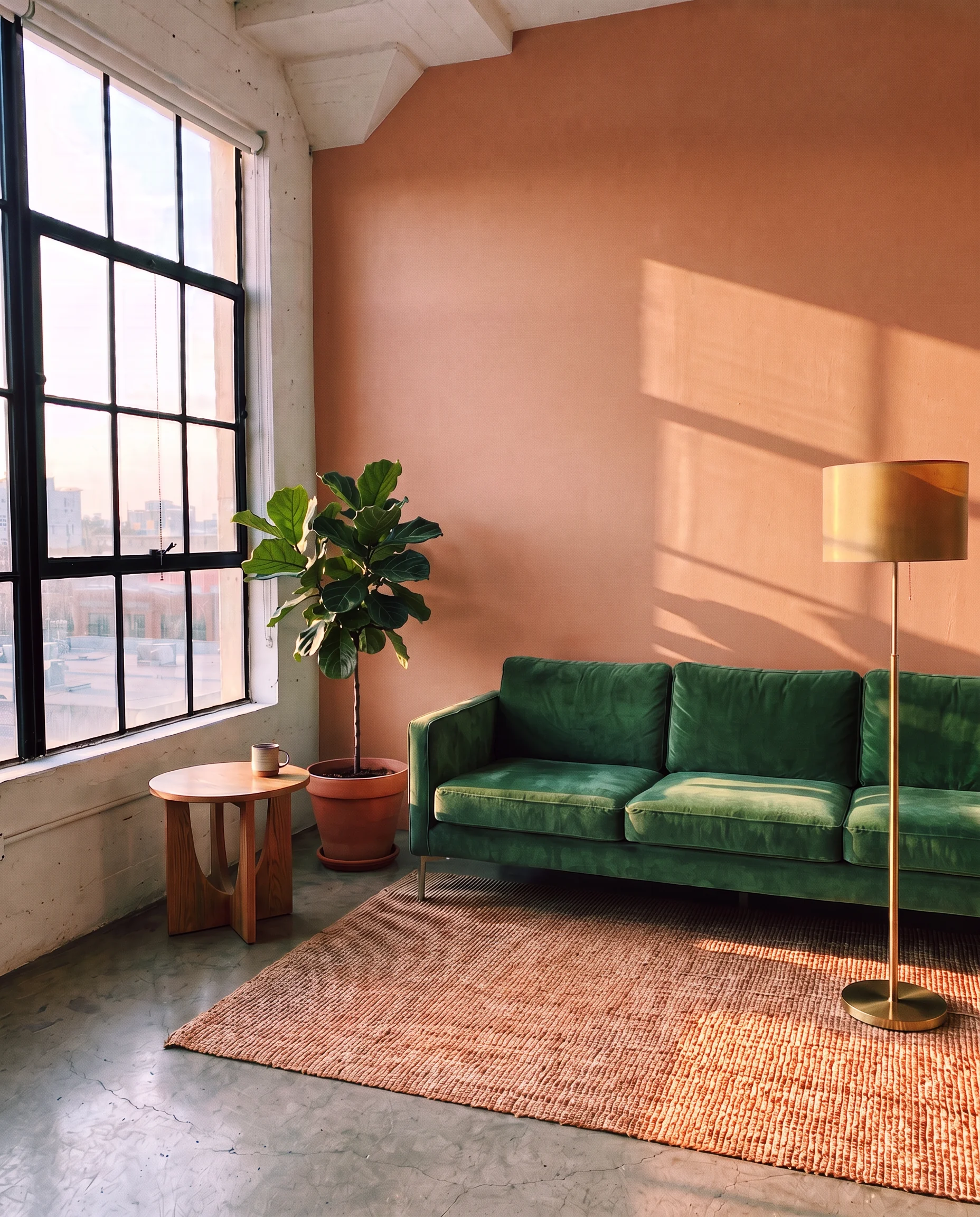
Step 1: replace the gray sofa with a green velvet one. Step 2, on that result: add a round brass floor lamp to the right. Step 3: change the wall to warm terracotta.
Try prompt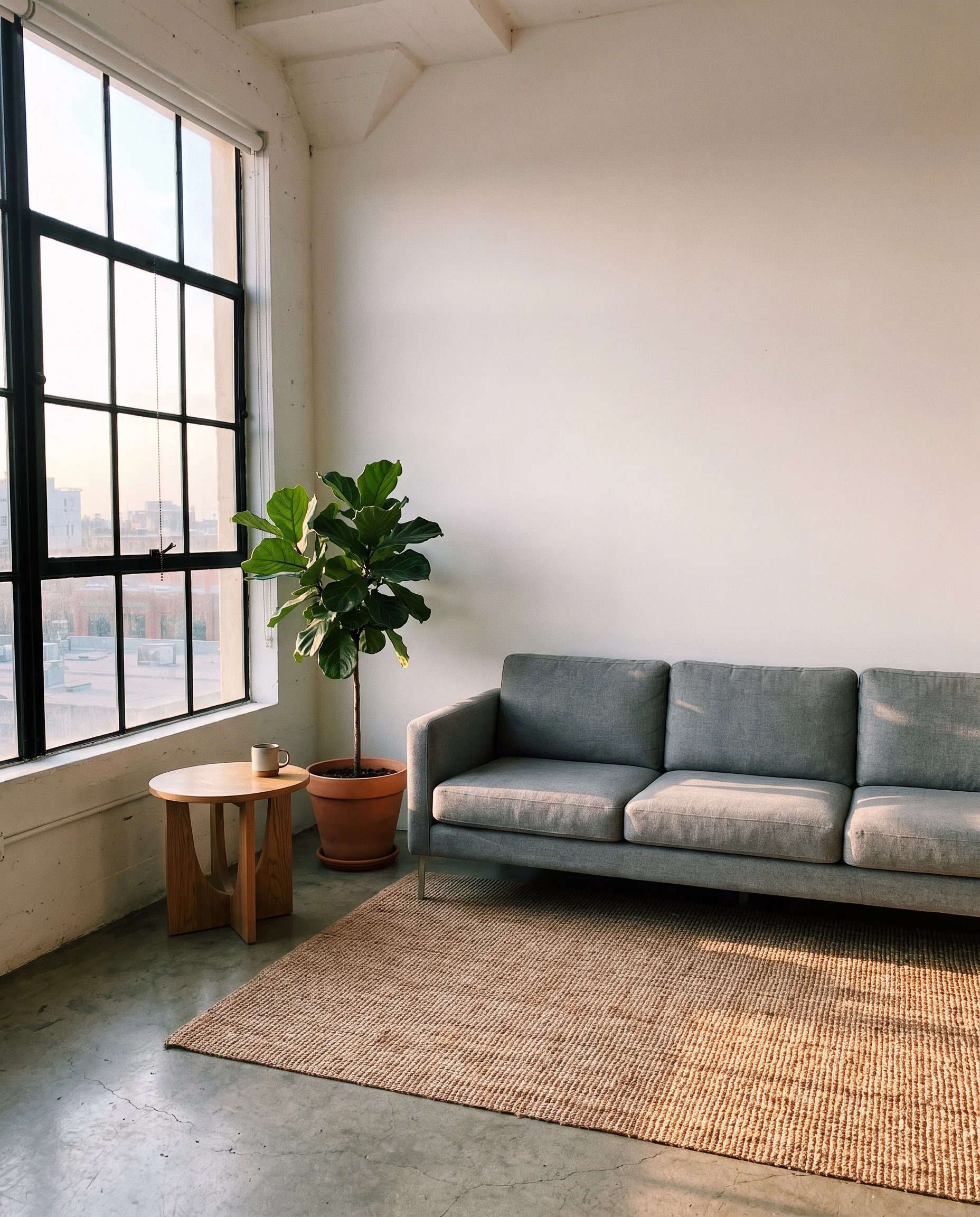
Edit photos with Flux Kontext on ImagineArt: Black Forest Labs' May 2025 model changes one detail you name and leaves the rest of the image as it was.
Get started with Flux Kontext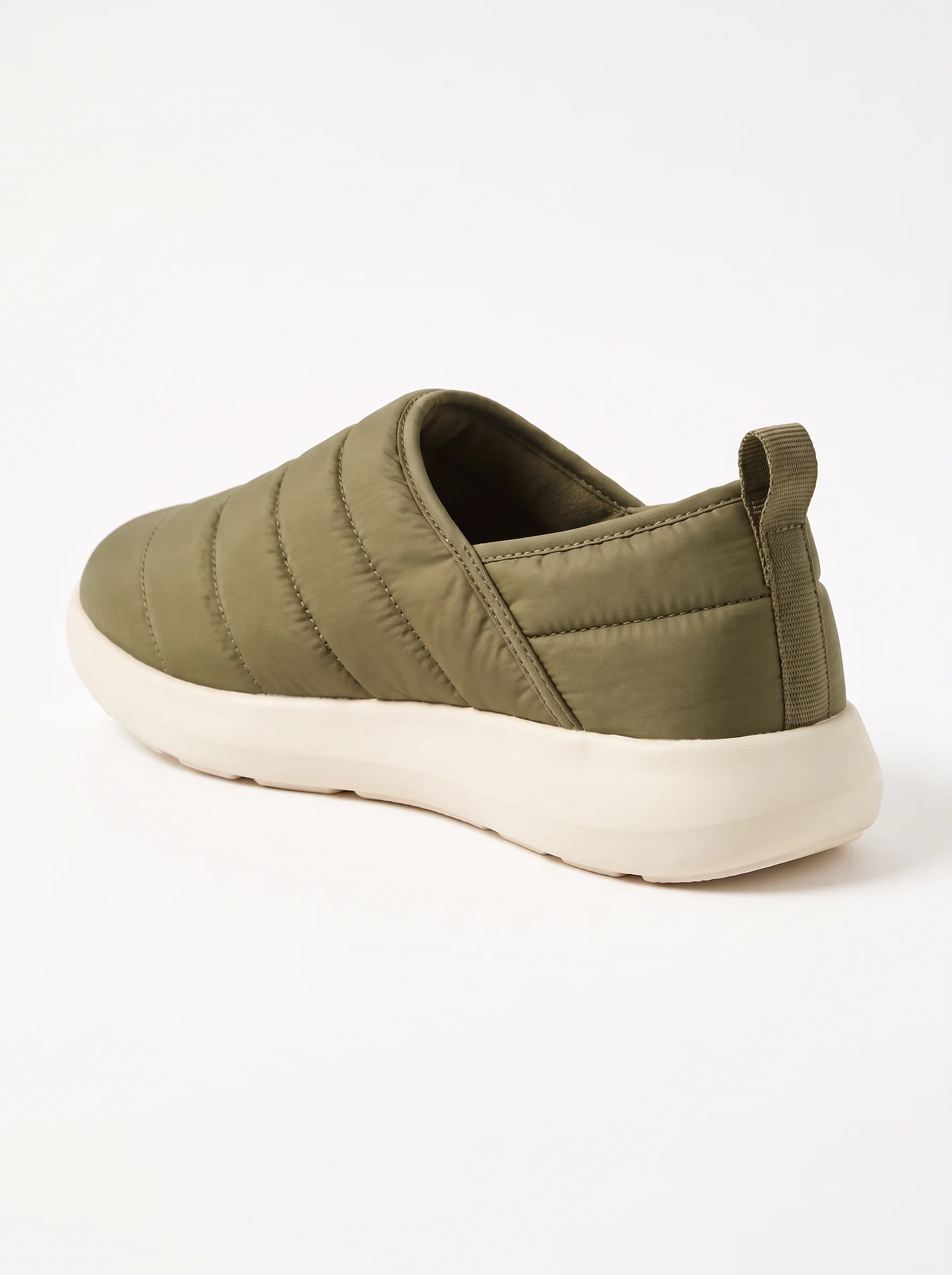
Product photos in new colors
A small sneaker brand can shoot one pair once, then ask Kontext for the same shoe in navy, white and olive, and check each listing photo against the real colorways.
Same mascot, every post
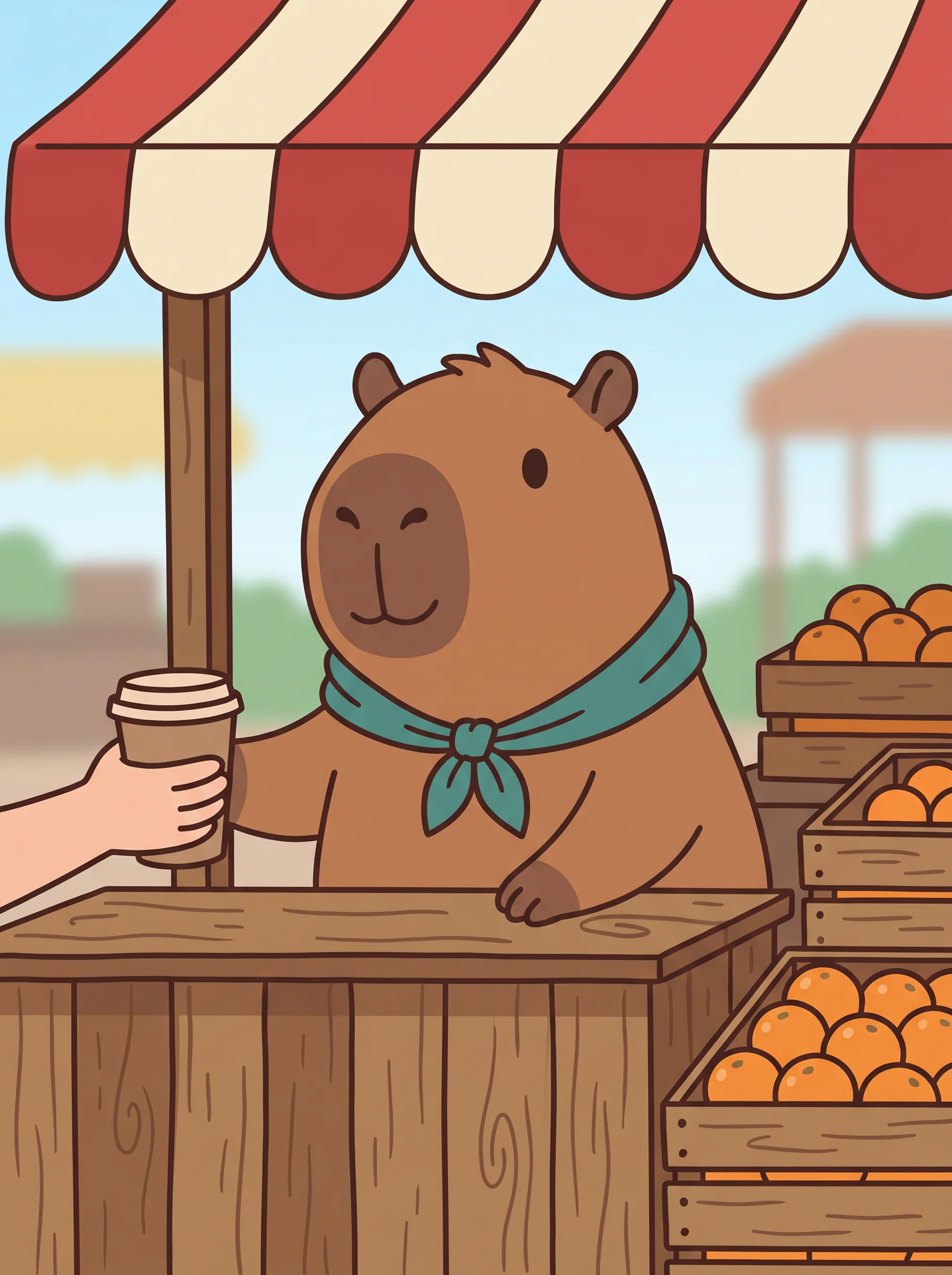
A café that has a drawn mascot can put the same character behind the counter, at a market stall and on a delivery bike, instead of redrawing it for every social post.
Real estate photos, tidied up
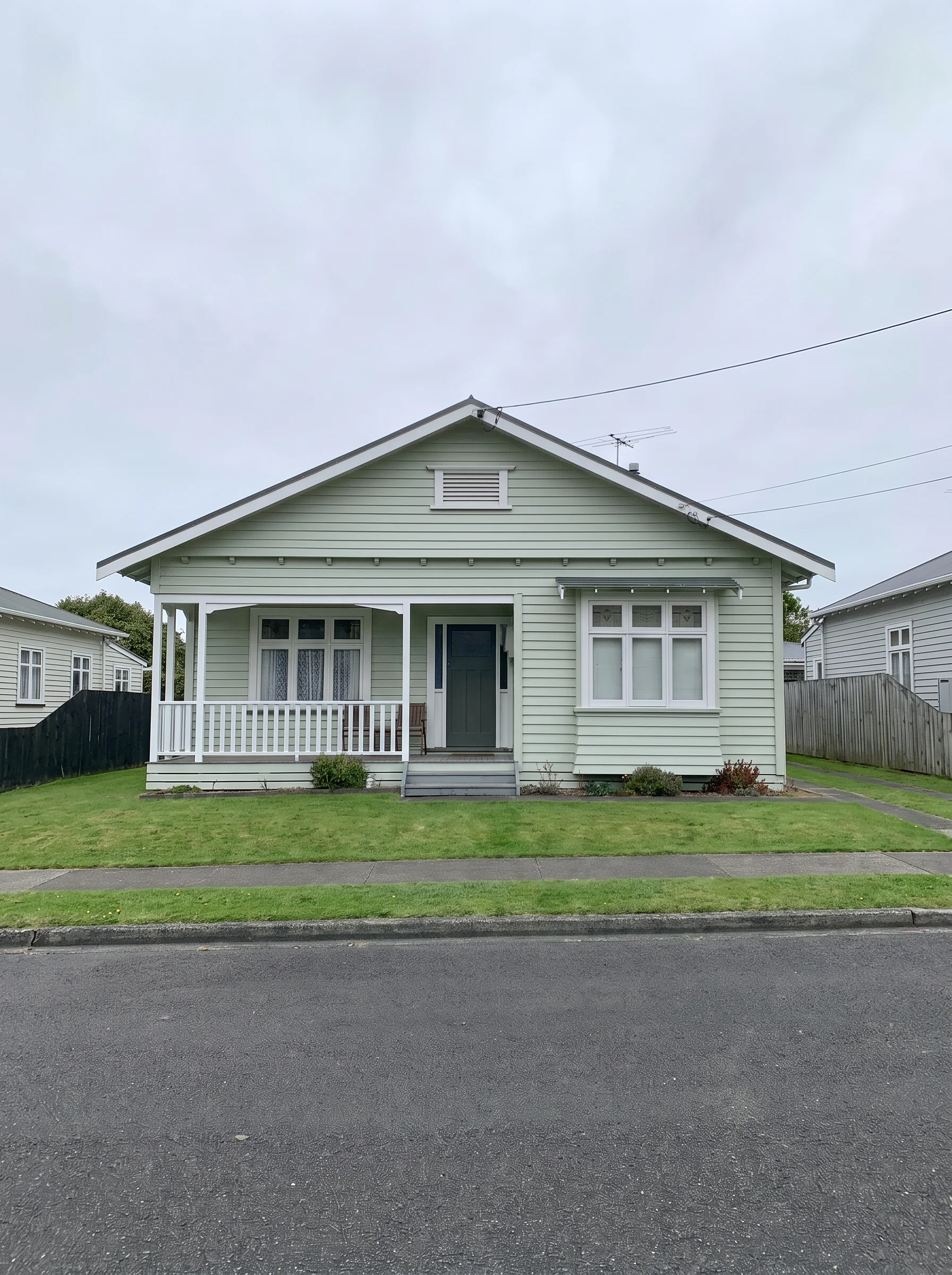
An agent can remove a parked van from the front of a house or clear a cluttered kitchen counter, then label the edited photo as edited in the listing.

Updated text on old graphics
An events team can change the date on last year's poster from "June 14" to "June 20" and keep the rest of the design, then check the new text closely before it prints.
A family photo in a hand-drawn style
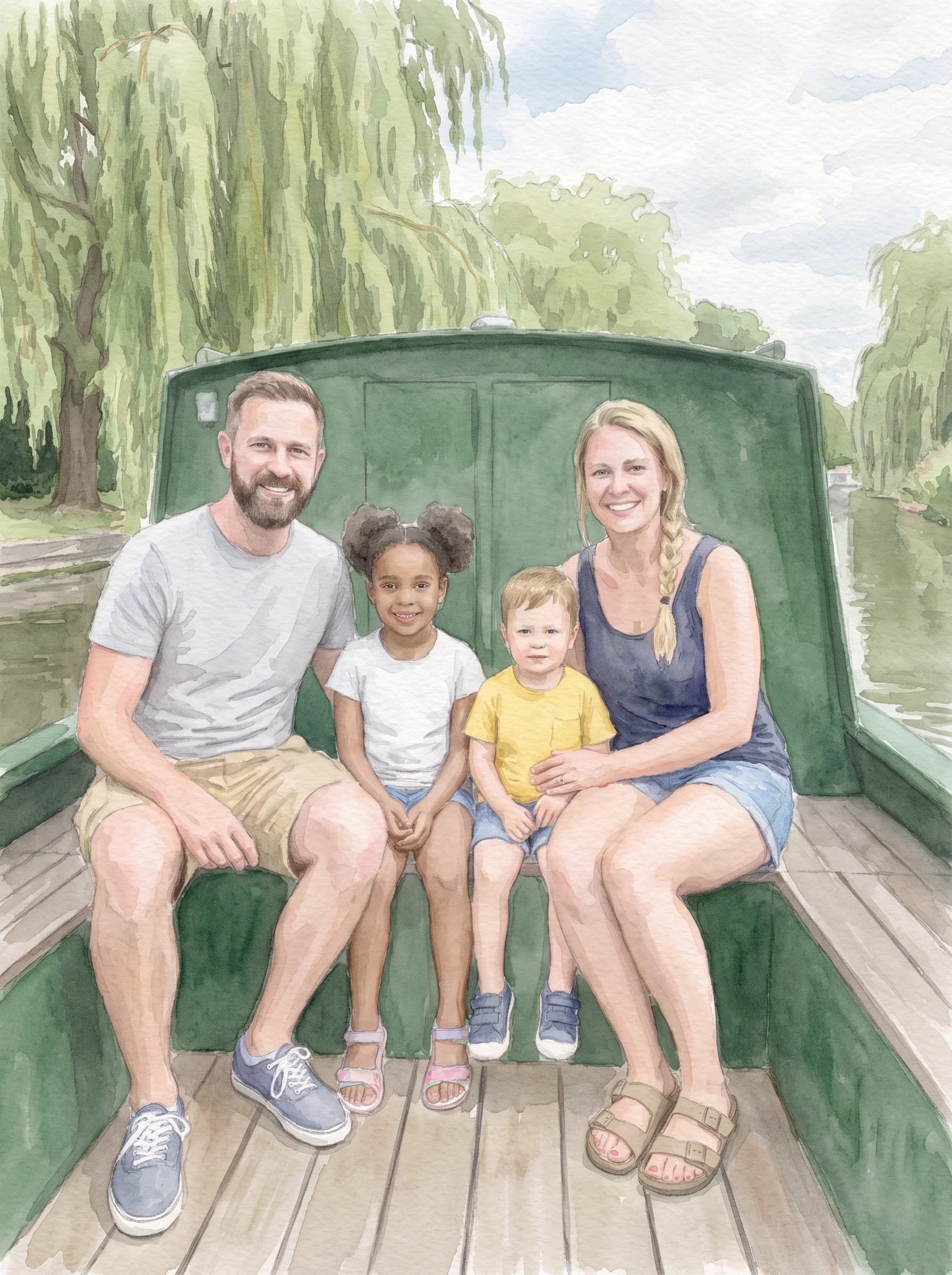
Someone making a gift can turn a family photo into a watercolor or pencil drawing, with everyone in the same places, and print it as a card.
Room makeovers before anything is bought
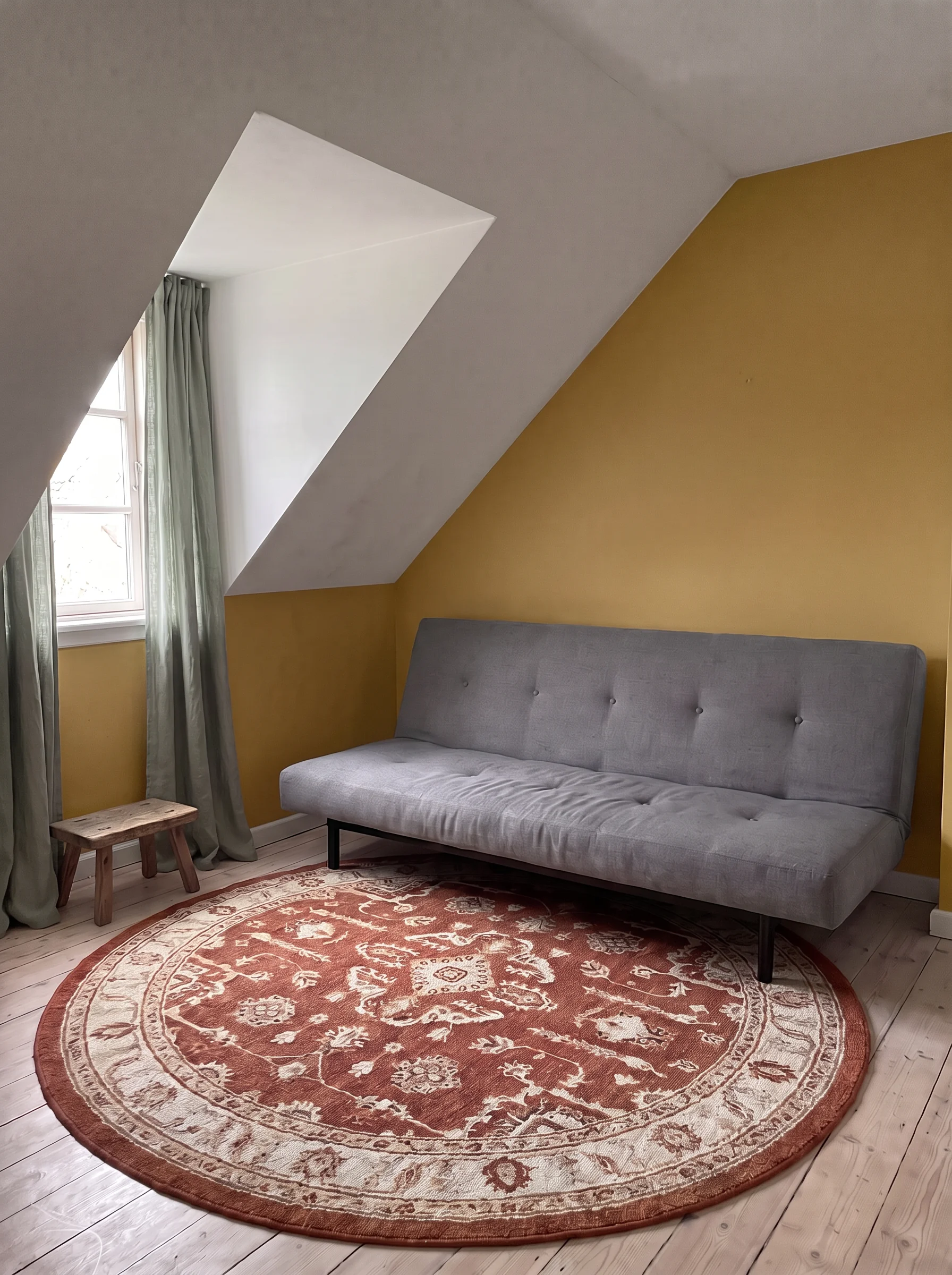
A renter can photograph their living room and change it one step at a time (a new rug, then new curtains, then a new wall color) to see the result before spending anything.
Product photos in new colors
A small sneaker brand can shoot one pair once, then ask Kontext for the same shoe in navy, white and olive, and check each listing photo against the real colorways.
Same mascot, every post
A café that has a drawn mascot can put the same character behind the counter, at a market stall and on a delivery bike, instead of redrawing it for every social post.
Real estate photos, tidied up
An agent can remove a parked van from the front of a house or clear a cluttered kitchen counter, then label the edited photo as edited in the listing.
Updated text on old graphics
An events team can change the date on last year's poster from "June 14" to "June 20" and keep the rest of the design, then check the new text closely before it prints.
A family photo in a hand-drawn style
Someone making a gift can turn a family photo into a watercolor or pencil drawing, with everyone in the same places, and print it as a card.
Room makeovers before anything is bought
A renter can photograph their living room and change it one step at a time (a new rug, then new curtains, then a new wall color) to see the result before spending anything.
Reviews
What creators are saying
Real ratings, pulled live from Trustpilot, not hand-picked quotes.

"Imagine.art is hands down one of the best AI image generators I have used lately. The results are consistently high-quality, and the prompt accuracy is fantastic."
"The most important feature I like is face consistency. You can generate a face and use it across hundreds of images with very good accuracy."
"I love the image generation and have been using it to create some great tee shirt designs. The monthly cost is minimal compared to the benefits."
"ImagineArt has been a game changer for creating visuals that fit my brand quickly."
Plans
Simple pricing, no surprises
See exactly what a generation costs on your plan.
Free
USD 0 · per creator / month, billed annually
3000 credits / month
- 100 Daily credits
- In-house models only
- 36k credits per year
- 1 Fast Image concurrency
Basic
For newcomers taking their first steps
3K credits / month
- Up to ~97 video generations / month
- Up to ~600 image generations / month
- 10 image models · 9 video models
- 4 concurrent image generations
- General commercial terms
Ultimate
Peak performance for pros
16K credits / month
- Up to ~530 video generations / month
- Up to ~3.2k image generations / month
- All styles and models, including Kling 2.6 Pro and Seedance 1.5 Pro
- Everything in Standard, unlimited
- General commercial terms
Trusted by creative teams, designers and marketers.
Compare every plan and buy credit packs →FAQs
- What is Flux Kontext?
- Flux Kontext is Black Forest Labs' image generation and editing family. On ImagineArt you give it an image and a text instruction, and it changes what you ask for while keeping the rest. Pro and Max came out on May 29, 2025. An open-weights Dev version for non-commercial use followed on June 26, 2025, and Dev isn't on ImagineArt.
- What's the difference between Kontext Pro, Max and Max Multi?
- Flux Kontext Pro is the one Black Forest Labs pitched for "fast, iterative image editing". Flux Kontext Max "greatly improves prompt adherence and typography generation". On ImagineArt, the image tool offers Max Multi, which takes 1 to 3 images. Pro and Max are Workflow nodes that take one image each, and Max Multi takes up to 10 there. Pro is a Standard node and both Max nodes are Premium.
- Is Flux Kontext still Black Forest Labs' newest model?
- No. Black Forest Labs released FLUX.2 in November 2025 and now calls Kontext [pro] "a previous-generation model". On Artificial Analysis, checked October 14, 2026, the Kontext entries sat in the bottom fifth of 69 image editing models. Black Forest Labs now recommends FLUX.2 for both generation and editing, and FLUX.2 and FLUX 3 are also on ImagineArt.
- Can I edit with more than one image?
- Yes, with Max Multi on ImagineArt: up to 3 images in the image tool or up to 10 in its Workflow node. Black Forest Labs' paper says it focused "on single context images" for Kontext, so for scenes that combine many references, try FLUX.2 as well.
- What happens if I keep editing the same image?
- When you edit the result again, the new edit builds on the last one, and Black Forest Labs says that keeps characters and styles. It also says "excessive multi-turn editing sessions can introduce visual artifacts", so if the image starts to look rough, go back to an earlier result and edit from there.
- Is Flux Kontext free, and which controls do I get?
- There's no confirmed Flux Kontext free option on ImagineArt. The pricing page says free credits are limited to specific models like ImagineArt 1.0 Lite and Flux Dev, and that premium models aren't on the free plan. Kontext isn't named there, so budget for a paid plan. Workflow's Kontext nodes offer nine aspect ratios, including 21:9 and 9:21, plus a guidance setting from 1 to 10, a seed and a prompt enhancer.
Resources

Built for a full production, not just one image
Name the change. Say what to change and what to keep, in one plain sentence.
Choose the frame and run it. Pick one of seven aspect ratios, then edit again from the result if you need a second change.