
Tooba Siddiqui
September 1, 2025 • Updated May 16, 2026
10 mins Read
There are numerous AI tools for image editing that can give your visuals the scroll-stopping quality. With AI tool for image editing, you can refine, upscale, add and remove objects, and enhance the quality of your images without any technical skills. Here are our top picks for AI image editing tools:
- ImagineArt 2.0 Edit
- ImagineArt AI Image Editor
- ChatGPT 5.2 Image
- Runway Gen-4 References
- ImagineArt Image Upscaler
- Nano Banana Pro
- Qwen AI
- ImagineArt Inpaint
8 Best AI Tools for Image Editing
Exploring various AI image generation and editing tools helps you figure out which one meets your requirements. The right AI tool for image editing will help you achieve a high-quality output, with refined elements and a professional edge. Here’s the breakdown of the top 8 image editing AI tools:
1. ImagineArt 2.0 Edit: The Best AI Photo Editing Tool in 2026
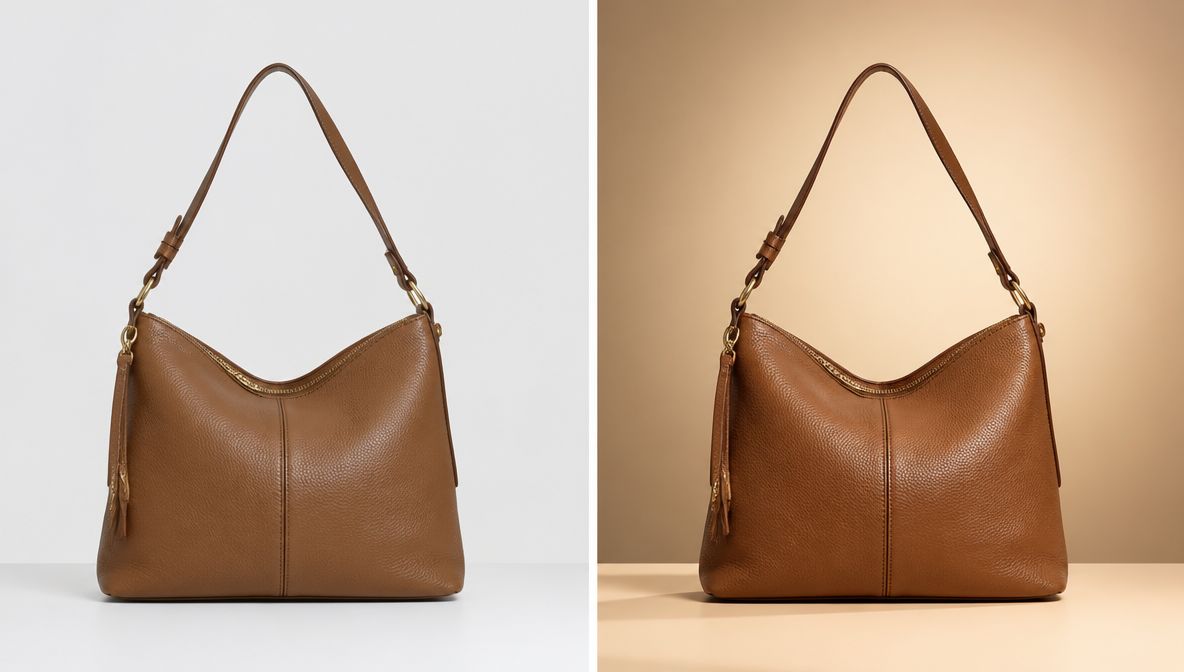
ImagineArt 2.0 Edit is a dedicated AI photo editing model — the highest-fidelity option in ImagineArt's lineup — built for transforming existing photos through natural-language text prompts. Upload a photo, describe the edit, and 2.0 Edit applies it with a finish that holds up in commercial and print-ready use.
Key capabilities:
- Text-prompt editing: Describe changes in plain language — colour grading, lighting shifts, object removal, style transformation — and 2.0 Edit executes the edit
- Inpainting: Brush a selection over any region of the image and describe what should replace or change there
- Background replacement: Remove or replace backgrounds with automatic lighting adjustment on the subject
- Style transfer: Apply a colour grade, visual aesthetic, or stylistic mood from a text description or reference image
- 2K resolution output with High quality settings for print-ready and commercial-ready results
Most AI image tools generate new images from scratch. ImagineArt 2.0 Edit changes the photo you already have — preserving the subject while transforming everything you specify.
Free plan available — no credit card required.
2. ImagineArt AI Image Editor
ImagineArt AI Image Editor is a comprehensive, intuitive platform that brings professional-grade image editing capabilities to creators of all skill levels. Built on advanced generative AI, ImagineArt AI Image Editor makes it simple to enhance photos, generate new visuals, remove or add objects, and stylize images — all through a clean, accessible interface. Whether you're a designer, marketer, or hobbyist, this AI tool for image editing gives you the power to produce polished, high-quality visuals with ease.
Key Features:
- Generative fill: describe what you want added or replaced in your image, and the AI seamlessly fills in the selected area while maintaining context, lighting, and style.
- Background removal and replacement: remove or swap out backgrounds with a single click, with AI-powered edge detection ensuring clean, accurate results.
- Style transfer: apply the look and feel of one image to another, enabling quick brand-consistent visual production.
- Object removal: cleanly erase unwanted objects or elements from your image without leaving visible traces or disturbing surrounding layers.
Limitation: Some advanced editing features may require higher-tier subscription plans. Results on highly complex compositions may require minor manual refinement.
Pricing: ImagineArt AI Image Editor is available at $13/month with 3,000 monthly credits, giving you full access to image editing, generation, and enhancement features.
3. ChatGPT Image Editor
Powered by OpenAI's ChatGPT 5.2, the ChatGPT AI image editing tool is available within the chat interface, making it easy-to-use and accessible to all. It allows users to modify objects within an image, re-style images, and remove backgrounds with a single prompt. This AI tool for image editing produces high-fidelity and contextually coherent images. It also allows for iterative refinements within the chat to ensure the produced image aligns with your vision.
Key Features:
- Natural language understanding: using a selection tool, ChatGPT 5.2 image editing tool lets you describe the edits through chat.
- Inpainting: this feature allows you to select the part you want to edit or change and describe the modification in chat for seamless image editing.
- Text rendering: this AI image generator lets you add, edit, or remove text from an image.
- Prompt complexity: the model supports complex prompting such as layout changes, compositional modifications, object positioning, and color palette improvements for refined image generation.
Limitation:
ChatGPT 5.2 Image has restricted image quality and might require a third-party tool or platform for image upscaling.
Pricing:
ChatGPT 5.2 Image free access has limited image generation and editing features. The Pro plan starts at $20/month, with expanded editing and image generation capabilities.
4. Runway Gen-4 References
Runway Gen-4 References allows more creative control over image generation and editing. You can upload up to three reference images along with AI editing with a prompt to generate desired visuals. From style and environment reference to details and subject reference, this AI image editing tool excels in image consistency across various generated images.
Runway Gen-4 References can also extract artistic styles, preserve textures, and keep the facial expressions and body proportions intact, regardless of changes to poses or elements. It also allows you to direct or change the character’s gaze for improved realism. The creative possibilities with Runway Gen-4 References are endless. Here are a few features worth mentioning:
Key Features:
- This AI tool for image editing offers character and scene consistency. You can show a single character in different settings, or you can keep the same character in different stories.
- Runway Gen-4 References offer stylistic transfer, maintaining brand theme, color palette, and typefaces across different assets.
- It also features image-to-video, allowing you to import your visuals into Gen-4 video or the Runway Act Two video generator.
- The AI image editing tool features faster rendering speed.
Limitation:
Runway Gen-4 References requires stronger promotion for desired results. Editing multi-context images requires higher fidelity, which isn’t the strongest suit of Runway Gen-4 References.
Pricing:
The Runway subscription plan starts at $15/month.
Learn more about Runway Gen-4 References features on ImagineArt blog.
5. ImagineArt Image Upscaler
ImagineArt Image Upscaler is a powerful AI-driven tool designed to enhance image resolution and restore fine detail without sacrificing quality. Whether you're working with low-resolution photos, compressed visuals, or assets that need a sharper finish, this AI tool for image editing delivers clean, high-resolution output with minimal effort. It leverages advanced deep learning models to intelligently reconstruct detail, making it an ideal choice for photographers, designers, and content creators looking to elevate their visuals.
Key Features:
- AI-powered resolution enhancement: ImagineArt Image Upscaler can scale images up to 4x their original resolution while preserving texture, edges, and fine detail.
- Noise reduction: the tool automatically identifies and reduces compression artifacts and visual noise during the upscaling process, resulting in clean, polished outputs.
- Batch processing: you can upscale multiple images at once, saving time for workflows that involve large volumes of visual content.
- Format flexibility: supports a wide range of input and output formats, making it easy to integrate into your existing creative pipeline.
Limitation: Results can vary depending on the quality and resolution of the original image. Heavily distorted or very low-resolution source images may require additional post-processing.
Pricing: ImagineArt AI Image Editor is available at $13/month with 3,000 monthly credits, giving you full access to image editing, generation, and enhancement features.
6. Nano Banana Pro
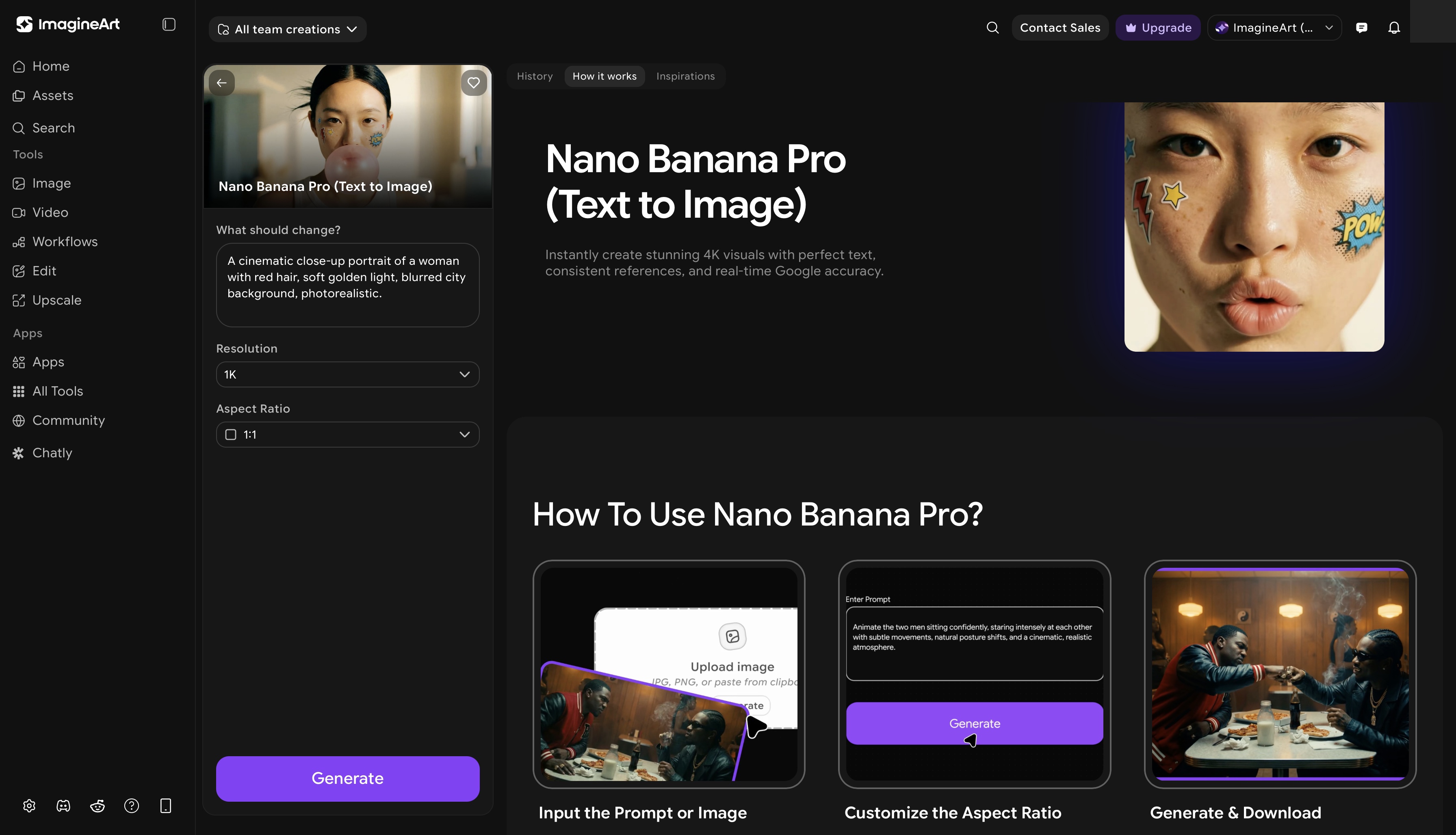 ImagineArt Nano Banana Pro app dashboard
Hailed as a promising Photoshop alternative, Nano Banana Pro is an AI image editing tool designed for beginners, casual users, and professionals alike. The real-time editing feature allows faster and improved generation of edited images. This image editing tool features multi-step editing, image blending, thorough scene and character consistency, and strong prompt adherence. You can transfer styles from an object within an image and apply it to another object, or reference the style of one image for stylistic inspiration for another.
Such versatility makes Nano Banana Pro an ideal tool for both business, professional, and creative applications.
Key Features:
- The Nano Banana Pro AI image editing tool allows extensive editing without disrupting image integrity or character consistency.
- It features strong natural language processing and can render lengthy, complex prompts without any need for re-iteration.
- Nano Banana Pro can easily and quickly merge two images to create a single visual. Simply upload the images and enter the prompt for required customization.
- The multi-turn editing features let you make different edits at a time without worrying about layering, manual masking, or losing image integrity.
Limitation: This AI tool for image editing has device compatibility restrictions and might not perform on older devices. Also, the generated edited images come with an invisible Google SynthID, watermarking every output.
Pricing:
Nano Banana Pro pricing as of early 2026 generally ranges from $0.134 to $0.24 per 2K-4K image via official API, with subscription plans starting around $19.50/month for high-volume users. On ImagineArt, Nano Banana Pro consumes 80 credits per image.
Learn more about Google Nano Banana Pro on ImagineArt blog.
7. Qwen AI
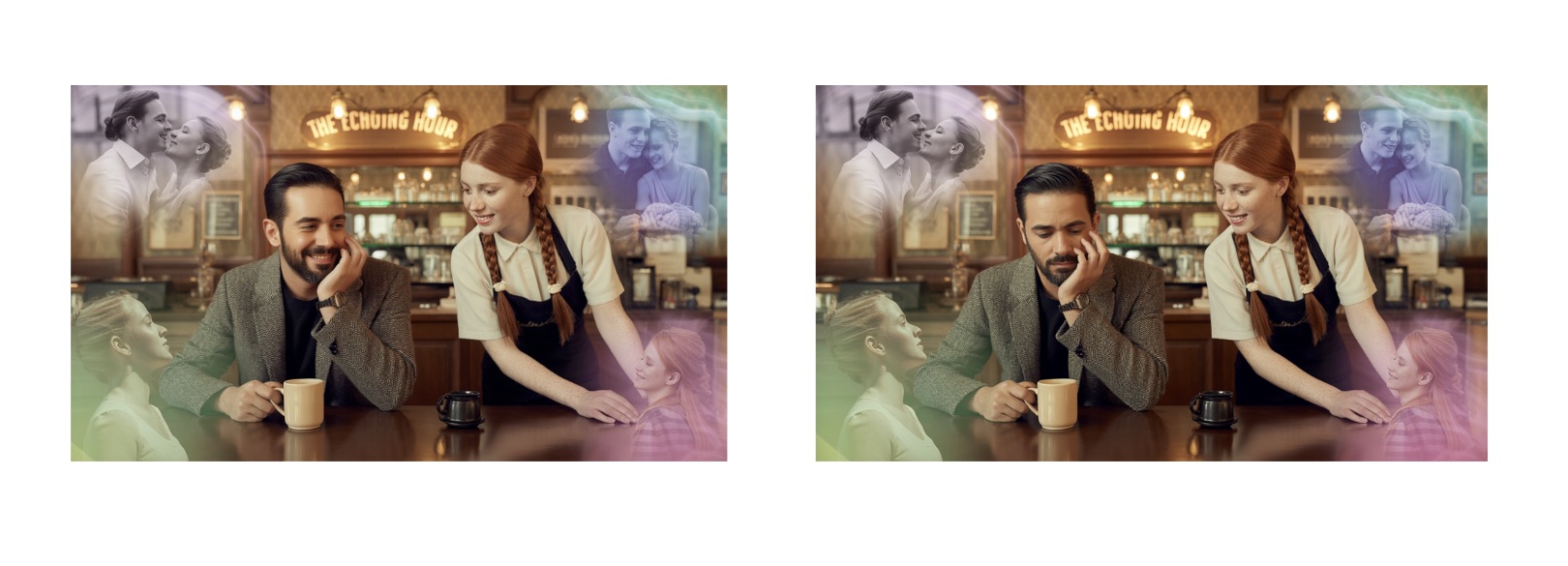
Qwen AI Image Editor was launched by Alibaba Cloud Qwen team with an architecture designed for higher fidelity and precise image editing. It features bilingual prompt understanding and text editing and integration capabilities. The AI tool for image editing features advanced semantic understanding, capturing both complex meaning and pixel-level detailing. It can add or remove objects, shift styles, change body language, expressions, and poses, and modify text elements.
Key Features:
- This AI image editing tool can add, remove, or change the text elements in English and Chinese languages without disrupting the font style, size, or image layout.
- It features context-aware editing, allowing you to integrate both excessive or minor edits seamlessly without ruining image quality.
- Qwen AI Image Editor can perform object manipulation with corrected shadow, appropriate sizing, positioning, and perspective.
- The advanced image understanding features enable object detection, edge detection, super-resolution, and much more for improved image editing.
Limitation:
Complex or multi-layered editing might require more computation and longer generation time.
Pricing:
Qwen AI Image Editor is an open-source tool, free for everyone’s use.
Learn more about Qwen AI image generator features on ImagineArt blog.
8. ImagineArt Inpaint
ImagineArt Inpaint is a precise, AI-powered inpainting tool that lets you seamlessly edit specific areas of an image while keeping the rest intact. Whether you need to remove an unwanted object, fill in a missing portion of an image, or make targeted modifications to a scene, ImagineArt Inpaint delivers contextually accurate and visually coherent results. It's built for creators who need surgical control over their edits without complex manual masking or layer management.
Key Features:
- Mask-based editing: simply brush over the area you want to edit, enter a text prompt, and ImagineArt Inpaint will intelligently fill or replace the selected region.
- Object removal: erase unwanted elements from any image with clean, natural-looking results that blend seamlessly with the surrounding content.
- Contextual fill: the AI understands the surrounding scene to generate fills that match the lighting, texture, color, and style of the original image.
- Multi-area editing: apply inpainting to multiple regions within a single image in one session, streamlining complex editing workflows.
Limitation:
Inpainting results are most accurate on clearly defined, well-masked areas. Extremely fine or intricate selections may require additional refinement after processing.
Pricing:
ImagineArt AI Image Editor is available at $13/month with 3,000 monthly credits, giving you full access to image editing, generation, and enhancement features.
Also read: Inpainting Images with AI
Comparison Table: Best AI Tools for Image Editing
| Tool | Key Strength | Best For | Pricing |
|---|---|---|---|
| ImagineArt 2.0 Edit<\td> | Photorealistic precision with visual reasoning & text rendering<\td> | High-fidelity edits with cinematic quality<\td> | Free / From $10/month (ImagineArt)<\td> |
| ChatGPT 5.2 Image | Natural language editing | Conversational workflows | From $20/month |
| Runway Gen-4 References | Style & character consistency | Creative and brand assets | From $10/month (ImagineArt) |
| ImagineArt Image Upscaler | AI-powered resolution enhancement | Upscaling & restoring images | From $10/month (ImagineArt) |
| Nano Banana Pro | Multi-step editing & image blending | Versatile creative editing | From $10/month (ImagineArt) |
| Qwen AI | Bilingual, context-aware editing | Multilingual & precise edits | Free / $10/month (ImagineArt) |
| ImagineArt AI Image Editor | Generative fill & style transfer | All-in-one image editing | From $10/month (ImagineArt) |
| ImagineArt Inpaint | Targeted mask-based editing | Object removal & fill | From $10/month (ImagineArt) |
Conclusion
Most of the AI tools for image editing are available at affordable prices and are easy to use. However, the choice of the right tool depends on your particular use case. If your visuals require extensive manual editing, then go for the industry standard, Photoshop. Or if you are looking for a well-merged portrait for you and your pet, go for Nano Banana.
By understanding the strengths of each platform and evaluating them based on your creative goals, you can unlock the full potential of AI image editing tools.
Tooba Siddiqui
Tooba Siddiqui is a content marketer with a strong focus on AI trends and product innovation. She explores generative AI with a keen eye. At ImagineArt, she develops marketing content that translates cutting-edge innovation into engaging, search-driven narratives for the right audience.