

Umaima Shah
March 24, 2026 • Updated March 27, 2026
6 mins Read
AI image compositing is the ability to combine, blend, and merge multiple images or elements into a single cohesive visual. And now with AI image combiners like ImagineArt, it’s not just a manual process boasting solid post-production skill; it’s a luxury every content creator can afford!
The best AI image compositing tools driving this shift have advanced dramatically: where early AI compositing produced obvious seams and inconsistent lighting, the best tools available in 2026 produce results that are genuinely difficult to distinguish from a controlled studio shoot.
Whether you’re a brand combining product shots with lifestyle backgrounds, a content creator building composite scenes for social media, a designer merging character references into campaign imagery, or a filmmaker assembling visual elements for pre-visualisation, there’s now a purpose-built tool for your specific use case.
 Combine photos like a pro with ImagineArt
What Is AI Image Compositing?
Image compositing is the process of combining two or more image elements into a single unified image. Traditionally, this required Photoshop expertise, careful masking, matched lighting adjustments, and significant post-processing time.
AI image compositing does this automatically or semi-automatically — intelligently blending elements, matching lighting and shadows, harmonising colour grading, and producing a natural-looking result without manual layer work. The best tools go further: they understand context, so a product placed into a kitchen scene picks up realistic surface shadows, the lighting shifts to match the scene’s key light, and the perspective aligns naturally.
The 7 Best AI Image Compositing Tools in 2026
1. ImagineArt AI Image Combiner
ImagineArt AI Image Combiner is purpose-built for the kind of compositing that brands and content teams do at volume — combining product images with scenes, merging character elements with backgrounds, and producing finished creative assets ready for publishing.
What distinguishes it from most compositing tools is its integration within ImagineArt’s broader creative suite. You’re not just combining images in isolation — you can feed the composite output directly into the AI Video Generator to animate it, run it through the AI Ad Maker to add campaign text and formatting, or refine it with the AI Image Editor for final adjustments. It’s a compositing node inside a complete content production pipeline rather than a standalone tool.
Strengths: Pipeline integration, brand content use cases, volume production, Nano Banana 2 model quality
Limitations: Best results come with clean source images; very complex multi-element composites may need refinement passes
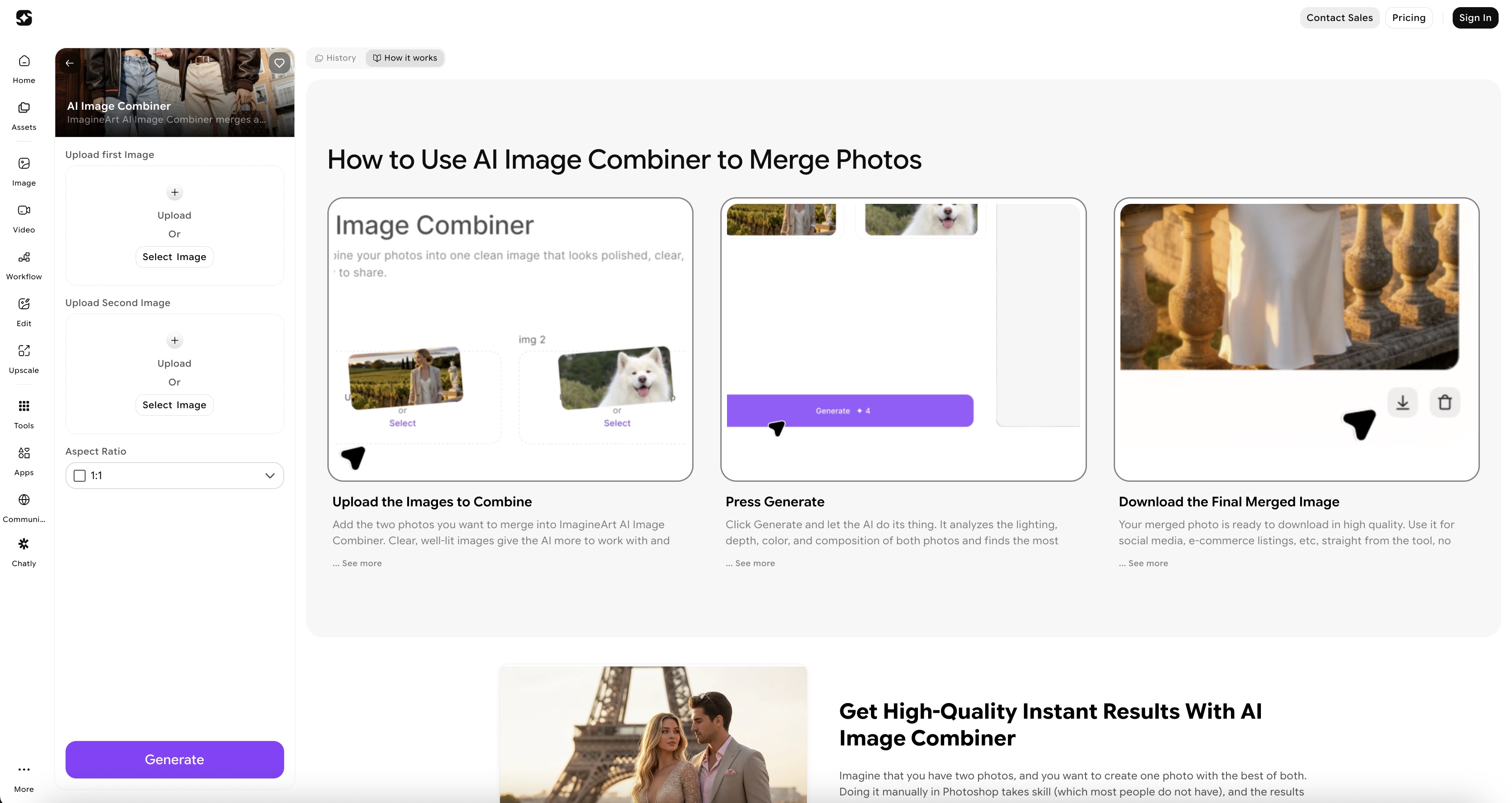 ImagineArt AI Image Combiner places your product into any scene with matched lighting, natural shadows, and zero manual masking.
2. Kling 3 Image
Kling 3’s image generation capabilities include strong compositing features that produce cinematic-quality results. The model excels at placing characters or subjects into environments with convincing depth, lighting interaction, and atmospheric consistency — the kind of quality that matters for hero campaign imagery or editorial-level content.
Where Kling 3 Image particularly stands out is in the realism of its light interaction. When you place a subject into a scene, the model doesn’t just cut and paste — it recalculates how ambient light from the environment falls on the subject, adjusts skin tone rendering for the scene’s colour temperature, and handles reflections and shadows with a level of physical accuracy that makes composites look shot rather than assembled.
Strengths: Cinematic realism, lighting physics, character-in-scene compositing
Limitations: Less suited to rapid bulk production; works best as a quality-first tool rather than a volume tool
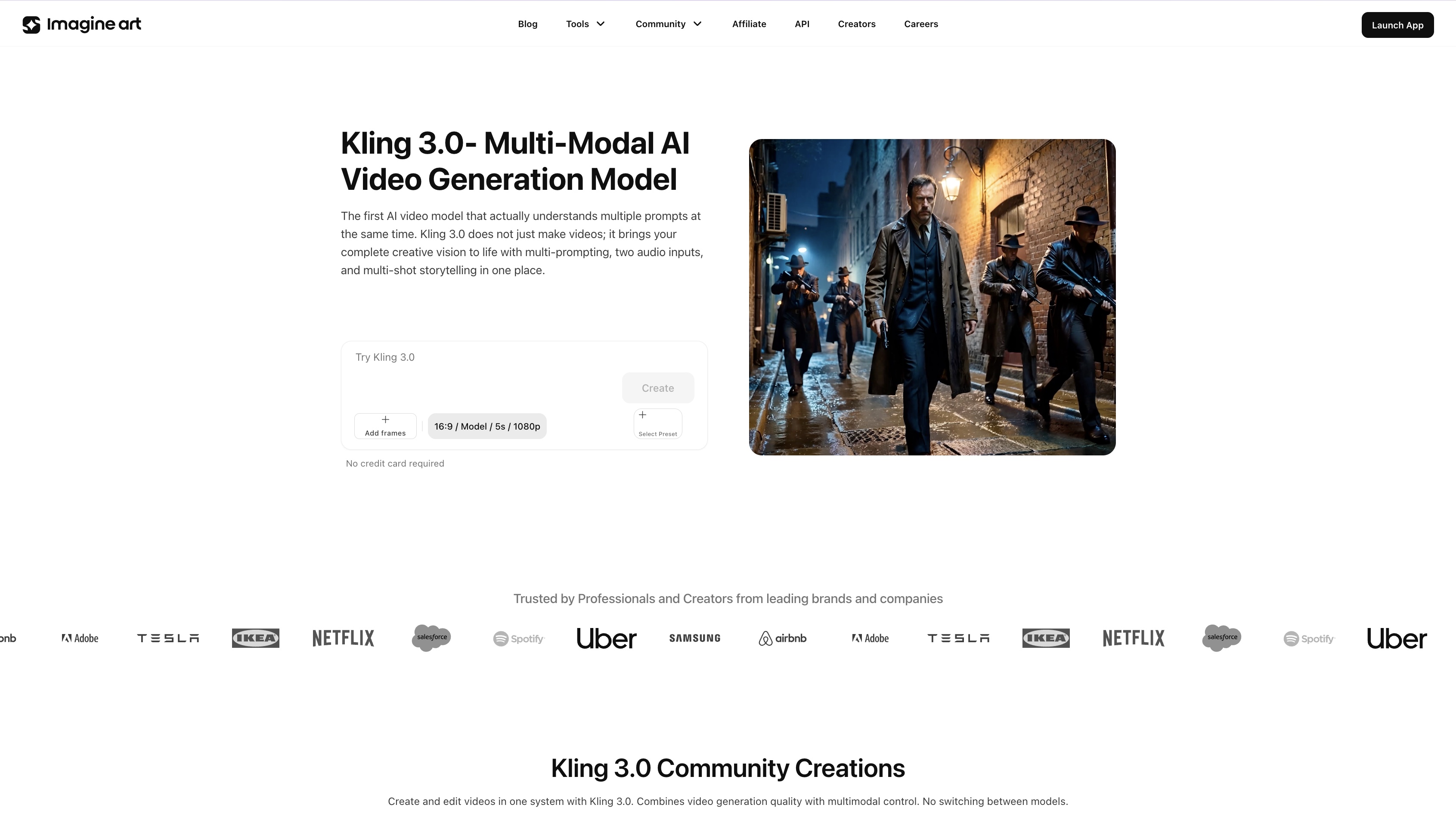 Light that looks shot, not assembled.
3. Runway Gen-4 References
Runway’s Gen-4 References introduced reference-based generation — the ability to lock specific visual elements (a character’s face, a product’s appearance, a specific object) and maintain perfect consistency across multiple generated outputs. For compositing, this is significant.
Traditional AI compositing could produce beautiful individual images but struggled with consistency — the same character placed into two different scenes would look subtly different each time. Gen-4 References solves this by treating your uploaded reference as a fixed anchor that the generation must honour.
Strengths: Reference consistency, campaign cohesion, multi-scene compositing
Limitations: Primarily image-to-image; requires clean reference images for best results.
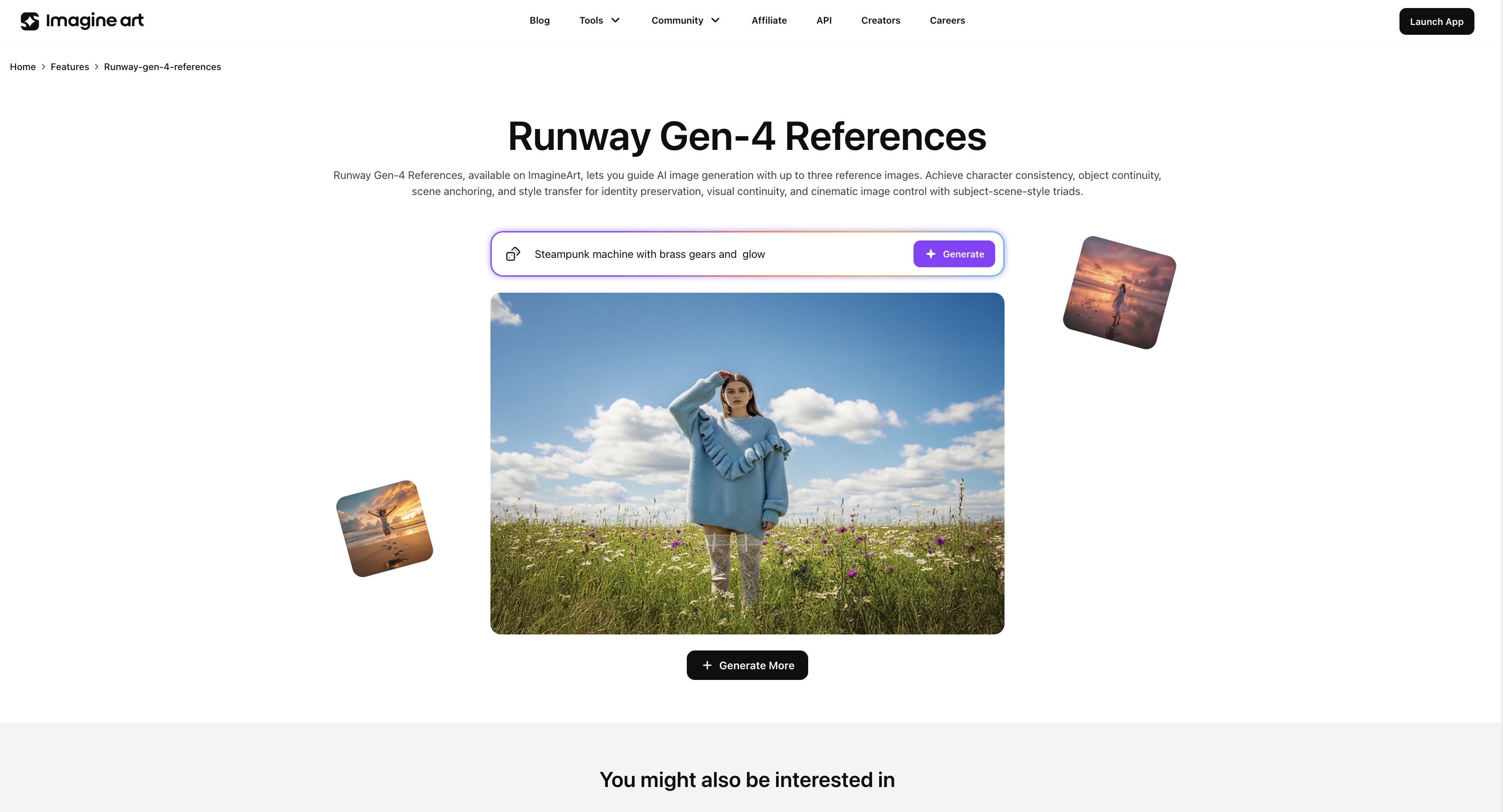 Same character, every scene, zero drift.
4. Nano Banana Pro
Nano Banana Pro, ImagineArt’s most advanced photorealistic model, is not a compositing tool in the traditional sense, but it functions as one of the best engines for compositing workflows that require photorealistic output and iterative refinement.
Where it excels is in the quality of the generation itself. Fine details — fabric texture, skin pores, product surface finishes, material reflections — are preserved and rendered with accuracy that matters at large format or print scale. Its iterative editing capability is particularly valuable: you can generate a composite, identify a specific element that needs adjustment, and edit that element without regenerating the entire image.
Strengths: Photorealistic output quality, fine detail, iterative refinement, print-scale results
Limitations: Higher processing intensity than lighter models; best used for hero assets rather than bulk generation
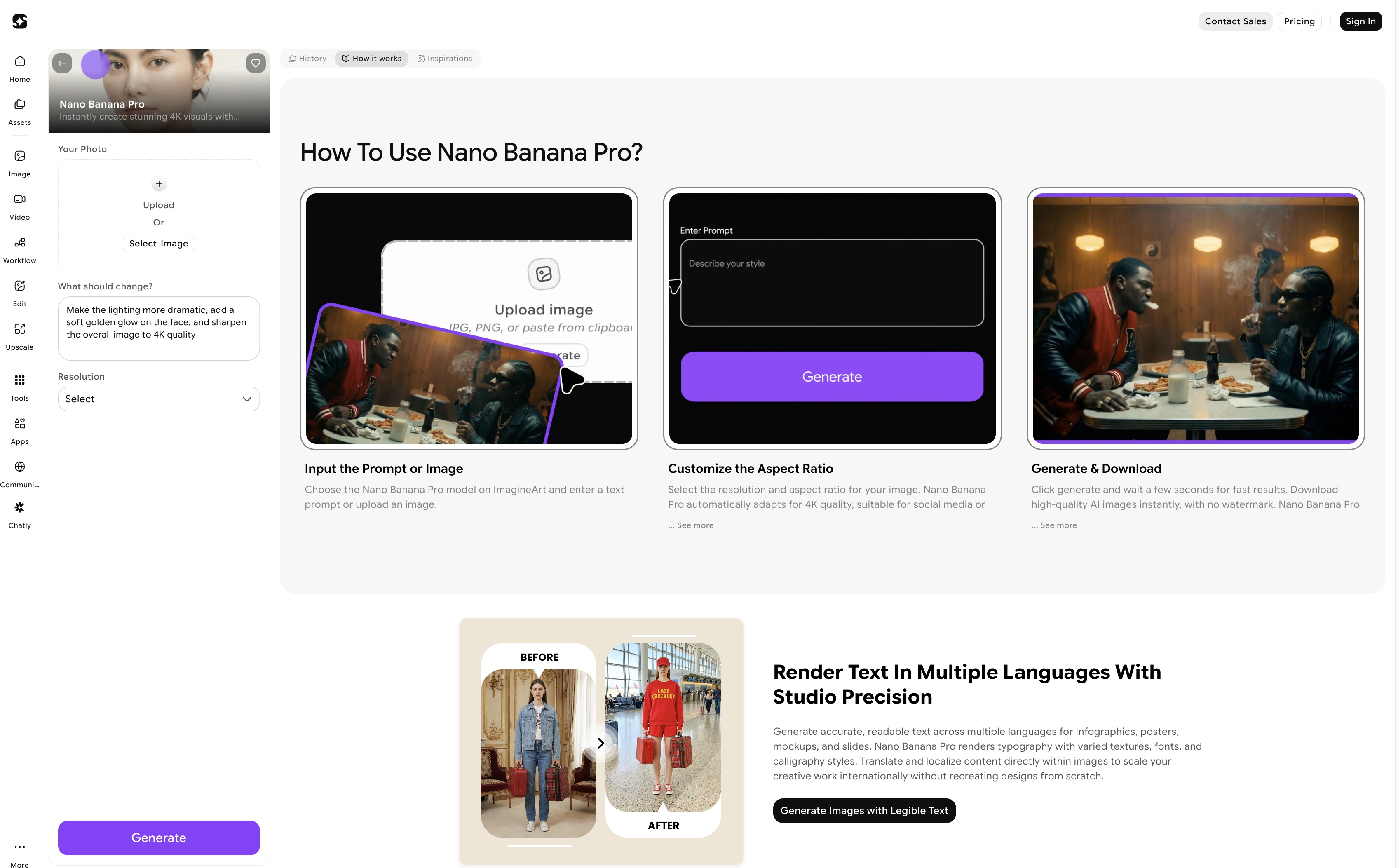 Nano Banana Pro - ImagineArt
5. Google Whisk
Google Whisk takes a different approach to compositing — rather than precise element combination, it excels at style and mood blending. You provide subject references and style references, and Whisk synthesises them into a unified image that captures the essence of both inputs without rigid element placement.
This makes it particularly useful in the early stages of creative development — exploring how a product would look in a specific visual world, testing how a character’s aesthetic translates into different environments, or blending photographic and illustrative styles for editorial content.
Strengths: Style blending, concept exploration, mood-driven outputs, speed of iteration
Limitations: Less precise element control; better for ideation than final production
6. GPT Image 1.5
GPT Image 1.5 brings OpenAI’s language understanding to image compositing, which means you can describe complex composite instructions in natural language and have them executed with a level of comprehension that image-only models can’t match.
Instructions like “place the product on the left side of the frame, partially behind a green plant, with soft natural light coming from the right window, warm afternoon colour temperature” are interpreted and executed with accuracy. The model understands spatial relationships, lighting descriptors, depth-of-field language, and compositional instructions in a way that translates reliably into the generated output.
Strengths: Natural language control, complex scene instructions, accessible for non-designers
Limitations: Less direct control over exact pixel-level element placement; outputs can vary with identical prompts.
 GPT Image Model - ImagineArt
7. Adobe Firefly
Adobe Firefly’s compositing capabilities sit within its broader creative ecosystem, which is its primary advantage for teams already working in Adobe’s toolchain. Generative Fill, Generative Expand, and the Reference Image features all enable sophisticated compositing directly inside Photoshop, no context switching, no export/import cycles, no workflow disruption.
Firefly is also the go-to choice for brands with strict commercial licensing requirements. Adobe trains Firefly exclusively on licensed content, so every composite output is commercially safe—no copyright ambiguity, no usage restriction concerns.
Strengths: Adobe ecosystem integration, commercial licensing clarity, enterprise workflows, and Photoshop native
Limitations: Subscription cost; less competitive on pure output quality for character compositing compared to dedicated tools
How to Choose the Right AI Compositing Tool
The right tool depends on what you’re compositing and why.
- If you’re a brand producing product and campaign content at volume, ImagineArt AI Image Combiner and Nano Banana Pro together give you the best combination of quality, speed, and pipeline integration.
- If you need cinematic single-image quality for hero assets, Kling 3 Image produces the most visually impressive results.
- If you’re working inside Adobe’s ecosystem and need commercial licensing certainty, Firefly is the obvious choice.
- For concept exploration and style blending, Whisk is fast and intuitive.
- For consistent reference-locked compositing across a campaign, Runway Gen-4 is the strongest option.
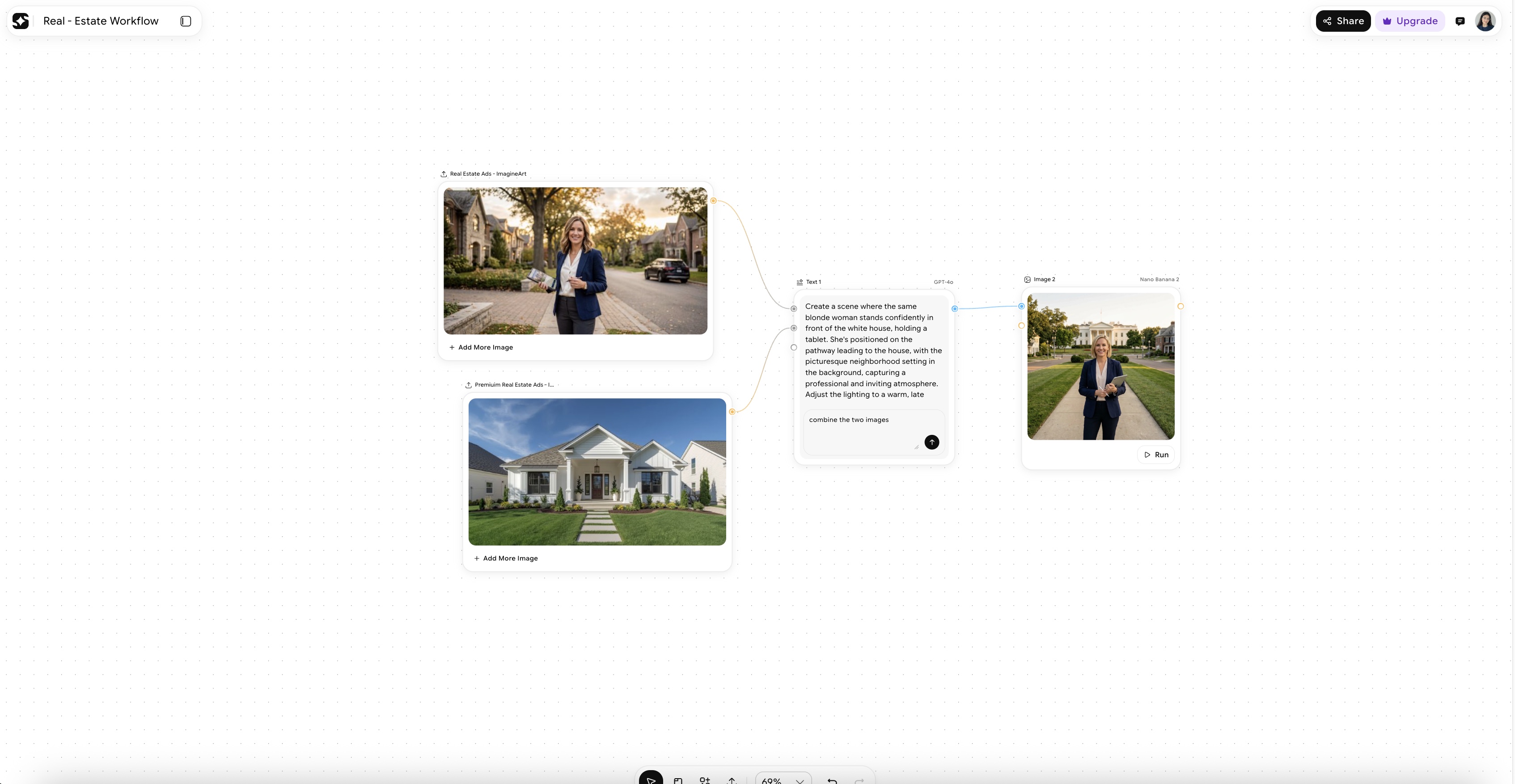 Image Combiner Node - Imagine Art Workflow
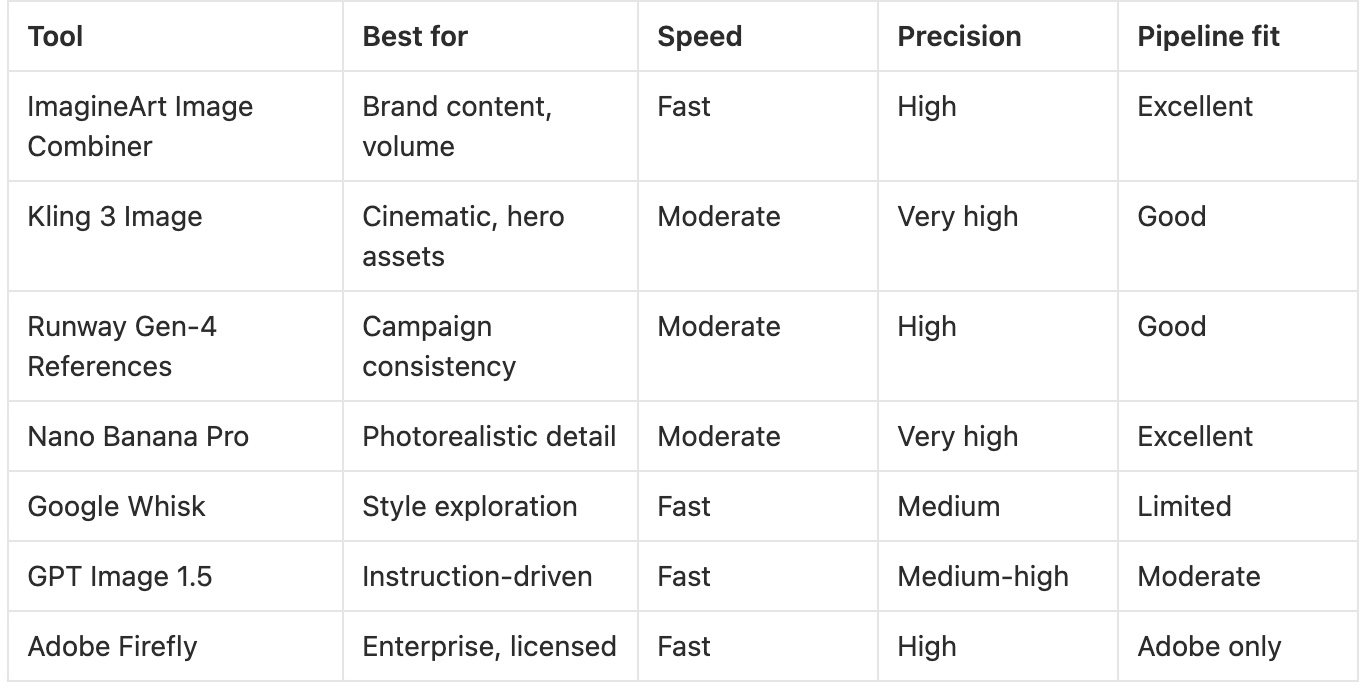
Quick Comparison: Best AI Image Compositing Tools at a Glance
 Quick Comparison: Best AI Image Compositing Tools
Found Your Best AI Image Compositing Tool?
The compositing landscape in 2026 is mature enough that there’s no wrong answer — only tools that fit your workflow better or worse than others. Start with the use case that costs you the most time and test the tool that addresses it most directly. The quality bar across all seven tools I have covered here is high enough that workflow fit matters more than marginal differences in output.
Umaima Shah
Umaima Shah is a creative content strategist specializing in AI tools, image generation, and emerging technologies. She focuses on translating complex platforms into clear, practical insights for creators, designers, and product teams