AI Auto Caption

Every Word On Screen.In Any Language.

Upload a video. Get word-accurate captions rendered in, styled the way you want, translated when you need them.

Upload a videoMP4 or MOV, up to 100 MB or five minutes.
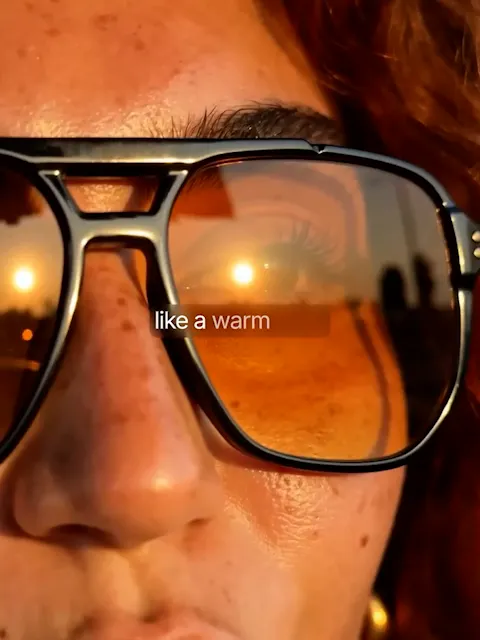
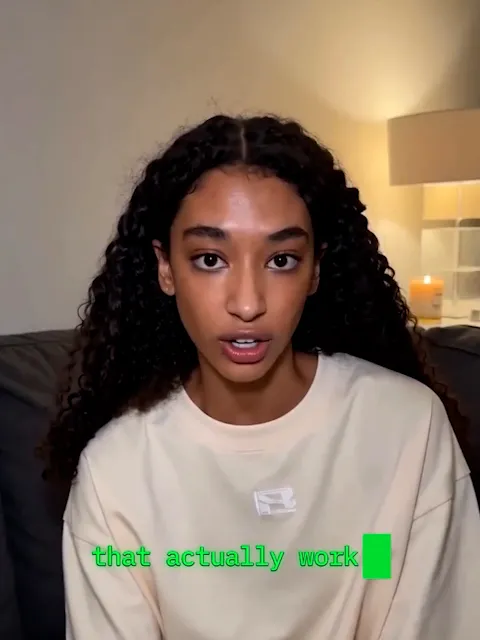
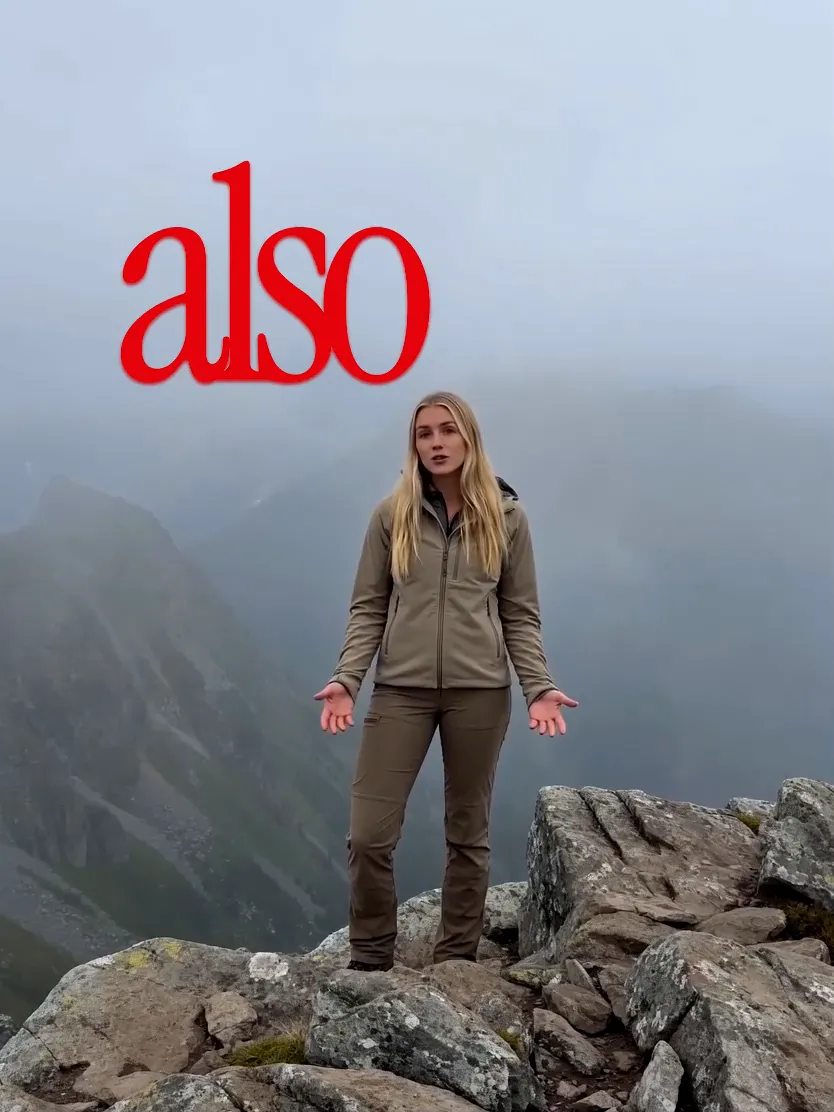
Pick a styleGlass · Dynamic
Upload and caption

164 spoken languages214 translation targetsHundreds of style combinations

Styles

Explore hundreds of styles and creative combinations for your captions.

Each style sets the type, colour and motion. Pair it with a position and a language and one clip reads a hundred ways.

How It Works

Three steps from a silent video to one that reads.

  1. Upload A Video

    Drop in an MP4 or MOV, up to 100 MB or five minutes. Any aspect ratio, any resolution. The captions are rendered into the video exactly as you framed it.

  2. Pick The Language And A Style

    Tell it what language is spoken, choose a caption style, and set the position: bottom, centre or top. Add a translation language if the audience does not share the speaker's.

  3. Render And Download

    Captions are transcribed word by word and burned into a new video at your source resolution, up to 4K. Add brand names or jargon to the vocabulary and re-render if a word was misheard.

Features

The caption generator for talking videos.

  • Word-accurate transcription

    Speech becomes captions timed to the word, in the language you tell it is being spoken.

  • Styles for every voice

    Type, colour, layout and motion set together. Dynamic styles adapt to the footage; Basic styles hold exactly as set.

  • Translate as you caption

    164 spoken-language options in, 214 translation targets out, rendered in the same style.

  • Placed where they belong

    Bottom, centre or top, so captions never cover a face or a lower third.

  • Your words, spelt right

    Add brand names and jargon to the vocabulary, with the spelling it heard, and re-render.

  • Your framing, kept

    No cropping, no reframing. The video comes back at the ratio you shot, up to 4K.

Built for anyone whose video gets watched on mute.

Creators

Most of your audience watches on mute. Captions are how the first line lands before the swipe.

Deepen engagement
Viewers stay in the story with the sound off, in a style that matches the channel.
Broaden your reach
Platforms read on-screen text, so captioned clips travel across feeds and languages.
Post in one pass
Upload, pick a style, download. Captions stop being the step that delays a post.

Podcasters

Teasers go out uncaptioned because cleaning a transcript takes an hour nobody has.

Names spelt right
Guest names and show jargon go in the vocabulary once, and stay right after that.
One look per show
Pick the style that fits the brand and every clip from every episode carries it.
Reach beyond your language
Translate a teaser for the markets your guests come from, in the same style.

Educators and coaches

Lessons need captions for access, and for anyone learning in a second language.

Improve accessibility
Captioned lessons work for deaf and hard of hearing viewers, and for anyone in a loud room.
Teach across languages
Caption once, translate for each cohort, keep the recording at the resolution you shot.
Keep the frame
Slides stay legible: captions sit top, centre or bottom, never over the content.

Marketing teams

One product video, five markets, and a subtitle vendor between every launch and its deadline.

Every market, same day
Caption once, translate into each market's language and download the set.
One campaign, one look
The same style across every language version, so the set reads as one campaign.
Product names intact
Vocabulary keeps product and feature names exactly as the brand writes them.

Agencies

Every client wants captions in a different look, and the editor's week goes to retyping.

A style per client
Dozens of styles, restrained to loud, without a designer touching each clip.
Client vocabulary, saved
Brand names and jargon stay with the client's videos, so re-renders are a click.
A step, not a service line
Captioning stops being billable hours and becomes part of the delivery.

FAQ

Got any questions left?

The questions people ask before they caption their first video with AI Auto Caption.

AI Auto Caption adds captions to a video you upload. It transcribes the speech, renders word-accurate captions into the video in the style and position you choose, and gives you back a new file at your original resolution. You can translate the captions into another language at the same time.

An MP4 or MOV up to 100 MB and five minutes long, in any aspect ratio and resolution. Captions are rendered at the resolution you shot, up to 4K, without cropping or reframing.

You choose the spoken language from 164 language and region options, and can translate the captions into any of 214 targets. Pick the spoken language yourself; there is no auto-detect.

Dozens, in two tiers, and each combines with three positions, 164 spoken languages and 214 translation targets. Dynamic styles such as Glass, Whisper, Glide, Fusion, Terminal, Handwritten and Backdrop adapt their rendering to the footage. Basic styles such as Simple, Plain, Beans, Corpo and Lowkey are fixed and predictable. Each sets the font, colours, layout and animation.

Yes. Add the word to the vocabulary, with the spelling it should use and the spelling it heard, and re-render. Brand names and jargon are the usual cases.

Not today. Captions are rendered into the video. The result is a single video file with the captions on screen.

Credits, based on the video's length in whole minutes, its resolution and whether you chose a Dynamic style or a translation. The exact figure is shown before you generate. See the pricing page for plans.

Your next video reads as well as it sounds.

Upload one and pick a style. Free to start, no card needed.