
Syed Anas Hussain
February 7, 2026 • Updated February 22, 2026
11 mins Read
Video content is the ultimate brand currency. Today, there is either a viral video or a bad video: nothing in between. Thus, a watermark on your video shows lack of finish, design, and professionalism. To save your day, I tested a ton of apps to filter the 12 best video editing apps without watermark (spoiler: they are not expensive!)
A Quick Rundown of 12 Best Video Editing Apps Without Watermark
Drumroll for the list, here it goes:
- ImagineArt – the best AI video editing tool without watermark
- DaVinci Resolve – The industry standard for color grading and post-production
- CapCut – The king of short-form social media content.
- VN Video Editor – The best mobile-first timeline editor for professionals.
- OpenShot – Reliable, open-source simplicity for desktop users.
- Shotcut – Advanced format support and 4K capabilities.
- VLLO – A seamless mobile experience for vloggers.
- Clipchamp – Microsoft’s intuitive, browser-based solution.
- InShot – Versatile mobile editing with easy watermark removal.
- VideoProc Vlogger – Precision speed ramping and motion control.
- Kdenlive – Powerful, open-source multi-track editing.
- Canva – The ultimate template-driven editor for quick designs.
Let’s get into the details of these apps.
1. ImagineArt
ImagineArt offers 3 AI video workflows: text to video, image to video and video to video (aka. AI-powered editing). And that’s why ImagineArt is on the number one spot for being the top AI video editor without watermark.
In fact, ImagineArt is the complete AI Creative Suite for content creators and businesses. While editing, it understands the geometry and semantics of your video and then follows the prompt to give you your desired video.
ImagineArt has a set of one-click video apps that you can you use to swap a background or replace an object in seconds, while maintaining a professional aesthetic that rivals high-budget productions. But you get all of without a single watermark to clutter your frame.
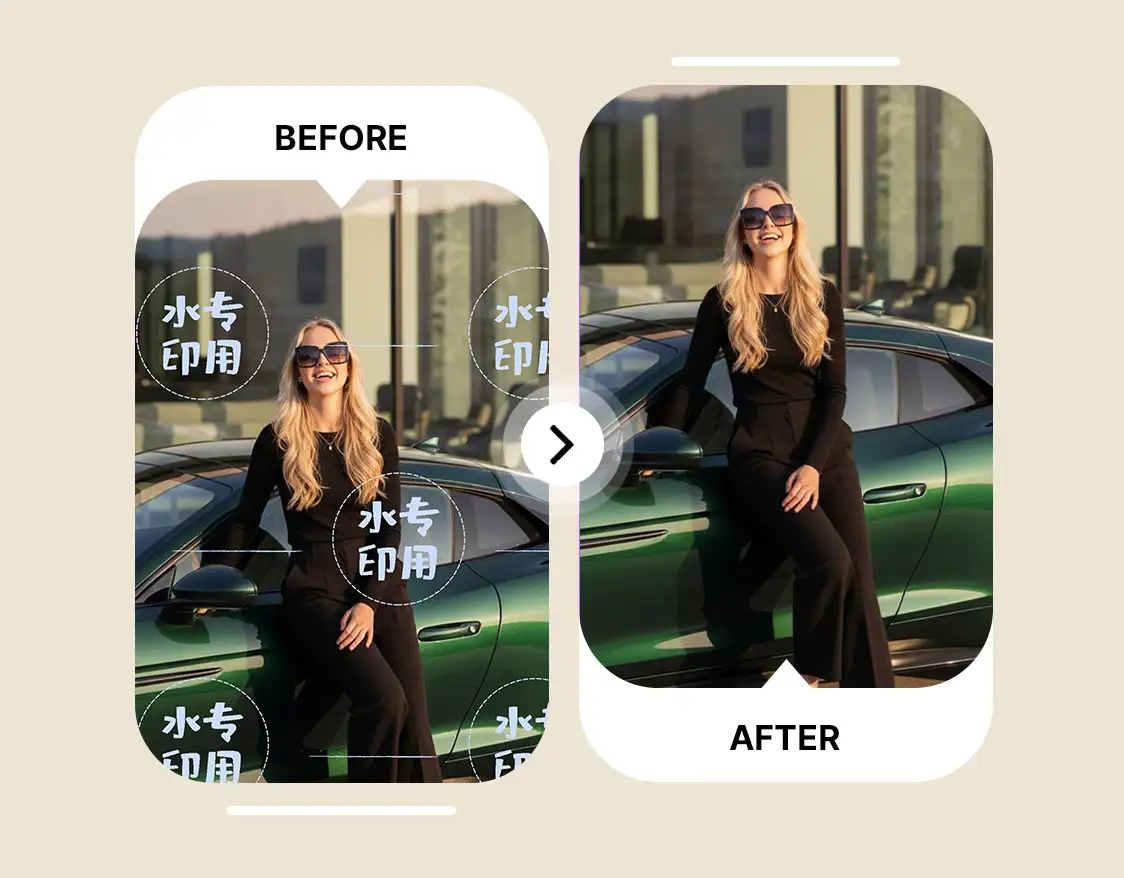 AI Watermark Remover - ImagineArt
Key AI video editing features of ImagineArt
- Kling AI Motion Control transforms static images into dynamic, realistic video sequences with granular control.
- Video Object Replace: seamlessly swaps elements within a video using simple text prompts for precise, creative control.
- Remove Object from Video: instantly removes unwanted characters or distractions to deliver clean, distraction-free shots.
- Video Background Changer: replaces video backgrounds with pixel-level accuracy—no green screen required.
- AI Video Color Correction: automatically enhances color, exposure, and vibrancy for a professional, cinematic finish.
The best thing about ImagineArt AI video editing feature is that you get everything pre-production planning to video generation to post-production edits in ONE interface so you don’t have to juggle between subscriptions or even tabs.
2. DaVinci Resolve
DaVinci Resolve remains the industry standard for traditional, high-end post-production. It is the most powerful, watermark-free video editor for pc that offers unparalleled color grading and cinematic sound design. For marketers requiring a robust, traditional workflow, its comprehensive toolset delivers agency-level quality without a watermark.
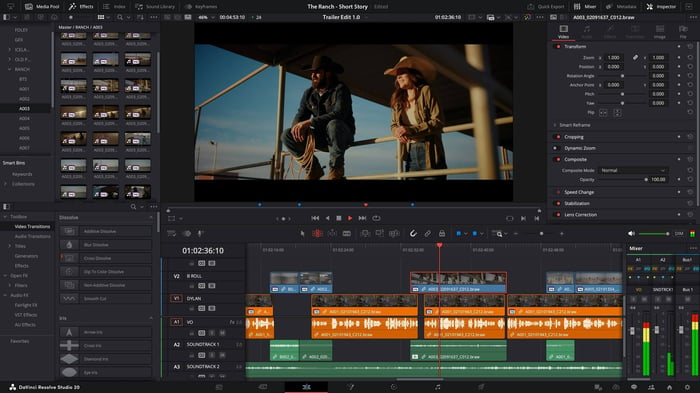 DaVinci Resolve
Key Features of DaVinci Resolve
- Node-based Color Grading allows industry-leading color correction and grading tools.
- Fairlight Audio Suite allows professional audio post-production capabilities.
- Fusion VFX integrates visual effects and motion graphics.
- Cut & Edit Pages streamlines workflows for fast and traditional editing.
- No Watermark on Free Version allows you to export high-quality videos without branding.
3. CapCut
For quick social media content creation, CapCut offers a compelling, mobile-first experience. CapCut provides a massive library of trending templates and AI features like auto-captions, which makes it a highly effective online video editor yet no-watermark solution for quick, high-frequency posting. Users can easily remove its default ending watermark which makes it a top choice among video editing apps without watermark for social creators.
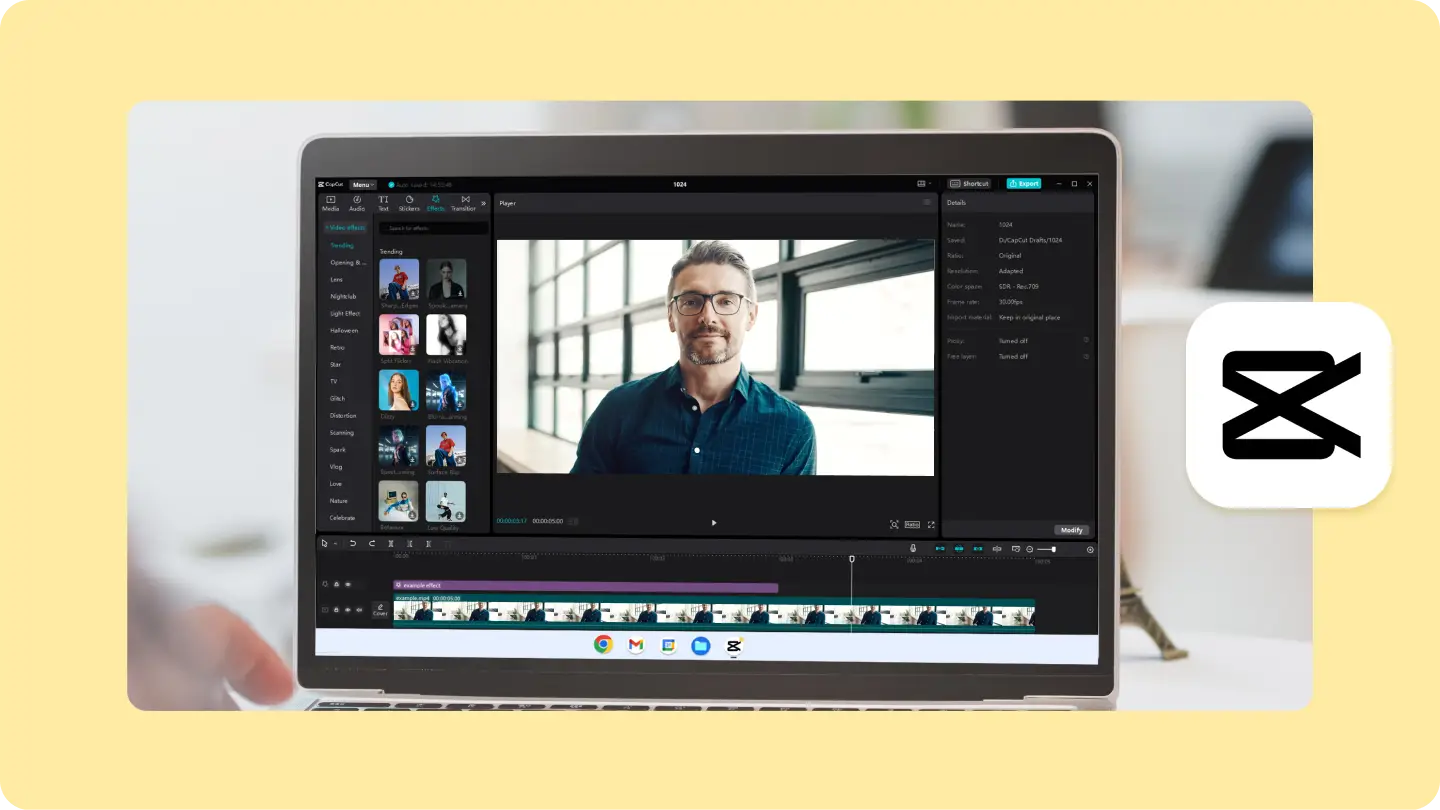 CapCut
Key Features of CapCut
- Trending Templates provide a vast library of popular video templates.
- AI-powered Auto-captions automatically generate subtitles for your videos.
- Smart Crop optimizes video framing for different aspect ratios.
- TikTok Integration allows seamless sharing and access to TikTok's music library.
- No Watermark if you simply crop the video at the end.
4. VN Video Editor
VN Video Editor offers a professional-grade mobile editing experience that provides a multi-track timeline with advanced features like "curve shifting" for smooth speed ramps.
It stands out as a reliable video editing app for android and iOS without watermark, offering clean exports without hidden fees. For mobile professionals seeking robust editing capabilities, it's a strong contender among video editing apps without watermark.
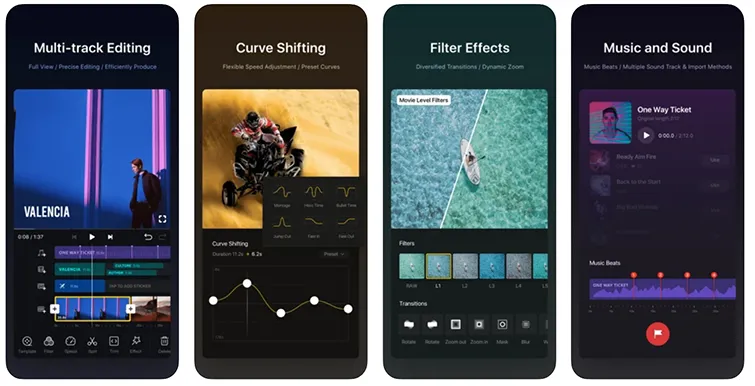 VN Video Editing
Key Features of VN Video Editor
- Multi-track Timeline provides professional-grade editing interface.
- Curve Shifting allows advanced speed ramping for dynamic effects.
- LUTs Support to apply professional color profiles.
- Robust Subtitle Engine providing precise timing and styling for text.
- No Watermark allowing clean exports without any branding.
5. OpenShot
For desktop users seeking open-source solutions, OpenShot is a dependable free video editor for pc no watermark. Built on the FFmpeg library, it offers broad file compatibility and an intuitive drag-and-drop interface. While ImagineArt pushes AI boundaries, OpenShot provides a solid foundation for basic editing and custom motion graphics, making it a valuable asset among video editing apps without watermark.
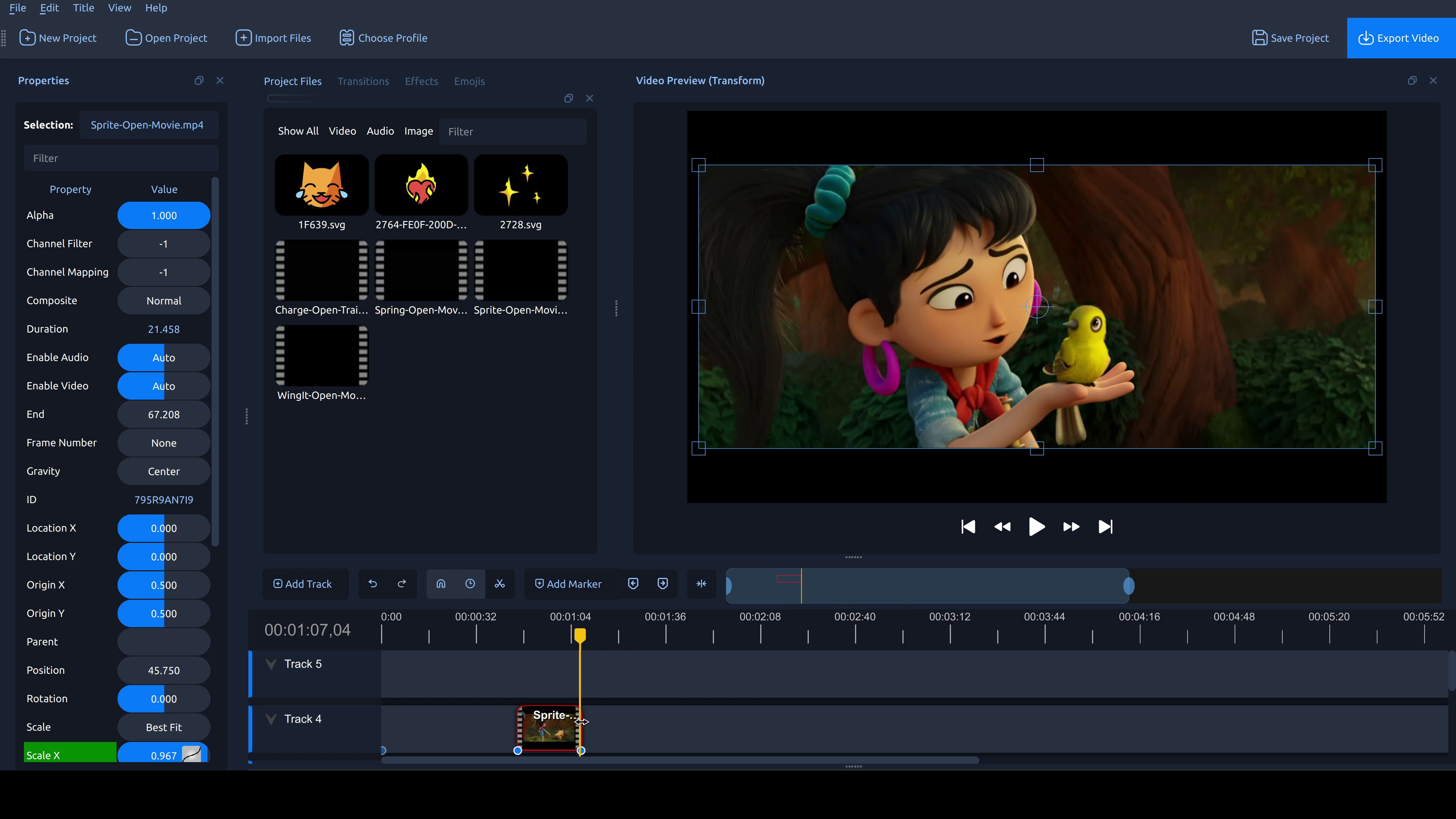 Openshot
Key Features of OpenShot
- FFmpeg Library Integration allows wide compatibility with various video formats.
- Drag-and-Drop Interface makes it user-friendly for beginners.
- Unlimited Tracks to layer videos, audio, and images freely.
- Powerful Animation Framework helping with keyframe animation for custom motion graphics.
- No Watermark making it completely free and open-source.
6. Shotcut
Shotcut is another powerful open-source option, offering advanced features like native 4K support and "native timeline editing" for efficient workflow. It's a robust professional video editing software free version with no watermark, providing granular control over effects and color. For technical creators, it's a top-tier choice among video editing apps without watermark.
Key Features of Shotcut
- 4K Native Support to edit and export in ultra-high definition.
- Native Timeline Editing to edit files directly from your hard drive.
- Non-destructive Filter System that stack and manage effects easily.
- SDR to HDR Conversion enhances visual quality for modern displays.
- No Watermark making it completely free and open-source.
7. VLLO
VLLO is a mobile editor tailored for vloggers, prioritizing quick cuts and aesthetic enhancements. Its commitment to a "no watermark" free tier makes it a top-tier video editing app for iphone without watermark (and Android). For marketers needing professional mobile production value, VLLO offers adjustment layers and chroma key tools, standing out among video editing apps without watermark.
Key Features of VLLO
- Intuitive Mobile Interface optimized for quick and easy editing on smartphones.
- No Watermark on Free Tier for clean videos without branding.
- Adjustment Layers to apply color grades and effects to multiple clips.
- Chroma Key for basic green screen functionality.
- Royalty-Free Music & Sound Effects.
8. Clipchamp
Microsoft’s Clipchamp, integrated into Windows 11, offers accessible, browser-based video production with hardware acceleration. It's an ideal online video editor no watermark for marketers, providing 1080p exports and an AI "Auto-Compose" feature. Its neural "Text-to-Speech" engine is a significant advantage for international content, making it a strong contender among video editing apps without watermark for scalable video marketing.
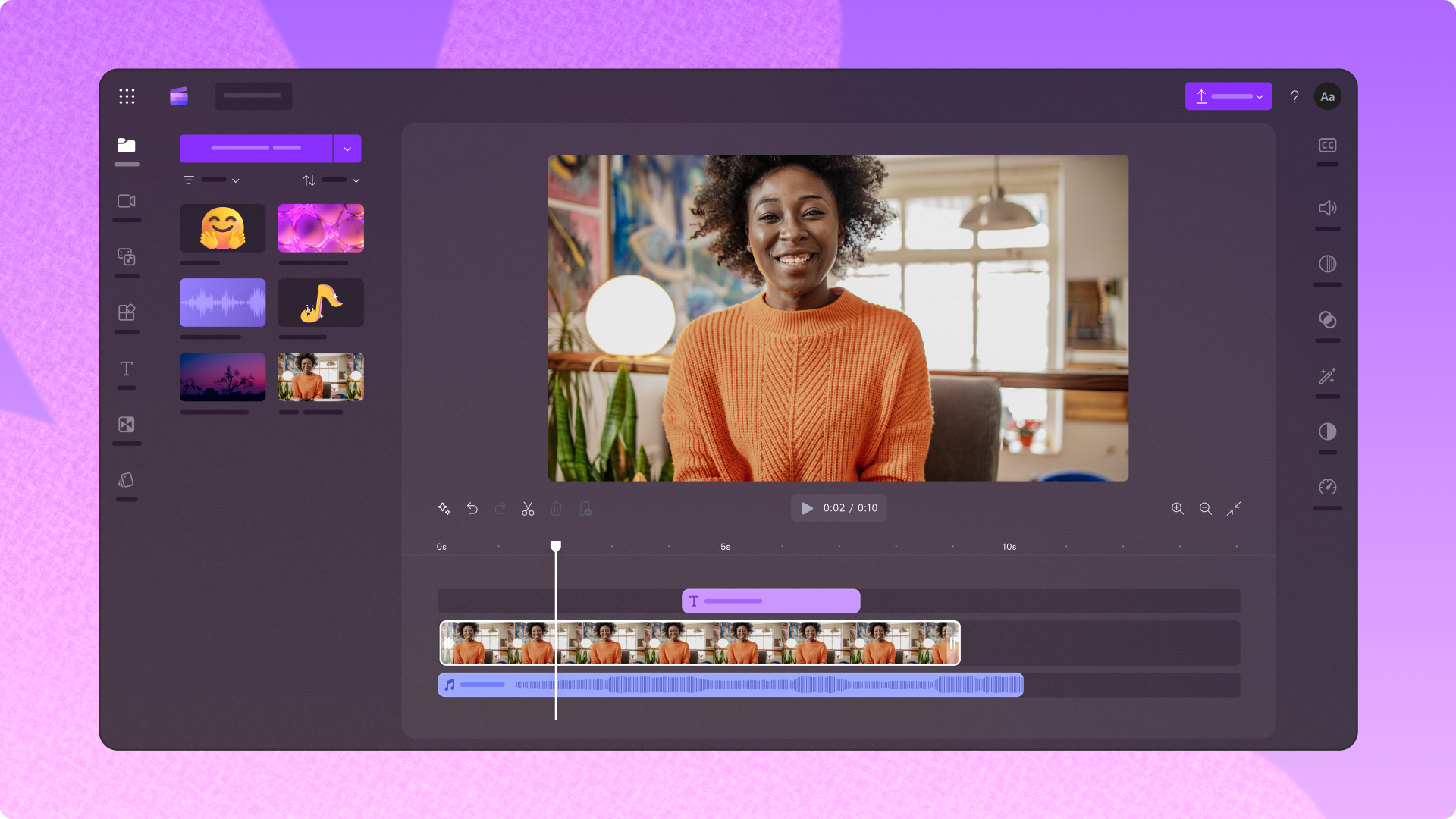 Clipchamp
Key Features of Clipchamp
- Browser-Based Editing to access and edit from anywhere with an internet connection.
- AI Auto-Compose to automatically generate video montages.
- Neural Text-to-Speech functionality for high-quality voiceovers in multiple languages.
- 1080p Exports without Watermark.
- Access to free stock images, videos, and music.
9. InShot
InShot is a versatile mobile editor popular for social media content. It allows free watermark removal by watching an ad, and excels in "Canvas" management for aspect ratio adjustments. For marketers, its robust "PIP" tool and cinematic speed ramping make it a reliable "workhorse" among video editing apps without watermark for smartphone-based content creation.
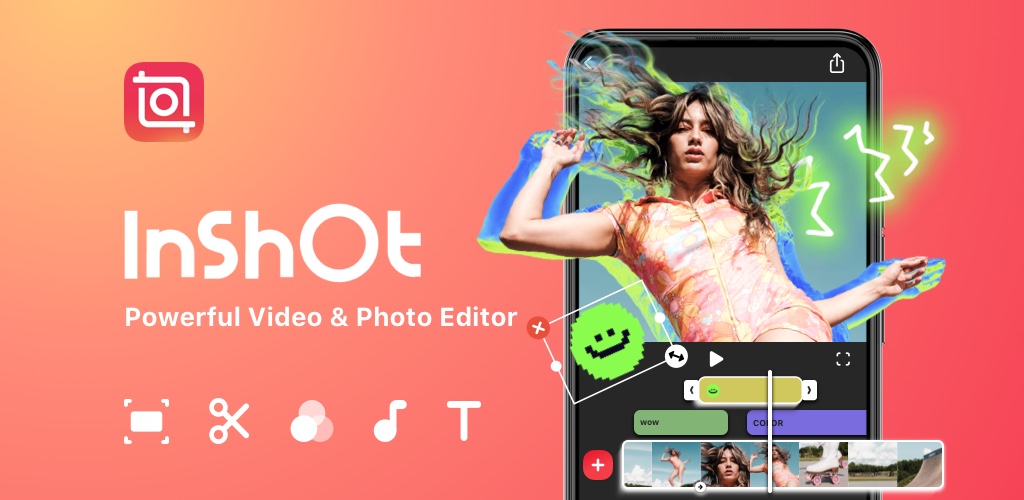 Inshot.jpg
Key Features of InShot
- Ad-Supported Watermark Removal to remove watermark by watching a short ad.
- Canvas Management to adjust aspect ratios for various social platforms.
- PIP (Picture-in-Picture) Tool to layer videos and images with masking options.
- Cinematic Speed Ramping for dynamic speed adjustments for creative effects.
- Extensive Filters & Effects providing a wide range of visual enhancements.
10. VideoProc Vlogger
VideoProc Vlogger is a powerful desktop editor offering specialized features like "Motion" simulation and advanced "Speed Ramping" for free with no watermark. Its ability to add dynamic camera movements to static 4K footage is a game-changer for marketers. With an integrated audio editor and "Automatic Audio Beats Sync," it's a robust, watermark-free solution among video editing apps without watermark for elevating production value.
Key Features of VideoProc Vlogger:
- Motion Simulation: Create dynamic camera movements from static footage.
- Advanced Speed Ramping for precise control over video speed with preset curves.
- Integrated Audio Editor for sound design.
- Automatic Audio Beats Sync to sync video cuts with music rhythm automatically.
- No Watermark making it completely free with 4K export capability.
11. Kdenlive
As the most advanced open-source suite, Kdenlive offers unlimited multi-track editing and a customizable interface. Its "Proxy Editing" feature ensures smooth editing of high-def footage on older hardware. For technical purists, it's a powerful, watermark-free choice among video editing apps without watermark, providing professional color monitoring and integration with online creative assets.
Key Features of Kdenlive
- Unlimited Multi-track Editing allowing advanced timeline for complex projects.
- Customizable Interface for customizable workflows
- Proxy Editing allowing smooth editing of high-resolution footage on any hardware.
- Online Resources Integration to access free creative assets directly.
- Professional Color Monitoring with tools like Vectorscope and Histogram for precise color accuracy.
12. Canva
Canva has evolved into a formidable video tool, offering cloud-native collaboration ideal for remote marketing teams. It is the ultimate online video editor no watermark for speed and templates. With AI features like "Magic Switch" for instant resizing and a massive asset library, it enables high-volume content creation without a dedicated production team. It's a versatile choice among video editing apps without watermark for maintaining consistent brand presence at scale.
 Canva
Canva
Key Features of Canva
- Cloud-Native Collaboration allowing real-time teamwork on video projects.
- Template-Driven Editing with thousands of professionally designed video templates.
- AI Magic Switch to instantly resize videos for multiple platforms.
- Massive Asset Library allowing access to millions of stock photos, videos, and music.
- No Watermark on Free Elements allowing you to create clean videos with free assets and a versatile choice among video editing apps without watermark.
Why do some video editors add watermarks to videos?
Video editing apps add watermarks to protect their tools, promote their brand, and encourage users to upgrade to paid plans. It’s a common practice, especially in free or freemium editors where access comes with visible limitations.
Common reasons video editors use watermarks:
- Free-tier restrictions: Watermarks are applied to videos exported on free plans to limit commercial use.
- Brand promotion: Each shared video becomes a marketing asset for the editing app.
- Paid plan incentive: Removing watermarks is often positioned as a premium upgrade feature.
How to Remove Watermark from Video
But what if you already got one watermark in your video?
While the best strategy is always to use video editing apps without watermark from the outset, there may be times when you need to salvage footage that already has a logo or brand mark on it.
Here are the most effective methods to remove watermarks:
1. ImagineArt Watermark Remover App
The best way to remove watermark from your video is using ImagineArt’s Watermark Remover. It is built to eliminate logos, text overlays, and branded marks from videos without compromising visual quality. Instead of simply blurring or masking the watermark, the tool uses advanced AI to reconstruct the hidden background frame by frame preserving motion, texture, and lighting consistency.
2. AI-Powered Object Removal
This is by far the most sophisticated and effective method. Tools like ImagineArt’s Remove Object from Video use generative AI to analyze the pixels surrounding the watermark and intelligently "in-paint" the area. The neural network essentially rebuilds the background behind the watermark, making it disappear without leaving the blurry, smudged mess that older removal tools created. This is the only method that can remove a watermark from a complex, moving background without a noticeable trace.
3. Cropping the Video
This is the simplest method. If the watermark is located in a corner of the frame, you can use your video editor to slightly zoom in and crop the video, effectively cutting the watermark out of the visible area. The downside is that this will reduce your video’s overall resolution and may cut out important visual information. It works best for 4K footage that is being downscaled to 1080p, as the loss in quality will be less noticeable.
4. Overlaying a Graphic
If the watermark is in a fixed position, you can strategically place your own logo, a lower-third graphic, or another visual element over it. This doesn’t remove the watermark, but it effectively hides it. This is a common tactic in news reporting and user-generated content compilations, but it can look cluttered if not done tastefully.
Ultimately, these methods are workarounds. To maintain the highest possible quality and a professional look, you should always aim to use one of the recommended video editing apps without watermark for all your projects.
Ready to Revolutionize Your Video Content?
Create watermark free videos and start pushing quality content that not just looks professional but also helps you convert clients and engage larger audiences. Start removing watermarks from your pictures and videos today!
FAQs
Q. Why do editing apps have watermark on the videos? Editing apps add watermarks to videos to protect their tools, promote their brand, and encourage users to upgrade from free plans to paid versions.
Q. Can ImagineArt truly remove watermarks from existing videos? Yes, ImagineArt’s "Remove Object from Video" feature is specifically designed for this. Utilizing generative AI, it intelligently analyzes and "in-paints" the background behind any unwanted elements, including watermarks, effectively making them disappear without a trace. This is a superior method compared to simple cropping or blurring.
Q. What makes ImagineArt stand out from other video editing apps without watermark? ImagineArt’s core differentiator is its deep integration of AI, particularly its Kling AI Motion Control and Video Object Replace features. These capabilities allow for unprecedented precision in manipulating video content, transforming static images into dynamic scenes or seamlessly swapping objects within a video. This level of AI-driven creativity and efficiency is unmatched by traditional video editing apps without watermark, positioning ImagineArt as a leader in the future of video production.
Q. Does ImagineArt offer features beyond basic video editing? Yes, ImagineArt goes far beyond basic cuts and transitions. Its suite of AI tools includes Video Background Changer (no green screen needed), AI Video Color Correction for automatic enhancement, and Video Reframe for adapting content to various aspect ratios without reshoots. It’s a comprehensive platform for advanced video creation and manipulation.
Syed Anas Hussain
Syed Anas Hussain is a computer scientist blending technical knowledge with marketing expertise and a growing passion for AI innovation. Curious by nature, he dives into new AI sciences and emerging trends to produce thoughtful, research-led content. At ImagineArt, he helps audiences make sense of AI and unlock its value through clear, practical storytelling.