
Umaima Shah
February 20, 2026 • Updated August 7, 2026
15 mins Read
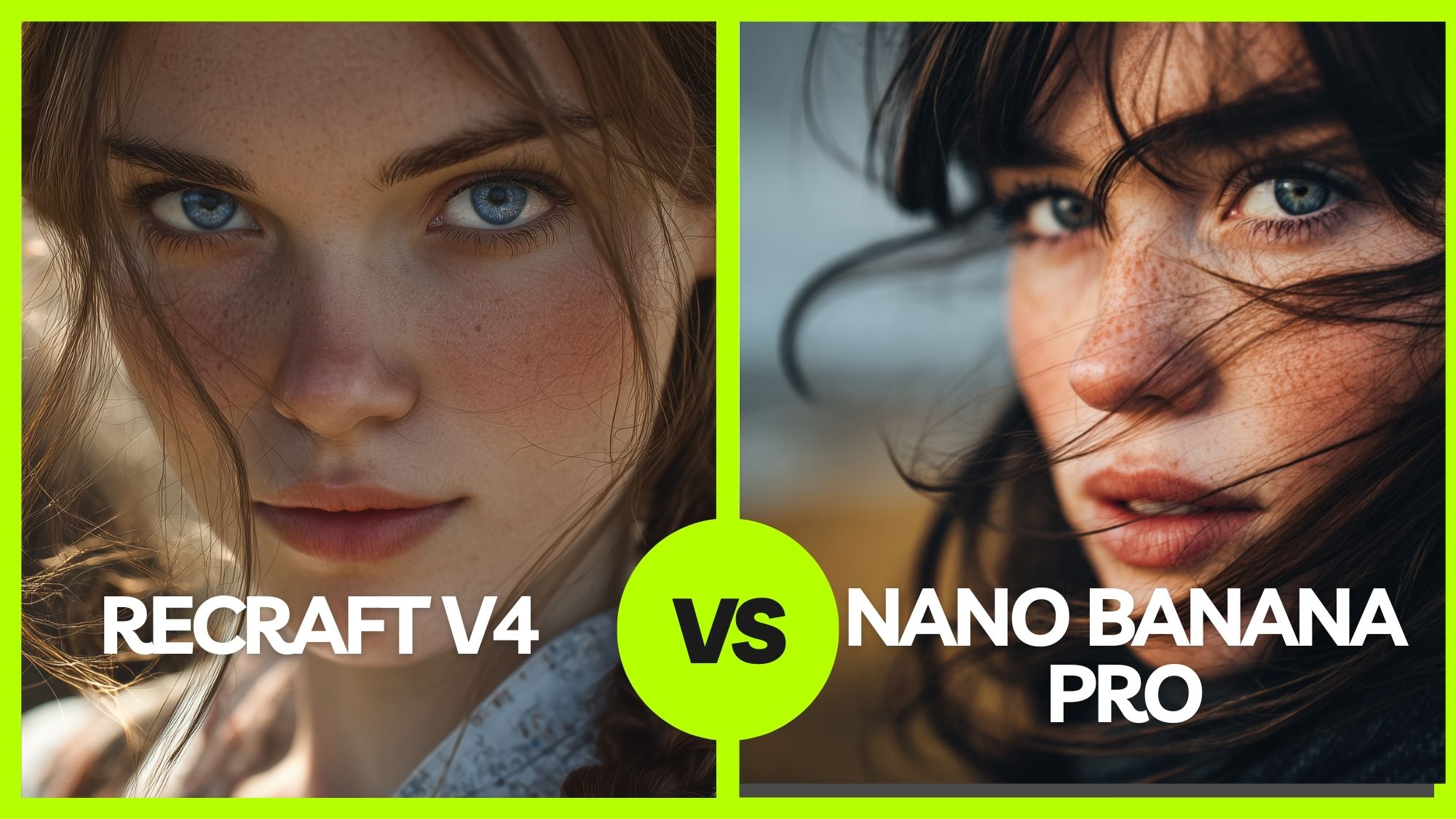
Recraft V4 and Nano Banana Pro are being compared because both sit at the top tier of AI image generation right now. Nano Banana Pro built momentum through sharp text rendering, strong semantic reasoning, and high-fidelity outputs powered by Google’s Gemini ecosystem. Recraft V4 entered the conversation with a different emphasis: not just generating images that make sense, but generating images that look intentionally designed.
The hype isn’t about which one can produce an image. Both can. The real debate is about output quality at a professional level — semantic intelligence versus visual judgment. That’s why this comparison matters.
Recraft V4 vs Nano Banana Pro: Quick Verdict
Nano Banana Pro is powerful. It understands prompts, handles structured reasoning well, and renders clean raster images.
Recraft V4, on the other hand, has improved in understanding design, and you get native SVG output, structured composition, typography-aware layouts, better geometry, and files that are actually usable in branding, print, and editorial work.
If you’re generating images for social or concept visuals, Nano Banana Pro is fine.
If you’re producing real design assets — logos, packaging, ads, scalable vectors — Recraft V4 is operating at a different level.
That’s the difference.
This blog explains where each model performs best and why the difference goes beyond surface-level image quality.
What’s New in Recraft V4? Key Features That Actually Matter
Before we dive into comparisons, here’s what Recraft V4 actually brings to the table.
Not marketing claims. Real workflow shifts.
Raster + Vector in One Model
Most AI tools force you to choose between realism and scalability. Recraft V4 removes that split completely.
Recraft V4 doesn’t separate image generation from production output.
You can generate:
- Photorealistic imagery
- Stylized illustrations
- Production-ready SVG vectors
All from the same model. Most AI tools force a pipeline:
Generate PNG → convert to vector → clean paths → fix color breaks.
Recraft skips that.
You get clean SVG output directly. Editable. Structured. Layer-consistent.
That changes how designers work.
Better Detail That Holds Up Under Pressure
Detail is where many AI images collapse under scrutiny. Recraft V4 tightens precision so the output survives real-world usage.
Recraft V4 improves texture clarity, lighting accuracy, and geometric precision.
You notice it most in complex scenes:
- Clean material separation
- Accurate reflections and highlights
- Controlled edges and geometry
- No muddy midtones or texture collapse
When you zoom in, it doesn’t fall apart. That’s not common in most generative models.
Faces and Anatomy That Work
Human figures expose weaknesses faster than anything else.
Recraft V4 stabilizes proportions and expression logic.
- Proportions that stay believable
- Natural expressions
- Multi-subject scenes without distortion
- Action poses without limb artifacts
It’s not just about realism — it’s about reliability.
If a model fails on anatomy, it fails in commercial use.
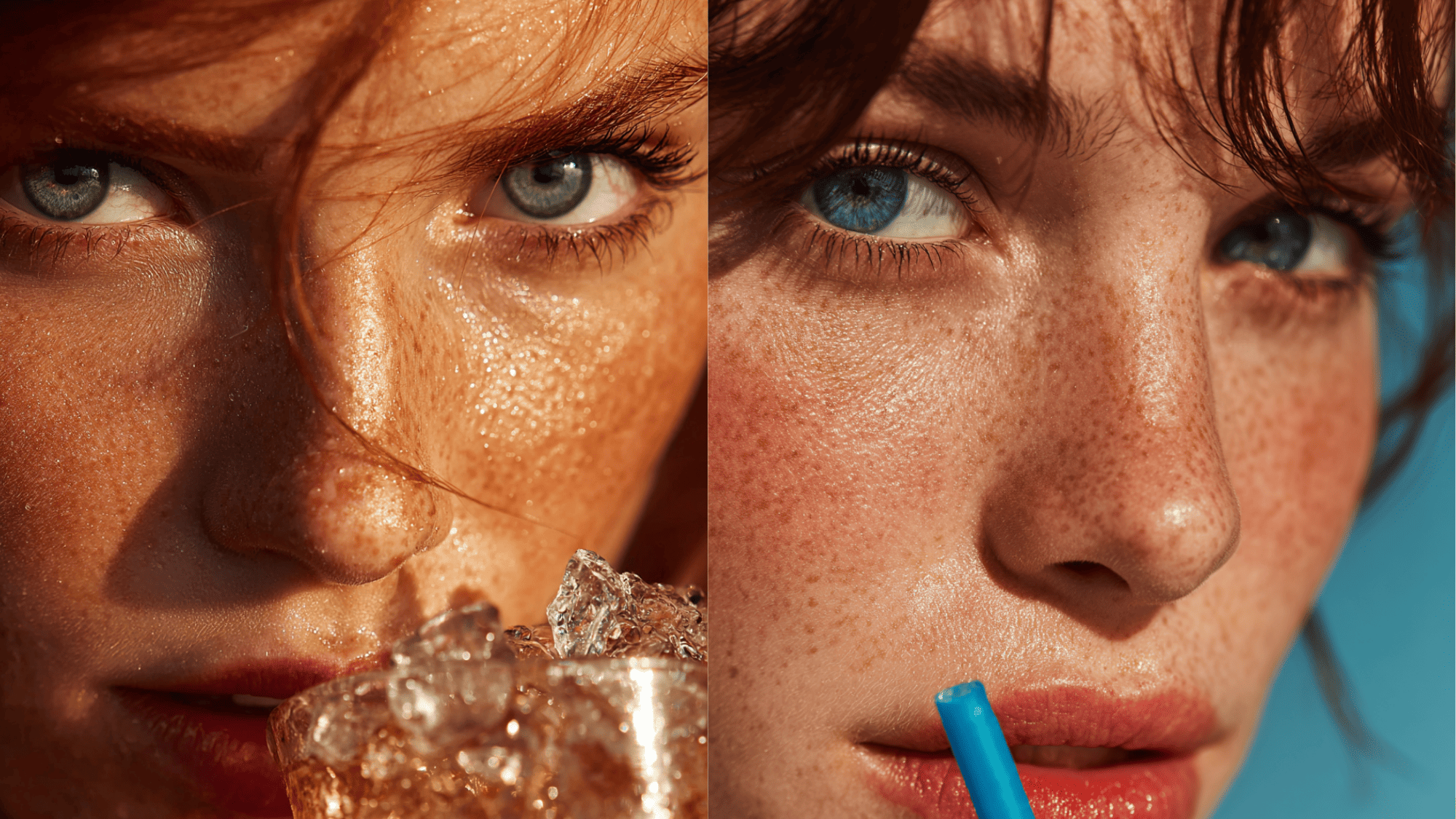 Close-up portrait generated in Recraft V4 with balanced facial symmetry and refined detail control.
Typography That Holds — In Layout and In Detail
AI images often fail at the exact moment designers need control: when text enters the frame. Either the layout doesn’t leave space for headlines, or the letters themselves distort and lose clarity.
Recraft V4 treats typography as both structure and content.
- Leaves intentional negative space for headlines and overlays
- Maintains grid-compatible composition
- Renders legible signage and packaging text
- Preserves spacing and alignment in short to mid-length phrases
- Avoids letter warping and inconsistent kerning
The result isn’t just readable text. It’s typography that behaves predictably inside a real design system.
That distinction matters in branding, editorial, packaging, and campaign work — where text is not decoration, but hierarchy.
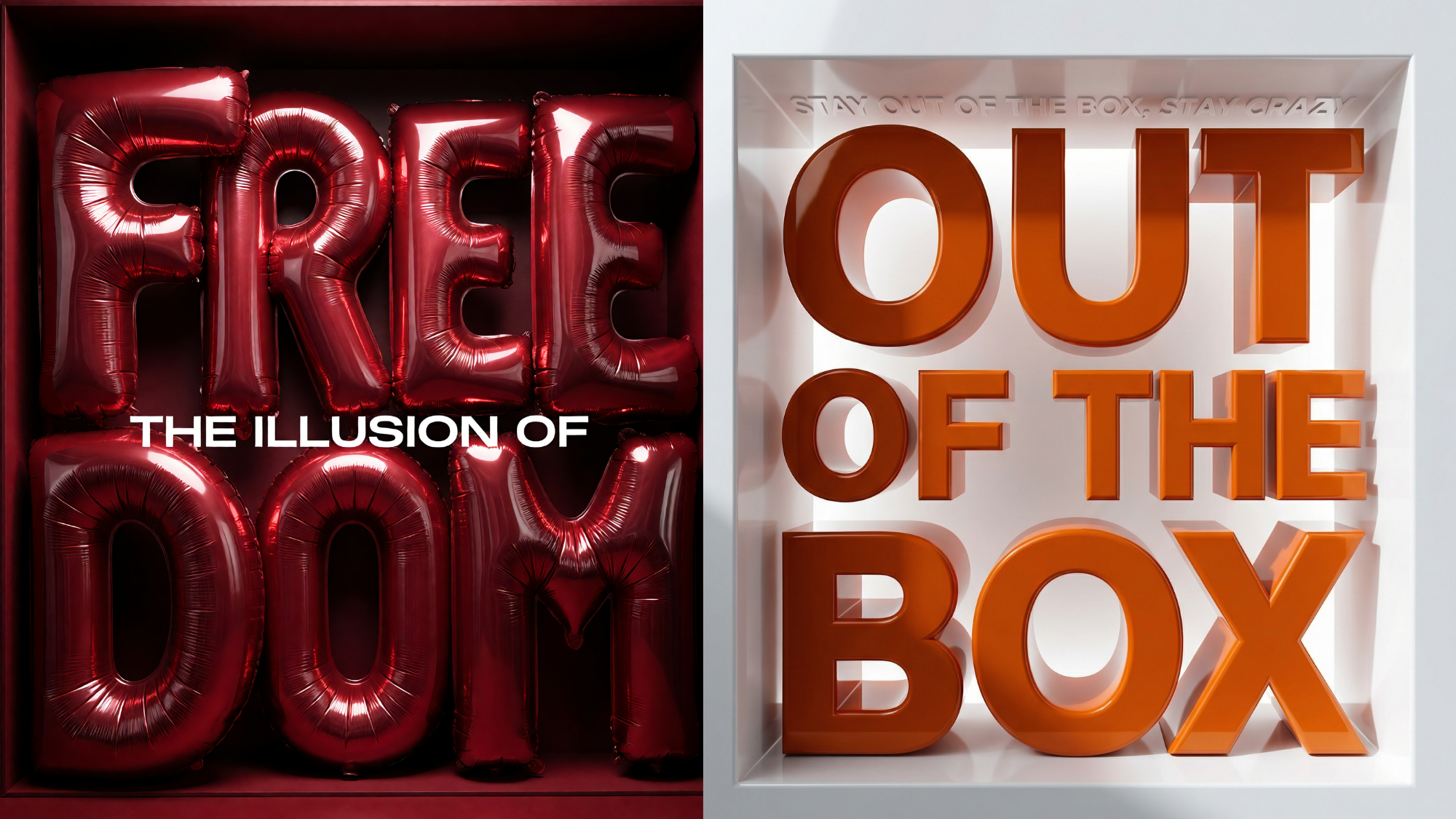 Knowing where AI text breaks and where it usually works will help you choose the right model
Native SVG Output (The Big One)
This is the structural advantage.
And this is where Recraft separates itself from nearly every mainstream image model.
Recraft generates:
- Editable vectors
- Clean paths
- Proper color segmentation
- Organized layers
You can open the SVG in design software and work immediately.
No auto-tracing.
No path cleanup.
No re-color correction.
Right now, no other mainstream AI image model delivers production-grade SVG like this.
Structured Composition
Most AI models fill space aggressively. Recraft V4 understands layout restraint. Recraft V4 builds images with layout awareness.
Negative space isn’t accidental.
You get:
- Poster-ready framing
- Ad-friendly spacing
- Editorial alignment
- Built-in hierarchy
It understands that design needs breathing room.
Prompt Accuracy with Spatial Awareness
Precision isn’t just about realism. It’s about honoring instruction.
Recraft follows detailed creative direction closely.
It respects:
- Spatial relationships
- Material differences
- Lighting logic
- Reflection accuracy
You don’t fight the model to place objects correctly.
You direct it.
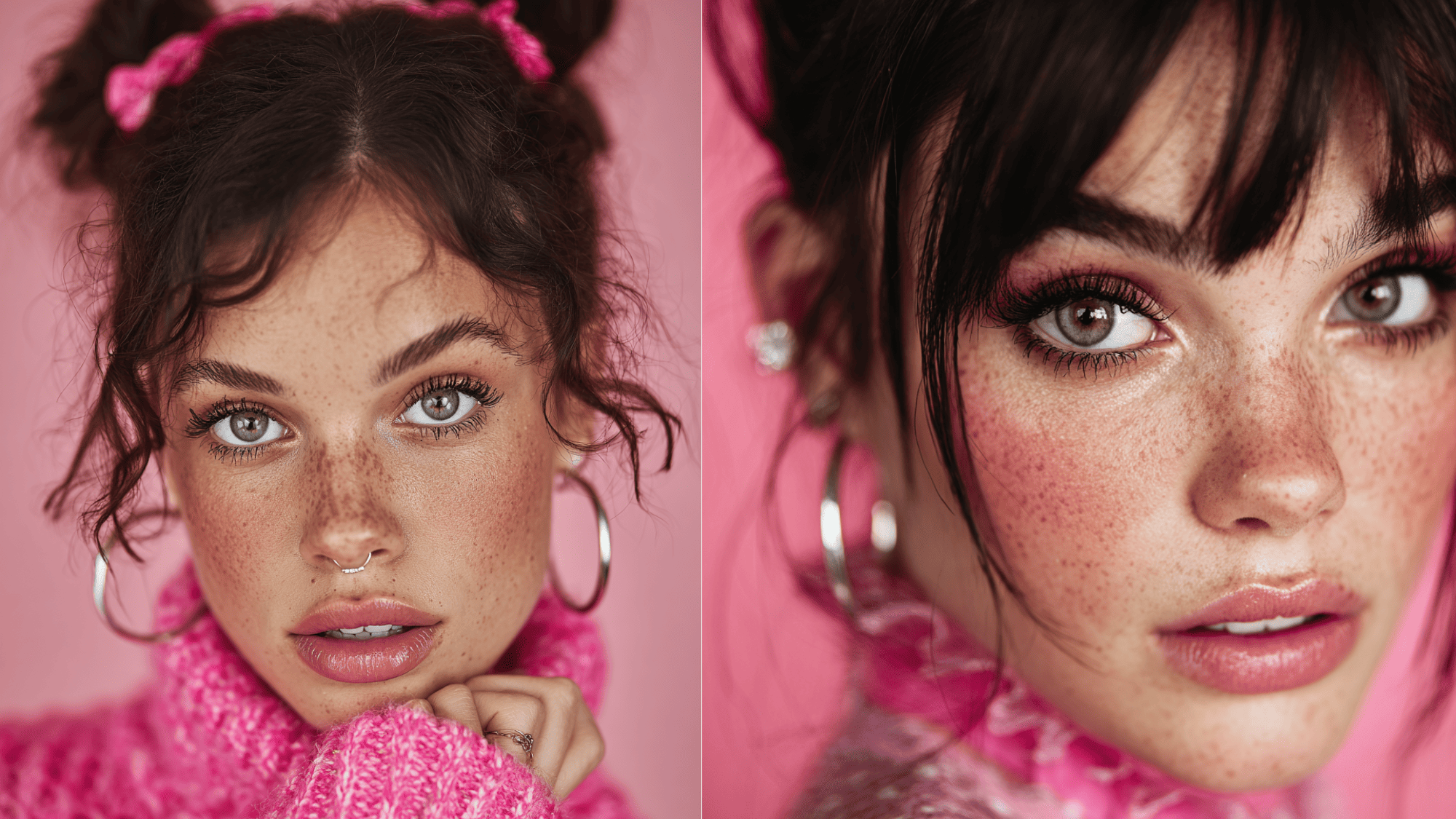 A high-quality prompt maximizes the chances of having a good response from the generative AI models
V4 Pro (Same Brain, Higher Ceiling)
Resolution limits can restrict professional output. V4 Pro removes that ceiling.
Recraft V4 Pro runs the same model at a higher resolution.
- Outputs up to 2048×2048
- Better for print and large-format work
- Holds detail at scale
Creative intelligence stays the same.
Output depth increases.
Also read: How to Use Recraft v4
Recraft V4 vs Nano Banana Pro: Where Nano Banana Pro Still Competes
Nano Banana Pro is not weak. It simply optimizes for different strengths. In a few specific areas, it remains highly competitive.
Image Editing Capabilities
Nano Banana Pro supports native image editing workflows, which Recraft V4 currently does not provide in the same way.
- Modify existing images through prompt-based adjustments
- Refine visual elements without regenerating from scratch
- Edit specific areas while preserving overall structure
- Iterate quickly within the same raster workflow
For users who rely on post-generation adjustments, this can be a practical advantage.
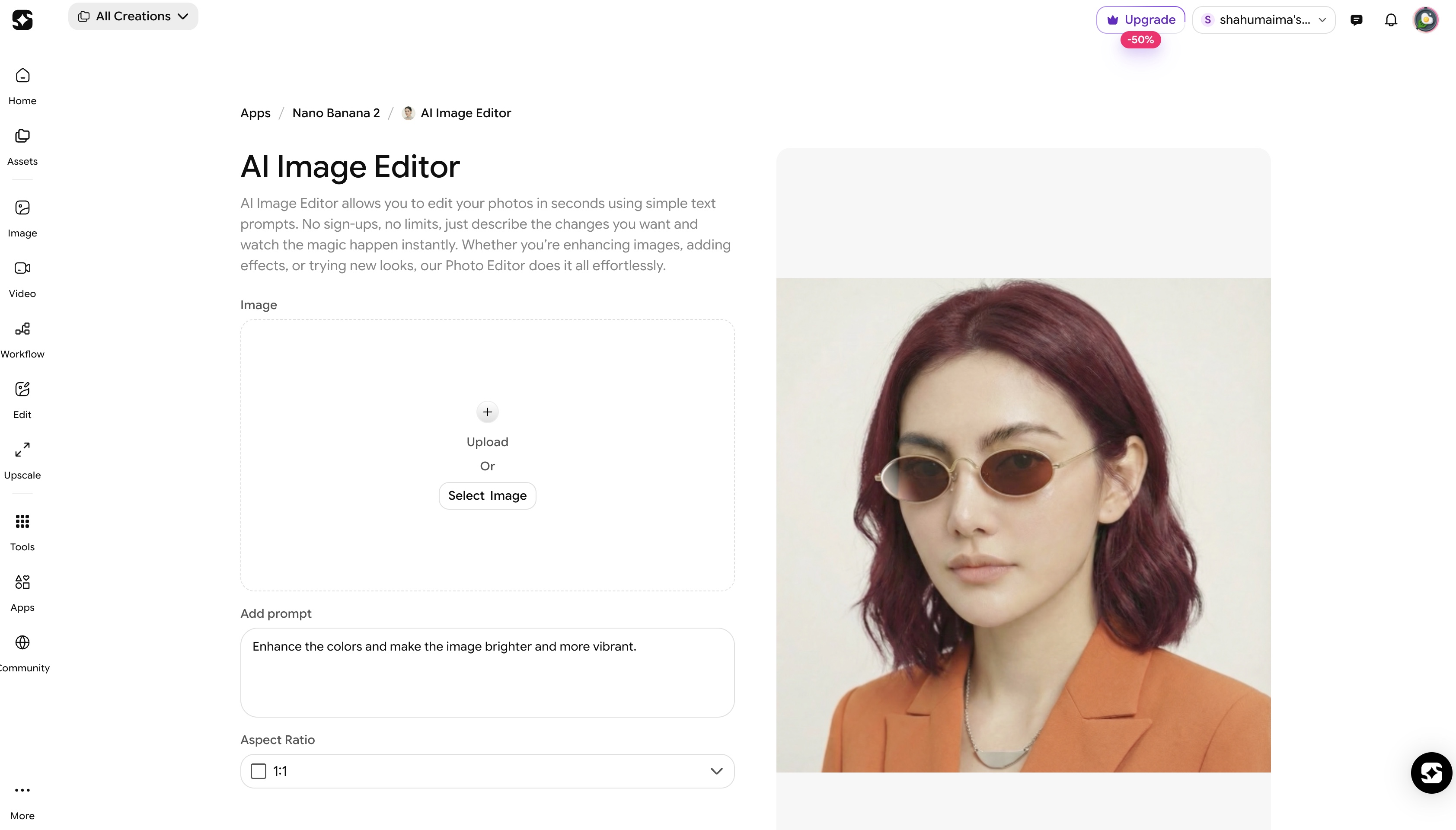 Editing your photos is now as easy as customizing a template with Imagine Art's Editing
Contextual Understanding
- Strong contextual understanding
- Reliable interpretation of structured prompts
- Effective in concept explanation visuals
When the accuracy of relationships matters more than visual refinement, it performs consistently.
Text Rendering
- Clean raster typography
- Clear labeling in diagrams and infographics
- Handles short and mid-length phrases well
It maintains readability inside structured layouts.
Ecosystem Integration
- Built within the Gemini environment
- Convenient for Google-based workflows
- Suitable for teams already operating in that stack
That’s where Nano Banana Pro still holds ground.
If you want a deeper look at how Nano Banana Pro handles prompt structuring and editing workflows, see our detailed breakdown here: Nano Banana Pro Prompt Guide
Side-by-Side Comparison: Recraft V4 vs Nano Banana Pro
After breaking down what Recraft V4 improves and where Nano Banana Pro still performs well, here’s the structural comparison.
Now, let’s put Recraft V4 vs Nano Banana Pro next to each other.
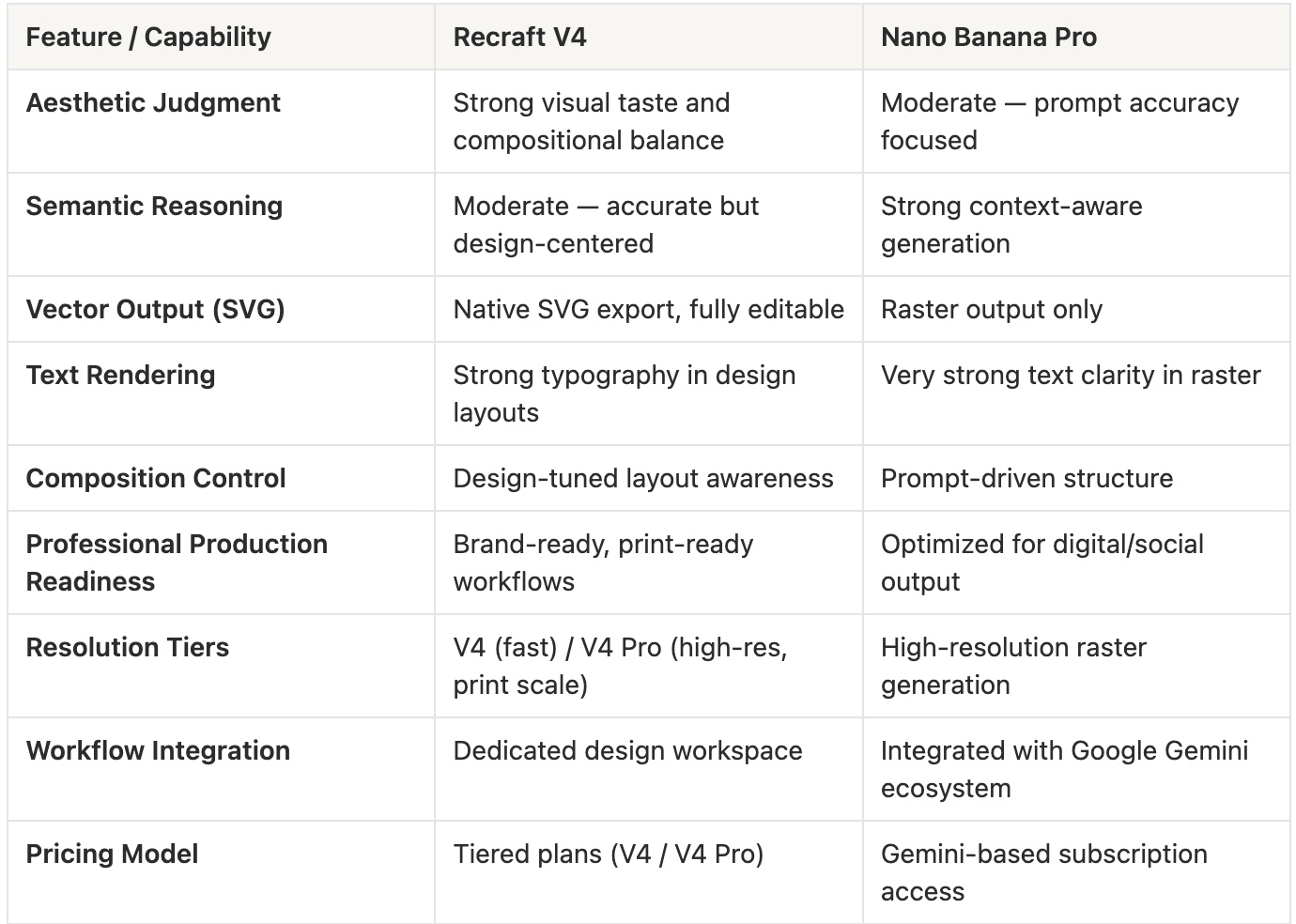 Compare table of Recraft V4 vs Nano Banana Pro
Read more: Recraft v4 Features
Recraft V4 in Production: Real-World Design Applications
1) Branding & Identity Systems
Brand systems require precision, scalability, and consistency. Visual ideas are not enough — assets must be editable and adaptable across touchpoints. Recraft V4 fits naturally into structured identity workflows.
- Native SVG logo concepts ready for refinement
- Editable vector icon systems
- Clean color segmentation for brand palettes
- Structured layout mockups for identity presentations
- Typography-aware composition for logo lockups
Instead of exporting static inspiration, designers can generate usable brand components. Designers can accelerate early-stage exploration using ImagineArt’s AI Logo Generator before refining concepts into structured brand systems.
2) Packaging & Print Design
Print exposes flaws fast. Geometry errors, weak detail, or muddy textures become obvious once scaled. Recraft V4 maintains clarity under production pressure.
- High-resolution artwork (V4 Pro up to 2048×2048)
- Vector-ready graphics for labels and badges
- Accurate material rendering for packaging mockups
- Clean edge definition suitable for dielines
- Legible typography inside product visuals
This makes it practical for packaging previews and client-ready presentations. The assets behave like production files, not concept art.
3) Editorial & Poster Design
Editorial design depends on hierarchy and controlled composition. Many AI outputs overcrowd the canvas. Recraft V4 approaches layout with restraint.
- Built-in negative space for headlines
- Balanced composition with clear visual hierarchy
- Poster-ready framing
- Typography-friendly spacing
- Controlled color harmony for print or digital
Designers can place overlays and branding without redesigning the layout. The output supports structured editorial execution.
4) Vector Illustration & Asset Libraries
Scalable illustration systems require editable files. Raster-only workflows slow teams down. Recraft V4 eliminates the conversion step.
- Clean SVG illustration output
- Organized path structure and color layers
- Editable linework and scalable shapes
- Consistent style across generated assets
- Print and digital adaptability
Illustrations move directly into production pipelines. Designers retain control over final adjustments instead of tracing and rebuilding assets.
5) Campaign Creative & Multi-Format Systems
Campaign work requires consistency across formats. Visual systems must adapt without collapsing composition. Recraft V4 supports multi-format flexibility.
- Layouts adaptable to multiple aspect ratios
- Consistent visual identity across variations
- Typography-friendly negative space
- Clean exports for social, web, and print
- Structured composition that survives cropping
Instead of generating one-off visuals, teams can build coherent campaign systems that scale across platforms.
6) Product Mockups & Commercial Visuals
Commercial visuals demand realism and structural clarity. Lighting errors and distorted geometry weaken credibility. Recraft V4 improves visual stability.
- Accurate material rendering
- Controlled reflections and highlights
- Clean geometry for product framing
- Structured composition for focus hierarchy
- High-resolution output for landing pages
This makes outputs usable for e-commerce, presentations, and product showcases. The result feels commercially viable rather than experimental.
For e-commerce workflows, you can refine generated assets using
ImagineArt’s AI Background Remover to isolate products and prepare marketplace-ready visuals without manual masking.
Stress-Test Prompts: Recraft V4 vs Nano Banana Pro
If you want to evaluate Recraft V4 vs Nano Banana Pro properly, don’t test random prompts. Test structural pressure points. The following prompts are designed to expose differences in layout control, vector quality, typography stability, and detail rendering.
Run them side by side and compare not just aesthetics, but usability.
1) Poster Layout Hierarchy Test
Prompt:
Design a vertical event poster for a contemporary art exhibition titled “FORM & VOID.” The main headline should appear large at the top, centered with a strong typographic presence. Below it, include a smaller subtitle reading “Exploring Negative Space in Modern Sculpture.” Leave intentional negative space in the lower third of the composition for sponsor logos. Use a minimalist black, off-white, and muted red color palette. Incorporate abstract geometric forms that frame the headline without overwhelming it. The composition should feel structured, balanced, and print-ready. Avoid clutter and maintain a clear visual hierarchy between the headline, subtitle, and background elements. Ensure spacing supports real-world layout usage. Poster ratio 2:3, high resolution, suitable for print display.
What to compare:
Hierarchy clarity, negative space control, typography placement readiness.
2) Logo Concept (Vector Advantage Test)
Prompt:
Create a modern logo concept for a sustainable coffee brand named “Verdant Brew.” The logo should combine a clean wordmark with a minimal icon that subtly integrates a coffee bean and leaf shape into a single geometric symbol. Use flat vector styling with controlled line weight and scalable proportions. Keep the color palette limited to deep forest green and warm beige. The design must work in monochrome and small sizes without losing clarity. Deliver the logo as an editable vector graphic with clean paths and proper color segmentation. Avoid gradients and unnecessary texture. The result should feel brand-ready and adaptable for packaging, signage, and digital platforms.
What to compare:
Path cleanliness, SVG editability, scalability, and geometry precision.
3) Infographic with Labeled Data
Prompt:
Create a clean infographic titled “Global Renewable Energy Growth 2020–2025.” Include three labeled data sections: Solar (+35%), Wind (+22%), and Hydropower (+10%). Each section should have a simple icon and a clear percentage label. Maintain consistent spacing and grid alignment across the layout. Use a professional blue and teal color scheme with a white background. Typography should remain legible and evenly spaced. Avoid distortion of letters or misaligned labels. The design should feel structured and presentation-ready, suitable for a business report slide. Maintain clarity and logical grouping between visual elements and text.
What to compare:
Text rendering clarity, alignment precision, and grid consistency.
4) Typography-Heavy Composition Test
Prompt:
Design a bold typographic social campaign visual featuring the phrase “DESIGN IS STRUCTURE.” The words should dominate the composition in a clean, modern sans-serif typeface. Integrate subtle geometric background elements that support the typography without competing with it. Maintain a strong contrast between text and background. The layout should leave breathing room around the main phrase and feel balanced rather than overcrowded. Include a smaller sub-line at the bottom: “Reimagining Visual Systems.” Ensure all text remains sharp, aligned, and proportionally accurate. Square format, high resolution, optimized for digital but adaptable for print.
What to compare:
Letter integrity, spacing, compositional balance, and text distortion issues.
5) Photoreal Product Scene Test
Prompt:
Generate a photoreal product scene featuring a matte glass perfume bottle labeled “Noir Essence.” The bottle should sit on a dark stone surface with soft natural side lighting, creating subtle reflections and controlled highlights. Include a shallow depth of field and a blurred neutral background. The label typography should remain legible and centered. Reflections must feel physically accurate, and glass edges should remain clean and well-defined. Avoid unrealistic glare or warped geometry. The composition should feel suitable for a luxury e-commerce landing page. High resolution, professional commercial lighting.
What to compare:
Material realism, reflection accuracy, label clarity, and geometry stability.
Ready to run these tests yourself?
Use ImagineArt AI Workflows to generate side-by-side outputs and evaluate workflow performance in real time.
6) Logo Design
Prompt used: "Minimalist logo for a skincare brand called 'Lumé.' Clean wordmark with a leaf icon. Dark green on white. SVG-style line art."
Recraft V4 Pro: Strong in this category — SVG export capability and the style system give it a native advantage for logo generation. The wordmark renders with controlled typography and the icon stays clean at small sizes.
Nano Banana Pro: Follows the visual brief accurately but lacks native SVG output. Renders as a raster image with sharp edges — usable for concepts, requires export via design software for final files.
Verdict: Recraft V4 Pro wins. Its SVG-native output and 40+ style presets make logo generation more production-ready.
7) Fashion Accessory
Prompt used: "Product photo of a gold wristwatch on black velvet, close-up macro shot, studio lighting, luxury brand aesthetic, bokeh background."
Recraft V4 Pro: High production quality — lighting behaves realistically, velvet texture renders with depth, bokeh is cinematic. Result reads as professional product photography.
Nano Banana Pro: Equally strong here. Follows the attribute list precisely (macro, velvet, gold, studio) with slightly sharper reflection detail on the watch face. Less artistic interpretation, more literal execution.
Verdict: Tie — use case dependent. Recraft for the artistic luxury feel; Nano Banana Pro if the brief needs exact attribute fidelity.
8) Architectural Visualization
Prompt used: "Modern minimalist house exterior. White concrete, floor-to-ceiling windows, flat roof, landscaped garden, golden hour lighting. Architectural rendering style."
Recraft V4 Pro: Renders with strong compositional framing and painterly lighting. The golden hour glow is atmospheric. Output reads more like concept art than a technical rendering.
Nano Banana Pro: More grounded in physical accuracy — windows reflect plausibly, concrete texture is consistent, landscaping sits in correct proportion. Closer to a real architectural visualization brief.
Verdict: Nano Banana Pro wins for technical architectural clients who need spatial accuracy. Recraft for clients who want the concept to sell a feeling.
Pricing Breakdown
Clear comparison:
Recraft
- Free Tier: $0/month, 30 credits renewed daily, up to 2 images per generation
- Pro Tier: $10/month (billed annually), from 1,000 credits per month, up to 4 images per generation, up to 10 parallel generations
- Teams Tier: $55/month per seat (billed annually), 9,000 credits per seat per month, shared workspace, and SSO support
Nano Banana Pro
- Gemini Advanced: ~$19.99/month (Google One AI Premium plan)
- Access via the Gemini platform: bundled with the Google AI ecosystem
- Output type: high-resolution raster images (PNG/JPEG), no native SVG support
The Bigger Trend in 2026: What Recraft V4 vs Nano Banana Pro Really Signals
The debate around Recraft V4 vs Nano Banana Pro isn’t just about two models. It reflects a larger shift happening inside AI image generation in 2026.
The market is no longer competing purely on realism. That battle is largely saturated. Most advanced models can produce convincing photoreal scenes.
The shift is happening elsewhere.
1) From Realism to Visual Judgment
In the Recraft V4 vs Nano Banana Pro comparison, the difference highlights this transition clearly.
Earlier AI image tools competed on surface detail — sharper lighting, more texture, higher resolution. Now the differentiator is visual discipline:
- Composition that feels intentional
- Color harmony that avoids oversaturation
- Hierarchy that guides the eye
- Controlled negative space
Recraft V4 aligns with this movement toward aesthetic judgment. The comparison itself reflects how design quality is becoming a deciding factor.
2) Workflow Integration Over One-Off Images
The Recraft V4 vs Nano Banana Pro discussion also reflects another shift: workflow integration.
Designers don’t work with isolated PNGs. Increasingly, those systems extend into motion, where static design assets transition into campaigns using AI video generation for animated ads, social reels, and product explainers.
- Brand kits
- Editable layouts
- Campaign variations
- Multi-format exports
Vector-native workflows matter because production matters. SVG output and editable layers determine whether a visual can move into real-world deployment.
Recraft V4 fits directly into this production-oriented evolution.
3) Design Intelligence as the Next Frontier
What Recraft V4 vs Nano Banana Pro ultimately shows is the divergence of priorities.
One direction optimizes semantic reasoning.
The other optimizes design judgment.
In 2026, layout awareness, typography integration, spatial control, and compositional restraint are becoming more valuable than incremental realism gains.
AI image models are no longer competing on who can generate the most dramatic scene.
They’re competing on who understands how designers actually build usable assets.
And that’s the shift this comparison reflects.
How to Use Both Recraft V4 Pro and Nano Banana Pro on ImagineArt
Both models are available directly on ImagineArt — no separate subscriptions or API keys required. Here's how to switch between them for the same prompt to run your own comparison:
- Open the ImagineArt image generator
- Enter your prompt
- Select Nano Banana Pro from the model dropdown
- Generate and save the result
- Switch to Recraft V4 in the same dropdown
- Run the identical prompt
The split-screen approach is useful for client work — you can show the same brief executed differently and let the output choose the model. ImagineArt's $13/month paid plan gives you access to both, plus ImagineArt 2.0 and Ideogram v4.
Testing Recraft V4 vs Nano Banana Pro Inside ImagineArt
Test both models on ImagineArt.
Run the same prompts under the same conditions.
Judge the results by what actually holds up in your workflow.
Frequently Asked Questions: Recraft V4 Pro vs Nano Banana Pro
Which is better overall — Recraft V4 Pro or Nano Banana Pro?
Neither is universally better. Recraft V4 Pro leads in artistic, vector, and stylized categories. Nano Banana Pro leads in text accuracy, product mockups, and instruction-following precision. The right choice depends on your specific use case.
Is Nano Banana Pro free?
Yes. Nano Banana Pro is available free via ImagineArt's free tier (limited generations) and via Google AI Studio's free interface. Paid ImagineArt plans start at $9/month for higher generation limits.
Is Recraft V4 free to use?
Recraft offers a free tier on Recraft AI with limited generations and watermarked outputs. Removing watermarks and accessing higher resolution requires Recraft Pro at $10/month.
Which model is better for typography and text in images?
Nano Banana Pro. It follows text instructions with greater accuracy than Recraft V4 Pro, producing cleaner letterforms and fewer rendering errors in typographic prompts.
Which is better for logo design?
Recraft V4 Pro. Its SVG export capability and 40+ style presets — including icon, line art, and vector illustration — make it more production-ready for logo work.
Can I use Nano Banana Pro for product photography?
Yes, and it performs well. Nano Banana Pro generates product photography with precise attribute fidelity — surfaces, textures, and lighting match the brief closely. For a more editorial or luxury aesthetic, Recraft V4 Pro's cinematic rendering may better suit the brief.
Which model is better for UI/UX design mockups?
Nano Banana Pro. Its instruction-following accuracy makes it more reliable for generating interface screens with specific layouts, text labels, and component arrangements.
Umaima Shah
Umaima Shah is a creative content strategist specializing in AI tools, image generation, and emerging technologies. She focuses on translating complex platforms into clear, practical insights for creators, designers, and product teams