
Shayan Shahzad
December 26, 2025 • Updated May 16, 2026
7 mins Read
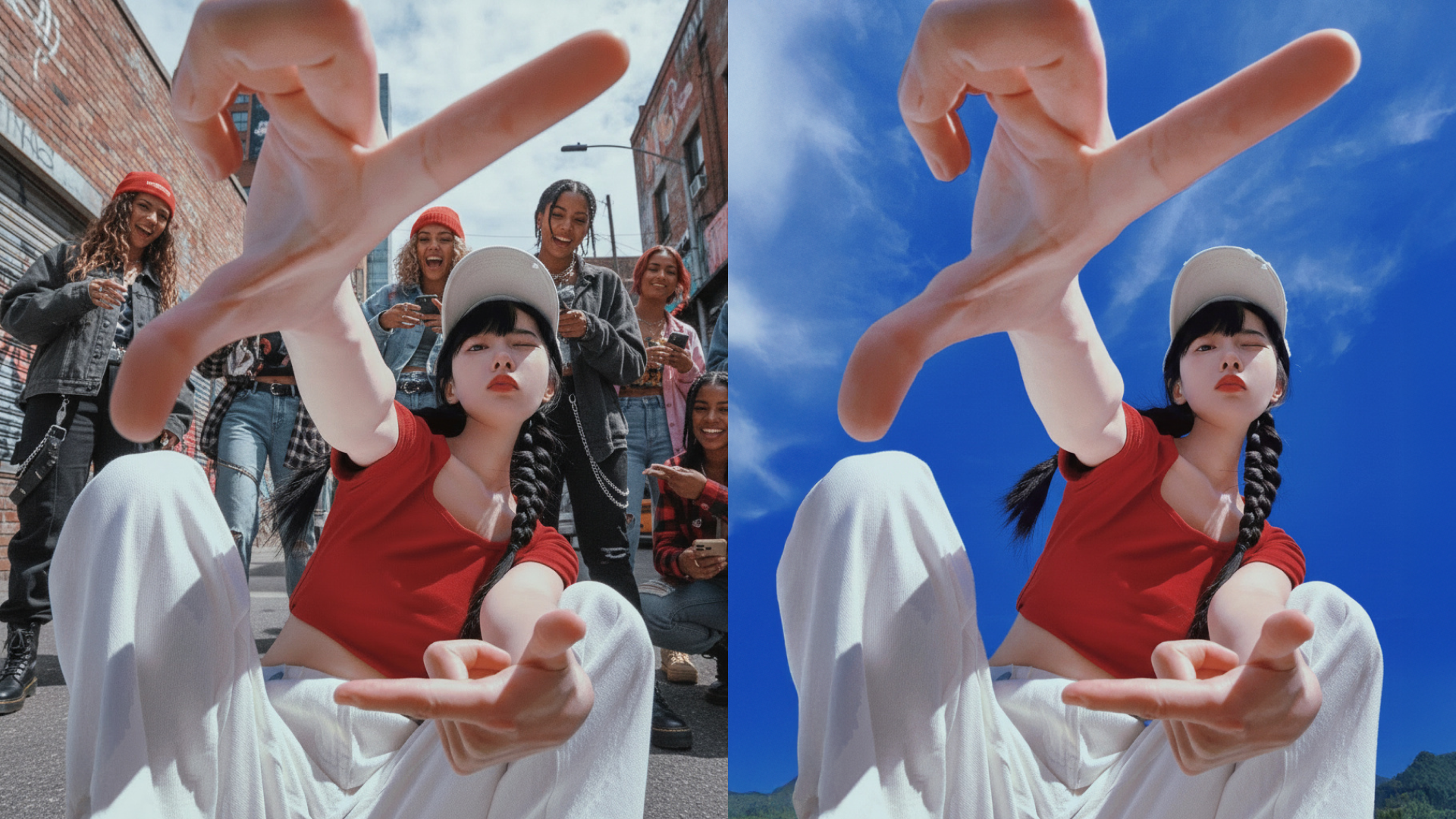
Changing the background of a photo used to mean hours in Photoshop or paying a professional designer. Today, things are much simpler. Whether you want a clean white background for a product image, a professional backdrop for a profile photo, or a creative scene for social media, you can change the background of a picture in minutes, often for free.
In this guide, you will learn how to change the background of a photo, traditional and AI-based methods, and how to use AI to change the background of a photo online using modern tools like ImagineArt.
Why People Change Photo Backgrounds
Photo background change is one of the most common image edits today. People do it for very practical reasons.
E-commerce sellers need clean and consistent product images. Job seekers want professional profile photos. Content creators want eye-catching visuals for social media. Businesses want marketing images that match their brand colors.
No matter the reason, the goal is the same: make the subject stand out and remove distractions.
How to Change the Background of a Photo (Traditional Methods)
Before AI tools became popular, background changes required manual editing.
Using Photo Editing Software
Programs like Photoshop allow you to manually select the subject, remove the background, and add a new one. This method offers control but takes time and skill. A small mistake can leave rough edges or unnatural outlines.
Using Online Background Removal Tools
Many websites now offer photo background change online. You upload an image, the tool removes the background, and you download the result. These are faster than manual editing but can struggle with hair, shadows, or complex edges.
How to Use AI to Change the Background of a Photo
AI has completely changed how photo background change works. Instead of manually selecting edges, AI understands the subject and separates it from the background automatically.
Here is how AI-based background changing usually works:
- Upload your photo
- The AI detects the subject and removes the background
- You choose a new background or generate one with AI
- Download the final image
This process takes seconds instead of hours and does not require design experience.
Using ImagineArt AI Background Changer to Change Photo Backgrounds
ImagineArt AI Background Changer is fully prompt-driven. Nothing happens automatically on its own. After you upload a photo, the AI relies entirely on your text prompt to understand what background you want and how it should look.
This gives you full creative control, but it also means the quality of the result depends on how clearly you describe the background.
Step 1: Upload the Photo You Want to Edit
Begin by uploading your photo into the ImagineArt AI Background Changer. The image acts as the base reference. From here on, the AI waits for your instructions. No background is changed until you describe what you want.
Step 2: Describe the Exact Background in a Text Prompt
You must clearly tell the AI what background to create. For example, instead of a vague instruction, you would write something like “clean white studio background with soft shadows” or “modern office interior with natural daylight.”
The AI uses this text prompt to generate and replace the background. The more specific your description, the more accurate and realistic the result will be. You control the style, setting, lighting, and mood entirely through words.
Step 3: Adjust the Prompt and Regenerate if Needed
If the first output is not exactly right, you can modify your text prompt and generate again. Small changes in wording can produce noticeably different results. This makes it easy to experiment until the background matches your vision.
Step 4: Download the Final Image
Once the generated background looks right, you can download the image in high quality. The final photo is ready for use on websites, social media, marketing materials, or professional profiles.
Why a Fully Prompt-Based Workflow Matters
Because ImagineArt AI Background Changer depends completely on text prompts, you are not limited to preset backgrounds or templates. You can create highly specific, branded, or creative backgrounds just by describing them. This approach is ideal for users who want maximum flexibility and control rather than automated, one-click edits.
In short, you upload a photo, tell the AI exactly what background you want in text, and ImagineArt AI Background Changer delivers the result.
Change Photo Backgrounds with ImagineArt 2.0 Edit
ImagineArt 2.0 Edit changes photo backgrounds through text prompts and automatically adjusts the subject's lighting to match the new environment — which is the step that makes background changes look real rather than composited.
Steps:
- Go to imagine.art/image and upload your photo.
- In the prompt field, describe the background you want: "replace the background with a minimal warm studio setting, soft gradient, natural light from the left."
- Set quality to High and generate.
- If the subject's lighting doesn't match the new background, refine the prompt: "match ambient light direction and colour temperature to the foreground subject."
Standard background tools drop a new background behind the subject and leave the lighting unchanged. ImagineArt 2.0 Edit infers the light sources from your prompt description and adjusts shadows and ambient light on the subject accordingly.
Works best with: Portraits, product shots, and full-body images with clean subject-background separation.
Change Background of Picture Online: AI vs Manual Tools
AI-powered tools stand out because they understand context. Hair, shadows, transparent objects, and complex shapes are handled much better than traditional tools.
Manual editing gives full control but requires time and skill. Simple online background removers are fast but limited. AI background changers like ImagineArt AI combine speed, accuracy, and creative freedom in one workflow.
Best Use Cases for Photo Background Change
Photo background change is not limited to one industry or purpose. It is a practical solution used across business, professional, and personal workflows where visuals matter.
E-commerce and Product Listings
Online shoppers make decisions in seconds, and messy or inconsistent backgrounds can hurt trust. E-commerce sellers use background changes to create clean, distraction-free product images that look professional across marketplaces like Amazon, Shopify, and Etsy. A consistent background also helps build brand identity and improves product visibility in search and ads.
 Change Background of Prioduct Image Using ImagineArt
Professional Profiles and Personal Branding
First impressions matter, especially on platforms like LinkedIn, company websites, and resumes. Professionals use photo background change to replace casual or cluttered backgrounds with clean studio-style or office settings. This helps present a polished, confident image without the cost of a professional photoshoot.
 Background Change for Professional Photo Using ImagineArt.webp
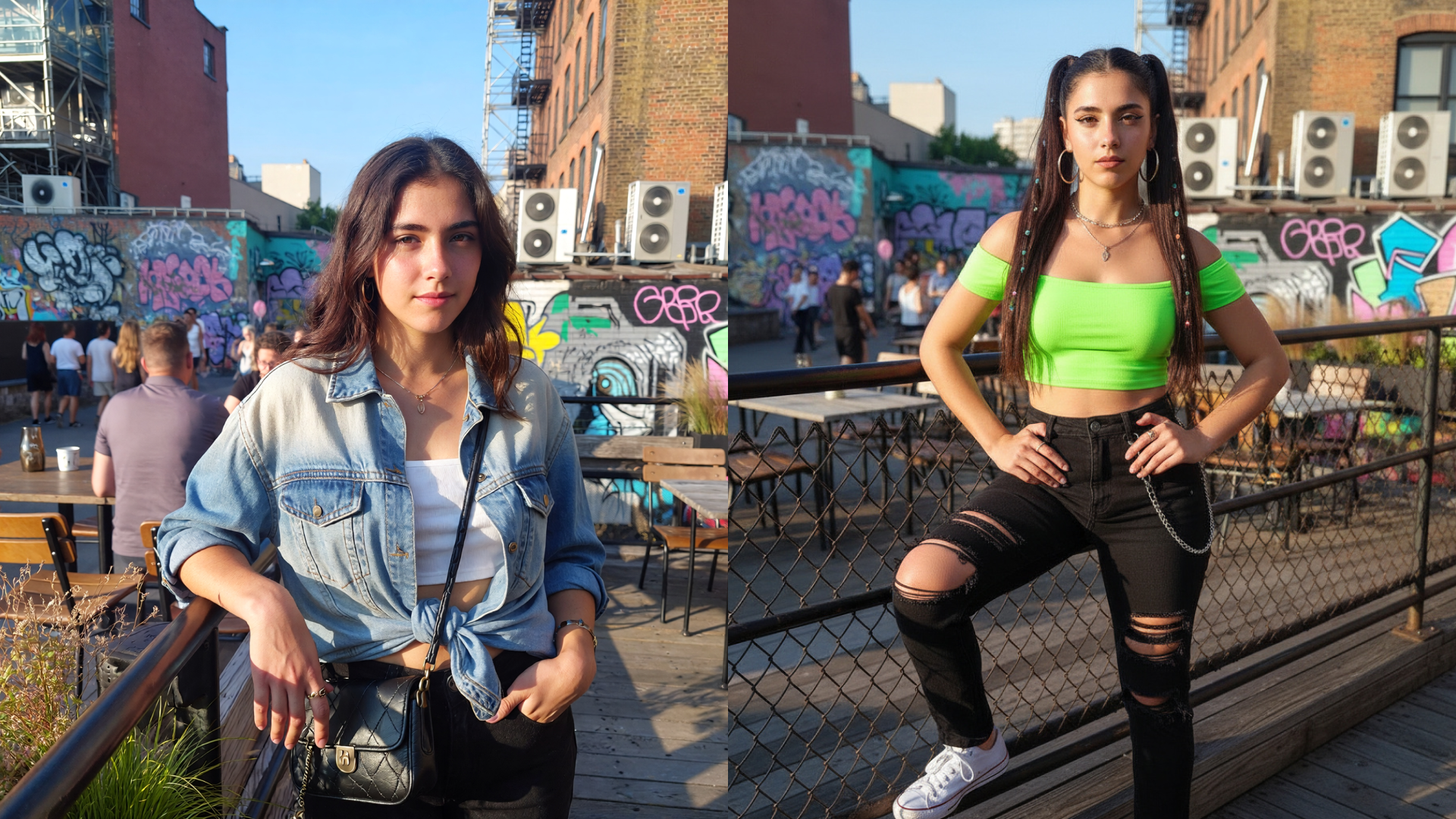
Influencers, Marketers, and Social Media Content
Influencers and marketers rely heavily on visuals to capture attention. Changing photo backgrounds allows them to refresh content, align visuals with campaigns, seasons, or brand colors, and test different creative styles. This flexibility helps keep feeds engaging while maintaining a consistent brand look.
 Social Media Influencer.webp
Real Estate and Property Marketing
Real estate agents use background changes to enhance property photos, remove distractions, or add sky replacements for exterior shots. Clean, visually appealing images can significantly improve listing engagement and help properties stand out in competitive markets.
Education, Small Businesses, and Corporate Use
Educators use background changes for course materials, profile photos, and presentations. Small businesses benefit from professional-looking images for websites, brochures, and ads without hiring designers. Corporate teams use background replacement for team profiles, internal communications, and virtual events.
 Background of Instructors Image Changed Using ImagineArt.webp
Tips for Better Background Replacement Results
While AI tools make background changes easy, following a few best practices can significantly improve the final result.
Start With a High-Quality, Well-Lit Photo
Lighting plays a major role in accurate subject detection. Use photos with even lighting and clear contrast between the subject and background. Good lighting helps AI tools detect edges, hair, and fine details more accurately, resulting in cleaner cutouts.
Avoid Busy or Cluttered Backgrounds
If possible, take photos against simple backgrounds. Busy patterns, overlapping objects, or similar colors between the subject and background can confuse detection tools. Cleaner starting images lead to smoother and more natural background replacements.
Match Lighting and Perspective
When choosing a new background, pay attention to light direction, brightness, and angle. A background with lighting that matches the subject will always look more realistic. Perspective also matters. A subject photographed at eye level should not be placed into a background shot from a very different angle.
Keep the Use Case in Mind
Always select backgrounds based on where the image will be used. A professional profile needs a subtle, clean background, while marketing or social media images can handle more creativity. Matching the background to the purpose ensures the image feels intentional and credible.
Review Edges and Final Details
After changing the background, quickly review edges around hair, hands, and clothing. Minor adjustments or refinements can make the difference between an image that looks edited and one that looks natural.
By combining the right use case with these practical tips, photo background change becomes a powerful tool for creating professional, consistent, and visually appealing images across any platform.
Final Thoughts: The Easiest Way to Change Photo Backgrounds Today
Changing the background of a photo no longer requires technical skills or expensive software. With AI-powered tools, anyone can change photo backgrounds online in just a few clicks.
If you want speed, clean results, and creative flexibility, using ImagineArt AI Background Changer is one of the most practical options available today. It turns a task that once felt complicated into something quick, intuitive, and accessible for everyone.
Shayan Shahzad
Shayan Shahzad loves turning AI trends and innovations into content people actually enjoy reading. With over seven years in content marketing, he focuses on generative AI and emerging tech. At ImagineArt, Shayan brings complex ideas to life through clear, engaging, and search-friendly narratives that connect with the right audience.