Biggest Sale Ever! 50% OFF & Unlimited Free Generations on top models
AI Watermark Remover
AI Watermark Remover instantly removes watermarks, logos, stamps, signatures, and unwanted text from images. Upload your photo and let the ImagineArt AI automatically reconstruct the background for clean, natural results. Free to use and no editing skills required.
How to Remove Watermarks From Images
Upload Your Image
Upload the image that contains the watermark, logo, text, or stamp you want to remove. Our AI watermark remover supports common formats like JPG and PNG.
Erase Watermark from Image
Select the aspect ratio you want for your output. This helps you keep the image format you need for social posts, websites, or downloads. Click Generate to remove the watermark automatically.
Download Clean Image
Download your clean, watermark-free image in high resolution. Use it confidently for social media, marketing materials, presentations, websites, or any personal or professional project.
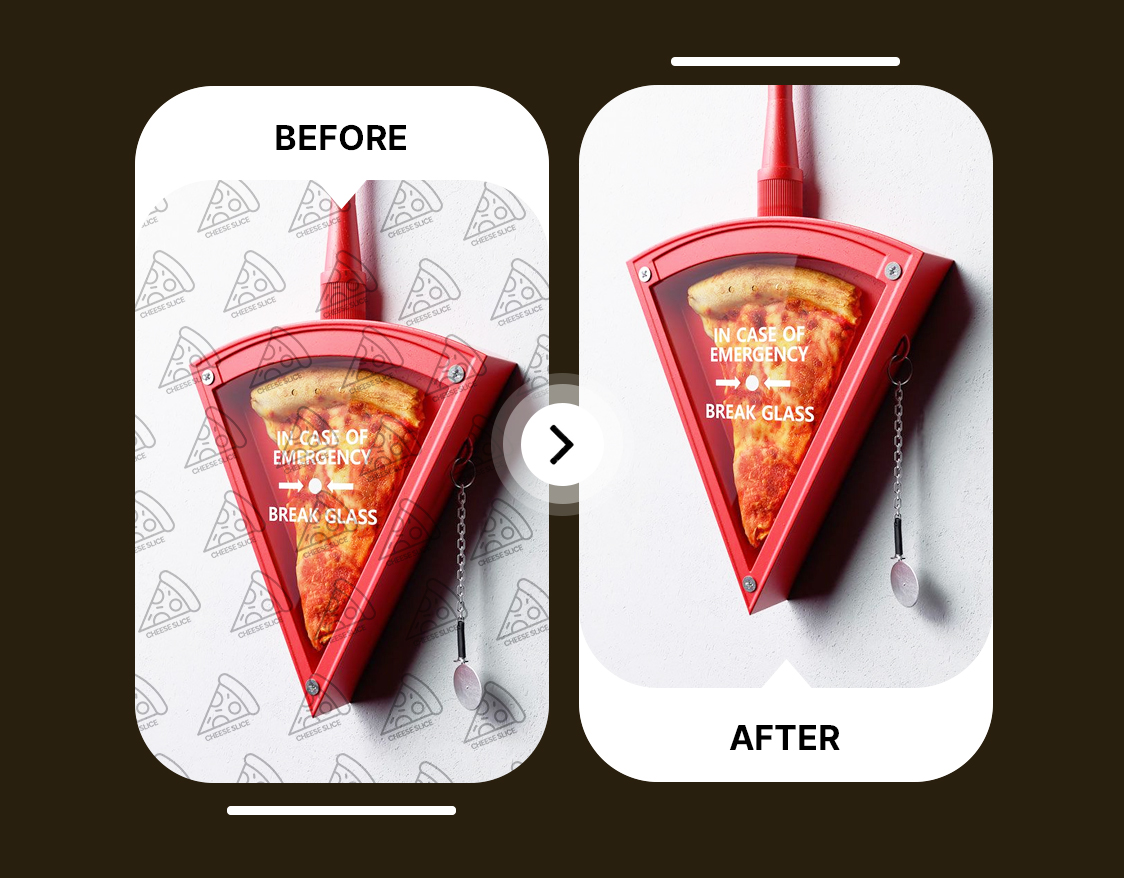
Remove Watermark With Automatic Detection
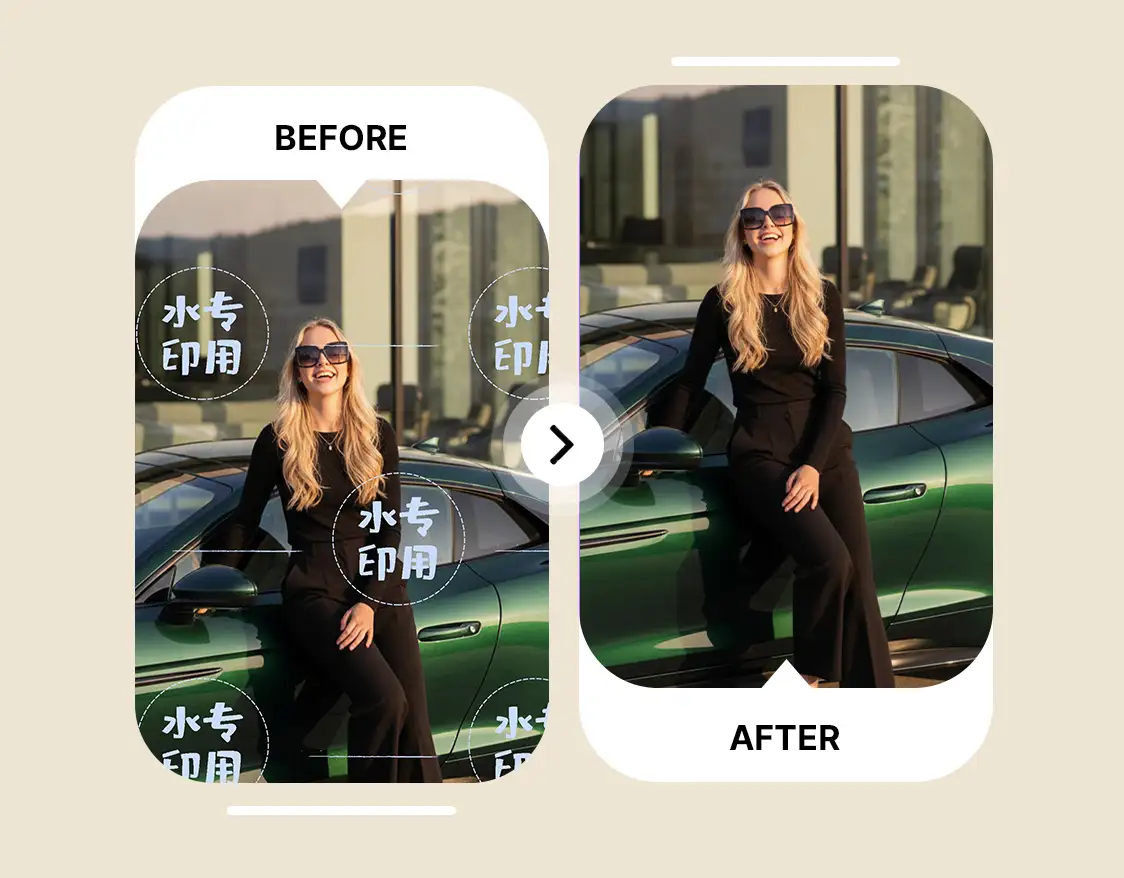
Fast and Reliable AI Image Watermark Remover
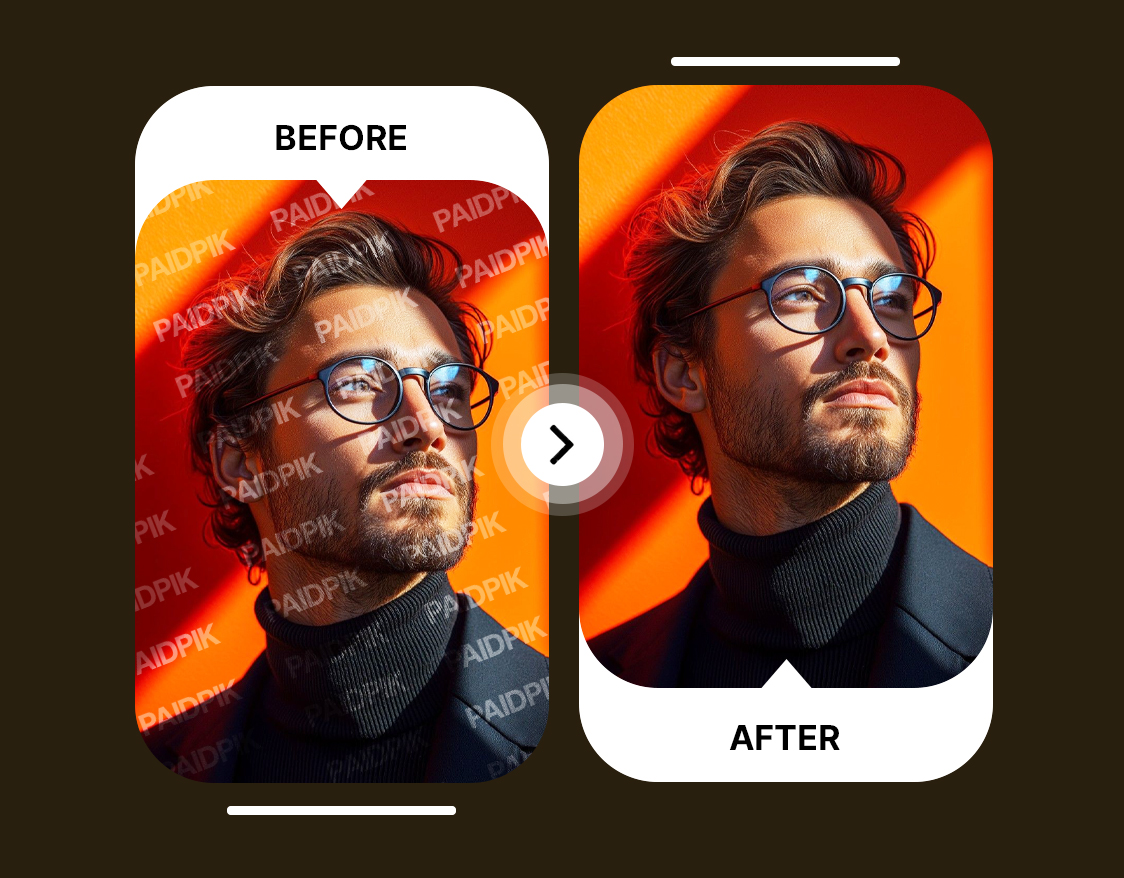
Cross-Platform Image Watermark Eraser








Trusted by Professionals and Creators from top Brands and Companies
Users Who Removed Watermarks Successfully
"ImagineArt AI Watermark Remover made it super easy to clean up old design drafts. I had my own test watermarks on them, and removing them saved me a lot of time when updating my portfolio."

Anya Petrova

"It’s really helpful for my business. I work with licensed supplier photos that come with temporary placeholders, and ImagineArt AI Watermark Remover lets me remove watermarks from images I can legally use, making my product listings look professional."

Ben Harris

"I use ImagineArt AI Watermark Remover for my digital art. I often add watermarks to early versions of my illustrations, and removing them for the final versions is quick and keeps the image quality intact."

Isabelle Kim

"This watermark remover is perfect for social media. I add watermarks to preview content before approval, and ImagineArt AI Watermark Remover lets me post clean images once everything’s signed off, without extra editing."

Michael Chenn

Got Questions? We Have the Answers
ImagineArt AI watermark remover is a tool that automatically detects and removes watermarks, logos, or text from images using artificial intelligence. It rebuilds the background naturally to deliver a clean, high-quality result without manual editing.
ImagineArt Image Watermark Remover deletes text watermarks, logos, patterns, dates, and semi-transparent marks. It analyzes the texture of the photo and reconstructs the background for a clean result. It works on product images, social posts, digital art, and reference photos.
It is legal to use an AI watermark remover on images you own or have rights to modify. The tool supports content cleanup for personal projects, drafts, and licensed material. Copyrighted images without usage rights should not be edited.
Upload an photo to ImagineArt AI Watermark Remover and run automatic detection. The tool blends the watermark area with the surrounding pixels. The output delivers a clean and natural look.
AI can erase a watermark automatically when using a tool like ImagineArt AI Watermark Remover. It identifies the watermark shape and fills the area with matching textures. No manual selection or editing skills are required.
To remove watermarks from legally licensed stock images, upload them to ImagineArt AI Watermark Remover and run the automatic process. The system reconstructs the photo to match the original background. This is useful for paid assets, templates, or brand kits.
Yes, AI can remove watermarks from complicated backgrounds by analyzing patterns and edges. ImagineArt AI Watermark Remover uses content-aware reconstruction to maintain quality. Results stay natural even on textured surfaces.
AI can detect faint or transparent watermarks using pixel-level analysis. ImagineArt AI Watermark Remover identifies subtle overlays and cleans them with background matching. This works well for soft logos and faded marks.
It is safe to use an online watermark remover when the tool processes images securely. ImagineArt uses automated cleanup without storing private files. The workflow keeps personal or branded images protected.
No installation is required since the AI watermark eraser tool runs in your browser. However, users must sign in to access the feature. New users receive free credits on signup and additional monthly credits.
ImagineArt AI Watermark Remover removes watermarks in a few seconds. The processing speed stays consistent across different image sizes. Larger files still generate fast results.
Yes, you can use ImagineArt AI watermark remover for free initially. New users get 100 free credits when they sign up and 40 free credits every day. However, if you want to remove watermark from multiple photos, buy our basic plan to get extra credits.