Studios
Other
Search across all features
Biggest Sale Ever! 50% OFF & Unlimited Free Generations on top models
Create professional blueprints effortlessly with ImagineArt AI blueprint maker. Design custom architectural blueprint easily with an AI-powered precision. Try now!
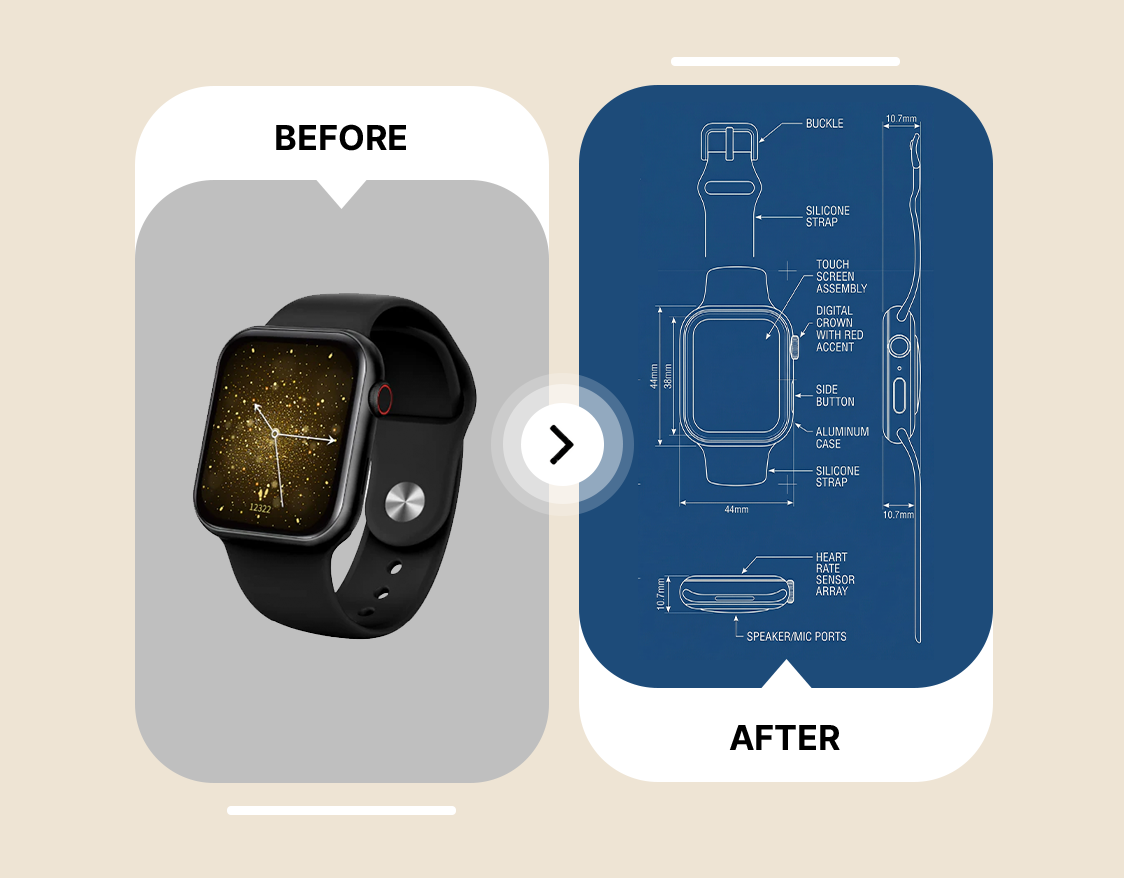
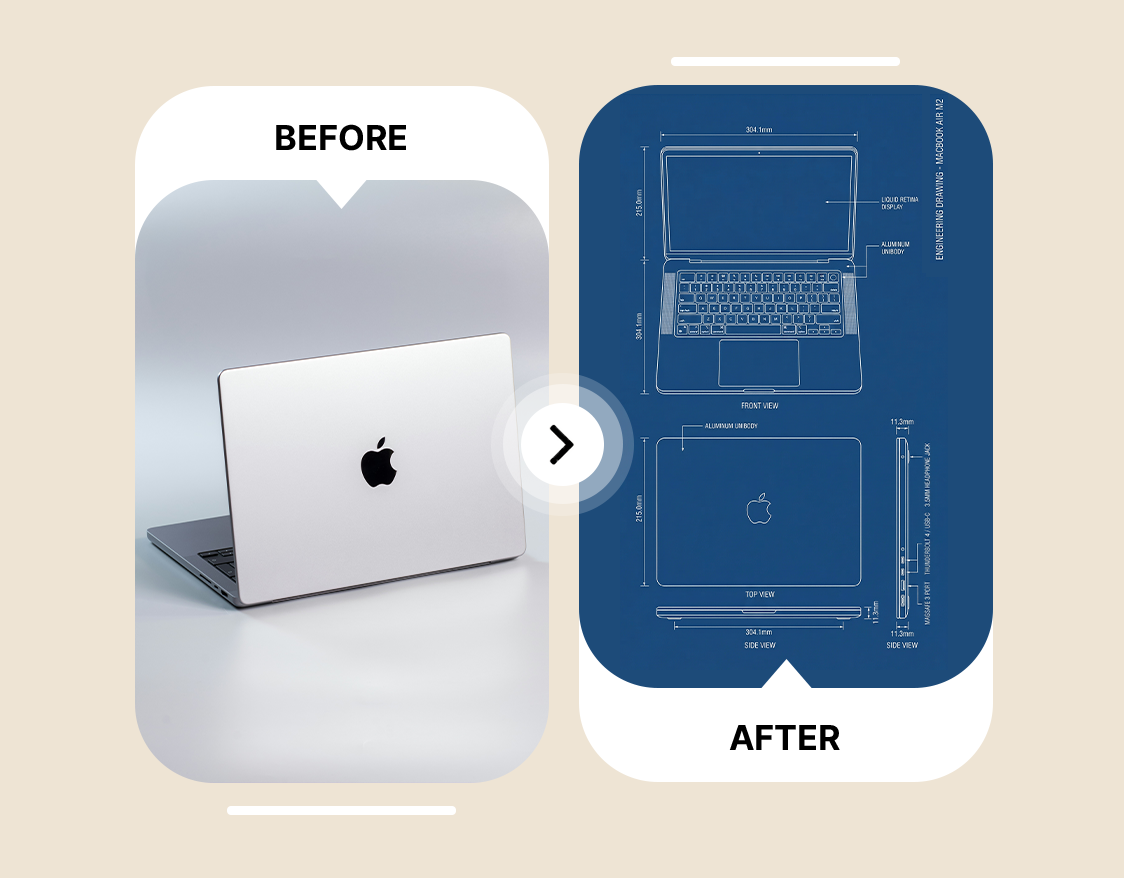
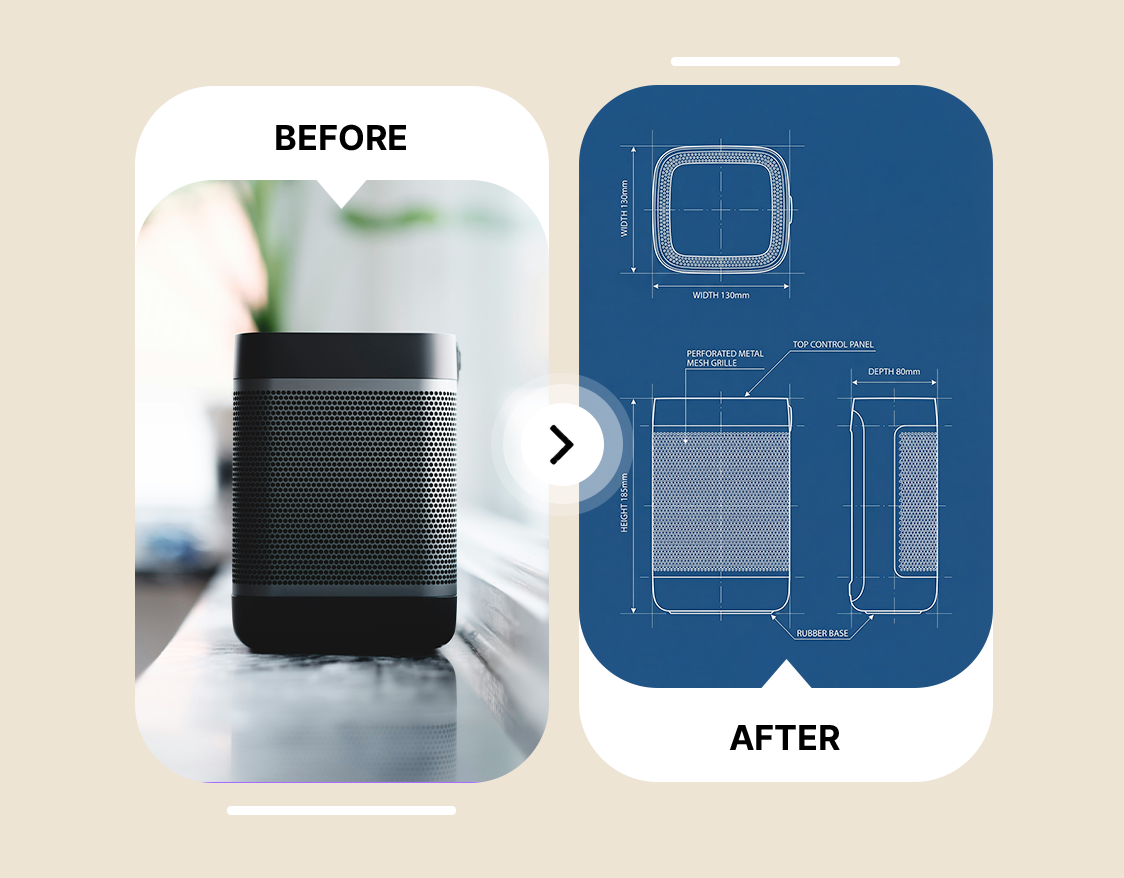
Start by uploading the design or layout image. ImagineArt AI Blueprint Maker analyzes the image to identify structures, dimensions, and key design elements accurately.
Click ‘Generate’ to create the blueprint. AI Blueprint Generator transforms the uploaded image into a precise, professional blueprint in seconds.
Download the generated blueprint or share it directly. The blueprint creator ensures high-resolution, ready-to-use files for projects, presentations, or planning.
Trusted by Professionals and Creators from top Brands and Companies
ImagineArt AI Blueprint Maker has made planning my home renovations so simple. I just uploaded a photo of my room, and it generates an accurate blueprint I can actually work from.

Anya Petrova

As an interior designer, ImagineArt AI Blueprint Maker helps me present multiple layout options to clients quickly. Uploading concept images produces clean, professional blueprints without spending hours drafting.

Ben Harris

For my small startup, ImagineArt AI Blueprint Maker turned product photos into professional blueprints for branding and packaging designs. It saves time and makes presentations look polished.

Isabelle Kim

I use ImagineArt AI Blueprint Maker for my hobby projects, like designing custom furniture and models. Uploading simple sketches or photos instantly creates detailed blueprints I can follow easily.

Ravi Patel

AI Blueprint Maker is a tool that generates professional blueprints from uploaded images. ImagineArt AI Blueprint Maker helps users create accurate, scalable designs quickly and effortlessly.
Yes, ImagineArt AI Blueprint Maker can create detailed blueprints automatically from any uploaded image, saving time and reducing manual errors.
AI Blueprint Maker analyzes uploaded images and transforms them into professional blueprints instantly, handling dimensions, layout logic, and design details.
Yes, the tool is beginner-friendly. ImagineArt AI Blueprint Generator simplifies blueprint creation, allowing non-technical users to generate professional designs with minimal effort. What is the best AI blueprint maker?
Users can create architectural layouts, interior designs, furniture plans, and custom project blueprints, all generated accurately from uploaded images.
Yes, if you sign up to ImagineArt as a new user, you can get 100 free credits, and 100 free credits every month afterwards. You can use those credits to use ImagineArt AI Blueprint Maker for free.
No, there is no limit if you are using ImagineArt AI Blueprint Maker. It lets users create multiple blueprints efficiently, supporting personal, professional, and hobby projects without strict limits.
Blueprints created with ImagineArt AI Blueprint Maker are highly accurate, automatically handling dimensions, scaling, and layout details with minimal errors.
Yes, architects, interior designers, and builders can use AI Blueprint Maker to plan, reduce errors, and save time on professional projects.
ImagineArt AI Blueprint Maker is a top choice for professionals and hobbyists, offering fast, accurate, and scalable blueprint generation from images.
Struggling with time-consuming drafts and scaling errors? ImagineArt AI Blueprint Maker transforms uploaded images into precise, professional blueprints automatically. Architects can get accurate floor plans, and interior designers can scale layouts effortlessly. The builders visualize complex projects with reduced mistakes. This blueprint designer saves hours while ensuring reliability across every design. To bring those blueprints to life, ImagineArt AI interior design generates fully styled room visualizations that help clients see the finished space.
Wish turning a concept into a blueprint was faster? ImagineArt AI Blueprint Generator creates potential designs directly from your uploaded images. Users can explore multiple layout possibilities instantly, making it easy to visualize ideas without technical skills. This blueprint builder streamlines planning and helps teams see design potential clearly. For photorealistic concept visuals beyond blueprints, ImagineArt sketch to render turns rough designs into stunning lifelike renders in seconds.
Need faster, error-free project planning? Blueprint generator AI from ImagineArt automates blueprint creation from images, delivering accurate results in seconds. Professionals can review multiple designs quickly, optimize workflows, and reduce costly mistakes. AI blueprint generator makes planning efficient, reliable, and ideal for architects, builders, and designers seeking speed and precision. Teams handling multiple projects can scale further with ImagineArt AI workflows, automating design pipelines from concept to final output.







